A sales invoice that mixes products and services has one job. It has to show the customer what they bought, what work they paid for, and how you got from those lines to the total. Blur the two together and you get questions, slow payments and the odd awkward phone call on a Friday afternoon.
This guide is for small business owners who sell both kinds of thing: a florist who delivers arrangements and charges for setup, a repair shop that sells a new drive and installs it, a photographer who bills a session plus a printed album. You will get the fields a sales invoice template for products and services needs, a worked example with real numbers, a plain way to handle tax when only some lines are taxable, and three Taskdale templates that do the sums for you.
Quick picks
| Product | Best for | Price | Link |
|---|---|---|---|
| Ledgerline Invoice, Quote and Receipt Kit | Invoices that fill from a client list and price list | Original price was: $3.00.$1.50Current price is: $1.50. | View |
| QuoteBloom Price Quote Template | Quoting first, with tax only on taxable lines | $4.99 | View |
| Clear Ledger Bookkeeping Spreadsheet | Recording sales and seeing which invoices are paid | $9.95 | View |
| BalanceBloom Bookkeeping Spreadsheet | Sales tax by month and quarter | $24.99 | View |
Why a mixed invoice needs a little more thought
Products and services behave differently on paper. A product has a quantity, a unit and a unit price: three bags of potting mix at a set price each. A service is usually time or a flat fee: two and a half hours of labor, or one delivery charge. Put both in a single column called “Description” and the customer has to guess which is which.
Tax adds a second wrinkle. In plenty of places, physical goods carry sales tax or VAT while some services do not, or the other way round. A bakery that sells a cake and charges for delivery and setup at a wedding venue might owe tax on the cake but not the setup, depending on local rules. Your invoice has to show that split clearly, line by line, or the tax figure at the bottom looks made up.
Then there is the follow-up. When a client queries a bill, the question is almost always about one line. “What was this 45 for?” A tidy invoice answers that before they ask. That is the whole case for a proper template rather than a quick email with a number in it.
Fields every sales invoice template should have
Think of the invoice in four blocks. Each one answers a different question for the person paying it.
The header: who, when and which invoice
- Your business name, address, phone and email, plus your logo if you have one
- The client’s name, company and billing address
- A unique invoice number that runs in order (INV-1041, INV-1042)
- Invoice date and due date, or payment terms such as Net 14
- A tax registration number if your area requires one on invoices
The line items: what was sold
- Item or service name and a short description
- Quantity and unit (each, box, hour, visit)
- Unit price or hourly rate
- A taxable marker for each line
- Line total
The totals block: how the number was reached
- Subtotal
- Discount, as a percentage or a flat amount
- Tax, shown as its own figure
- Shipping or delivery
- Amount already paid, such as a deposit
- Balance due, big and easy to find
The payment block: how to pay you
Bank details, a payment link, accepted cards, or “cash or check on collection.” Add one line of terms, for example a note that late invoices may carry a fee, and a short thank-you. Customers notice the thank-you more than you would expect.
Typing all of that from scratch for every sale is where most small sellers lose an hour a week. A workbook that stores your clients and your price list cuts it to a minute or two.
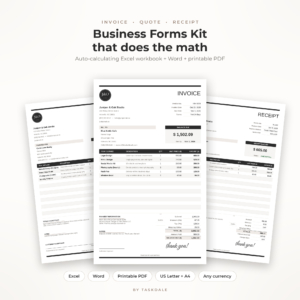
Ledgerline Invoice Kit
Price: Original price was: $3.00.$1.50Current price is: $1.50. | Best for: Sellers billing goods and labor together
An Excel workbook with invoice, quote, receipt and statement sheets, plus a client list of 100 and a price list of 150 products or services that fill each line when you pick them. Discount, tax, shipping and balance due calculate on their own, and an invoice log marks late ones in red. Matching Word templates and printable PDFs come in US Letter and A4. Start by entering your business details on the Settings sheet, then load your ten best-selling items into the price list.
A worked example with products and services on one invoice
Here is a real-looking job. A small computer repair business visits a dental office, swaps out two failing drives, adds a new keyboard and moves the data across. The tax rate in this example is 7 percent, and only the physical parts are taxable.
| Line | Type | Qty | Unit price | Taxable | Line total |
|---|---|---|---|---|---|
| 1TB solid state drive | Product | 2 | 89.00 | Yes | 178.00 |
| USB keyboard | Product | 1 | 35.00 | Yes | 35.00 |
| Data migration labor | Service | 2.5 hours | 70.00 | No | 175.00 |
| On-site call-out | Service | 1 | 45.00 | No | 45.00 |
The subtotal comes to 433.00. Taxable lines add up to 213.00, so tax at 7 percent is 14.91. The balance due is 447.91. Anyone reading that invoice can trace every cent in about ten seconds.
Notice what is missing. There is no “misc parts” line, no lump sum for “IT work,” and no tax charged on the labor. The dental office manager can pass it straight to their bookkeeper without a single email back. That is the small win you are after: an invoice that gets paid on the first read.
What changes if you give a discount
Say you knock 10 percent off the whole job for a loyal client. The discount should come off before tax, and the tax should only fall on the discounted value of the taxable lines. In this example the taxable amount drops from 213.00 to 191.70, and the tax becomes 13.42. Doing that by hand is fiddly. A template that spreads the discount across lines and taxes only the right ones saves you from a rounding error that a sharp-eyed client will spot.
Getting tax right when only some lines are taxable
The simplest fix is a Yes or No column beside every line. Your template then adds up only the Yes lines before applying the rate. No mental arithmetic, no separate calculator.
Three habits keep it clean:
- Set the default per item, not per invoice. If gift cards in your shop are never taxed, mark them No in your price list once. Every future invoice picks that up.
- Round each line to the cent before adding. Otherwise a 33.335 line can make your printed total one cent off the sum of the lines.
- Name the tax. “Sales Tax 7%” or “VAT 15%” on the invoice is clearer than a bare “Tax.”
Which items are taxable depends on where you trade, and the rules can surprise you. A quick check with your local tax office or an accountant before you set up your price list is time well spent. Once the list is right, the template carries it forward.
If you usually quote before you sell, it helps when the quote already handles the taxable split, so the invoice inherits it.
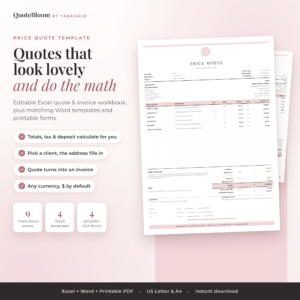
QuoteBloom Price Quote Template
Price: $4.99 | Best for: Businesses that quote before invoicing
An Excel workbook with linked Quote and Invoice sheets, a catalog of up to 200 items with units and a tax setting, and a client list of 200. Tax applies only to lines marked taxable, after their share of any discount, and the invoice copies the accepted quote so you never retype it. You also get Word templates in US Letter and A4, printable hand-fill forms and a quote log. Fill in the Catalog sheet first and mark each item taxable or not.
From quote to invoice without retyping
A lot of mixed jobs start with a price. The landscaper quotes plants plus planting. The caterer quotes food plus staff hours. When the client says yes, the invoice should match the quote line for line, with any deposit taken off.
A smooth flow looks like this:
- Send a quote with a valid-until date, usually 14 or 30 days.
- Ask for a deposit on acceptance if you are buying stock up front.
- Do the work and note any changes, such as an extra hour or a swapped part.
- Turn the quote into an invoice, add the changes as new lines and subtract the deposit.
- Send the invoice the same day the job finishes. Same-day invoices tend to be paid sooner simply because the work is fresh in the client’s mind.
If you are not sure where a quote ends and an invoice begins, our guide to the difference between a quote, an estimate and an invoice walks through each one with examples.
Building a price list that fills your invoices for you
The price list is the quiet engine of a good invoice template. Set it up well once and every invoice after that takes a minute.
Name products and services differently
Start product names with a noun and a size or code: “Planter, ceramic, 12 inch” or “SSD 1TB.” Start service names with a verb: “Install shelving,” “Deliver and set up,” “Consult, per hour.” At a glance, the client can tell goods from labor without a separate column.
Pick sensible units
Each, pack, box, hour, half day, visit. Keep the list short. Ten units cover almost every small business. A tutor might only need “hour” and “workbook.” A candle maker might need “each,” “set of 3” and “gift wrap.”
Review prices on a fixed date
Pick one day a year, say the first Monday in January, and update every price. Suppliers raise costs quietly, and an old price list can eat your margin for months before you notice. If you hold stock, pair the price review with a stock count. Our maker’s inventory spreadsheet guide shows how to track materials in and finished products out, which makes pricing products much less of a guess.
After the invoice goes out: recording the sale
An invoice is only half the story. The other half is knowing it was paid, and seeing it land in your income so your profit figure is real.
Keep it simple. When you send an invoice, log it. When money arrives, record the payment against that invoice number. Once a week, look at what is still open. Ten minutes on a Friday morning is enough for most small shops with 20 to 40 invoices a month.
If you sell through Etsy or Shopify as well as invoicing clients directly, your books get messier, because platform payouts arrive with fees already taken. A bookkeeping workbook that splits those fees out keeps your direct sales and your platform sales in the same place.
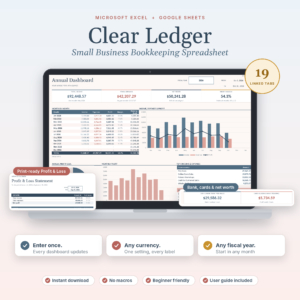
Clear Ledger Bookkeeping Spreadsheet
Price: $9.95 | Best for: Sellers with invoices and online payouts
A bookkeeping workbook for Excel and Google Sheets with income and expense logs, a profit and loss statement, budget, cash flow, invoice tracking, mileage and a tax center. Type the invoice number on an income row and that invoice marks itself paid, including partial payments, and platform fees land in your expenses on their own. Setup takes about ten minutes. Begin by entering your opening account balances and last month’s sales.
Mistakes that make mixed invoices hard to pay
- Vague lines. “Parts and labor” as one line invites a call. Split them.
- Skipped or repeated invoice numbers. They confuse your records and your client’s. Let the template suggest the next number.
- No due date. “Payable soon” means whenever. Write a date.
- Tax on everything, or nothing. Mark each line, and the total takes care of itself.
- Editing a sent invoice. If something changes after sending, issue a corrected invoice with a new number or a credit note, and keep the original on file.
- Hiding the balance due. Put it in the biggest box on the page. People pay what they can find.
Which file type suits a products-and-services invoice?
Excel is the best fit for mixed invoices because it can hold a price list, mark lines taxable and do the sums without mistakes. Word works if you send two or three invoices a month and like to type freely. A printable PDF suits sellers at markets or on job sites who write invoices by hand and need a carbon-copy feel.
Many sellers end up using two: Excel at the desk and a printed PDF pad in the van or at the craft fair. For a deeper side-by-side, read our comparison of invoice templates in Word, Excel and PDF.
Frequently asked questions
What is the difference between a sales invoice and a service invoice?
A sales invoice usually bills for goods, with quantities and unit prices. A service invoice bills for time or a fixed fee. When you sell both, one invoice can carry both kinds of line, as long as each line is labeled clearly.
Can I put products and services on the same invoice?
Yes. Most small businesses do. Give each line its own quantity, unit and price, mark which lines are taxable, and the subtotal and tax will make sense to the customer.
Should parts and labor be on separate lines?
Yes. Separate lines show the customer what they paid for, help when tax rules differ between goods and services, and make it easier to see later which part of the job made money.
How do I number sales invoices?
Use a simple sequence that never repeats, such as INV-1001, INV-1002 and so on. Some owners add the year, like 2026-041. Pick one style and keep it.
Does a sales invoice template work in Google Sheets?
Some do. The Clear Ledger and BalanceBloom workbooks are built for both Excel and Google Sheets. Ledgerline and QuoteBloom are Excel workbooks that also come with Word and printable PDF versions.
Your next step
Pull up your last five invoices and list every product and service you billed. That list is your starting price list. Mark each item taxable or not, give it a unit, and load it into a template that does the math, such as the Ledgerline Invoice, Quote and Receipt Kit. Your next invoice will take a minute, and the one after that even less.