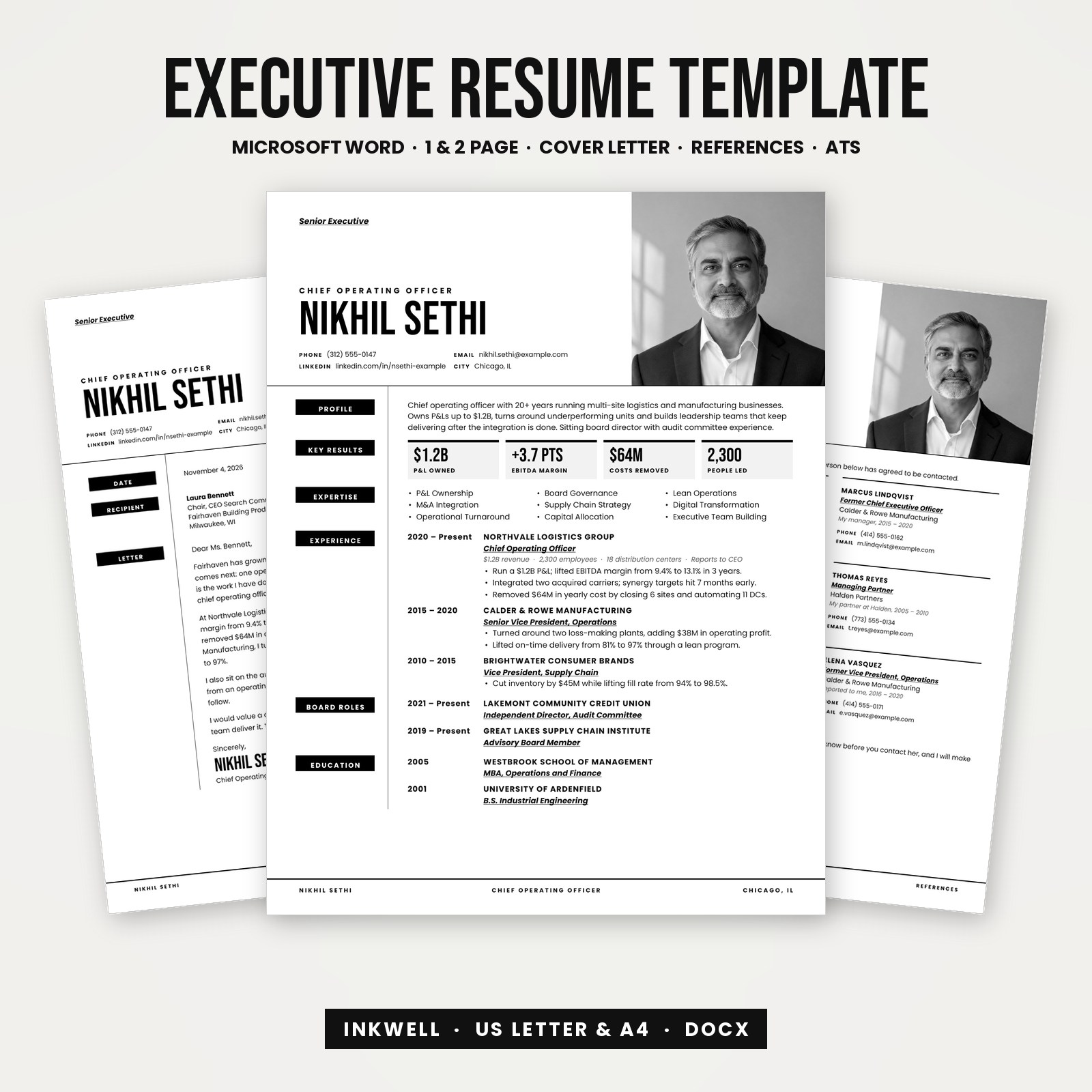
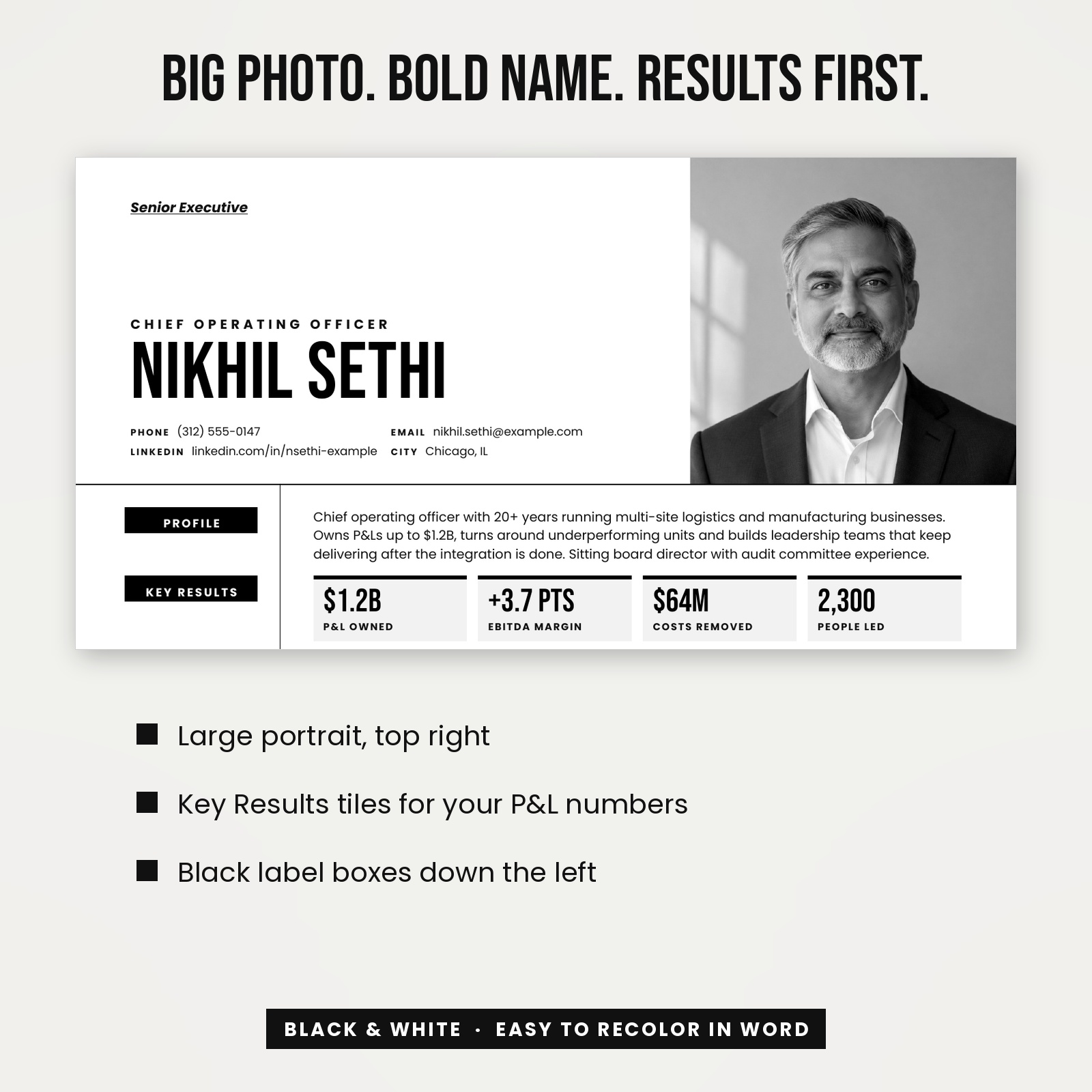

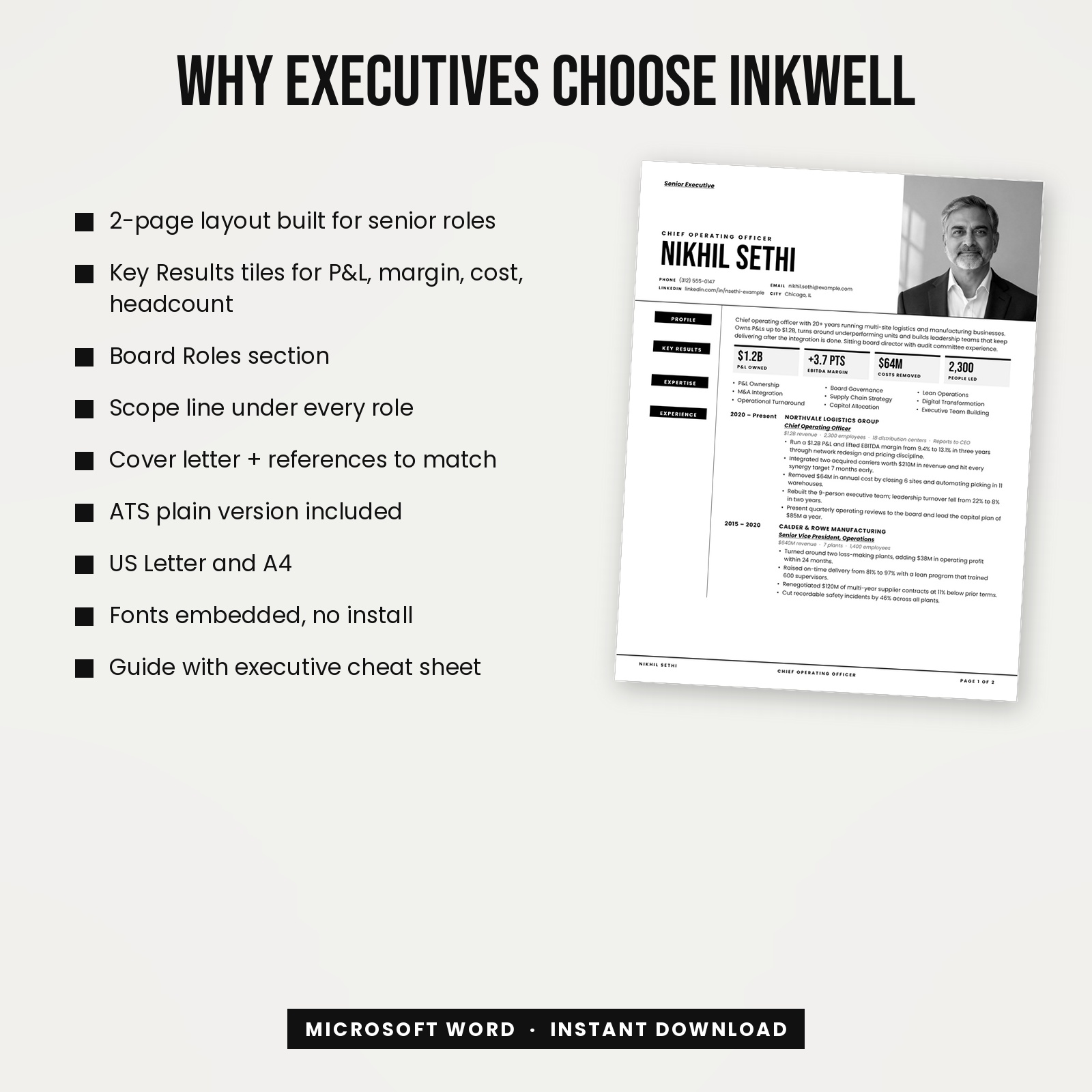
This executive resume template for Word is built for senior leaders who need a resume that looks as considered as the roles they apply for. Inkwell is a black and white design with a large portrait in the top right corner, a tall condensed name and black label boxes running down the left side of a thin rule. It comes as a full set of editable Microsoft Word files: a 2-page resume, a 1-page resume, a matching cover letter, a references page and an ATS plain version, each in US Letter and A4.
A Senior Executive Resume Template Made for Search Committees
Executive search firms and boards read a resume for scale before anything else. How big was the P&L? How many people? What changed because you were there? Inkwell answers those questions in the first third of page one. Four Key Results tiles sit right under your profile for numbers such as P&L owned, margin gained, cost removed and people led. Every senior role gets a small scope line under the title, like “$1.2B revenue, 2,300 employees, 18 sites”, before the achievement bullets start.
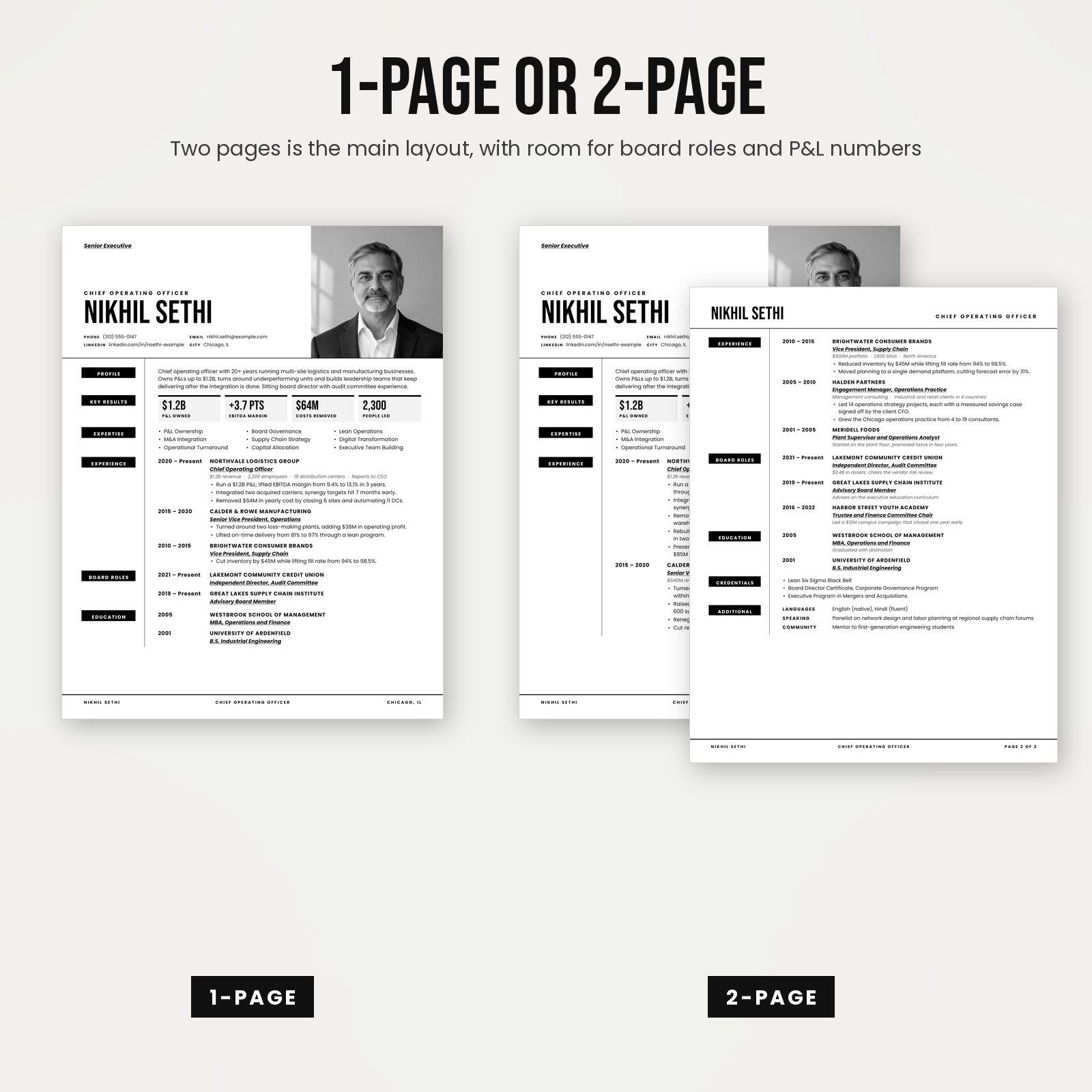
The 2-page resume is the main layout, because that is what most search firms expect from someone with 15 or more years of leadership. Page 2 opens with a slim name band and keeps the same label column, so it reads as one document. It has space for up to five roles, an early career line, a Board Roles section, education, credentials and an Additional section for languages, speaking and community work.
What Is Included
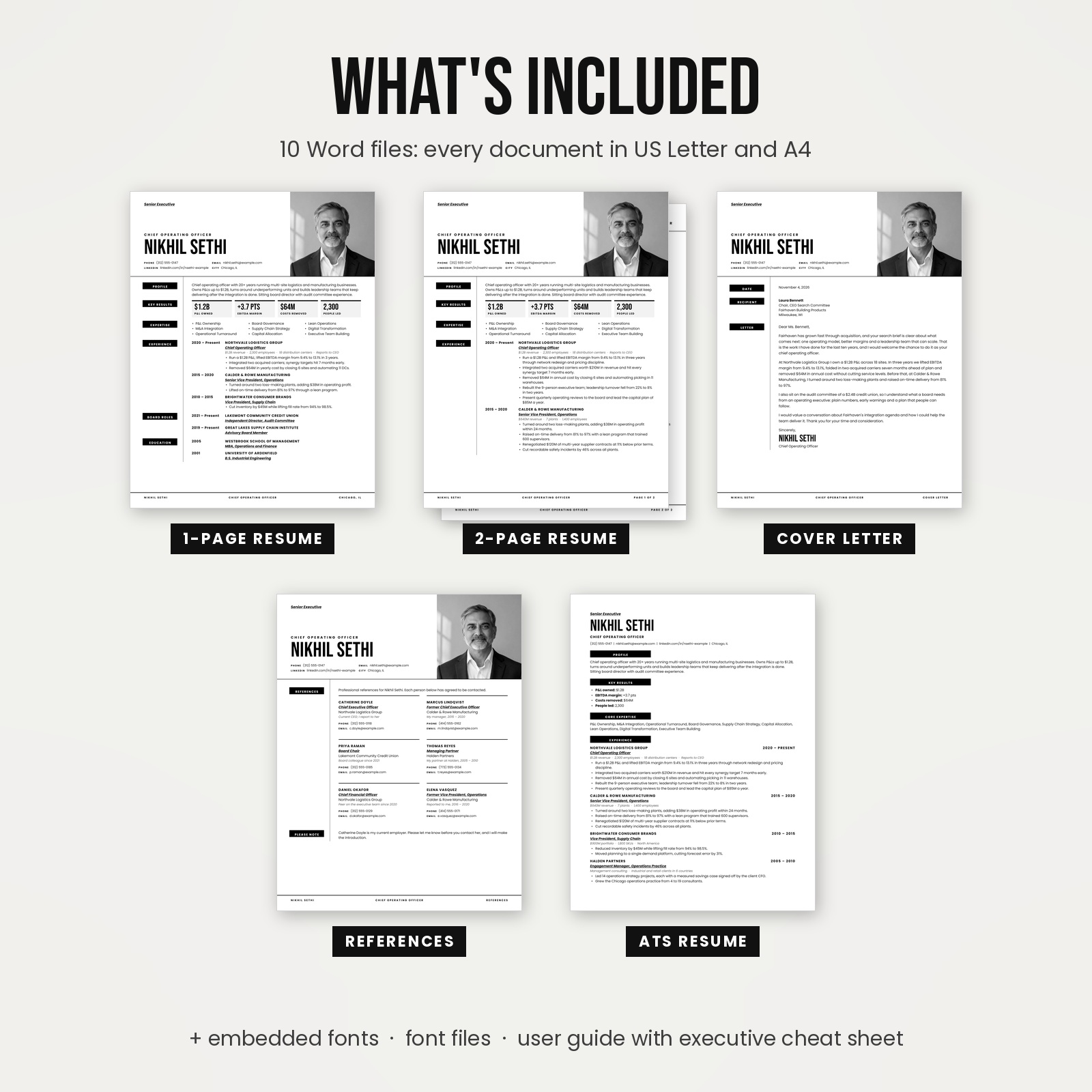
- 2-page executive resume with Profile, Key Results, Expertise, Experience, Board Roles, Education, Credentials and Additional sections
- 1-page executive resume for networking, conference bios and applications that ask for one page
- Matching cover letter with Date, Recipient and Letter rows in the same layout
- References page with six reference blocks and a note row for your current employer
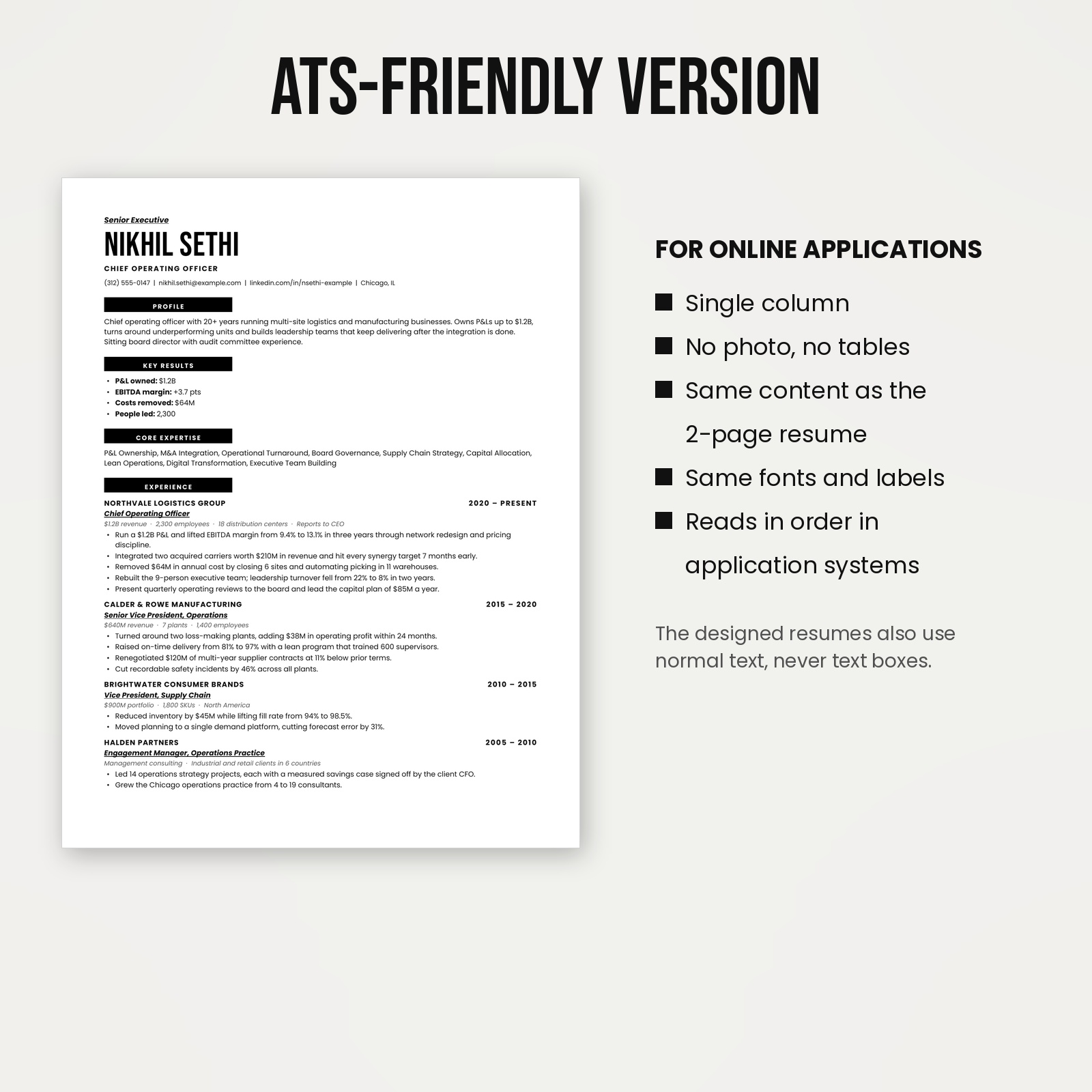
- ATS resume: single column, no photo, no tables, same content and fonts
- All five files in US Letter and A4 (10 Word files in total)
- Fonts folder with Bebas Neue and Poppins (both free for commercial use under the SIL Open Font License)
- A 7-page user guide (DOCX) with an executive resume cheat sheet
Why This Executive Resume Template for Word Is Easier to Edit
Many Word resume templates fall apart the moment you type. Inkwell avoids the usual problems.
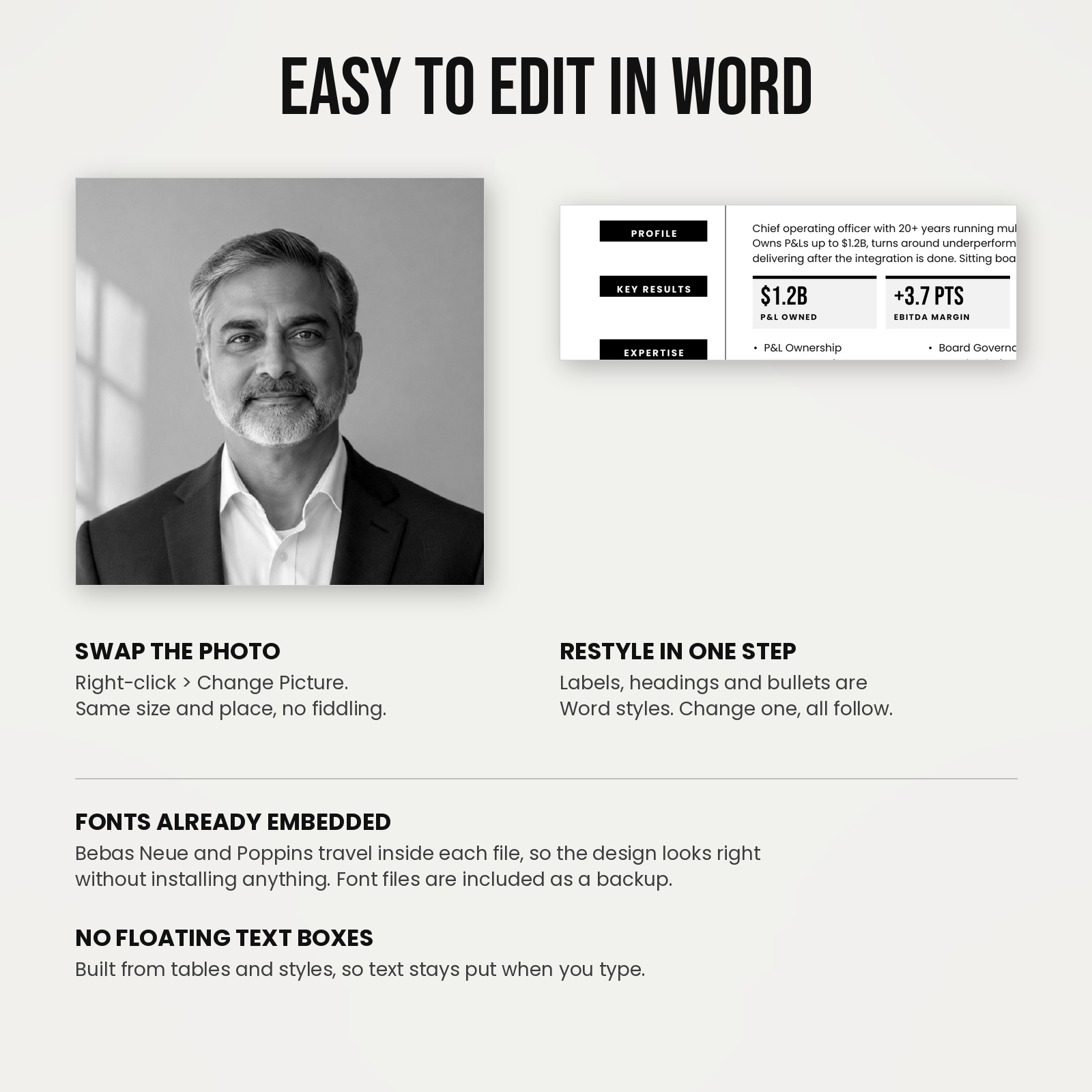
- Fonts are embedded. Bebas Neue and Poppins are stored inside every .docx, so the design looks right in Word without installing anything. The font files are included as a backup.
- No floating text boxes. Every line is normal text inside table cells, so nothing jumps around when you add a bullet, and application software can read it.
- Real Word styles. The label boxes are the Heading 1 style. Change its shading once and every label on the page follows. The same goes for company lines, job titles, scope lines and bullets.
- Simple photo swap. Right-click the photo, choose Change Picture and your photo takes the same size and place.
- Tested to stay on one page. We added three extra bullets, a two-line job title and a two-line name to the 1-page file, and it still fit on one page in both paper sizes.
- Realistic sample text. No lorem ipsum. The sample shows a chief operating officer with measurable results, so you can see how strong executive bullets read.
Who It Is For
Inkwell suits chief executives, chief operating officers, CFOs, presidents, senior vice presidents, general managers and directors stepping up to the executive level. The black and white palette prints cleanly on any office printer and reads well as a PDF on screen.
Real situations where buyers use it
- Sending a 2-page resume to a retained search firm for a COO or CEO search
- Applying for a board seat or a non-executive director role, with board experience in its own section
- Uploading the ATS version to a corporate careers site that parses resumes
- Sending a matching cover letter and references page when a final-round interview is scheduled
How It Works
- Download the kit zip and the user guide after checkout.
- Unzip the kit and open the folder for your paper size: US-Letter for the US and Canada, A4 for most other countries.
- Open the 2-page resume in Microsoft Word and type over the sample text.
- Swap in your photo with Change Picture, or delete it if you prefer a resume without one.
- Save as PDF from Word and send it.
File Formats and Software
All templates are Microsoft Word .docx files. They work in Word 2016 or newer on Windows and Mac, and in Word for the web. You can open them in Google Docs or Apple Pages with minor layout differences, such as slightly different spacing, so we suggest doing your final edit and PDF export in Word. The user guide is also a Word document.
Customization
You can change any text, reorder or delete sections, add rows for new sections, and recolor the label boxes, Key Results tiles and rules through Word styles, cell shading and borders. The guide gives the menu path for each change. The sample portrait is black and white; your own photo stays in color unless you choose Picture Format, Color, Grayscale.
Executive Resume Cheat Sheet Included
The user guide ends with a cheat sheet written for senior roles: a bullet formula with four worked examples, 30 action verbs for leaders, 30 keywords recruiters search for in executive resumes (P&L management, EBITDA, post-merger integration, corporate governance and more) and a table showing what to write in each section.
Digital Download
You get two instant downloads: the resume kit (zip) and the user guide (DOCX). Nothing is shipped.
Frequently Asked Questions
Is this executive resume template editable in Word?
Yes. Every file is a standard Microsoft Word .docx. Click any text and type.
Do I have to include a photo?
No. Delete the photo and the name block keeps its place, or use the ATS version, which has no photo. Many US employers prefer resumes without photos, while photos are common in Europe and Asia.
Is it ATS friendly?
The designed resumes use normal text in tables with no text boxes. For online application forms, use the included ATS version, a single column with no tables.
Should an executive resume be one page or two?
For most senior executives, two pages is standard and is the main layout here. The 1-page version is there for networking and roles that ask for a short resume.
Will the fonts change on my computer?
They shouldn’t. The fonts are embedded in each file. If an older Word for Mac version ignores them, install the font files from the included Fonts folder.
Can I change the black to another color?
Yes. Modify the Heading 1 style shading to recolor every label box at once, and use Table Design to change tile shading and lines.
License: personal use only. You may edit and use the templates for your own job applications. Reselling, sharing or redistributing the files is not allowed. All names, companies and schools in the samples are fictional, and the sample portrait is an AI-generated image of a fictional person.
Reviews
There are no reviews yet.