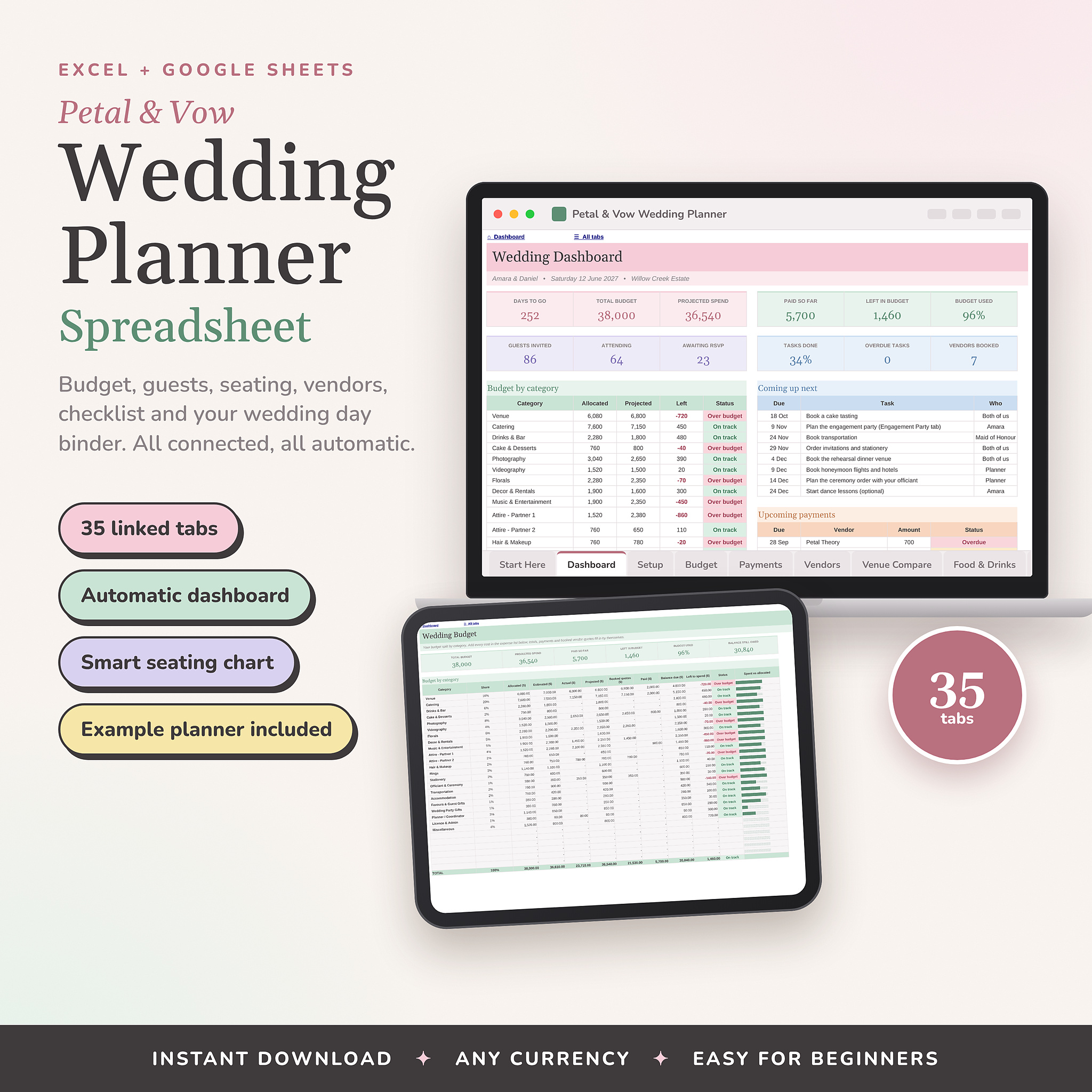


Wedding planning gets messy fast. A budget in one app, the guest list in another, vendor quotes buried in your inbox. Petal & Vow puts all of it in one calm, beautiful spreadsheet, and the tabs talk to each other.
Add a guest once and they show up in your headcount, on the seating chart, in the meal totals and on the dashboard. Mark a vendor as booked and their quote lands in your budget and their phone number lands in your wedding day binder. You type it once. The planner does the rest.
Works in Excel and Google Sheets
Many wedding spreadsheets only work in Google Sheets. This one opens in Microsoft Excel (2016 or newer, Windows or Mac, and Microsoft 365) and in Google Sheets, so you and your partner can plan in whatever you already use.
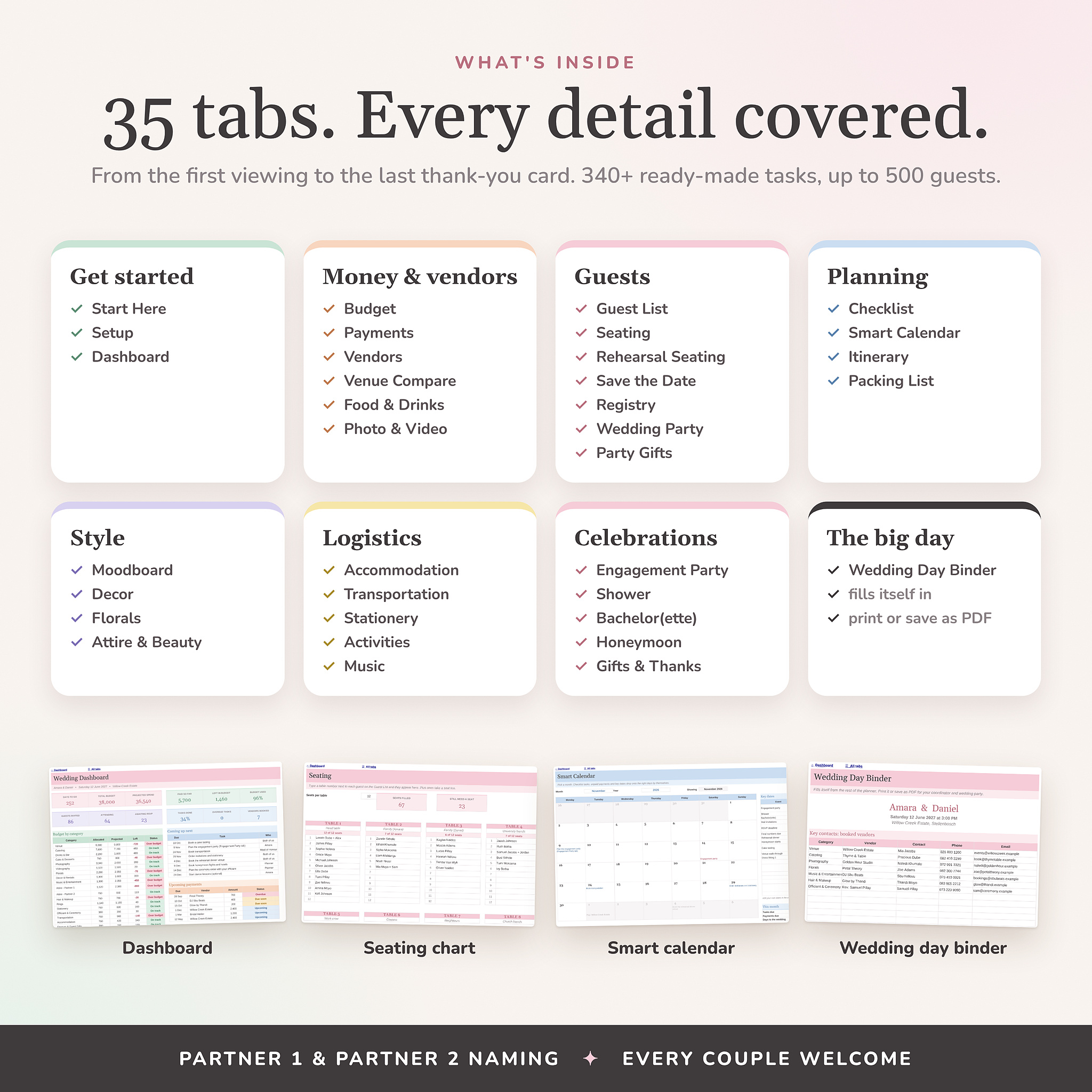
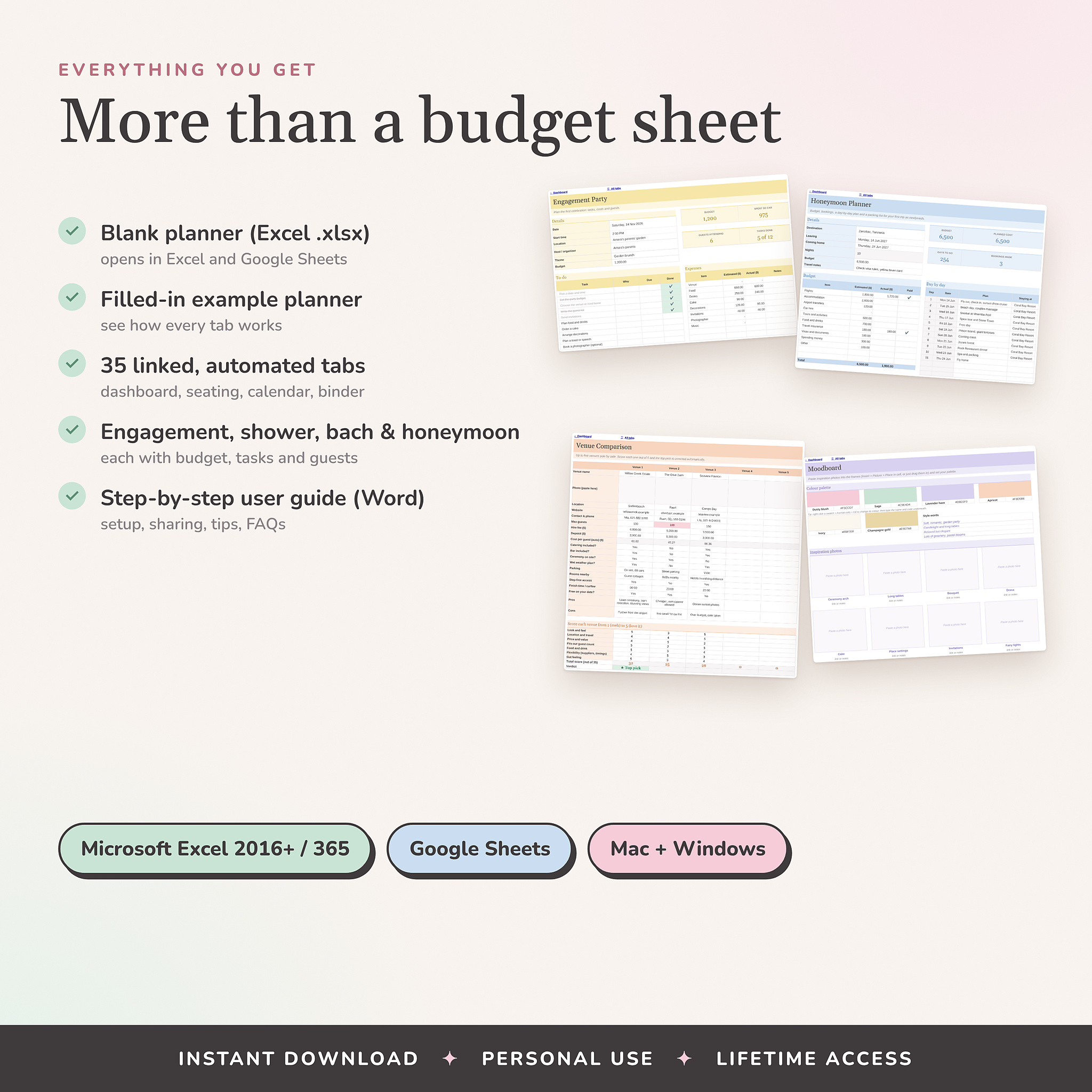
What’s inside: 35 tabs
- Get started: Start Here, Setup, Dashboard
- Money and vendors: Budget, Payments, Vendor Research, Venue Comparison, Food & Drinks, Photo & Video shot list
- Guests: Guest List, Seating, Rehearsal Seating, Save the Date and invite tracker, Registry, Wedding Party, Party Gifts
- Planning: Checklist, Smart Calendar, Wedding Day Itinerary, Packing List
- Style: Moodboard, Decor, Florals, Attire & Beauty
- Logistics: Accommodation, Transportation, Stationery, Activities, Music
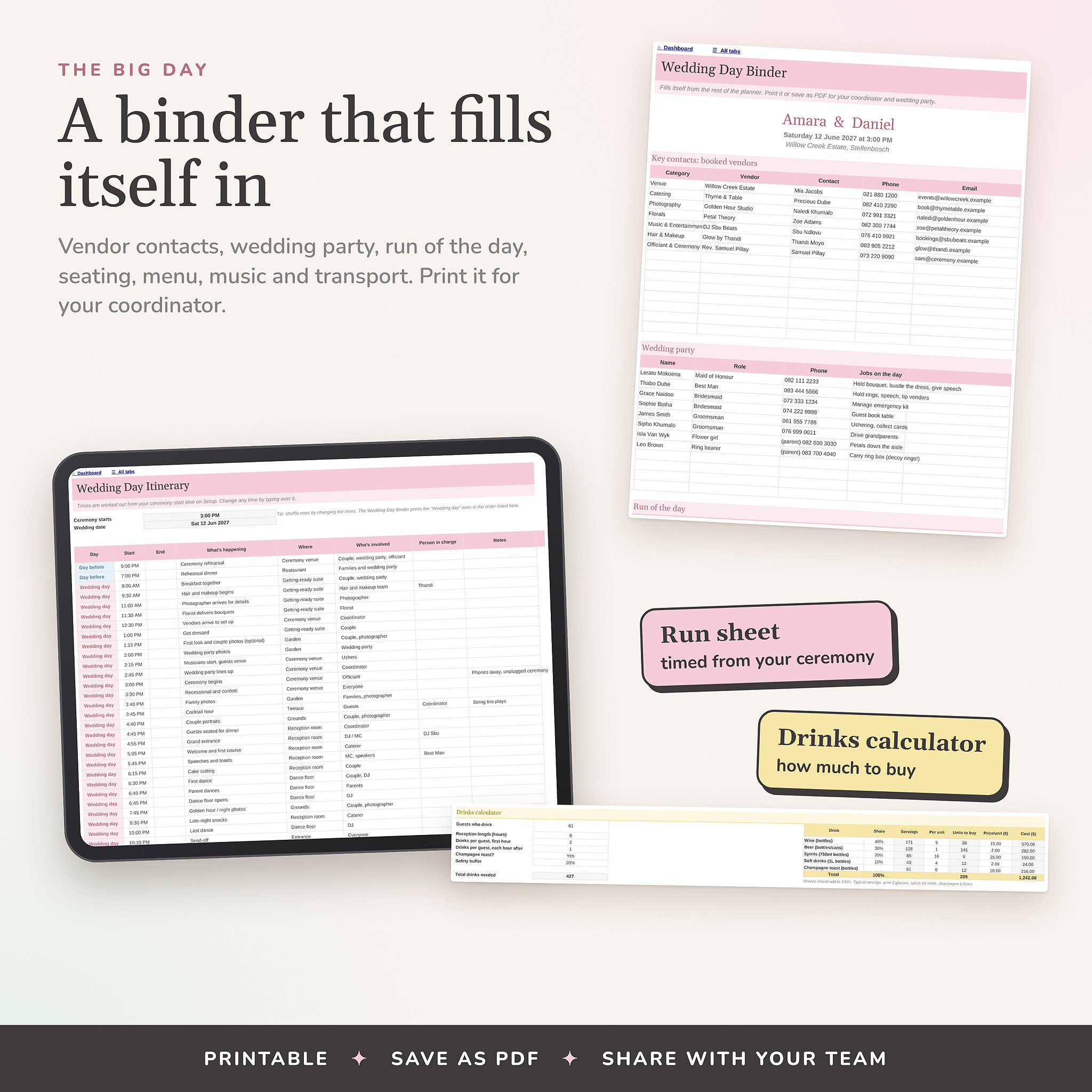
- The big day: a Wedding Day Binder that fills itself in, ready to print
- Celebrations: Engagement Party, Shower, Bachelor(ette), Honeymoon, Gifts & Thank-You notes
The clever bits
- Dashboard with a countdown, budget health, RSVP and meal counts, the next 8 tasks and the next 6 payments
- Budget split into 22 categories by percentage, with estimated, actual, paid and balance due, plus a who’s-contributing tracker
- Payment schedule that flags overdue and due-soon payments
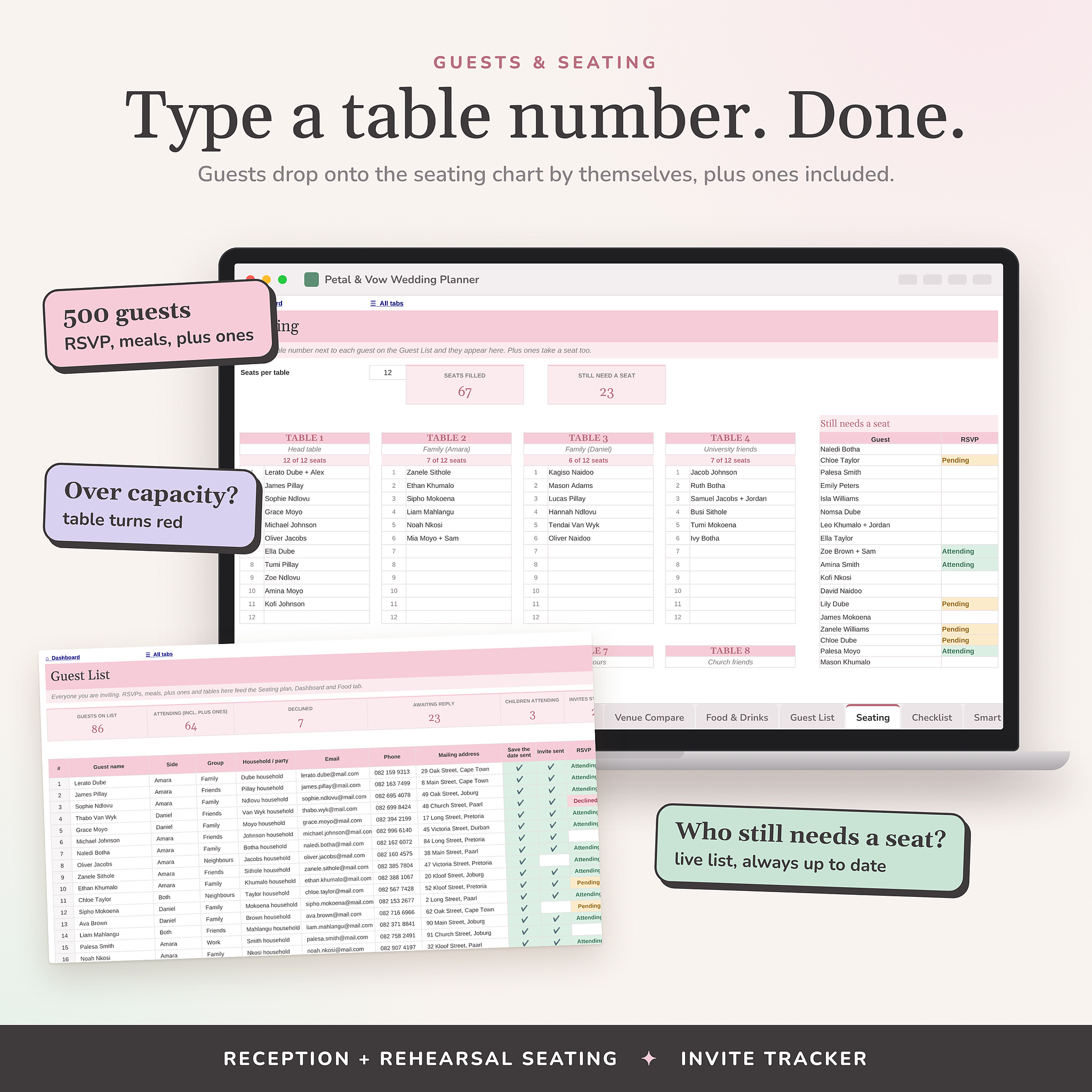
- Seating chart for 20 tables: type a table number on the guest list and the name appears at that table, plus ones included
- A live list of guests who still need a seat, and of guests who still need an invitation
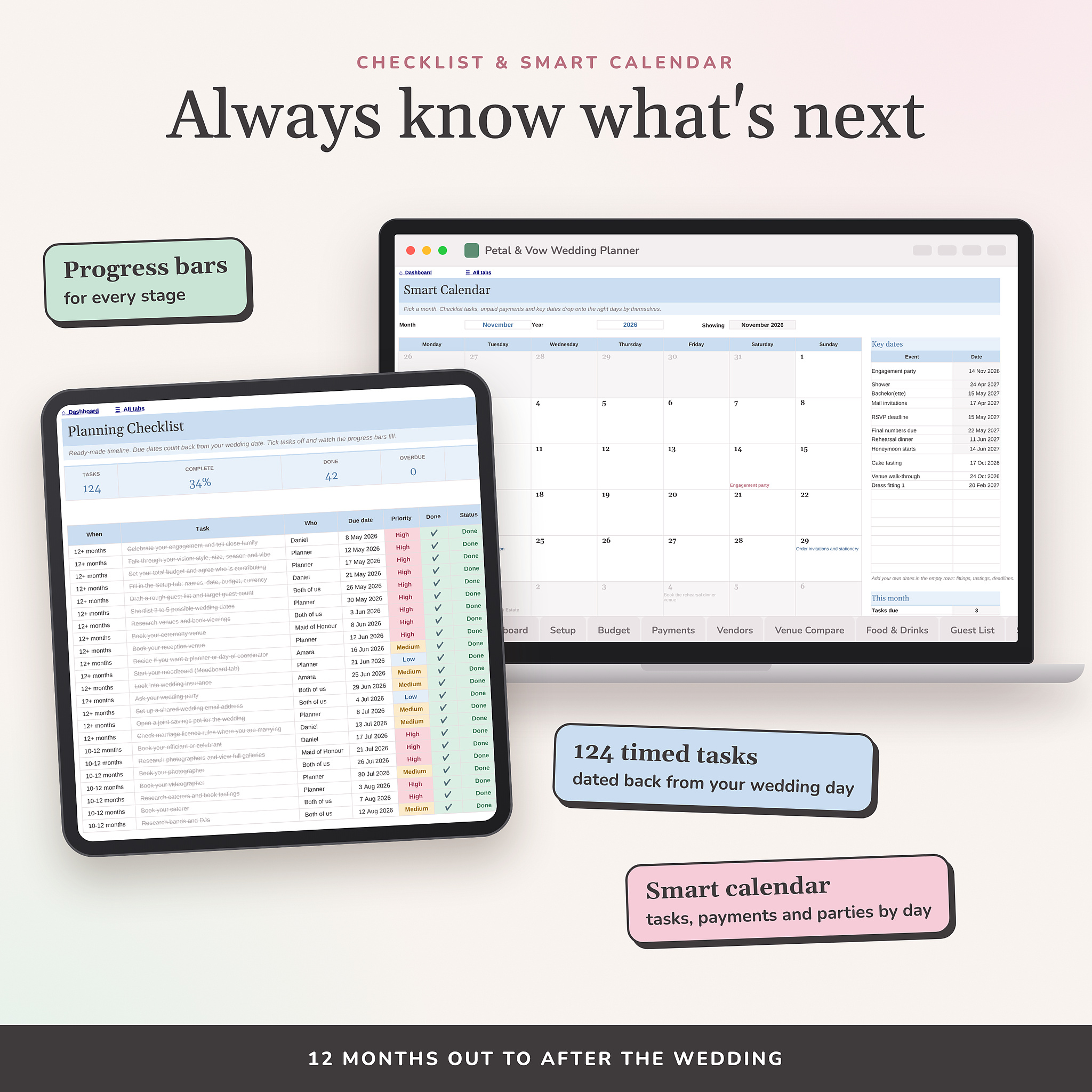
- 124 checklist tasks with due dates counted back from your wedding date
- Smart calendar that drops tasks, payments and party dates onto the right day
- Itinerary timed from your ceremony start, so the whole day moves if the ceremony moves
- Drinks calculator that tells you how many bottles to buy
- Venue comparison with scoring and an automatic top pick
Easy for beginners
- White cells to type in, grey cells that work by themselves
- Tick-box dropdowns and ready-made lists you can rename
- Use any currency symbol
- Partner 1 and Partner 2 naming, so it suits every couple
- A filled-in example wedding to show you how each tab works
What you’ll download
- The blank planner (Excel .xlsx, opens in Google Sheets)
- The example planner, fully filled in
- A user guide (Word) with setup steps, sharing tips and answers to common questions
Good to know
- This is a digital download. Nothing will be posted to you
- You need Microsoft Excel or a free Google account
- For personal use. Please do not share or resell the file
Reviews
There are no reviews yet.