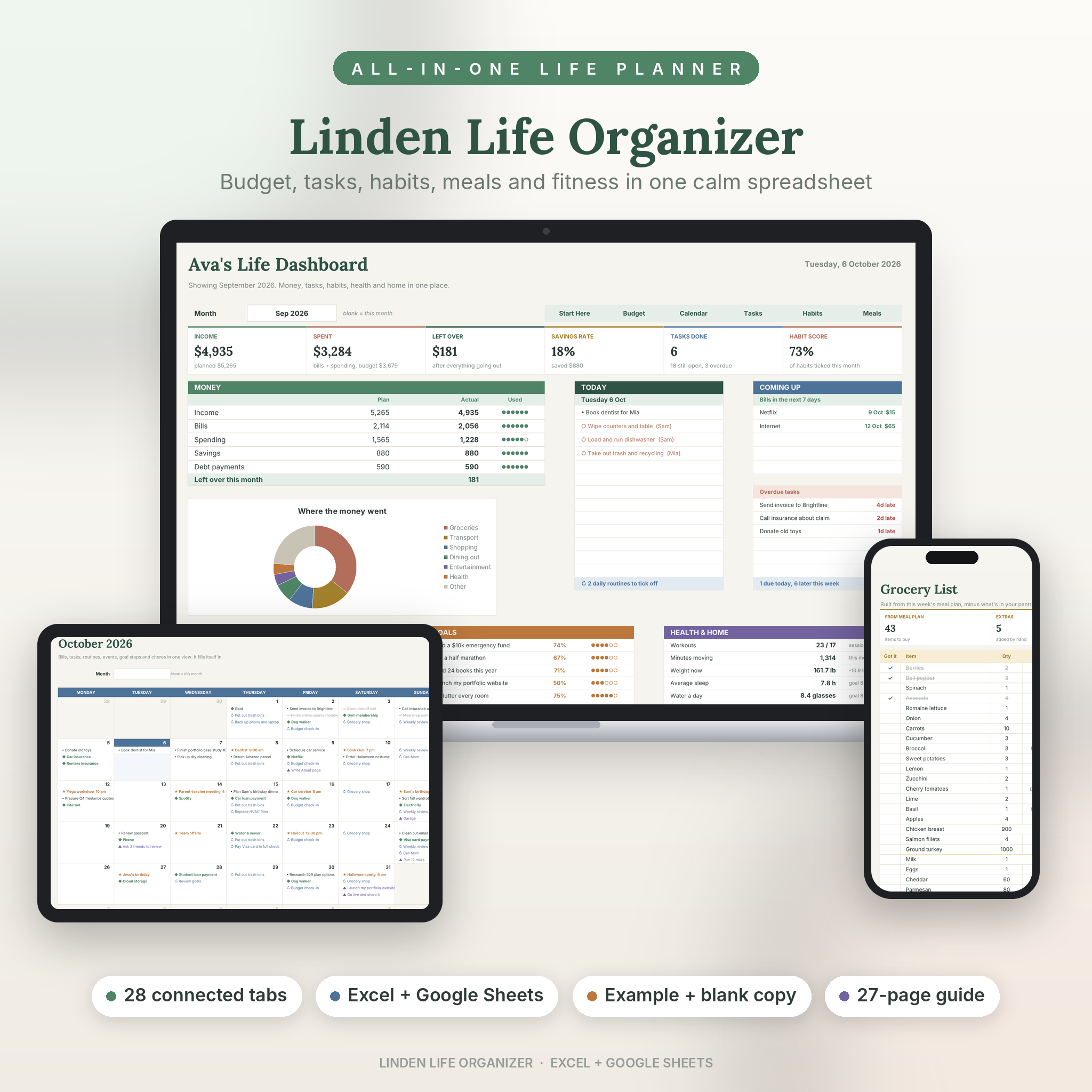
Most life planners give you a lot of tabs and leave you to connect them. This one is built the other way round. You set it up once, then you just log what happens. The Linden Life Organizer does the sorting, the adding up and the reminding.
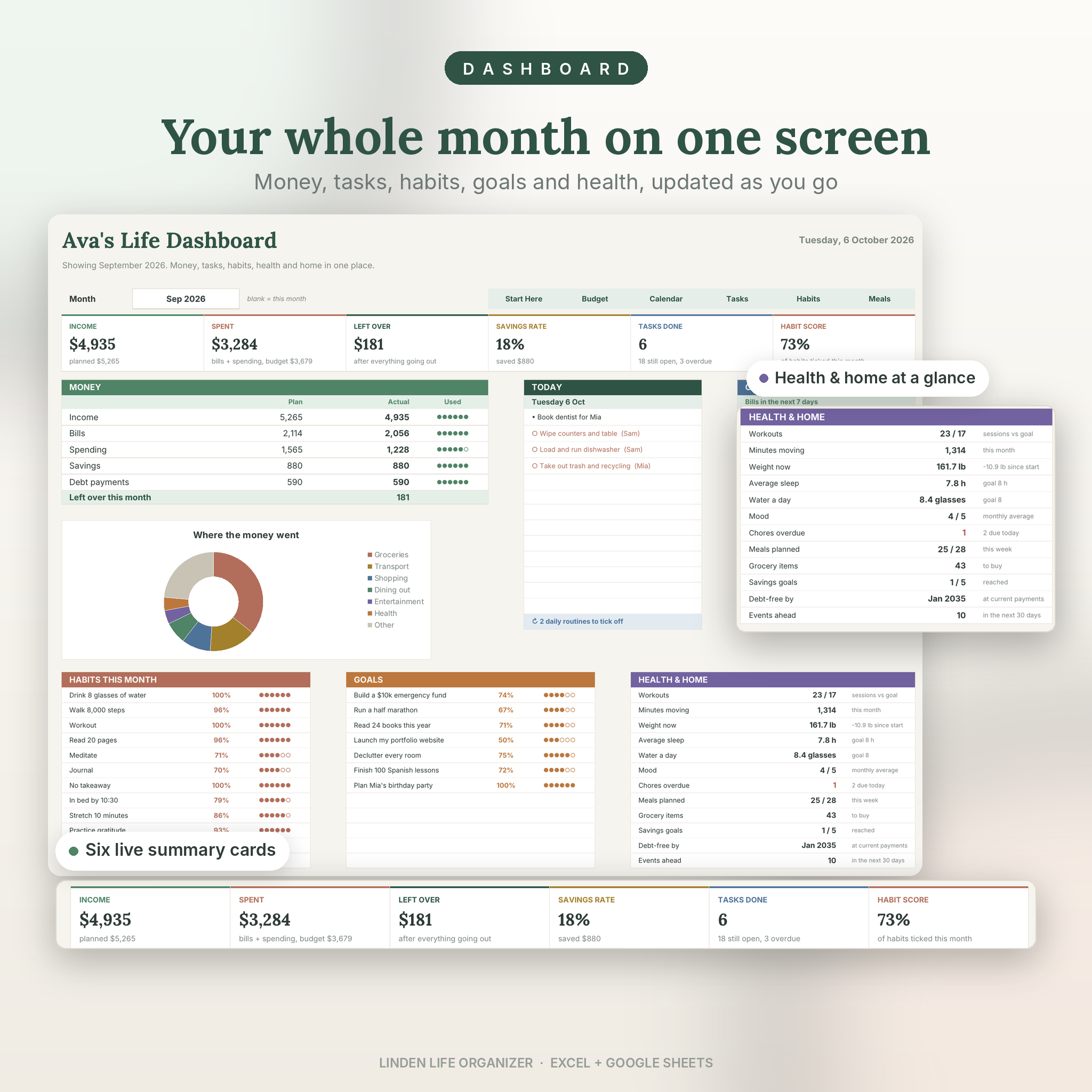
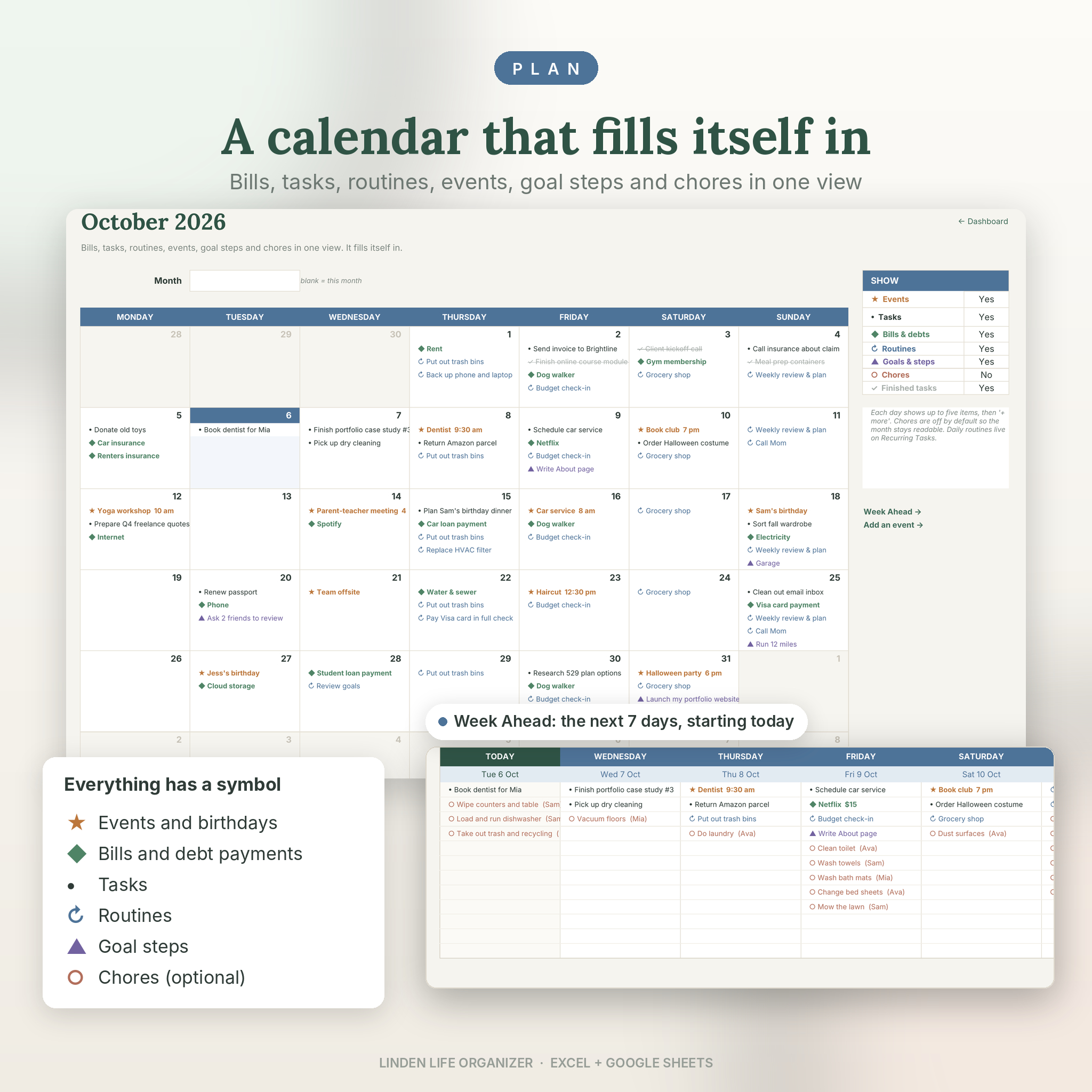
Pay a bill and the budget marks it paid. Add a dentist appointment and it lands on the calendar and in your week ahead. Plan Tuesday’s tacos and the avocados go on your grocery list, minus the two already in your pantry. Tick a habit and your streak, your monthly score and your dashboard all move with it.
Who it’s for
- Anyone tired of juggling a budgeting app, a to-do app, a habit app and a notes app
- Busy parents keeping track of bills, school dates, chores and dinner
- People paying off a credit card or saving for something specific
- Paycheck-to-paycheck budgeters who want their budget to match their pay dates
- Spreadsheet beginners. If you can type in a box and pick from a list, you can run this.
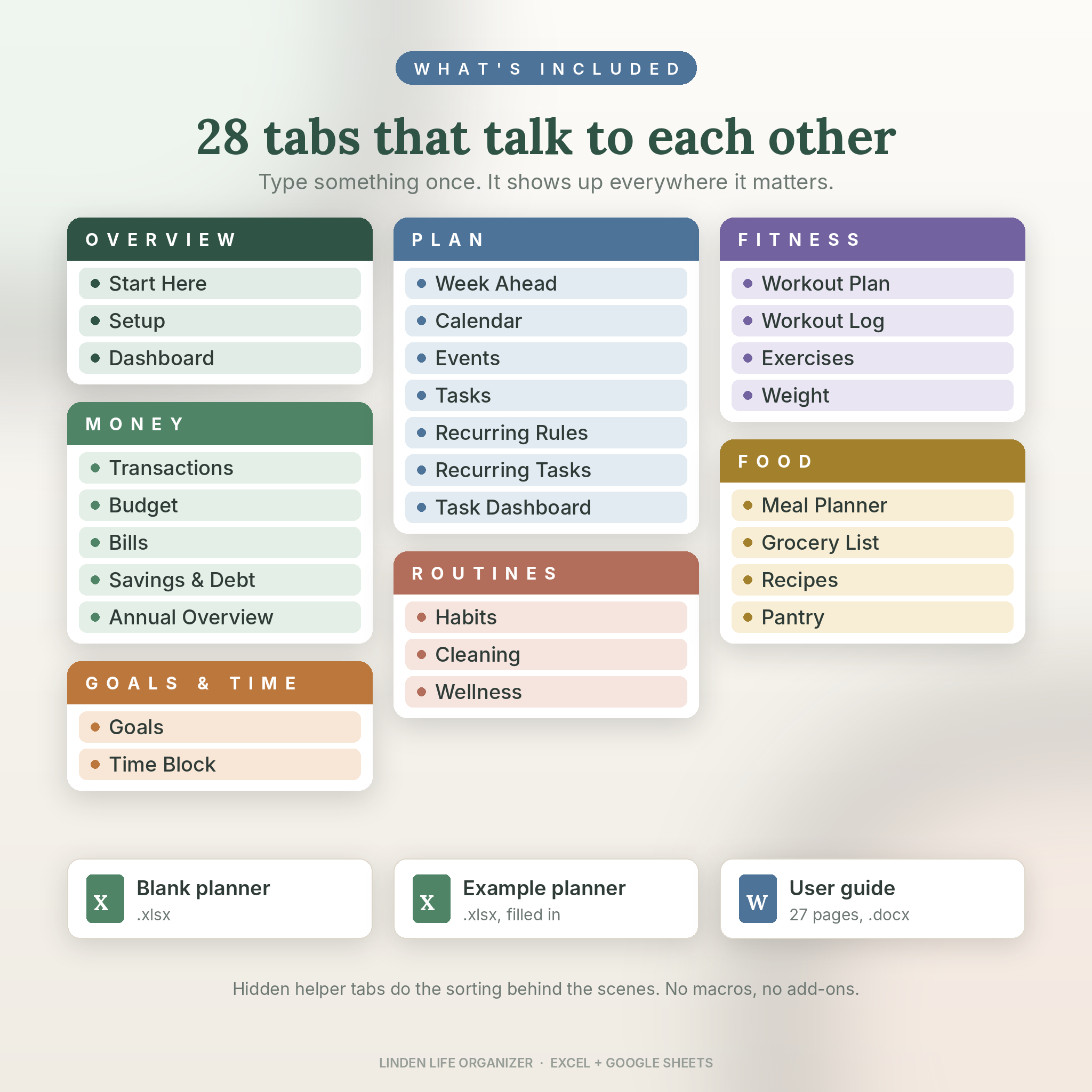
What’s inside: 28 tabs
- Overview: Start Here, Setup, Dashboard
- Money: Transactions, Budget, Bills & Subscriptions, Savings & Debt, Annual Overview
- Plan: Week Ahead, Smart Calendar, Events & Dates, Tasks, Recurring Rules, Recurring Tasks, Task Dashboard
- Goals & time: Goals with steps, Time Block
- Routines: 12-month Habit Tracker, Cleaning Schedule, Wellness (water, sleep, mood, energy, steps)
- Fitness: Workout Plan, Workout Log, Exercise Library (50 moves), Weight & Body
- Food: Meal Planner, Grocery List, Recipes (16 starters included), Pantry
The parts that do the work for you
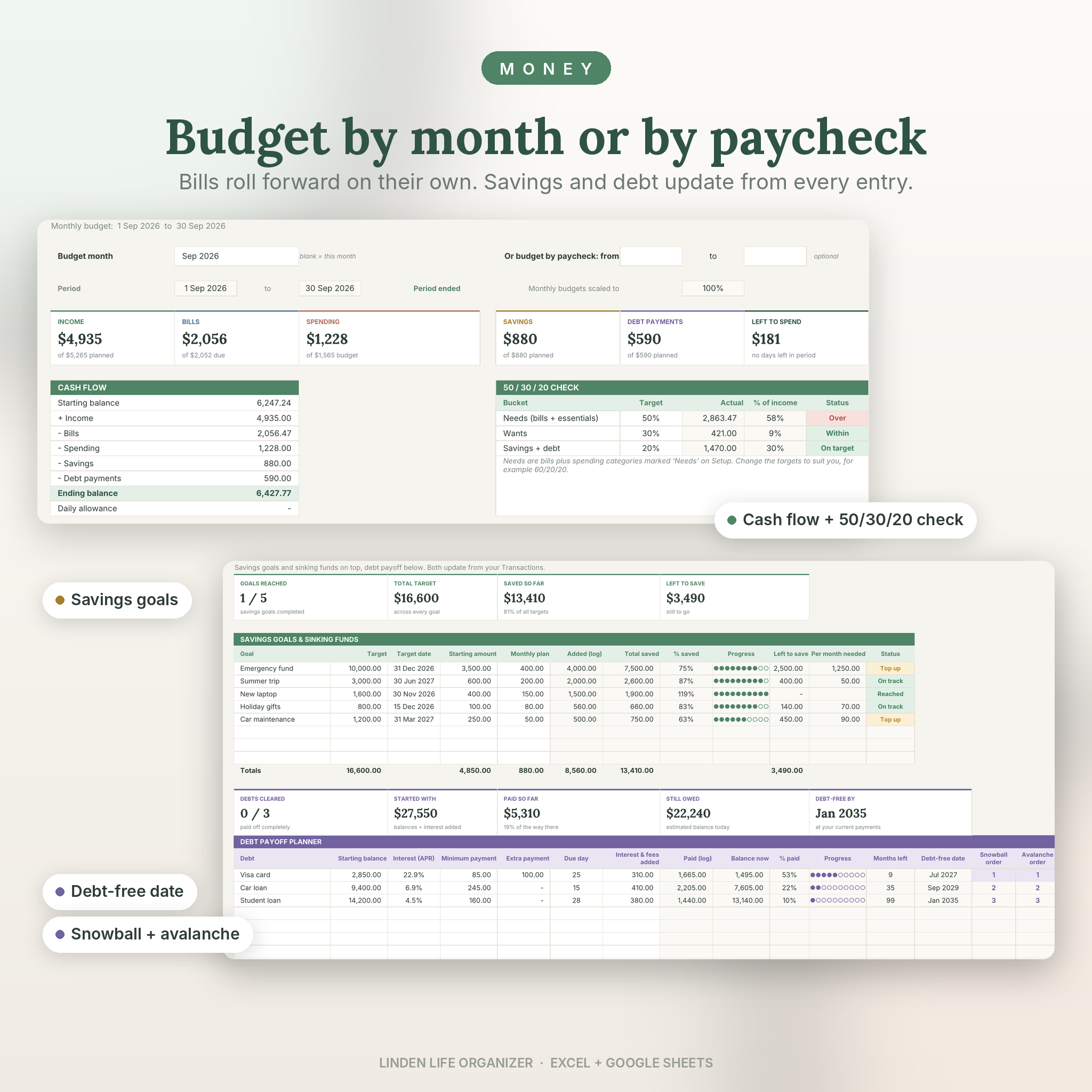
- Budget by month or by paycheck. Pick a month, or type your pay dates and every budget scales to the length of that period.
- Bills that roll forward. Weekly, every 2 weeks, monthly, quarterly, twice a year or yearly. Next due dates, monthly cost and yearly cost work themselves out.
- 50/30/20 check, cash flow and a daily allowance so you know what a normal day can cost.
- Savings goals and debt payoff with progress bars, a debt-free date, and snowball and avalanche order side by side.
- A calendar that fills itself in with bills, debt payments, tasks, routines, events, goal steps and chores. Switch any of them on or off.
- Week Ahead: the next seven days starting today, plus your daily routines, overdue tasks and Do First list.
- Priority matrix. Answer Urgent? and Important? and every task sorts into Do first, Schedule, Delegate or Later.
- Recurring tasks set once and shaded on the right days for 12 months. Missed days turn red.
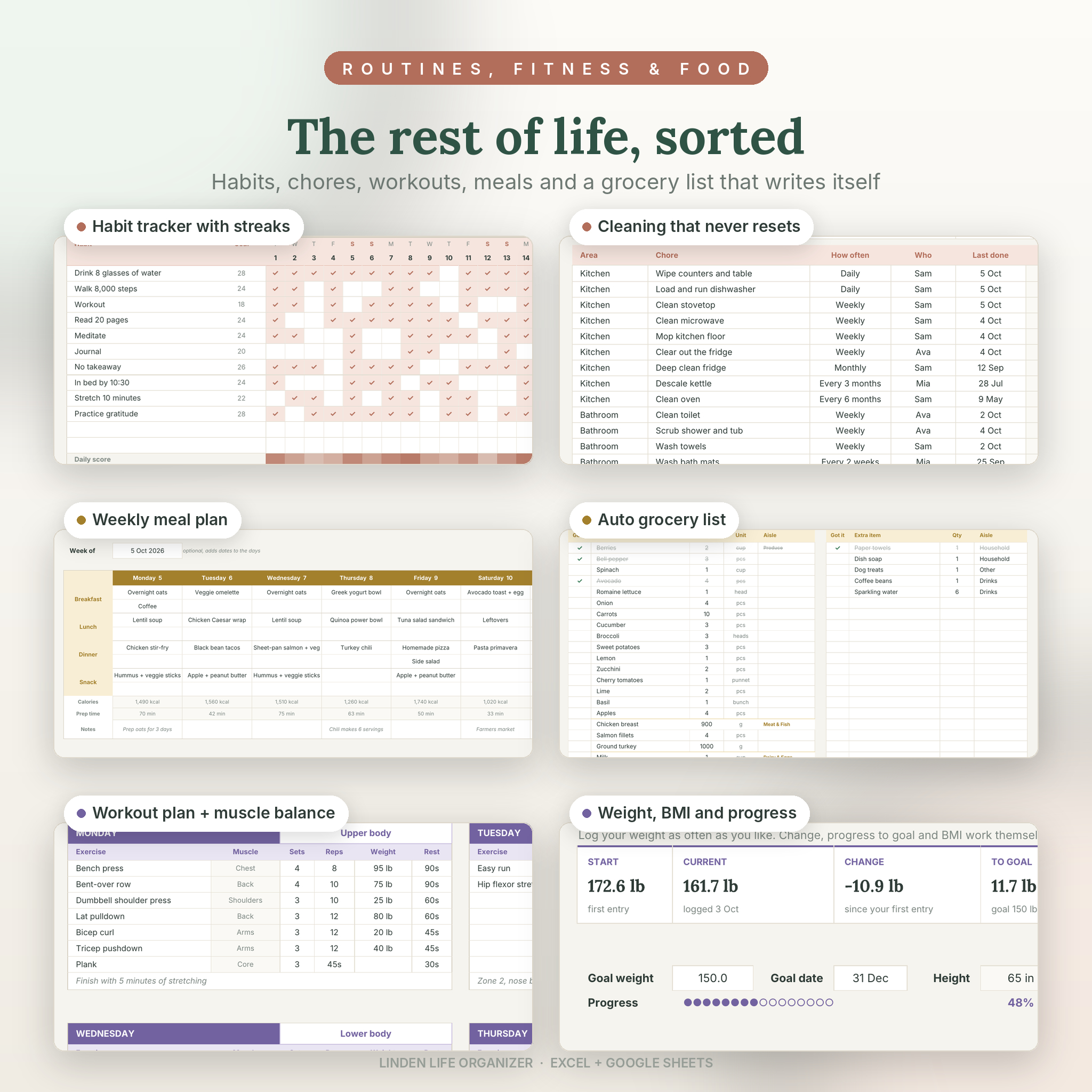
- Habit tracker with 60 habit ideas, monthly goals, streaks, a daily score strip and a year chart.
- A cleaning schedule that never resets. Type the date you last did a chore and it tells you when it’s next due and who’s on it.
- Grocery list from your meal plan. Quantities added up, pantry items taken off, sorted by aisle.
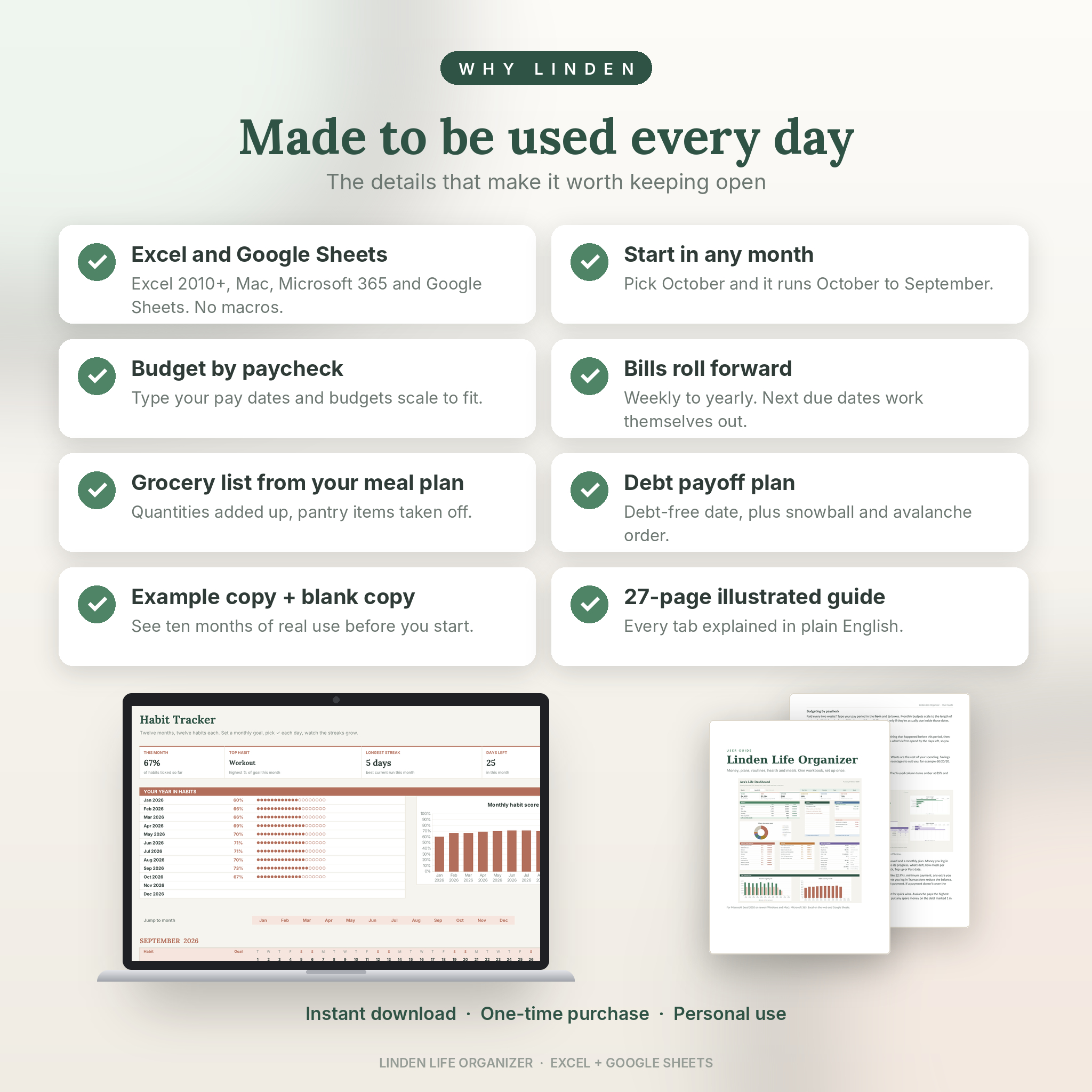
- Start in any month. Pick October and the planner runs October to September.
What you get
- Linden-Life-Organizer.xlsx: your blank planner, ready to fill in
- Linden-Life-Organizer-Example.xlsx: the same planner filled with ten months of sample life, so you can see every feature working before you start
- Linden-Life-Organizer-User-Guide.docx: a 27-page illustrated guide covering setup, every tab, customising, troubleshooting and FAQs
How it works
- Open the file in Excel, or upload it to Google Drive and open it with Google Sheets.
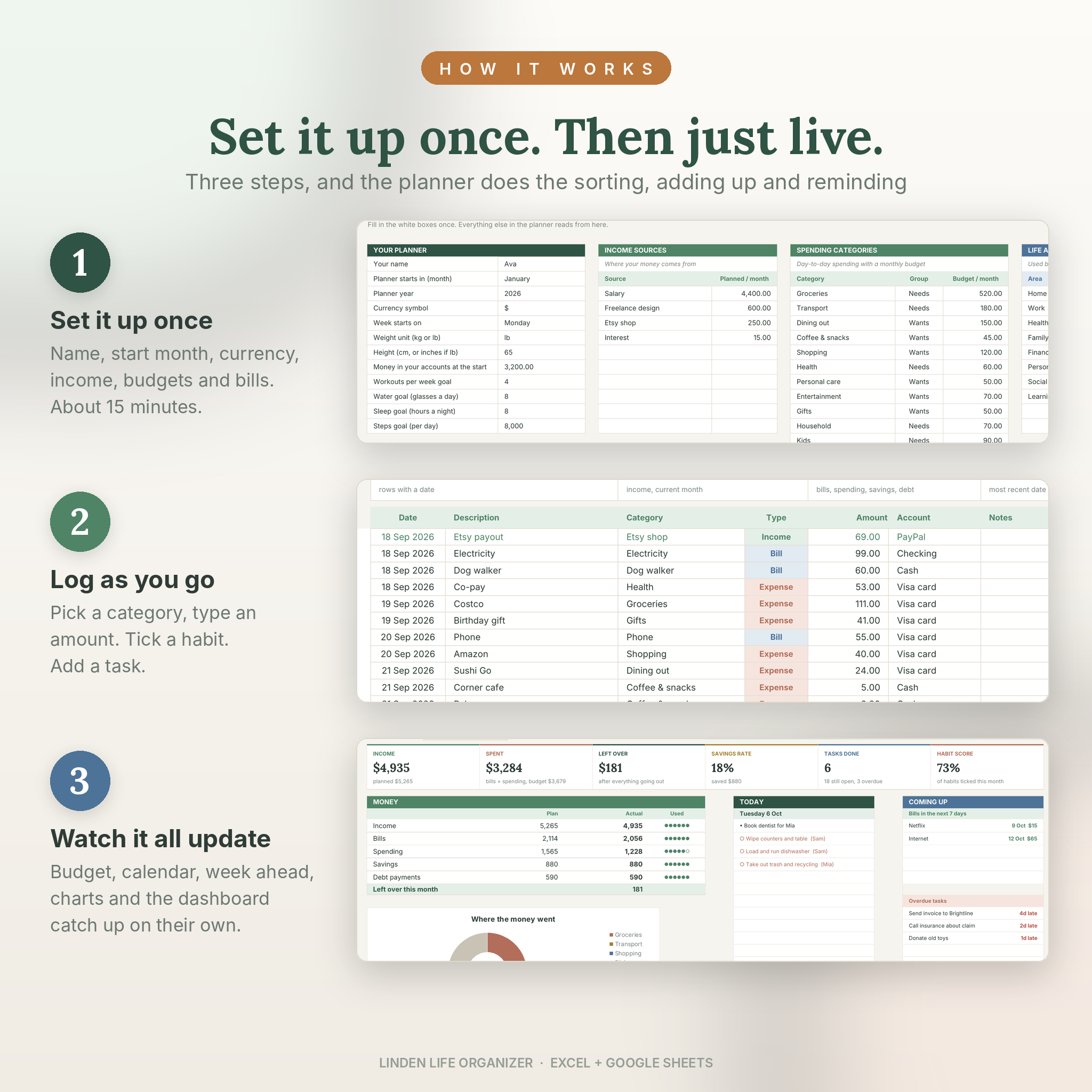
- Spend about 15 minutes on Setup: your name, start month, currency, income, budgets and bills.
- Log as you go. The Budget, Calendar, Week Ahead, charts and Dashboard catch up on their own.
File format and software
- One .xlsx file (plus the example copy). No macros, add-ins or scripts.
- Works in Microsoft Excel 2010 or newer on Windows, Excel 2016 or newer on Mac, Microsoft 365, Excel on the web and Google Sheets (free with a Google account). Also opens in LibreOffice Calc.
- Phone and tablet: use the Excel or Google Sheets app for logging and checking. Setup is easier on a computer.
- Not compatible with Apple Numbers.
Make it yours
- Rename every category, account, life area and household member on one Setup tab and the names flow everywhere.
- Any currency, kg or lb, weeks starting Monday or Sunday.
- Hide the tabs you don’t need. Everything else keeps working.
- Reuse it next year: save a copy, clear the logs, change the year.
Good to know
- Debt interest isn’t calculated for you, because every lender works it out differently. Copy it from your statement into one column and the balance stays accurate.
- The planner uses two free Google fonts, Lora and Inter. Google Sheets has them built in. In Excel they show if installed; if not, Excel uses its default font and everything still works.
- Sample names and numbers in the example copy are made up for demonstration.
Digital download
- This is a digital product. Nothing physical is shipped.
- Your files are ready to download as soon as payment goes through.
- Personal use only. Please don’t resell or share the files.
Reviews
There are no reviews yet.