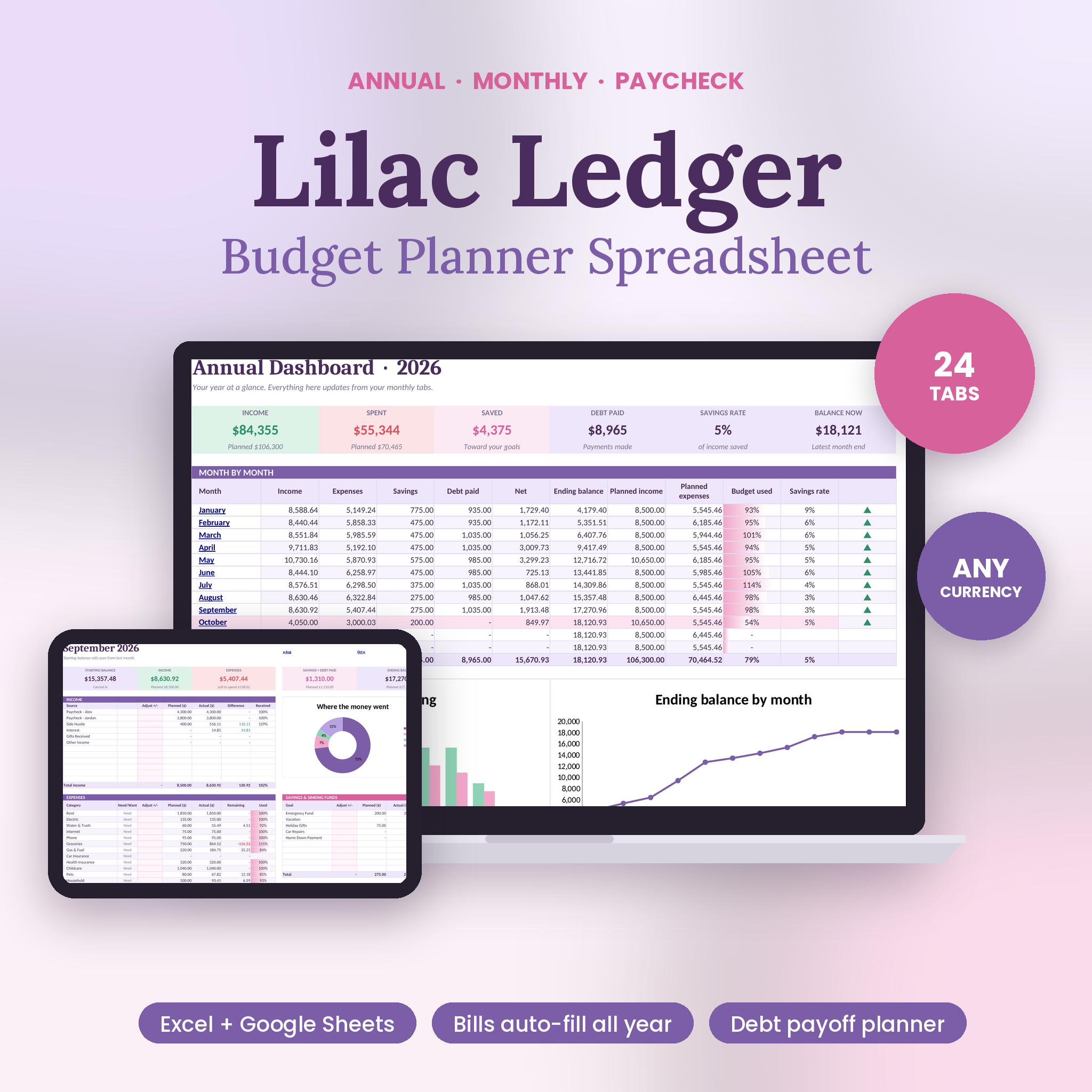
Lilac Ledger is an annual and monthly budget spreadsheet for people who are tired of copying last month’s tab and re-typing the same 20 bills. You enter your paychecks, rent, subscriptions, savings transfers and loan payments once. The workbook spreads them across all 12 months on its own. After that, you only log everyday spending like groceries and gas, and every budget, chart and balance updates by itself.
It comes as one tidy Excel workbook with 24 tabs, in a soft lilac and pink design that’s easy on the eyes. A step-by-step user guide walks you through every tab.
What this budget spreadsheet does for you
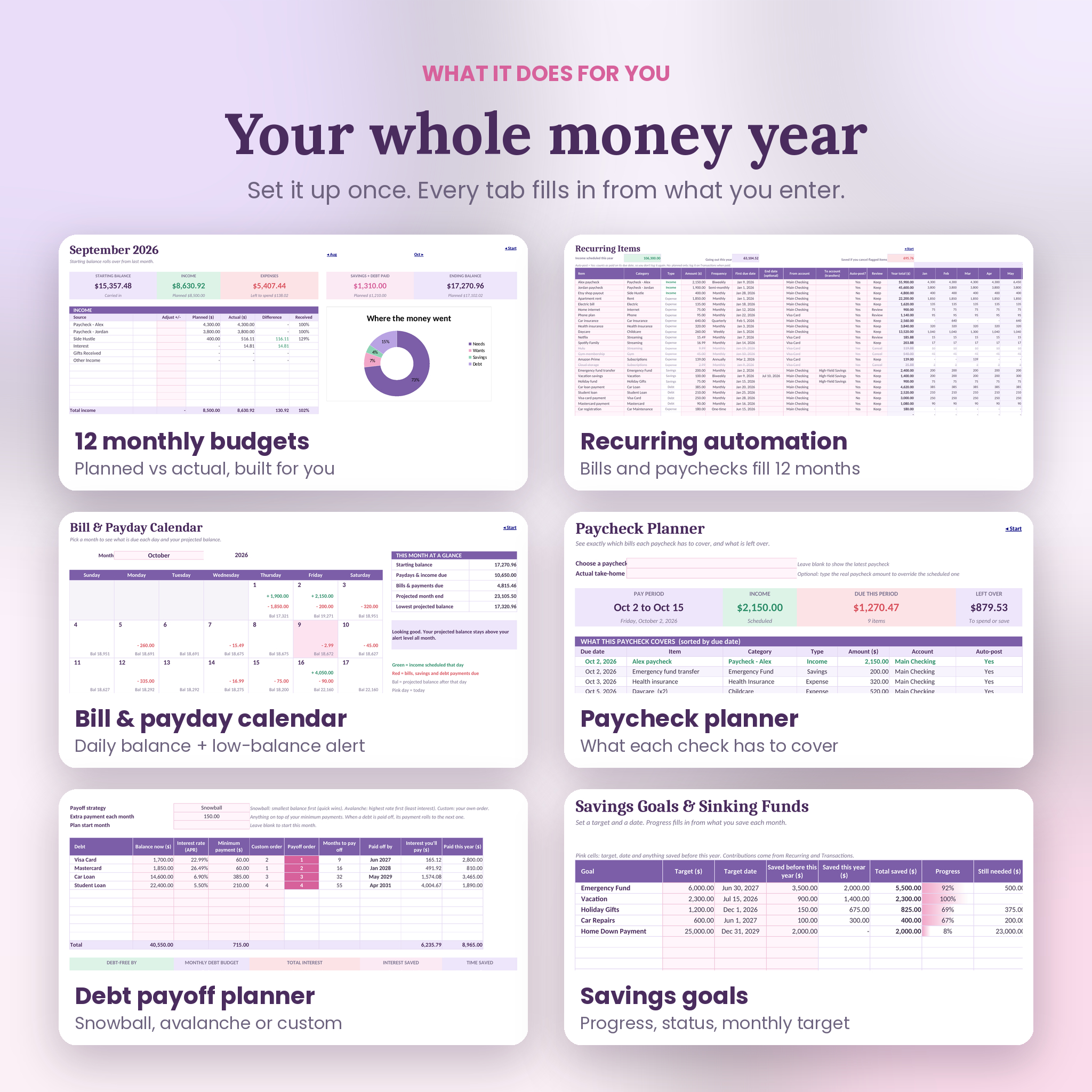
Most budget templates make you do the boring part every month. This one does it for you. Pick a frequency (weekly, biweekly, semi-monthly, monthly, quarterly, yearly or one-time) and a first due date, and Lilac Ledger works out exactly which months and which days each item lands on. A biweekly paycheck that hits three times in May? It catches that. Car insurance every quarter? Covered.
Then it shows you the picture from four angles: each month, the whole year, each paycheck and each day.
Who it’s for
- Families juggling two paychecks and a long list of bills
- Couples who want one shared view of their money
- First-time budgeters who want something clear, not complicated
- Anyone paying down credit cards or loans and wanting a real debt-free date
- People saving for a few goals at once, like an emergency fund, a trip and the holidays
Features
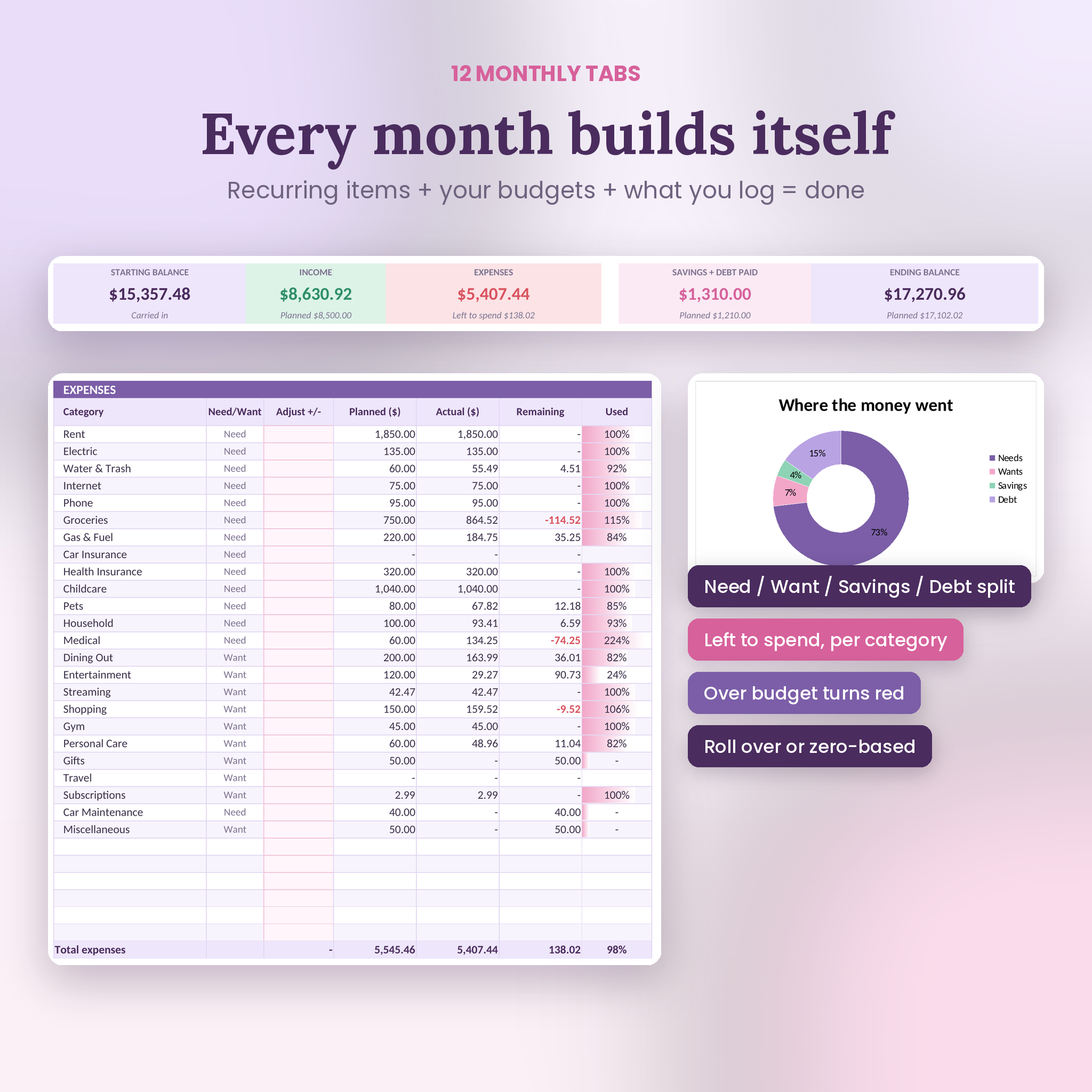
12 monthly budgets that build themselves
Every month shows starting balance, income, expenses, savings, debt payments and ending balance. Planned vs actual sits side by side for every category, with remaining budget and a used bar that turns red when you go over. A donut chart shows your needs, wants, savings and debt split. Roll over leftover money to next month, or switch to zero-based budgeting with one dropdown.
Annual dashboard
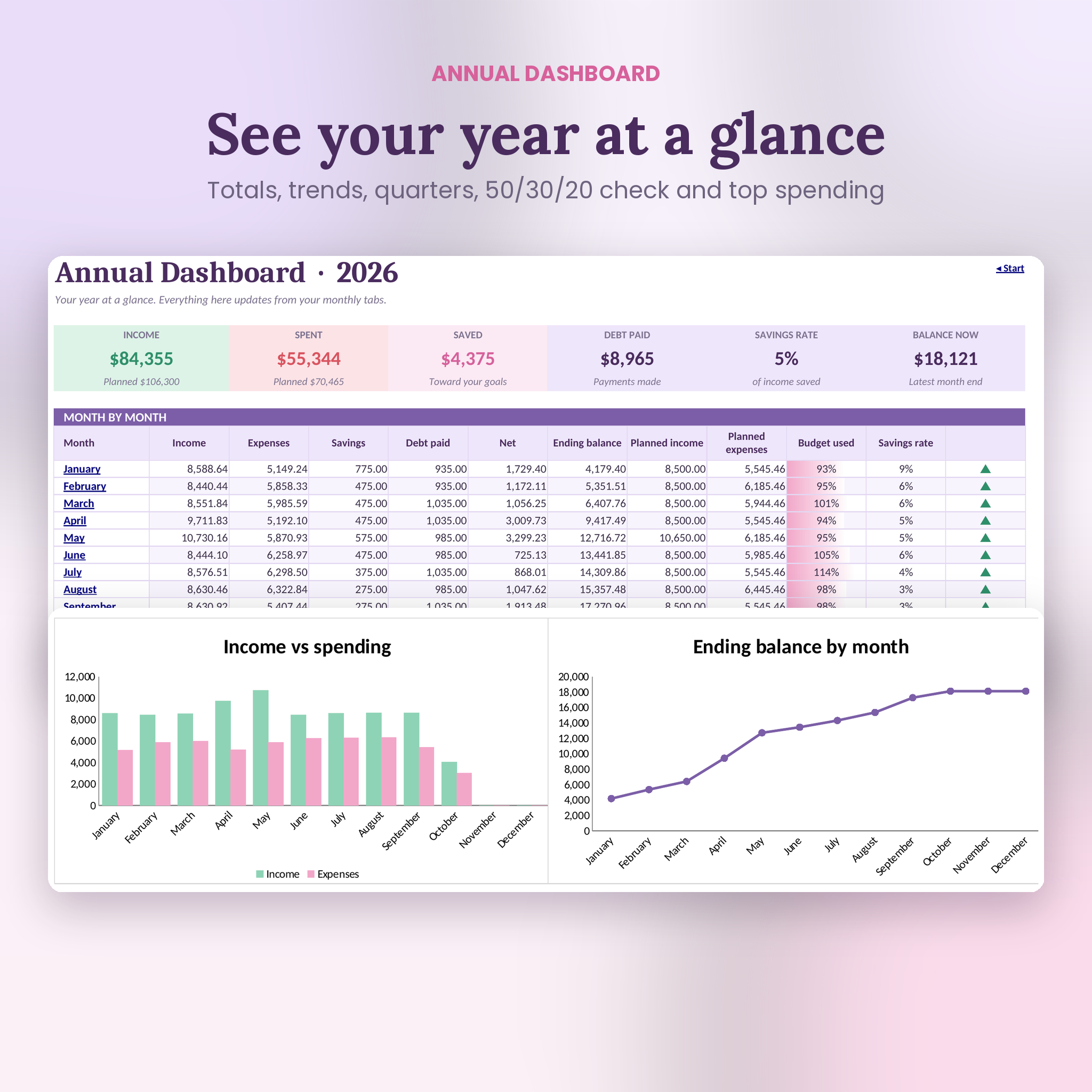
Six summary cards, a month-by-month table, an income vs spending chart, an ending balance trend, quarterly totals, a 50/30/20 check against your own targets and your top 5 spending categories.
Bill and payday calendar
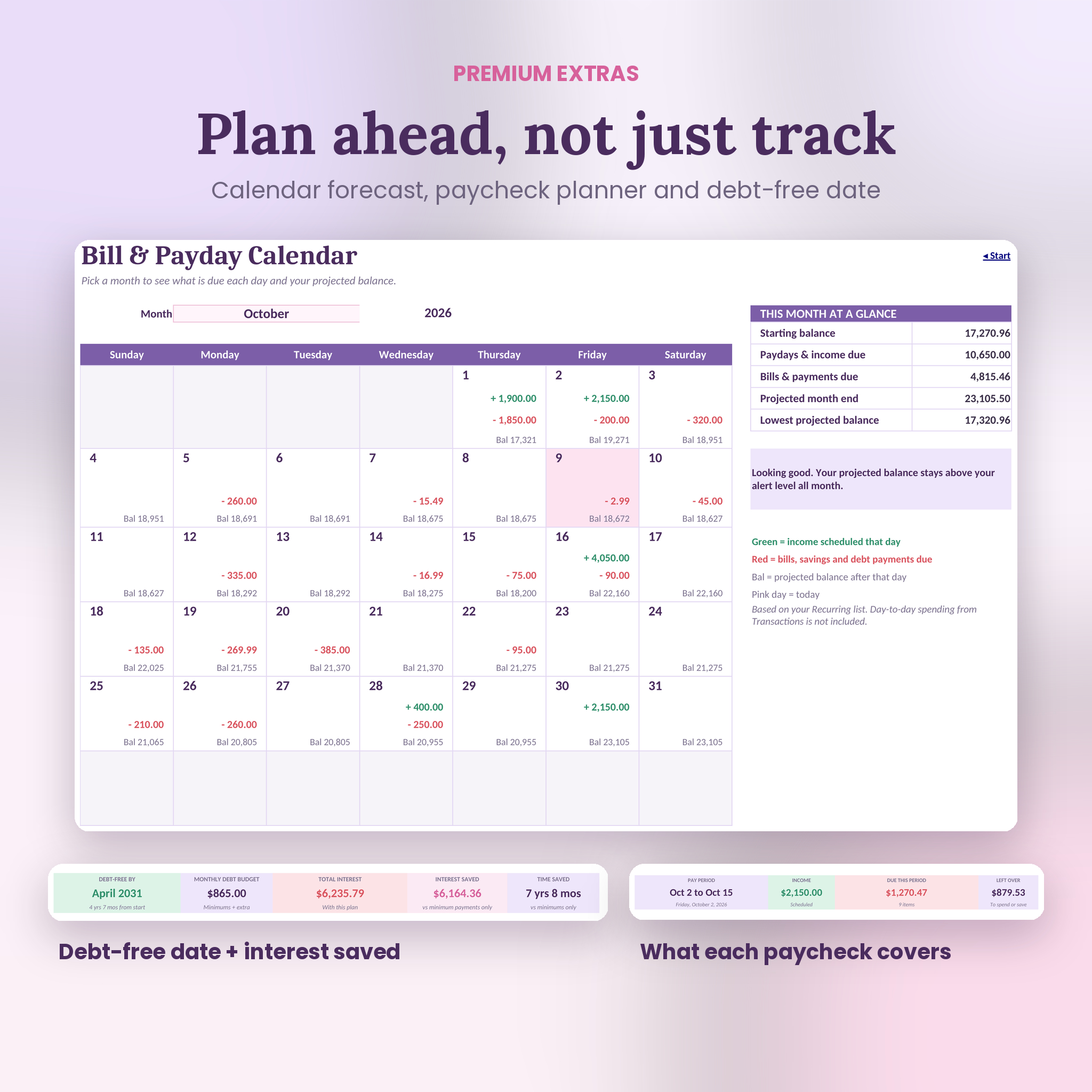
Pick any month and see paydays in green, bills in red and your projected balance after each day. Set a low-balance alert and the calendar flags any day you’d dip below it, so you can move a bill before it bounces.
Paycheck planner
Choose a paycheck and see every bill, savings transfer and loan payment it has to cover before the next payday, sorted by due date, plus what’s left over. It works with weekly, biweekly, semi-monthly and monthly pay.
Debt payoff planner
Compare snowball, avalanche or your own custom order for up to 10 debts. You get a debt-free date, total interest, interest saved and time saved compared with minimum payments, a balance chart and a full month-by-month schedule. Paid-off payments roll into the next debt automatically.
Savings goals and sinking funds
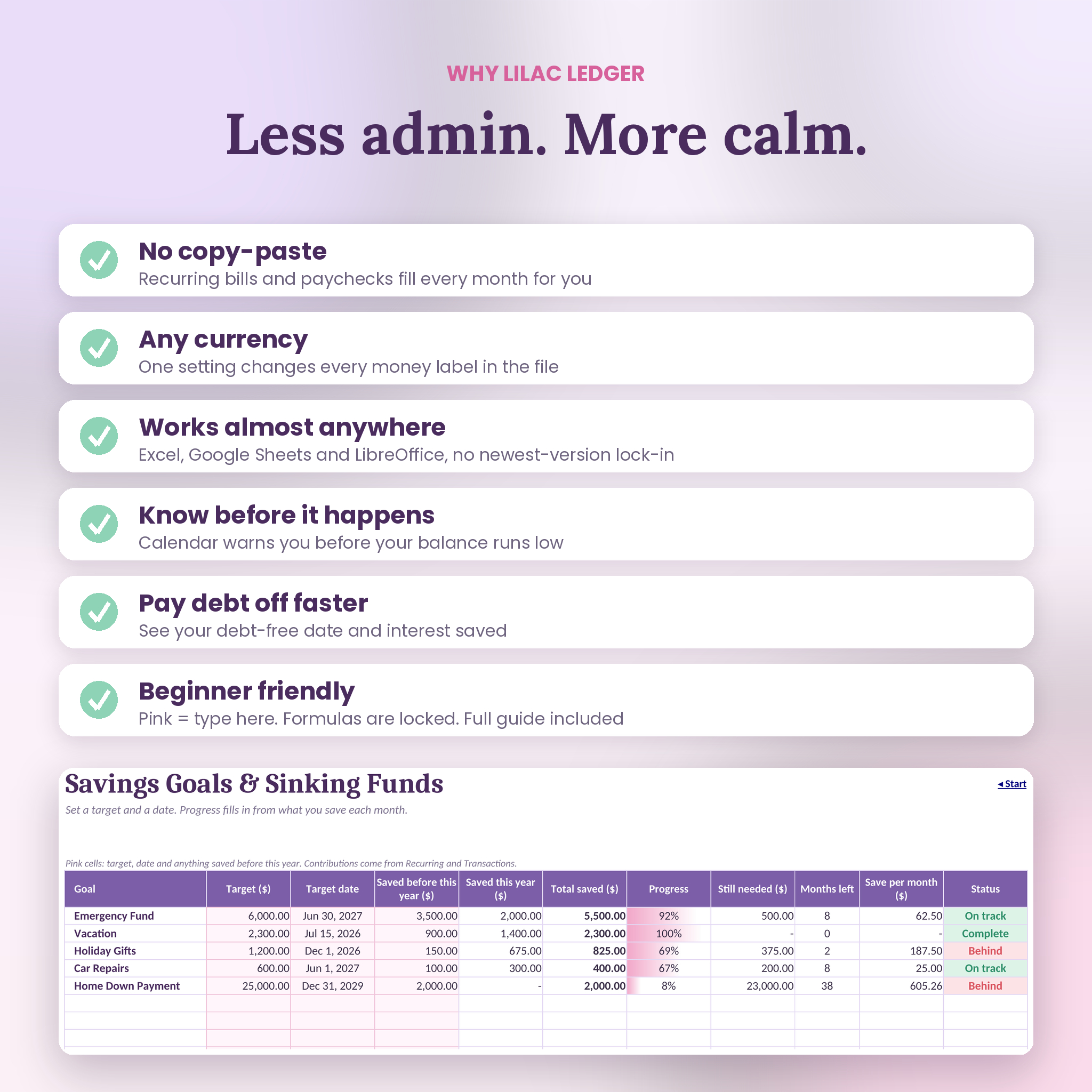
Track up to 10 goals with progress bars, months left, how much to save per month and a status that tells you if you’re on track or behind.
And more
- Transactions log for up to 2,000 entries with dropdowns, filters and error flags
- Bills review list that adds up what you’d save by canceling flagged subscriptions
- Category report with a 12-month heat map
- Net worth tracker with a monthly chart
- Account balances for checking, savings, credit cards and cash
- Start page with one-click buttons to every tab
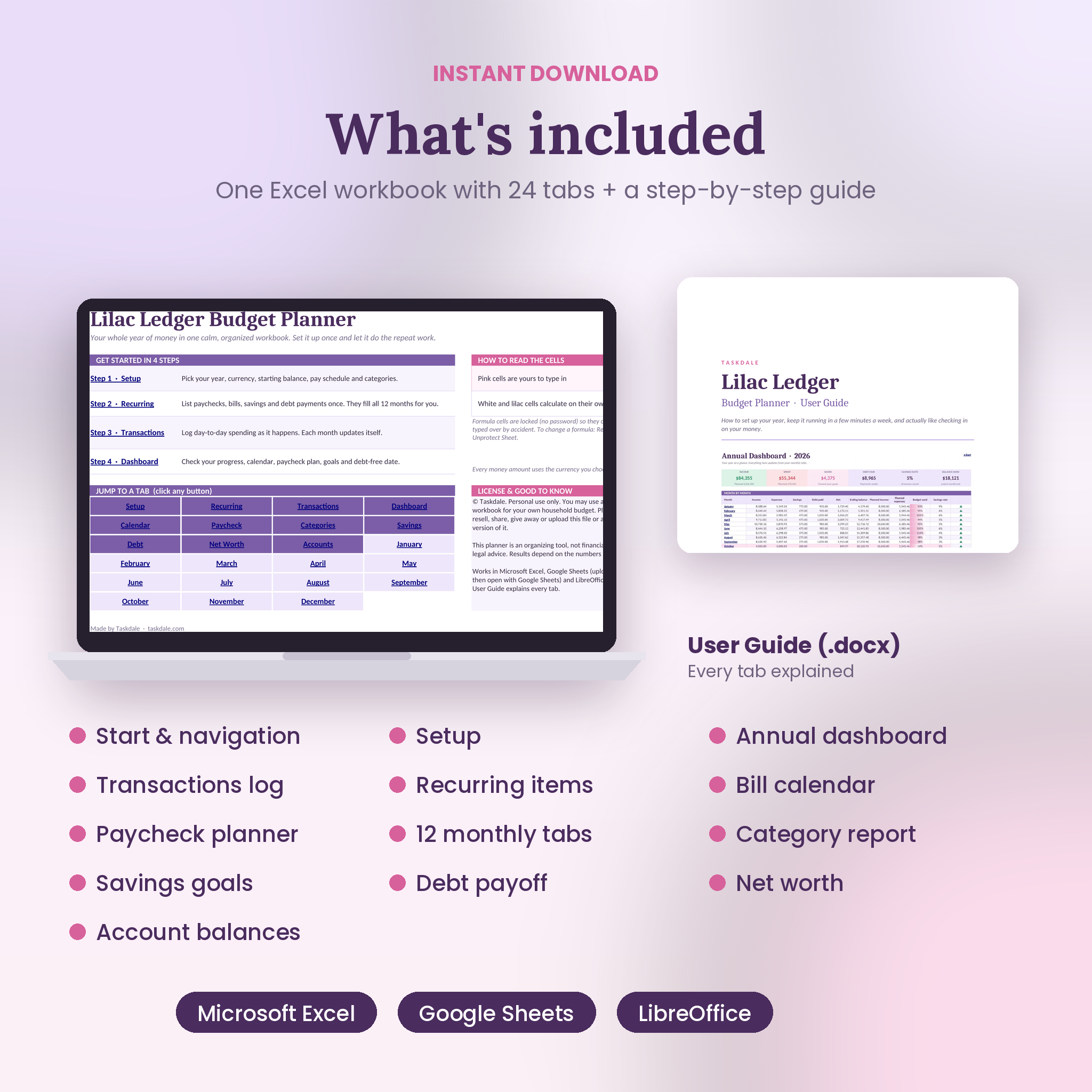
What’s included
- Lilac Ledger Budget Planner workbook (.xlsx), 24 tabs, clean and ready for your numbers
- User guide (.docx) covering setup, every tab, customizing, troubleshooting and FAQs
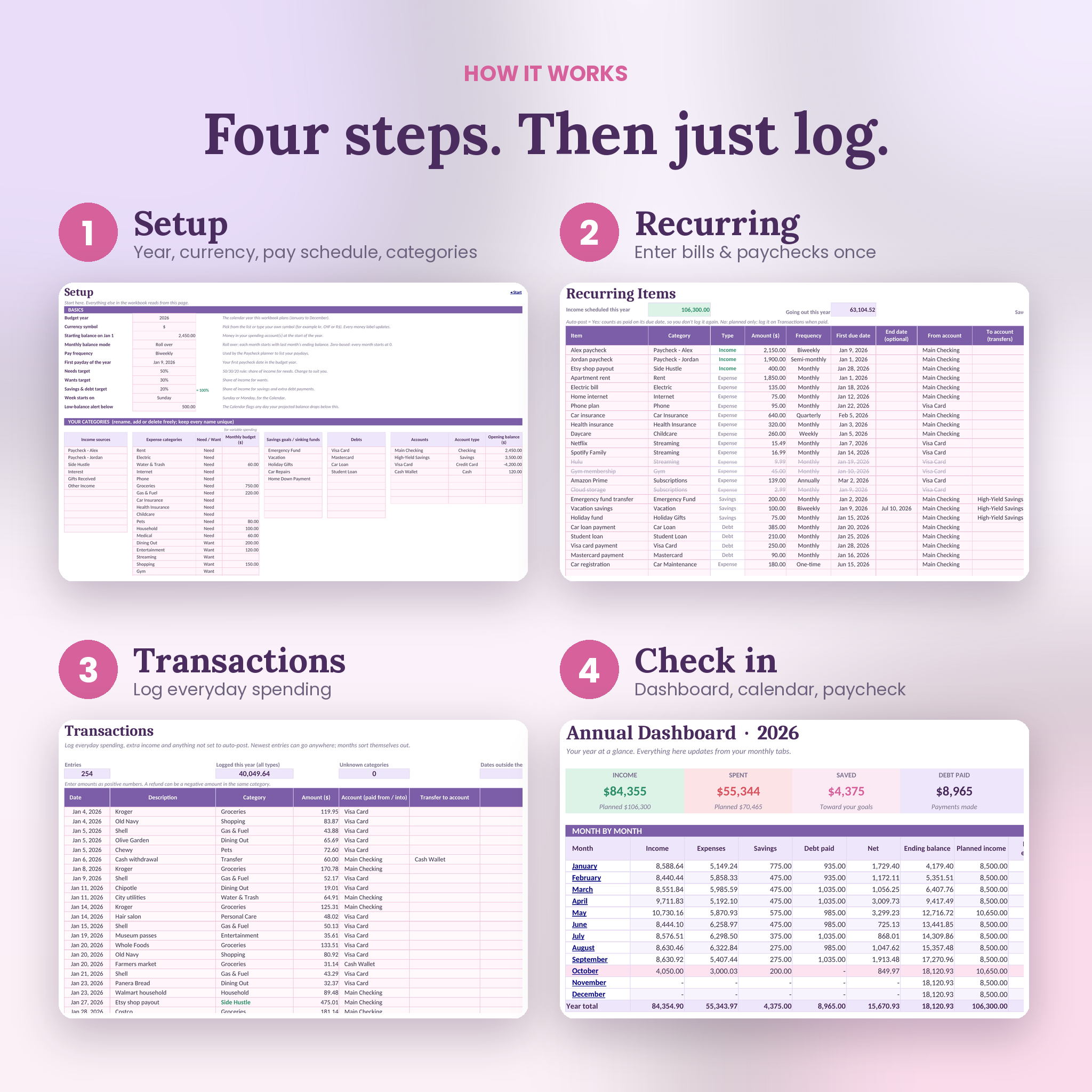
How it works
- Setup: choose your year, currency, starting balance, pay schedule and categories.
- Recurring: list your paychecks, bills, subscriptions, savings and debt payments once.
- Transactions: log everyday spending as it happens. A date, a category and an amount is enough.
- Check in: open your month, the dashboard, the calendar and the paycheck planner.
Pink cells are the only ones you type in. Every formula cell is locked (no password), so you can’t break anything by accident.
File formats and software
- Format: Microsoft Excel workbook (.xlsx)
- Google Sheets: upload the file to Google Drive and choose File, Save as Google Sheets. Formulas, dropdowns, charts and links all work. Only a few progress-bar shadings are dropped.
- LibreOffice Calc: opens and works as is
- Microsoft Excel: built with long-standing Excel functions, so you don’t need the newest Microsoft 365 version
- Best set up on a computer. You can view and log entries on the Excel or Google Sheets phone apps.
Make it yours
Rename any category, tag expenses as needs or wants, set your own 50/30/20 targets and choose any currency symbol. One setting on the Setup tab changes every money label in the file. There’s room for 12 income sources, 30 expense categories, 10 savings goals, 10 debts, 8 accounts and 60 recurring items.
Real ways people use it
- Planning next year’s budget in December, then just logging spending from January
- Checking the paycheck planner every payday to see what’s already spoken for
- Spotting a tight week on the calendar and moving a bill date before it causes an overdraft
- Choosing between snowball and avalanche by comparing the debt-free dates
- Saving for the holidays and a summer trip at the same time without losing track
Digital download
This is an instant digital download. Nothing is shipped. You’ll get a download link right after purchase. Personal use only: please don’t resell, share or redistribute the files. This planner is an organizing tool and not financial advice.
FAQ
Does this budget spreadsheet work in Google Sheets?
Yes. Upload the .xlsx to Google Drive and save it as a Google Sheet. The guide shows the four quick steps.
Can I use my own currency?
Yes. Pick a symbol such as $, €, £, R or ₦, or type your own. It updates the whole workbook.
Can I start budgeting in the middle of the year?
Yes. Enter your current balance and start your recurring items from this month. Earlier months simply stay empty.
Does it track biweekly paychecks?
Yes. It handles weekly, biweekly, semi-monthly and monthly pay, including those extra three-paycheck months.
Is it good for beginners?
Yes. You only type in pink cells, the formulas are locked, and the guide explains every tab in plain English.
Does it connect to my bank?
No. Your data stays in your own file.
Can I use it again next year?
Yes. Keep a clean copy, change the year on the Setup tab and start fresh.

Reviews
There are no reviews yet.