
Weekly Meal Planner Spreadsheet That Builds Your Grocery List
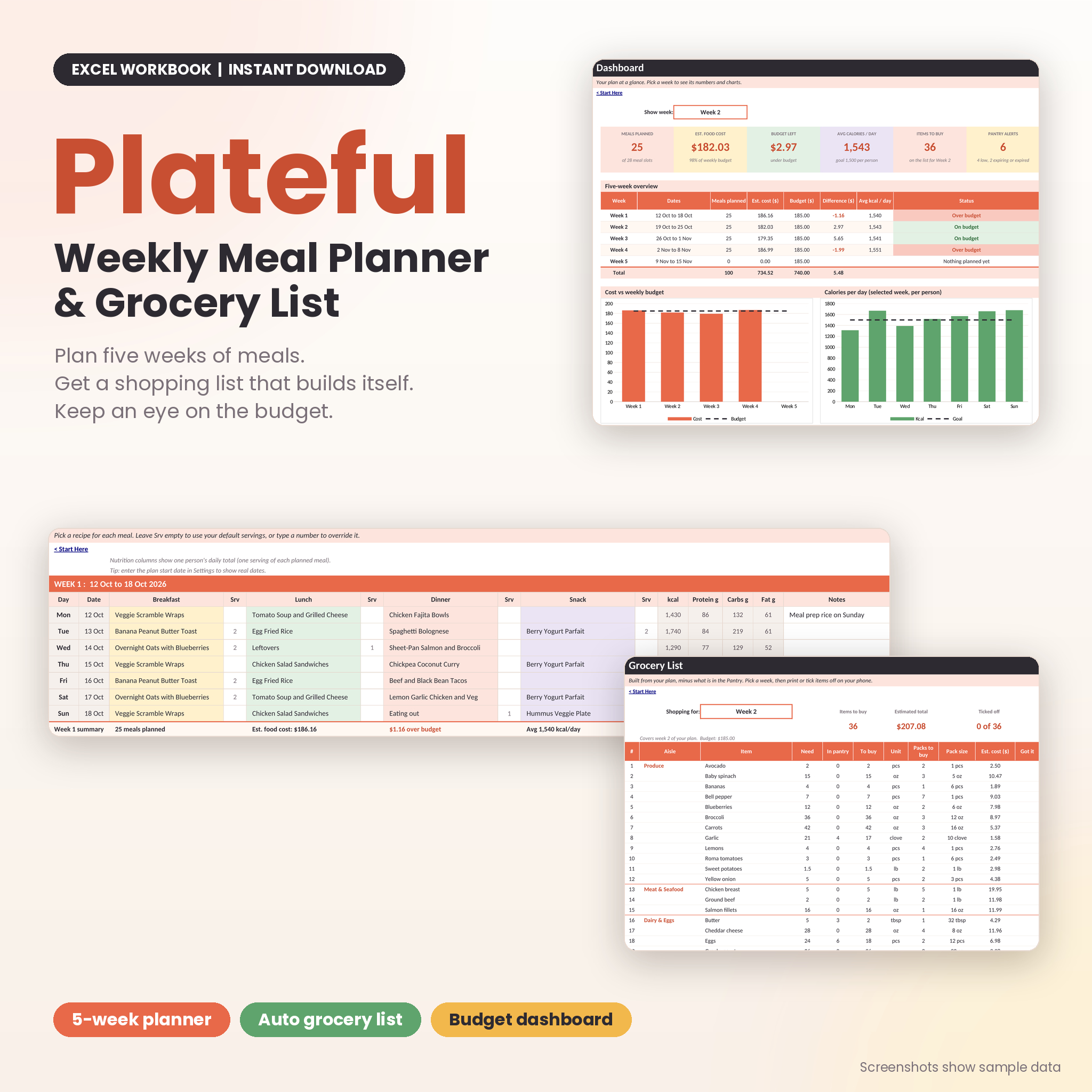
Plateful is a weekly meal planner spreadsheet for anyone tired of deciding at 5 pm what to cook. You add your recipes once. Then you plan up to five weeks by picking meals from dropdowns. Plateful adds up every ingredient, subtracts what is already in your pantry, rounds up to whole packs and gives you a shopping list grouped by aisle.
It also shows what each week will cost and how many calories each day adds up to. There are no macros to switch on and no add-ins to install. It is a clean, editable workbook that does the sums so you do not have to.
Who This Meal Planner Is For
- Families and couples who want one plan and one shopping trip a week
- Anyone watching a food budget
- Meal preppers who cook big batches and need quantities that scale
- Students and first apartments learning to cook without waste
- People who like to see calories, protein, carbs and fat per person
What You Get
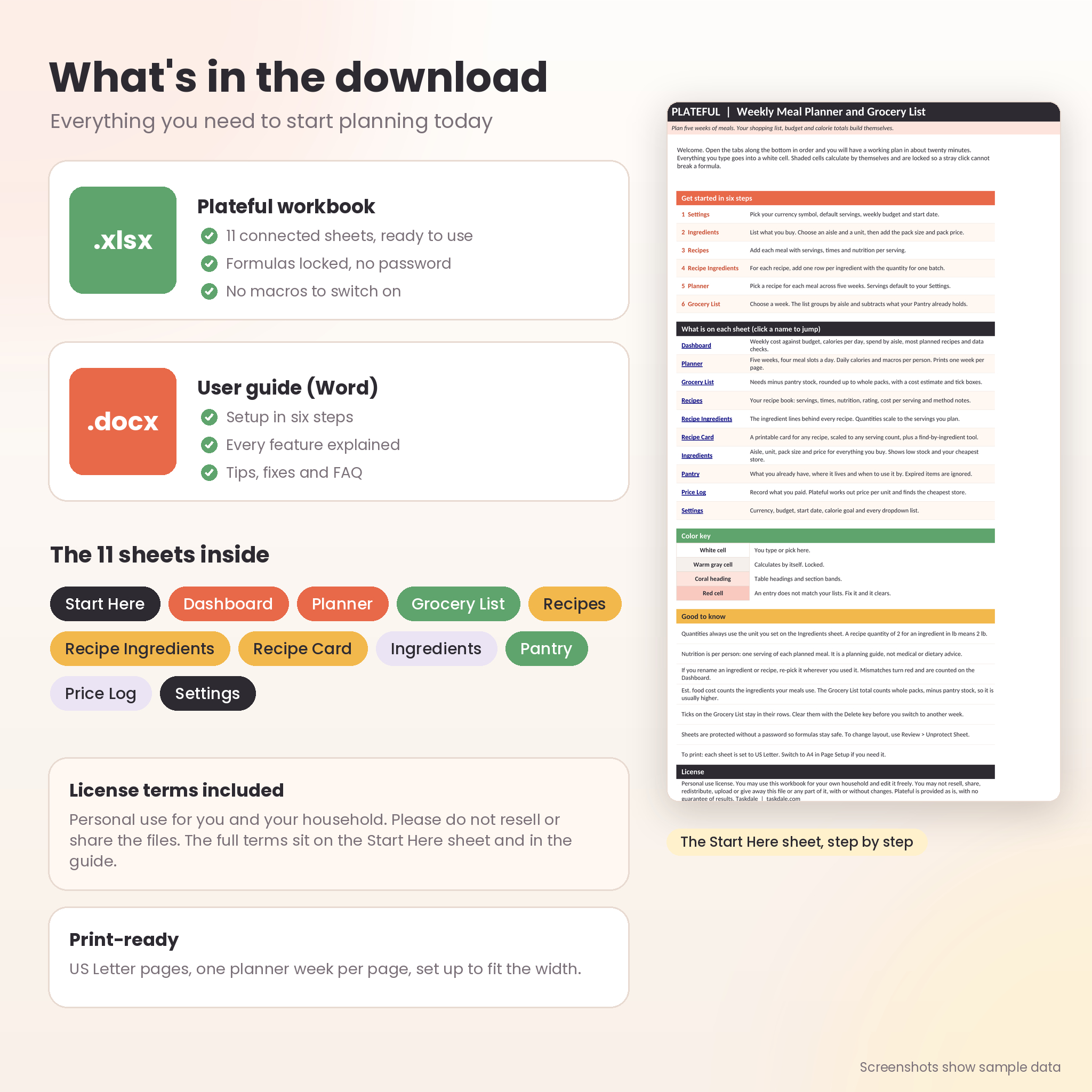
- Plateful workbook (.xlsx): 11 connected sheets, ready for your own recipes
- User guide (.docx): setup steps, every feature explained, troubleshooting and FAQ
- License terms: included in the workbook and the guide
The workbook arrives empty, so there is nothing to delete before you start. The screenshots show sample data so you can see how each sheet looks once it is filled in.
Main Benefits
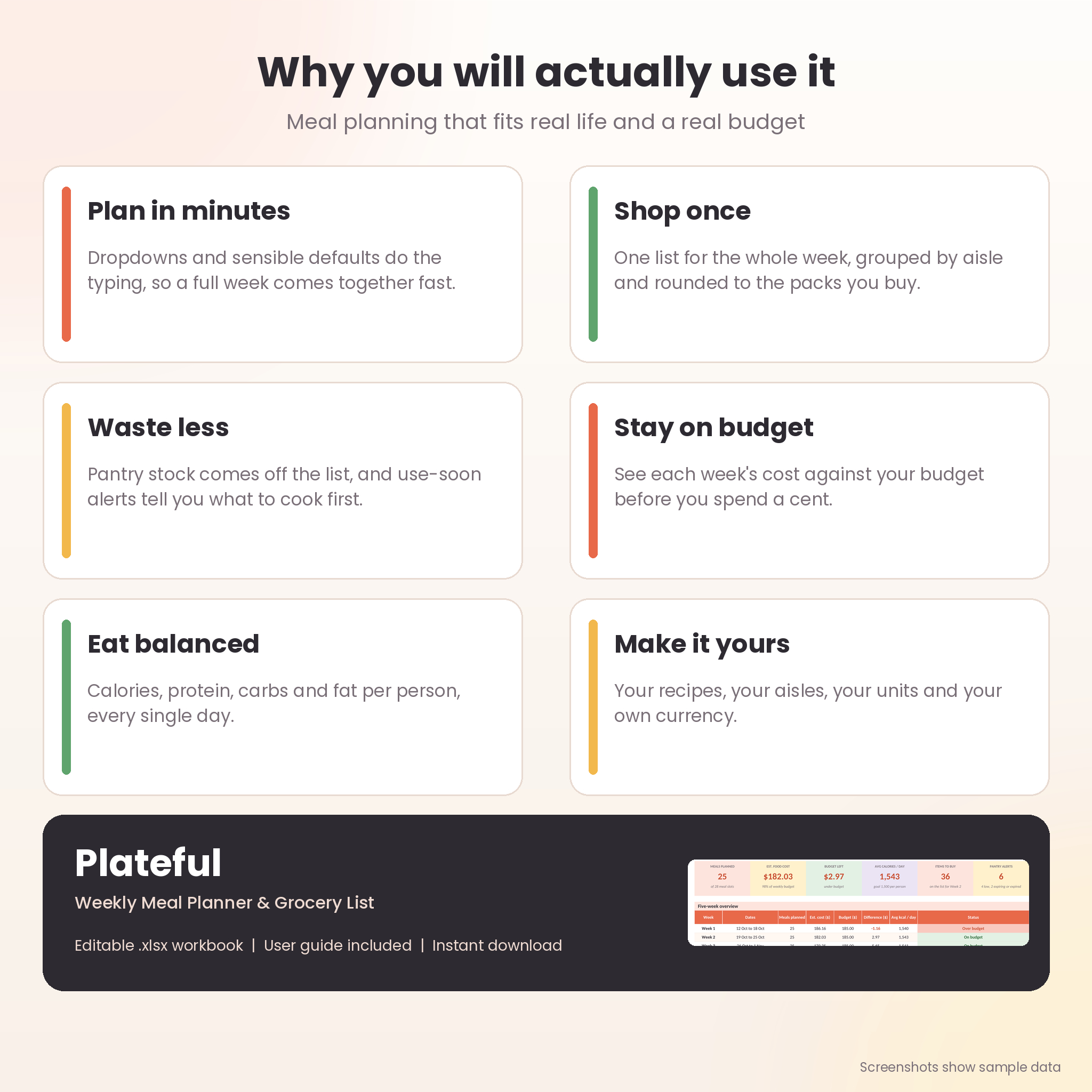
- Shop once. One list for the whole week, or all five weeks at once.
- Waste less. Pantry stock comes off the list, and use-by alerts tell you what to cook first.
- Stay on budget. See each week’s cost against your budget before you spend it.
- Eat in balance. Daily calories, protein, carbs and fat for one person.
- Save time. Dropdowns and sensible defaults do most of the typing.
Features
Planning
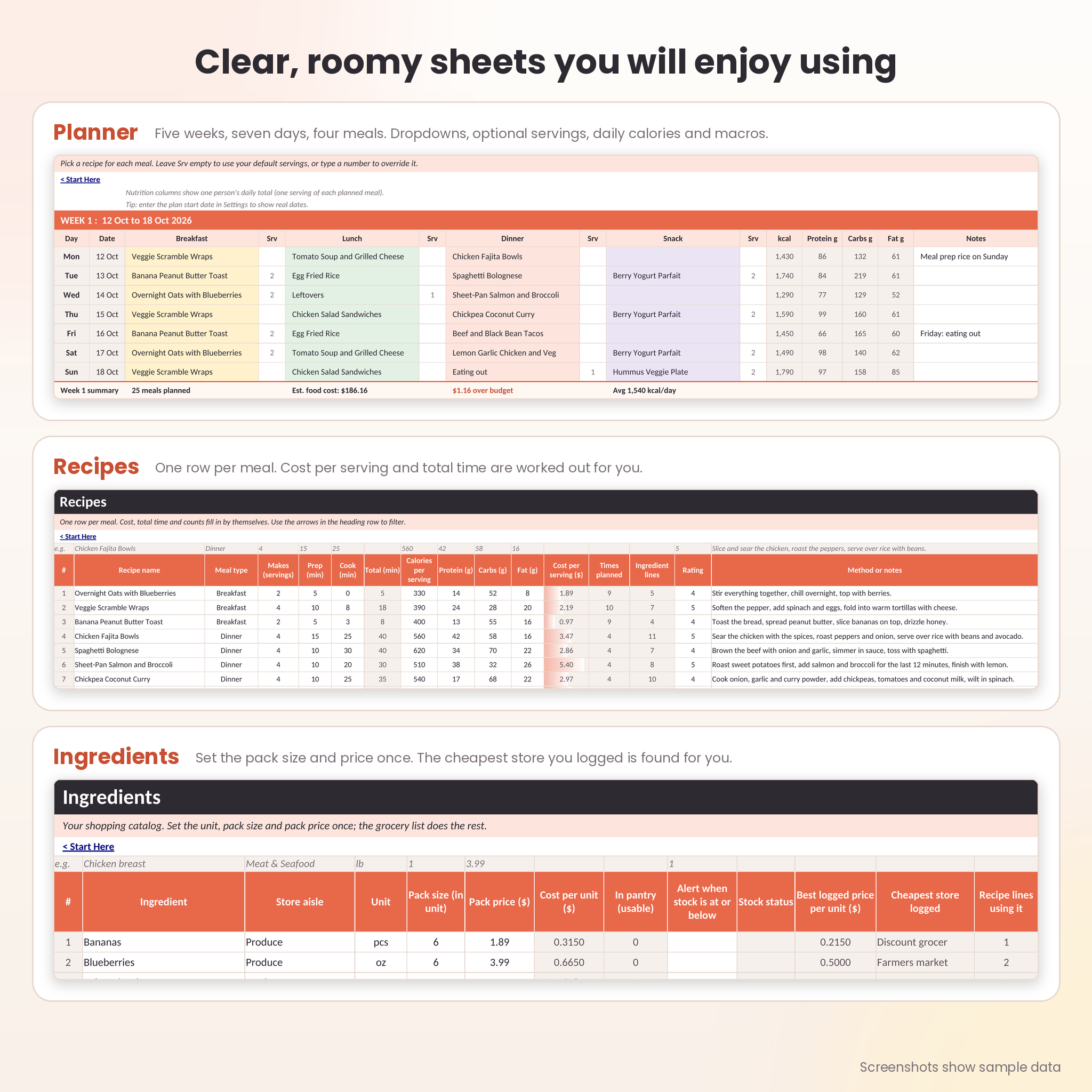
- Five weeks, seven days, four meal slots a day. Rename the slots to suit you.
- Pick recipes from a dropdown. Type a servings number to cook more or less for any meal.
- Add a start date to see real dates, or leave it empty for Day 1 to Day 7.
- A notes column for reminders like “Meal prep rice on Sunday”.
Automatic grocery list
- Pick one week or all five weeks.
- Your pantry stock is subtracted. Expired food does not count.
- Quantities round up to the packs you actually buy, with an estimated cost.
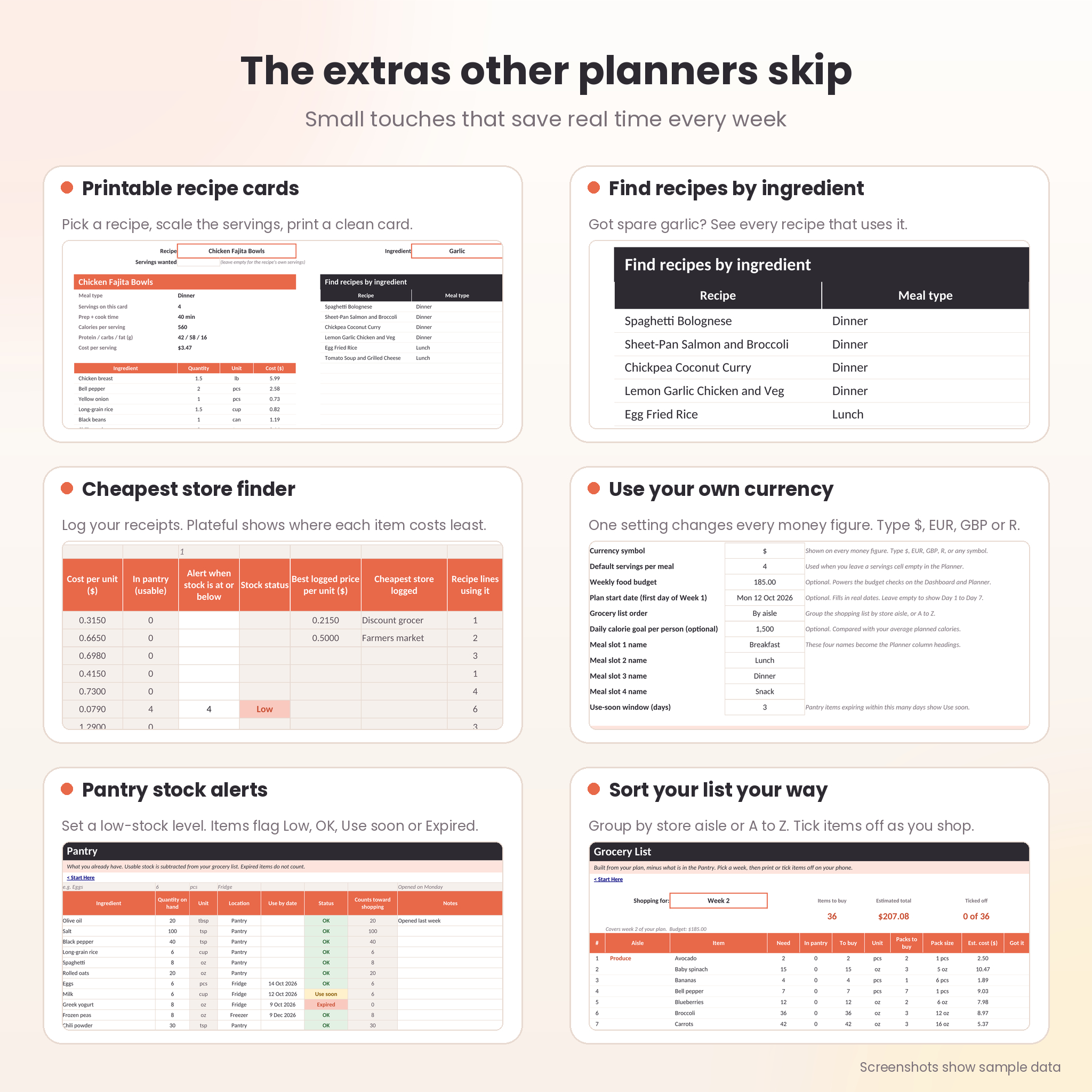
- Group by store aisle or sort A to Z, then tick items off as you shop.
Recipes and nutrition
- Room for 100 recipes with servings, prep and cook time, calories, protein, carbs, fat, a 1 to 5 rating and method notes.
- Cost per serving is worked out for you.
- Printable recipe cards that scale to any number of servings.
- A find-by-ingredient tool that lists every recipe using the item you want to use up.
Budget dashboard
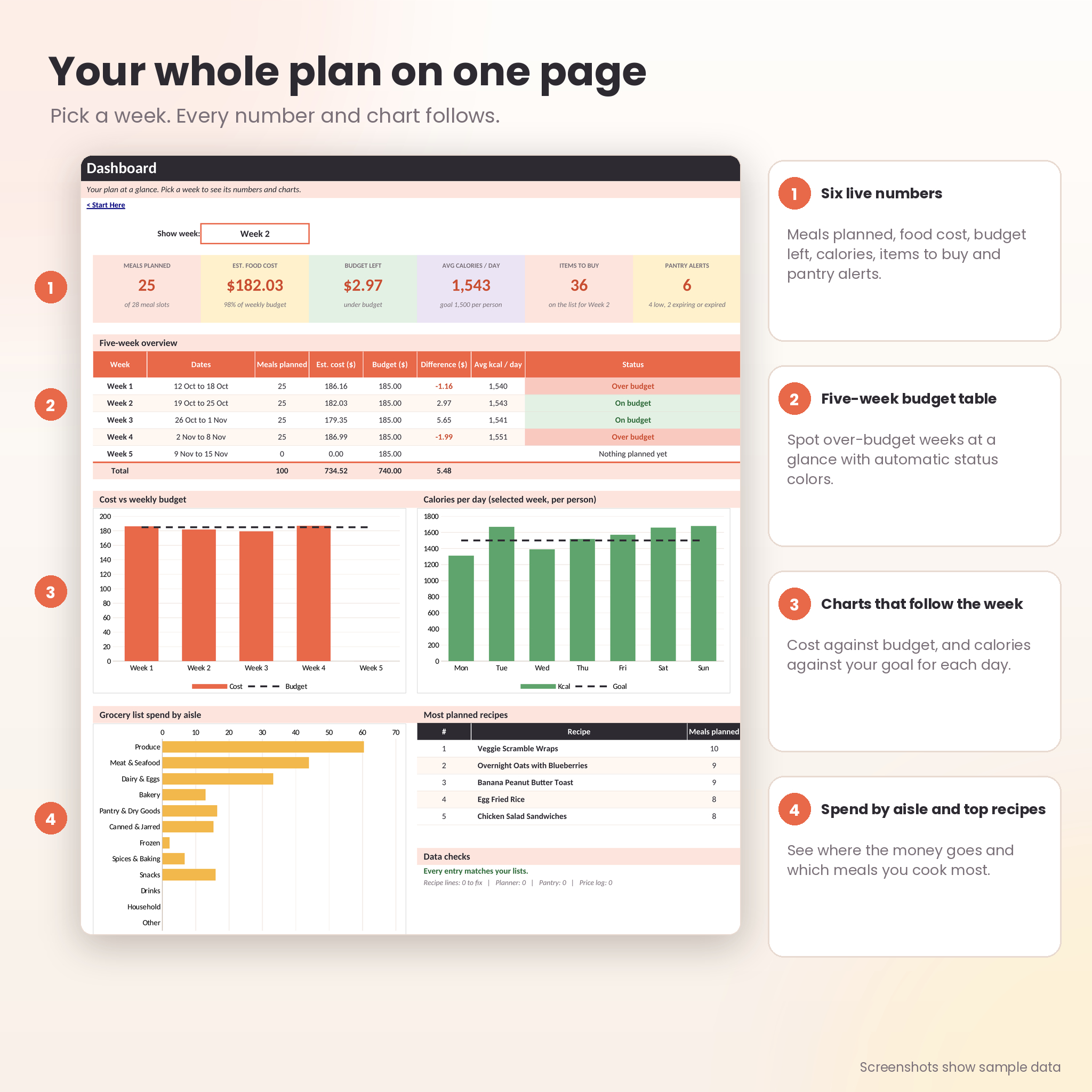
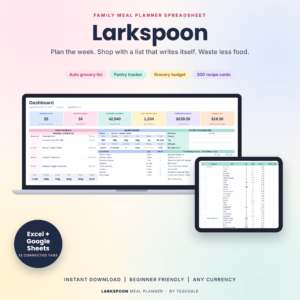
- Six live numbers: meals planned, food cost, budget left, average calories, items to buy and pantry alerts.
- A five-week table with On budget and Over budget status.
- Charts for cost against budget, calories per day and grocery spend by aisle.
Pantry and price tracking
- Log what you have, where it lives and when to use it by.
- Set low-stock alerts for staples.
- Record receipts in the price log and see the cheapest store for each ingredient.
Built to be safe and flexible
- Formula cells are locked without a password, so a stray click cannot break them.
- Entries that do not match your lists turn red, and the dashboard counts them.
- One currency setting changes every money figure. Plateful does not convert amounts.
- Every sheet is set up to print on US Letter paper, one planner week per page.
How It Works
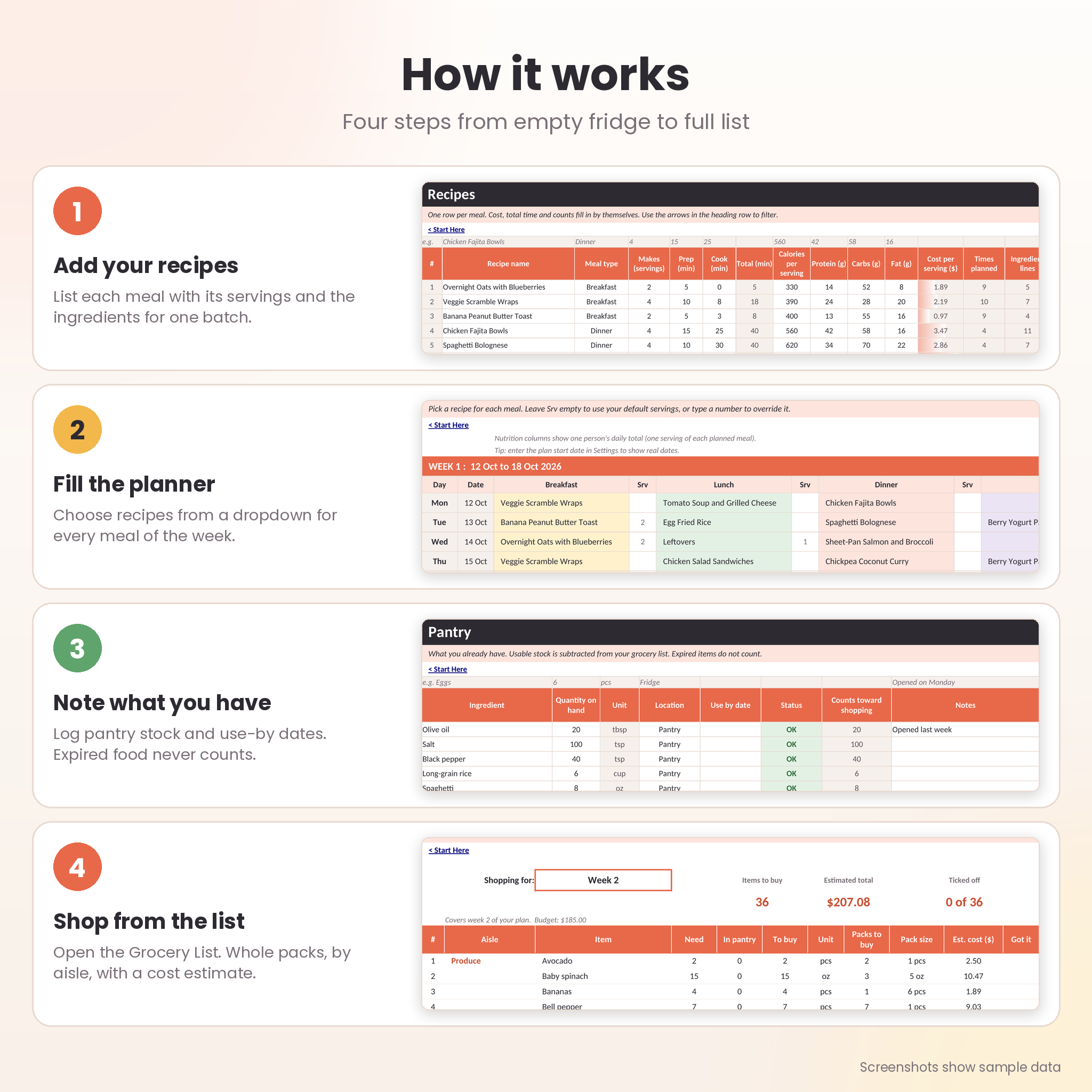
- Set up. Choose your currency, default servings and weekly budget.
- List your ingredients. Add the aisle, unit, pack size and pack price once.
- Add recipes. Enter each meal and the ingredients in one batch.
- Fill the planner. Pick a recipe for each meal.
- Open the grocery list. Choose a week and go shopping.
Most people have a working plan in about twenty minutes. Setup is quicker on a computer than on a phone.
File Format and Requirements
Plateful is an editable .xlsx workbook with no macros. You need a spreadsheet app that opens .xlsx files on a computer. It was built and tested in LibreOffice Calc, using standard spreadsheet functions. It has not been tested in Microsoft Excel or Google Sheets, so some formatting may look different there. The user guide is a Word (.docx) file.
Customize It
Rename the meal slots, aisles, units, meal types and pantry locations in Settings. Change the currency symbol. Set your own budget and calorie goal. Sheets are protected without a password, so you can unprotect them if you want to change a layout.
Digital Download Information
This is a digital product. Nothing ships. After checkout you can download the workbook and the user guide from your order confirmation and your account page. The files are separate, so there is no zip to unpack.
Real Ways to Use It
- Plan Sunday night, shop Monday, and stop buying the same sauce twice.
- Set a weekly food budget and spot the weeks that run over.
- Batch cook six servings and plan them across two dinners.
- Use up half a bunch of cilantro by finding every recipe that includes it.
- Compare store prices from your receipts and shop where staples cost less.
Frequently Asked Questions
Does it come with recipes?
No. The workbook is empty so every recipe is your own. It holds up to 100.
Does it work in metric?
Yes. Units such as g, kg, ml and l are in the list next to oz, lb, cup, tbsp and tsp. Pick one unit per ingredient.
Can I plan for different numbers of people?
Yes. Set a default in Settings or type a servings number next to any meal.
Why is the grocery total higher than the food cost?
The food cost counts only what your meals use. The grocery total counts whole packs, minus your pantry stock.
Does it convert currencies?
No. It shows your symbol on every money figure. Enter prices in the currency you choose.
Can I resell or share the file?
No. It is licensed for personal use in your own household.
How many items fit on the grocery list?
Up to 150 per list. Pick a single week to stay well under that.
License
Personal use only. You may edit the workbook for your own household. You may not resell, share, redistribute, upload or give away the files, with or without changes. Plateful is provided as is, with no guarantee of results. Copyright Taskdale.
Reviews
There are no reviews yet.