Work From Home Planner: Printable and Fillable PDF for Remote Workdays
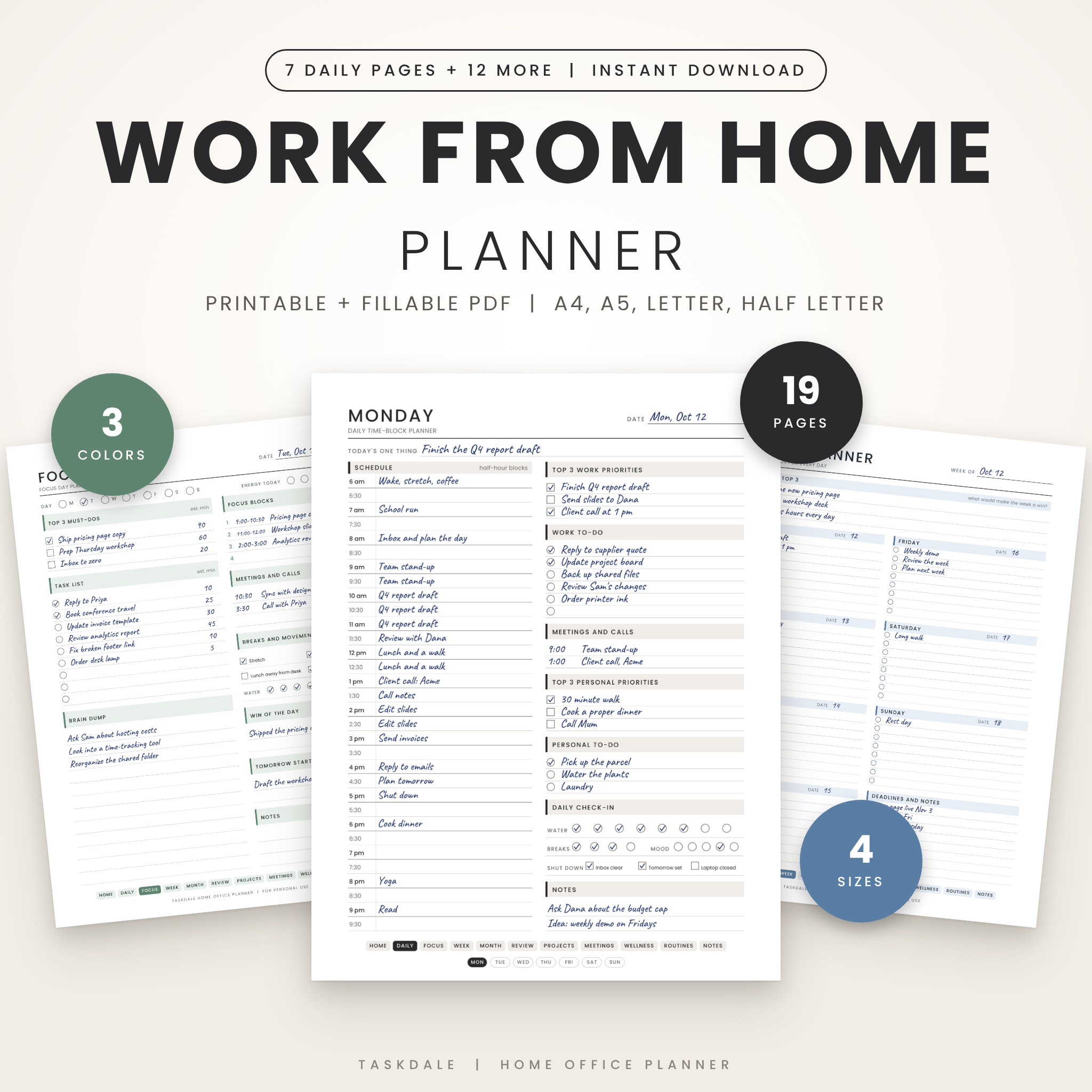
Working from home is flexible. It is also easy to drift. This work from home planner gives your day a shape. Plan your hours, pick your top three, keep track of meetings and projects, and close the laptop on purpose. Print it and write by hand, or type straight into the fillable file.
The Taskdale Home Office Planner comes as a ready-to-use download. You get 19 undated pages in four paper sizes and three colors, so you can start tomorrow morning.
What you get
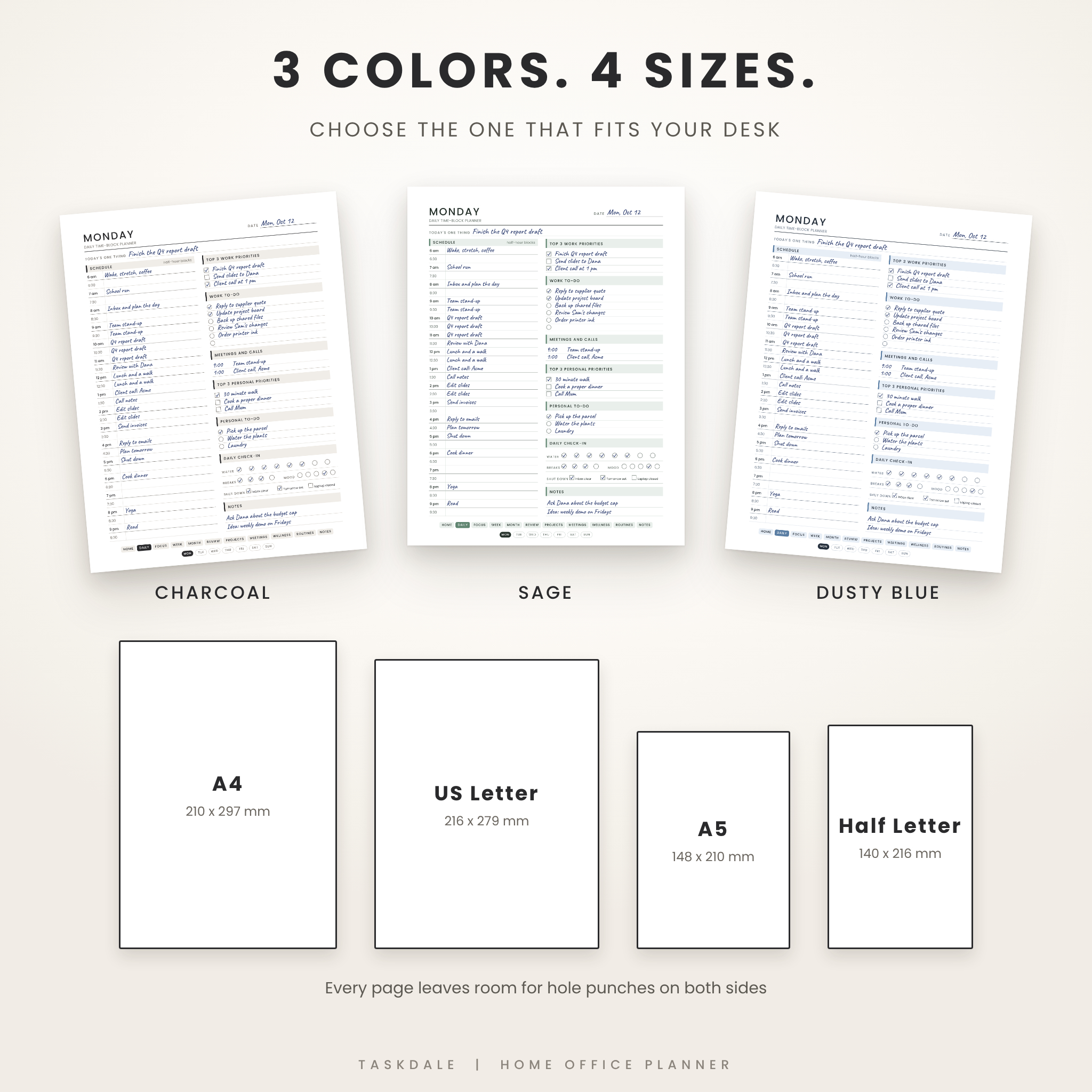
- 24 PDF files: 4 sizes (A4, A5, US Letter, Half Letter) x 3 colors (Charcoal, Sage, Dusty Blue) x printable and fillable
- 19 pages in every file, all undated
- A DOCX user guide that explains every page
- A personal use licence inside the files and the guide
Who this remote work planner is for
Remote employees, freelancers, small business owners, and anyone who splits the week between home and an office. If your desk is the kitchen table and your day includes school runs, stand-ups, and a long to-do list, this planner was built for you.
Main benefits
- See your whole day on one page, work and personal side by side
- Pick three priorities and stop letting small tasks steal your best hours
- Keep meetings, projects, and deadlines in one place
- Finish work on time with shutdown boxes and routines
- Review the week in fifteen minutes and plan the next one
Features, page by page
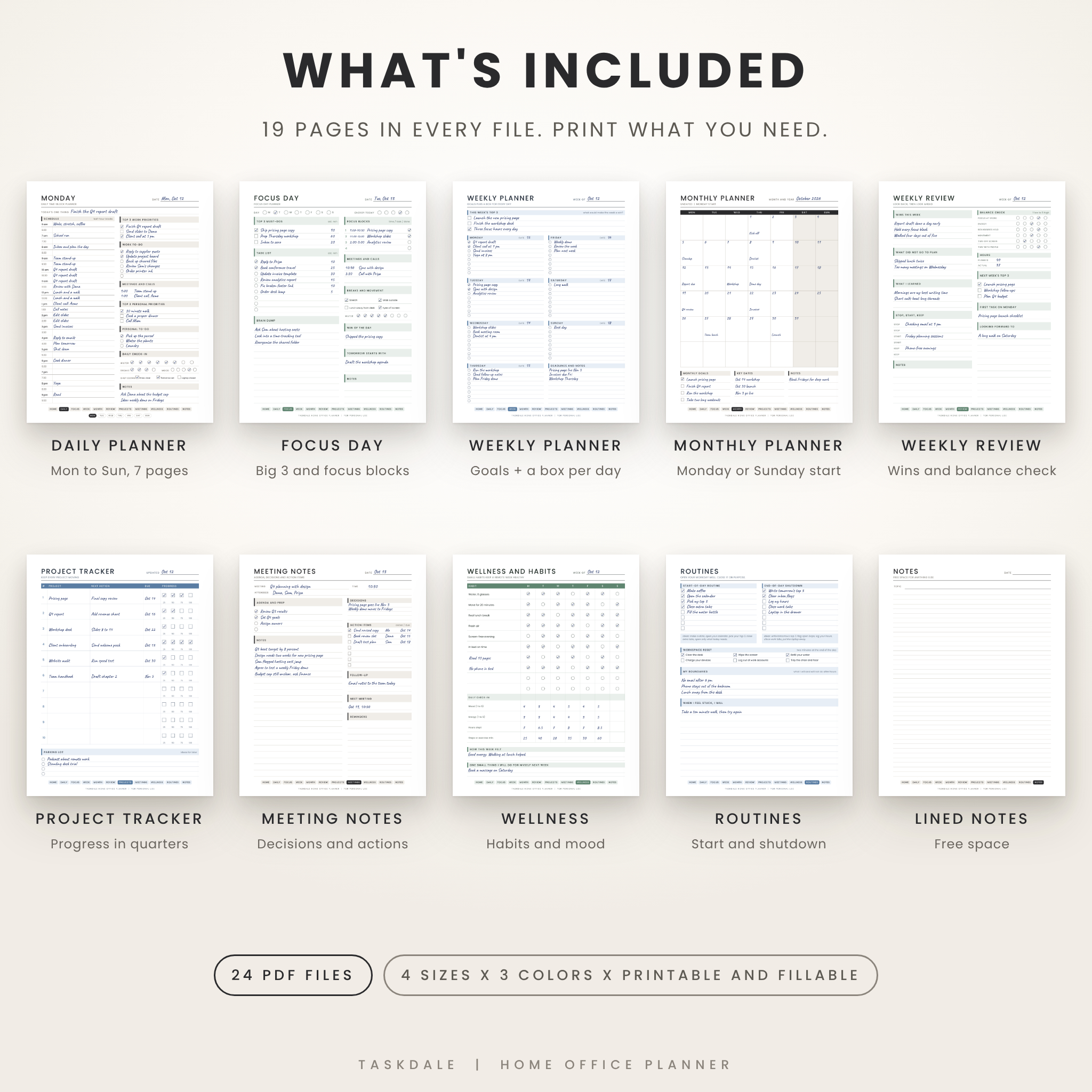
- Start Here: your work hours, top three goals for the quarter, non-negotiables, and a clickable contents list
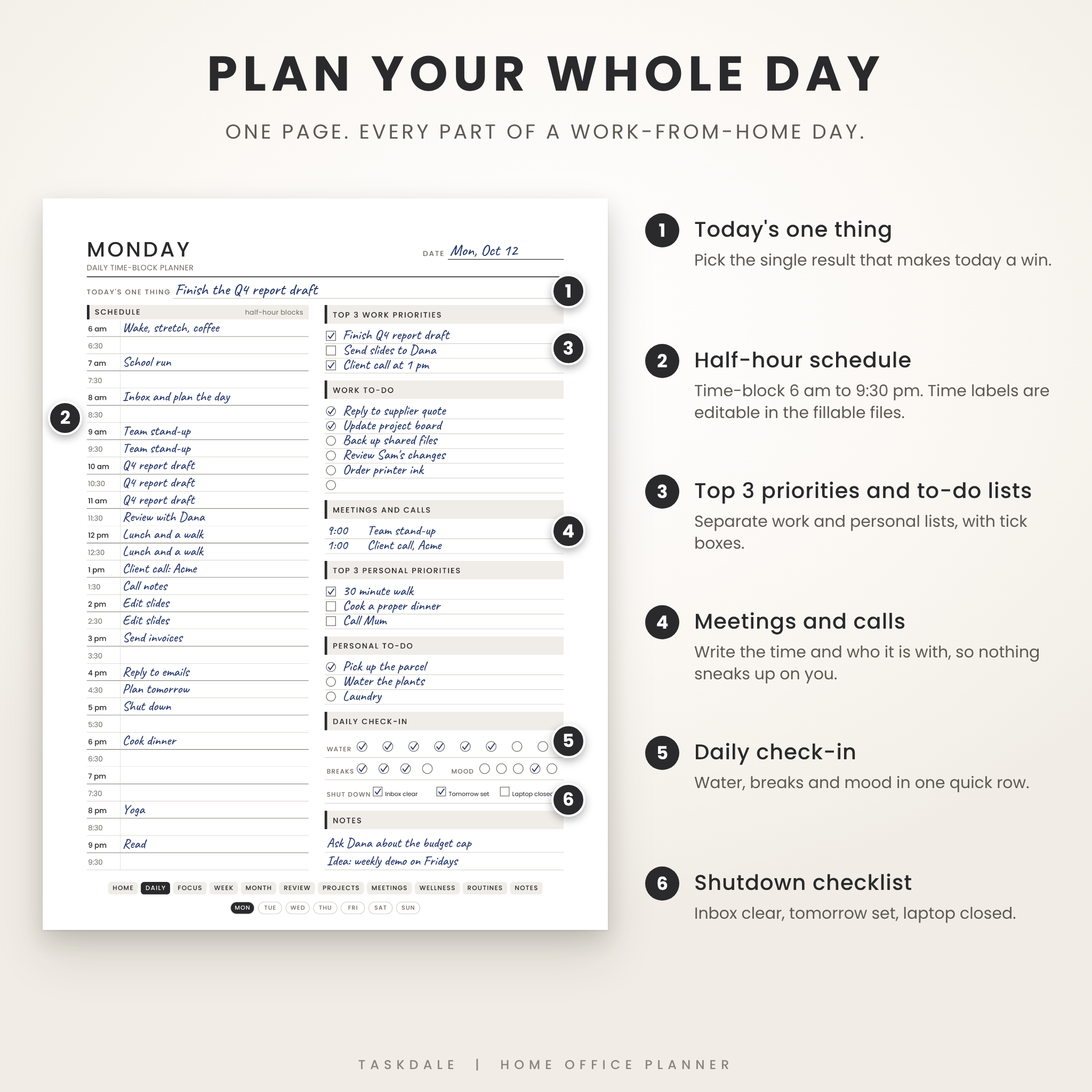
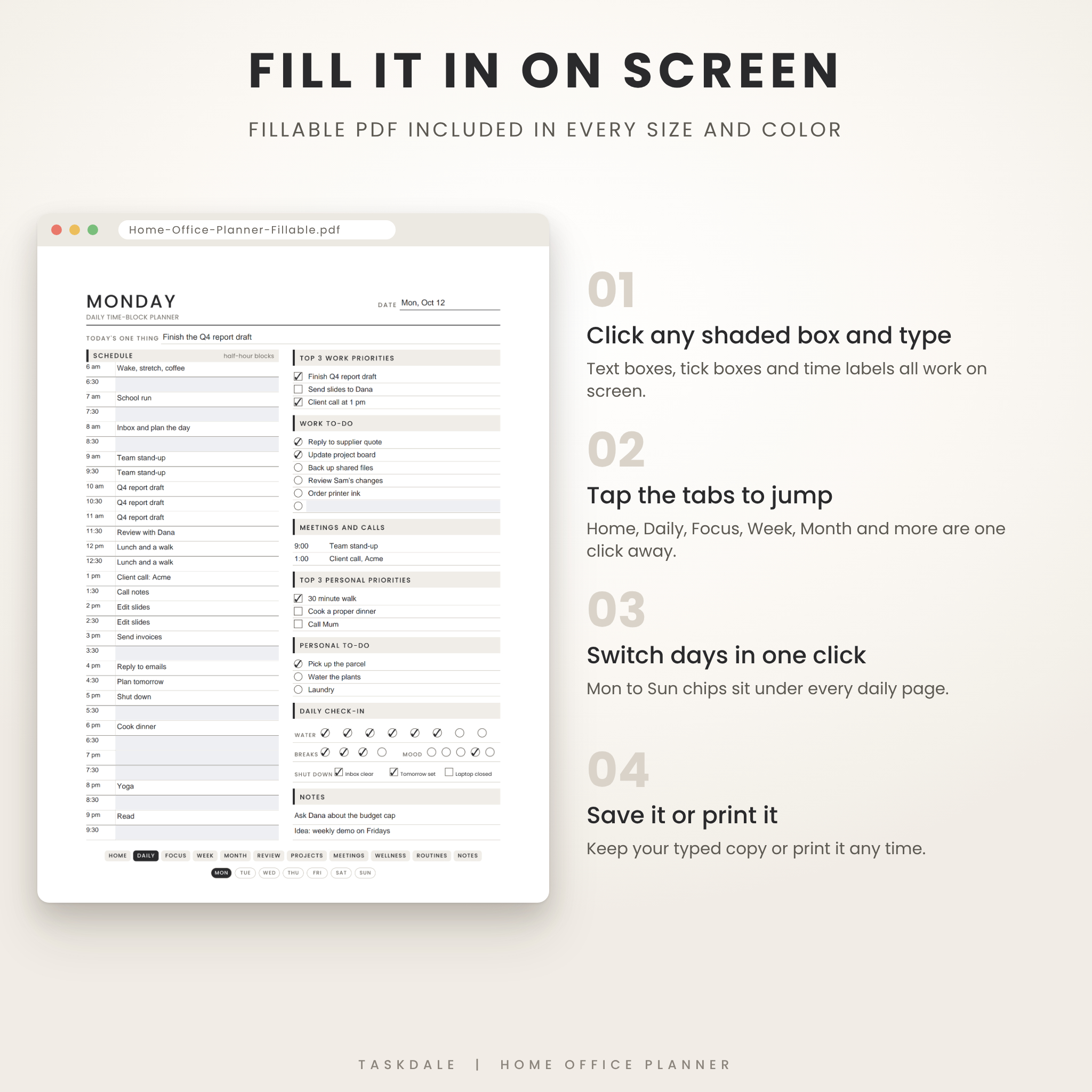
- Daily time-block planner (7 pages, Monday to Sunday): a half-hour schedule from 6 am to 9:30 pm, top 3 work priorities, work to-do, meetings and calls, top 3 personal priorities, personal to-do, a daily check-in for water, breaks, and mood, a shutdown checklist, and notes
- Focus Day planner: top 3 must-dos with time estimates, a task list, four focus blocks, a brain dump, and a tomorrow starts with line
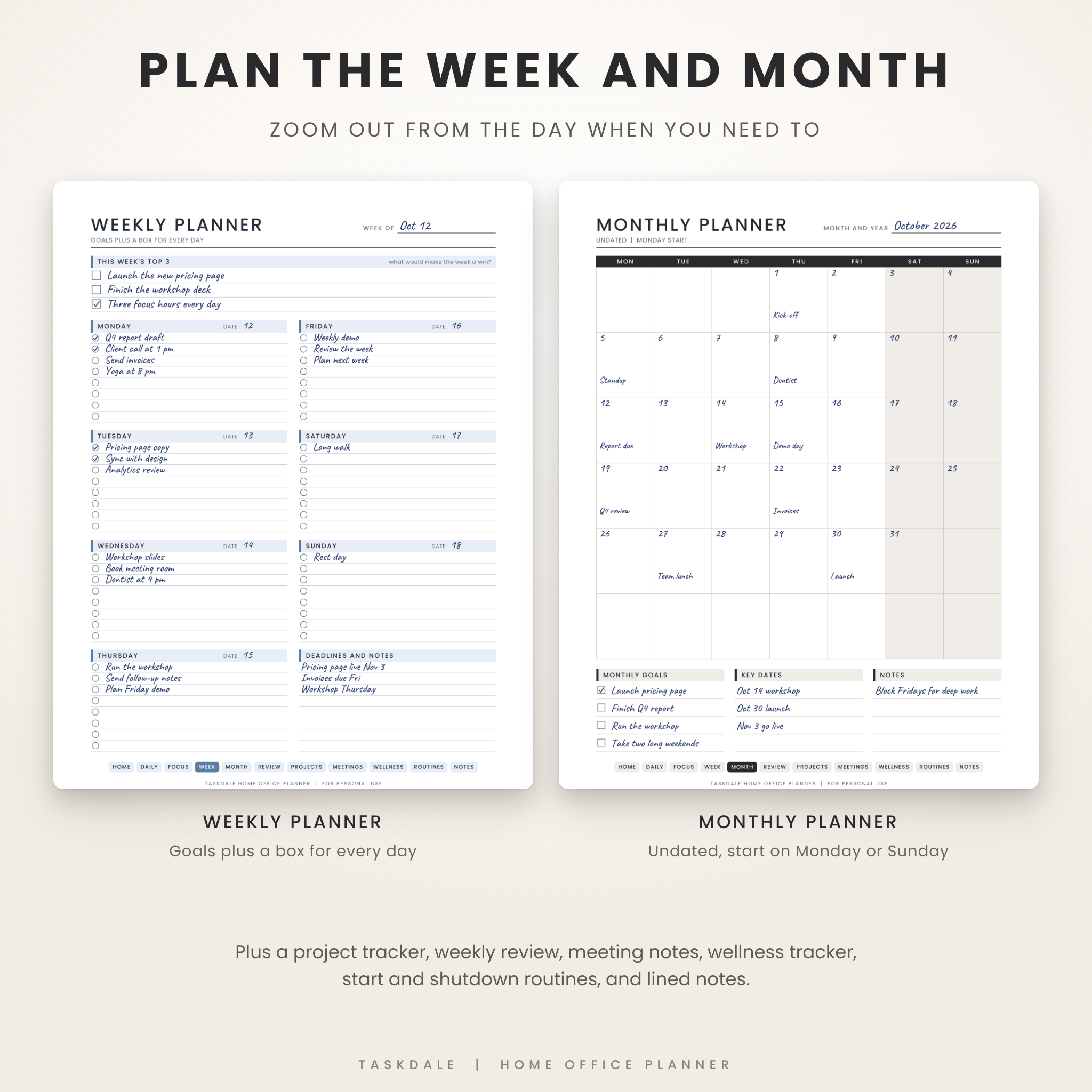
- Weekly planner: weekly goals plus a box for every day
- Monthly planner: two pages, one with a Monday start and one with a Sunday start
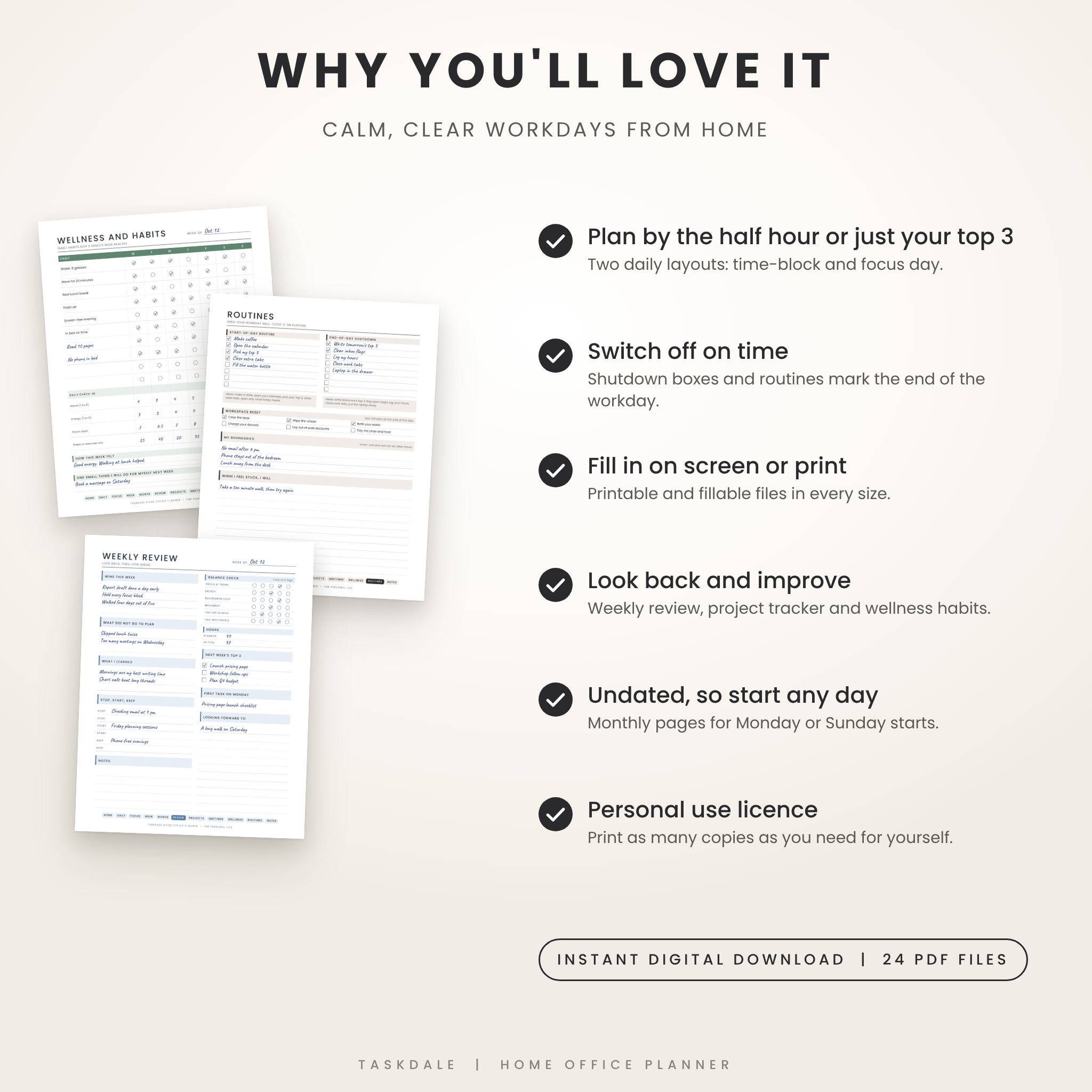
- Weekly review: wins, lessons, a balance check, and next week’s top 3
- Project tracker: ten projects with next action, due date, and progress in quarters
- Meeting notes: agenda, notes, decisions, and action items with owner and due date
- Wellness and habits: a weekly habit grid with six printed habits and four blank rows
- Start and shutdown routines: two checklists, a workspace reset, and your boundaries
- Lined notes and a short Terms of Use page
How it works
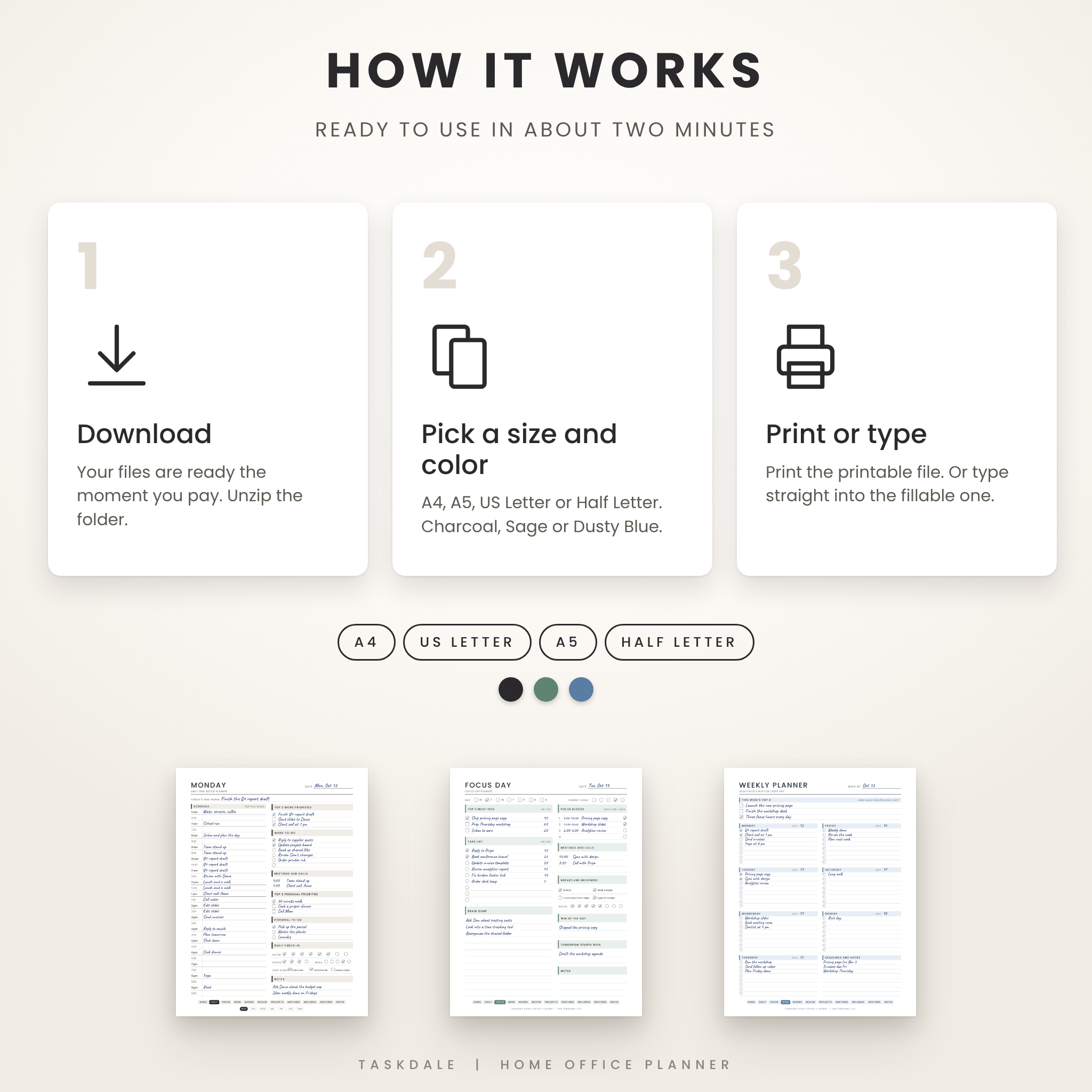
- Buy and download the ZIP file. Your files are ready right away.
- Unzip it and open the folder for your paper size.
- Pick a color, then choose Printable or Fillable.
- Print the pages you need at Actual size, or type into the fillable file on your computer.
Fillable PDF with clickable tabs
Every size and color includes a fillable version. Click a shaded box and type. Tick the boxes on screen. Tabs along the bottom jump to Daily, Focus, Week, Month, Review, Projects, Meetings, Wellness, Routines, and Notes, and small day chips switch between Monday and Sunday. The time labels on the daily pages are editable, so you can start your schedule at 5 am or 10 am.
File formats and software
- Planner files: PDF (printable and fillable)
- User guide: DOCX (opens in Word or any app that reads Word files)
- You need a PDF viewer. For the fillable files, use a browser or app that supports PDF forms. We tested with the same PDF engine that Chrome uses.
- We have not tested phone apps, tablet apps, or note-taking apps, so please use a computer for the fillable files.
Customization
Choose from three colors, move the schedule start time in the fillable files, and pick a Monday or Sunday monthly page. Write your own habits in the blank rows. The page design and fonts are fixed, so the layout stays tidy.
Digital download information
This is a digital product. Nothing ships. After checkout you can download one ZIP file with all four paper sizes and the user guide. Print as many copies as you need for yourself. The files are for personal use only and cannot be shared, resold, or used commercially.
Real ways people use it
- A remote employee blocks deep work around three stand-ups and a client call
- A freelancer tracks five projects, their next actions, and the invoices due Friday
- A parent plans work hours around school runs and still gets a walk in
- A small business owner runs a Friday review and sets Monday’s first task
- Someone new to remote work builds a start-of-day and shutdown routine
Frequently asked questions
Is this planner dated?
No. Every page is undated, so you can start on any day and reuse the pages all year.
Which paper size should I choose?
Use US Letter or A4 for a desk planner or clipboard. Use A5 or Half Letter for a small binder.
What is the difference between printable and fillable?
The printable files are clean pages made for printing. The fillable files have shaded boxes you can type in and clickable tabs. The layout is the same.
Can I type in it on my phone or tablet?
We tested the fillable files on a computer, with the same PDF engine Chrome uses. Phone and tablet apps may behave differently, so we cannot promise they work.
Does it include weekly and monthly pages?
Yes. You get a weekly planner, a weekly review, and two monthly planners, one starting Monday and one starting Sunday.
Can I sell prints or share the files?
No. The licence is for personal use. You can print as many copies as you like for yourself.
Is there room for hole punches?
Yes. Each page keeps matching margins on the left and right, so a punch on either edge will not cut into your writing.
Reviews
There are no reviews yet.