Fillable Daily Planner PDF for Work, School and Home
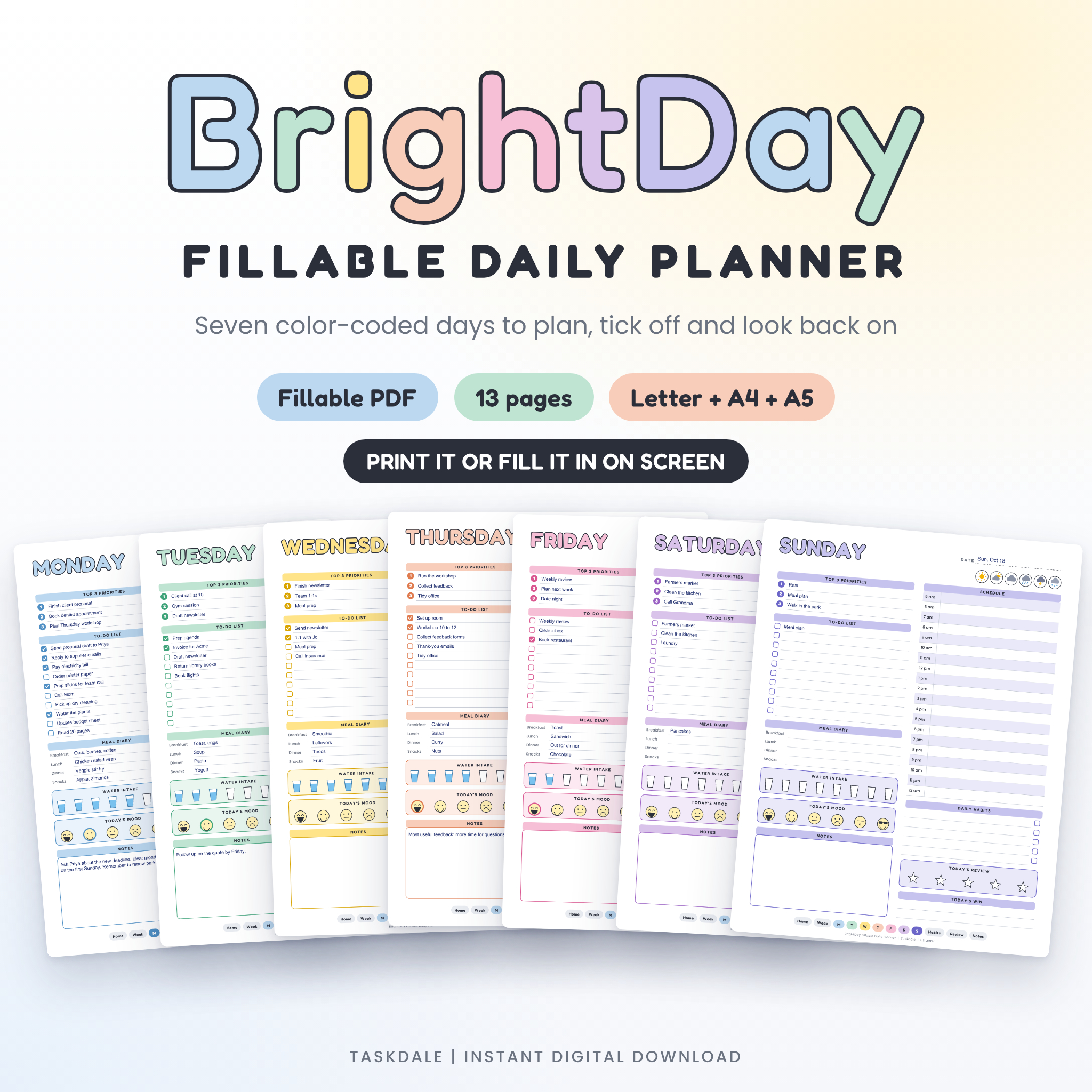
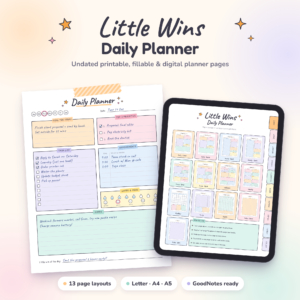
Plan the day, tick it off, then look back on how it went. This fillable daily planner gives you a page for every day of the week, each in its own color, plus a week overview, a habit tracker, a weekly review and a notes page. Type straight into the lines on your computer, or print the pages and pick up a pen. The planner is undated, so you can start on any Monday and keep using it all year.
What you get
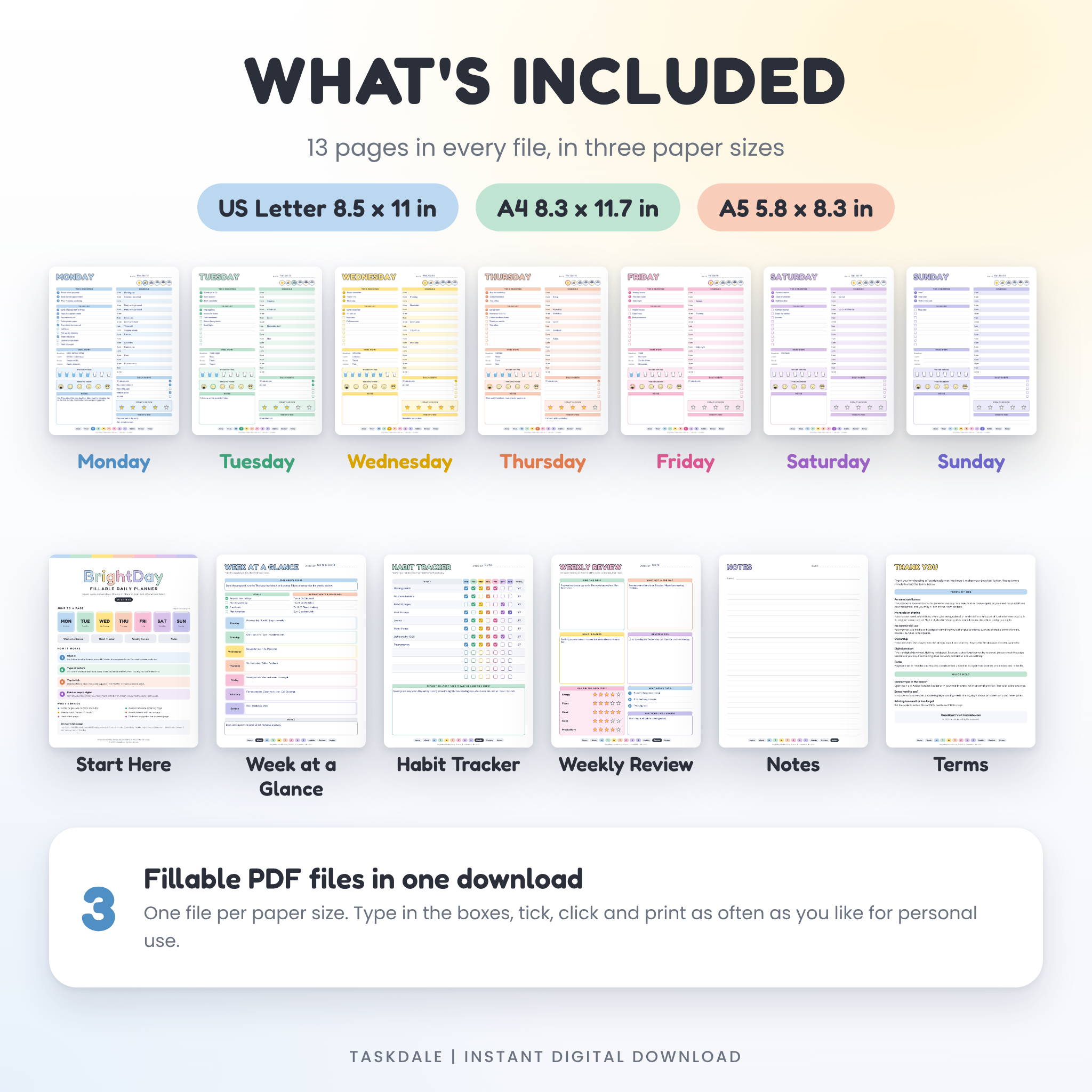
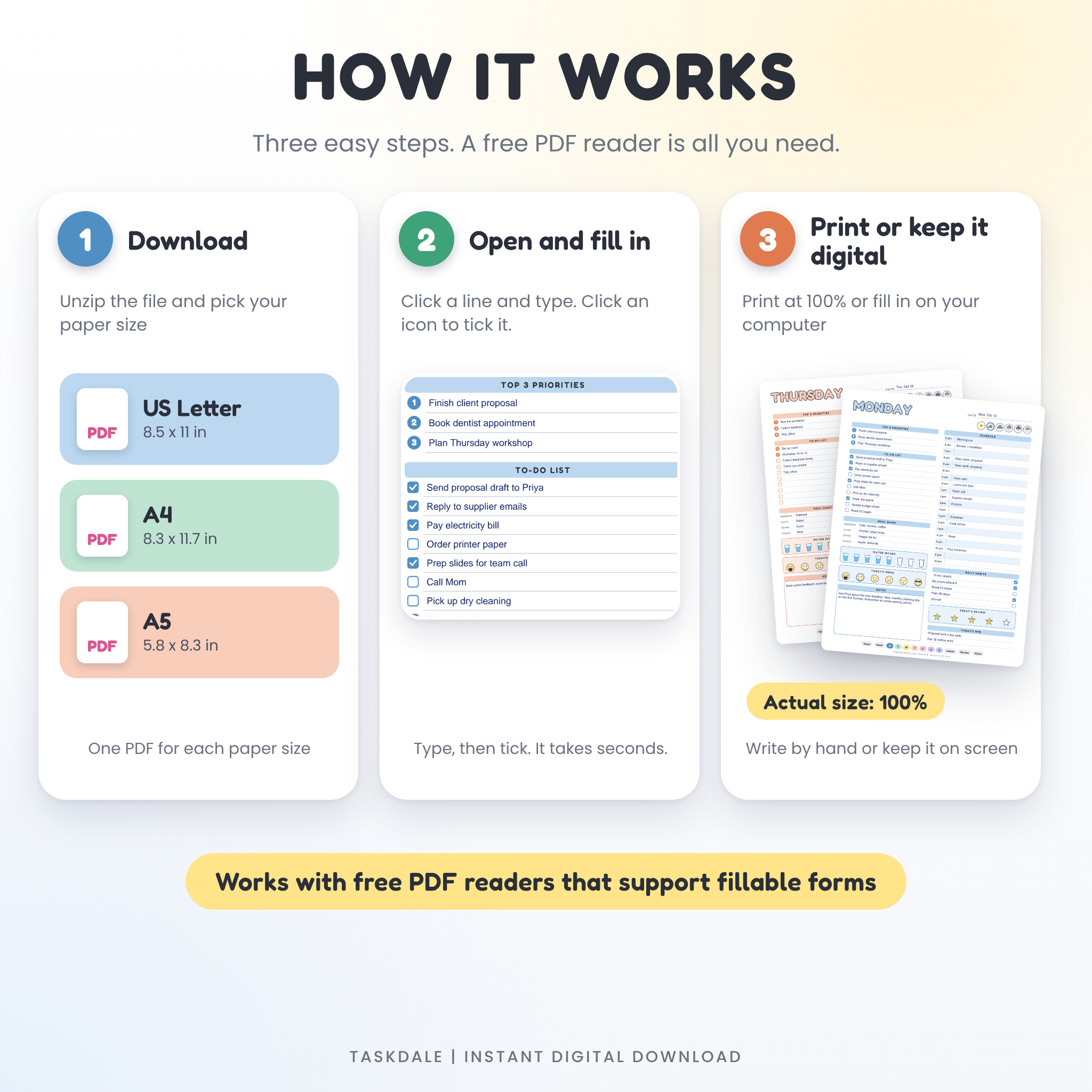
One download holds three PDF files, one for each paper size: US Letter (8.5 x 11 in), A4 (8.3 x 11.7 in) and A5 (5.8 x 8.3 in). Every file has 13 pages. A step-by-step user guide in Word format comes with it.
- Start Here page with tiles that jump to every page
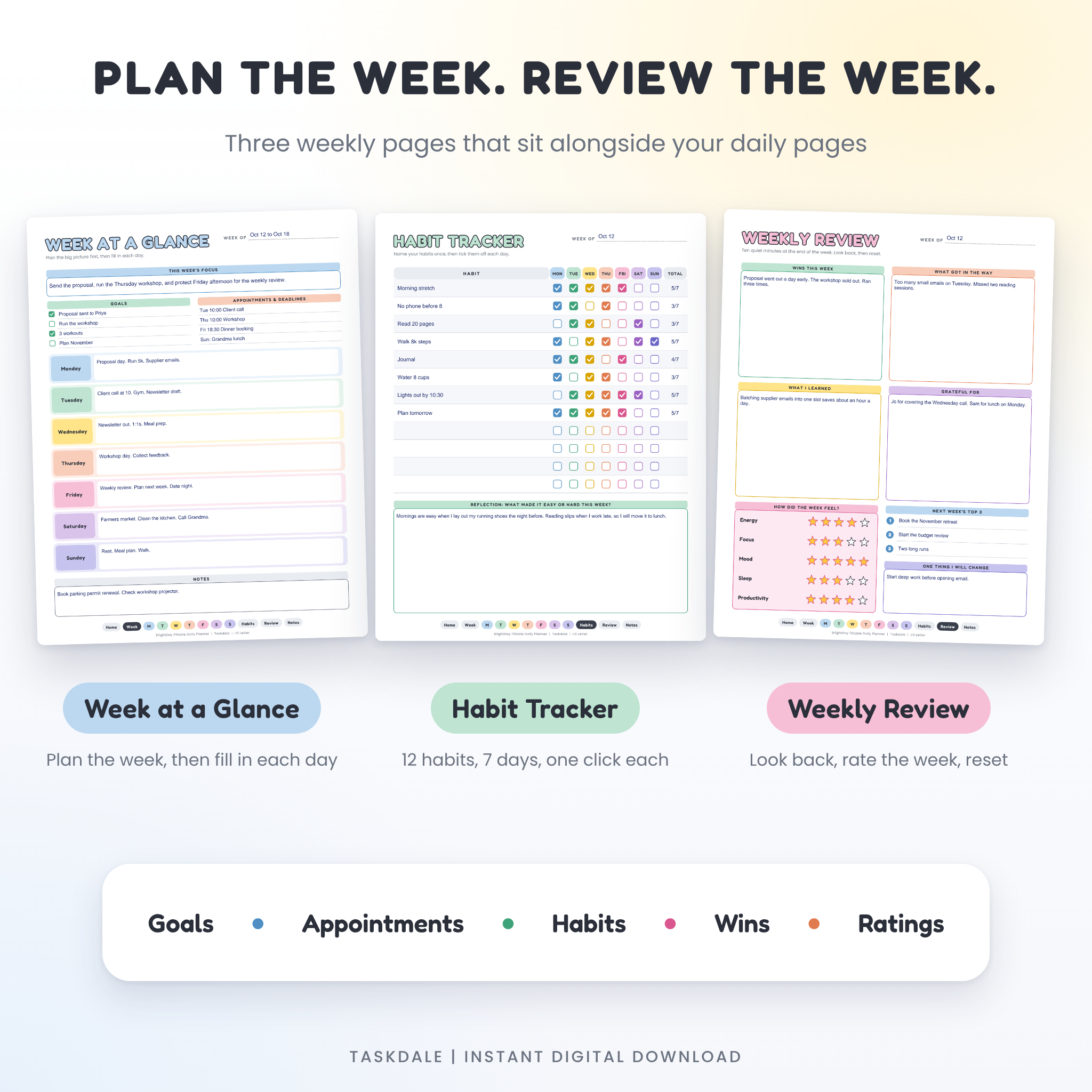
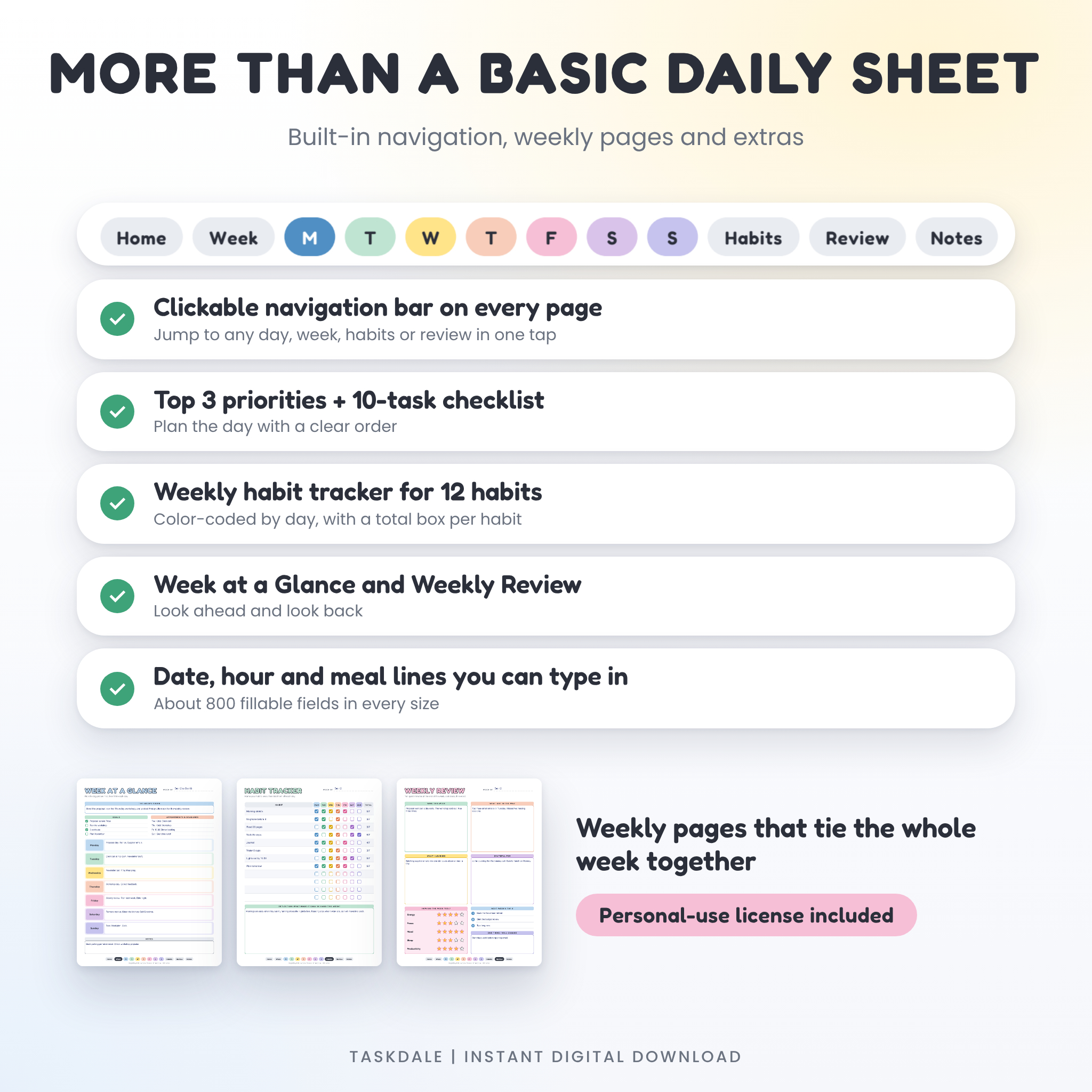
- Week at a Glance planning page
- Seven daily pages, Monday to Sunday, in seven colors
- Weekly Habit Tracker for up to 12 habits
- Weekly Review with star ratings
- Lined Notes page
- Terms of Use page
Who it is for
Anyone who wants a tidy daily page without building one from scratch. Students juggling classes and deadlines. People working from home who like to see the whole day at once. Parents planning meals and school runs. Small business owners who want three priorities on paper before the inbox takes over. If you like ticking things off, you will feel at home here.
Main benefits
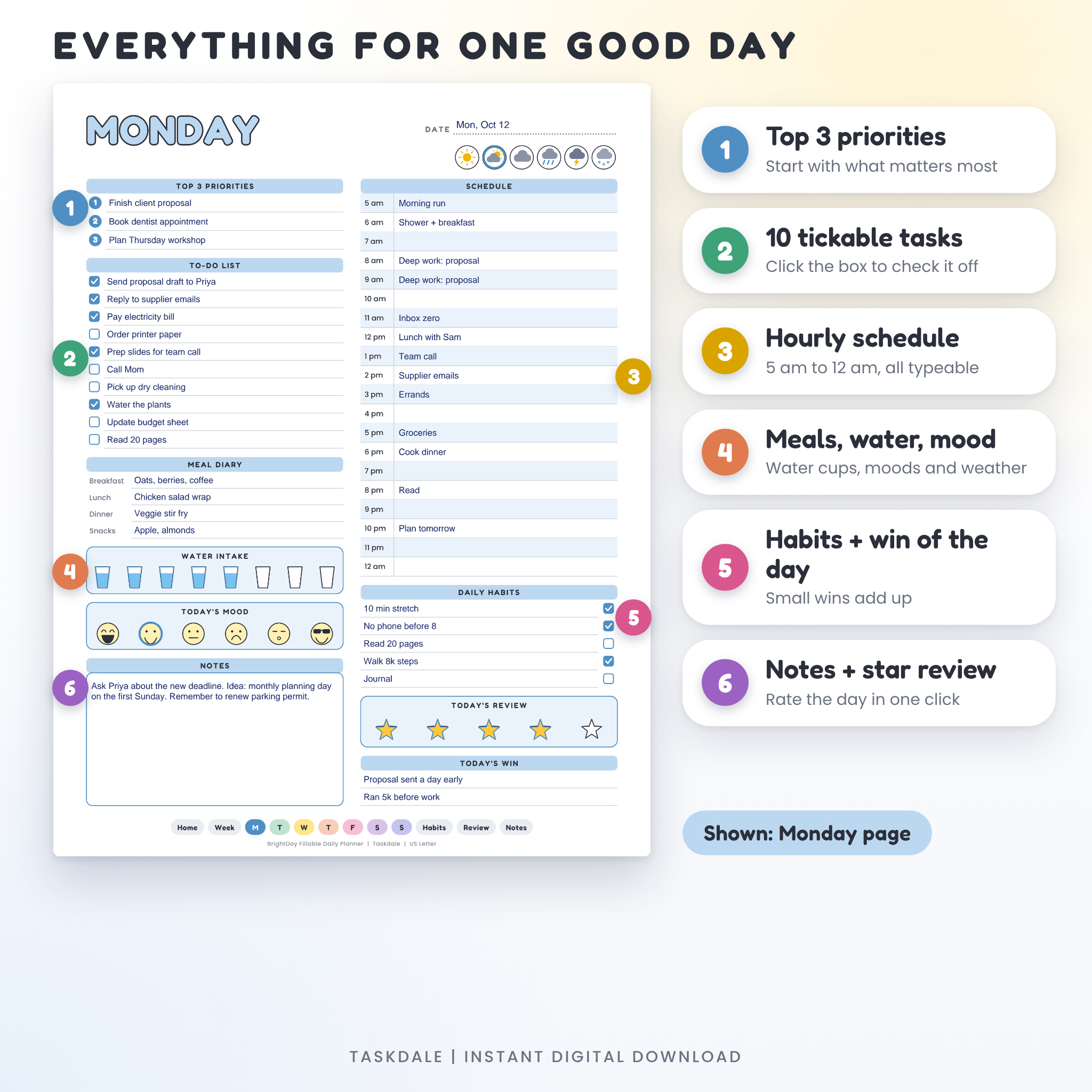
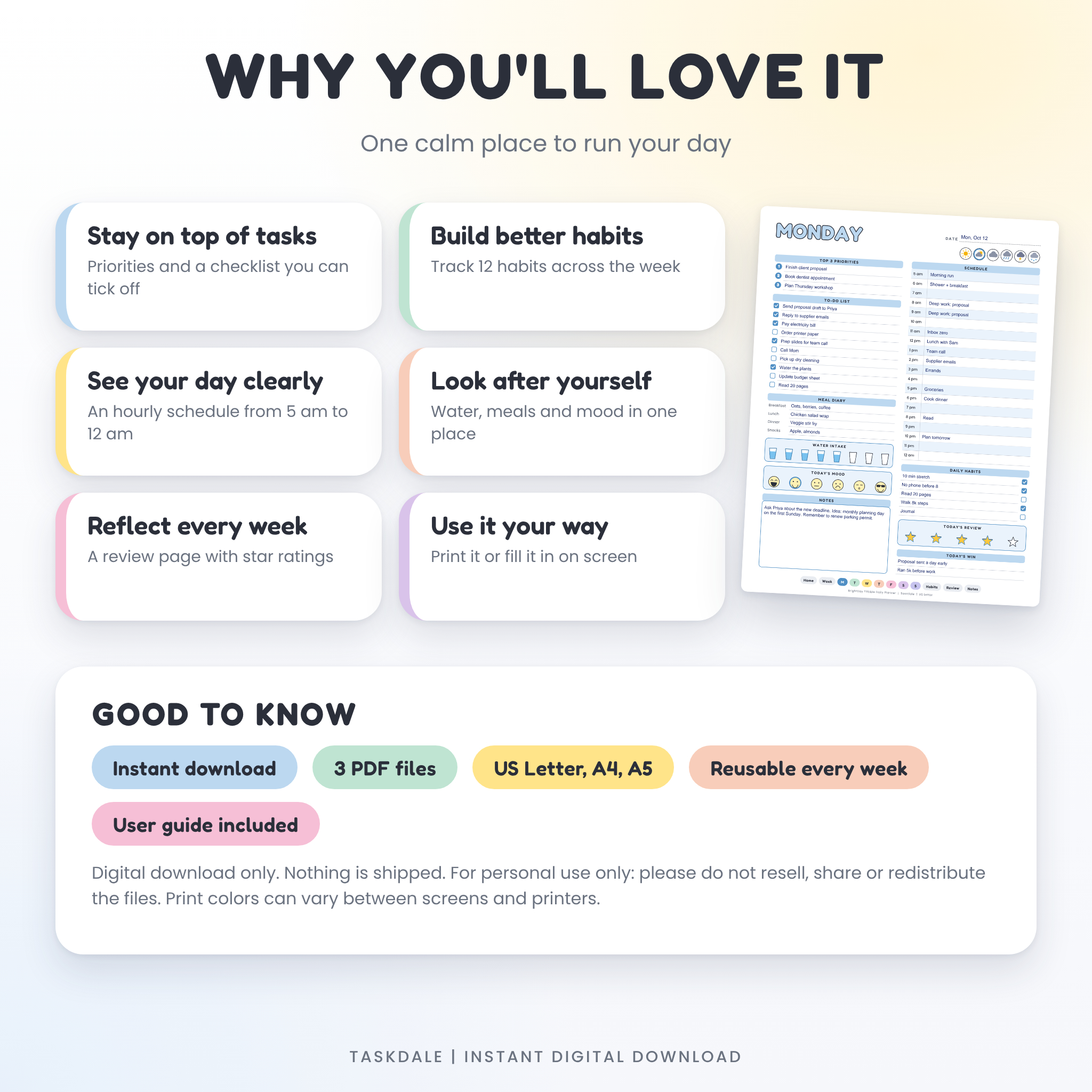
- Start the day with a plan. Top 3 priorities sit right at the top, so the important things do not get buried.
- See your time. An hourly schedule from 5 am to 12 am keeps meetings and focus blocks in one place.
- Build habits that stick. Tick a habit each day and spot the gaps at a glance.
- Look after yourself. Water cups, a mood row and a meal diary take seconds to fill in.
- Look back and reset. The weekly review turns a busy week into something you can learn from.
Features on every daily page
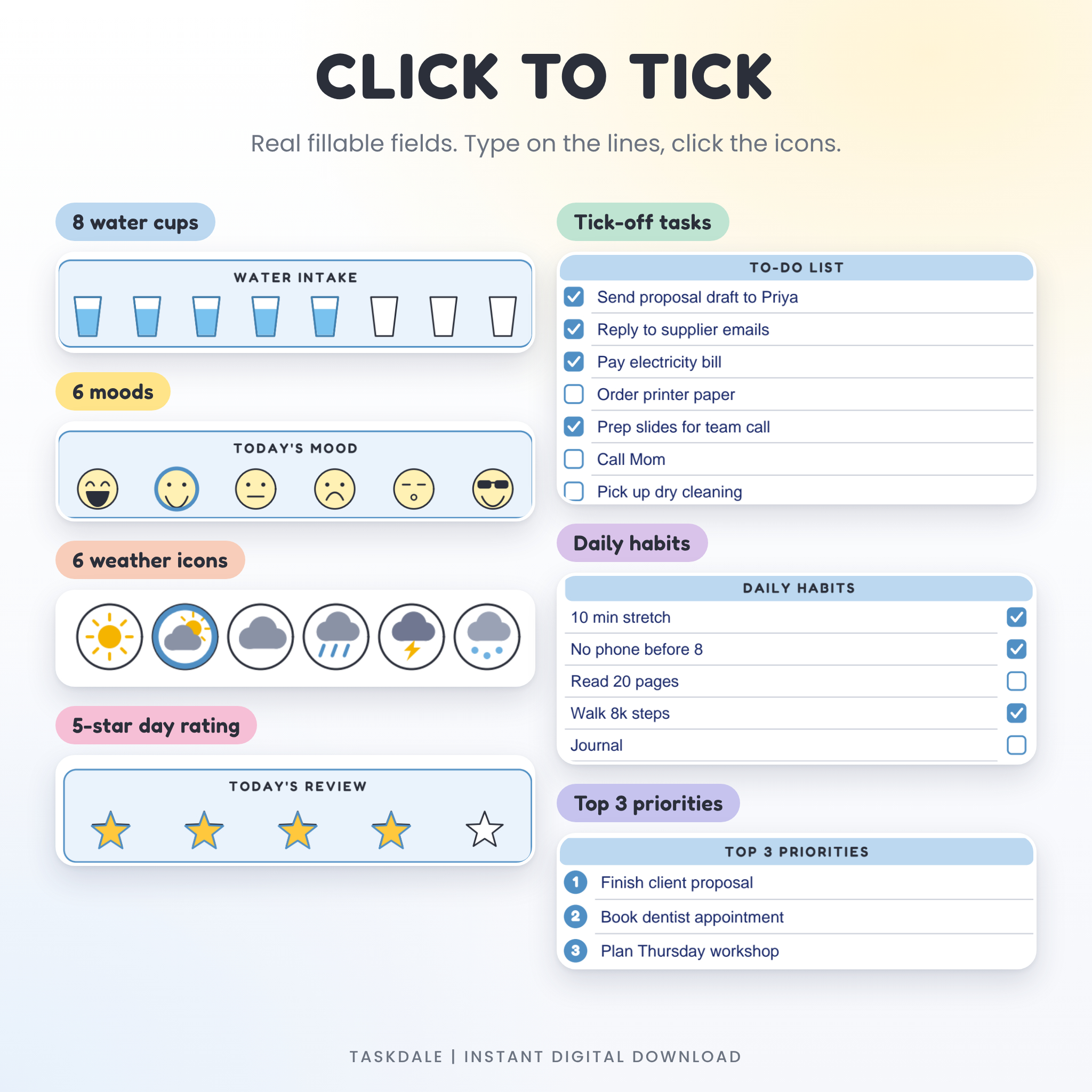
- Date line and six weather icons you can click
- Top 3 priorities
- 10-line to-do list with a clickable checkbox on each line
- Hourly schedule, 5 am to 12 am, with a typeable line for each hour
- Meal diary for breakfast, lunch, dinner and snacks
- Water tracker with 8 clickable cups
- Mood tracker with 6 faces
- 5 daily habit lines with checkboxes
- Notes box that wraps long text
- 5-star review of the day and two lines for today’s win
Easy navigation
A clickable bar runs along the bottom of every page. Tap Home, Week, any day, Habits, Review or Notes and you jump straight there. On paper the bar is small and stays out of the way.
How it works
- Download the ZIP file after checkout and unzip it.
- Open the folder for your paper size and open the PDF.
- Click a line and type. Click an icon to tick it.
- Save a copy for each week, or print the pages you need at 100% size.
File format and requirements
The planner is a PDF with real fillable form fields, about 800 in each file. Open it in the Chrome PDF viewer or any PDF reader that supports form fields. You do not need design software. A printer is only needed if you want paper copies. Tablet note-taking apps differ in how they handle form fields, so please check that yours supports them before you buy.
Customize it
The colors, fonts and layout are locked so nothing slips out of place. Everything you type is yours to change. Rename the habits, use the schedule lines for time blocks, or turn the notes box into a shopping list. Want a Sunday start? Use the Sunday page first, because there are no printed dates.
Digital download information
This is an instant digital download. Nothing is shipped. You receive the files as soon as payment is confirmed. Because downloads cannot be returned, please check the paper sizes before you order. The planner is licensed for personal use only. Please do not resell, share or redistribute the files. If something does not work, contact us and we will help.
Ways people use it
- A university student blocks lecture times in the schedule and puts assignment deadlines in the priorities.
- A freelancer lists three client tasks first, then batches emails into one hour.
- A parent plans dinners in the meal diary and tracks school pick-ups by the hour.
- A runner ticks off water cups and a morning stretch, then rates the day with stars.
- A team lead prints the Week at a Glance page for Monday planning and the Weekly Review for Friday.
Frequently asked questions
Do I need Adobe Acrobat?
No. The viewer built into Chrome works, and so does any PDF reader that supports form fields.
Is it dated?
No. It is undated, so you can begin on any day.
Can I change the colors or fonts?
No. The design is locked. You can change everything you type.
Can I print it?
Yes. Print at Actual Size (100%) on US Letter, A4 or A5 paper, as many times as you need for yourself.
Which size should I choose?
Pick the size that matches your paper. US Letter is standard in the United States and Canada. A4 is common elsewhere. A5 suits small binders.
Can I reuse it every week?
Yes. Copy the original file each week and fill in the copy.
Can I sell it or share it?
No. It is for personal use only.
Reviews
There are no reviews yet.