Plan the week once. Shop once.
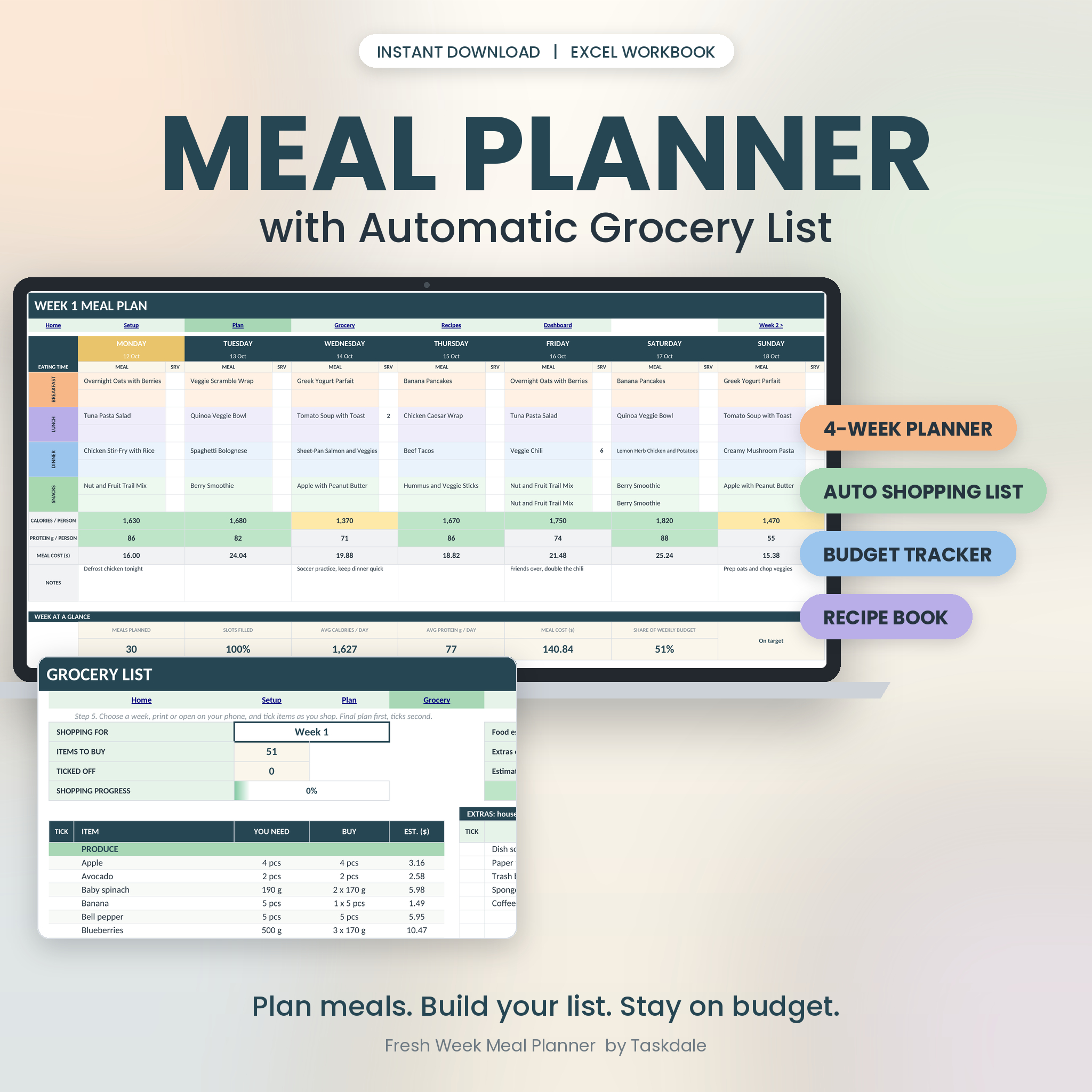
Most of us decide what’s for dinner at 5:30 pm, standing in front of an open fridge. This workbook ends that. You pick meals from a dropdown, and the grocery list builds itself. It’s sorted by aisle. It knows what’s already in your pantry. It tells you what the trip will cost before you leave the house.
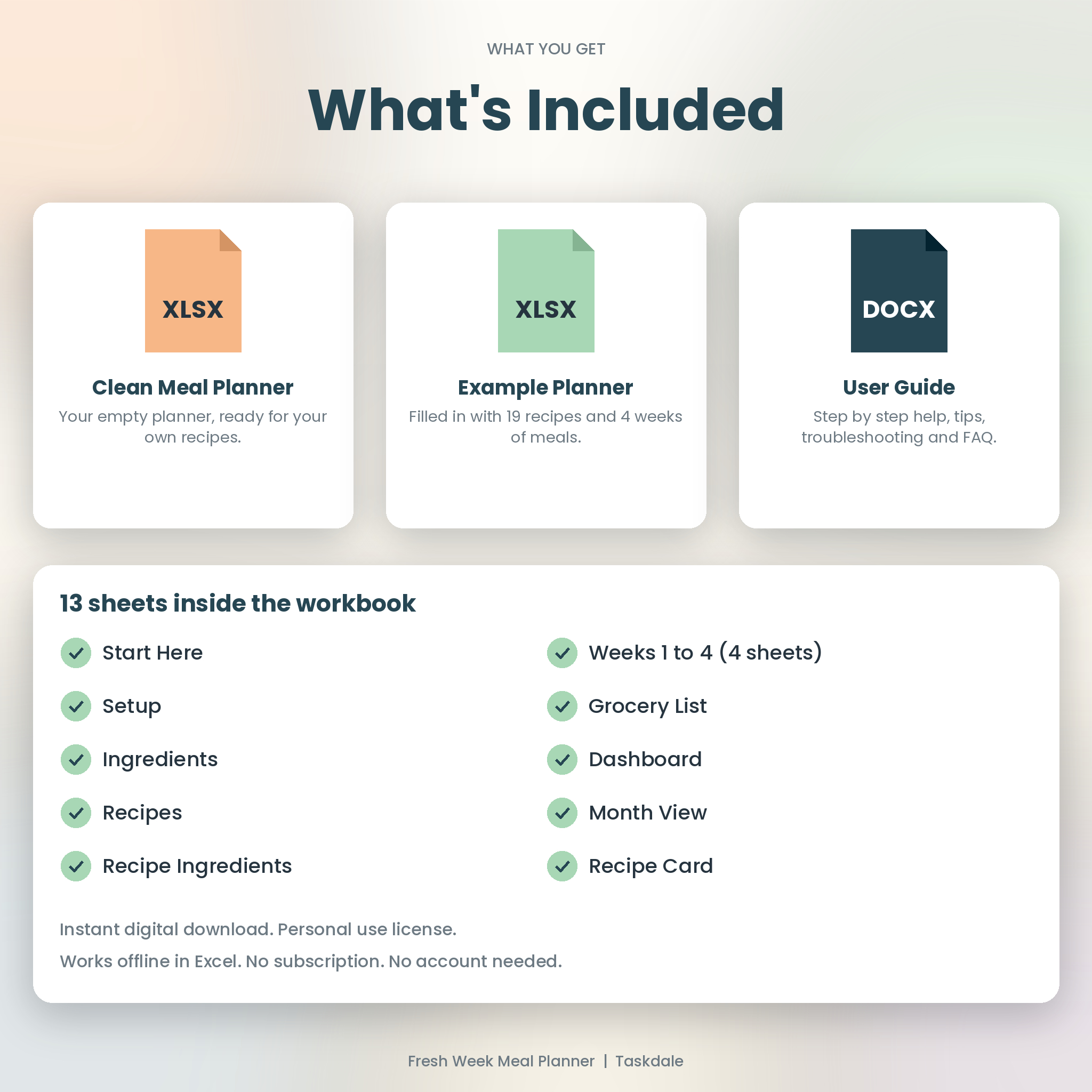
Everything lives in one Excel file with 13 sheets, four weekly planners and a dashboard. There’s nothing to install and nothing to subscribe to.
What you get
- Fresh Week Meal Planner.xlsx, the clean workbook, ready for your own recipes and prices.
- Fresh Week Meal Planner Example.xlsx, the same workbook already filled in with 19 recipes and four planned weeks, so you can see how it behaves.
- User Guide (DOCX), a step by step guide with screenshots, tips and a troubleshooting section.
How it works
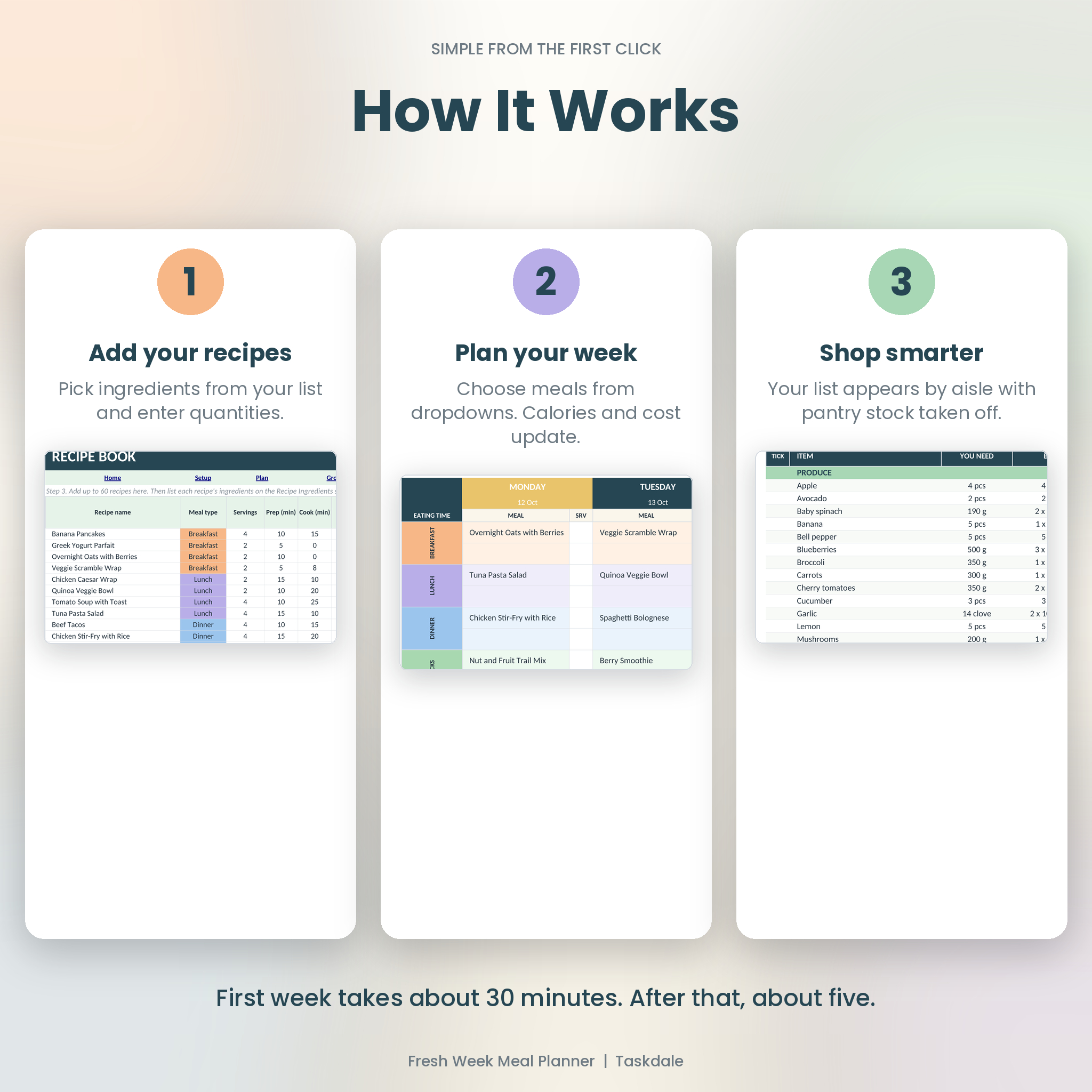
1. Add your recipes
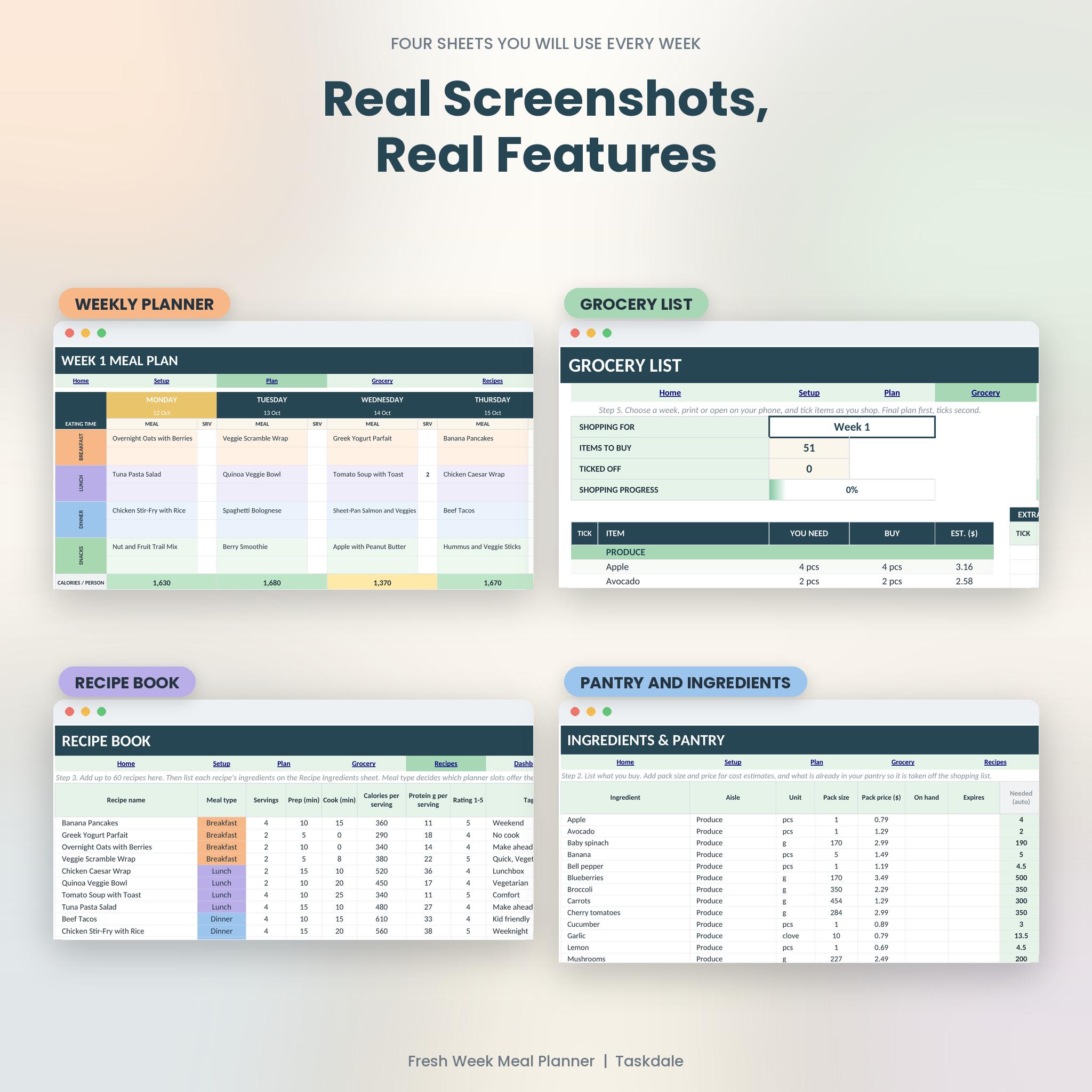
Type a recipe name, servings, cook time, calories and protein. Then list its ingredients with quantities. The workbook holds up to 60 recipes and 200 ingredients.
2. Plan your week
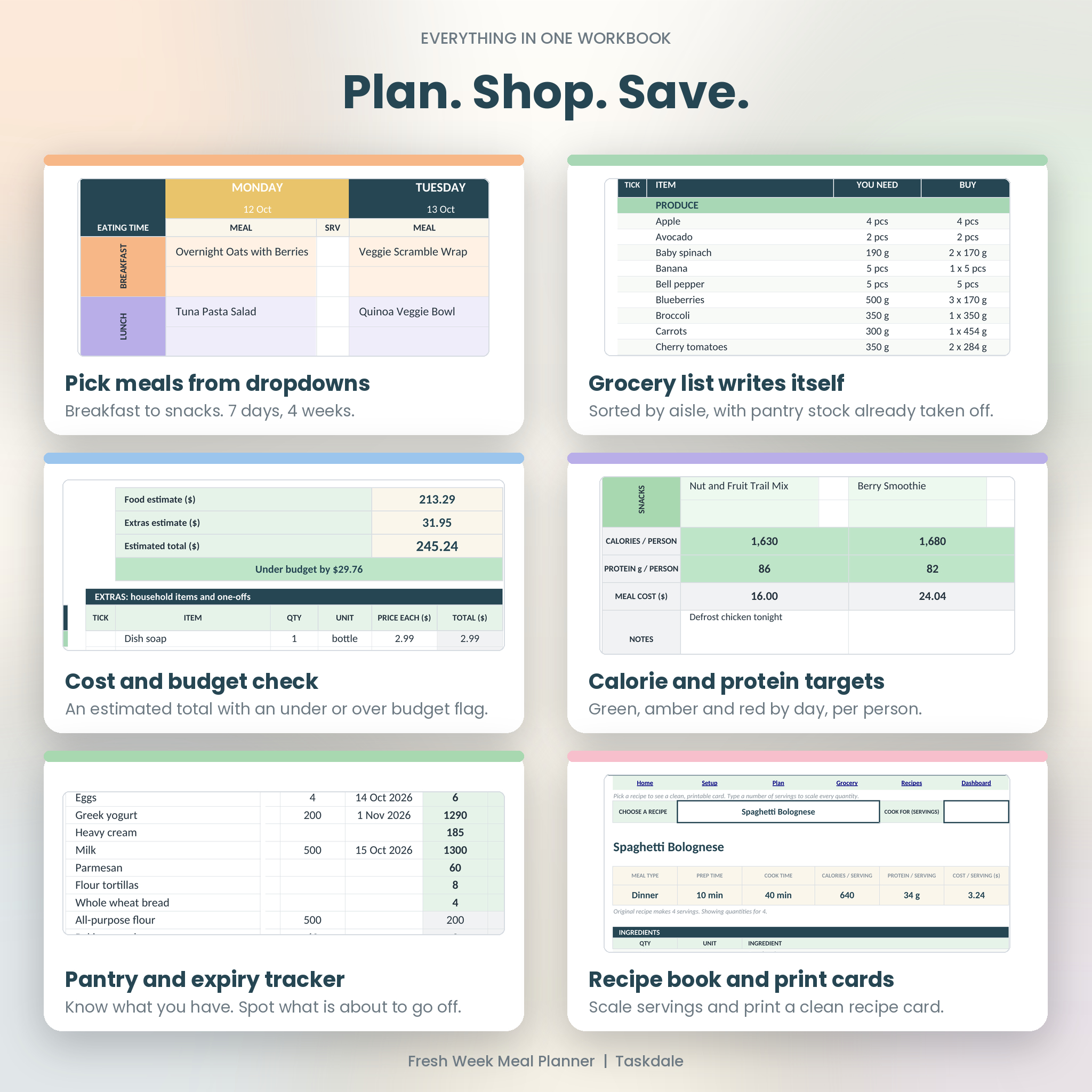
Each of the four weekly sheets has seven days. Every day has breakfast, lunch, dinner and snacks, with two lines per slot. Choose a recipe from the dropdown. Calories, protein and cost per person update straight away, and the day turns green, amber or red against your targets.
3. Shop smarter
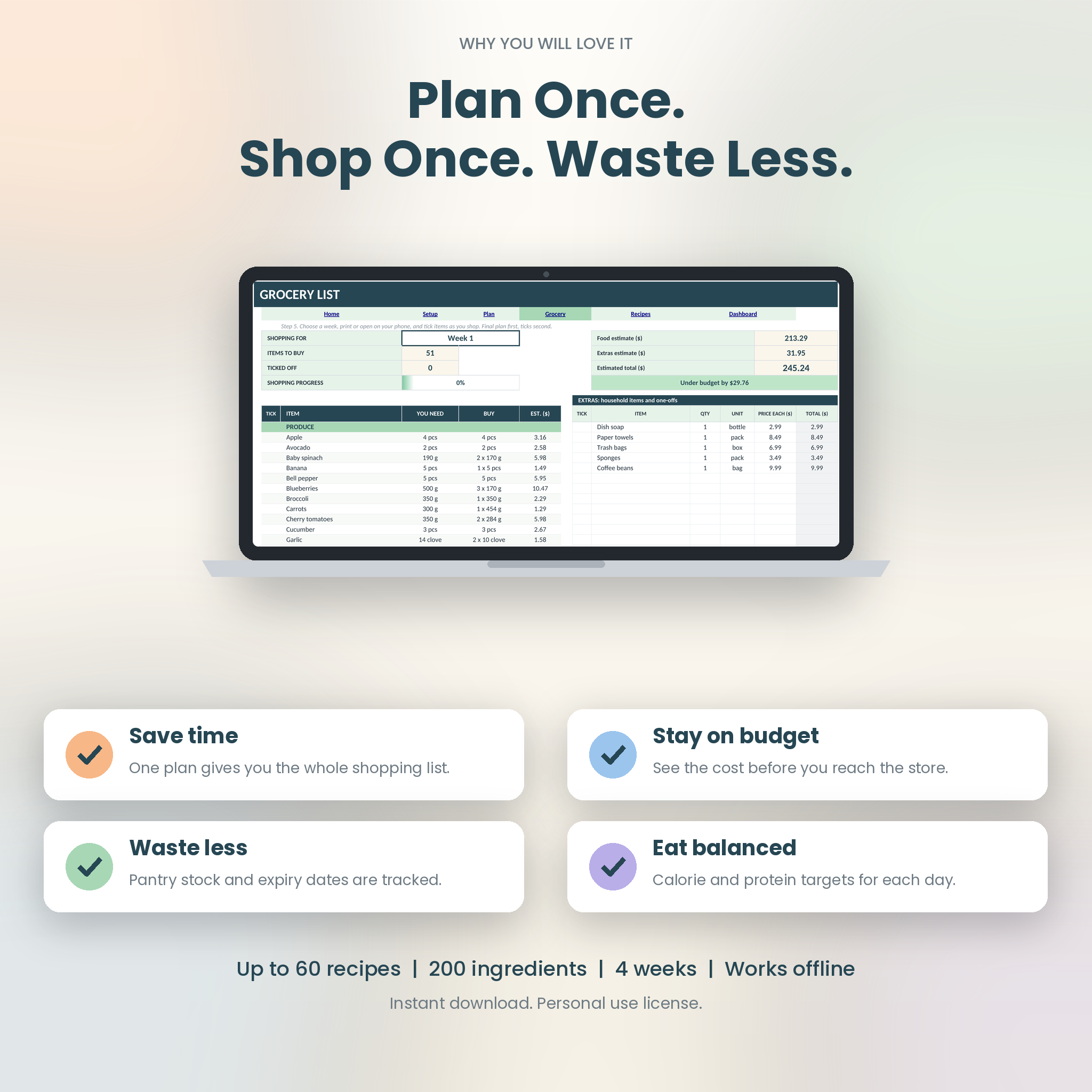
Open the Grocery List and choose Week 1, Week 2, Weeks 1-2, all four weeks, or whatever you’re shopping for. You get a tick list sorted by aisle. Pantry stock is taken off. Pack sizes are rounded up, because you can’t buy 0.4 of a carton of eggs. At the top you’ll see an estimated total and whether you’re under or over your budget.
Features that save you time
- Automatic grocery list sorted into 12 aisles
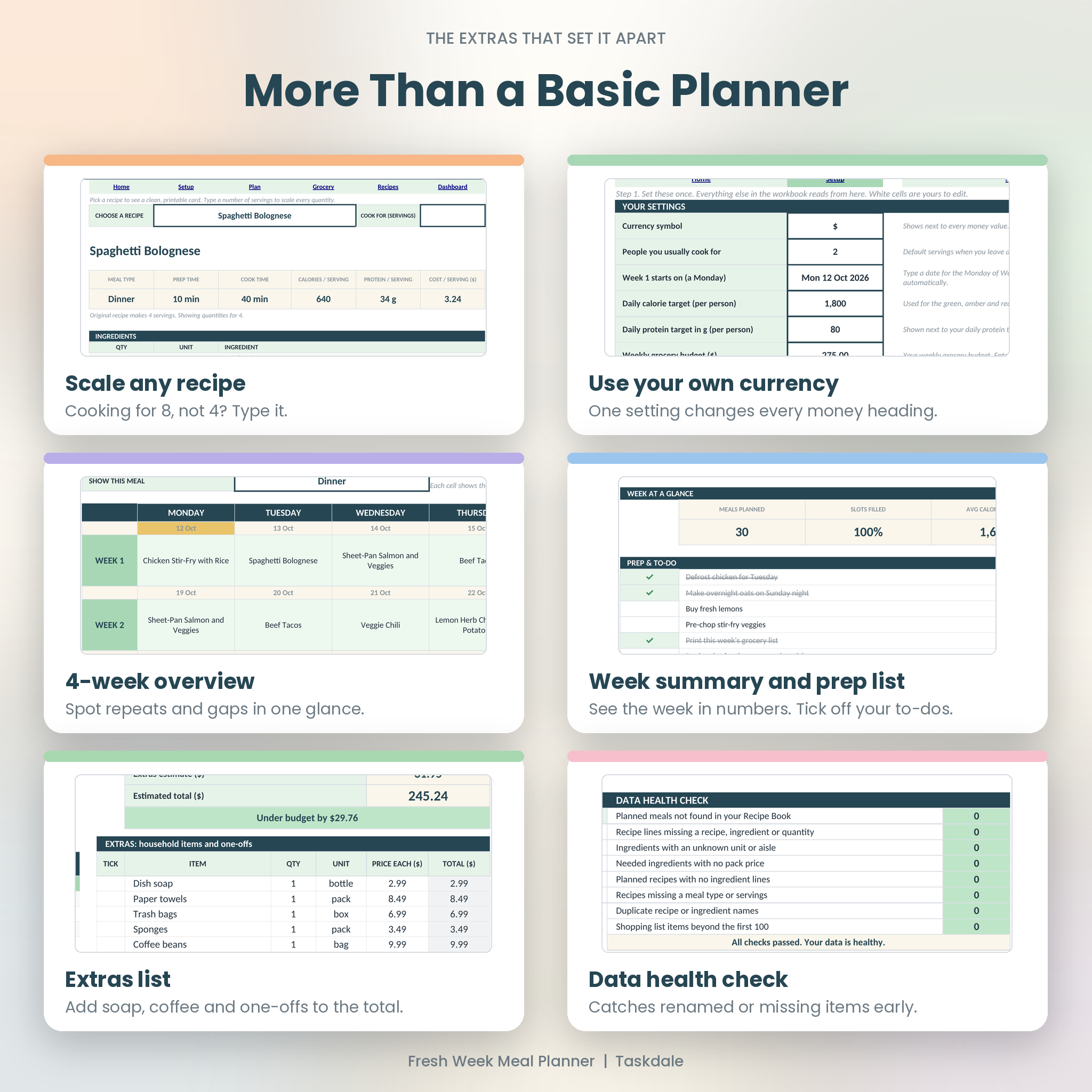
- Four weekly planners plus a month view for spotting repeats
- Calorie and protein targets per person, with color flags
- Cost estimate and weekly budget check
- Pantry tracker with expiry dates and a “use soon” flag
- Recipe book with ratings and tags
- Printable recipe card that scales to any number of servings
- Extras list for soap, coffee and other one-offs
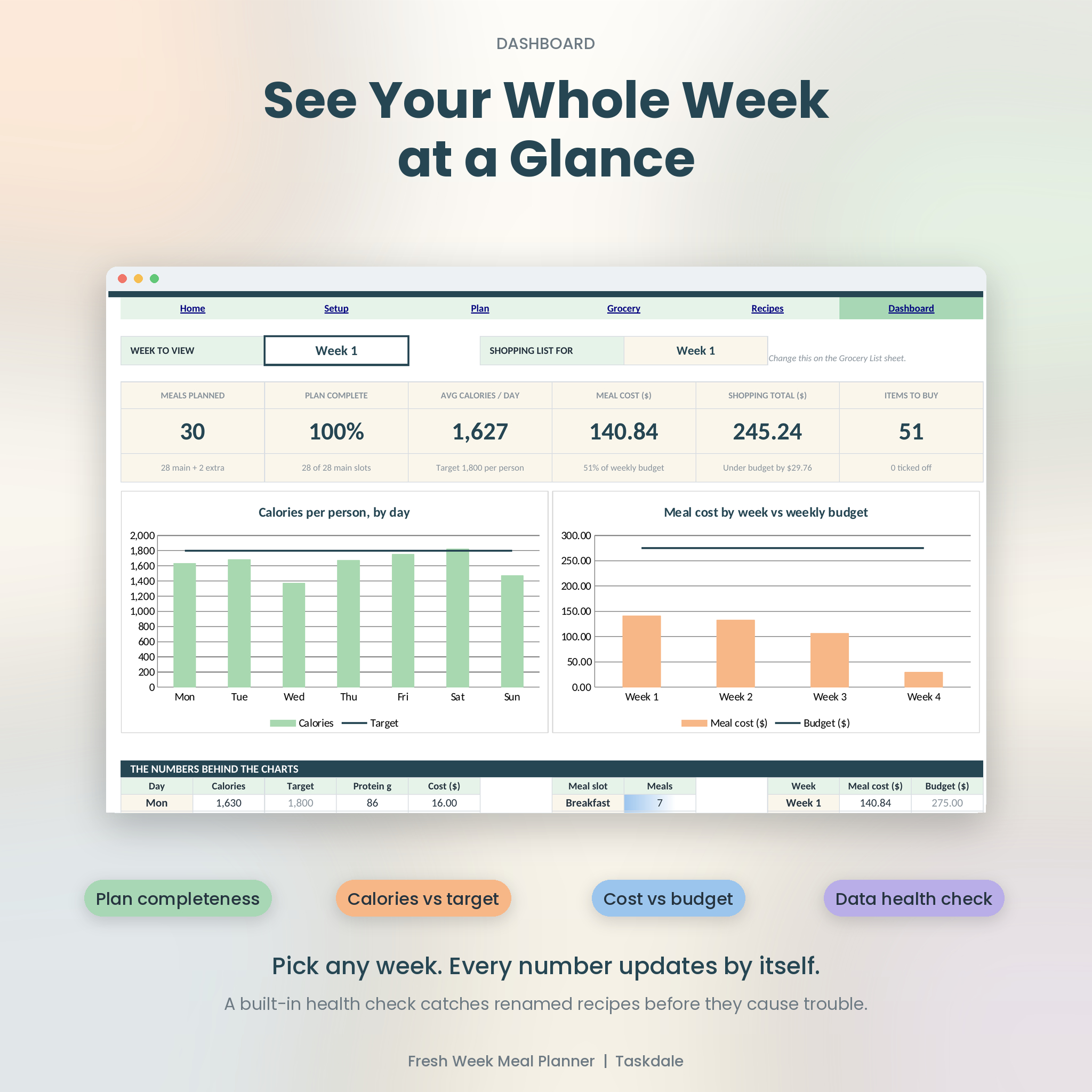
- Dashboard with two charts and a data health check
- Currency symbol you set once. Every money heading follows it
Formula cells are locked so they can’t be knocked out by accident. The white input cells are open. Dropdowns and entry rules catch typos, negative numbers and blank servings early.
Who it’s for
- Families who are tired of the “what’s for dinner” text at 4 pm
- Couples sharing the shop and splitting the cooking
- Anyone watching a grocery budget, or a calorie and protein target
- Students and first apartments, where one wasted bag of spinach actually hurts
- Meal preppers who cook on Sunday and want the quantities to add up
- Anyone who wants less food in the trash
A realistic first session
Setting up takes about 30 minutes. That’s the time to enter a dozen recipes you actually cook and the prices you usually pay. After that, planning a week takes about five minutes. The Example workbook shows how a finished version looks, so you can copy its pattern.
Good to know
- This is an .xlsx file made for Microsoft Excel. It was also tested in LibreOffice Calc.
- It has not been tested in Google Sheets or Apple Numbers, so I’m not promising it works there.
- Prices are estimates based on the pack prices you enter. Your store’s checkout total will differ.
- The grocery list shows up to 100 items per list. The totals still count every item.
- This is a digital download. Nothing is shipped.
- Personal use license. Please don’t resell or share the files.
Frequently asked questions
Do I need Excel?
Yes, or a spreadsheet app that opens .xlsx files. Excel is the intended home. LibreOffice Calc opened and recalculated it correctly in testing.
Can I use dollars, pounds or euros?
Yes. Type your currency symbol once on the Setup sheet, and every money heading changes with it. The numbers themselves stay as plain figures.
Can I add my own recipes and ingredients?
Yes, that’s the point. The clean workbook has room for 60 recipes and 200 ingredients. The guide walks you through adding the first one.
Will the grocery list include what I already have?
It takes it off. Enter what you have in the On hand column on the Ingredients sheet, and the list only asks you to buy the difference.
Can I print it?
Yes. The planners, grocery list and recipe card are set up for US Letter paper.
Why are some cells locked?
They hold the formulas. Locking them keeps the planner from breaking when you click around. There’s no password, so advanced users can unprotect a sheet from the Review tab.
Is it a subscription?
No. You pay once and keep the files.
How do I get the files?
After checkout, the download links appear on the order page and in your confirmation email.
Reviews
There are no reviews yet.