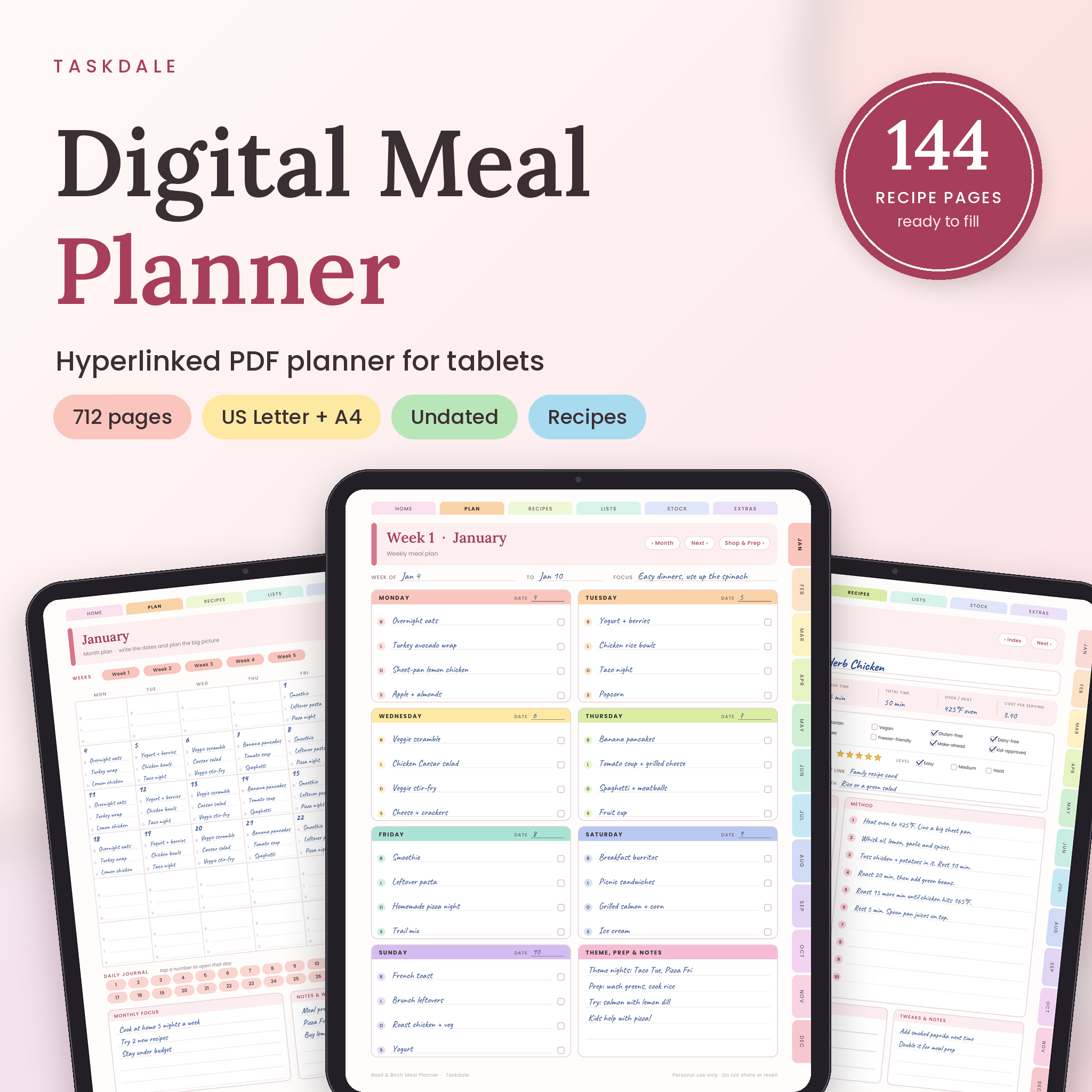
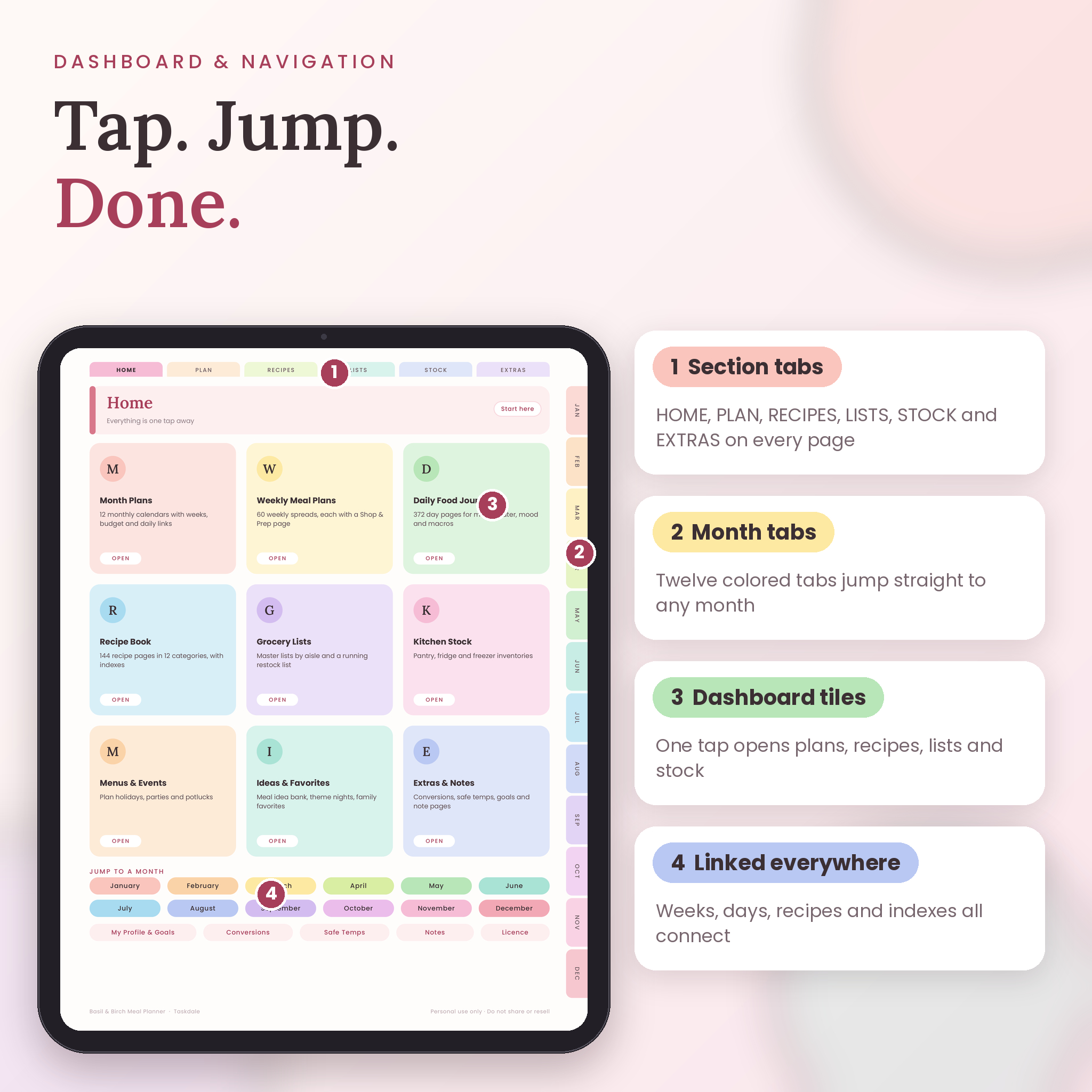
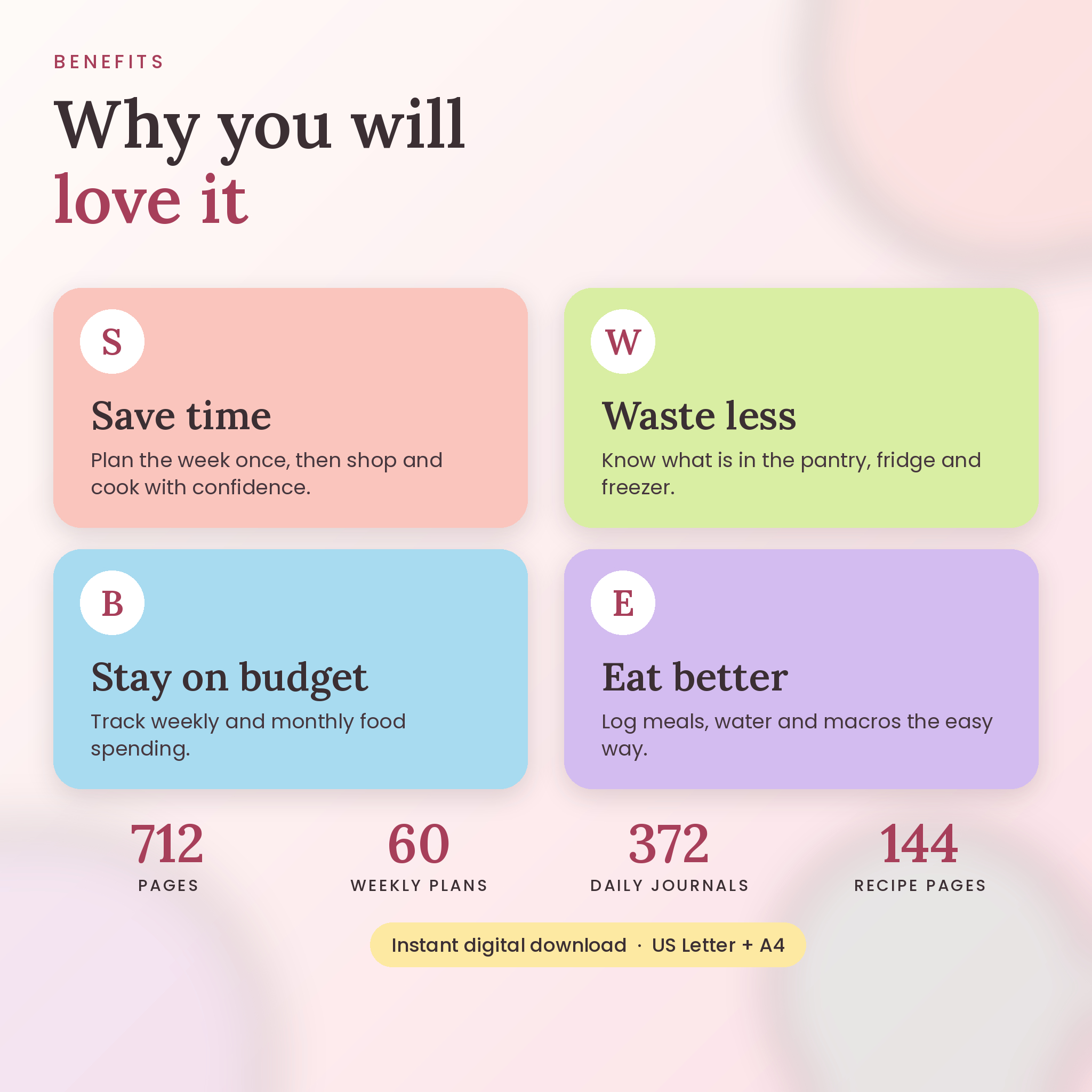
Dinner at 5:40 and nothing defrosted. Sound familiar? This digital meal planner is built for exactly that moment, and for the quieter ones too, like Sunday afternoons when you sit down with a coffee and sort out the week. Basil & Birch is a hyperlinked PDF with 712 pages. You tap a tab and you’re there. No scrolling through hundreds of pages, no hunting for the right week.
It’s undated, so you can start tomorrow or in March. It comes in US Letter and A4. And it has what most meal planners skip: a real recipe book, a pantry, fridge and freezer tracker, and monthly food budgets, all linked together in one file.
What you get with this digital meal planner
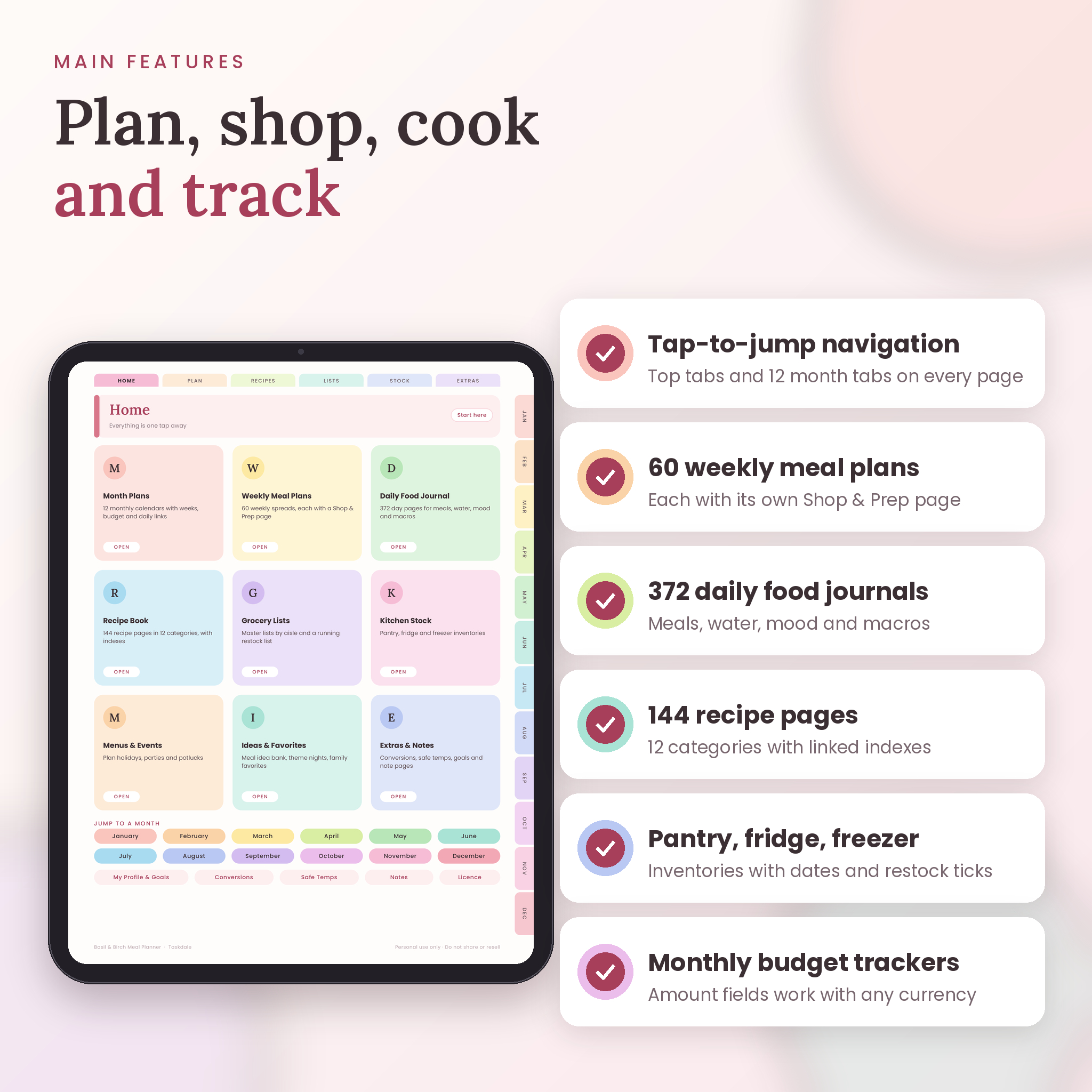
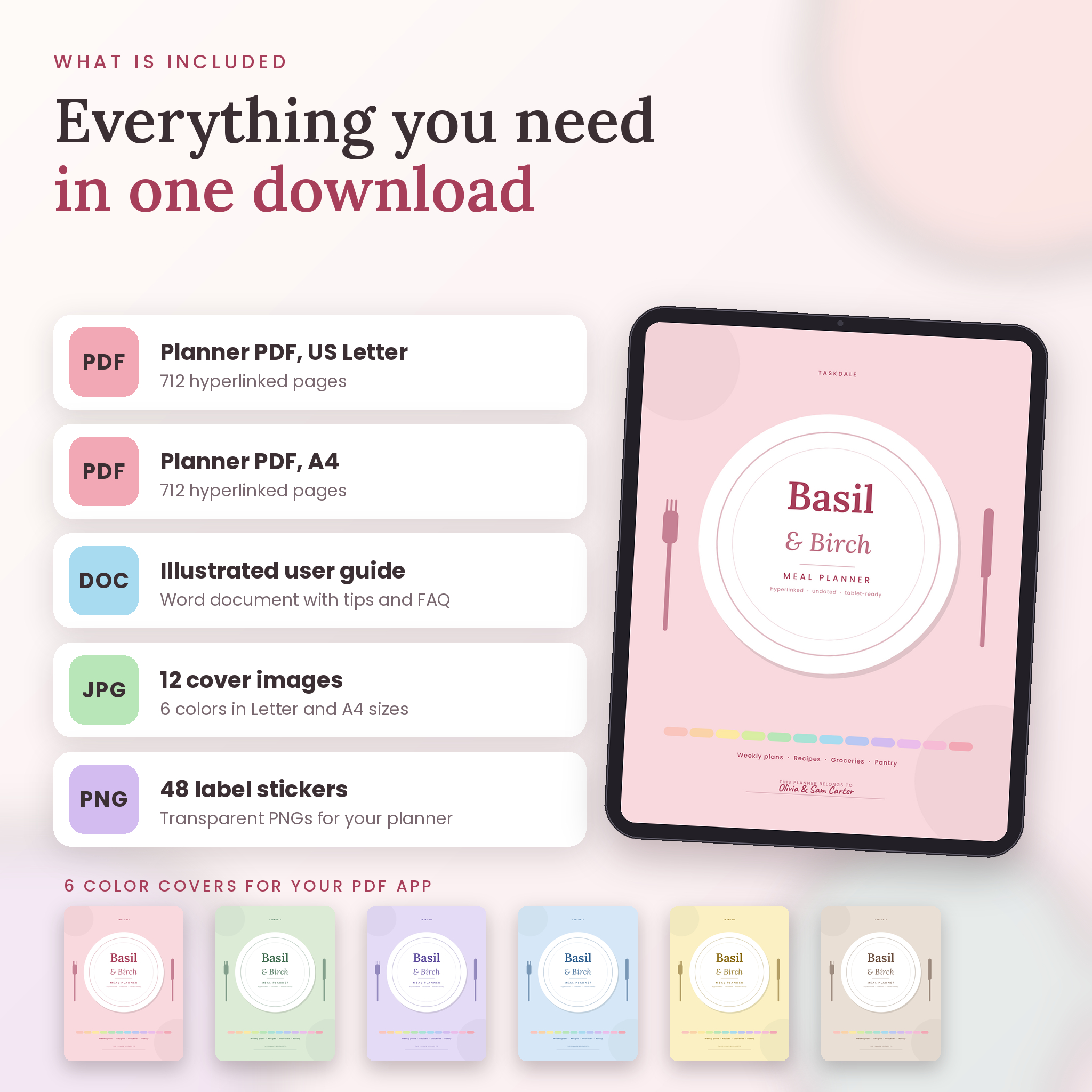
- 2 PDF planners, one in US Letter and one in A4, 712 pages each
- 60 weekly meal plans, each paired with its own Shop & Prep page
- 372 daily food journal pages (31 days for every month)
- 144 recipe pages across 12 recipe categories
- 12 monthly plans and 12 monthly food budgets
- Pantry, fridge and freezer inventories, a staples checklist, a Use-It-Up board and a leftover tracker
- Master grocery list, quick checklist, restock list and 3 event menu planners
- 12 cover images in 6 colors, in both paper sizes
- 48 transparent PNG label stickers in 8 colors
- A step-by-step user guide in Word format
Tap your way around
Six tabs run across the top of every page: Home, Plan, Recipes, Lists, Stock and Extras. Twelve pastel month tabs sit down the right edge. Small chips in the header take you to the next week, the previous recipe, the monthly budget or the shopping list. Over 15,000 links are built in, and every single one was checked.
Weekly meal planner pages
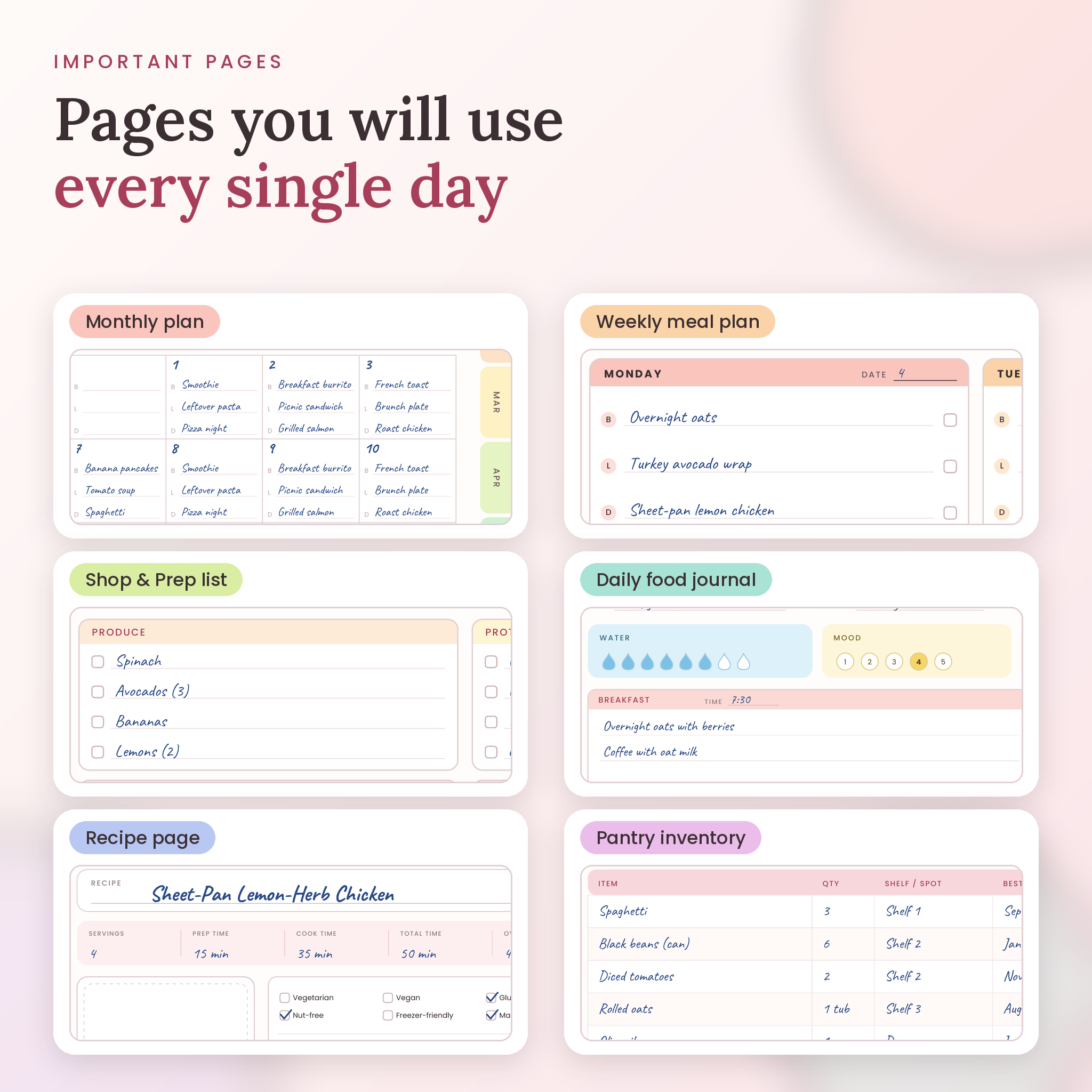
Each week has seven day boxes with breakfast, lunch, dinner and snack lines, plus a box for theme nights and prep notes. A tick box sits next to every meal. Flip to the Shop & Prep page and you get an aisle-by-aisle grocery list (produce, protein, dairy, pantry, frozen, bakery, drinks and household), a meal prep table with fridge and freezer boxes, and a small budget strip showing planned, spent and left.
Daily food journal
One page for every day. Color in water drops, circle a mood and an energy score, and jot what you ate at each meal. Small boxes for calories, protein, carbs and fat are there if you track them. Skip them if you don’t. There’s also a prep checklist and a wins and notes box. Little things like “kids ate all the veggies” are worth writing down.
Recipe book that lives inside your planner
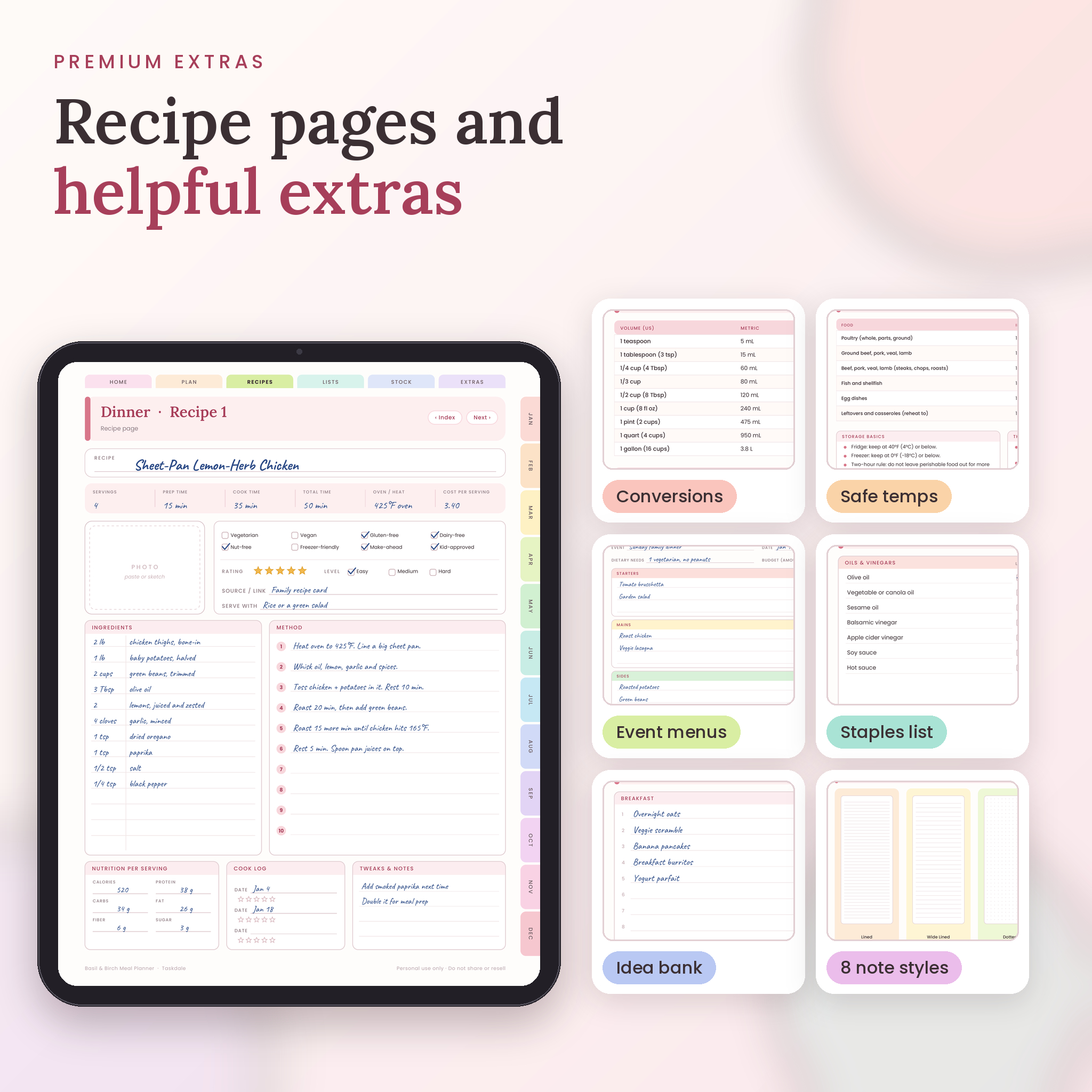
Twelve categories, twelve recipes each. Every category has an index page where you write the title, time and rating, then tap Open. Each recipe page has space for ingredients, method, servings, timings, a photo, dietary tags, star ratings, a cook log and tweaks. Over a year you end up with your own family cookbook, and nothing is lost in a screenshot folder.
Pantry, fridge and freezer tracking
Write down what’s in the kitchen with quantities and best-by dates. Then use the Use-It-Up board to sort food into “today”, “this week” and “freeze it.” The leftover tracker tells you what’s hiding behind the milk. It’s a simple way to stop buying a third jar of cumin.
Food budget pages
Each month has a budget page with groceries, eating out and other spending by week, plus a “where the money went” row for six groups. Money fields say Amount and the symbol box is blank, so you can type $, £, € or anything else.
Also included
Event menu planners for holidays and potlucks. A conversions chart. A substitutions list with 16 common swaps. General food safety and storage temperatures. Eight note page styles: lined, wide lined, dotted, grid, checklist, Cornell, two column and blank.
How to use it
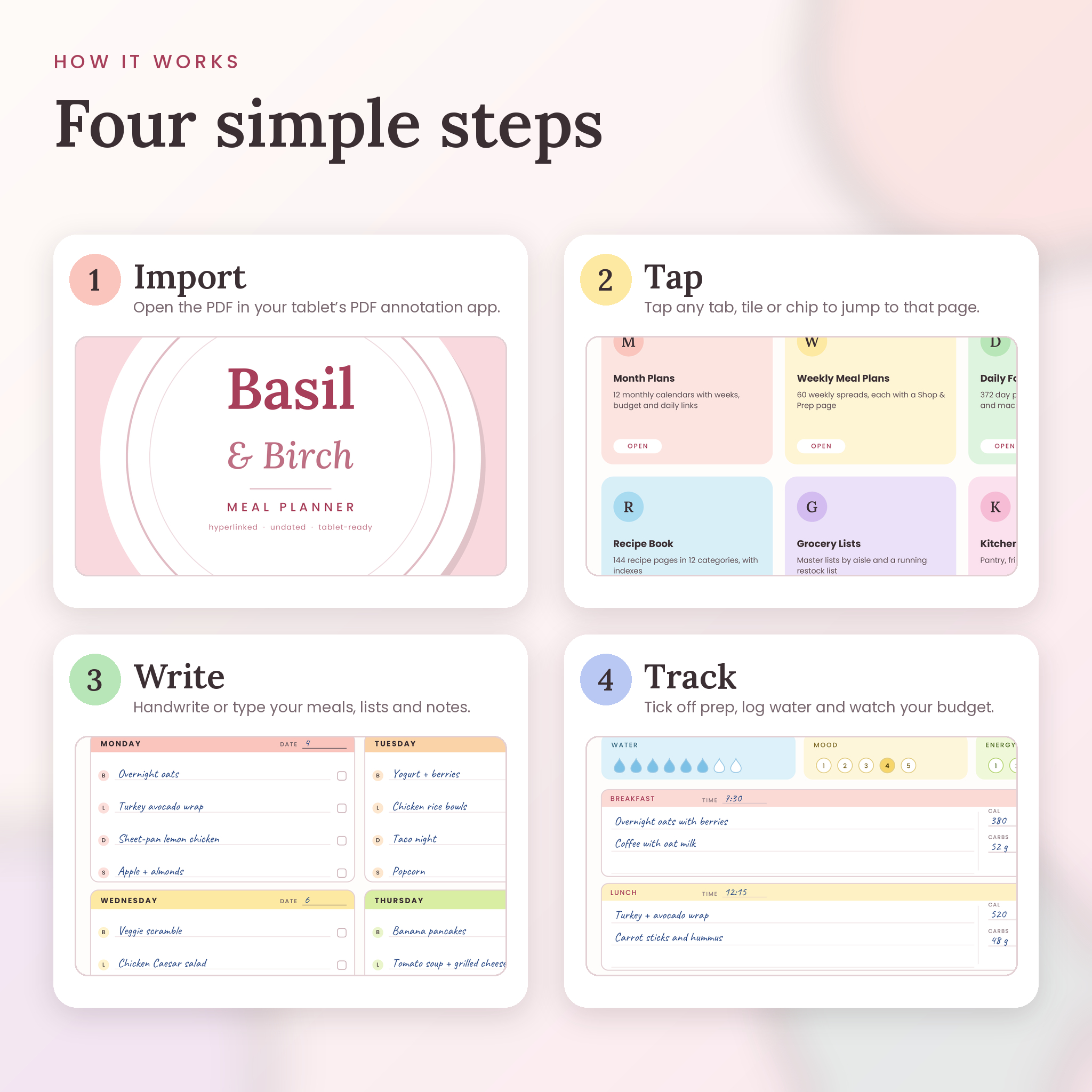
- Download your files after checkout.
- Import the PDF into a PDF annotation app on your tablet or computer.
- Tap Home, fill in your profile and goals, then plan your first week.
Write with a stylus or add text boxes if you’d rather type. The fonts are embedded, so everything looks the same on every screen. Link behavior can vary a little between apps, so the guide includes tips if a tap doesn’t respond.
Who it’s for
Busy parents. Students living off a tight budget. Couples who keep asking “what’s for dinner?” Meal preppers. Anyone who wants less food waste and fewer Friday night takeout surprises.
Please note
- This is a digital download. No physical item will be shipped.
- The planner is undated and has no fillable form fields. You write or type with your own app’s tools.
- Personal use only. Please don’t share, resell or redistribute the files.
- The nutrition and safe-temperature pages are general guidance, not medical advice.
- Colors may look a little different on different screens.
Frequently asked questions
Is this meal planner dated?
No. It’s undated. Write your own dates and begin whenever you like.
Which devices and apps can I use it on?
It’s a standard PDF, so it opens on tablets, phones and computers. For handwriting plus tappable links, use a PDF annotation app. We haven’t tested every app, so try a few pages first.
Can I print it?
Yes, for your own use. Pick the file that matches your paper size and print at 100 percent.
Can I type instead of handwrite?
Yes. Add text boxes in your app wherever you want to type.
Does it work with my currency?
Yes. Money fields are labeled Amount, and the symbol is yours to add.
Can I add more pages?
Most annotation apps let you duplicate or insert pages. New pages won’t carry the built-in links.
Can I use it for my business or give it to a friend?
No. The licence covers you and your own household. Friends can grab their own copy.
What do I get after buying?
Instant access to download both PDFs, the cover images, the label stickers and the user guide.
Reviews
There are no reviews yet.