A recurring task tracker fixes one very specific kind of forgetting. Not the big stuff. The small, boring jobs that keep coming back: rent on the 1st, the bins on Wednesday night, the Friday invoice run, the plant on the windowsill that’s been drooping since Tuesday.
You don’t miss these because you’re disorganised. You miss them because they live in your head instead of on a list, and your head is busy. A normal to-do list doesn’t help much either. The moment you tick “pay rent” it disappears, and next month you’re back to relying on memory.
Here’s how to set up a tracker for repeating jobs that puts each one on the right day without you retyping it, keeps your one-off tasks next to them, and shows you how consistent you’ve really been.
Why a plain to-do list breaks down with repeating jobs
A to-do list is built for things you do once. Write it, do it, cross it off, done forever.
Recurring work doesn’t behave like that. “Water the plants” is never finished. It’s finished for this week. So you end up with one of two bad habits. Either you rewrite the same 15 chores every Sunday (tedious, and you’ll skip it by week three), or you leave them off the list completely and hope you remember. Neither holds up once life gets busy.
What you need is a list that knows the difference between a task and a routine. A task has one due date. A routine has a rule, like “every Monday” or “the last day of the month”, and the tracker works out the next date for you.
Step 1: Write down every job that repeats
Spend one normal week noticing. Every time you do something you’ve done before, jot it down. You’ll be surprised how long the list gets. A typical household easily hits 25 to 30 repeating jobs once you count the small ones.
Some prompts to jog your memory:
- Money: rent or mortgage, card payments, subscriptions that renew, checking the bank balance
- Home: bins, laundry, changing bed sheets, cleaning the fridge, replacing the water filter
- Work: weekly report, timesheets, invoicing, the monthly team check-in
- Health and self-care: medication refills, gym days, a weekly call with a parent
- Admin: car service, insurance renewals, backing up your phone
Don’t sort them yet. Just get them out of your head.
Step 2: Give each routine a repeat rule
Now attach a rule to each one. Be specific. “Weekly” isn’t enough; “every Wednesday” is. “Monthly” isn’t enough either; “the 1st of every month” or “the last day of the month” is.
Watch out for month-end dates. If you set something for the 31st, what happens in April, which has 30 days? Or February? A lot of homemade spreadsheets simply skip those months, and you only find out when a payment bounces. The Clearday Task Tracker handles this for you: a routine set for the 31st lands on the 30th or the 28th instead of vanishing. It holds up to 40 routines with 12 repeat options, and it shows the next due date for each one so you can glance at the list and know what’s coming.
One more tip. If a routine is seasonal (gutters in autumn, the pool filter in summer), pause it rather than deleting it. Clearday lets you pause any routine, so it’s still there when you need it next year.
Step 3: Keep routines and one-off tasks in the same view
This is the part people get wrong. They build a lovely chore chart in one file and keep their real to-do list somewhere else. Then on a busy Thursday they check one and forget the other.
Your daily view should show everything due today, whether it’s a one-time job like “book the dentist” or a routine like “take the recycling out”. Same list. Same calendar.
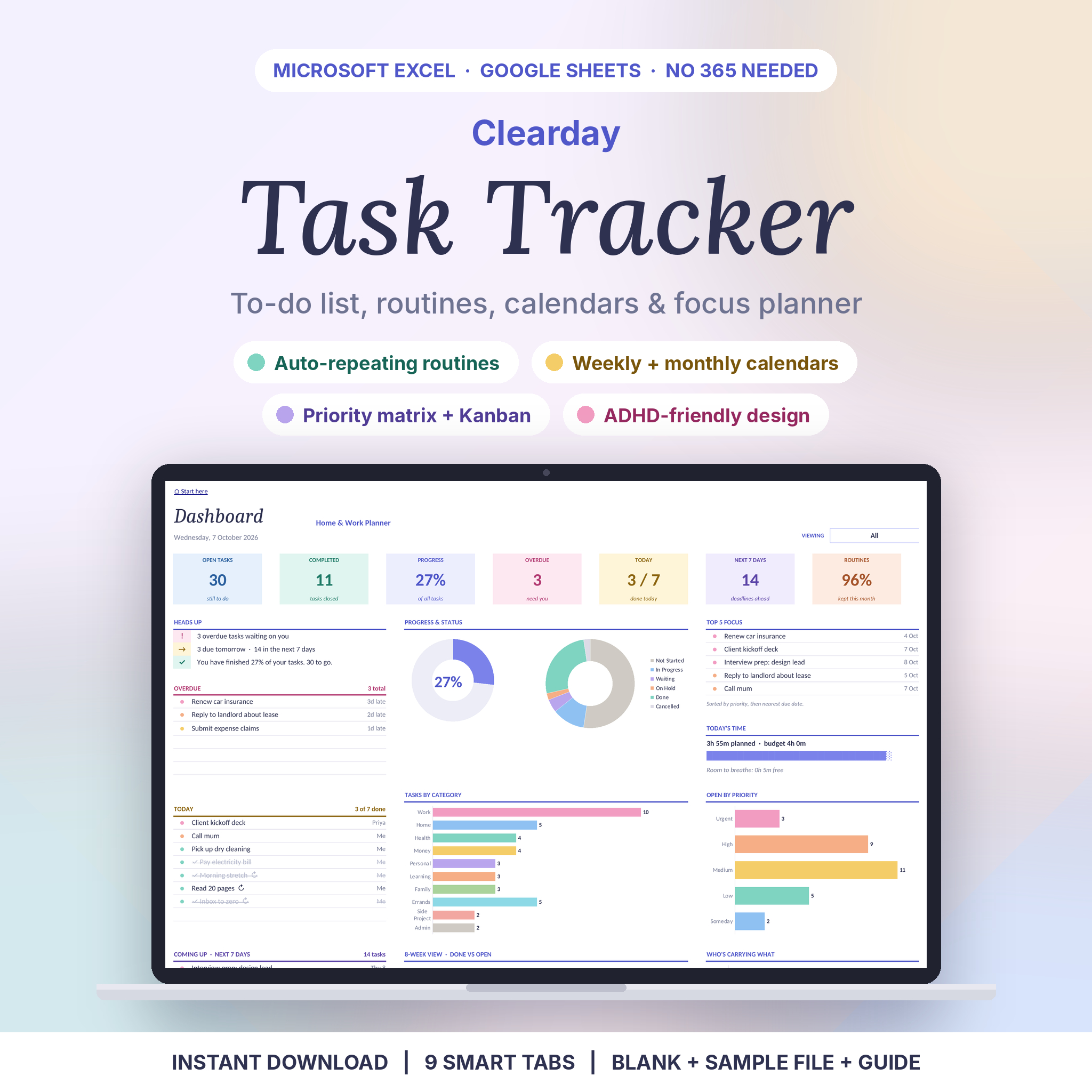
In Clearday, routines and one-time tasks sit together on the weekly planner, the monthly calendar and the dashboard. The Tasks tab takes up to 1,000 one-off tasks, and only the name is required, so adding something takes about five seconds. The dashboard then splits everything into Overdue, Today and Coming Up (the next 7 days). Open it with your morning coffee and it’s already sorted.
Step 4: Track consistency, not perfection
A recurring task tracker should also tell you how you’re doing over time. Not to guilt you. To show you patterns.
Say you planned to go through your inbox every weekday and the tracker shows 11 out of 22 days this month. That’s useful information. Maybe the habit is fine and the timing is wrong (mornings are chaos, so move it to after lunch). Maybe the routine is too ambitious and three times a week is the realistic version.
Clearday has a Routine Tracker tab built as a 53-week tick sheet. Due days are coloured, your ticks turn green, and missed days show pink. Each routine also shows a consistency percentage for the month. If you’re a visual person, that grid of green and pink tells you more in two seconds than a paragraph of notes would.
Step 5: Stop planning nine hours into a four-hour day
Recurring jobs eat time quietly. Fifteen minutes here, half an hour there. Add them to your one-off tasks and suddenly Tuesday has six hours of work in it, plus your actual job.
Put a rough time estimate on each task and routine, then set a daily time budget. If today’s total goes over, something moves. Clearday includes a daily time budget on the dashboard and a time total on each day of the weekly planner, so you can see an overloaded day before you’re stuck in it.
Sharing recurring chores with a household or small team
If more than one person does the work, put names on the jobs. “Someone should clean the bathroom” never happens. “Sam, Saturday” does.
Clearday supports up to 10 people, and you can filter the dashboard by person. That makes it easy to share one file in Google Sheets and let each person check their own list without wading through everyone else’s. It also includes a Kanban board and a priority matrix, which come in handy for small teams sharing project work alongside routine admin.
A recurring task tracker in Excel or Google Sheets?
Both work. Google Sheets is free and easy to share with a partner or housemates. Excel is nicer if you already live in it for work. The thing to check is compatibility: some trackers use features that only exist in the newest version of Excel, and they break on older laptops.
Clearday is built on plain formulas, with no macros and nothing to install. It runs in Excel 2010 or newer on Windows and Mac, Excel for the web and Google Sheets. You also get a filled-in sample file with 42 example tasks and 14 routines, so you can poke around before entering your own life.
The 10-minute weekly check-in
Pick one slot each week. Sunday evening works for most people. Then:
- Add any new one-off tasks that came up during the week.
- Look at the routine tick sheet and spot anything you keep missing.
- Adjust one rule if it isn’t working (move it to a different day, or make it less frequent).
- Check next week’s busiest day and move something off it.
That’s all. Ten minutes, once a week, and the tracker stays honest about your week instead of turning into another file you avoid.
Recurring task tracker FAQ
Can Google Sheets handle recurring tasks?
Not on its own. A blank sheet has no idea what “every second Tuesday” means. You need a template with formulas that calculate the next due date, or you have to build those formulas yourself. A ready-made tracker saves you a weekend of fiddling.
What’s the difference between a recurring task tracker and a habit tracker?
A habit tracker usually just records whether you did something each day. A recurring task tracker schedules the job too: it knows when it’s due, puts it on your calendar and flags it when it’s overdue. Many people find they only need the second one.
How many routines should I track?
Start with the ones that cause real trouble when they slip, usually bills, medication and work deadlines. Ten to fifteen is plenty at the start. Add more once the first batch feels automatic.
Can I print my weekly or monthly schedule?
Yes, if your template is set up for it. Clearday’s weekly and monthly pages are printable, so you can stick this week’s plan on the fridge.