Every teacher planner promises to get you organised. Most of them are a pretty paper book with a week-per-spread layout and a gradebook section that runs out of columns by March. Then the real records end up scattered: attendance on a clipboard, grades in a school system, parent calls on sticky notes, the sub plan in your head.
Classroom Compass takes a different approach. It’s one system for plans, grades, attendance, seating and family contact, and it comes in three formats on Taskdale: two versions that run in your web browser and one Excel-style workbook.
They share a name, but they’re not the same thing. Here’s how they differ, what each does well, and which teacher each one suits.
What a teacher planner needs to handle
Before comparing, it helps to list the jobs. A useful teacher planner covers:
- Weekly plans built on your real bell schedule
- A gradebook with weighted categories that doesn’t punish students for work you haven’t set yet
- Attendance that’s quick to mark and easy to print when the office asks
- Seating charts you can rearrange
- Family contact logs so no call slips through
- A sub plan you can print the night before a sick day
All three Classroom Compass versions cover these. The differences are in format, depth and where your data lives.
1. Classroom Compass Teacher Planner: the fullest browser version
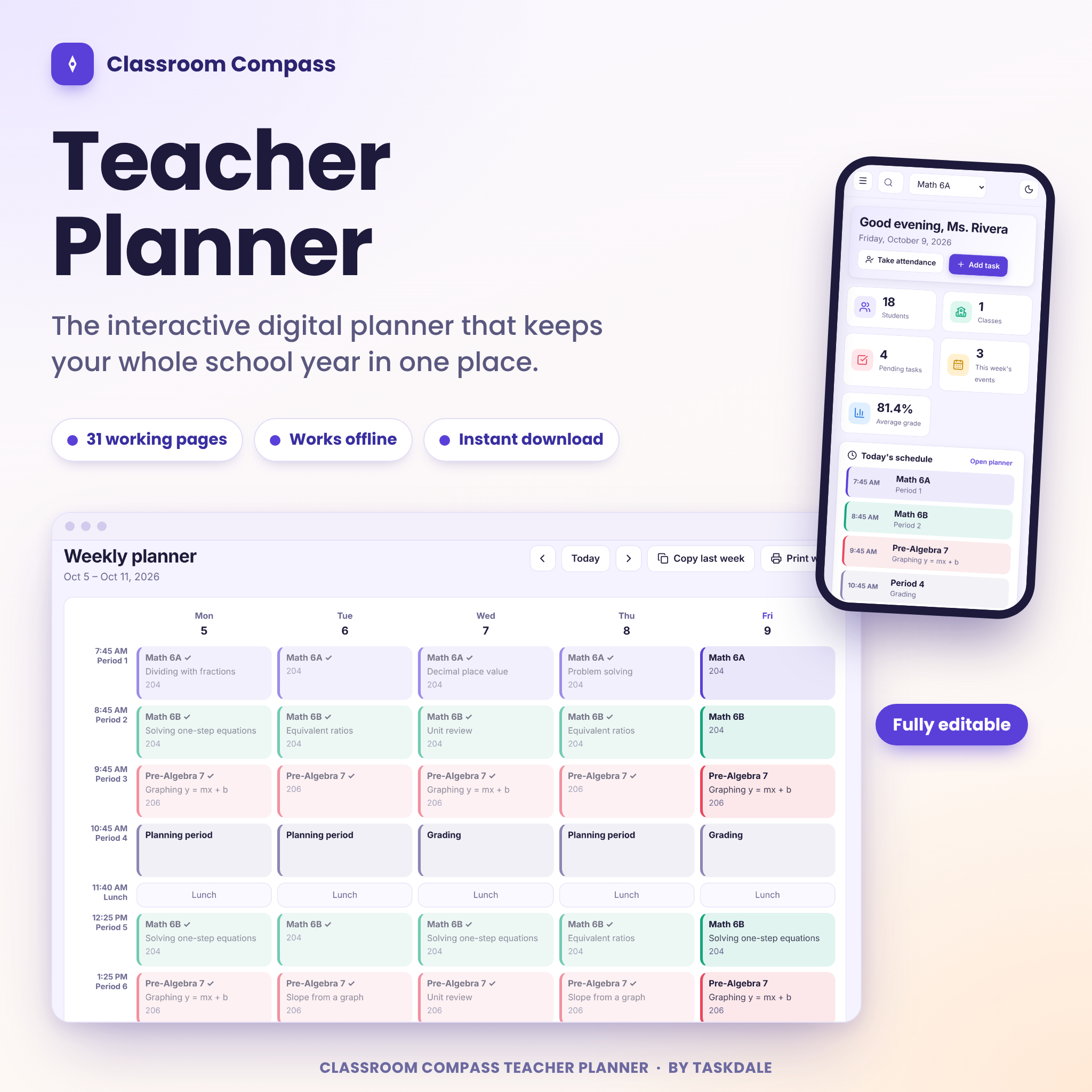
The Classroom Compass Teacher Planner is a single HTML file that opens in your web browser. No account, nothing to install, no monthly fee. It has 31 pages.
The planning side: a dashboard with today’s schedule, a weekly planner grid built from your bell schedule (pick a class, attach a lesson, and it repeats every week on that day), a lesson bank, unit plans, a curriculum map, tasks, calendar, goals and notes. You can copy last week into this week with one click.
The classroom side: classes with their own colours, students added one at a time, pasted as a list or imported from a CSV file. Attendance is one click on P, A, T or E. In the gradebook you type a score and press Tab, and averages and letter grades update using weights and a scale you can edit. There’s also a homework tracker, reading log, drag-and-drop seating chart and a birthday list that handles leap days.
Where it goes further than the others:
- Student profile pages that pull grades, attendance, behaviour notes and contacts together before a conference
- Ten family message templates that fill in the student name, guardian and class (it writes and copies the message; you paste it into your own email)
- Twelve print-ready reports, from class roster to a full substitute plan
- A random student picker with an equity mode, Ctrl+K search across everything, and undo after deleting almost anything
- Four colour themes and a dark mode
Best for: teachers who want the most complete version and value conference prep and family contact tools.
2. Classroom Compass Digital Teacher Planner: lighter browser version with classroom tools
The Classroom Compass Digital Teacher Planner is also a browser-based HTML file, with 27 pages. Same idea, slightly different feature mix.
Its gradebook lets you set weights (say homework 20 percent, tests 40), updates the letter grade as you type, and scales the other categories up when one has no scores yet. You can export grades to CSV or print a class sheet. Seating charts come in rows, pairs or groups, with shuffle and auto fit. A progress bar shows how much of your week is planned.
Its live-classroom toolkit is a nice touch: focus timer, a random picker that calls on everyone before repeating, quick groups, a break countdown, a list of 20 brain breaks and a sub plan builder that pulls your schedule, lesson notes and seating chart into one printable page. There’s also a report card comment bank that builds a paragraph from phrases you pick, and eight family message templates.
You choose from five accent colours, light or dark mode (or match your device) and four text sizes. It uses American spelling, US letter paper and A to F grades.
Best for: teachers who want quick in-class tools like timers and brain breaks alongside the planning and grading.
A note on browser planners and your data
Both browser versions save everything inside your browser, on your own device. Nothing is uploaded, which keeps student information private. The flip side: they don’t sync between devices, and clearing your browser data can erase the planner. Both have one-click backups, and you move between computers by restoring a backup. Make a weekly backup a Friday habit and you’re fine.
3. Classroom Compass Teacher Planner Workbook: the spreadsheet version
The Classroom Compass Workbook is a 21-tab .xlsx file, for teachers who’d rather work in a spreadsheet. Add a student to the roster once and they appear in the gradebook, attendance sheet, seating chart and parent log. Add a test to Key Dates and it shows up on the weekly planner, month calendar, year view and dashboard.
The gradebook handles weighted categories, accepts M for missing and E for excused, and leaves out categories you haven’t graded yet. A banner warns you if your weights don’t add up to 100 percent. Attendance covers a full year, skipping weekends and days off you list. The seating chart draws itself from desk numbers in your roster. There’s also a parent log, behaviour log, one-page sub plan, budget tracker and 40 coloured label stamps like TEST DAY.
Two limits to know. It’s built for one class group of up to 40 students (save a copy per class if you teach several). And it was tested in LibreOffice Calc only; Excel, Google Sheets and Numbers haven’t been tested, so behaviour there isn’t promised.
Best for: elementary teachers with one class, homeschool parents and tutors who like a file they can see the formulas in.
Which teacher planner should you pick?
| Teacher Planner | Digital Teacher Planner | Workbook | |
|---|---|---|---|
| Format | HTML, opens in browser | HTML, opens in browser | .xlsx spreadsheet |
| Pages or tabs | 31 pages | 27 pages | 21 tabs |
| Standout | Student profiles, 12 reports | Classroom toolkit, brain breaks | Tabs that feed each other, label stamps |
| Best class setup | Several classes | Several classes | One group, up to 40 |
Middle or high school with five periods and lots of parent contact? The Teacher Planner. Want timers, groups and brain breaks at your fingertips? The Digital Teacher Planner. One class and a love of spreadsheets? The Workbook.
FAQ
Is a digital teacher planner better than paper?
For records, usually yes. Grades average themselves, attendance totals add up and reports print in seconds. Many teachers still keep a small paper notebook for quick notes during the lesson and type them in later.
Do the browser planners need internet?
No. Once downloaded, both HTML versions work offline, with fonts and icons built in.
Can I use one licence for my whole grade team?
No. Each licence covers one teacher. Printouts and PDFs of plans or reports can be shared.
Can homeschool parents use these?
Yes. All three list homeschool parents among their users, and the Teacher Planner includes a homeschool bell schedule preset.