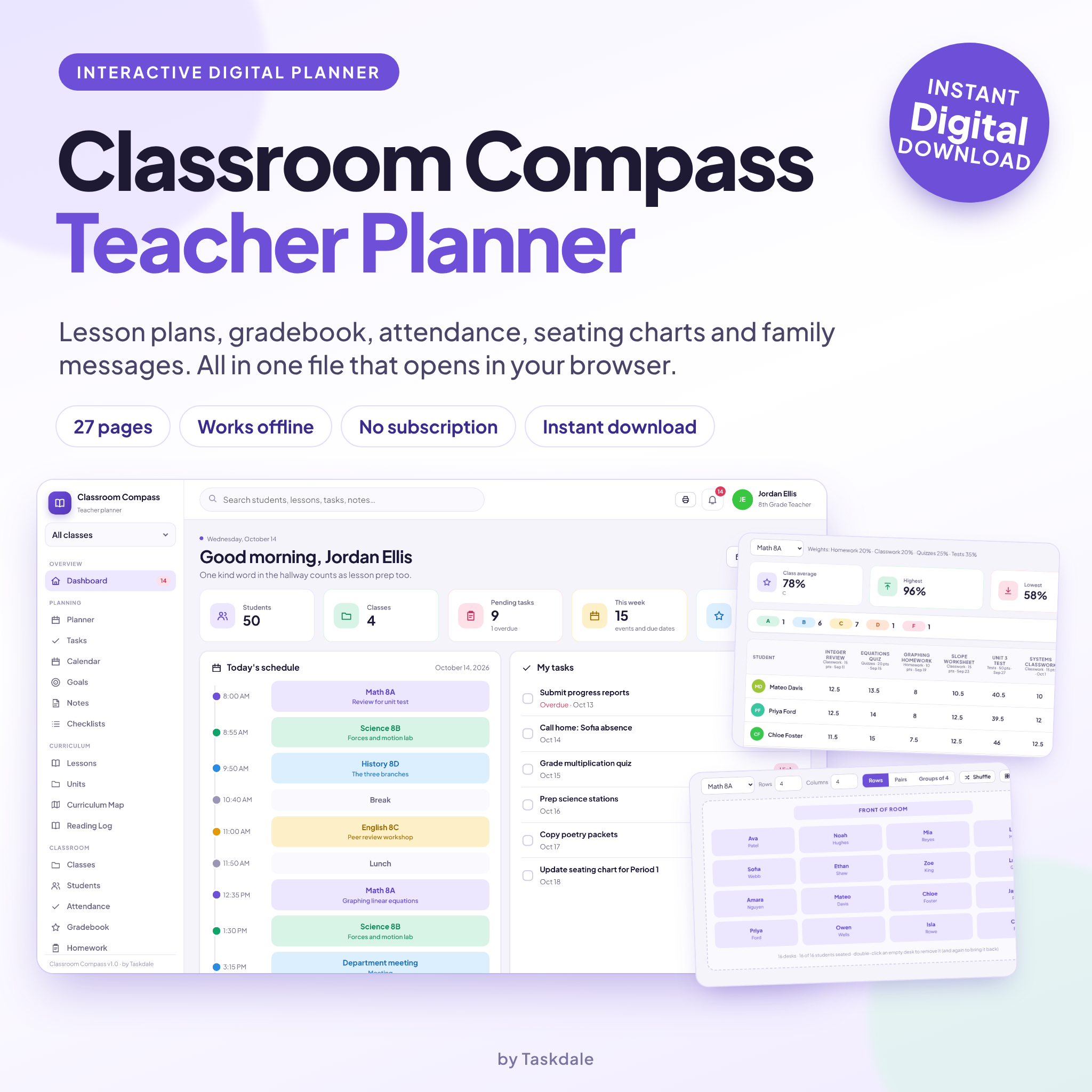
Meet Classroom Compass, a digital teacher planner in one file
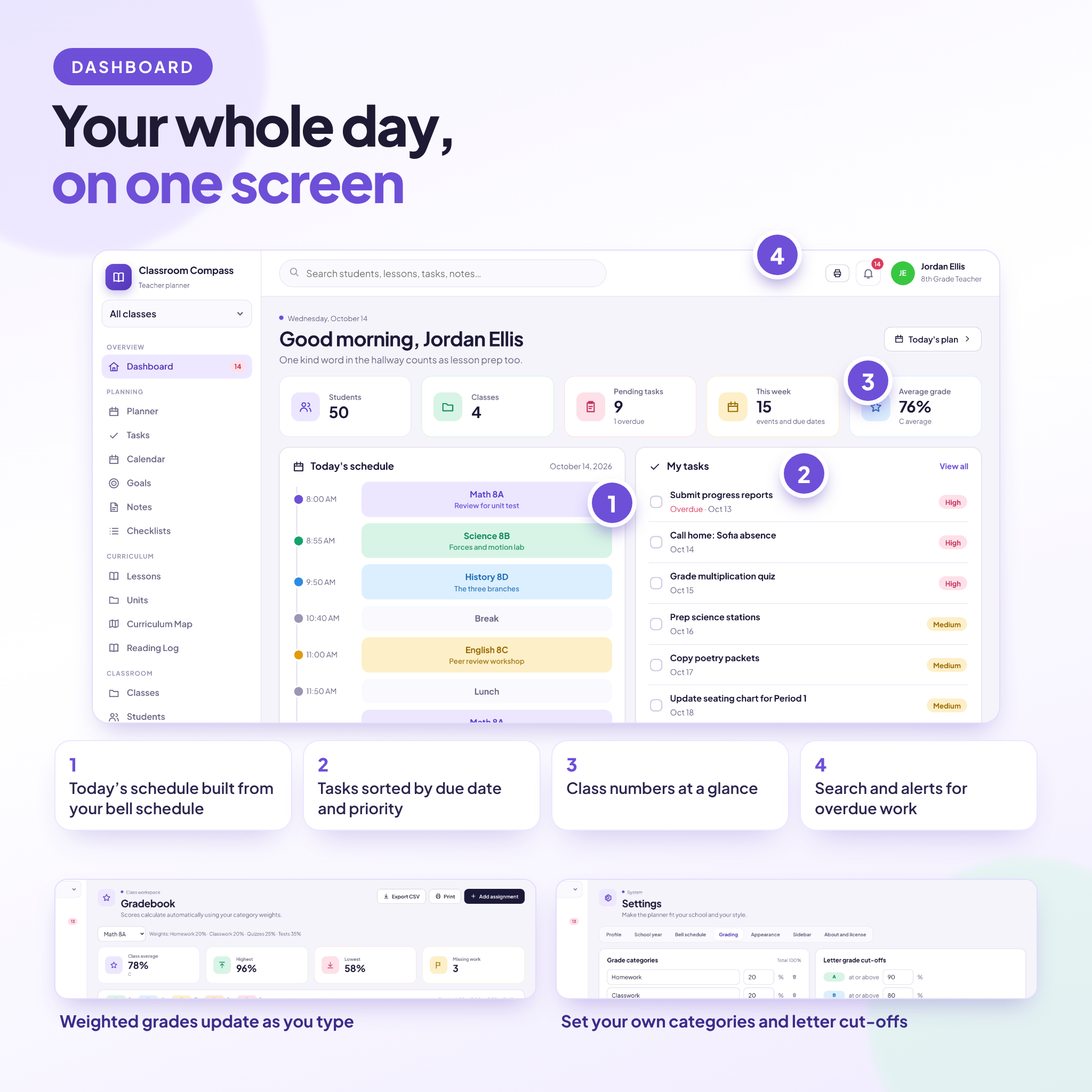
Paper planners get messy by October. Pages fill up with crossed out plans, sticky notes slide off the desk, and the gradebook lives somewhere else entirely. Classroom Compass is a digital teacher planner built to fix that. One file. Everything you track for school, in one tidy place.
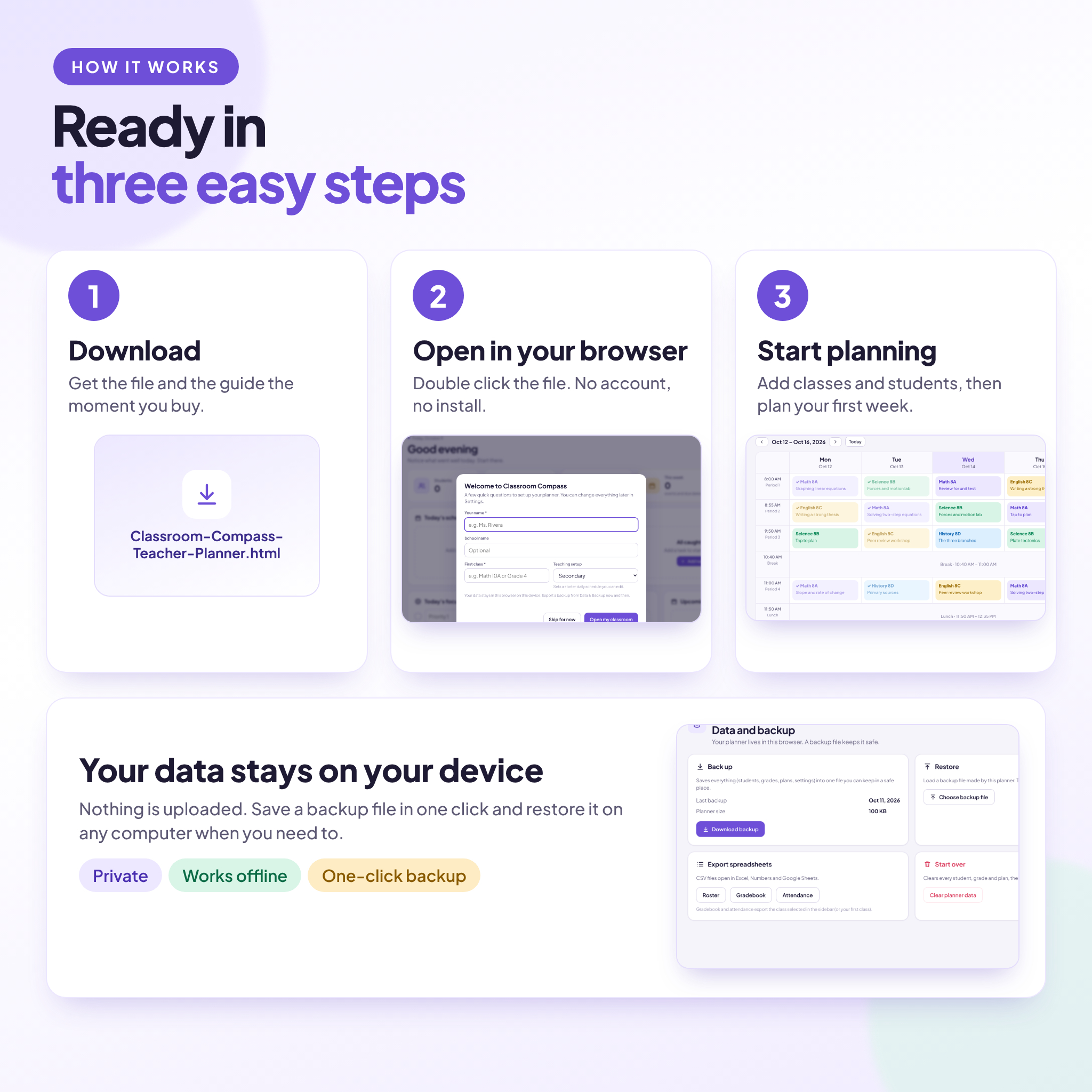
You open it in your web browser. There is no account to make and nothing to install. Add your classes, add your students, and you can be planning the same day.
What you can do with this teacher planner
Plan your week
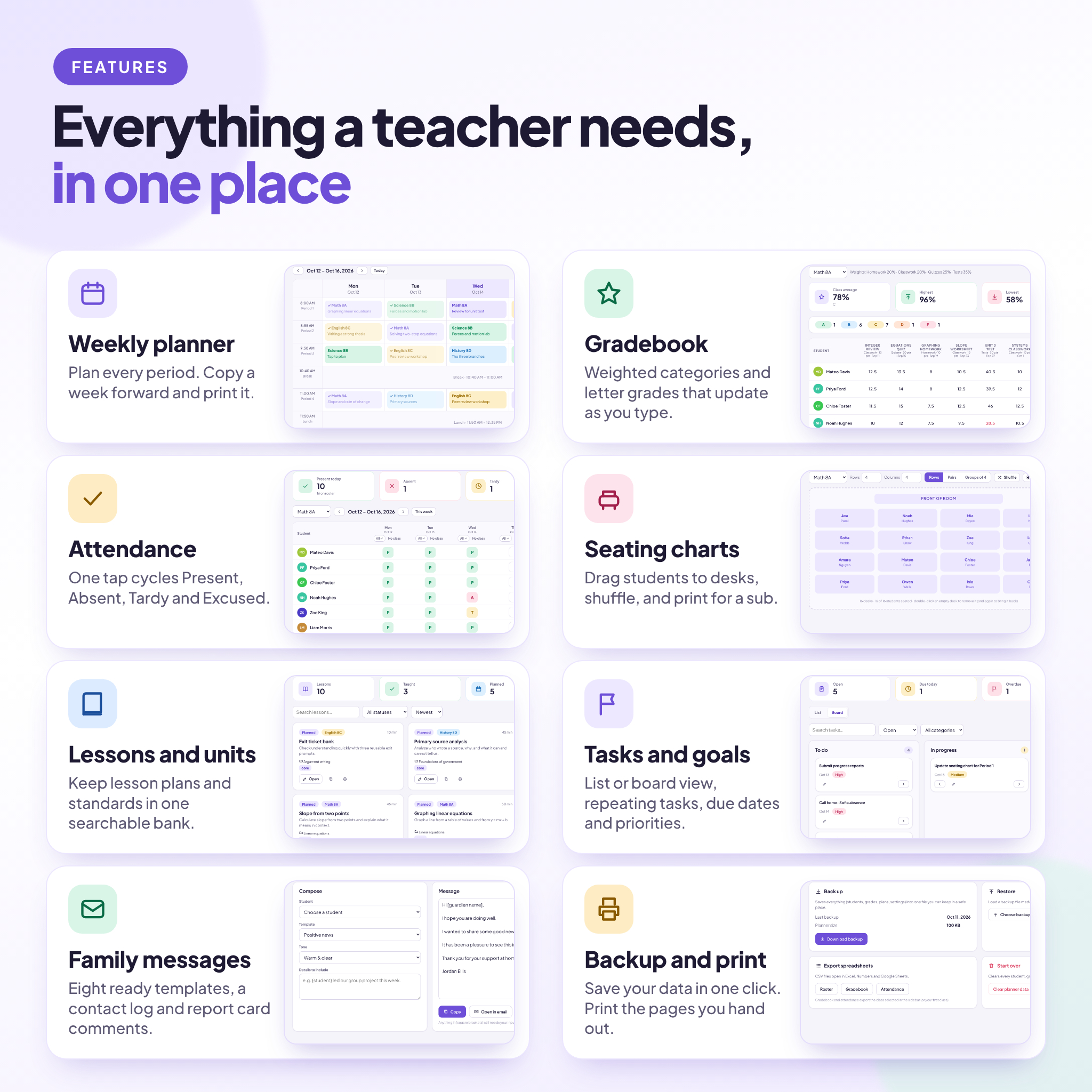
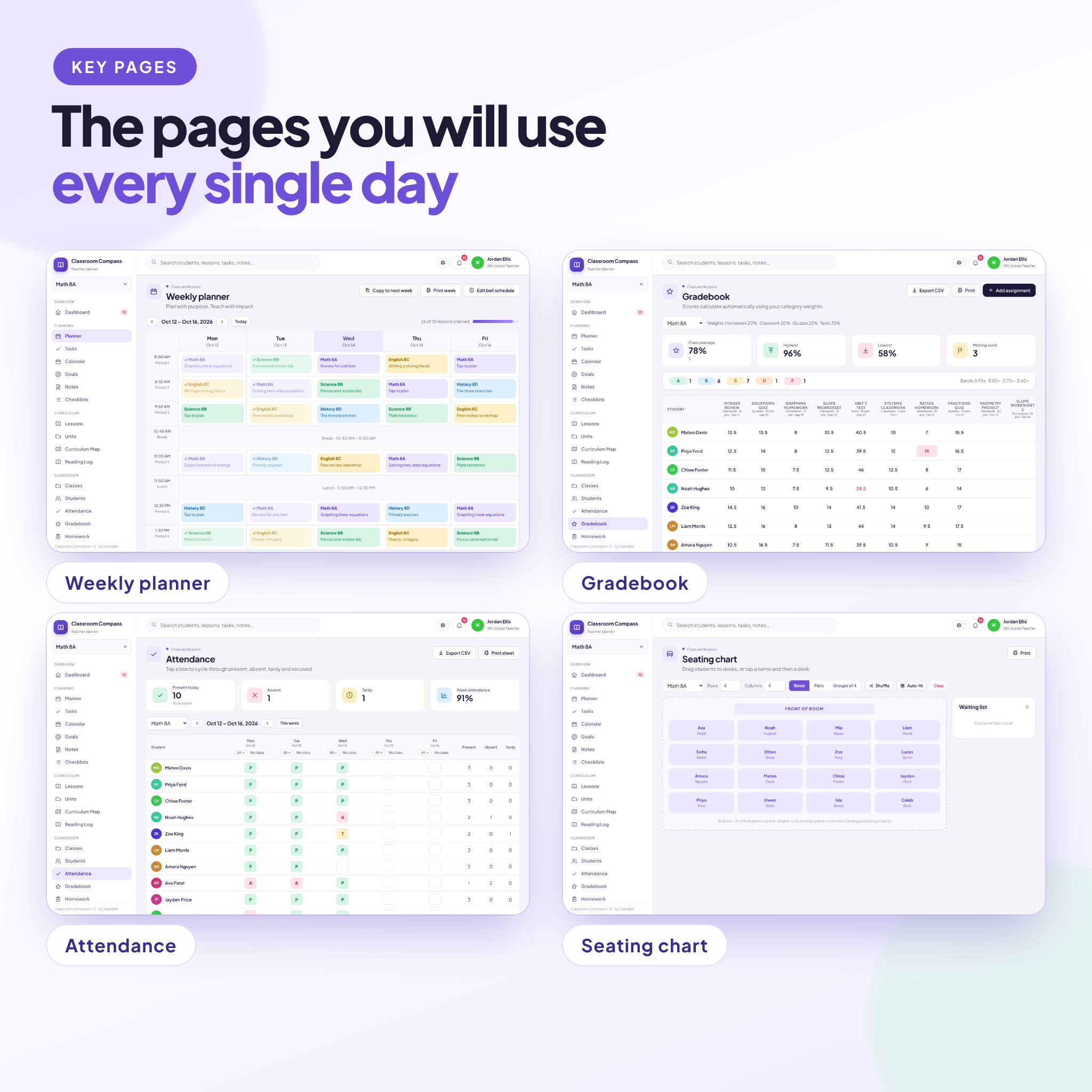
The weekly planner shows every period in your bell schedule. Tap a block and write the topic, the objective, the materials and the homework. Mark lessons as taught. Copy a week forward when you repeat a sequence, then print the page for your binder or a substitute. A progress bar shows how much of the week is planned.
Track grades without a spreadsheet
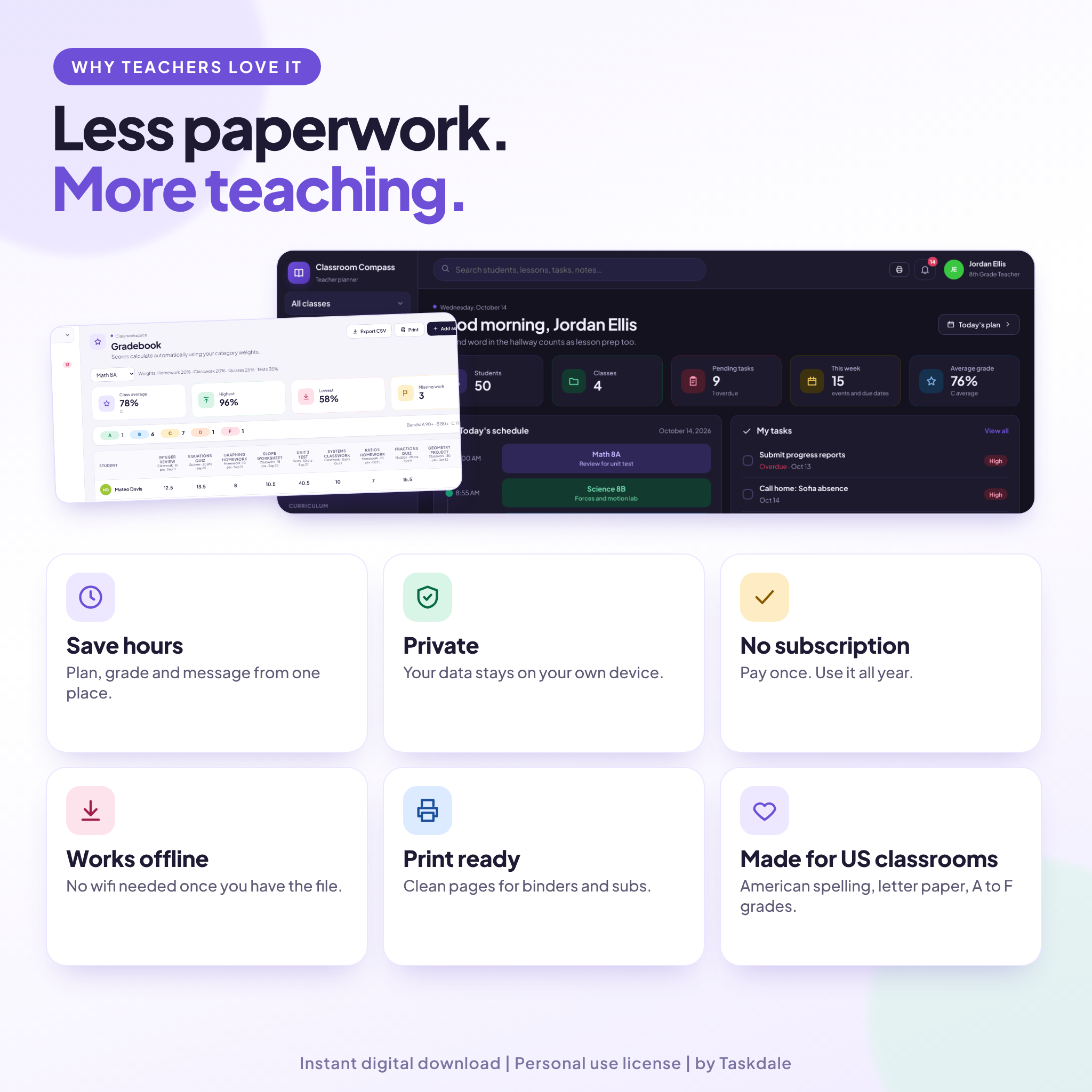
The gradebook uses categories and weights that you set. Homework can count for 20 percent and tests for 40, or whatever your school uses. Type a score and the average and the letter grade update on the spot. If a category has no scores yet, the others scale up, so students are not penalized for work you have not given. Export to CSV or print a class sheet.
Take attendance in seconds
One tap cycles a cell through Present, Absent, Tardy and Excused. Mark a no class day for assemblies and snow days. Weekly totals sit beside every student. Export the sheet or print it when the office asks.
Build seating charts
Choose rows, pairs or groups. Drag students to their desks, or tap a name and then tap a desk. Shuffle the room, or let auto fit place everyone. Print the chart for your sub folder.
Keep up with everything else
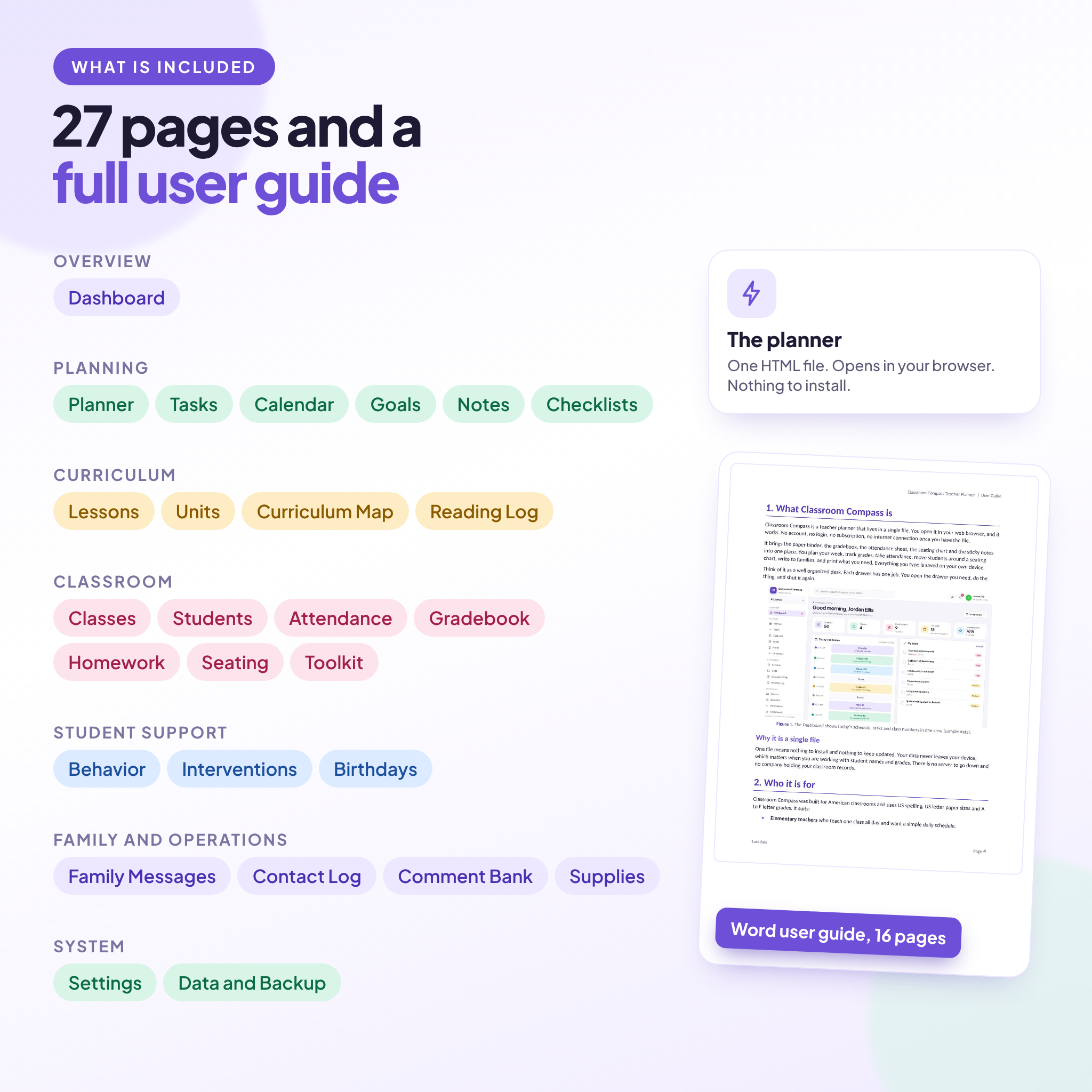
The planner has 27 pages in all. Along with the four above you get:
- Tasks with list and board views, plus repeating tasks
- A calendar, goals, notes and four ready made checklists
- A lessons bank, units with standards, a curriculum map and a reading log
- Homework tracking, behavior notes, interventions and birthdays
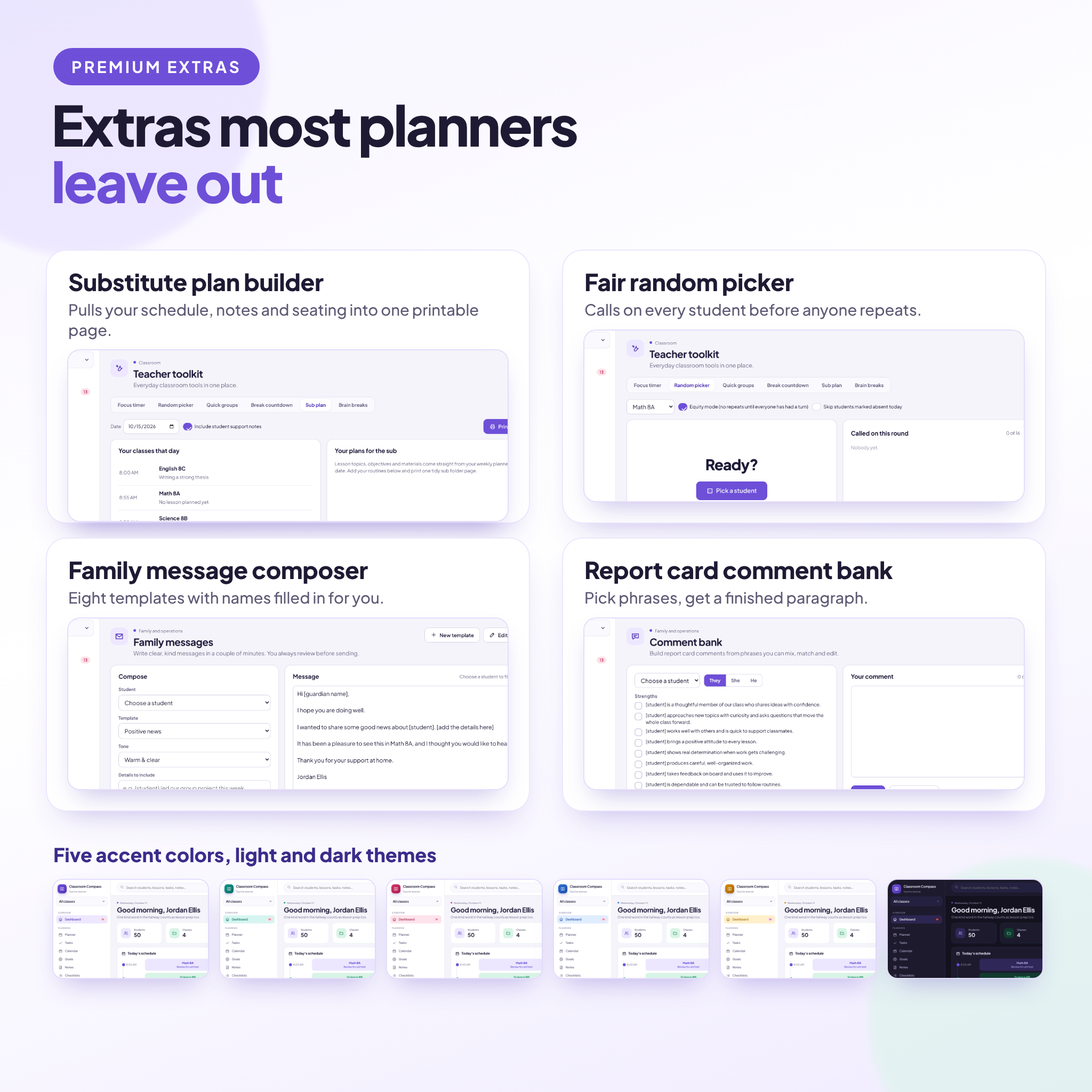
- A family message composer with eight templates, a contact log and a supplies list
- A report card comment bank that builds a paragraph from the phrases you pick
A small toolkit for the live classroom
Six quick tools sit in one place: a focus timer, a random picker that calls on everyone before it repeats, quick groups, a break countdown, a list of 20 brain breaks, and a substitute plan builder. The sub plan builder pulls your schedule, lesson notes and seating chart into one printable page. Fill it in September, not the morning you wake up sick.
What is included
- Classroom-Compass-Teacher-Planner.html, the planner itself
- A user guide in DOCX format, 16 pages, with setup steps, every feature, tips and troubleshooting
- License terms and the font license text
The planner starts empty. The screenshots in this listing use sample data from a made up classroom, so you can see how it looks once it is filled in.
File format and software requirements
The planner is a single HTML file. Open it in a current web browser on any computer. It was tested in Google Chrome and Microsoft Edge, and other modern browsers should work too. You do not need Word, Excel or any other program to use it. The user guide is a DOCX file that opens in Word or any app that reads DOCX.
Make it yours
Pick one of five accent colors. Use light mode, dark mode, or let it match your device. Choose from four text sizes and set your own currency symbol, with the dollar sign as the default. Rename the grade categories, change the weights, set your own letter grade cut-offs and edit the bell schedule. Turn off any page you never use and the menu gets shorter. The planner uses American spelling, US letter paper and A to F grades.
How your data is stored
Everything you type is saved inside your browser, on your device. Nothing is uploaded anywhere. That keeps student information private, and it also means you hold the backup. One click saves a backup file and one click restores it. Data does not sync between devices, so if you work on two computers, move your backup file between them. Clearing your browser data can erase the planner, which is why a weekly backup is a good habit.
Instant download
After checkout you get one ZIP file. Inside are the planner, the user guide and the license terms. Unzip it, double click the HTML file and begin. This is a digital product, so nothing is shipped.
Who it is for
- Elementary teachers who want a simple daily schedule
- Middle and high school teachers with several classes and a bell schedule
- Homeschool parents who plan for more than one child
- Tutors who need rosters, notes and plans in one place
- New teachers who want a setup that feels organized from day one
Frequently asked questions
Do I need the internet to use it?
No. Once you have the file, it works offline. The font and icons are inside it.
Is there an account or a subscription?
No. You pay once and the file is yours to use for your own classroom.
Will my data sync between my laptop and my phone?
No. Each browser keeps its own copy. Save a backup on one device and restore it on the other.
Can I use it on a phone or tablet?
The layout adapts to smaller screens. Grade entry and planning are easiest on a laptop or desktop.
Is the planner already filled in?
No. It starts empty and a short welcome box helps you add your name and first class.
Can I print from it?
Yes. The weekly plan, attendance sheet, gradebook, seating chart, student summary and sub plan all have print layouts.
Can I share it with my team or my school?
This listing is a personal use license for the single buyer. Please do not share, resell or upload the file. School wide or team use needs additional licenses.
What if I lose my data?
Restore your latest backup from the Data and Backup page. If you have not made one yet, make your first backup today.
Reviews
There are no reviews yet.