Classroom Compass Teacher Planner: your whole school year in one file
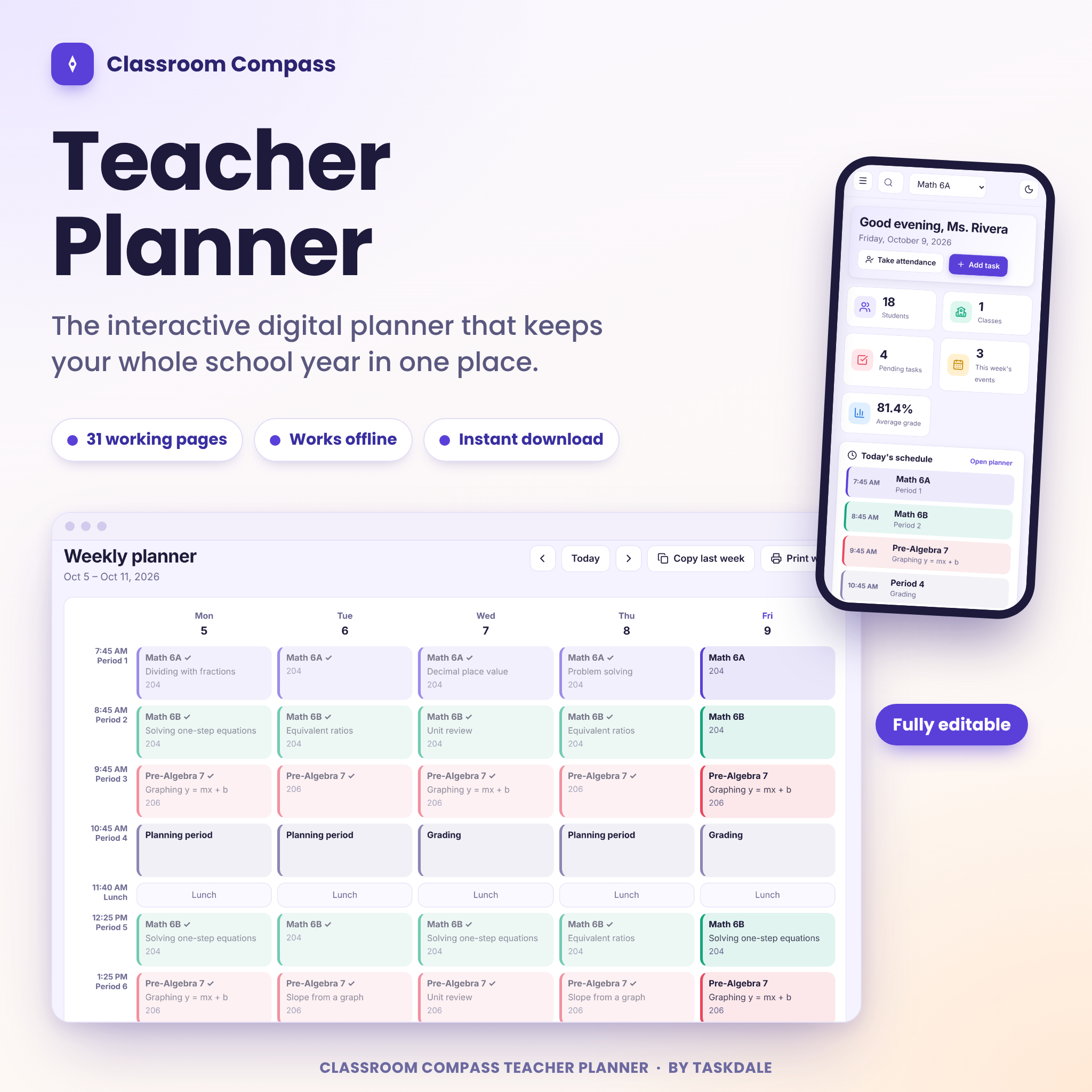
This teacher planner opens in your web browser and keeps everything your classroom runs on in one calm place. Weekly plans, lessons, grades, attendance, seating charts, family messages and print-ready reports, spread over 31 pages. There is no account to create, nothing to install and no monthly fee. You download one file, double-click it and start.
Teaching is a thousand small things. A seating change on Monday. A quiz score you meant to enter. A note home you swore you would send before the weekend. Classroom Compass is built so that none of it lives only in your head.
Who this teacher planner is for
It suits anyone who plans lessons and keeps track of students.
- Classroom teachers in elementary, middle and high school
- Homeschool parents who need a bell schedule, lesson records and grades they can show an evaluator
- Tutors and small-group teachers with a handful of learners across several subjects
- Student teachers and new teachers who want a system that is already set up
Everything this teacher planner does
Plan your teaching
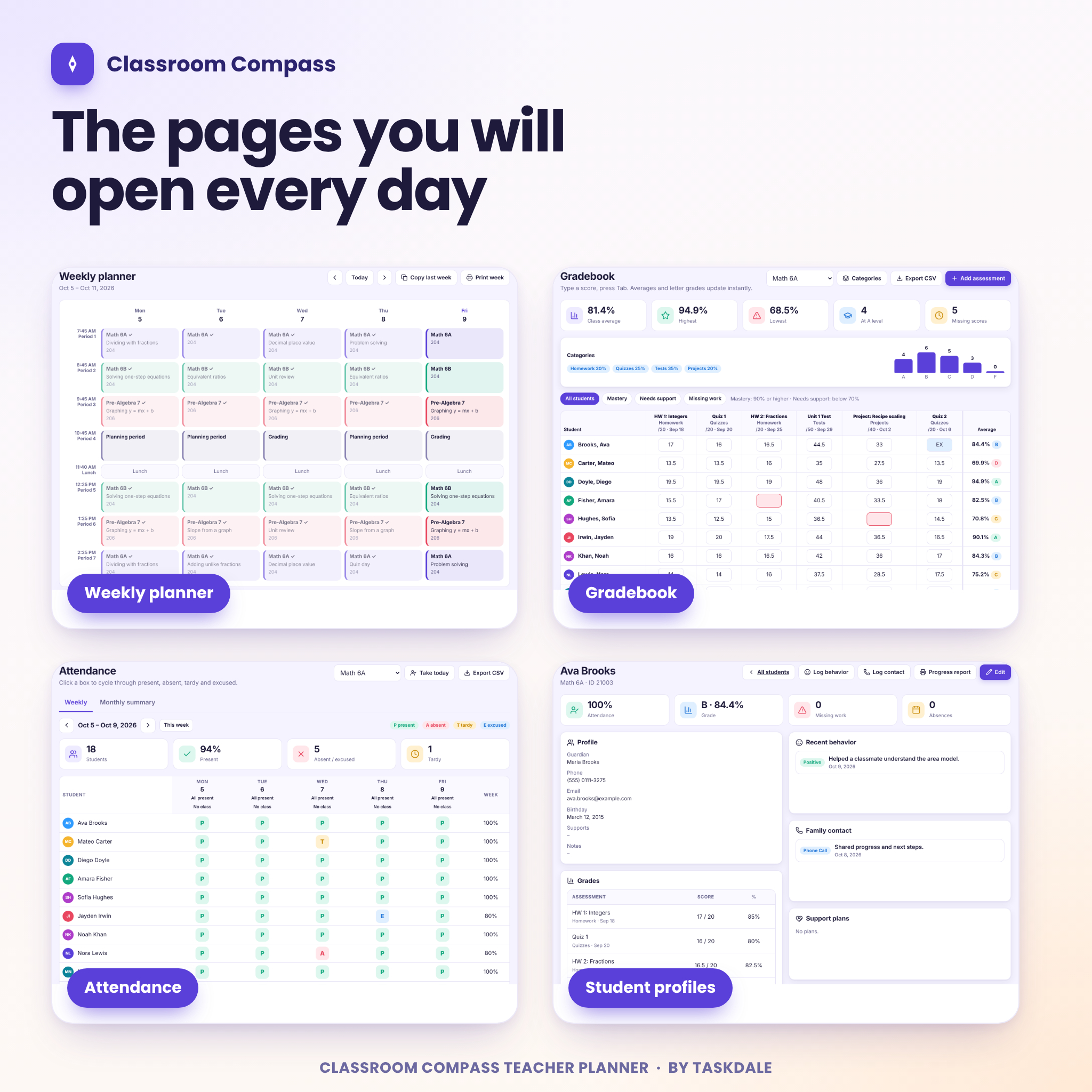
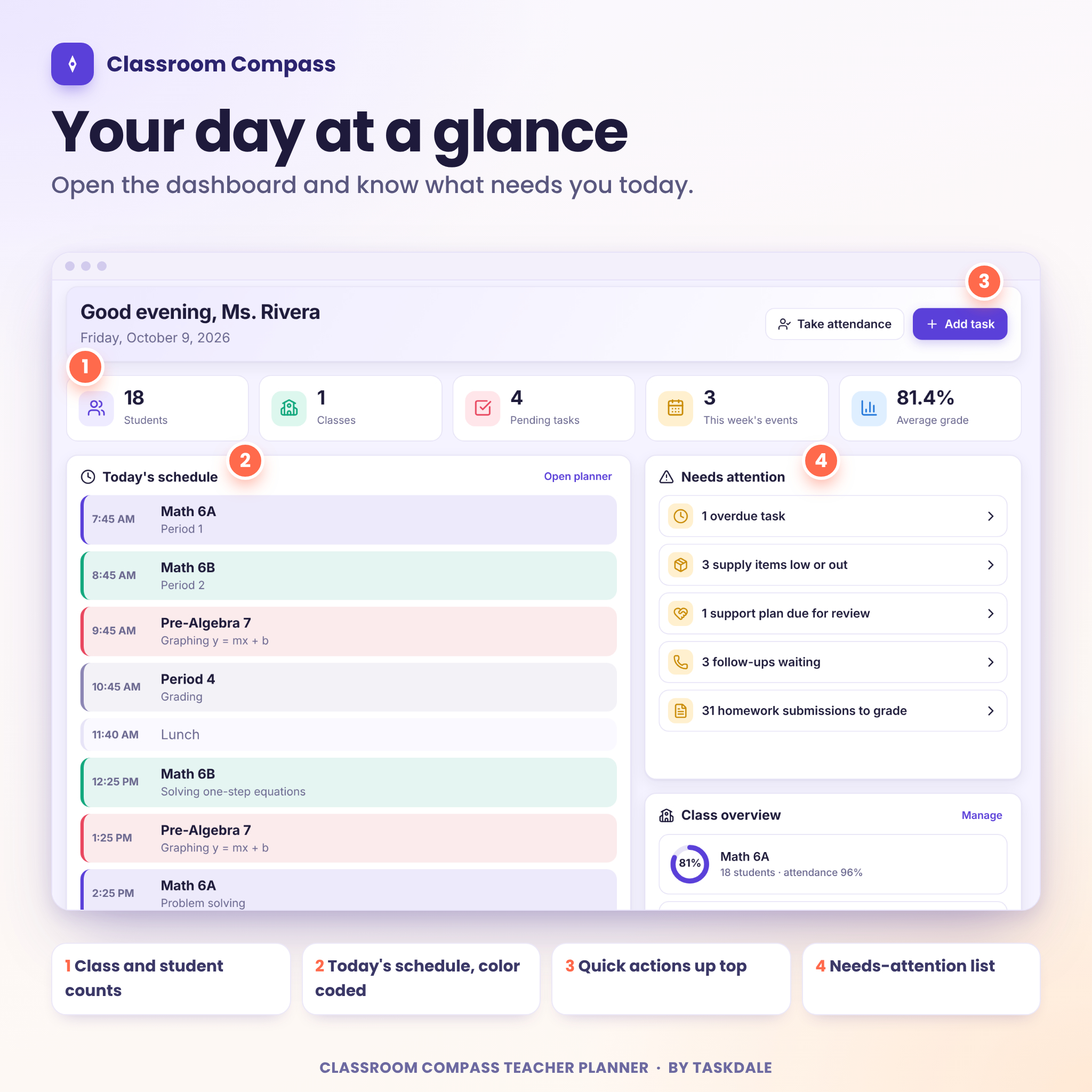
The dashboard shows today’s schedule and a short list of things that need attention. The weekly planner is a grid built from your own bell schedule. Click a cell, pick a class, attach a lesson, and the plan repeats every week on that day. Copy last week into this one with a single click. Around that sit a lesson bank, unit plans, a curriculum map, tasks, a calendar, goals and notes.
Run your classroom
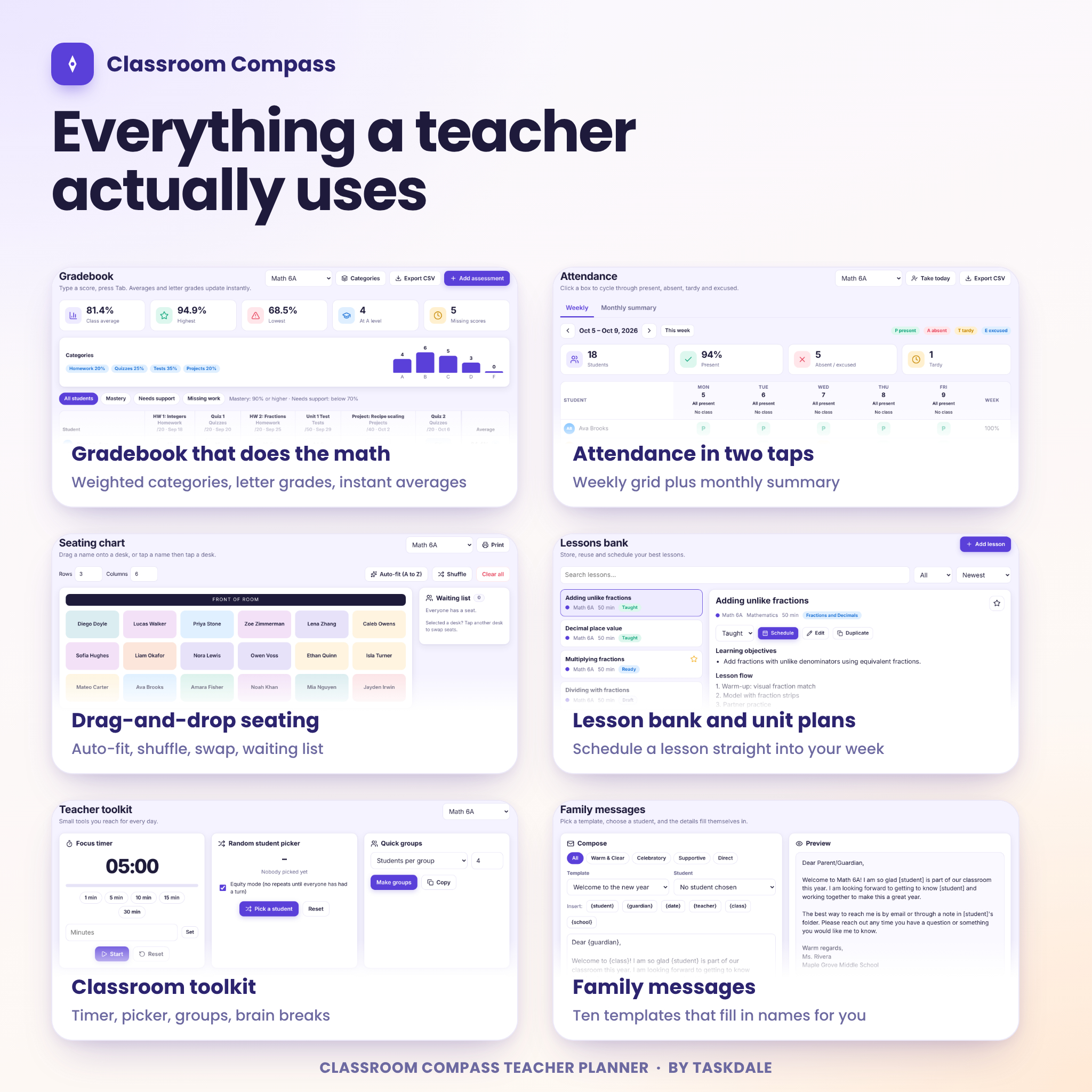
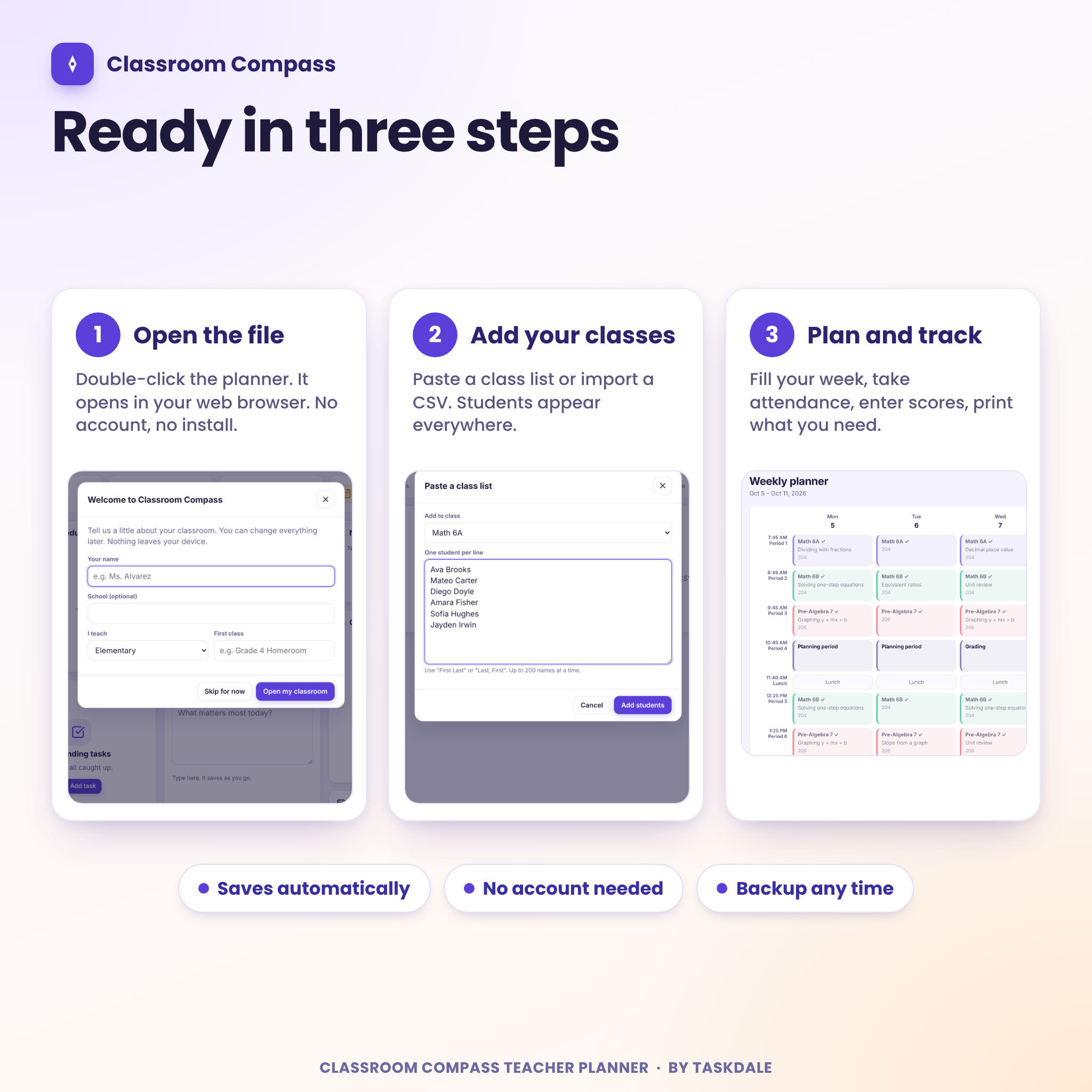
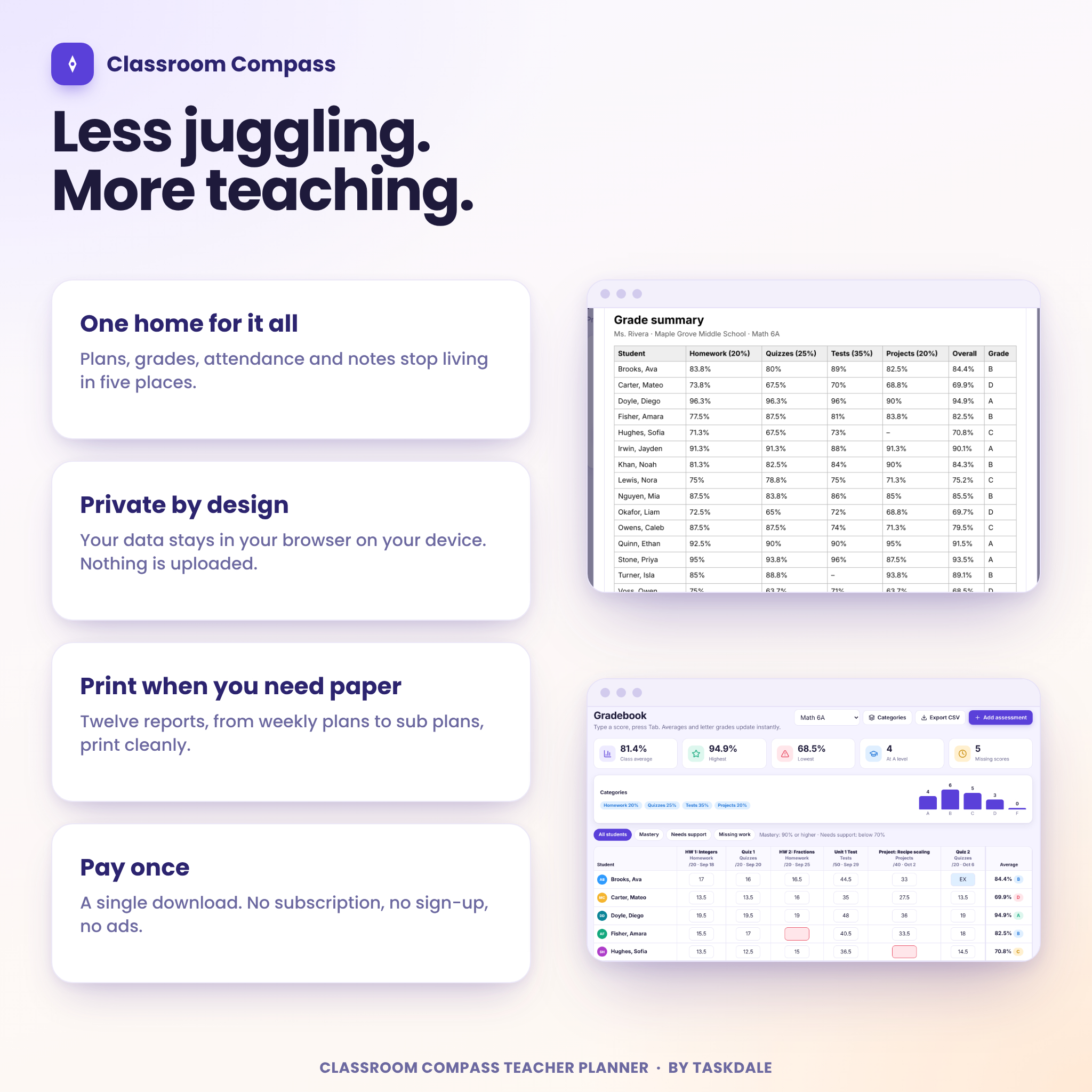
Set up classes with their own colors, then add students one at a time, paste a list or import a CSV file. Take attendance with a click on P, A, T or E. Type scores into the gradebook and press Tab to move on. Averages and letter grades update as you go, using category weights and a grade scale you can edit. You also get a homework tracker, a reading log, a drag-and-drop seating chart and a birthday list that handles leap days.
Support students and families
Log positive notes and concerns in seconds. Track support plans with review dates. Ten ready-made family message templates fill in the student name, guardian and class for you, so the twentieth email takes a minute. Keep a contact log and schedule parent conferences. Every student also gets a profile page that pulls their grades, attendance, behavior notes and contacts together before a conference.
Reports and printing
Twelve reports are ready to preview, print or save as a PDF: class roster, attendance, grade summary, student progress report, seating chart, weekly plan, homework summary, contact log, birthday list, supplies list, conference schedule and a full substitute plan. The report comment builder helps with report card season without making every student sound the same.
Small extras that earn their place
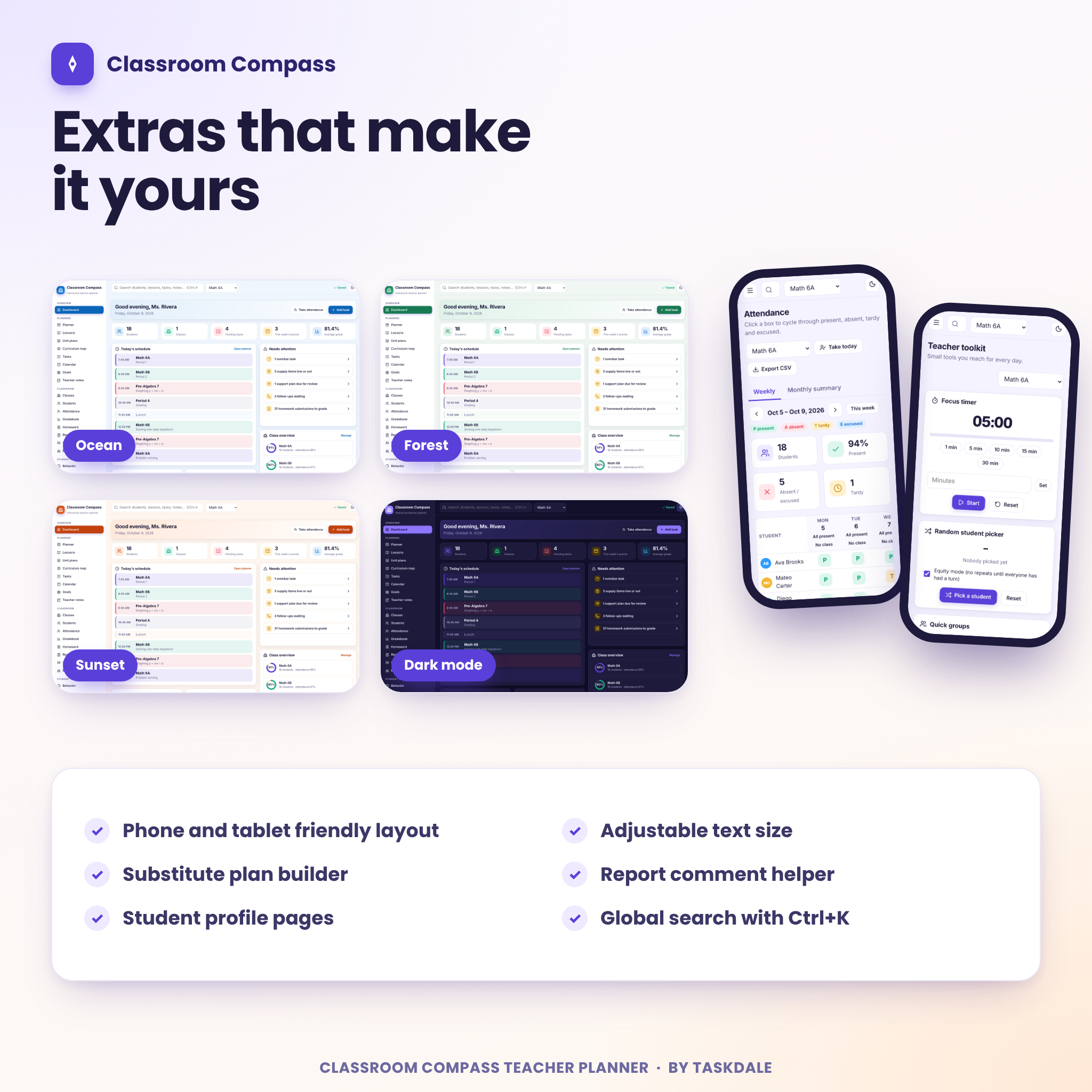
- Focus timer, random student picker with an equity mode, quick groups, stopwatch, dice and coin
- Substitute plan builder that gathers your day, rosters, routines and lessons into one hand-off
- Supplies list with low and out alerts, plus five ready-made checklists
- Four color themes and a dark mode
- Search across students, lessons, tasks and notes with Ctrl+K
- Undo after deleting almost anything
What is included
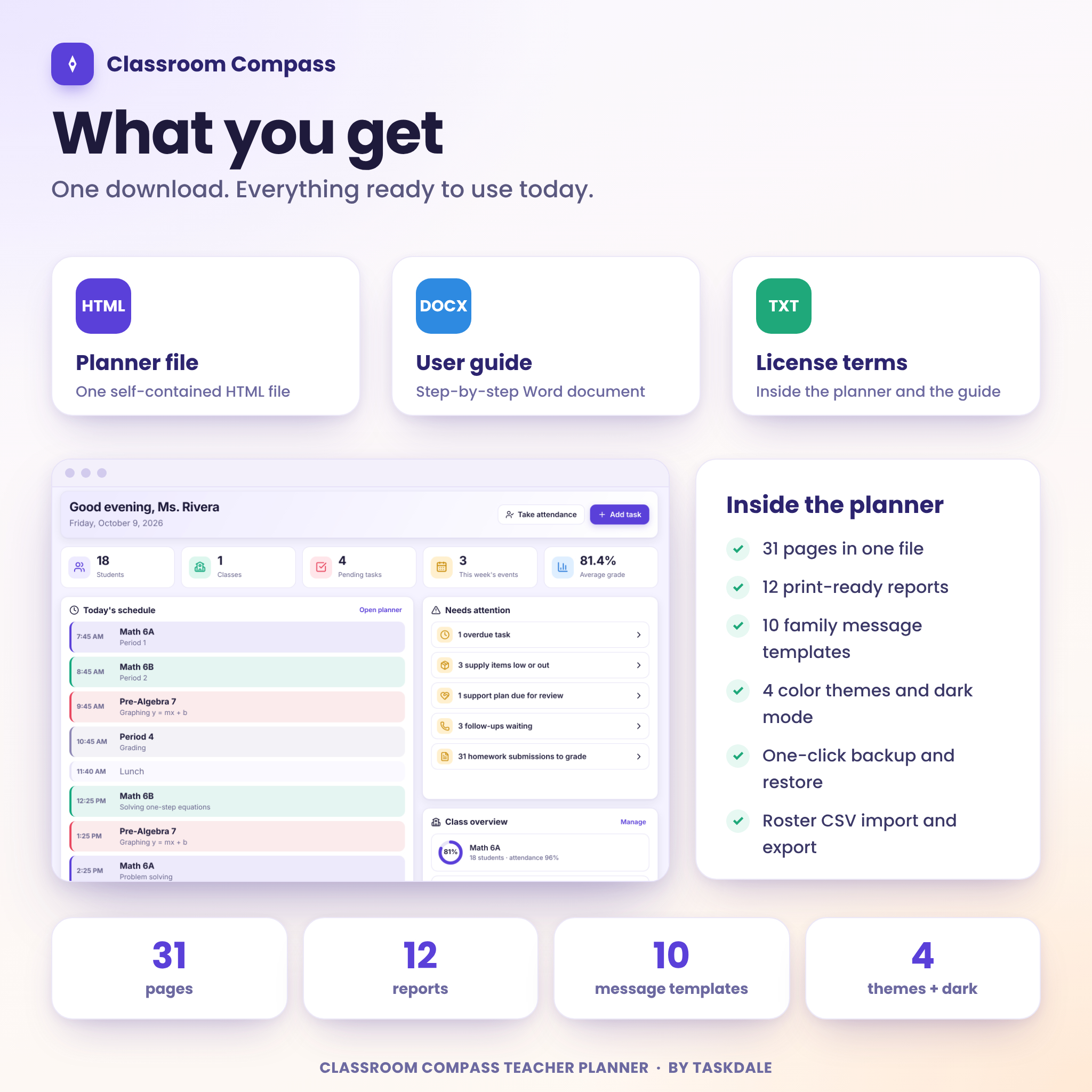
Your download contains two files.
- Classroom-Compass-Teacher-Planner.html, the planner itself
- Classroom-Compass-User-Guide.docx, an illustrated Word guide with setup steps, every feature, tips, troubleshooting, a FAQ and the license terms
The planner you receive is clean and empty, ready for your own classes. Nothing is pre-filled.
How it works
- Download the files after checkout.
- Save the planner in a permanent folder, such as Documents.
- Double-click it. It opens in your browser.
- Answer three quick questions, or skip them and fill things in later.
- Add your students, check your bell schedule and plan your first week.
Setup takes about fifteen minutes. The guide walks you through it in order.
Formats and requirements
The planner is a single HTML file with its fonts and icons built in, so it works offline once downloaded. You need a computer, tablet or phone with a current web browser, and Word or a compatible app to open the guide.
We tested Classroom Compass in Chromium, the engine behind Google Chrome and Microsoft Edge, at desktop, tablet and phone screen sizes. Other browsers should work, but we have not tested them and we do not promise it.
One thing to know before you buy. Your information is saved inside your own browser, on your own device. Nothing is sent anywhere, which keeps student details private. It also means the planner does not sync between devices, and clearing your browser data empties it. A backup takes two clicks in Settings, and the planner reminds you when your last one gets old. Restore a backup to move your planner to another computer.
Make it yours
Rename and reweight grading categories. Edit the grade scale to add pluses and minuses. Choose a bell schedule preset for elementary, middle and high school, or homeschool, then adjust every block. Set your school year dates, teaching days and breaks. Hide sidebar pages you never use. Pick a theme and a text size.
Digital download information
This is a digital product. Nothing is shipped. You get access to your files right after payment.
License
One purchase gives one person a personal-use license for their own classroom, tutoring or homeschool. Please do not resell, share, redistribute or upload the planner or the guide. Schools and teams need a license for each person. Full terms are inside the guide and on the planner’s Help page.
Ways teachers use it
- Plan the week on Sunday evening, then tick lessons off as taught
- Take attendance in under a minute and watch the monthly numbers build
- Walk into a parent conference with the student profile open
- Print a seating chart and a sub plan the night before a sick day
Frequently asked questions
Do I need an internet connection?
No. Once the file is on your device, the planner works offline.
Is my students’ information private?
Yes. Everything stays in your browser on your own device. Nothing is uploaded or shared with us.
Can I use it on two computers?
Yes, with a backup file. Save a backup on one computer and restore it on the other. It does not sync on its own.
Can I import my class list?
Yes. Paste names one per line, or import a CSV file with columns such as first name, last name, student ID and guardian details.
Can I change the grading categories and grade scale?
Yes to both. Categories live in the gradebook and the grade scale lives in Settings.
Does it send emails to families?
No. It writes the message and copies it. You paste it into your own email or messaging app.
Can I share it with my co-teacher?
Each person needs their own license. You can print any plan or report and share the printout or PDF.
Is there a monthly fee?
No. You pay once and keep the files.
Reviews
There are no reviews yet.