A college student budget has a problem that regular budgets don’t. Your money doesn’t arrive in neat monthly paychecks. It shows up in lumps: a financial aid refund in August, some help from family, a few shifts at the campus coffee shop. Then it has to last until December.
That’s why so many students are fine in September and eating instant noodles by November. It isn’t about spending too much. It’s about spending a 16-week pile of money as if it were a monthly salary.
Here’s how to set up a budget that matches the way students get paid, with real numbers, so the money lasts the whole term.
Step 1: Add up everything coming in this term
Forget months for a moment. List every source of money for the whole semester:
- Financial aid or loan refunds (after tuition is paid)
- Scholarships or bursaries paid to you
- Money from family, and when it arrives
- Part-time job: hours per week x hourly rate x weeks you’ll work
- Savings you’re willing to use
Say it comes to $3,200 from a refund, $800 from family and $1,600 from a 10-hour-a-week job. That’s $5,600 for the term.
Step 2: Turn the lump into a weekly number
Now divide by the number of weeks it has to cover. A semester of about 16 weeks, plus a week either side for moving in and out, makes 18. So $5,600 / 18 = roughly $311 a week.
That weekly figure is your real budget. Not the $3,200 sitting in your account on day one, which feels like a lot and isn’t.
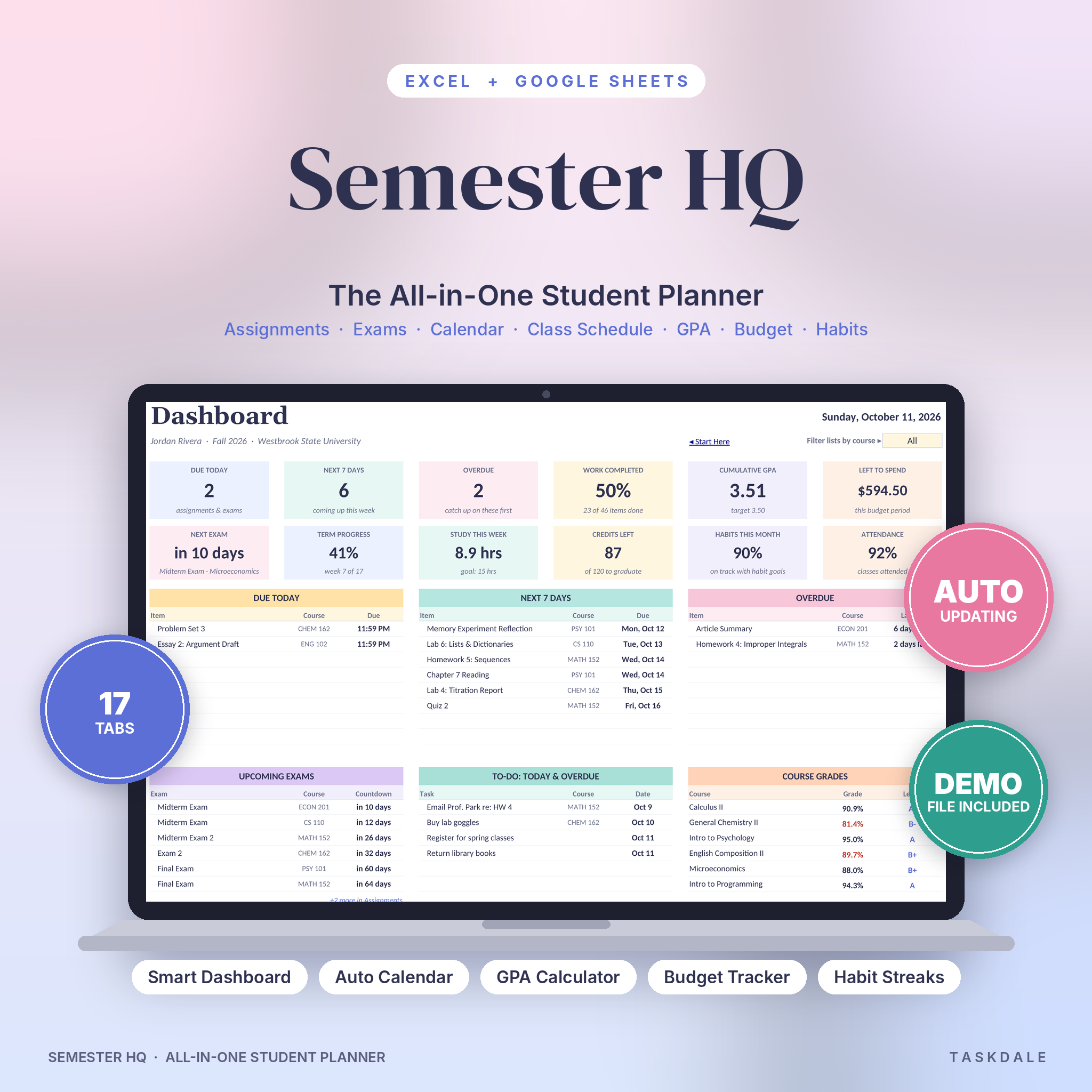
A planner that budgets over any date range makes this much easier. Semester HQ shows budget vs actual for whatever period you pick: a month, a paycheck or the whole semester. That means you can budget the term as one block and still check each month against it.
Step 3: Take out fixed costs first
Fixed costs are the ones you can’t really change once term starts:
- Rent or housing (if not already paid)
- Phone plan
- Transport pass or fuel
- Insurance
- Subscriptions you actually use
Convert each to a weekly figure. If rent is $600 a month, that’s about $138 a week. Subtract all fixed costs from your weekly number. What’s left is for food and everything else.
Step 4: Plan for the costs that only show up once
This is where student budgets usually break. Big, irregular costs land at awkward times: textbooks in week one, lab fees, a flight home at Thanksgiving, a friend’s birthday trip, a laptop repair.
List them now and set money aside each week. If textbooks will cost $400 and a trip home $250, that’s $650 across 18 weeks, about $36 a week into a separate pot. It sounds dull. It’s also the difference between a calm December and a panicked one.
The Campus Compass Student Planner has a reading and textbooks tracker with page progress, textbook costs and rental return reminders. Missed rental returns can get expensive, so having the due date sitting next to your budget is useful.
Step 5: Give food a weekly cap
Food is the biggest flexible cost for most students, and the easiest to overspend in small amounts. Three $8 coffees and two late-night deliveries a week adds up to well over $1,000 across a term.
Set a weekly food number and track it. Groceries, meal plan top-ups, takeaways, coffee: all in. If you’ve spent $60 of your $70 by Thursday, the weekend becomes a cook-at-home weekend. No guilt, just a number.
Step 6: Log every transaction (it takes seconds)
A budget without tracking is a wish. Log spending as it happens, or once a day from your banking app. In both planners, you log spending on a Transactions tab and it adds up in the right budget line automatically, so you’re not doing maths at midnight.
Semester HQ’s budget covers income, bills, expenses, savings and debt, and the dashboard shows “money left” right next to your due dates and GPA. Campus Compass has a budget where you plan each category, log transactions and see budget vs actual with two charts.
Step 7: Keep a small emergency buffer
Something will go wrong. A cracked phone screen, a medical copay, a surprise fee. Aim to keep even $100 to $200 untouched as a buffer. If you never need it, it rolls into next term and makes January easier.
If you work part-time, budget by paycheck
If most of your money comes from a job, budget each paycheck rather than each month. When $400 lands every two weeks, decide that day where it goes: rent share, food for two weeks, savings, fun. Semester HQ’s date-range budget works for a paycheck period, and a student with a campus job can track paychecks against rent, groceries and, say, a spring break fund.
Why keep your budget in your student planner?
You could use a separate budgeting app. But you’ll open a planner you check every morning far more often than a money app you check when you’re worried. Seeing “money left” next to “assignments due” keeps both in view. Both Semester HQ and Campus Compass combine assignments, grades, GPA and a budget in one file, work in Excel or Google Sheets, and let you set any currency symbol.
College student budget FAQ
How much should a college student budget per month?
There’s no single number. It depends on rent, location and whether you have a meal plan. Work it out from the top: total money for the term, divided by weeks, minus fixed costs. That gives you your real weekly figure.
What’s the 50/30/20 rule for students?
It splits income into 50 percent needs, 30 percent wants and 20 percent savings or debt. Many students can’t hit 20 percent savings, and that’s fine. Use it as a rough check, not a rule.
How do I budget a financial aid refund?
Treat it as money for the whole term, not a windfall. Pay fixed costs and textbooks first, set aside irregular costs, then divide the rest by the number of weeks left.
Can I budget in a currency other than dollars?
Yes. Both planners let you set any currency symbol once, and every money label follows it.