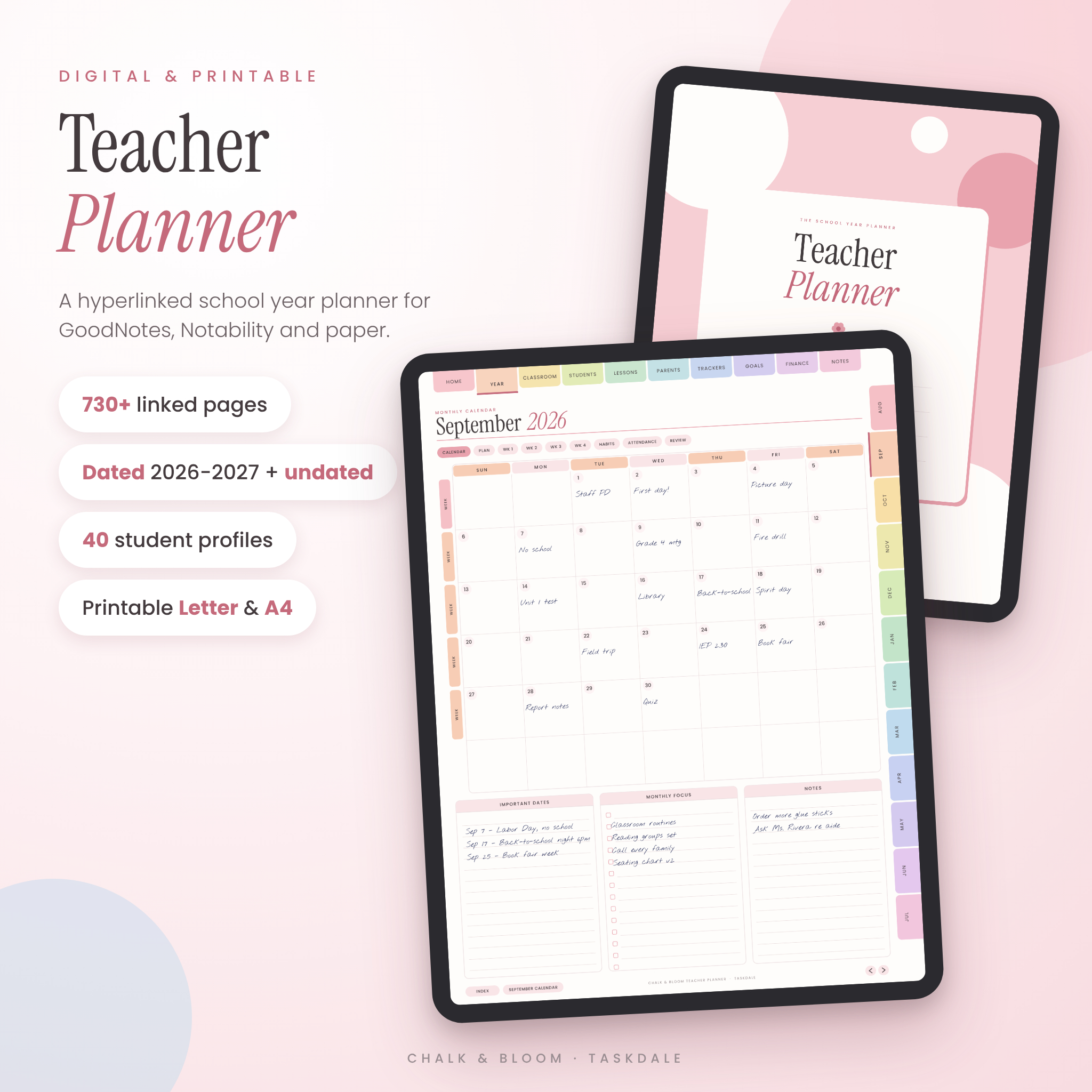
This digital teacher planner holds your whole school year in one hyperlinked PDF. Lesson plans, a gradebook, attendance, seating charts, parent logs and a daily page for every date all sit one tap apart. You get two dated 2026-2027 versions (Sunday or Monday start), two undated versions you can reuse any year, and printable US Letter and A4 files for paper lovers.
It opens in GoodNotes, Notability, Xodo, Noteshelf, Samsung Notes and any PDF app that supports links. Tap a tab, land on the page. That’s it.
What this teacher planner does
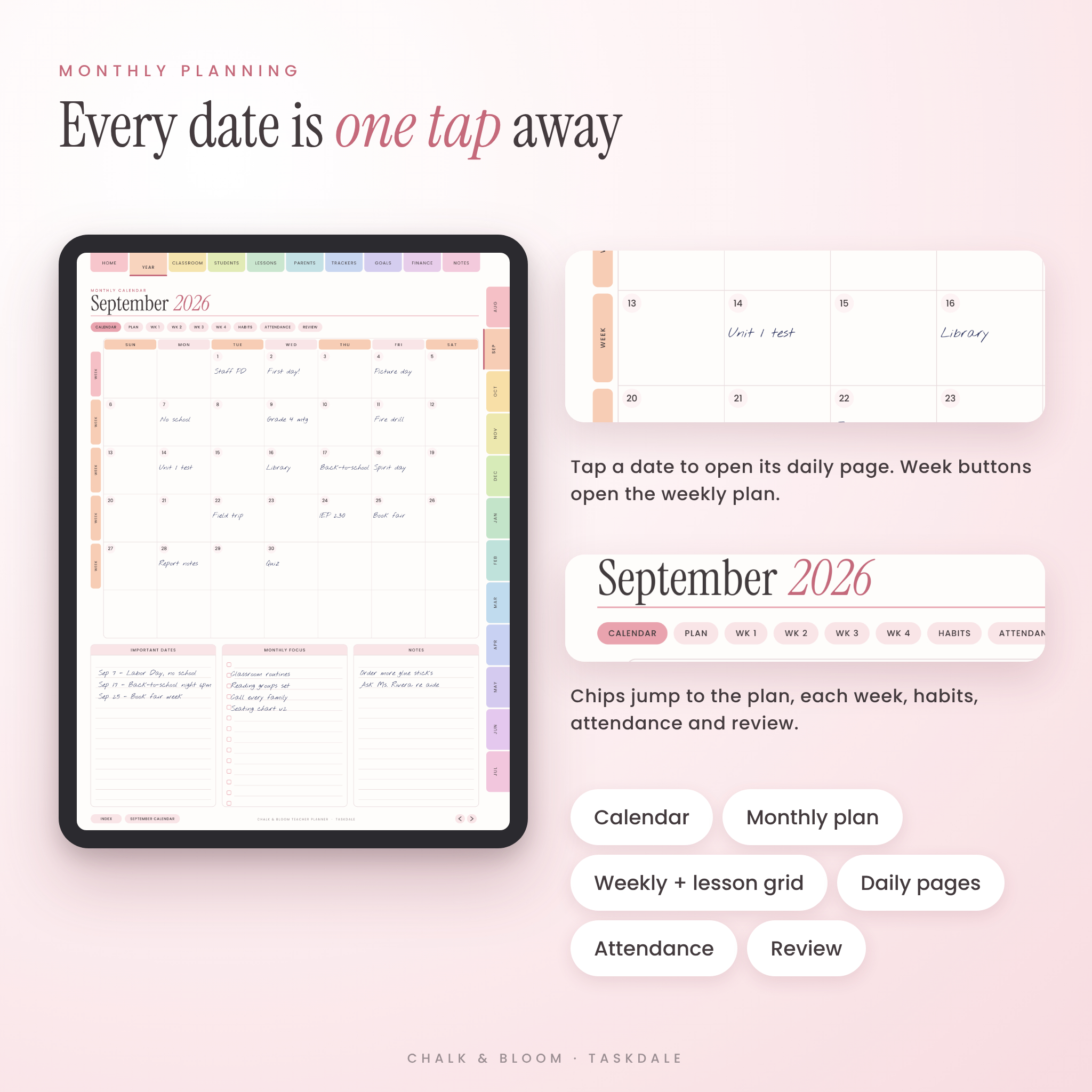
Most planners give you pretty pages and leave you to scroll. This one is built around how teachers actually move through a week. You check the month, open the week, plan the lessons, then work from the daily page. Every one of those steps is a single tap.
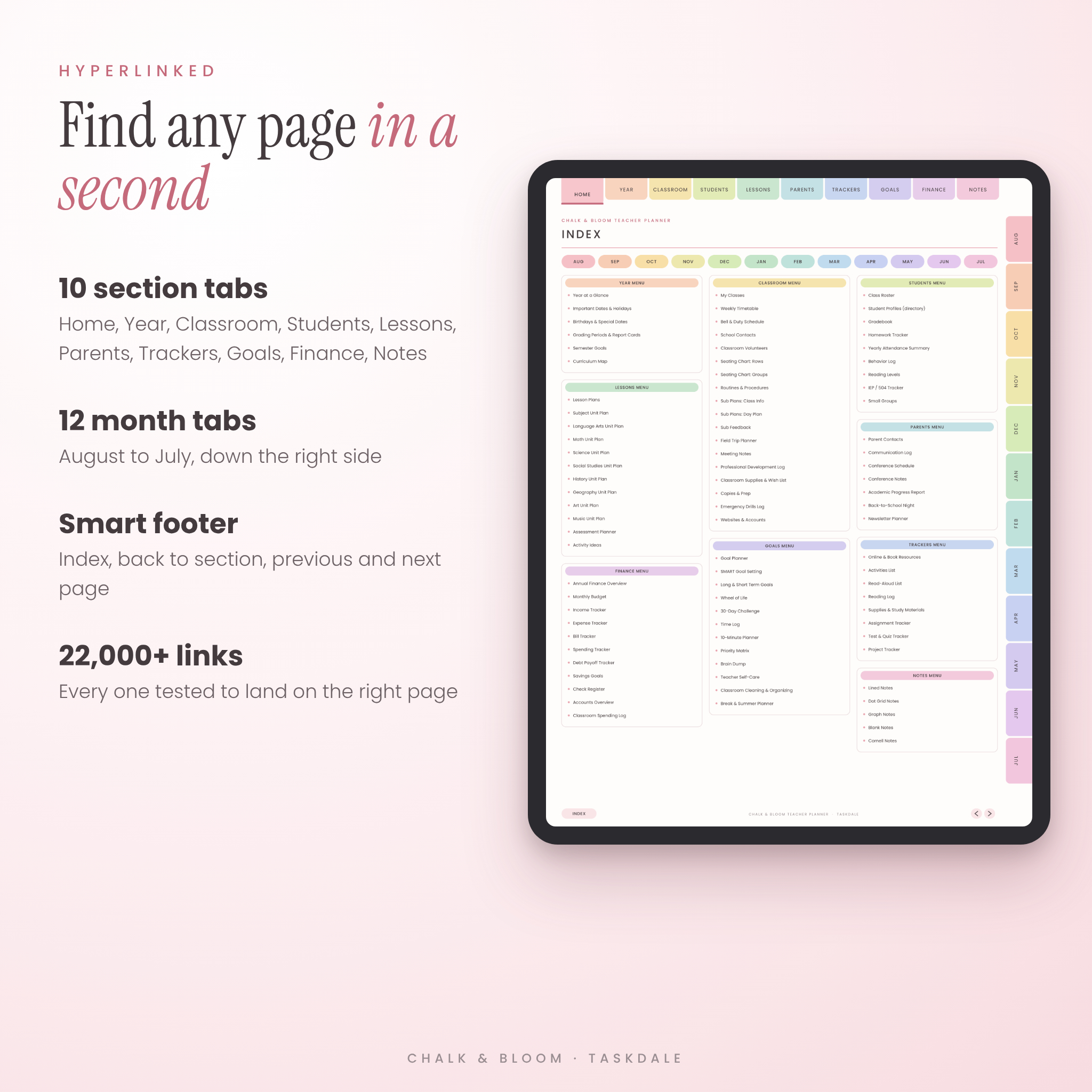
- 10 section tabs across the top: Home, Year, Classroom, Students, Lessons, Parents, Trackers, Goals, Finance and Notes.
- 12 month tabs down the side, running August to July like a real school year.
- A footer on every page that takes you home, back to the section, or to the next and previous page.
- Over 22,000 links, each one checked to land on the right page.
Who it’s for
Elementary, middle and high school teachers who plan on an iPad or Android tablet. Homeschool parents who want lesson plans and records in one place. Specialists, tutors and student teachers. And anyone who still loves paper, thanks to the printable files.
What’s included
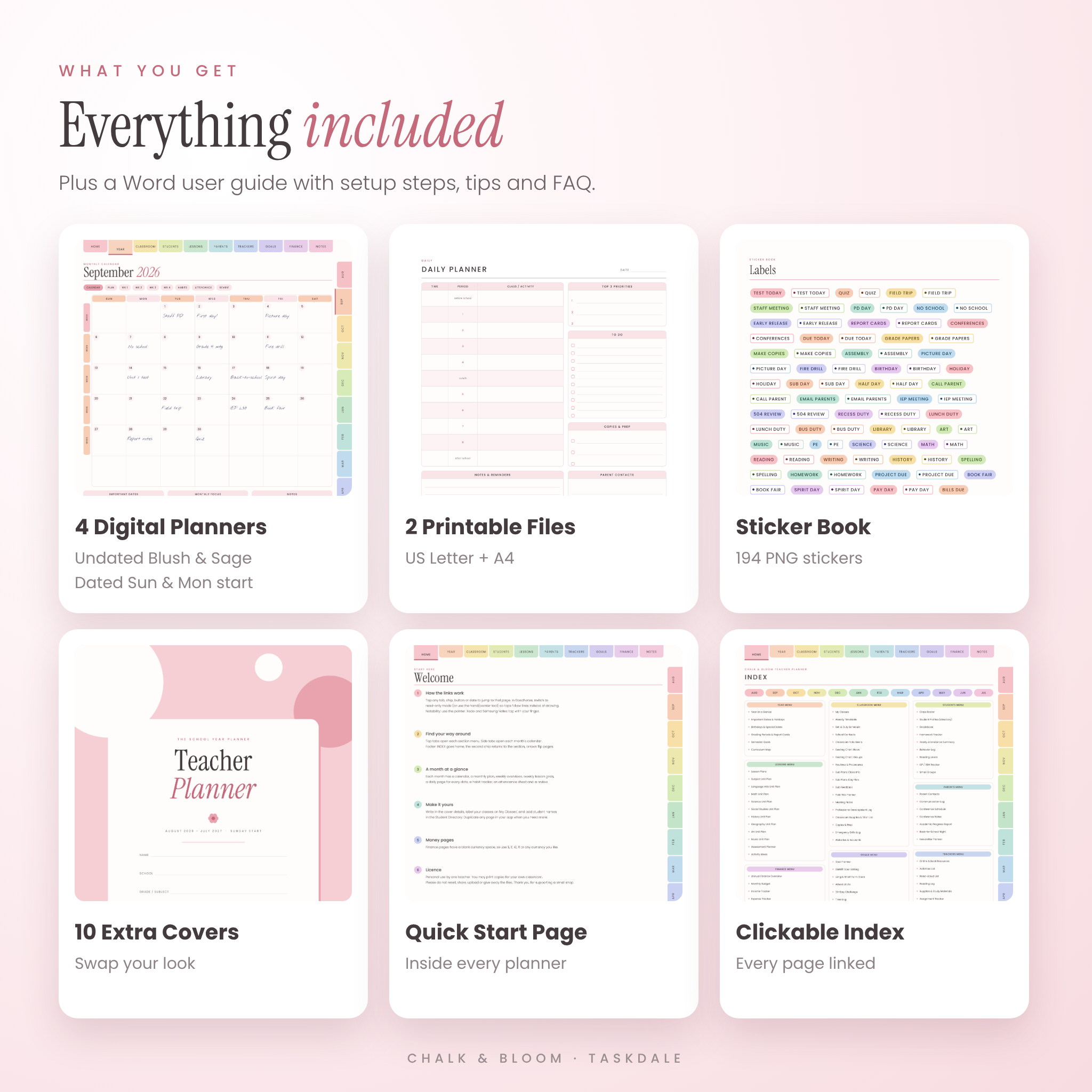
- Digital Teacher Planner, undated, Blush colorway (732 pages)
- Digital Teacher Planner, undated, Sage colorway (732 pages)
- Digital Teacher Planner, August 2026 to July 2027, Sunday start (717 pages)
- Digital Teacher Planner, August 2026 to July 2027, Monday start (717 pages)
- Printable Teacher Planner, US Letter (119 pages)
- Printable Teacher Planner, A4 (119 pages)
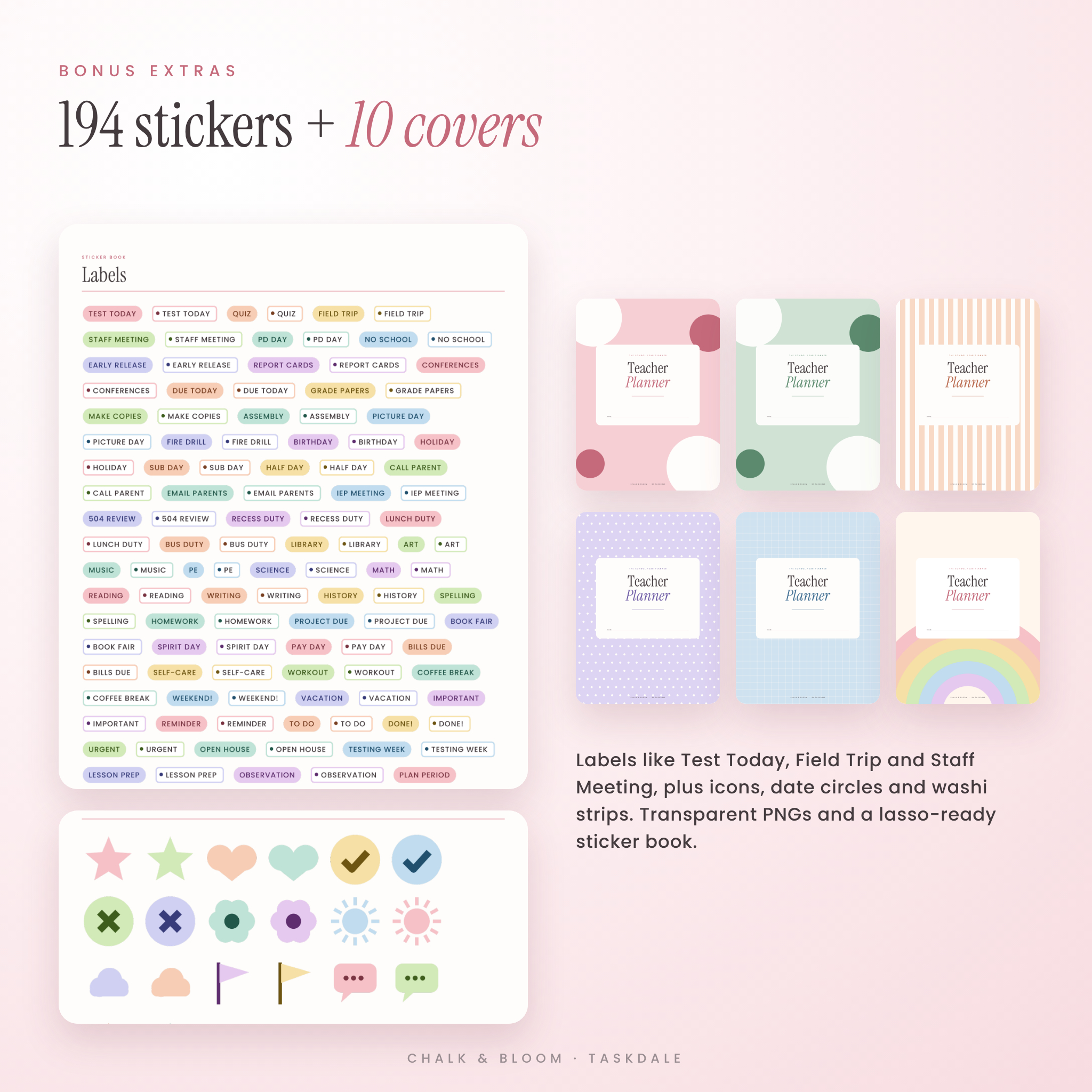
- Sticker Book PDF to lasso-copy from
- 194 transparent PNG stickers and 10 alternative covers (ZIP)
- User guide (Word document) with setup steps, tips, troubleshooting and FAQ
Features inside every digital planner
Year planning
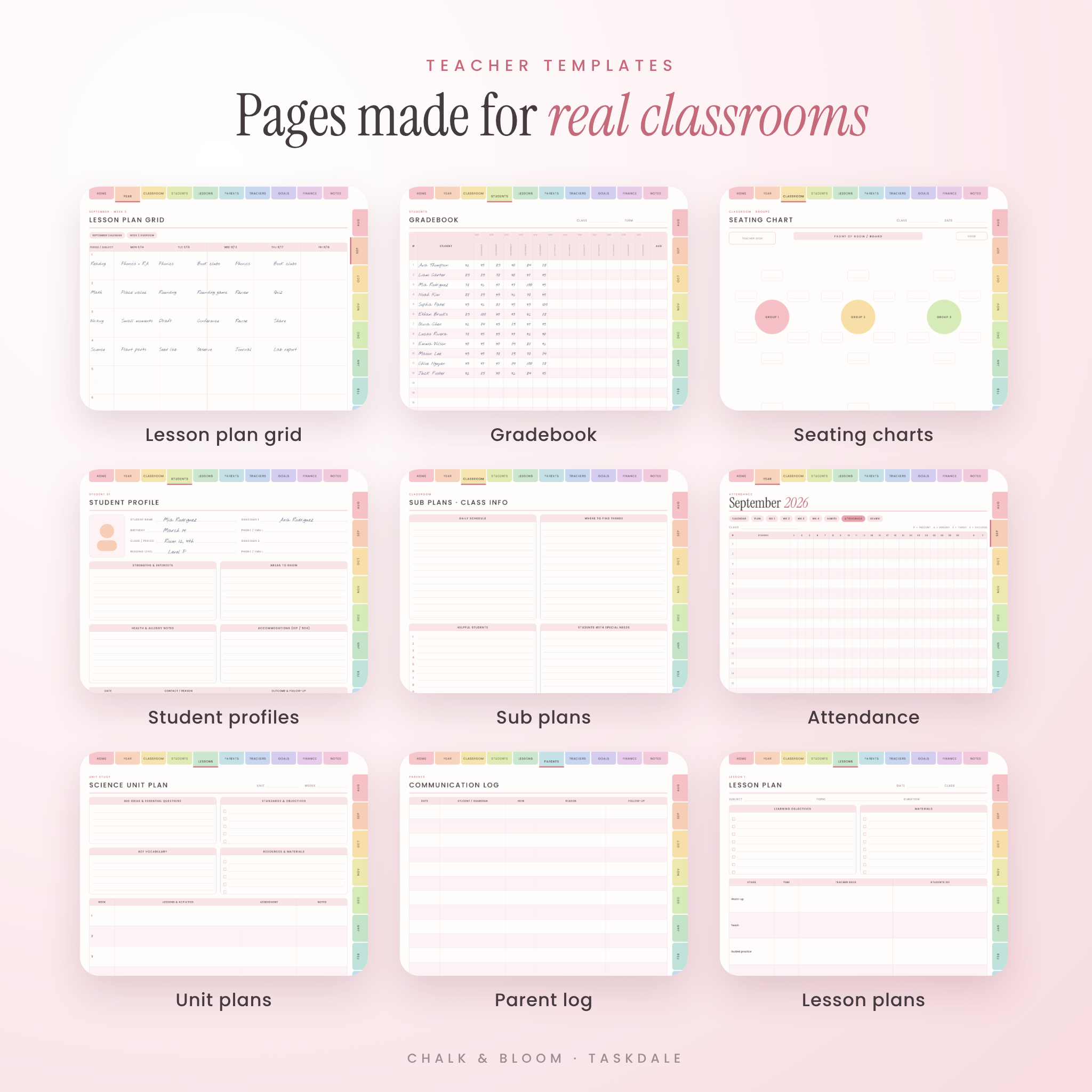
Year at a glance, important dates and holidays, birthdays by month, grading periods and report card dates, semester goals and a curriculum map.
Monthly, weekly and daily pages
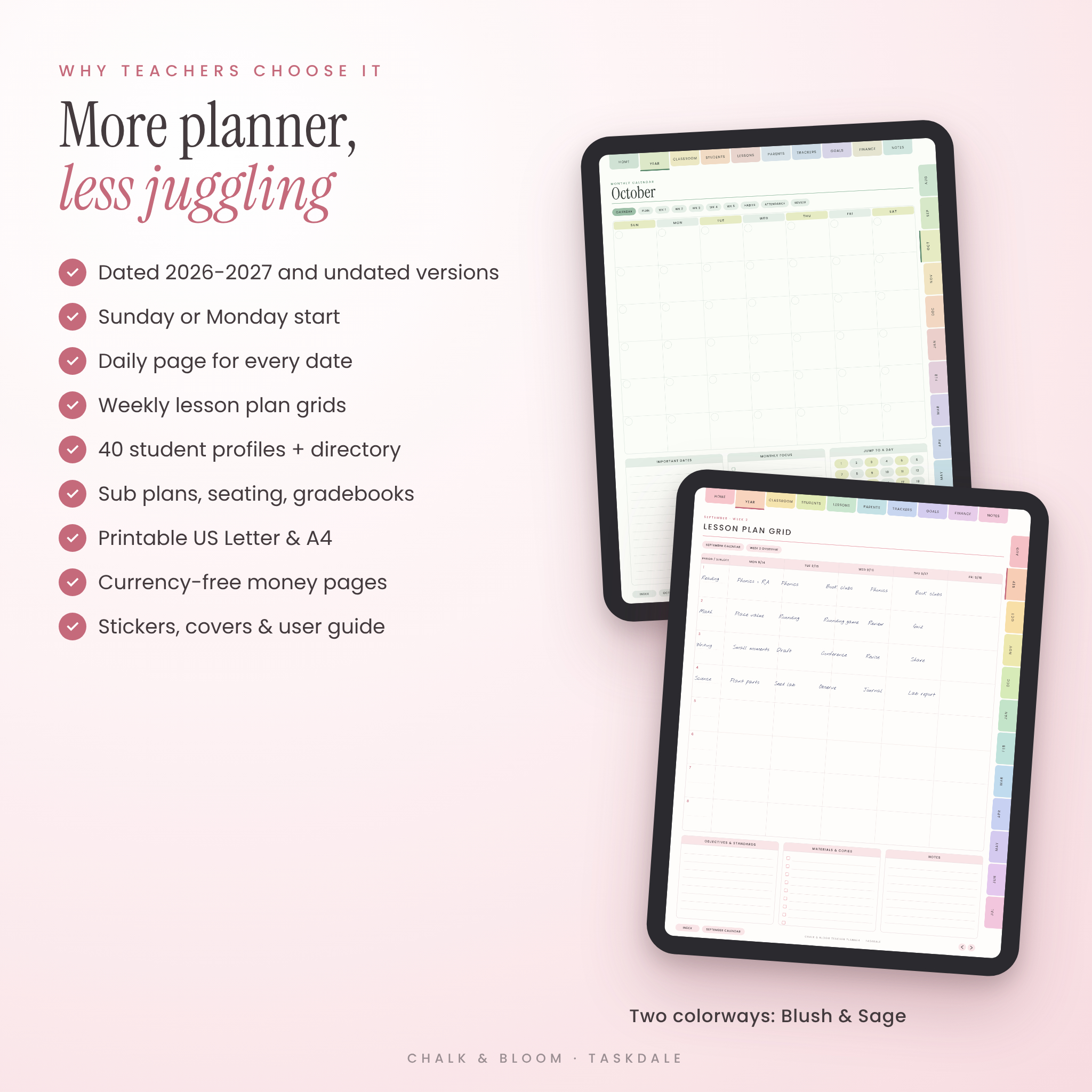
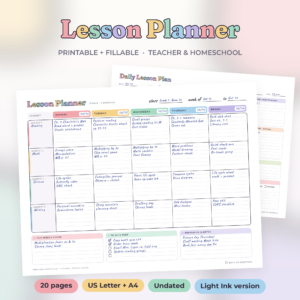
Each month has a calendar, a monthly plan, a habit tracker, an attendance sheet and a month-end review. Every week gets an overview page and a lesson plan grid with 8 periods across Monday to Friday. Every date gets its own daily page with a period schedule, top 3 priorities, to-dos, copies to make, parent contacts and notes. In the dated versions, the calendar dates and week buttons are all clickable, and attendance sheets already list each month’s school days.
Classroom pages
My Classes (up to 8), a 10-period weekly timetable, bell and duty schedule, school contacts, volunteers, seating charts in rows and groups, routines and procedures, three substitute plan pages, a field trip planner, meeting notes, a PD log, supplies and wish list, copies and prep, emergency drills and a websites list.
Student pages
Class rosters, a clickable Student Directory linked to 40 student profiles, four 30-student gradebooks, homework trackers, a yearly attendance summary, behavior log, reading levels, an IEP and 504 tracker, and a small groups planner.
Lessons and parents
12 detailed lesson plans, 9 unit plans (Language Arts, Math, Science, Social Studies, History, Geography, Art, Music and one open subject), an assessment planner and activity ideas. Parent pages cover contacts, communication logs, conference schedules and notes, progress reports, back-to-school night and a class newsletter planner.
Trackers, goals, finance and notes
Eight trackers for resources, read-alouds, reading logs, supplies, assignments, tests and projects. Twelve goal and wellbeing pages, including a wheel of life, 30-day challenge, priority matrix and teacher self-care. Eleven money pages, including a classroom spending log. Finance pages leave a blank currency space, so they work in dollars or any other currency. Twenty notes pages in lined, dot grid, graph, blank and Cornell styles.
How it works
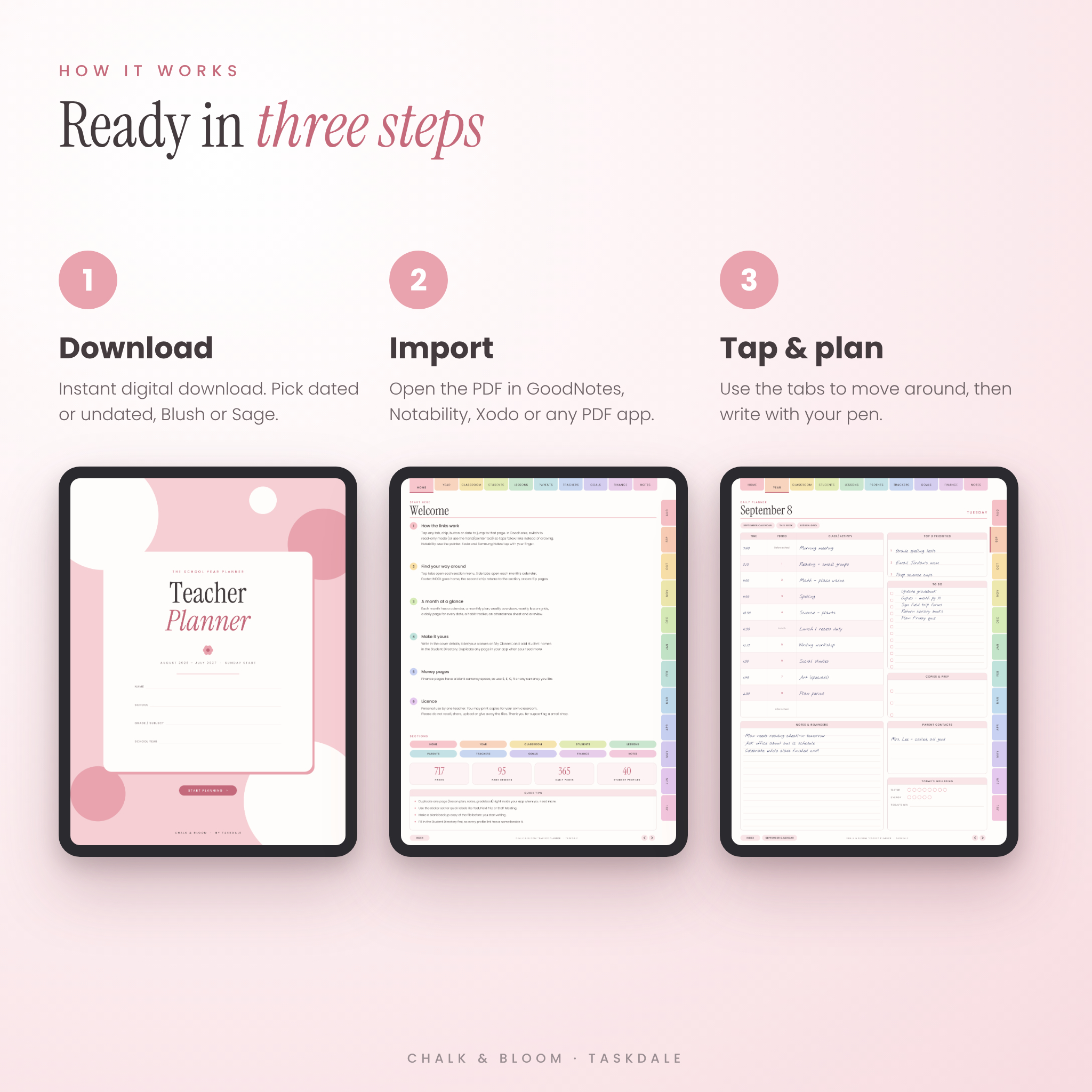
- Download the files right after checkout.
- Open your chosen planner PDF in GoodNotes, Notability or another PDF app.
- Switch to read-only mode or the pointer tool to tap links. Switch back to your pen to write.
Prefer paper? Print the Letter or A4 file at 100%. The printable version has one copy of every page design on a white background, so you print only what you need.
File formats and requirements
- PDF files (digital planners, printables and sticker book), PNG stickers and covers in a ZIP, and a DOCX user guide
- Digital pages are sized for tablets (3:4 portrait). Printables come in US Letter and A4
- Works with GoodNotes, Notability, Xodo, Noteshelf, Samsung Notes and other PDF annotation apps that support hyperlinks
- A tablet with a stylus is ideal. A phone can open the files, but the pages will feel small
Customization
Pick Blush or Sage, swap in one of 10 covers, and decorate with stickers made for teachers: Test Today, Field Trip, Staff Meeting, Report Cards, IEP Meeting and many more. Need extra lesson plans or notes pages? Duplicate them inside your app in one tap.
Real ways teachers use it
- A fourth-grade teacher plans the week’s reading and math groups on Sunday night, then works from the daily page all week.
- A high school teacher keeps each class period’s gradebook and seating chart a tap apart.
- A teacher out sick sends the sub plan pages to the office in minutes.
- A homeschool parent tracks unit plans, reading logs and attendance for the state record.
Digital download
This is an instant digital download. Nothing physical will be shipped. Colors may look slightly different from screen to screen.
FAQ
Does this teacher planner work with GoodNotes?
Yes. Import the PDF into GoodNotes, then use read-only mode to tap links and writing mode to fill in pages.
Is it dated or undated?
Both. You get dated August 2026 to July 2027 planners (Sunday and Monday start) and undated planners for any year.
Can I print it?
Yes. Printable US Letter and A4 files are included.
Does it work on Android or Windows?
It works in any app that opens PDFs with hyperlinks, such as GoodNotes for Android and Windows, Xodo or Samsung Notes.
How many students does it hold?
Rosters, gradebooks and attendance sheets hold 30 students per page, and there are 40 linked student profiles. Duplicate pages if you teach more.
Can I use it for homeschool?
Yes. Lesson plans, unit plans, reading logs and attendance all suit homeschool records.
Can I share it with another teacher?
The license covers one teacher for personal use. Please don’t share or resell the files.
License: personal use by one teacher. You may print pages for your own classroom. Resale, sharing or redistribution is not allowed. © Taskdale.
Reviews
There are no reviews yet.