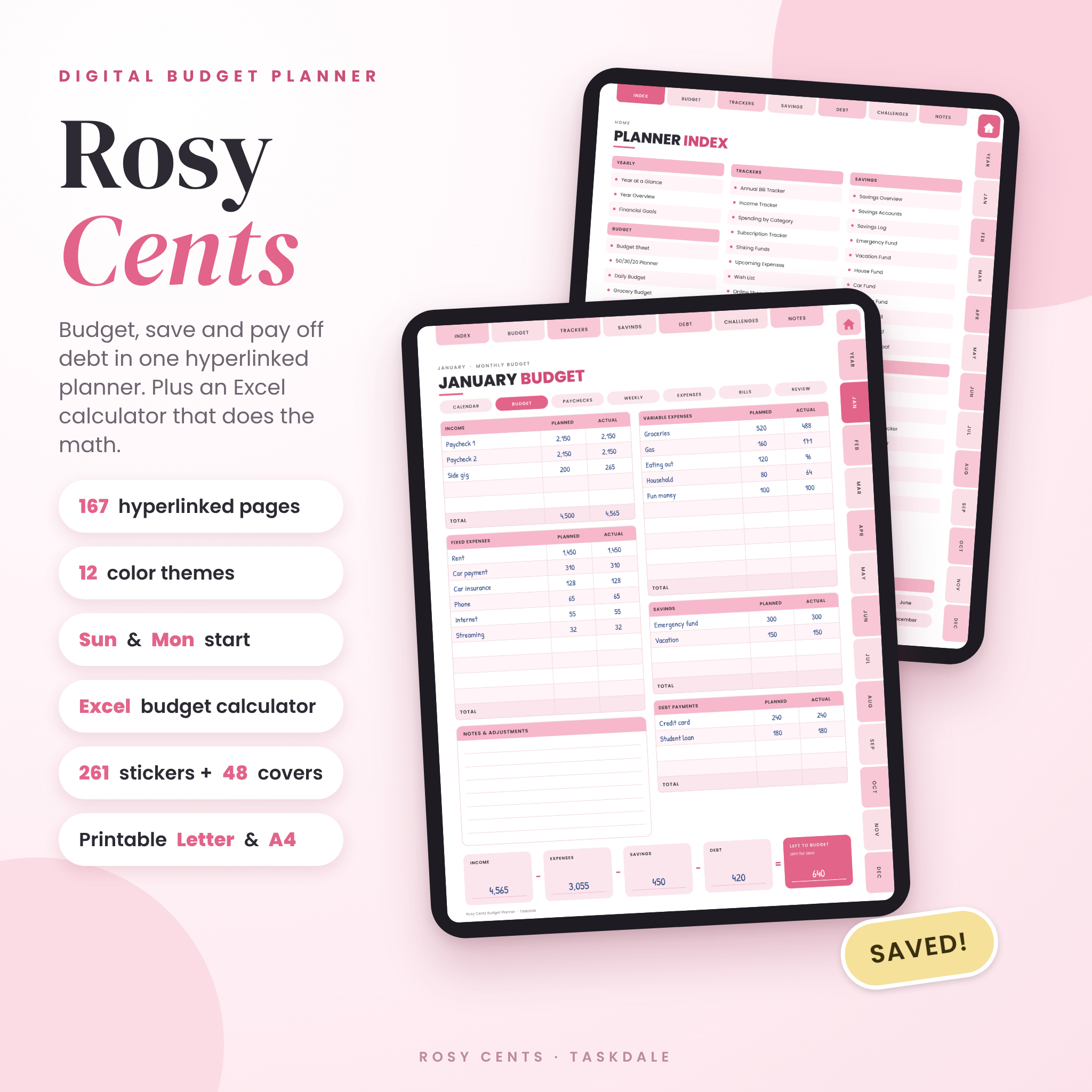
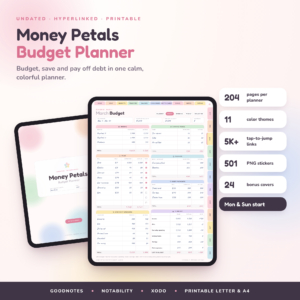
Rosy Cents is a digital budget planner for people who want to see where their money goes and decide where it goes next. It has 167 hyperlinked pages, so one tap takes you to any month, tracker or goal. Write in it on your iPad or tablet, or print the pages at home. A bonus Excel calculator adds everything up for you.
It’s undated. Start this month, not next January.
What this digital budget planner does
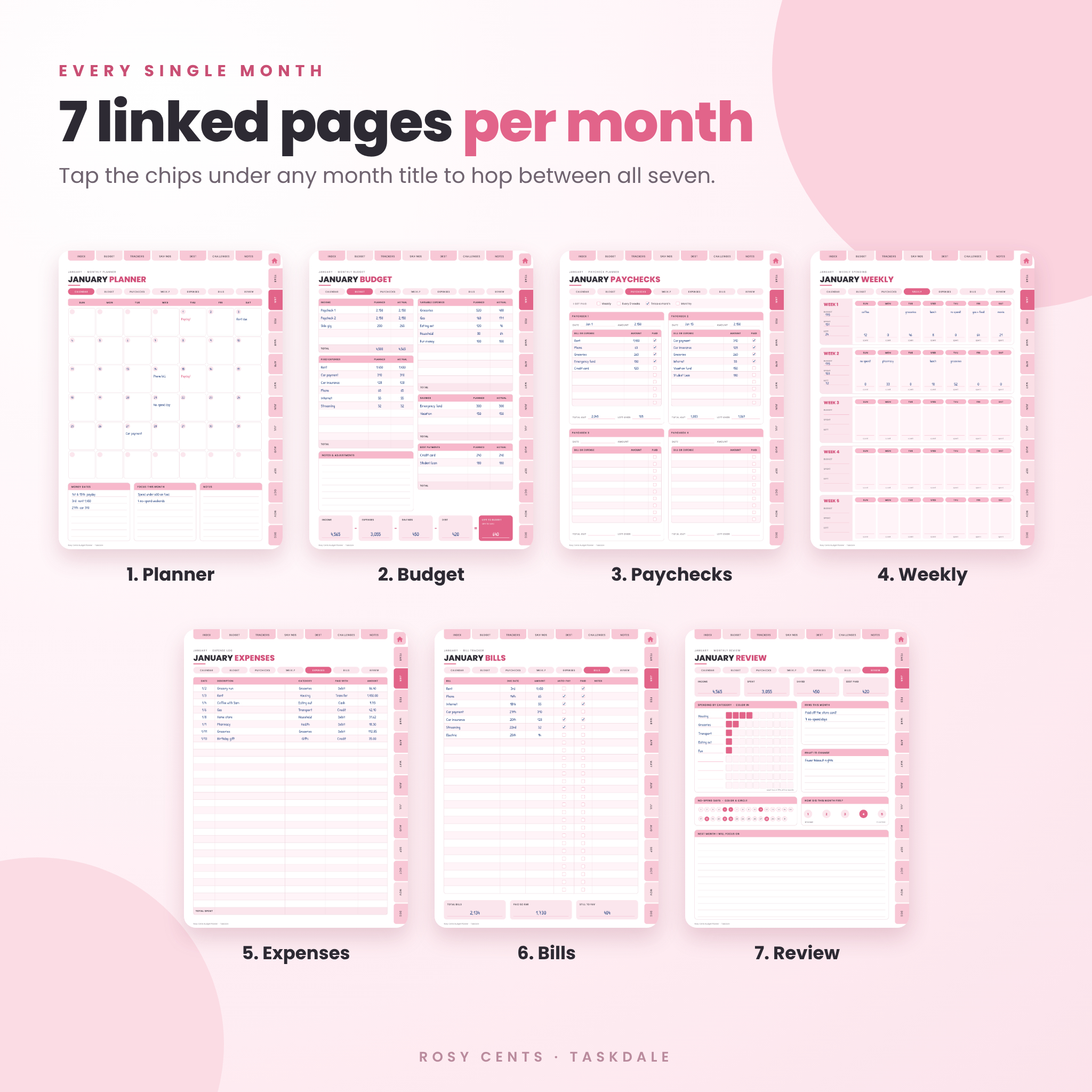
Most budget planners give you a pile of pages and leave you to figure out the rest. Rosy Cents gives every month seven pages that link to each other, in the order you actually use them. You plan your income, split each paycheck, log what you spend, tick off bills and close the month with a review. The trackers, savings pages and debt pages sit in their own sections, one tap away from anywhere.
Who it’s for
- Anyone living paycheck to paycheck who wants breathing room
- People paying off credit cards, a car loan or student loans
- Savers building an emergency fund, a trip fund or a down payment
- Couples who want a simple monthly money date
- Complete beginners. No budgeting knowledge needed
What’s included
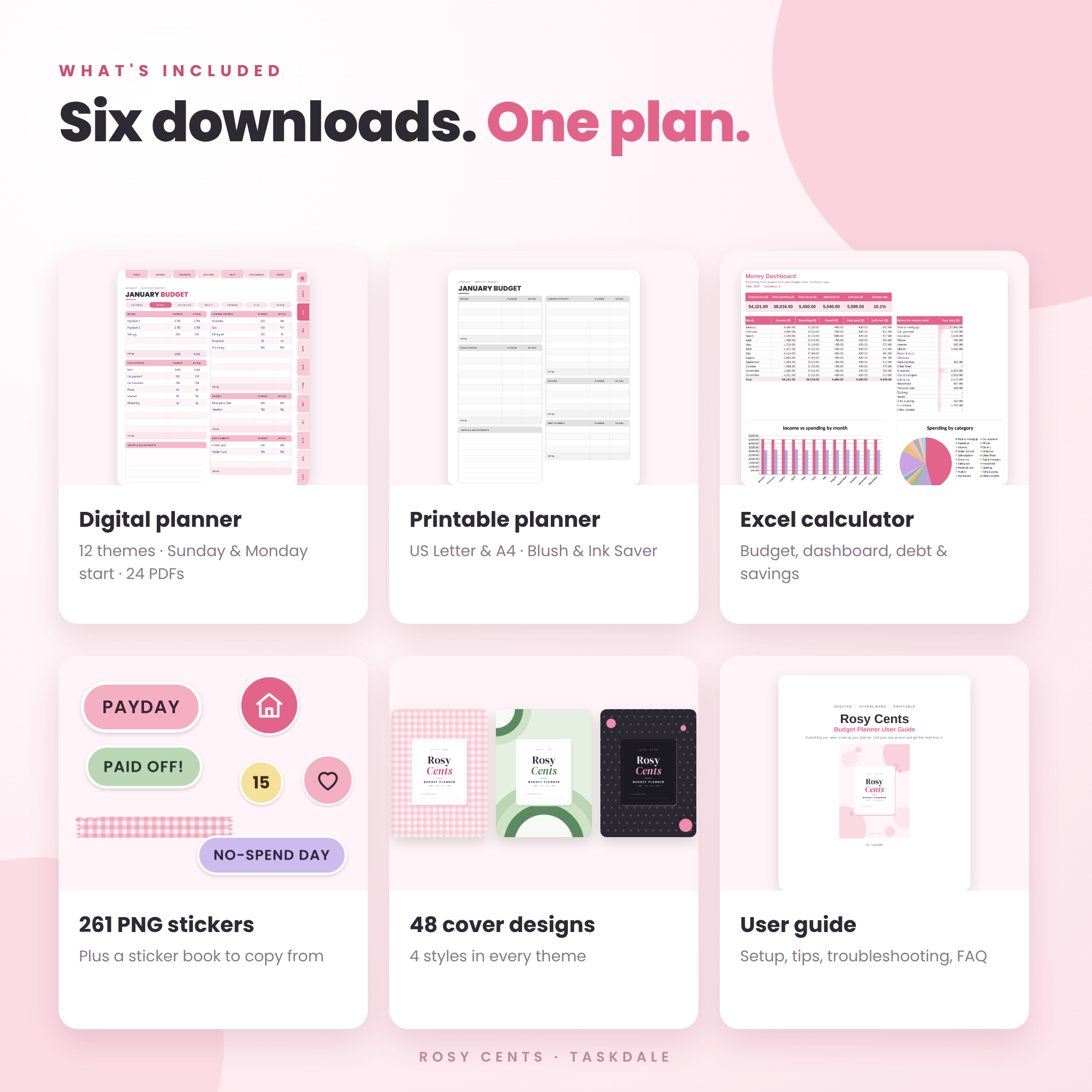
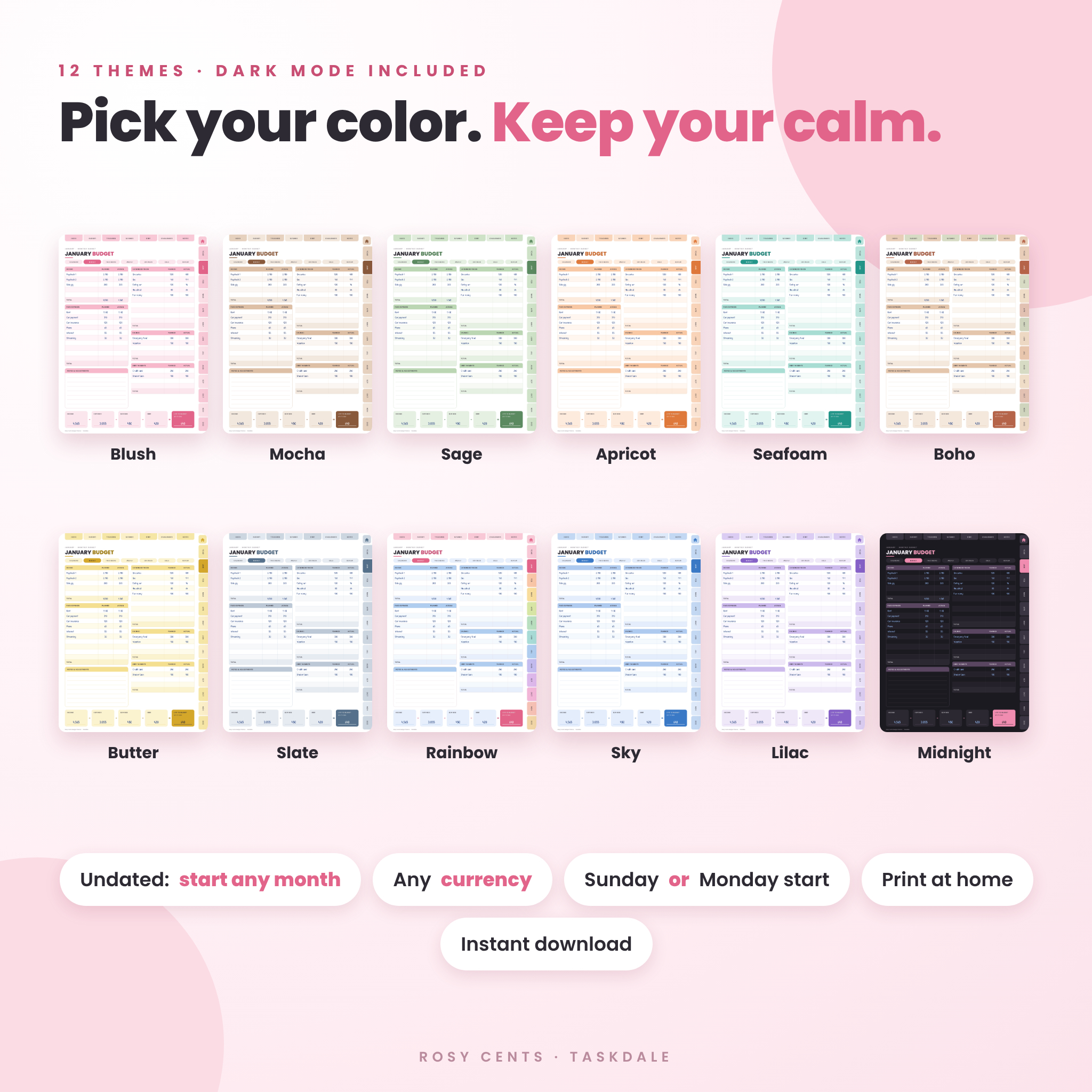
- Digital planner: 167 hyperlinked pages in 12 color themes (Blush, Mocha, Sage, Apricot, Seafoam, Boho, Butter, Slate, Rainbow, Sky, Lilac and dark Midnight). Each theme comes with a Sunday start and a Monday start. 24 PDF files in total.
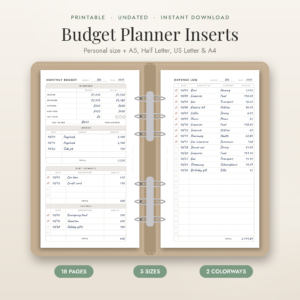
- Printable planner: every page sized for US Letter and A4, in Blush and a gray Ink Saver version, Sunday or Monday start. 8 PDF files.
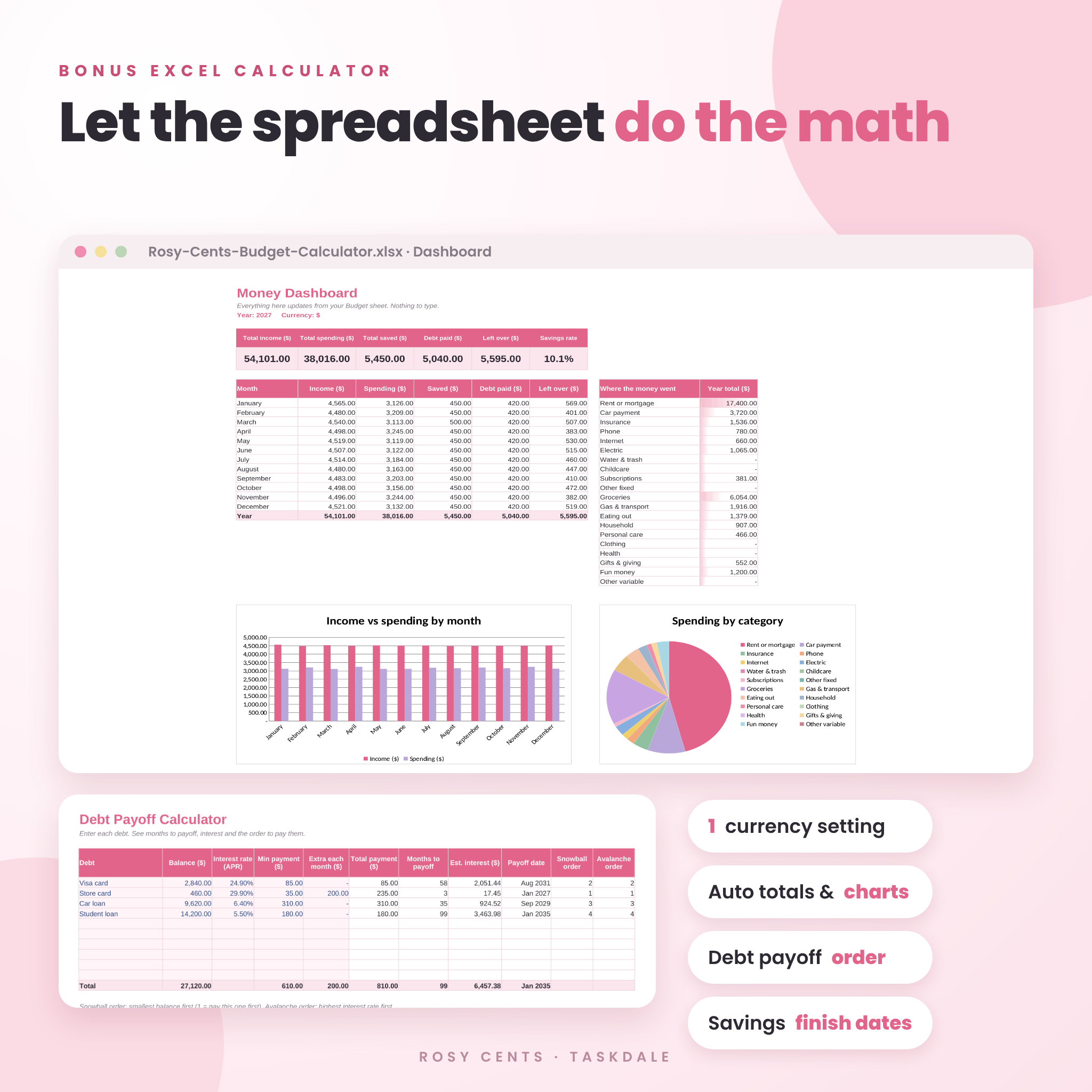
- Excel budget calculator: yearly budget, dashboard with charts, paycheck split, savings goals and debt payoff calculator.
- 261 PNG stickers plus a sticker book PDF you can copy from.
- 48 cover designs, four styles in every theme.
- User guide (Word document) with setup steps, troubleshooting and FAQ.
Features
Monthly pages (7 for every month)
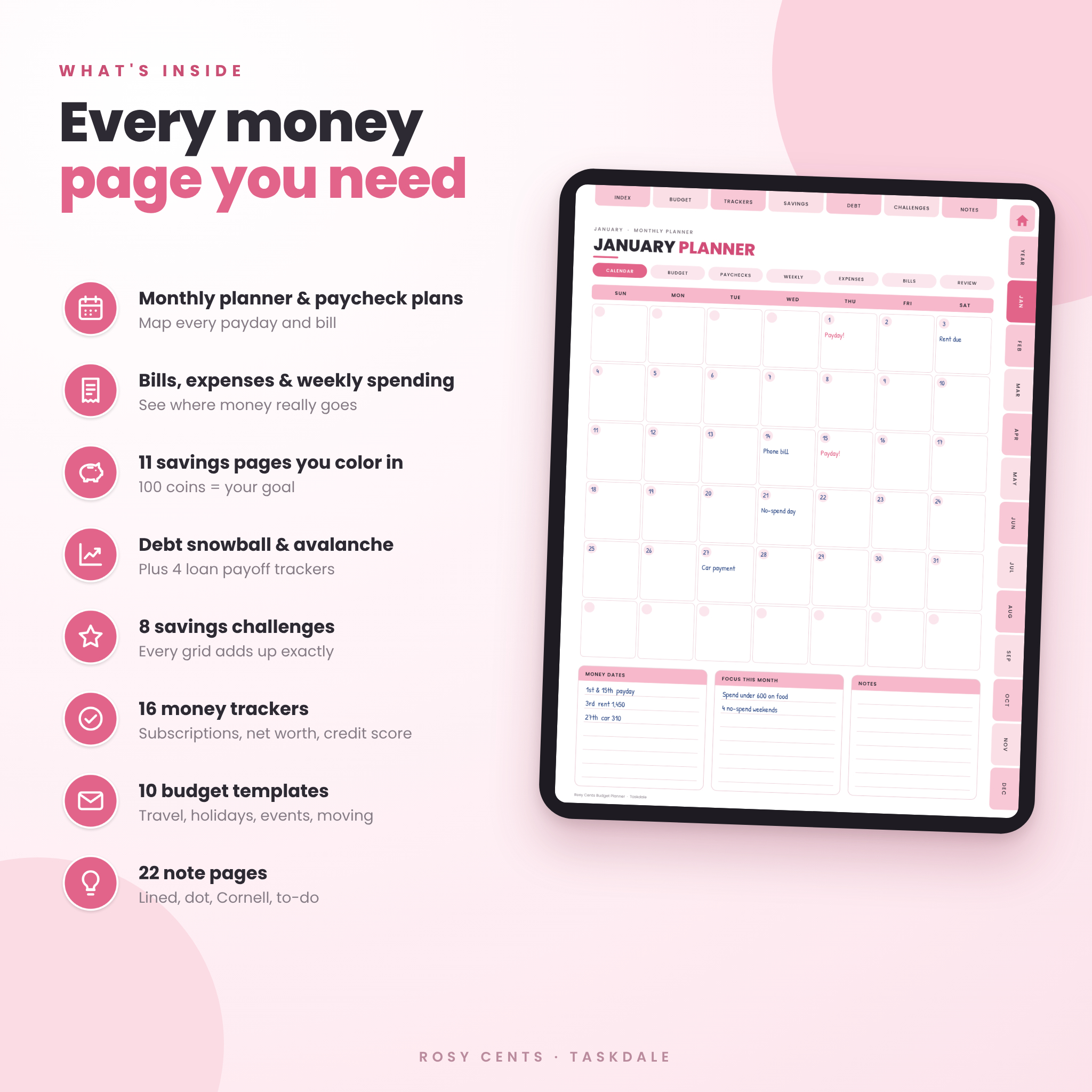
- Monthly planner calendar with space for money dates, focus and notes
- Monthly budget with planned and actual columns for income, fixed and variable expenses, savings and debt, plus a left-to-budget summary for zero-based budgeting
- Paycheck budget for up to four paychecks, with a paid box for every bill
- Weekly spending page with a box for every day of each week
- Expense log
- Bill tracker with auto-pay and paid boxes
- Monthly review with a color-in spending chart and no-spend day tracker
A row of chips under every month title jumps between all seven pages, so you never go hunting.
Yearly pages
Year at a glance, a year overview with a color-in savings chart, and six financial goal cards with progress bars.
16 money trackers
Annual bill tracker, income tracker, spending by category, subscription tracker, sinking funds, upcoming expenses, wish list with a 30-day rule, online shopping tracker, buy now pay later tracker, money habit tracker, net worth tracker, credit score tracker, investment tracker, retirement fund tracker, giving and donations, and a tax deduction log.
Savings tracker pages
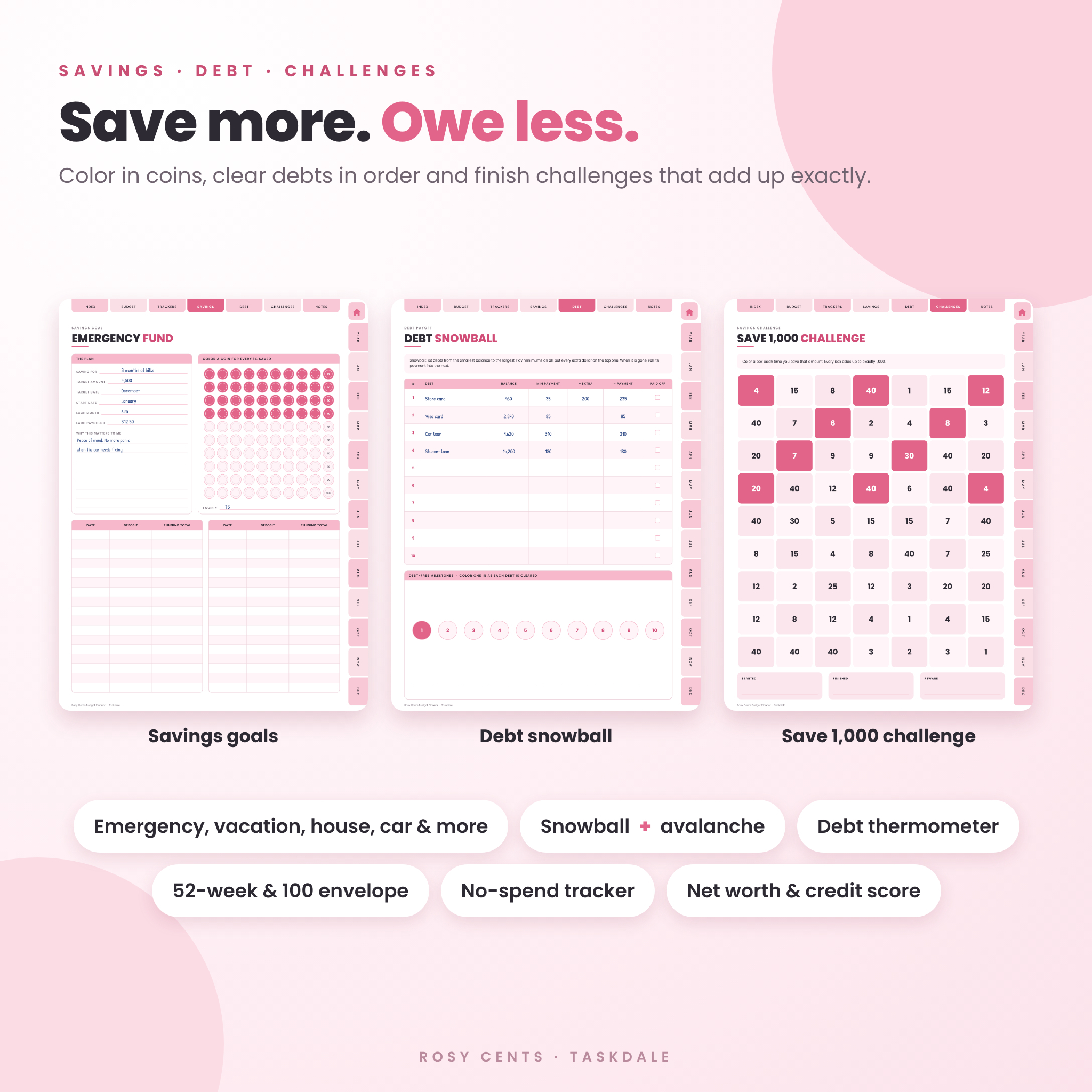
Savings overview, savings accounts and a savings log, plus goal pages for an emergency fund, vacation, house, car, wedding, holidays, birthdays and one goal of your own. Each goal page has 100 coins to color in, one for every 1% you save.
Debt payoff pages
Debt overview, debt snowball, debt avalanche, a debt payment tracker, a debt thermometer, and payoff trackers for a credit card, car loan, student loan and mortgage.
8 savings challenges
Save 500, 1,000, 2,500, 5,000 and 10,000, the 52-week challenge, the 100 envelope challenge and a no-spend challenge. Every challenge grid adds up to exactly its total.
Budget templates and notes
Budget sheet, 50/30/20 planner, daily budget, grocery budget, travel budget, holiday gift budget, event budget, new home budget, bank account details and credit card details (last four digits only, for your safety). Plus 22 note pages: lined, dot grid, graph, blank, to-do, Cornell, checklist, two column, money meeting and brain dump.
The Excel budget calculator
Type in the pink cells. The rest is done for you. Set your currency once and every money heading updates. Formula cells are locked so they can’t be overwritten by accident, with no password if you ever want to change them.
- Budget: plan vs actual for all 12 months, with year totals, monthly averages and a left-over line that turns red below zero
- Dashboard: income, spending, savings rate, an income vs spending chart and a spending by category chart
- Paycheck split: 50/30/20 or your own percentages
- Savings goals: what’s left, percent done, months to go and an estimated finish month
- Debt payoff: months to payoff, estimated interest, payoff month and your snowball and avalanche order
How it works
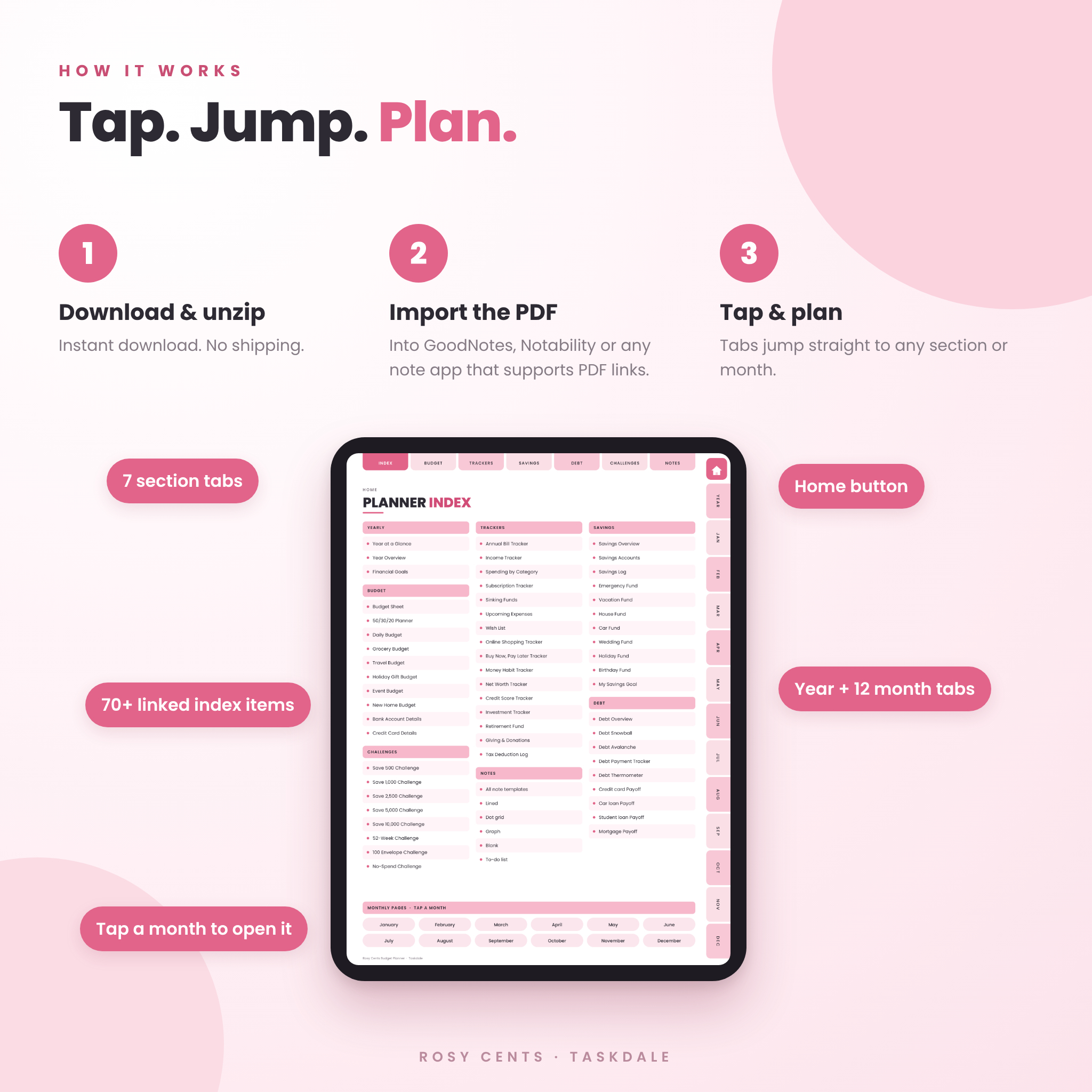
- Download and unzip your files.
- Pick a theme and import the PDF into your note app.
- Tap the cover to open the index, then tap any tab to jump there.
- Open the calculator in Excel whenever you want the totals done for you.
File formats and software
- Hyperlinked PDF for note apps that support PDF links, such as GoodNotes, Notability, Noteshelf and Xodo
- Printable PDF in US Letter (8.5 x 11 in) and A4
- Excel workbook (.xlsx)
- PNG stickers and covers with see-through backgrounds
- Word user guide (.docx)
Pages are designed in portrait for iPad and Android tablets. Each planner file is about 1 MB, so it opens quickly.
Make it yours
Swap themes or covers whenever you like. Write your own category names. Use any currency: money fields in the planner say Amount, and the calculator has one currency setting. Pick Sunday or Monday start. Duplicate any page you need more of.
Real ways people use it
- Splitting a biweekly paycheck so rent is covered before payday
- Paying off three credit cards with the snowball method and coloring in the thermometer
- Saving for a family vacation with a countdown on the travel budget
- Planning holiday gifts without the January credit card shock
- A Sunday money date with a partner, using the review and weekly pages
Digital download
This is an instant digital download. Nothing is shipped. Your files are ready as soon as checkout is complete. You’ll need an app that can open PDF files, and Excel (or another spreadsheet app that opens .xlsx files) for the calculator.
Personal use only. Please don’t resell, share or upload the files.
FAQ
Is this budget planner dated?
No. It’s undated, so you can start in any month and reuse it every year.
Does it work with GoodNotes and Notability?
It’s a standard hyperlinked PDF, so it works in note apps that support PDF links, including GoodNotes, Notability, Noteshelf and Xodo.
Can I use it on an Android tablet?
Yes, with a note app that supports PDF links, such as Xodo or Noteshelf.
Can I print it?
Yes. Printable US Letter and A4 versions are included, in color and in a gray Ink Saver version.
Do I need Excel?
Only for the bonus calculator. The planner works on its own.
Can I use my own currency?
Yes. The planner uses neutral Amount fields, and the calculator has one currency setting for the whole file.
Is there a dark mode?
Yes. The Midnight theme is dark. Use a light pen color with it.
Reviews
There are no reviews yet.