Most bought planners are about 60 percent right. The weekly spread is great, but the daily pages go unused, the habit tracker is too small, and there’s no space at all for meal planning. By April you’ve got 200 blank pages and a stack of sticky notes doing the real work.
So build your own planner instead. Pick the layouts you’ll use, print them, put them in a binder, and swap pages out when your life changes. It’s cheaper than buying a new planner every time your routine shifts, and it fits you rather than some imaginary average person.
Here’s how to do it without ending up with a binder full of pretty pages you never fill in.
Step 1: Look at what you plan right now
Before you print a single page, spend a week noticing what you actually write down. Not what you wish you planned. What you do plan.
Check your phone notes, the back of envelopes, the whiteboard on the fridge. Maybe it’s appointments and a grocery list. Maybe it’s work tasks and a budget. Write the categories down. Most people land on four to six.
That list is your planner’s table of contents. Anything not on it can wait.
Step 2: Choose a core layout (daily, weekly or both)
This is the page you’ll open every day, so pick it carefully.
- A weekly spread suits most people. You see the whole week, spot clashes and plan around them.
- A daily page suits heavy days: lots of meetings, lots of tasks, or time blocking.
- Both works if you plan weekly on Sunday and then zoom in each morning. Just be honest with yourself about whether you’ll fill both.
Add a monthly calendar for the long view (birthdays, bills, school holidays). That trio of month, week and day covers the planning side for most people.
Step 3: Add only the trackers you’ll use
Trackers are where homemade planners get bloated. There are pages for water, sleep, mood, workouts, reading, savings, and they all look lovely on Pinterest.
A rule that works: one tracker per real goal. Trying to save for a holiday? Add a savings tracker. Want to read more? Add a reading log. Leave the other 20 out. You can always print them later, and that’s the whole point of building your own.
How to build your own planner with a printable library
You could hunt down free pages one at a time, but they never match. Different fonts, different margins, some A4, some Letter. It ends up looking like a ransom note.
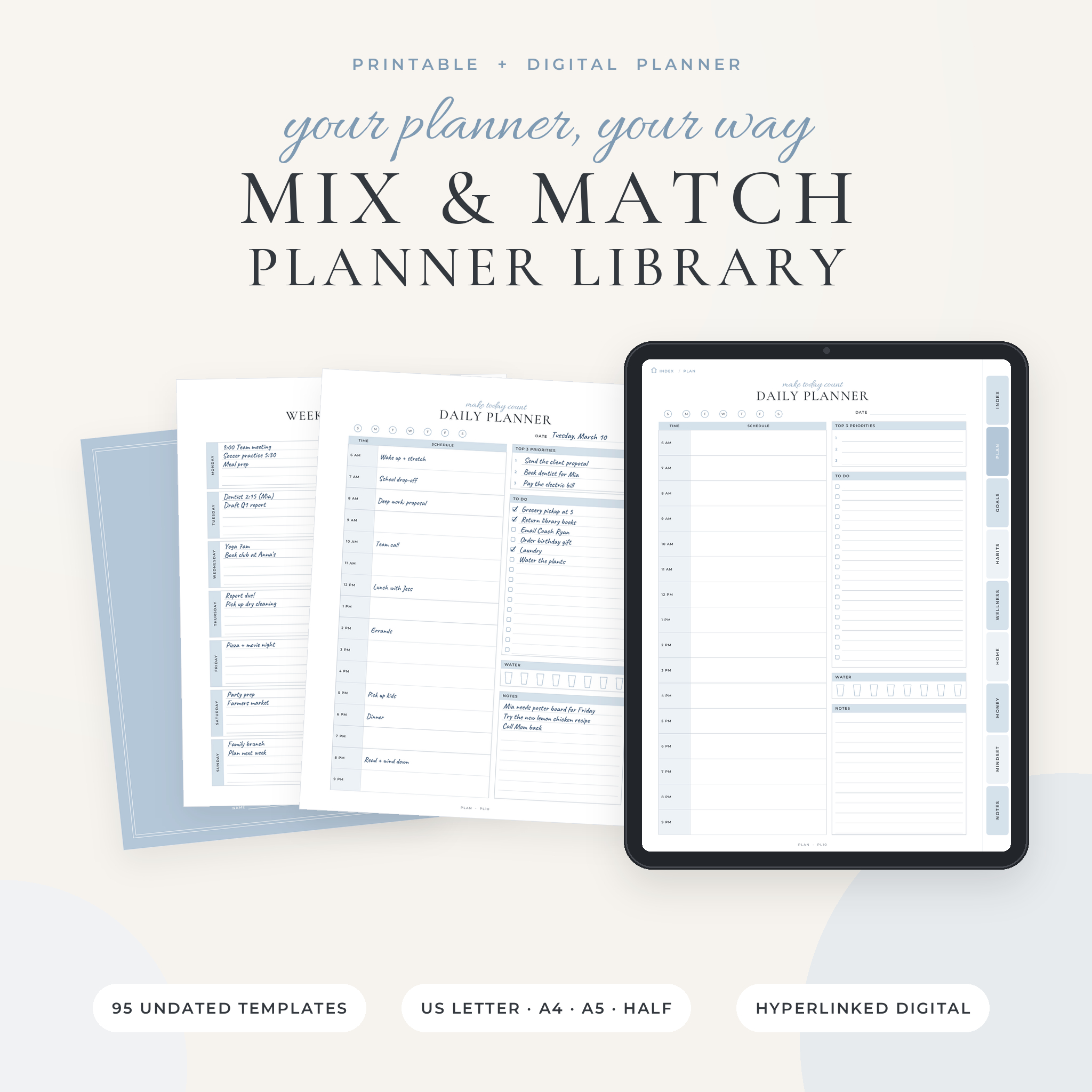
A single library of matching pages solves that. The Mix & Match Planner Library has 95 undated templates in one style, sorted into eight sections:
- Plan (17 pages): year at a glance, monthly calendars, weekly planners, daily pages, time blocking, weekly and monthly reviews
- Goals (14 pages): SMART goals, priority matrix, project planner, to-do list, brain dump, Pomodoro tracker
- Habits (10 pages): habit trackers, a 66-day habit builder, mood tracker, year in pixels, reading log
- Wellness (11 pages): water, sleep, workouts, meditation, medication and health appointments
- Home (11 pages): meal planner, grocery list, cleaning schedule, chore chart, travel and packing
- Money (13 pages): monthly budget, paycheck budget, bills, sinking funds, debt payoff, no-spend challenge
- Mindset (12 pages): gratitude, affirmations, journal prompts, thought reframe pages
- Notes (7 pages): lined, dot grid, graph, Cornell notes and meeting notes
Each page has a short code printed at the bottom (the Daily Planner is PL10, for example), and the codes match across every size. So when you run out of weekly pages, you just reprint that code. No scrolling through a 100-page PDF.
Step 4: Pick a size and a binder
Size decides whether your planner lives on a desk or in a bag.
| Size | Good for |
|---|---|
| US Letter or A4 | Desk planning, lots of writing space, family command binders |
| A5 or Half Letter | Carrying around, disc planners, smaller handwriting |
The library comes in all four sizes (US Letter, A4, A5 and Half Letter). There’s a neat trick for small planners without special paper: print the A5 file two pages per sheet on A4, or the Half Letter file two per sheet on US Letter, then cut the sheets in half. The pages also have a wider left margin, so ring and disc punches miss your writing.
Step 5: Use dividers and keep the order simple
Put the page you use most at the front. Usually that’s the current week. Then the monthly calendar, then trackers, then reference pages like contacts and notes.
Section dividers make a big difference here. Flipping to “Money” in two seconds beats leafing through 40 pages. The library includes 8 section dividers, 3 cover designs and a linked index, so the binder looks finished, not thrown together.
Example setups
To make this concrete, here are a few builds using pages from the library:
- Family command binder: monthly calendar, weekly meal planner, grocery list, chore chart, important contacts.
- Student planner: weekly planner, reading log, Cornell notes, priority matrix.
- Money binder: monthly budget, bill payment tracker, sinking funds, debt payoff tracker.
- Side business planner: project planner, meeting notes, expense tracker, tax deduction log.
Notice none of them use more than about six page types. That’s not an accident.
Step 6: Review and swap every month
On the last weekend of each month, flip through your planner. Which pages did you fill? Which stayed blank? Pull out the blank ones without guilt and print more of the ones you used.
Because everything is undated, nothing goes to waste. You can start on a Tuesday in March, skip a fortnight on holiday and pick up again without a pile of empty dated pages staring at you.
Prefer a tablet?
You can build a digital version too. The library includes a hyperlinked digital PDF (119 pages) with side tabs on every page and a home button, plus 12 monthly calendars. Import it into a PDF note-taking app that supports internal links, such as GoodNotes, Notability, Noteshelf or Xodo, and tap the tabs in read or view mode.
FAQ
Is it cheaper to build your own planner?
Usually, yes, over time. You buy the templates once and reprint pages as needed, instead of buying a new planner each year. Your main ongoing cost is paper and ink, and you only print what you use.
What do I need to make a DIY planner?
Printable pages, a printer (or a local print shop), a hole punch and a binder or disc system. Dividers and a cover are nice extras. A free PDF reader such as Adobe Acrobat Reader handles the printing.
Can I edit the printable pages?
In this library, no. The pages are print-ready PDFs with blank fields you fill in by hand or with a stylus. Fields like Month and Week Of are blank on purpose, so one page works for any date.
Can I start my week on Monday?
Yes. The monthly calendars and weekly planners come in both Sunday start and Monday start versions.