A business budget template gives a small company one plain answer each month: are we spending what we planned, and is there enough left for payroll, tax and the slow months? You set targets for income and each cost category at the start of the year. Then you compare real numbers against them every month and adjust before small overspends turn into a cash crunch.
This guide is for owners of small companies, from a two-person studio to a crew of fifteen, who want a budget that takes an afternoon to build and half an hour a month to run. You will get a step-by-step build with a worked example, a monthly review routine, the mistakes that wreck most budgets, and four Taskdale spreadsheets that do the adding up for you.
Quick picks
| Product | Best for | Price | Link |
|---|---|---|---|
| Orchid Business Hub | Budget vs actual with goals and a P&L in one file | $6.99 | View |
| Small Business Finance HQ | Budget, cash flow forecast and six dashboards | $7.99 | View |
| Small Business Bookkeeping Spreadsheet Dashboard Bundle | Bills, cash flow and tax estimates | $9.00 | View |
| Small Business Bookkeeping Spreadsheet Bundle Plan | Simple money in, money out with a tax estimate | $3.00 | View |
Budget, bookkeeping and forecast: three different jobs
Owners often mix these up, so it helps to separate them before you build anything.
- Bookkeeping records what already happened. Every sale, every bill, every transfer.
- A budget sets what you plan to earn and spend, category by category, for the year.
- A cash flow forecast predicts when money will actually land in and leave the bank, week by week or month by month.
You need all three, but they feed each other. Your bookkeeping gives you last year’s real numbers, which become the base for this year’s budget. Your budget then tells the forecast roughly what to expect. A good template links them, so you type a transaction once and see it in all three places.
Build your budget in six steps
Take a small landscaping company: the owner, three full-time staff and a seasonal helper. Last year it brought in $420,000. Here is how the owner builds this year’s budget in one afternoon.
1. Start from last year’s actuals
Pull the totals for each category from last year’s books: payroll, materials, fuel, vehicle repairs, insurance, rent for the yard, marketing, software, accounting fees. If your books are a mess, use bank statements and do your best. Rough real numbers beat neat guesses.
2. Set a revenue target you can defend
Do not just add 20 percent because it sounds good. Tie it to something real. The landscaper has two new maintenance contracts worth $3,000 a month together. That is $36,000 extra for the year, so the target becomes $456,000, not a hopeful $500,000.
3. Split costs into fixed and variable
Fixed costs stay the same whether you have a great month or a bad one: rent, insurance, software, base salaries. Variable costs move with sales: materials, fuel, seasonal labor, card fees. Budget fixed costs as a monthly amount. Budget variable costs as a share of revenue.
4. Pay the owner on purpose
Owner pay is a cost, not whatever happens to be left over. Put a real number in the budget. If the business cannot afford it yet, that is worth knowing now.
5. Add a tax reserve and a buffer
Set aside a share of profit for tax each month, at the rate your accountant suggests for your situation. Then add a buffer line for surprises, like a blown mower engine in July.
6. Spread it across the months
Seasonal businesses should not budget twelve equal months. The landscaper earns most from April to October, so revenue and variable costs go into those months, while fixed costs stay flat all year. That spread shows the winter gap clearly, months before it arrives.
What a simple budget looks like
Here is a trimmed version of the landscaper’s annual budget. Your categories will differ, but the shape is the same.
| Category | Type | Annual budget | Share of revenue |
|---|---|---|---|
| Revenue | Income | $456,000 | 100% |
| Staff wages and payroll costs | Fixed | $182,000 | 40% |
| Materials and plants | Variable | $73,000 | 16% |
| Fuel and vehicle costs | Variable | $32,000 | 7% |
| Insurance, yard rent, software | Fixed | $27,000 | 6% |
| Marketing | Fixed | $9,000 | 2% |
| Owner pay | Fixed | $72,000 | 16% |
| Buffer and repairs | Fixed | $14,000 | 3% |
| Left before tax | $47,000 | 10% |
Seeing it as percentages helps. If materials creep from 16 to 20 percent of revenue, that is a pricing or waste problem worth chasing, and you can spot it in a month, not at year end.
Compare budget to actual every month
A budget nobody checks is just a wish list. The value comes from comparing it to real spending each month and asking why things differ.
A good template shows each category with three numbers: budget, actual and the gap. Better still, it flags categories that are near or over the limit, so your eye goes straight to the problem. If fuel is 30 percent over budget in May, you want that in red, not hidden in row 47.
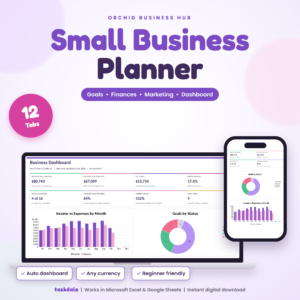
Orchid Business Hub
Price: $6.99 | Best for: owners who want plans and numbers together
A 12-tab workbook for Excel and Google Sheets where income and expenses feed a monthly profit and loss, a budget with On track, Near limit and Over budget flags, and a dashboard with eight live numbers and four charts. It also holds a one-page business plan, 60 goals, an action list, a startup costs sheet, a pricing calculator and a marketing tracker. On the Settings tab, add your currency, plan year, fiscal year start and revenue goal first.
If you are planning a full year ahead from scratch, this guide on how to plan next year with an annual budget template walks through setting yearly targets month by month.
Watch cash, not just profit
A company can be on budget and still run out of money. It happens all the time. A big client pays in 60 days, payroll is due in 14, and the bank account dips below zero on a Thursday.
That is why your budget needs a cash flow forecast beside it. List expected money in by the week or month it will actually arrive, not when you invoiced. List money out the same way. The lowest point in that forecast is the number to watch. If it drops below one month of fixed costs, you have time to act: chase invoices, delay a purchase or arrange a credit line before you need it.
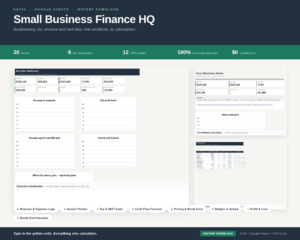
Small Business Finance HQ
Price: $7.99 | Best for: owners who want budget and cash flow linked
A 20-sheet workbook for Excel, Google Sheets, LibreOffice or Numbers with revenue and expense logs, an invoice tracker that turns overdue rows red, a monthly and annual profit and loss, a cash flow forecast with a lowest-point warning, a budget vs actual sheet, a tax and VAT reserve plan and six dashboards. A 15-page guide is included, and it is licensed for one business. Log last month’s income and expenses first so the forecast has real numbers to work from.
Plan for bills and tax before they arrive
The two costs that break small company budgets most often are not the big ones. They are the ones that arrive once a quarter or once a year: insurance renewals, software subscriptions billed annually, license fees and tax payments.
List every irregular bill with its amount and due month. Then divide each one by 12 and set that amount aside monthly. A $4,800 insurance renewal in March becomes $400 a month in a separate savings account. When March arrives, the money is already there. That small habit removes one of the worst feelings in business: a bill you knew was coming and still cannot pay.
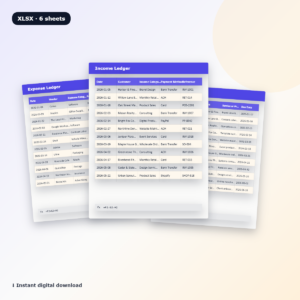
Small Business Bookkeeping Spreadsheet Dashboard Bundle
Price: $9.00 | Best for: freelancers and service businesses
An .xlsx bookkeeping system for Excel and Google Sheets with an income tracker, an expense tracker, monthly profit and loss summaries, a cash flow dashboard, an invoice log, a bill tracker for recurring payments and tax estimate tabs, plus setup instructions. Start by adding every recurring bill to the bill tracker with its due date, then log this month’s income and expenses.
Keep the actuals clean
Your budget is only as good as the bookkeeping behind it. If half the expenses land in “miscellaneous”, the budget vs actual report tells you nothing.
Use the same categories in your books as in your budget. Log transactions weekly, not quarterly. Ten minutes every Friday with the bank feed open is enough for most small companies. Keep receipts in one folder, digital or paper, named by month.
A simple three-sheet system works well for many owners: money in, money out and transfers. Each line gets a category from a dropdown, and the reports build themselves from there.
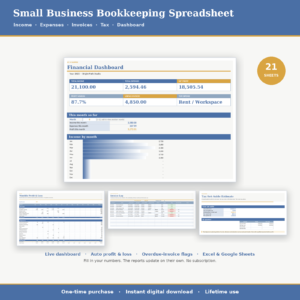
Small Business Bookkeeping Spreadsheet Bundle Plan
Price: $3.00 | Best for: owners who want the simplest setup
A bookkeeping spreadsheet built on three input sheets, money in, money out and transfers, that feeds a running register, a monthly profit and loss, category breakdowns, an invoice tracker with days overdue and a tax estimate sheet. It opens filled with a sample business so you can see how it works. Clear the sample rows, then match the expense categories to your budget categories before entering your own numbers.
For more options, see this roundup of the best bookkeeping spreadsheets for small business.
Test big decisions against the budget first
A budget is not only for tracking. It is the quickest way to test a decision before you make it. Hiring, a new van, a second location: each one changes several lines at once, and the budget shows you the knock-on effects.
Say the landscaper wants to hire a fourth crew member at $46,000 a year including payroll costs. Add that to the wages line and profit before tax drops from $47,000 to $1,000. Too tight. But the new hire also means one more crew, which could take on roughly eight extra maintenance contracts. At $1,500 a month each over the seven-month season, that is $84,000 in new revenue, minus extra materials and fuel. Now the hire looks sensible, as long as the contracts are signed before the start date.
Run this kind of what-if in a copy of your budget, not the real one. Change the numbers, look at the profit line and the cash forecast, then decide. It takes twenty minutes and can save you from a decision that looks fine in your head and painful on paper.
The same works for cuts. If sales dip, test which costs you could trim without hurting the work. Marketing is often the first thing cut and the last thing that should be, so look at software subscriptions and unused services before you touch the line that brings in new customers.
A 30-minute monthly budget review
Put it in the calendar for the first Tuesday of each month. Coffee, laptop, last month’s numbers.
- Check the books are complete. All bank lines categorized, all invoices logged. Ten minutes.
- Read the budget vs actual report. Note any category more than 10 percent over or under.
- Ask why for each one. A one-off repair? A price rise from a supplier? A slow month for sales?
- Check the cash forecast. Is the lowest point in the next three months safe?
- Decide one action. Raise a price, cancel a subscription, chase two invoices, or move money into the tax account.
One action a month adds up to twelve better decisions a year. That is how small companies get steadier, one Tuesday at a time.
Common business budget mistakes
Budgeting revenue you hope for
Base targets on contracts, repeat customers and real trends. Optimism belongs in a separate “stretch” column.
Forgetting the owner
If owner pay is not a line in the budget, the business looks more profitable than it is.
Twelve equal months in a seasonal business
Spread revenue by month. Otherwise winter shortfalls show up as a shock.
Setting it and never reopening it
Revise the budget at mid-year if something big changes, like losing a major client or adding a hire.
Frequently asked questions
What should a small business budget include?
Revenue targets, fixed costs, variable costs, owner pay, a tax reserve, a buffer for surprises, and a monthly spread across the year.
Is Excel or Google Sheets better for a business budget?
Both work. Excel suits owners who work offline. Google Sheets suits teams who share one file. Many templates open in either, and this guide on setting up a Google Sheets budget template in one evening covers the Sheets route.
How often should I update my business budget?
Compare budget to actual monthly. Rebuild the budget once a year, and revise it mid-year if something major changes.
What is a good percentage for each business expense?
It varies widely by industry. Use your own last year’s figures as the starting point and watch whether each share rises or falls.
What is the difference between a budget and a cash flow forecast?
A budget plans income and costs for the year. A cash flow forecast shows when money will actually move in and out of the bank.
Your next step
This week, pull last year’s totals for your five biggest cost categories and write them down next to this year’s revenue target. That is the skeleton of your budget. To turn it into a working plan with budget vs actual flags, open the Orchid Business Hub and fill in its Settings and Budget tabs.