Best Daily Habit Tracker: Spreadsheets and Printables
The best daily habit tracker is the one you will open every day, and that depends mostly on format. A spreadsheet for Excel or Google Sheets suits you if you want streaks and charts worked out automatically, a printable PDF suits you if you like pen and paper, and a 75 day challenge tracker suits you if you want a fixed, gentle reset.
- A year-long spreadsheet tracker on this page holds between 30 and 40 daily habits, and most add a weekly list of 10 to 15.
- Streakline offers the largest daily list at up to 40, while SoftBloom caps at 12, which keeps a challenge focused.
- Dotlane and Rhythm are printable and fillable PDFs, so they need no spreadsheet software.
- Momentum and SoftBloom are built around 11 Soft style challenges rather than a full calendar year.
- Several spreadsheets come in both dark and light versions, which matters if you check your tracker in the evening.
Choosing a tracker can feel more complicated than it should, because the listings use similar words for very different tools. We'll take it one factor at a time, so you can match a tracker to your habits and your routine, and browse all 11 options below with a clear idea of what you need.
Table of Contents
Toggle
- What should you look for in a daily habit tracker?
- How do the best daily habit trackers compare?
- Which daily habit tracker suits which person?
- How do you use a daily habit tracker so it lasts?
- What mistakes should you avoid with a daily habit tracker?
- What affects the price of a daily habit tracker?
- Which daily habit tracker should you choose?
- Common questions
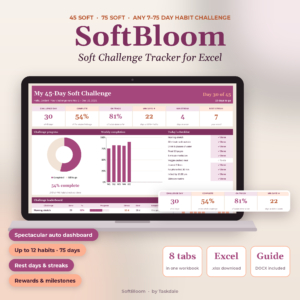 45 Day Soft Challenge Tracker Spreadsheet for Excel | SoftBloom 75 Soft & Habit Tracker with Dashboard, Streaks, Rewards & Wellness Log
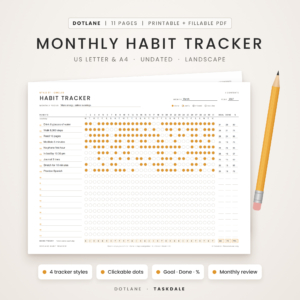 Monthly Habit Tracker Printable & Fillable PDF | Dotlane Undated Habit Tracker with 4 Styles, 30-Day Challenge, Monthly Review & Year at a Glance | US Letter & A4
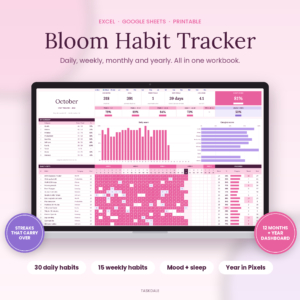 Bloom Habit Tracker Spreadsheet for Excel & Google Sheets | 12-Month Daily, Weekly & Monthly Habit Tracker with Streaks, Mood & Sleep Tracker, Year in Pixels Dashboard + Printable
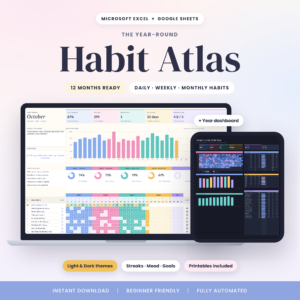 Habit Atlas Habit Tracker Spreadsheet for Excel & Google Sheets | 12-Month Daily, Weekly & Monthly Habit Tracker with Streaks, Mood Tracker, Year in Pixels Dashboard | Light & Dark + Printables
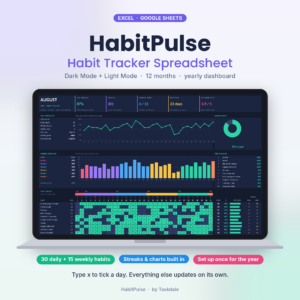 HabitPulse Habit Tracker Spreadsheet | Dark Mode Habit Tracker for Excel & Google Sheets with Daily & Weekly Habits, Streak Tracker, Yearly Dashboard & Mood Tracker
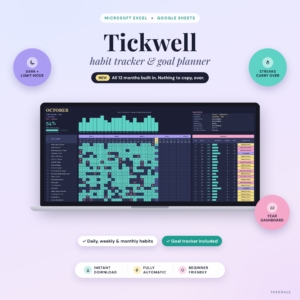 Tickwell Habit Tracker Spreadsheet for Excel & Google Sheets | 12-Month Daily, Weekly & Monthly Habit Tracker with Streaks, Year Dashboard, Mood & Goal Tracker | Light & Dark Mode
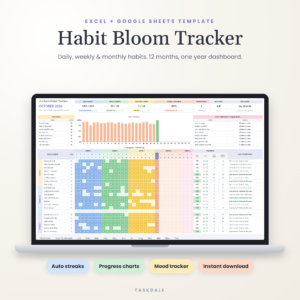 Habit Bloom Tracker | Habit Tracker Spreadsheet for Excel & Google Sheets | Daily, Weekly & Monthly Habit Planner with Year Dashboard, Streak Tracker & Mood Tracker
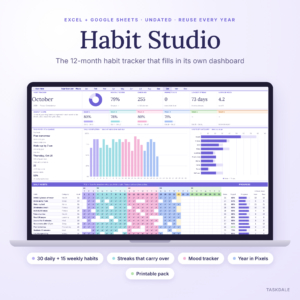 Habit Tracker Spreadsheet 2026 for Excel & Google Sheets | Habit Studio 12-Month Daily, Weekly & Monthly Habit Tracker with Streaks, Mood Tracker, Year in Pixels & Printable Pack
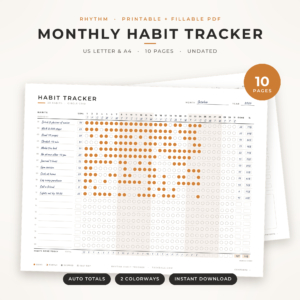 Rhythm Monthly Habit Tracker | Printable & Fillable PDF Habit Tracker, Landscape Routine Tracker, 30 Day Habit Challenge & Yearly Habit Tracker, US Letter & A4
What should you look for in a daily habit tracker?
A daily habit tracker should make ticking a habit take seconds and show your progress without any sums from you. Five factors separate the options here: format, habit capacity, streak handling, mood and extras, and how long the tracker runs.
Format: spreadsheet or printable PDF
A spreadsheet tracker is a file you open in Excel or Google Sheets, where typing an x ticks the day and the scores update by themselves. A printable PDF is a set of pages you fill in by hand or on screen.
Spreadsheets such as Bloom, Habit Atlas, HabitPulse and Tickwell do the arithmetic for you. The PDFs, Dotlane and Rhythm, give you a page you can pin to a wall, and both offer fillable versions where you click a dot or where weekdays and percentages fill in for you.
Habit capacity
Habit capacity is the number of habits a tracker lets you list. It ranges from 12 in SoftBloom to 40 daily habits in Streakline, with most year-long spreadsheets sitting at 30.
Bigger is not better by default. If you track six habits, a limit of 30 means nothing, but if you run a long list covering health, home and work, it matters. Habit Bloom Tracker is the only one that also lists 26 monthly habits, which suits goals you only do once a month.
Streaks that behave sensibly
A streak is the count of days in a row you have done a habit. The useful versions carry across months, so your count does not reset on the 1st.
Bloom, Tickwell and Habit Studio say their streaks carry over from month to month. SoftBloom goes a step further: rest days keep your streak alive, which helps if a perfect record has put you off trackers before.
Mood, sleep and reflection
Some trackers add a daily mood row, and a few add sleep. Bloom tracks mood and sleep averages, HabitPulse includes mood, sleep and a monthly reflection, and Habit Bloom Tracker uses a 1 to 5 mood row.
These extras help you spot patterns, such as skipping exercise on low-mood days. If you only want ticks, Habit Atlas and Streakline keep things lighter.
Time span and set-up
Some trackers cover a full year, others a 7 to 75 day challenge. Habit Studio is undated, so you can start it in any month, and Streakline includes a printable 2027 tracker.
Check the guide too. Tickwell comes with a 15-page user guide and a filled example, and Streakline with an 18-page guide and a sample file. Bloom needs no macros, which avoids security warnings in Excel.
How do the best daily habit trackers compare?
The table below compares the eleven trackers on format, how many habits they hold and what stands out. Prices are shown on the product cards, so they are left out here.
| Product | Format | Habit capacity | Standout feature |
|---|---|---|---|
| 45 Day Soft Challenge Tracker Spreadsheet for Excel | Excel .xlsx | Up to 12 daily habits | Rest days keep your streak alive; 7 to 75 day challenges |
| Monthly Habit Tracker Printable & Fillable PDF | Printable and fillable PDF | Not stated | 4 tracker styles, two 30-day challenges, year-at-a-glance heat map |
| Bloom Habit Tracker Spreadsheet for Excel & Google Sheets | Excel and Google Sheets | 30 daily, 15 weekly | Mood and sleep averages, Year in Pixels, no macros |
| Habit Atlas Habit Tracker Spreadsheet for Excel & Google Sheets | Excel and Google Sheets | 30 daily, 10 weekly | Light and Dark versions, week rings, Top 10 |
| HabitPulse Habit Tracker Spreadsheet | Excel and Google Sheets | 30 daily, 15 weekly | Dark mode, heatmap, mood, sleep and monthly reflection |
| Tickwell Habit Tracker Spreadsheet for Excel & Google Sheets | Excel and Google Sheets | Daily, weekly and monthly | Goal tracker in your own currency, filled example file |
| Habit Bloom Tracker | Excel and Google Sheets | 32 daily, 13 weekly, 26 monthly | Monthly habits, 1 to 5 mood row, trend charts |
| Habit Tracker Spreadsheet 2026 for Excel & Google Sheets | Excel and Google Sheets | 30 daily, 15 weekly | Monthly goal per habit, undated, 4-page printable pack |
| Rhythm Monthly Habit Tracker | Printable and fillable PDF | Up to 20 habits per page | 10 pages, 60 habit ideas, fills in totals and percentages |
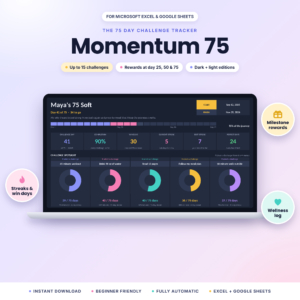
| Momentum 75 Day Challenge Tracker | Excel and Google Sheets | Up to 15 challenges | Rewards at day 25, 50 and 75, wellness log |
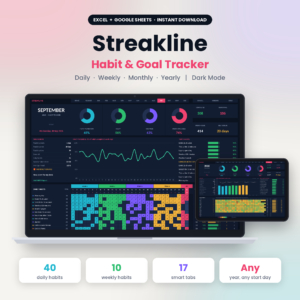
| Streakline Habit Tracker Spreadsheet | Excel and Google Sheets | 40 daily, 10 weekly | Dark mode, progress rings, printable 2027 tracker |
Which daily habit tracker suits which person?
The right pick comes down to how you like to work and how long you want to track. These are the clearest matches from the supplied details.
- You want a gentle, forgiving restart: the SoftBloom 45 Day tracker lets rest days protect your streak, and it covers any challenge from 7 to 75 days. It is Excel only, so Google Sheets users should look at Momentum.
- You want a 75 Soft challenge in Google Sheets or Excel: Momentum lets you pick your own rewards at days 25, 50 and 75.
- You prefer paper: Dotlane suits you if you want choice of layout, with 4 styles and an amber or ink-saving mono version. Rhythm suits you if you want one landscape page for up to 20 habits.
- You have a long habit list: Streakline holds 40 daily habits, and Habit Bloom Tracker adds a monthly list on top of daily and weekly.
- You want to see how you feel as well as what you did: Bloom and HabitPulse both include mood and sleep, with HabitPulse adding a monthly reflection.
- You want goals that match how often you aim to do something: Habit Atlas sets goals to fit your target frequency, and Habit Studio gives each habit its own monthly goal.
- You track money goals alongside habits: Tickwell includes a goal tracker that uses your own currency.
How do you use a daily habit tracker so it lasts?
A daily habit tracker works when you set it up once and then only tick. Most spreadsheets here follow the same pattern: list your habits, type an x each day, and let the dashboard update.
- Choose three to six habits to begin with, even if the tracker holds 30.
- Enter them once in the habit list at the start of the file.
- Set a goal for each habit that matches real life, such as four days a week rather than seven.
- Tick at the same time every day, for example with your evening cup of tea.
- Review once a week and once a month, using the weekly or monthly review pages where the tracker has them.
Keep the file somewhere you will see it. A spreadsheet on your desktop or in Google Sheets on your phone gets used more than one buried in a folder. For printables, print a fresh month at a time, and if ink is a concern use the mono versions from Dotlane or Rhythm.
What mistakes should you avoid with a daily habit tracker?
The commonest mistake with a daily habit tracker is starting too big. Others are chasing perfect streaks, choosing the wrong format and skipping the review.
- Listing every habit at once. A tracker that holds 30 habits does not mean you should fill them, and a long list makes the daily tick feel like a chore.
- Treating one missed day as failure. Trackers with rest days, or goals set at fewer than seven days a week, are built for real routines.
- Buying for the dashboard, not the routine. A good year heatmap is satisfying, but a printable page by the kettle may beat it if you never open the laptop.
- Ignoring software compatibility. SoftBloom is for Excel, while most others cover Excel and Google Sheets. Check before you buy.
- Skipping the guide. Tickwell, Streakline and the others include one for a reason, and ten minutes with it saves hours of fiddling.
What affects the price of a daily habit tracker?
Price depends mainly on scope, not on any single feature. A full-year spreadsheet with weekly, monthly and mood tracking generally costs more than a focused 75 day challenge tracker.
The product cards show the live prices. Things that tend to push a tracker up in cost are how many habit types it handles, whether it includes both Excel and Google Sheets versions, extras such as dark and light editions, printable packs, example files and long user guides. A simple printable PDF with a few layouts usually costs less up front than a multi-tab dashboard, though it will not calculate streaks for you.
Which daily habit tracker should you choose?
Pick by how you will tick, not by how many features are listed. If you want paper, choose Dotlane for variety or Rhythm for one tidy page. If you want a screen and automatic streaks, choose Bloom or HabitPulse for mood and sleep, Streakline for the longest habit list, or Habit Atlas for the simplest set-up.
For a time-limited challenge, choose SoftBloom for Excel or Momentum for Excel and Google Sheets. If you are unsure, start with the tracker that has a filled example file, such as Tickwell, so you can see how it works before entering your own habits.
Common questions
Can I use these habit trackers on my phone?
The Excel and Google Sheets spreadsheets can be opened in the matching mobile apps, though a large dashboard is easier to read on a bigger screen. The PDF trackers, Dotlane and Rhythm, can be filled in on a computer or printed, and Rhythm has been tested in Chrome and Firefox.
Do I need macros or special software to run them?
Bloom states that it needs no macros. The others describe tracking by typing an x or ticking, with dashboards that update by themselves in Excel or Google Sheets. Check each listing for the software it names, since SoftBloom is Excel only.
What is the difference between a daily and a weekly habit?
A daily habit is something you aim to do every day, such as drinking water. A weekly habit has a target number of days in a week, such as exercising three times. Habit Atlas, Bloom and Streakline all separate the two so your goals stay realistic.
Can I start a tracker part-way through the year?
Yes, if the tracker is undated or built with 12 month tabs. Habit Studio is undated, and Bloom offers 12 month tabs for any year. A challenge tracker such as Momentum or SoftBloom simply starts on whichever day you begin.
Are there trackers for people who find strict streaks stressful?
SoftBloom is designed around soft challenges, and its rest days keep your streak alive. Habit Atlas also sets goals that fit how often you aim to do each habit, so a four-day target is treated as success rather than a miss.