Best Editable Resume Templates for Word and Google Docs
The best editable resume is the one that suits how you will apply. For online job portals, a single-column ATS kit such as Everett, Quillmark or Northfield is the safest choice. For roles where a photo is normal, Hollis, Linen or Marlowe offer photo and monogram layouts. Check the file format before anything else.
 Resume Template Bundle for Word | Bluecrest Resume Suite with Cover Letter, References, ATS Resume & Writing Guide | 1 & 2 Page, US Letter & A4
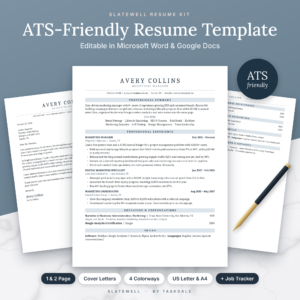 Slatewell ATS Resume Template for Word & Google Docs | 1 & 2 Page Resume, Cover Letter, References & Thank-You Letter | Executive & Student Resume | Job Search Tracker | US Letter & A4
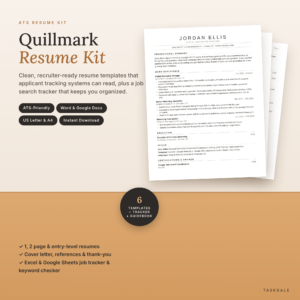 ATS Resume Template for Word & Google Docs | Quillmark Resume Kit with Cover Letter, References, Thank-You Letter & Job Tracker | 1 & 2 Page Resume, Entry-Level CV | US Letter & A4
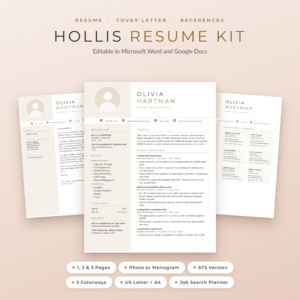 Hollis Resume Template for Word & Google Docs | Resume with Photo, Cover Letter & References | 1, 2 & 3 Page CV | ATS Resume | Job Search Planner | US Letter & A4
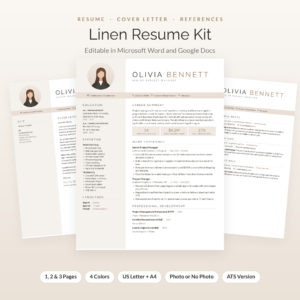 Linen Resume Kit: Resume Template with Photo for Word & Google Docs | Cover Letter, References & Thank-You Letter | 1, 2 & 3 Page CV | ATS Resume + Job Tracker
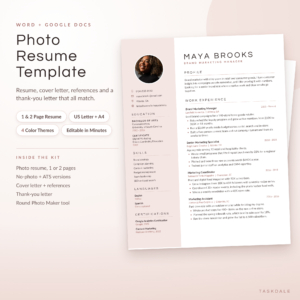 Photo Resume Template for Word & Google Docs | Calla Resume Kit with Cover Letter, References & Thank You Letter | 1 & 2 Page CV | ATS Version | US Letter & A4
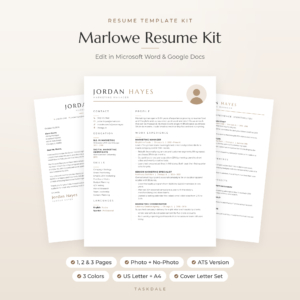 Marlowe Resume Template for Word & Google Docs | Minimalist Resume with Photo, Cover Letter & References | 1, 2 & 3 Page CV | ATS Resume | US Letter & A4
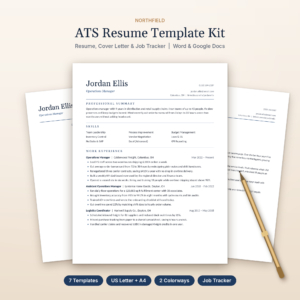 Northfield ATS Resume Kit | Resume Template for Word & Google Docs with Cover Letter, References, Thank-You Letter & Job Tracker | US Letter & A4
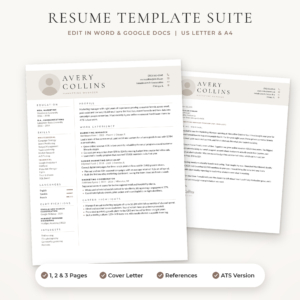 Sloane Resume Template for Word & Google Docs | Modern Resume with Photo, Cover Letter & References | 1, 2 & 3 Page CV | ATS Resume | US Letter & A4
Key facts at a glance
- An editable resume template is a pre-formatted document you fill in yourself in Microsoft Word, Google Docs or both, so you keep control of the wording.
- Every kit on this page includes a resume, a cover letter and a references page, and every one is supplied in US Letter and A4.
- Most kits also include an ATS-friendly version, which is a plain layout that applicant tracking software can read.
- Kits differ most in file format, photo options, number of colours, and the extras that come with them, such as job trackers and writing guides.
- Browse all 11 options below once you know which of those four things matters most to you.
Table of Contents Toggle
- What should you look for in an editable resume?
- How do the best editable resume kits compare?
- Which editable resume suits which job seeker?
- How do you edit a resume template without breaking the layout?
- What mistakes should you avoid with an editable resume?
- What affects the cost of an editable resume?
- Which editable resume should you choose?
- Common questions
Choosing a resume template can feel more complicated than it should. There are photo layouts, plain layouts, one-page and three-page versions, and a lot of talk about software that screens applications before a person reads them. We'll keep this practical, so you can match a kit to your own situation and get on with applying.
What should you look for in an editable resume?
A good editable resume has the right file format, a layout that software can read, the right page length, and enough guidance that you never face a blank page. Those five points decide whether a template saves you time or causes new problems.
File format: Word, Google Docs or both
File format decides where you can edit. Most kits here open in both Microsoft Word and Google Docs. The Resume Template Bundle for Word | Bluecrest Resume Suite is a Word kit, so choose it only if you have Word installed. Calla goes a step further by supplying separate Word and Google Docs editions that keep their layout, which matters because a design built in one program can shift slightly in the other.
ATS readability
An ATS, or applicant tracking system, is software that employers use to collect applications and filter them by keywords. These systems tend to read plain, single-column text more reliably than columns, tables and graphics. Everett, Quillmark, Northfield and Slatewell are built around that idea, while the photo-led kits each include a separate ATS version you can use for portal submissions.
Page length and career stage
Page length should follow your experience, not your ambition. Several kits offer 1-page and 2-page resumes, and Hollis, Linen, Marlowe and Sloane add a 3-page option for long careers or academic and technical histories. Quillmark, Northfield and Slatewell include entry-level layouts, and Slatewell also has an Executive version.
Photo or no photo
A photo option is a layout feature, not a requirement. Hollis, Linen, Marlowe, Sloane and Calla offer photo versions and no-photo or monogram versions in the same kit. Calla and Hollis also come with a round photo maker. If you apply in a market where photos are not expected, pick a kit with a no-photo version so you are never forced into one.
Matching documents and guidance
A matching set means your resume, cover letter, references page and thank-you letter look like they came from the same person. Nearly every kit here includes the full set. Guidance varies, from Northfield's 9-page playbook to Linen's 21-page job search playbook. Everett and Bluecrest also put prompts directly inside the placeholders, which helps if you dislike staring at empty sections.
How do the best editable resume kits compare?
The kits differ mainly in format, layout range and extras, as the table shows. All are supplied in US Letter and A4.
Which editable resume suits which job seeker?
Each kit suits a different applicant, and the right one depends on your sector, your career stage and how much support you want.
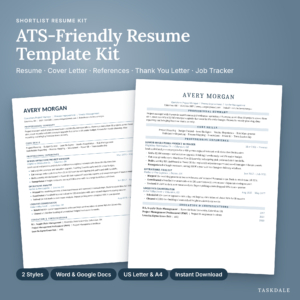
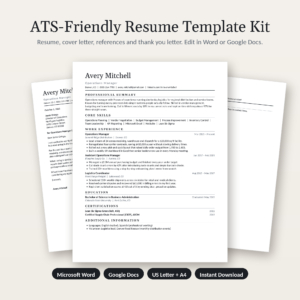
- Applying mostly through online portals: Everett, Quillmark, Northfield and Shortlist are plain and single-column in design, which is the safest approach when software reads your file first.
- Tracking many applications at once: Shortlist and Quillmark pair the resume with a tracker. Shortlist adds follow-up alerts, and Quillmark adds an ATS keyword checker.
- Starting out or returning to work: Quillmark, Northfield and Slatewell include entry-level layouts that lead with education and skills rather than a long job history.
- Senior or executive roles: Slatewell is the one kit with a dedicated Executive layout.
- Creative or client-facing roles with a photo: Hollis, Linen, Marlowe, Sloane and Calla all offer photo layouts, with different colour choices and the freedom to drop the photo.
- Long careers needing three pages: Hollis, Linen, Marlowe and Sloane are the ones with a 3-page version.
- Word-only users who want to be talked through it: The Bluecrest bundle has five filled examples and placeholders that explain what to write.
How do you edit a resume template without breaking the layout?
You edit a template safely by replacing text in place, keeping the structure, and checking the result on a full-page preview before you send it.
- Save a copy of the file under your own name before you change anything.
- Replace the placeholder text line by line, following the on-screen prompts where the kit supplies them.
- Keep your bullet points to the length of the sample lines, so spacing stays intact.
- Delete any section you do not need rather than leaving it empty.
- Choose one colour and use the matching cover letter and references page.
- Read the whole document once at full-page view, checking for gaps, odd breaks and leftover sample text.
Fonts matter here. Bluecrest, Hollis and Linen state that fonts come with Word or are built in, and Marlowe embeds them and adds free font files, so you shouldn't need to install anything.
What mistakes should you avoid with an editable resume?
The most common mistakes are using a photo layout for a portal upload, leaving sample text in place, and filling a longer layout just because the space exists.
- Sending a design-heavy file to a portal. Use the ATS version where the kit provides one.
- Picking the wrong paper size. US Letter and A4 are not the same height, so choose the one your recipient will print on.
- Leaving placeholder wording behind. Search the file for any sample name, company or date before sending.
- Filling three pages because you can. A 3-page layout suits a long career, not a first job.
- Mixing colours between documents. A cover letter in a different colour from the resume looks careless.
- Copying the same wording into every application. Adjust your keywords to each advert.
What affects the cost of an editable resume?
The cost of an editable resume kit depends on how many files you receive and how much support sits around the template. A single plain resume costs less than a full set with trackers and guides, and you can see the live prices on the product cards.
Several things push a kit towards the premium end:
- A larger file count, such as the 84 files in Hollis or 64 in Slatewell.
- Extra colourways and layouts like Executive or 3-page versions.
- Bonus tools, including job trackers, planners and photo makers.
- Longer guides, from 9 pages in Northfield to 21 in Linen.
A cheaper option can be the better choice if you only need one clean ATS resume and a cover letter. A kit that costs more up front makes sense when you are applying widely and want tracking and guidance in one place.
Which editable resume should you choose?
Choose by the way you will apply, then by the extras you will actually use. If most applications go through portals, pick a single-column ATS kit such as Everett or Northfield. If a photo is expected, pick Hollis, Linen or Marlowe.
A quick checklist before you decide:
- Do you use Word, Google Docs or both?
- Will you upload to portals, email people directly, or both?
- Do you need a photo, a 3-page version, or an entry-level layout?
- Would a job tracker help you keep organised?
Answer those four questions and the choice usually narrows to two or three kits. Pick the one whose ATS version and file format match your answers, and start editing today.
Common questions
Can I use the same editable resume for several applications?
Yes. Keep one master file, then save a copy for each job and adjust the summary and keywords to match the advert. The cover letter and references page should be edited for each application too, so nothing reads as a copy.
Should I send my resume as Word or PDF?
Send a PDF unless the employer asks for Word, because a PDF keeps your layout fixed on any device. Most portals accept both. If the advert names a format, follow it exactly.
Does a resume look different in Google Docs than in Word?
It can, slightly. Fonts and spacing sometimes shift when a file moves between programs. Calla avoids this with separate Word and Google Docs editions, and other kits state that fonts are built in. Always check the full-page preview.
How long should my resume be?
One page suits early careers and short histories, and two pages suit most experienced applicants. Three pages are only worth using for long or specialist careers. Hollis, Linen, Marlowe and Sloane include a 3-page layout for that case.
Do I need a photo on my resume?
Not unless your industry or country expects one. Where it isn't expected, use the no-photo version or the monogram header. If you are unsure, use the ATS version for portals and keep a photo version for direct emails.