You can make a perfectly good receipt for free. A blank document, a spreadsheet you set up yourself, or the email receipt your card reader already sends will all do the basic job. The catch is what happens after the receipt goes out: free options rarely keep a record you can find again, number your receipts in order, or add up a month of sales.
This guide is for small sellers who hand over a receipt at least a few times a week: the candle maker at a Saturday market, the person selling custom tumblers from home, the tutor who gets paid in cash. We will walk through the free receipt maker options honestly, show what each one is good for, and then look at when a low-cost receipt template saves you more time than it costs.
Quick picks: receipt templates for small sellers
| Product | Best for | Price | Link |
|---|---|---|---|
| Maker’s Business Forms Kit | Craft and custom-order sellers | $3.00 | View |
| Ledgerline Business Forms Kit | Service pros who want five matching forms | $2.99 | View |
| Ledgerline Invoice, Quote & Receipt Kit | Receipts with change given or balance left | Original price was: $3.00.$1.50Current price is: $1.50. | View |
| Clientora Business HQ | Client businesses wanting one connected file | $49.00 | View |
What a small seller’s receipt needs to show
Whatever tool you use, the receipt itself should answer one question: who paid whom, how much, for what, and when. A buyer who wants to return a $38 necklace three weeks later needs to show you this. You need it too, for your own records.
Put these on every receipt:
- Your business name and a way to contact you, such as an email or shop link.
- A receipt number. R-0001, R-0002 and onward.
- The date of the sale.
- What was sold, with quantity and price for each line.
- Any sales tax you collected, shown separately if you are required to collect it.
- The total and how it was paid: cash, card, transfer or app.
- Amount paid and any balance, if it was a deposit or part payment.
Some sellers add their return policy in one line at the bottom. “Exchanges within 14 days with this receipt” heads off arguments before they start.
The free receipt maker options, honestly compared
There are four common free routes. Each one has a sweet spot.
1. A built-in template in your word processor
Word processors and spreadsheet apps usually include a basic receipt or invoice layout in their template gallery. Open it, add your name, save it, and you are set. It costs nothing and looks tidy.
Good for: a seller who writes two or three receipts a month. The weak spot is that every total is typed by hand, every receipt is a separate file, and numbering depends on your memory.
2. A receipt you build in a spreadsheet
If you are comfortable with formulas, you can set up a receipt sheet that multiplies quantity by price and adds the lines. Add a second tab as a log and you have the start of a real system.
Good for: confident spreadsheet users with time on a quiet evening. It usually takes a couple of hours to get right, and longer if you want a dropdown of products.
3. Your payment app or card reader
Many card readers and payment apps can email or text a receipt automatically after a card payment. That covers card sales with no extra work.
Good for: sellers who take most payments by card. It does not help with cash, bank transfers or deposits on custom orders, and the receipts live inside that service rather than in your own records.
4. Free online receipt generators
A quick search turns up websites where you type in the details and download a receipt. Handy in a pinch.
Good for: a one-off receipt when you are away from your own files. The drawbacks are typical of free web tools: ads, limits on downloads, sometimes a watermark or a push to sign up, and your customer’s details typed into someone else’s site. Nothing builds into a running record.
Set up a free receipt in a spreadsheet tonight
If you want to try the free route properly, here is a simple build that takes about 30 minutes in any spreadsheet app. It will not do everything a paid template does, but it beats retyping totals.
- Header block. In the top rows, type your business name, email and shop link. Add cells labeled Receipt No, Date and Customer.
- Item table. Make four columns: Item, Qty, Price, Line Total. In Line Total, multiply Qty by Price. Give yourself eight rows.
- Totals. Below the table, add a Subtotal that sums the line totals, a Tax cell if you collect sales tax, and a Total that adds them.
- Payment. Add Payment Method, Amount Paid and Balance Due, where Balance Due is Total minus Amount Paid.
- A log tab. On a second sheet, keep one row per receipt: number, date, customer, total, paid, balance.
Each time you sell, fill in the receipt, save or print it as a PDF, then add one row to the log. It is manual, but it works, and the log alone will tell you more about your sales than a folder of loose files ever could. If you find yourself wishing it filled in prices and customers on its own, that is the moment a ready-made template earns its keep.
Where free options start costing you time
Free is a great place to start. The cost shows up later, in small slices of time and a few avoidable mistakes.
Picture a weekend market seller who makes 25 sales on a good Saturday. With a blank template, that is 25 receipts with hand-added totals, 25 files to name and save, and on Sunday night a separate job of copying the totals into a sales log. Maybe an hour of fiddly work. Every weekend. That is roughly 50 hours a year spent on receipts, with a fair chance of a typo somewhere.
Three signs a free option is holding you back:
- You have caught yourself giving out two receipts with the same number.
- You cannot quickly say how much you sold last month.
- You take deposits on custom orders and keep losing track of who still owes a balance.
If any of those sound familiar, a template that links the receipt to a log will pay for itself in a couple of weekends.
When free is all you need
Plenty of sellers should stay free, and that is fine. If you sell a handful of items a month, take almost every payment by card, and your payment app already emails buyers a receipt, a paid template adds little. The same goes for a hobby seller clearing out a craft room at one yard sale a year. Keep your card app receipts, jot cash sales in a notebook with the date and amount, and spend the money on supplies instead.
For craft and custom-order sellers
Custom work needs more than a receipt. A tumbler order has a cup style, a glitter color and a name that must be spelled just right. A T-shirt order has six youth sizes and two adult ones. Get one detail wrong and you remake the piece, which costs far more than any template.
That’s why craft sellers do best with a kit that pairs order forms with the receipt and the money side. The order form captures the details at the market table. The receipt confirms the deposit. The tracker reminds you who owes a balance when the order is collected. For more ideas on the tools that help handmade shops, our roundup of the best templates for Etsy sellers covers the full set.
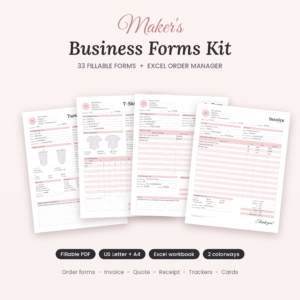
Maker's Business Forms Kit
Price: $3.00 | Best for: crafters who take custom orders
Thirty-three printable and fillable PDF forms in US Letter and A4, including an invoice, price quote, sales receipt, deposit agreement and nine order forms for items like tumblers, apparel, mugs and signs. An Excel Order Manager with 13 linked tabs turns orders into invoices, receipts and a live sales dashboard. You also get trackers for inventory, supplies and expenses. Print the order forms for your next market and set up your product list in Excel.
For service sellers and simple shops
Not every small seller makes things. Cleaners, tutors, dog groomers and handymen need receipts too, usually for cash or transfer payments that a card reader never sees. For them, a clean receipt that matches their invoice and quote looks far more professional than a handwritten note.
A tutor paid $45 cash after each session, for example, can hand over a receipt marked PAID IN FULL on the spot. The parent has proof of payment. The tutor has a record. Both are happy, and nobody has to remember in June whether the March lessons were paid.
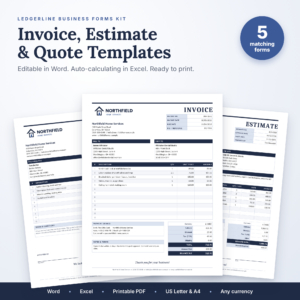
Ledgerline Business Forms Kit
Price: $2.99 | Best for: service pros and small shops
Five matching forms in a navy and soft blue design: quote, job estimate, invoice, sales receipt and purchase order. Use the Word versions to type and go, or the Excel Invoice Maker to fill prices from your item list and work out totals and balance due. The sales receipt records the payment method and carries a PAID IN FULL mark, and printable PDFs come too. Save your clients once and pick them from a dropdown.
Receipts for deposits and part payments
Deposits are where a basic receipt falls short. When a bride pays $150 down on a $400 order of wedding favors, the receipt has to show what was paid, what is left and when the rest is due. Then a second receipt for $250 closes it out.
A template with a payment status field handles this well. Mark the first receipt “Partial, balance $250” and the second “Paid in full”. Your log then shows at a glance which orders still have money outstanding. One Saturday morning you will scroll that list, see three balances due at pickup, and feel very organized indeed.
The Ledgerline Invoice, Quote and Receipt Template Kit includes a receipt with a payment method dropdown and a line for change given or balance remaining, which suits exactly this kind of sale.
Keeping receipts so tax time is easy
Every receipt you write is a sale you will need to report. If your receipts feed into one log, your monthly sales total is already done. If they are scattered across a folder of files and a notebook, you will be rebuilding it in a hurry come tax season.
A simple routine helps. After each market or each week of sales, check that every receipt is in the log, the totals match what landed in your bank or cash box, and any balances due are flagged. If you sell on several platforms, a bookkeeping sheet built for that, like the one in our Etsy bookkeeping spreadsheet guide, keeps it all in one place.
For client-based businesses that want receipts, invoices, pricing and bookkeeping in one connected workbook, there is a tidier option than juggling three files.
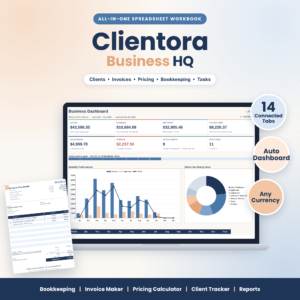
Clientora Business HQ
Price: $49.00 | Best for: freelancers and studios billing clients
One connected .xlsx workbook that holds your bookkeeping, invoices and quotes, pricing, clients and tasks. Log a payment and the invoice turns Paid, the client’s balance drops, and the dashboard, monthly report and annual profit and loss refresh. It tracks receipts and tax-deductible expenses, and the pricing tab helps you set rates for up to 40 services. Fill in the Pricing tab first so invoices pull from it.
Printing and handing over receipts
At a market stall, speed matters more than polish. A few practical tips:
- Print a stack of numbered blank receipts before the event, so you only fill in items and totals by hand.
- Use carbonless duplicate paper if you hand-write, or snap a photo of each receipt before you hand it over.
- Offer email receipts for anyone who prefers them. A quick PDF from your template looks neat.
- Enter the day’s receipts in your log that evening, while you still remember who bought the blue mug.
Frequently asked questions
Is there a free receipt maker for small businesses?
Yes. Word processor templates, a spreadsheet you build yourself, your payment app’s automatic receipts and online generators are all free. They work well for low volumes but usually do not number receipts or keep a sales log for you.
What should a simple sales receipt include?
Your business name and contact, a receipt number, the date, what was sold with prices, any sales tax, the total, the payment method and any balance still due.
Can I write receipts by hand?
Yes. A handwritten receipt is valid if it shows the key details. Use a numbered receipt book or printed blanks so the numbering stays in order, and keep a copy for yourself.
How do I give a receipt for a deposit?
Show the full order value, the deposit paid, the balance remaining and when it is due. Issue a second receipt for the balance and mark it paid in full.
Do I need to keep copies of receipts I give customers?
Yes. Your copies are your sales records. Keep them in a log or folder you can search, for as long as your tax authority asks you to keep business records.
Your next step
Look at last month’s sales and count the receipts you wrote. If it was more than about ten, set up a template that numbers them and feeds a log, then use it from your very next sale. For custom-order makers, the best place to start is the Maker’s Business Forms Kit.