You get an email: “Can you send me a price?” You freeze. Do you type a number into the reply? Attach something? Wait until you have time to make it look professional? Most small business owners have been there. Knowing how to write a quote takes that panic away. A good quote wins the job, protects you from misunderstandings, and takes ten minutes once you have a layout.
This guide covers the format, a worked example, a checklist you can copy, and three Taskdale quote templates that do the sums for you.
Quick picks
| Product | Best for | Price | Link |
|---|---|---|---|
| Rosette Price Quote Template | A quote calculator and quote log in Excel and Word | $3.30 | View |
| Rosewater Price Quote Template Kit | A quote plus a matching invoice and tracker | $3.97 | View |
| QuoteBloom Price Quote Template | Quotes and invoices with a client list | $4.99 | View |
What a Price Quote Is (and How It Differs From an Estimate and an Invoice)
These three words get mixed up all the time, so let us sort them out.
A quote is a fixed price offer for specific work. You say, “I will do this for this amount.” If the client accepts, that price is the deal, assuming the job matches what was described.
An estimate is a rough guess. It says, “I think this will cost about this much.” It can change when the real scope becomes clear.
An invoice is a bill. It comes after the work is done, or at an agreed stage, and asks for payment.
So the order usually runs quote, work, invoice. Some businesses use the words loosely, and that is fine, as long as the document itself says clearly whether the price is fixed or approximate. If you are unsure about the rules where you live, check with a local adviser. This guide is general information, not legal advice.
How to Write a Quote: The Format That Works
Here is the layout, from top to bottom. Keep it to one page if you can.
1. Your business details
Name, logo if you have one, address, phone, email. Make it easy for the client to reach you.
2. Client details
Their name, company, and contact information. Use the right name. Getting it wrong at this stage looks careless.
3. Quote number and dates
Give every quote a number, like Q-0001. Add the date you issued it and the date it expires. Numbers make it easy to find the quote later when the client says, “Which one was that?”
4. A short description of the job
One or two lines. “Repaint the lounge and hallway, two coats, walls and ceiling.” This is where you set the scope. Be specific, since vague wording is the most common source of arguments.
5. Itemized costs
List each part: labor, materials, delivery, anything else. Show quantity, unit price and line total. Clients trust a quote more when they can see where the money goes.
6. Subtotal, tax and total
Show the subtotal, any tax, and the final amount in bold. Do the math twice.
7. Terms
Payment terms, such as a deposit and when the balance is due. How long the quote stays valid. What is not included. What happens if the scope changes.
8. How to accept
A simple line: “To accept, reply to this email or sign below.” A signature box is handy for bigger jobs.
A Worked Example of a Price Quote
Here is a made-up quote for a small garden job, just to show the shape.
| Item | Quantity | Unit price | Total |
|---|---|---|---|
| Labor, clearing and trimming | 6 hours | $40.00 | $240.00 |
| Bark mulch | 8 bags | $7.50 | $60.00 |
| Green waste removal | 1 | $35.00 | $35.00 |
| Subtotal | $335.00 |
Add tax if it applies where you work, then state the total. Underneath, add the terms: “Quote valid for 14 days. 50% deposit to book, balance on completion. Price covers the front garden only.” Those two lines save you from more headaches than the table does.
The Quote Checklist You Can Copy
If you only remember one part of how to write a quote, make it this list. Run through it before you hit send. Print it, or paste it into your notes.
| Check | Done? |
|---|---|
| My business name and contact details are on it | ☐ |
| The client’s name and details are correct | ☐ |
| It has a unique quote number | ☐ |
| Issue date and expiry date are clear | ☐ |
| The job is described in plain, specific words | ☐ |
| Costs are itemized, with quantities and prices | ☐ |
| The sums are right, including tax | ☐ |
| Payment terms and deposit are stated | ☐ |
| What is not included is written down | ☐ |
| It says how to accept the quote | ☐ |
| I have saved a copy and logged it | ☐ |
Common Mistakes When You Write a Quote
A few errors cost small businesses money again and again.
Pricing too low to win the job. It feels safe, but a cheap quote that loses you money is worse than no job. Work out your costs first, then add your profit.
Forgetting small costs. Fuel, parking, consumables, your own time spent travelling. These quietly eat margin when they are missing from the page.
Leaving the scope vague. “Fix the website” means different things to different people. Write exactly what is included.
No expiry date. Material and labor costs change. If a client comes back six months later expecting the old price, you need a date to point to.
Sending it late. A fast, tidy quote often beats a slightly cheaper one that arrives three days later. Speed signals reliability.
Not following up. Many clients simply forget. A short note two or three days after sending, such as “Just checking you received my quote,” wins jobs.
How to Write a Quote Faster With a Template
Once you know how to write a quote, the layout stops changing. You can build every quote from a blank page, but you will do the same layout work again and again. A template solves that. You open it, change the client and the line items, and the total updates. It looks the same every time, which makes your business look organized.
The better ones also help you track what you sent. A quote log or tracker lets you see which quotes are waiting, which were accepted, and which need a follow-up. That one list can be the difference between chasing leads and losing them.
How to Write a Quote Email That Gets a Reply
Knowing how to write a quote is only half the job. The message that carries it matters too. Keep the email short and warm. Thank them for asking, say what the quote covers in one sentence, and point to the attachment. Then give a clear next step.
Something like this works: “Thanks for getting in touch. I have attached a quote for repainting the lounge and hallway, valid for 14 days. If it looks right, just reply to confirm and I will send over available start dates.” Short, friendly, and it tells the client exactly what to do.
Avoid long apologies or heavy hedging. Do not write “sorry for the delay” unless you were actually late. And always put the total in the email body or subject line if you can, so the client does not have to open the file to see the price.
How to Write a Quote for Different Types of Work
The layout stays the same, but the detail shifts with the job. Here is what to adjust.
For hourly work, show the hourly rate and the estimated hours, and say whether extra hours will be billed. That keeps a fixed price honest when a job runs long. For product-based work, list each item with its quantity and unit price, plus delivery. For project work, such as design or writing, break the job into stages with a price for each and say what the client receives at each stage.
For repeat clients, add a line showing any agreed discount so they can see it was applied. And for bigger jobs, consider asking for a deposit before you start. State it clearly in the terms, with the amount and the due date.
When in doubt, ask yourself one question: if the client read only this page, would they know exactly what they are getting and what it costs? If yes, you have done it right.
Our Quote Template Picks From Taskdale
These three work in Excel and Word. The details come from the product listings.
Rosette: a simple quote with a log
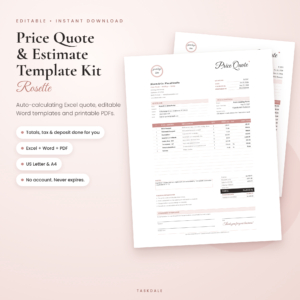
Rosette Price Quote Template
Price: $3.30 | Best for: A quote calculator and quote log in Excel and Word
An editable estimate template for Excel and Word with an auto-calculating quote calculator and a quote log. A printable PDF is included in US Letter and A4.
Rosewater: quotes and matching invoices
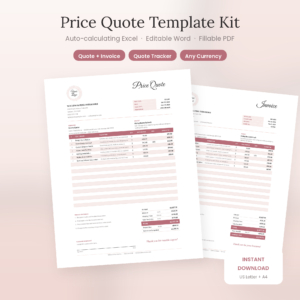
Rosewater Price Quote Template Kit
Price: $3.97 | Best for: A quote plus a matching invoice and tracker
An editable estimate template for Excel, Word and fillable PDF with auto calculations. It comes with a matching invoice and a quote tracker.
QuoteBloom: quotes with a client list
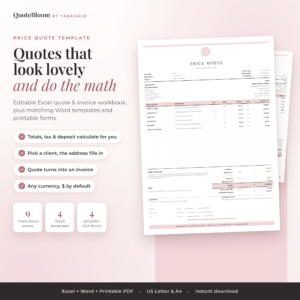
QuoteBloom Price Quote Template
Price: $4.99 | Best for: Quotes and invoices with a client list
An editable quote and invoice template for Excel and Word with auto calculations, a client list and a quote tracker. It also has a printable estimate form.
Compare the Three Quote Templates
| Product | Format | Price | Best for | Link |
|---|---|---|---|---|
| Rosette Price Quote Template | Excel and Word template, printable PDF, US Letter and A4 | $3.30 | A quote calculator and quote log in Excel and Word | View |
| Rosewater Price Quote Template Kit | Excel, Word and fillable PDF | $3.97 | A quote plus a matching invoice and tracker | View |
| QuoteBloom Price Quote Template | Excel and Word template with printable estimate form | $4.99 | Quotes and invoices with a client list | View |
How to Choose the Right Quote Template
All three do automatic calculations in Excel and Word. The differences are small, but they matter depending on how you work.
If you mostly need a clean quote and a way to log it, Rosette fits, with its quote calculator and quote log. It is also the budget pick of the three.
If you want your invoices to match your quotes, the Rosewater kit lists a matching invoice and a quote tracker, and it also offers a fillable PDF. That helps if some clients prefer a PDF they can type into.
If you keep a list of regular clients, QuoteBloom lists a client list, plus a quote tracker and a printable estimate form. It also covers quotes and invoices together.
Whichever you pick, set it up once with your business details and logo, save it as your master copy, and make a fresh copy for each job. That way you never overwrite your layout by accident.
Frequently Asked Questions
How do you write a quote for a job?
Start with your business and client details, add a quote number and dates, describe the job clearly, itemize the costs with quantities and prices, show the total, then add payment terms and an expiry date. Finish with a simple line explaining how to accept.
What should a price quote include?
A good quote includes both parties’ details, a unique number, issue and expiry dates, a specific description of the work, itemized costs, tax and total, payment terms and a note on what is excluded. Clear terms prevent most disputes later.
What is the difference between a quote and an estimate?
A quote is a fixed price for a defined job, while an estimate is an approximate cost that can change. Whichever word you use, state clearly on the document whether the price is fixed or approximate so the client knows what to expect.
How long should a quote be valid?
Many businesses use fourteen to thirty days, depending on how quickly costs change. Pick a period that suits your materials and workload, and write the expiry date on the quote. Check local rules if you are unsure about any requirements.
Can I use Excel or Word to make a quote?
Yes. Both work well, especially with a template that calculates totals for you. Rosette, Rosewater and QuoteBloom are three Taskdale quote templates that work in Excel and Word, with details listed on each product page.
Your Next Step
So, here is the plan. Now that you know how to write a quote, copy the checklist above, build your next one with it, and save the result as a master. If you would rather skip the layout work, Rosette is a tidy place to start, and the Rosewater kit adds a matching invoice. Send your next quote the same day you are asked, and watch how many more replies you get.