Best Lesson Planner: How to Choose for Your Classroom
The best lesson planner is the one that matches how you already plan. If you like paper, an undated printable such as Bright Days or Bellwise lets you start in any month. If you use an iPad, Chalk & Bloom is built for GoodNotes. If you want grades and attendance worked out for you, choose a spreadsheet or browser planner.
Choosing can feel bigger than it should, because every listing promises a gradebook, a seating chart and sub plans. We'll sort out what actually differs, so you can pick one and get on with your week.
 Undated Teacher Planner Printable, Lesson Plan Book with Gradebook & Attendance | Bellwise
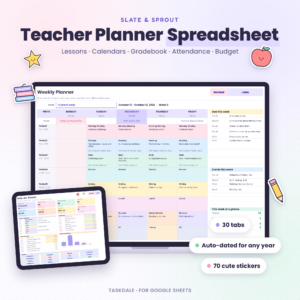 Teacher Planner Spreadsheet for Google Sheets | Lesson Planner, Gradebook, Attendance Tracker, Dated Monthly Calendars, Seating Chart & Sub Plans
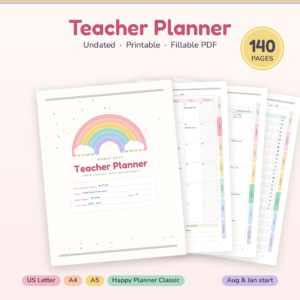 Bright Days Teacher Planner | 140-Page Printable & Fillable Undated Lesson Planner, Gradebook, Attendance & Sub Binder | Letter, A4, A5, Happy Planner
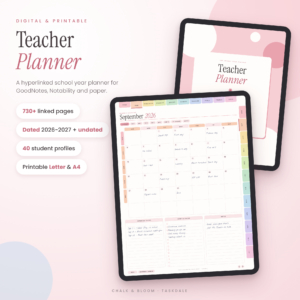 Chalk & Bloom Digital Teacher Planner 2026-2027 + Undated | Hyperlinked GoodNotes Lesson Planner | Printable Letter & A4
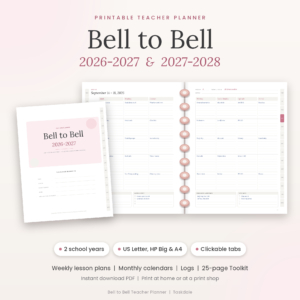 Bell to Bell Printable Teacher Planner 2026-2027 & 2027-2028 | Weekly Lesson Planner, Happy Planner Big Inserts, US Letter & A4 PDF
Lesson planner facts at a glance
- Undated printables (Bellwise at 80 pages, Bright Days at 140 pages, Brightweek at 20 pages) can start in any month, so they never go out of date.
- Dated options (Lesson Lane, Chalk & Bloom and Bell to Bell) cover 2026-2027, and Bell to Bell runs from July 2026 to June 2028.
- The Google Sheets teacher planner spreadsheet has 30 tabs and shows each lesson you type on your weekly, daily and sub plan views.
- Classroom Compass comes in three versions: Digital Teacher Planner (27 pages), Teacher Planner (31 pages) and Workbook (21 tabs).
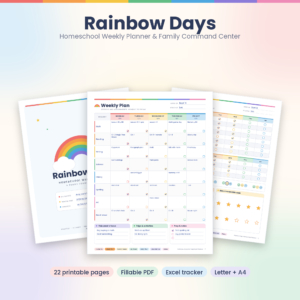
- Rainbow Days Homeschool Weekly Planner has 22 pages and a spreadsheet that tracks up to 4 children.
Table of Contents
Toggle
- What should you look for in a lesson planner?
- How do the best lesson planners compare?
- Which lesson planner suits which teacher?
- How do you set up and use a lesson planner?
- What mistakes should you avoid?
- What affects the price of a lesson planner?
- How do you make the final choice?
- Common questions
What should you look for in a lesson planner?
A good lesson planner has a weekly grid that fits your timetable, a format you will open every day, and records pages you will really use. Browse all 11 options below with those three tests in mind. Everything else is a bonus.
Format: paper, tablet, browser or spreadsheet
A format is the place where you will do your planning, and it decides how often you use the planner. Printable PDFs such as Bell to Bell and Brightweek suit people who like handwriting. Hyperlinked tablet planners such as Lesson Lane and Chalk & Bloom suit people who work in GoodNotes or Notability. Classroom Compass opens in a web browser. The Google Sheets option lives in your Google account.
Dated or undated
A dated planner has the calendar printed in, so you can see holidays and term dates at a glance. An undated planner leaves the dates blank, so you can start mid-year or skip a week without wasting a page. Dated suits a teacher who starts in August or July. Undated suits anyone who changes jobs, term patterns or start months.
Weekly grid that matches your timetable
The grid is the page you will use most, so check it first. Bellwise gives grids for 5 or 6 periods. Brightweek offers six layouts, from 3 to 6 subjects, a 4-day homeschool week or a 7-period day. Bell to Bell uses seven columns. If your timetable does not fit the grid, you will fight the planner every Monday.
Gradebook and attendance
A gradebook is the page or tab where you record scores. A spreadsheet one does the sums. Lesson Lane includes an Excel gradebook that works out weighted grades, the Google Sheets planner offers points or weighted grading with letter grades, and Classroom Compass Workbook adds weighted grades automatically. Printed gradebooks are fine for small classes, but you do the maths by hand.
Extras you will actually use
Seating charts, parent contact logs and sub plans appear in most of these planners. Sub plans matter most if you are absent often or share classes. Rainbow Days adds a Hours Log and Reading Log for homeschool records. Chalk & Bloom includes 40 student profiles and 194 stickers. Ignore any extra you would not open in a normal month.
Privacy and set-up
Classroom Compass Teacher Planner and Digital Teacher Planner need no account, no install and no subscription, and your data stays on your own device. That suits anyone cautious about student information in the cloud. Spreadsheet and hyperlinked options need a few minutes of set-up, and most come with a user guide.
How do the best lesson planners compare?
The table below compares six planners that differ most in format and record-keeping. Pick on format first, then on how much you want calculated for you.
| Product | Format | Planner type | Grades and records | Best for |
|---|---|---|---|---|
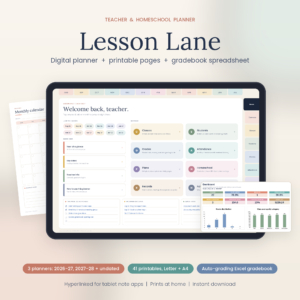 Lesson Lane Digital Teacher Planner 2026-2027 & Homeschool Planner | Hyperlinked PDF for tablet, plus printables | Dated 2026-2027, 2027-2028 and undated | Excel gradebook with weighted grades, parent logs | Teachers who also homeschool |
| Rainbow Days Homeschool Weekly Planner & Command Centre | Fillable and printable PDF | Undated, 22 pages | Spreadsheet for up to 4 kids, 180-Day Attendance | Homeschool families |
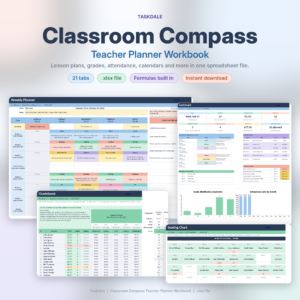 Classroom Compass Teacher Planner Workbook | Spreadsheet, 21 tabs | Calendars included | Weighted grades, morning dashboard | Teachers who enter data once |
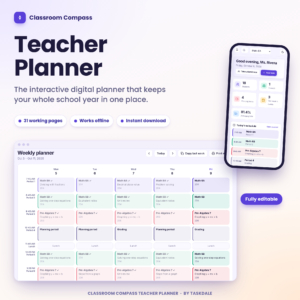 Classroom Compass Teacher Planner | Browser file, 31 pages | Whole school year | Gradebook, attendance, 12 print-ready reports | Privacy-minded teachers |
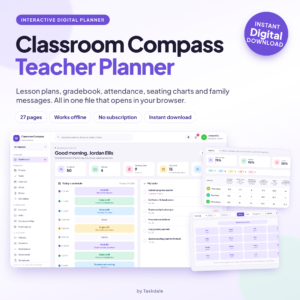 Classroom Compass Digital Teacher Planner | Lesson Plans, Gradebook, Attendance and Seating Charts | Browser file, 27 pages | Bell schedule drives the day | Grades, attendance, seating charts | Teachers who want a simple start |
| Chalk & Bloom Digital Teacher Planner 2026-2027 + Undated | Hyperlinked GoodNotes Lesson Planner | Printable Letter & A4 | GoodNotes, Notability and print | Dated 2026-2027 plus undated | Gradebooks, attendance, 40 student profiles | iPad users |
Which lesson planner suits which teacher?
Each planner suits a different working habit. Match yours to the list below.
- You print and write by hand: Bell to Bell covers two school years, with US holidays printed in and US Letter pages that fit Happy Planner Big. Bright Days gives 140 pages, fillable or printable, in Letter, A4, A5 and Happy Planner Classic, with room for 35 students.
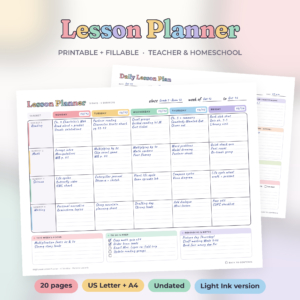
- You want a small, flexible kit: Brightweek has 20 undated pages and six weekly layouts. Add daily plans, attendance and grades as you need them.
- You want a bound-style binder: Bellwise has 80 undated pages with clickable tabs, plus daily and detailed lesson plans.
- You plan on an iPad: Chalk & Bloom has 730+ linked pages and a daily page for every date. Lesson Lane has 796 linked pages.
- You hate typing the same thing twice: The Google Sheets planner shows each lesson on the weekly, daily and sub views. Classroom Compass Workbook does the same for a student or test date.
- You homeschool: Rainbow Days has pages children can tick off, and Lesson Lane logs hours and progress.
How do you set up and use a lesson planner?
Setting up a lesson planner takes about ten minutes if you do it in order. Classroom Compass Digital Teacher Planner says you can start in about that time.
- Choose the version that fits your page size or app: US Letter, A4, A5, GoodNotes or browser.
- Enter your class list and timetable first, because every other page depends on them.
- Fill in key dates: term starts, tests and holidays.
- Plan one week in full before you plan a month. You will see quickly if the grid fits.
- Back up the file once a week, especially for a browser or spreadsheet planner, where your data stays on your own device.
If you print, test one page first. Brightweek and Rainbow Days include Light Ink versions to save toner.
What mistakes should you avoid when choosing a lesson planner?
The most common mistake is buying for features rather than habits. A planner with 800 linked pages is no help if you prefer paper.
- Choosing dated pages too early. If you may change schools or start mid-year, undated is safer.
- Ignoring the page size. Check US Letter, A4 or A5 against your printer and binder.
- Paying for homeschool pages you do not need. Rainbow Days and Lesson Lane suit homeschool use best.
- Skipping the user guide. Most of these planners include one, and it saves the first hour of confusion.
- Keeping grades only on paper. Weighted grades are easy to get wrong by hand, so a spreadsheet gradebook helps.
What affects the price of a lesson planner?
The price of a lesson planner rises with the number of pages, the number of school years covered and the amount of automatic calculation. Two-year planners such as Bell to Bell cost more up front than a short undated kit such as Brightweek. Planners with built-in grade calculations, such as Lesson Lane or the Google Sheets teacher planner, usually cost more than a plain printable. Classroom Compass is pay once, with no subscription. Check the live product cards for current prices.
How do you make the final choice?
Decide by format first, then by how much you want worked out for you. If you write by hand, choose an undated printable, and add a dated one only if you want holidays printed in. If you use an iPad, choose Chalk & Bloom or Lesson Lane. If you want grades calculated, choose the Google Sheets planner or a Classroom Compass version. Open the product page, check the page size, and buy the one you can picture using on Monday morning.
Common questions
Can I use a printable lesson planner on a tablet?
Yes, for the fillable ones. Bright Days and Rainbow Days are fillable PDFs, so you can type into them. For handwriting on a tablet, Chalk & Bloom and Lesson Lane are made for GoodNotes-style apps and have hyperlinked tabs.
Do these planners work for homeschooling?
Some do. Rainbow Days Homeschool Weekly Planner and Lesson Lane both include homeschool records such as hours and attendance, and Brightweek has a 4-day homeschool week layout. Pick one of those if you must report hours.
Are the Classroom Compass planners safe for student data?
Classroom Compass Teacher Planner and Digital Teacher Planner open in your browser with no login, and the listings say your data stays on your own device. Keep your own backup, and follow your school's data rules.
What is the difference between the three Classroom Compass planners?
The Digital Teacher Planner has 27 pages and a bell schedule. The Teacher Planner has 31 pages and 12 print-ready reports. The Workbook is a spreadsheet with 21 tabs and a morning dashboard. Choose the Workbook if you want weighted grades added automatically.
Which lesson planner should I choose if I am not sure?
Choose an undated printable such as Bellwise or Bright Days. It works whenever you start, costs nothing extra if you skip a week, and you can switch to a spreadsheet later if you want calculations.