A recruiter types “warehouse supervisor Leeds forklift” into LinkedIn on a Tuesday morning. Two hundred profiles come up. She opens six. One of them belongs to someone who has not applied for anything in a year, and by Friday that person has an interview. That is the job LinkedIn does: it gets you found when you are not looking.
Your CV does a different job. It is the document you send when you are looking, aimed at one advert, read by one hiring manager, kept short. Same career, two very different tasks.
Writing them as a pair means you do the hard thinking once, in one place, and then shape it two ways. This guide shows you how: a master document to work from, the order to write in, how to turn a CV profile into a LinkedIn headline and About section, how to expand bullets, and how to share keywords so both get found and read.
Quick picks: tools for writing the pair
| Product | Best for | Price | Link |
|---|---|---|---|
| Wellspoken LinkedIn Profile Template & Interview Prep Workbook | Headline formulas, About templates and networking messages | $6.99 | View |
| Marlowe Resume Template | A 3-page version that works as a master file | $4.79 | View |
| Alder Resume Template with Photo | A tidy CV with tip-filled placeholders | $4.79 | View |
| Sloane Resume Template | A modern CV with a built-in toolkit | $4.49 | View |
Two documents, two different jobs
Before you write a word, be clear about what each one is for. It changes how you write.
| CV | ||
|---|---|---|
| When it is read | When you apply | Any time, including when you are not applying |
| Who reads it | One hiring manager or recruiter for one role | Recruiters searching, contacts, future colleagues |
| How it is found | You send it | Search by keywords, job title and location |
| Length | One or two pages | As long as is useful |
| Voice | Clipped, no “I” | First person, warmer |
| Tailoring | For each application | For the kind of role you want next |
So the CV is narrow and sharp. LinkedIn is wide and searchable. If you write LinkedIn like a CV, it is too thin to be found. If you write your CV like LinkedIn, it is too long to be read.
Start with one master document
The secret to writing both well is a third document most people never make: a career bank. It is a private, long, messy file with everything you have done, which you will cut down for your CV and expand from for LinkedIn.
Put these in it:
- Every job, with exact title, employer, and start and end month
- Every bullet you have ever written for each job, good or bad
- Numbers: team sizes, budgets, targets, results, time saved
- Short stories behind your best three achievements
- Qualifications, courses and certificates with dates
- Every skill and tool you use, with one example each
- Kind words from managers, clients or reviews you could quote with permission
Expect it to run to four or five pages. That is fine. Nobody else will see it. A Saturday morning with a coffee is usually enough to get the first version down, and there is something steadying about seeing your whole working life on paper in one place.
A long CV layout makes a handy home for this file, because it already has sections for projects, training, memberships and references.
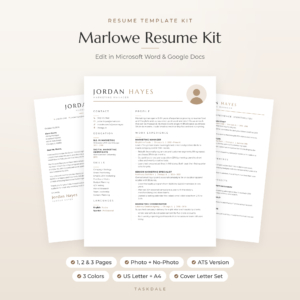
Marlowe Resume Template
Price: $4.79 | Best for: people building a master career file
Marlowe’s 3-page resume has room for tools, certifications, awards, key achievements, selected projects, references, memberships, volunteer work and professional development, which makes it a natural master file. Cut it down to the 1 or 2 page version, in the same design, for each application. The set includes an ATS version and matching letters in Sand, Sage and Slate, in US Letter and A4, plus a Resume Playbook with a three-sentence profile formula.
Write in this order: CV first, then LinkedIn
It is tempting to start with LinkedIn because it feels less formal. Do the CV first instead. Here is why.
Writing a CV forces you to choose. One page, three bullets per job, three sentences of profile. That squeeze makes you find your best material and your clearest words. Once you have done it, LinkedIn is mostly expansion: taking those sharp lines and adding context, story and keywords.
Going the other way is harder. A long, loose LinkedIn profile is painful to cut down, and people end up with a CV that reads like a stack of LinkedIn posts.
So the order is: career bank, then CV, then LinkedIn headline, About, experience and skills.
From CV profile to LinkedIn headline
Your CV profile is three sentences. Your LinkedIn headline is one line, and it is the most searched and most seen part of your profile. It appears next to your name everywhere: search results, comments, messages.
A simple formula: Role | Specialty or two | Proof or direction.
Three examples
- CV profile starts: “Warehouse supervisor with eight years in high-volume distribution…”
Headline: Warehouse Supervisor | Night shift teams, stock accuracy and forklift training | Leeds - CV profile starts: “Primary teacher with five years in Year 2 and Year 3…”
Headline: Primary Teacher | Early reading and phonics | Building calm, confident classrooms - CV profile starts: “Bookkeeper with ten years supporting small businesses…”
Headline: Bookkeeper for Small Businesses | Payroll, VAT returns and month-end | Cloud accounting
Notice that each one uses words a recruiter would search for: the job title, the specialty, sometimes the location. “Passionate professional seeking opportunities” gets found by nobody.
From CV profile to About section
The About section is where LinkedIn lets you be a person. Take the three sentences from your CV profile and grow each one into a short paragraph, in the first person.
A simple structure
- Opening line: what you do and who for, in plain words.
- What you are good at: two or three strengths with one example each.
- A short proof story: one achievement told in three or four sentences.
- What you want next: the kind of role or project.
- How to reach you: email or “send me a message”.
Worked example
CV profile: “Warehouse supervisor with eight years in high-volume distribution. Known for accurate stock, safe sites and well-trained teams. Looking for an operations manager role at a regional distribution center.”
About section:
“I run night shifts at a busy distribution center in Leeds, where my team of 22 picks and loads around 9,000 orders a week.
The things I care about most are accuracy and safety. When I took over the shift, picking errors were a weekly headache. We added a simple end-of-aisle check and retrained everyone on the scanners, and errors fell to a fraction of what they were. We have also gone over two years without a lost-time injury on my shift, which my team is rightly proud of.
I train every new starter myself, including forklift refreshers, and three of my former team members are now supervisors.
I am now looking for an operations manager role where I can bring the same approach to a whole site. If you are hiring, or just want to talk warehouses, send me a message.”
Every fact in there is also on the CV, so the two agree. The About section just tells it like a person would.
If a blank About box makes you freeze, fill-in-the-blank templates get you to a first draft quickly.
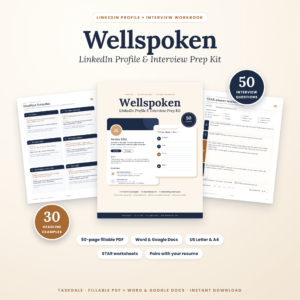
Wellspoken LinkedIn Profile Template and Interview Prep Workbook
Price: $6.99 | Best for: people writing a profile from scratch
Wellspoken’s LinkedIn half gives you headline formulas, 30 example headlines, About section templates (including one for career changers), experience bullet formulas and networking messages, with every placeholder marked in brackets. It starts with a match check so your profile and resume agree on the facts. The second half is an interview workbook with 50 questions and STAR worksheets. Use it as a fillable PDF or edit the templates in Word or Google Docs.
Experience: CV bullets versus LinkedIn entries
On your CV, each job gets three or four tight bullets chosen for the role you are applying for. On LinkedIn, each job can carry more.
- A one-line summary of the role and the team or business, which CVs often skip.
- All your strongest bullets, not just the three that suit one application. Five or six is fine.
- Media and links: a project report, a presentation, a photo of a finished job, a published article.
- Skills tagged to the role, so it shows up in more searches.
Keep the wording of the bullets that appear on both the same, or very close. Tighten on the CV, loosen slightly on LinkedIn. Never change the facts.
Keywords: let both get found
Both documents get searched. Your CV by applicant tracking software when you apply online. Your LinkedIn by recruiters every day. The same keywords help both.
Make a list of 15 to 20 words and phrases from five or six adverts for the role you want next. Job titles, tools, certifications, tasks. Then:
- Put the most important five in your LinkedIn headline and the first lines of About.
- Add the full set to your LinkedIn skills section.
- Use the words that truthfully fit in your CV bullets and skills list, matched to each advert.
For online applications, the CV still needs a layout software can read. Our ATS resume template guide explains what to keep plain.
Writing the CV half well
With the career bank done and your keywords chosen, the CV almost writes itself. Copy the best three bullets per recent job from your bank, write a three-sentence profile, add skills and education, and cut until it fits.
If you are working in Google Docs, our guide to making a resume in Google Docs covers the formatting step by step. If you are senior and wondering whether two pages is fine, our executive resume template guide explains what senior hiring managers expect.
A template with guidance written into the placeholders keeps you on track while you cut.
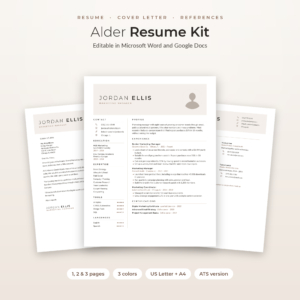
Alder Resume Template with Photo
Price: $4.79 | Best for: people who want guidance while writing
Every placeholder line in Alder is a short tip that tells you what to write there, so turning your career bank into a CV is a matter of following the prompts. You get 1, 2 and 3 page resumes, a no-photo version, an ATS resume, and a matching cover letter, references page and thank-you letter in Mocha, Sage and Slate, US Letter and A4. The kit adds an Excel Job Application Tracker and a Round Photo Maker for a headshot that matches your LinkedIn picture.
A 20-minute monthly routine to keep the pair fresh
Careers move. A pair that matched in March can drift apart by September. On the first Sunday of each month, spend 20 minutes on this.
- 5 minutes: add anything new to your career bank. A finished project, a new number, a course.
- 5 minutes: update LinkedIn with anything worth sharing, in the right job entry.
- 5 minutes: update your master CV with the same facts.
- 5 minutes: re-read your headline. Does it still describe where you are heading?
That is it. When the next opportunity turns up, you are ready in an evening instead of a fortnight.
Mistakes when writing the two together
- Pasting the CV into LinkedIn. It reads stiff and short. Expand and switch to first person.
- Pasting LinkedIn into the CV. It runs long and chatty. Cut and tighten.
- A headline with no searchable words. “Making things happen” helps nobody find you.
- Different numbers on each. Pick one figure, keep it in the career bank, and copy it to both.
- Updating one and forgetting the other. Always both, same day.
Frequently asked questions
Should I write my CV or LinkedIn first?
Write your CV first. The one-page limit forces you to pick your best material and clearest words. LinkedIn then becomes an easier job of expanding what you already have.
Can I copy my CV onto LinkedIn?
Copy the facts, not the format. Use the same titles, dates and numbers, but rewrite in the first person and add context, stories and links that a CV has no room for.
What should my LinkedIn headline say?
Your role, one or two specialties, and either a proof point or the direction you are heading. Use words a recruiter would type into a search.
How long should my LinkedIn About section be?
Long enough to cover what you do, two strengths with examples, one short story and what you want next. Around four to six short paragraphs works for most people.
Do I need to update LinkedIn every time I change my CV?
Only when the facts change, such as a new title, job, qualification or number. Tailoring the CV wording for a specific advert does not need a LinkedIn change.
Should my LinkedIn photo match my CV photo?
If you use a photo on your CV, using the same one on LinkedIn helps the reader connect the two. If your CV has no photo, LinkedIn still benefits from a clear, friendly headshot.
Your next step
This weekend, open a blank document and start your career bank with your last three jobs, every bullet you can think of and every number you remember. Next week, cut it into a one-page CV, then grow your CV profile into a headline and About section using the formula above. The templates in the Wellspoken LinkedIn Profile Template will carry you through the LinkedIn half if you get stuck.