A meal planner and shopping list template puts two jobs on one page: what you will eat this week, and exactly what you need to buy for it. When the list comes straight from the plan, you stop buying things you already have, forgetting the one ingredient that makes Tuesday’s dinner work, and wandering the aisles hoping inspiration strikes.
Most people keep these in different places. The meal ideas live in their head, the list lives on the back of an envelope, and the two never quite match. Join them up and the weekly shop gets shorter, cheaper and a lot less stressful.
Below you will find the parts a good combined template needs, a step-by-step way to turn a plan into a list, a worked example, how to handle staples and household items, the paper versus spreadsheet choice, and tips for using the list in the store. It is for anyone who does a weekly shop, from students in a first apartment to parents feeding five.
Quick picks: templates that join the plan and the list
| Product | Best for | Price | Link |
|---|---|---|---|
| Everyday Grocery Planner (Printable Grocery List Template Bundle) | A paper meal plan with the shopping list right beside it | $2.00 | View |
| TableTally Weekly Meal Planner for Google Sheets | A list that builds itself, shared on everyone’s phone | Original price was: $3.99.$2.49Current price is: $2.49. | View |
| Plateful Weekly Meal Planner & Grocery List | Excel users planning up to five weeks of shops | $9.99 | View |
| Pantry to Plate Meal Planner Spreadsheet | Lists that subtract what is already in the fridge | $7.49 | View |
Why the plan and the list belong on one page
Picture a typical shop without a plan. You walk in, grab bread, milk and bananas, then stand in front of the meat counter thinking about dinners. You buy chicken. Then you buy ground beef, in case. Then pasta, because pasta is always useful. At home, you find two bags of pasta already in the cupboard and nothing green to go with the chicken.
A combined template fixes that loop. Every item on the list has a reason: a meal it belongs to, or a staple you are running low on. Anything without a reason does not go in the cart. That one rule cuts most of the impulse buying, and many households see the difference on the first receipt.
It also saves time in a way people do not expect. When the plan is done, the list writes itself in about five minutes, and the shop takes less time because you are not deciding in the aisles.
What a good combined template includes
Templates vary a lot. The best ones share a few features.
A weekly grid
Seven days with breakfast, lunch and dinner at least. A snack row helps if you buy snacks for kids’ lunchboxes.
A list grouped by store section
Produce, meat and fish, dairy and eggs, bakery, pantry, frozen, household. Grouped lists mean you walk the store once instead of doubling back for the cheese.
Quantity and price columns
“Onions” is not enough. “Onions, 3” is. A price column lets you estimate the total before you leave home.
A staples checklist
Pre-printed basics like milk, eggs, rice, oil, dish soap and toilet paper. You tick what you need instead of remembering everything.
A budget line
Planned spend, actual spend, difference. Thirty seconds after the shop, and over a month it tells you a lot.
If you like pen and paper, a printable set with a meal plan page that has a list built into its side covers the core of this, and separate staples checklists catch the rest.
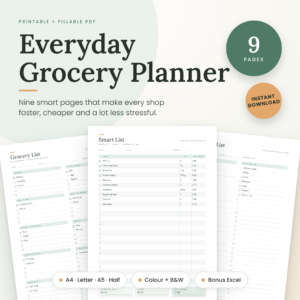
Everyday Grocery Planner
Price: $2.00 | Best for: paper shoppers who want fewer forgotten items
Nine printable and fillable pages in A4, US Letter, A5 and Half Letter, in a soft green and an ink-saver version. It includes a Meal Plan plus Shopping List page, a Smart List with quantity and price columns and a budget box, a ten-section Category List, a 53-item Kitchen Staples Checklist, a 40-item Household Staples Checklist and a Price Comparison Sheet, plus a bonus Excel budget tracker. Print the Meal Plan plus Shopping List page first.
From plan to list in four passes
You do not need to be clever about this. Four quick passes over the page and the list is done.
- Pass one: write the meals. Fill the grid. Dinners first, then lunches, then breakfasts. Keep it short: “tacos,” not the full recipe.
- Pass two: list every ingredient. Go day by day and write each ingredient once, adding up quantities as you go. Three dinners need onions? Write “onions, 3.”
- Pass three: shop your kitchen. Take the list to the fridge and cupboard. Cross off anything you already have enough of.
- Pass four: add staples and household. Run down the staples checklist. Out of dish soap? On it goes.
Pass three is the one that saves money. Most kitchens hold a surprising amount of food, and two minutes of looking stops a fourth jar of cinnamon from coming home.
A worked example: one week, one list
Here is a plan for two adults and a toddler, with the list that falls out of it.
| Day | Dinner |
|---|---|
| Monday | Chicken tacos with slaw |
| Tuesday | Spaghetti with tomato and lentil sauce |
| Wednesday | Leftover taco chicken in quesadillas |
| Thursday | Salmon, rice and green beans |
| Friday | Homemade pizza |
| Saturday | Vegetable fried rice with egg |
| Sunday | Roast chicken thighs, potatoes and carrots |
After the four passes, the list looks like this:
- Produce: onions 3, garlic 1, cabbage 1, carrots 6, green beans 1 bag, potatoes 2 lb, limes 2, cilantro 1 bunch, bananas 6, apples 6
- Meat and fish: chicken thighs 3 lb, salmon fillets 2
- Dairy and eggs: shredded cheese 1 bag, mozzarella 1, eggs 12, milk 1 gallon, yogurt 1 large tub
- Bakery: tortillas 2 packs, bread 1 loaf
- Pantry: red lentils (have), spaghetti 1, canned tomatoes 2, rice (have), pizza flour (have), yeast 1 pack
- Frozen: mixed veg 1 bag, peas 1 bag
- Household: dish soap, diapers
Notice three things. Chicken thighs cover Monday, Wednesday and Sunday, so you buy one big pack instead of three small ones. Cabbage goes in the slaw and the fried rice. And three items are marked “have,” which means they never reach the cart.
Paper template or automatic spreadsheet?
Both work. The question is how much you want to do by hand.
Paper or fillable PDF
Good for people who plan at the kitchen table, like the feel of a pen, and want the plan on the fridge. You do the adding up yourself. That takes a few minutes and gets quicker as you learn your regular meals. For more on picking a paper layout, see which printable grocery list template saves you money.
Spreadsheet with an automatic list
Good for people who want passes two and three done for them. You enter each recipe’s ingredients once. After that, choosing “tacos” for Monday adds the chicken, tortillas and limes to the list, already totaled with the rest of the week, and takes off anything in your pantry tab. The first setup takes an evening. Every week after is about ten minutes.
Google Sheets for shared households
If two or more people shop, a shared Google Sheet means everyone sees the same list on their phone. One person plans at home; the other ticks items off in the store. No more texting “did you get the eggs?”
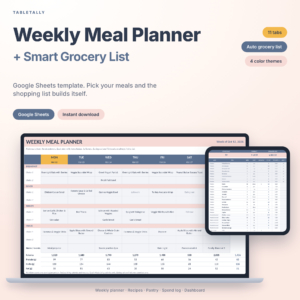
TableTally Weekly Meal Planner
Price: Original price was: $3.99.$2.49Current price is: $2.49. | Best for: couples sharing one list on their phones
A weekly meal planner spreadsheet with eleven tabs that you open in Google Sheets: a seven-day planner, recipe book, pantry tracker, spend log and dashboard. Pick meals from dropdowns and the grocery list fills itself in by store aisle, minus what you already own, with estimated costs. It comes with 160 meal ideas, four color themes and a Word user guide. Add five of your own recipes, then plan this week.
Staples, household items and the master list
Meals are only half of a grocery trip. The other half is the stuff you buy every week or two without thinking: milk, bread, coffee, toilet paper, dish soap, cat food. These are the items most often forgotten, because they are not tied to any meal.
The fix is a master list. Write every staple your household buys regularly, grouped by section, once. Print it or keep it as a tab in your spreadsheet. Each week, run your eye down it during pass four and tick what is low.
A good master list for a family might have 50 to 90 items. That sounds like a lot, but you only tick eight or ten each week. The rest just sit there, quietly making sure you never run out of toilet paper on a Sunday night.
Keep a running list on the fridge
Between planning sessions, things run out. Keep a small “we’re out of” note on the fridge. When someone uses the last of the ketchup, it goes on the note. On planning day, the note gets copied to the main list.
Using the list in the store
A great list can still be wasted at the store. A few habits help it do its job.
- Order the list the way you walk the store. Most templates group by section; put the sections in the order of your usual store. Our guide to a grocery list by aisle shows how.
- Tick items as they go in the cart. Not at the till. It stops you doubling up.
- Allow one wildcard. One unplanned item per trip, chosen on purpose. A treat or a deal you spot. More than one, and the list loses its power.
- Check unit prices on big items. The big pack is not always cheaper.
- Write the actual total on the list when you get home. Then compare it to your plan.
If you shop online, the same list works even better. Add items in list order and you are done in ten minutes, without walking past the bakery smells.
Planning several weeks of lists at once
Once the weekly habit is easy, many people like to plan further ahead. Two to five weeks planned at once means you can buy bulk staples in one trip and do only fresh top-ups after that. A spreadsheet that covers several weeks can produce one list for the whole period or a list for each week.
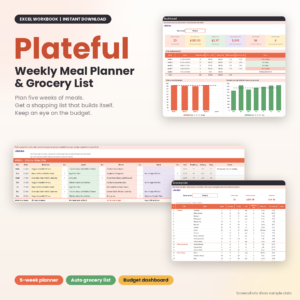
Plateful Weekly Meal Planner
Price: $9.99 | Best for: Excel users planning several weeks
An Excel workbook with 11 connected sheets and a Word user guide. Add your recipes once, plan up to five weeks from dropdowns, and it adds up every ingredient, subtracts your pantry stock, rounds to whole packs and gives you a shopping list grouped by aisle for one week or all five, with weekly cost and daily calories. It arrives empty, so start by entering your ten most-cooked recipes.
Mistakes that make the list less useful
- Skipping the kitchen check. You buy things you already have. Every week.
- Vague items. “Fruit” leads to $15 of fruit. “Apples 6, bananas 6” does not.
- No household section. You get home with dinner sorted and no dish soap.
- Planning meals that share nothing. Seven dinners, seven different herbs, seven half-used bunches in the bin.
- Losing the list. Take a photo of it before you leave, or keep it in a shared sheet.
Frequently asked questions
How do I make a meal plan and grocery list?
Write the week’s meals in a grid, then list every ingredient with quantities, cross off what you already have and add staples and household items. Group the list by store section to shop faster.
What should be on a weekly shopping list?
Every ingredient for the planned meals, breakfast and lunch basics, snacks, and the staples and household items you are running low on. Include quantities so you buy the right amount.
Is there a meal planner that makes a grocery list automatically?
Yes. Spreadsheet meal planners for Excel or Google Sheets can add up the ingredients from the meals you choose and build the list for you, often sorted by aisle and minus what is in your pantry.
Should I organize my grocery list by aisle?
Yes, if you shop at the same store most weeks. It saves walking back and forth and makes it less likely you forget something at the far end of the store.
How long does it take to plan meals and make a list?
About 15 to 20 minutes by hand once you are used to it, or around 10 minutes with a spreadsheet that builds the list for you.
Your next step
This week, plan just five dinners on one page and do the four passes: meals, ingredients, kitchen check, staples. Take the list to the store and tick items as they go in the cart. For a page with the plan and the list side by side, print the Everyday Grocery Planner.