

BlockParty ADHD Planner: Time Blocking Planner
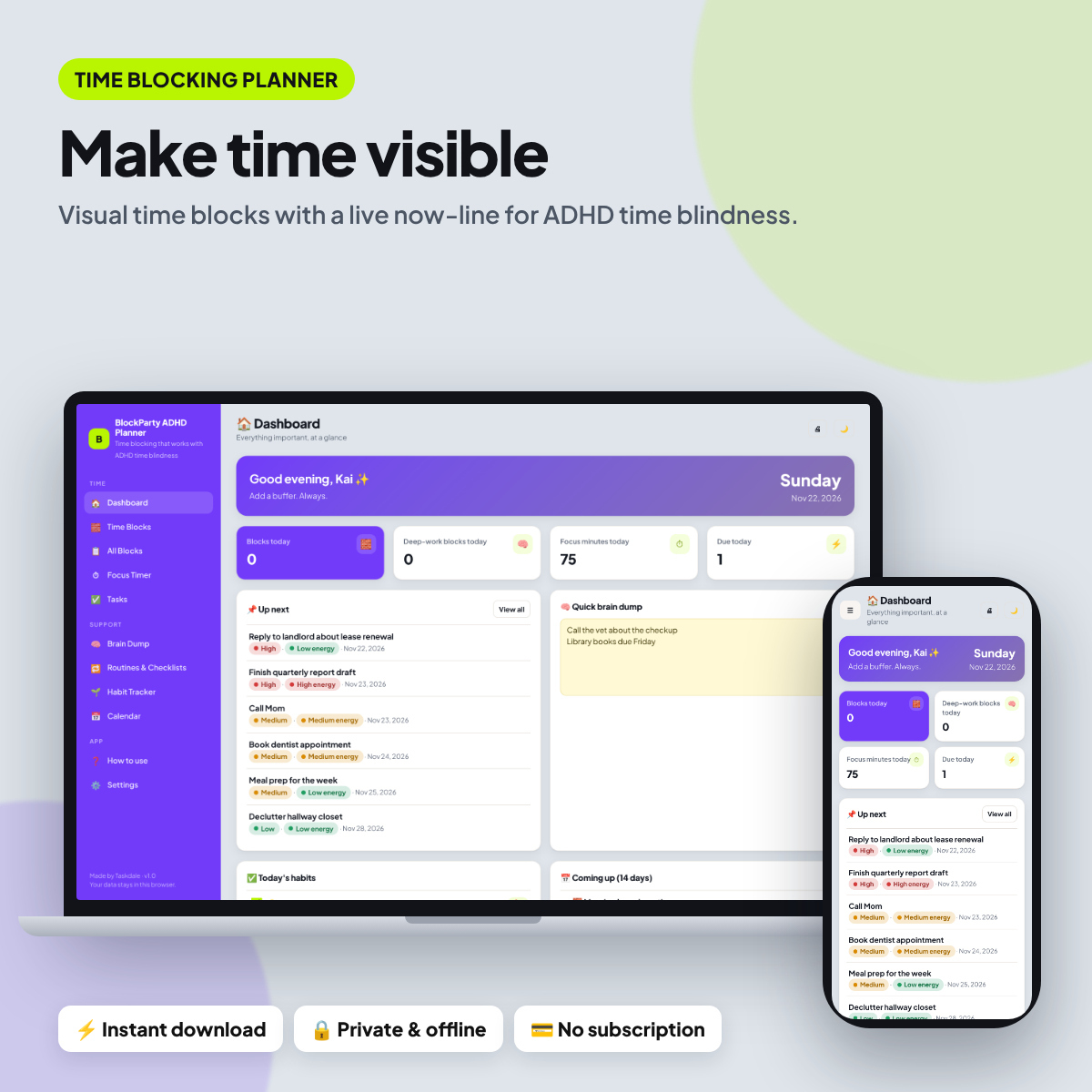
BlockParty ADHD Planner is a time blocking planner designed for ADHD time blindness. Instead of a long list, your day appears as colored blocks on a timeline, with a red line showing the current time, so you can see how much time is really left.
Plan deep work, admin, meetings, breaks and buffers, then use the focus timer, energy-based tasks and routines to work through each block.
Who this time blocking planner is for
- Adults with ADHD who lose track of time
- Remote workers and freelancers
- Students planning study blocks
- Anyone who wants to try time blocking
Main benefits
- See time, not just tasks
- Protect your focus hours
- Works offline and private
- No account or subscription
- Phone, tablet & desktop layouts
- Dark mode + any currency
- Sample data to learn fast
- Backup, CSV export & print
Features of the time blocking planner
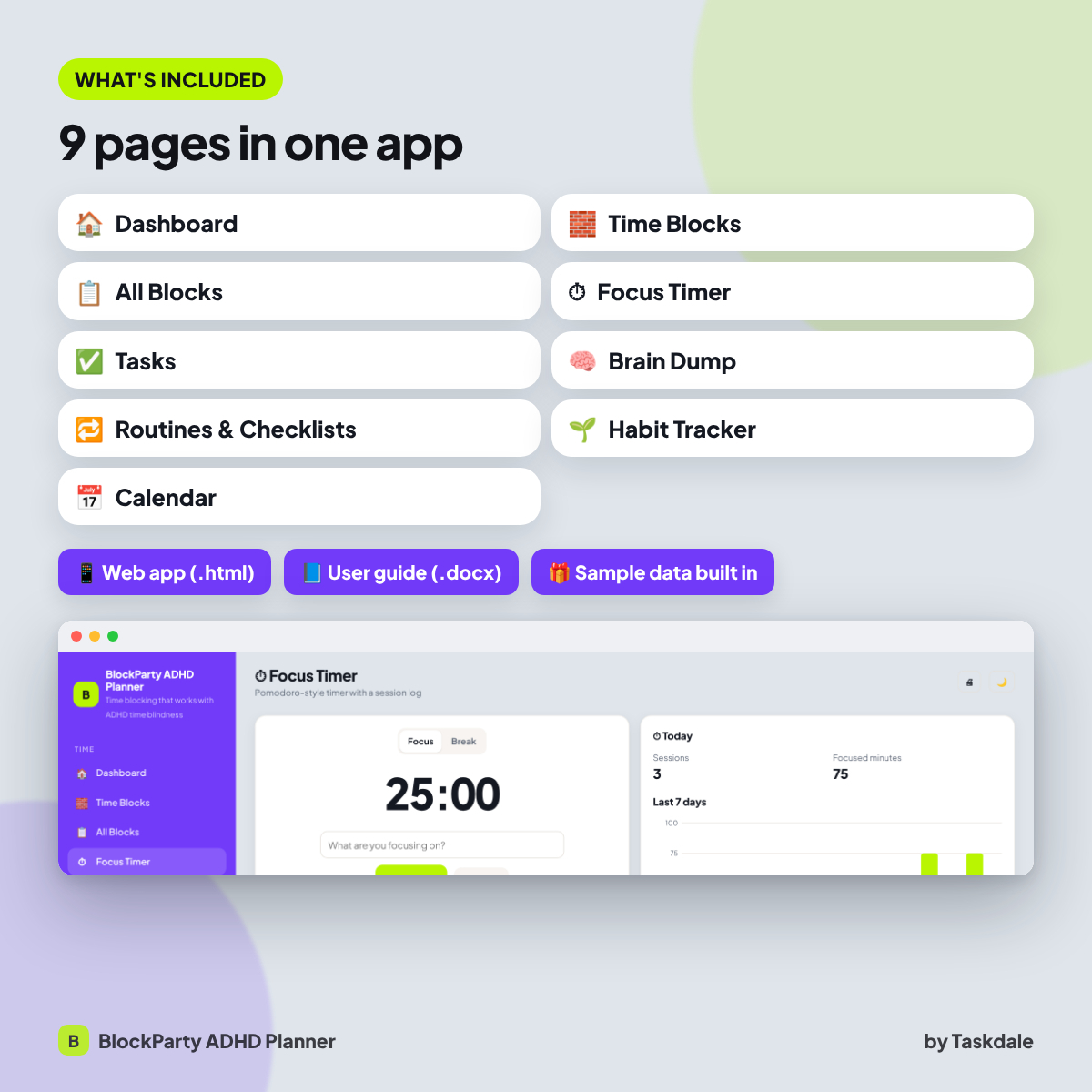
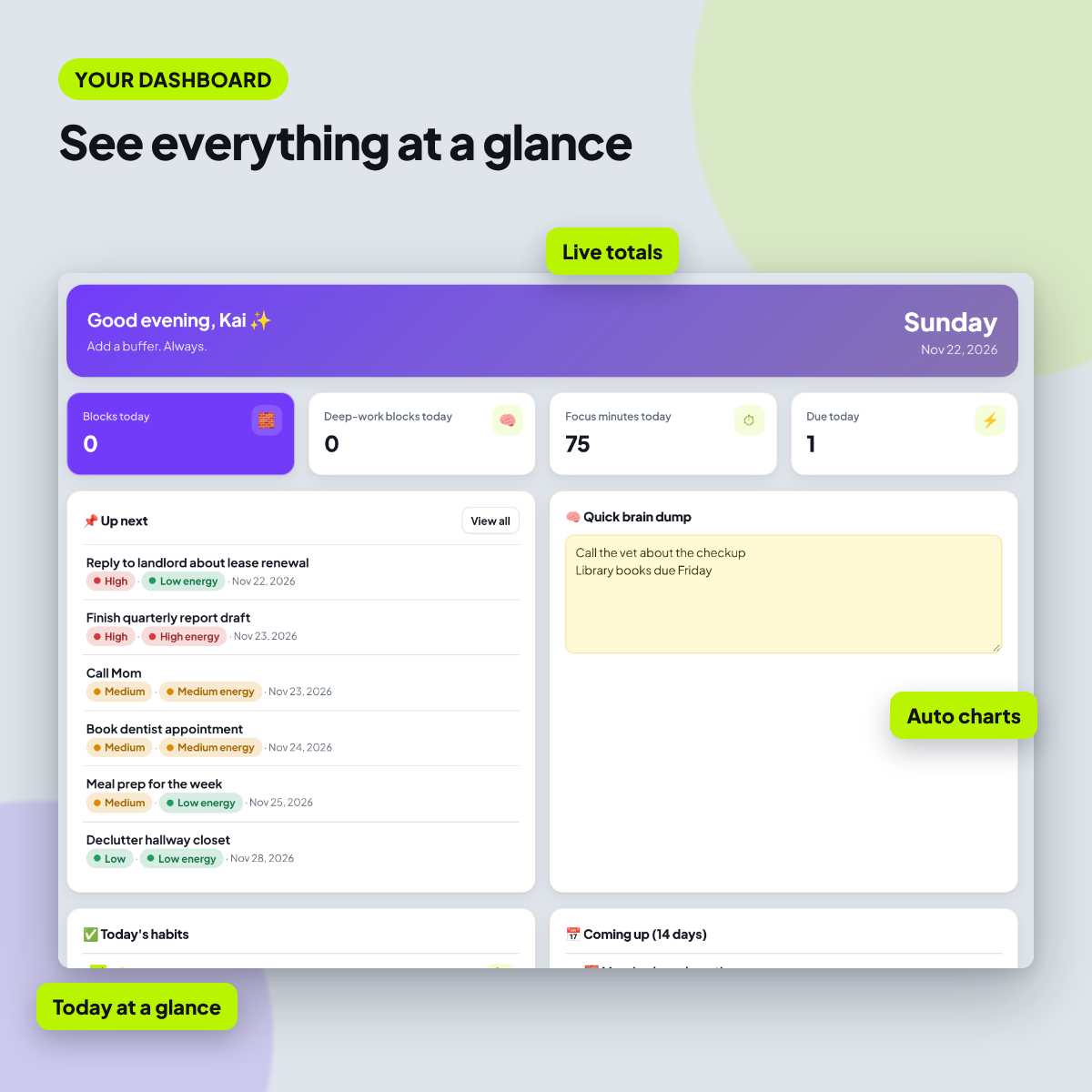
- Dashboard: Your overview with live totals, charts and what needs attention next.
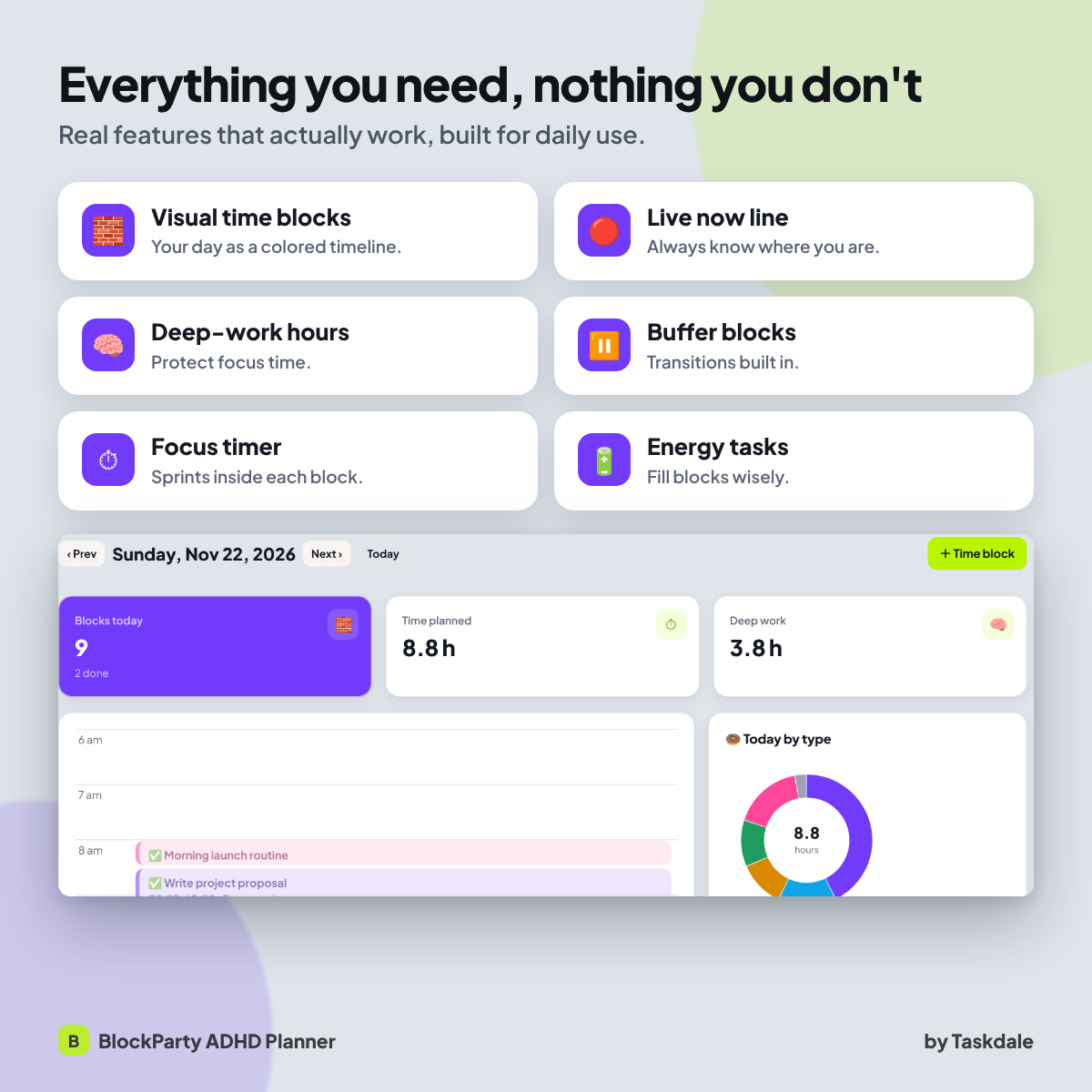
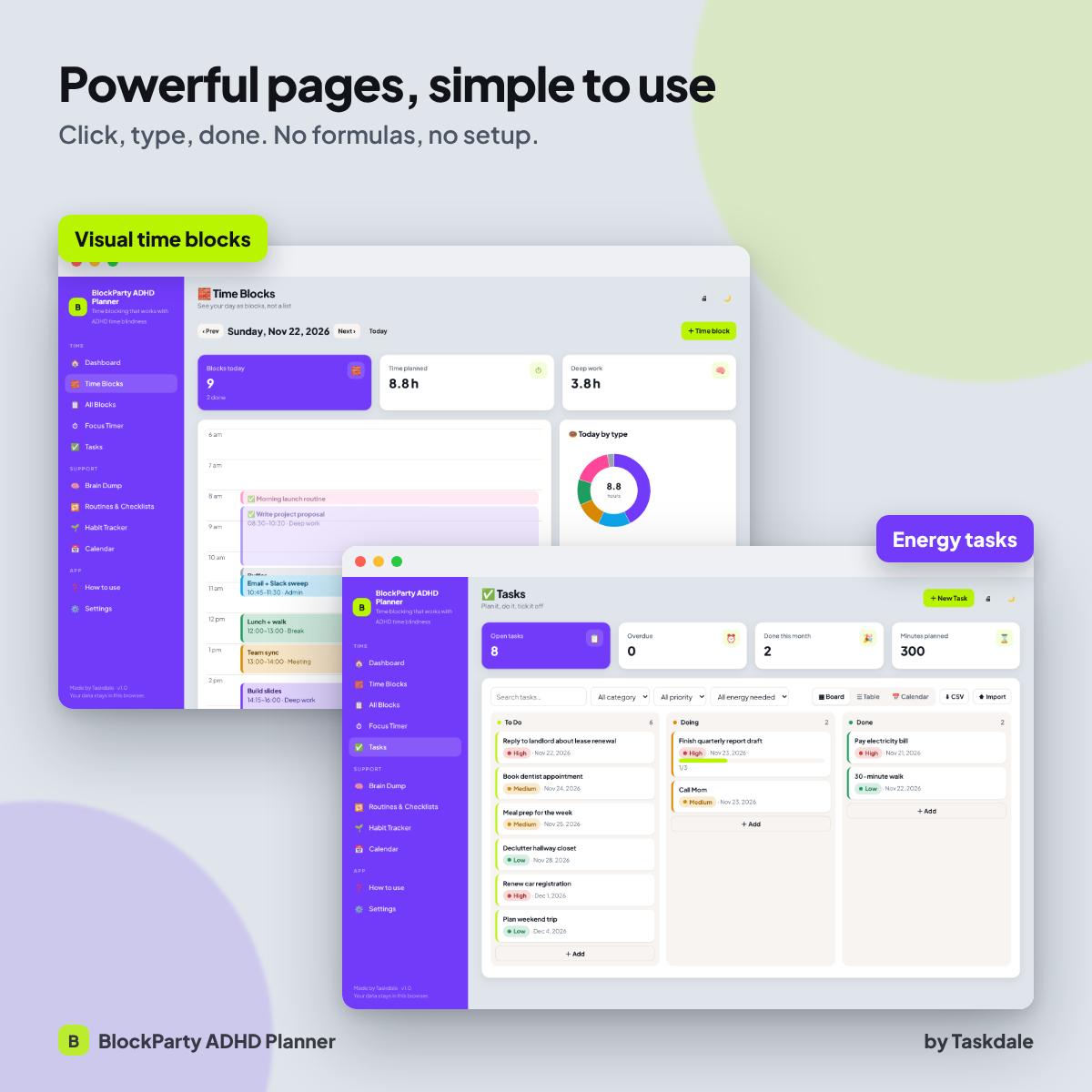
- Time Blocks: A visual day timeline of time blocks by type, with a now line, hours planned and deep-work time.
- All Blocks: All time blocks in a table and calendar.
- Focus Timer: Work in short focus sprints with breaks and see focused minutes add up.
- Tasks: Every task with priority, category, due date, time estimate and subtasks, plus an energy level. Board, table and calendar views.
- Brain Dump: Capture every thought as a sticky note, then turn any note into a task.
- Routines & Checklists: Reusable routine checklists with progress you can reset anytime.
- Habit Tracker: Track daily habits on a monthly grid with streaks and monthly scores.
- Calendar: A monthly calendar that pulls in every dated item from the app.
Built-in extras
- Dark mode: Switch between light and dark themes.
- Any currency: One currency setting that every money value reads from ($ by default).
- Backup and restore: Export all your data to a file and restore it on any device.
- CSV export and import: Open your tables in Excel or Google Sheets, or bring data in.
- Print-ready pages: Print any page or save it as a PDF.
- Sample data: explore a fully filled-in example, then clear it with one click.
Why an app instead of a spreadsheet or PDF?
- Nothing to break: there are no formulas to copy or cells to protect. Totals, charts and progress bars calculate themselves.
- Faster to use: add an entry with a simple form, search and filter in one click, and switch between table, board and calendar views.
- Private by design: BlockParty ADHD Planner runs in your own browser and never uploads your data.
What’s included
- BlockParty ADHD Planner web app (one .html file, 9 pages)
- BlockParty ADHD Planner User Guide (.docx) with setup steps, feature walkthroughs, tips, troubleshooting and FAQ
- Built-in sample data and quick start page
How it works
- Download the ZIP file after purchase and unzip it.
- Double-click the .html file. It opens in your web browser like an app, with no install.
- Click Explore sample data to see it filled in, or start adding your own entries.
- Set your name and currency in Settings, and export a backup now and then.
File format and software requirements
- Format: one HTML web app file (.html) plus a Word user guide (.docx), delivered in a ZIP.
- Tested in Google Chrome on desktop and on phone-sized screens. It uses standard HTML, CSS and JavaScript with no plugins.
- No internet connection, account or subscription needed after download.
- Your data is stored locally in your browser. It does not sync between devices automatically; use the backup file to move it.
Customization
- Add, rename and delete your own entries, categories and lists
- Choose your currency symbol and add your name for a personal greeting
- Switch between light and dark mode
Digital download
This is a digital product. No physical item will be shipped. Your files are available to download right after checkout.
Use cases
- Evening: block out tomorrow, including buffers.
- Workday: follow the now line and tick blocks done.
- Friday: check your deep-work hours.
FAQ
Do I need internet or an account?
No. The app is a single file that runs in your web browser. After download it works offline, with no sign-up and no subscription.
Where is my data saved?
Privately in your browser on your device. Nothing is uploaded anywhere. Use Settings → Export backup to keep a copy or move your data to another device.
Can I use it on my phone or tablet?
The layout adapts to phone and tablet screens. We test it in Google Chrome on desktop and on phone-sized screens. Data is stored per device and browser, so use the backup file to move it between devices.
Can I change the currency?
Yes. Choose any currency symbol in Settings and every money value in the app updates. The default is $.
Is there a free version?
Yes, a free version with a few pages is available on our blog so you can try it first. This listing is the complete app.
Can I print or export my data?
Yes. Every page has a print button (print or save as PDF), and every table can be exported to CSV for Excel or Google Sheets.
Licence: personal use only. You may not resell, share or redistribute the files. © Taskdale.
Reviews
There are no reviews yet.