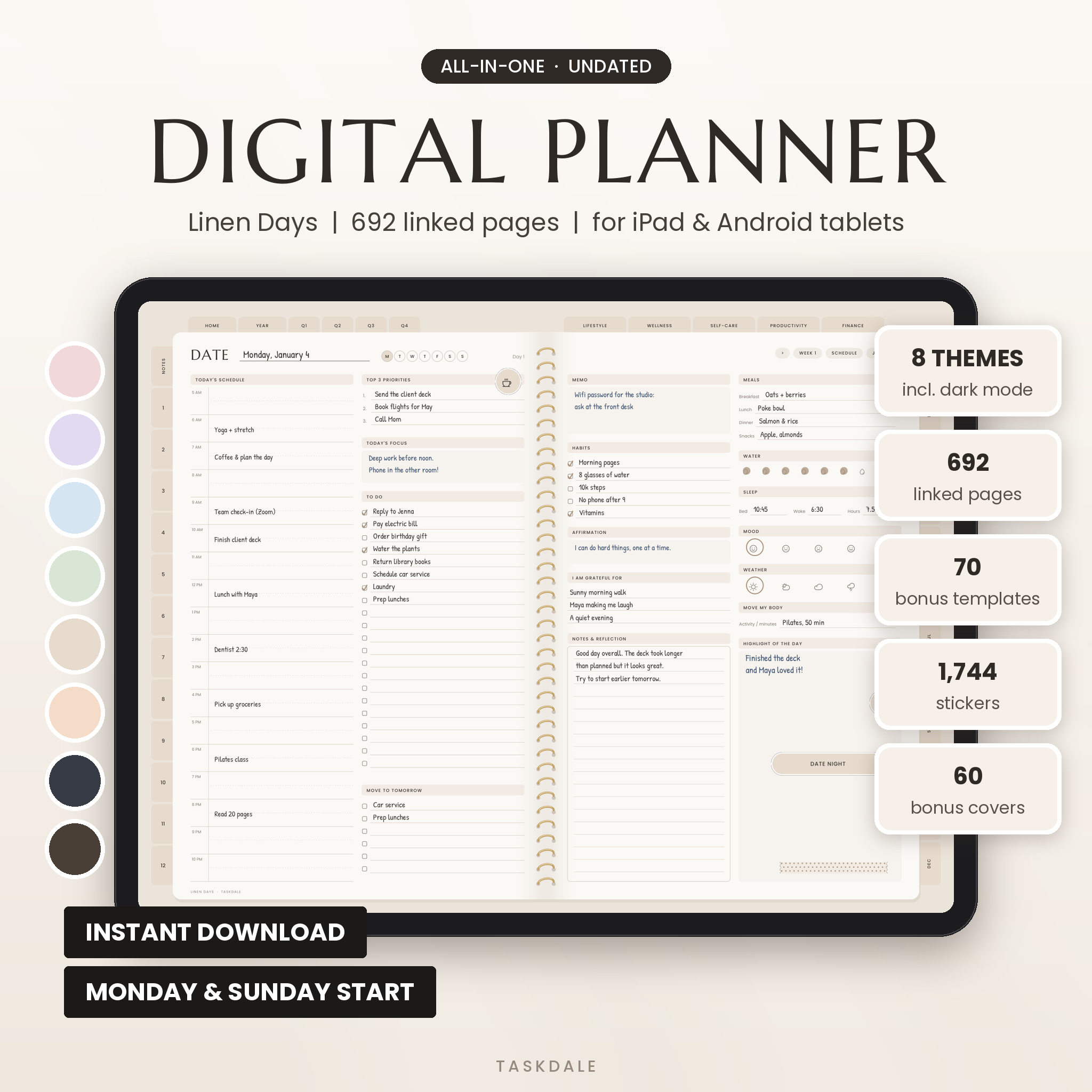
This undated digital planner gives you a whole year of planning inside the note app you already use. Daily, weekly and monthly pages, 70 bonus templates, 1,744 stickers and 60 covers, all linked so you tap instead of scroll. No printed dates, so you can start today, next month or halfway through the year and nothing goes to waste.
Linen Days was built for real days. The ones with a dentist appointment at 2:30, a bill that’s due Friday and a promise to drink more water. Every page has room to write by hand, and the soft linen colors keep it calm to look at.
What this undated digital planner does
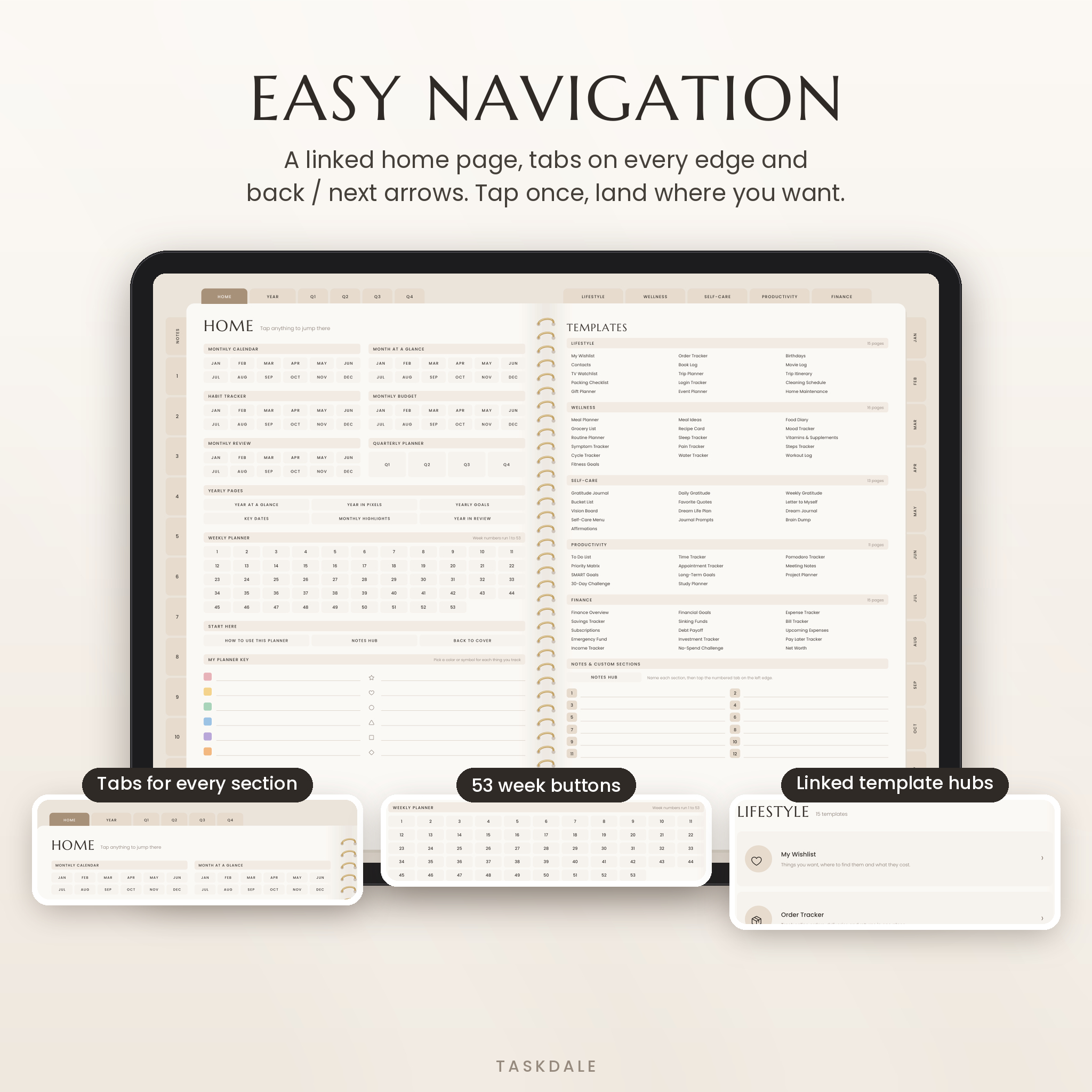
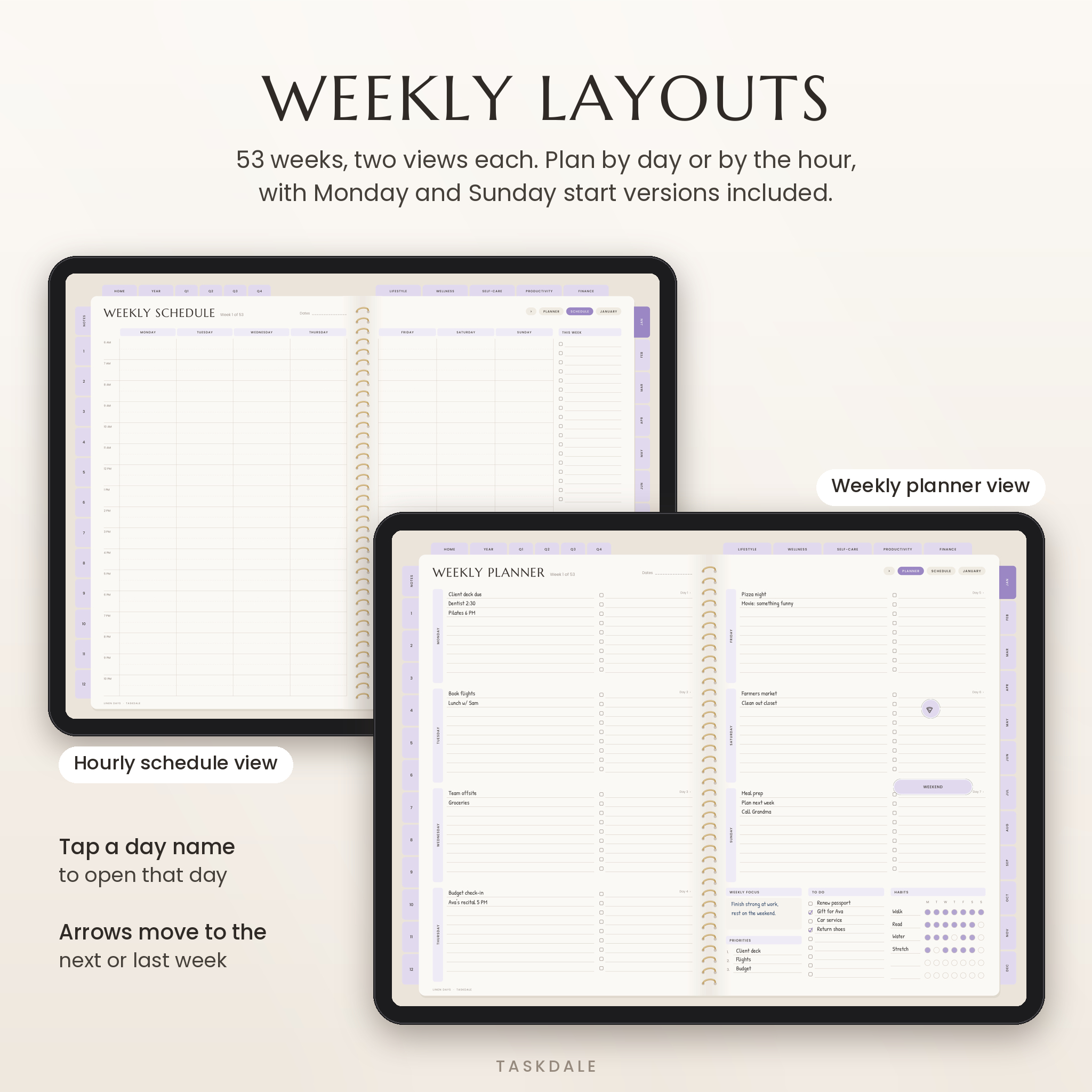
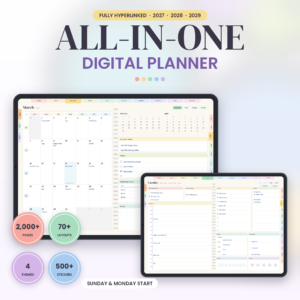
Each planner is a single PDF with 692 linked pages. Tabs run along the top and both sides. Tap January and you’re on January. Tap a day name on a weekly page and you’re on that day. Back and next arrows sit on every weekly and daily page, so moving through your week takes one tap.
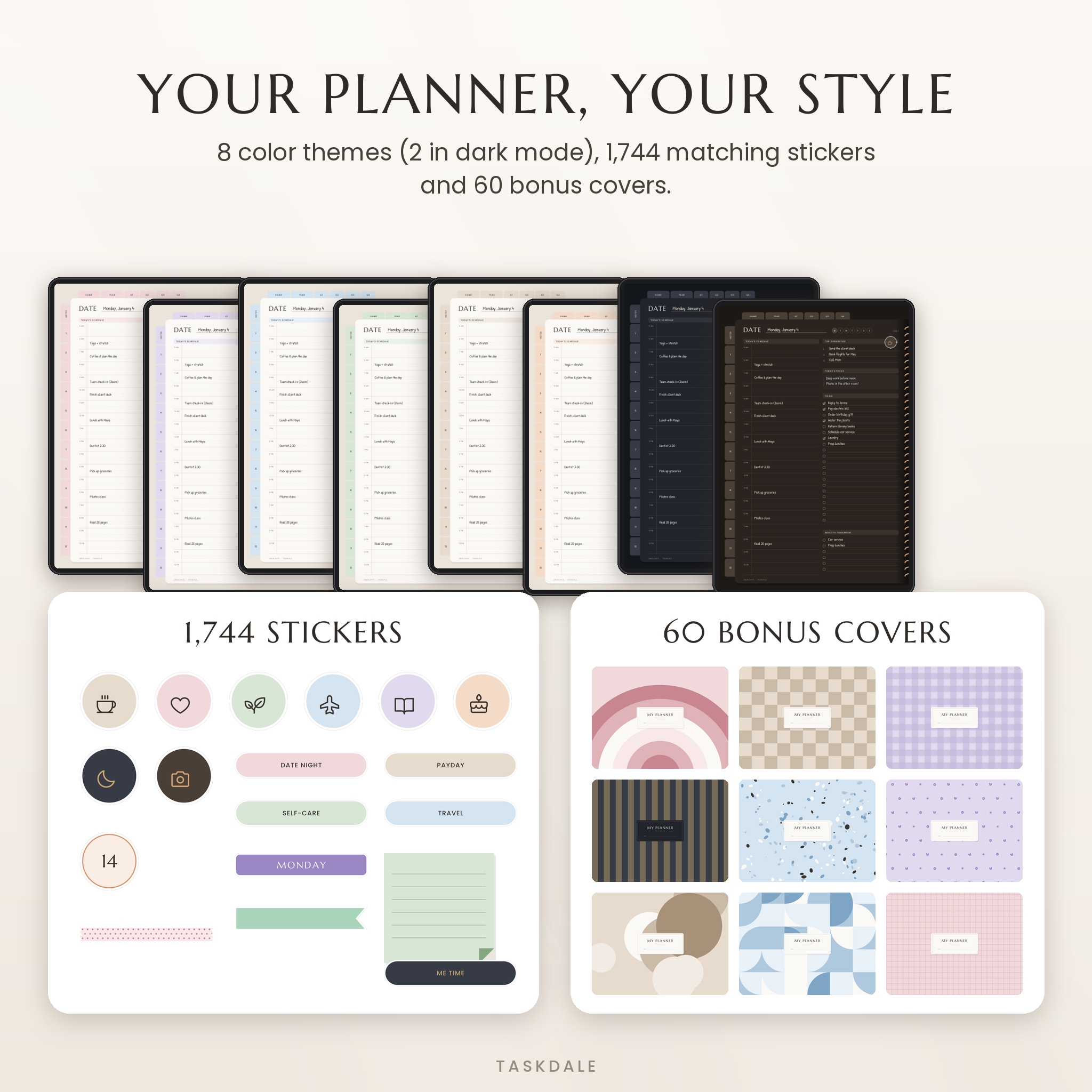
You get the same layout in 8 color themes: Blush, Lavender, Sky, Sage, Sand, Peach and two dark mode themes, Midnight and Espresso. Every theme comes in a Monday start and a Sunday start version. That’s 16 planners in one download.
Who it’s for
- Busy parents and professionals who want the calendar, to-do list and budget in one place
- Students tracking classes, assignments and exam dates
- Anyone who bought a dated planner and felt bad about the blank weeks
- Evening journalers who prefer a dark screen
Main features
Yearly, quarterly and monthly planning
- Year at a glance, year in pixels (mood and energy), yearly goals, key dates, monthly highlights and a year in review
- A planning spread for each quarter
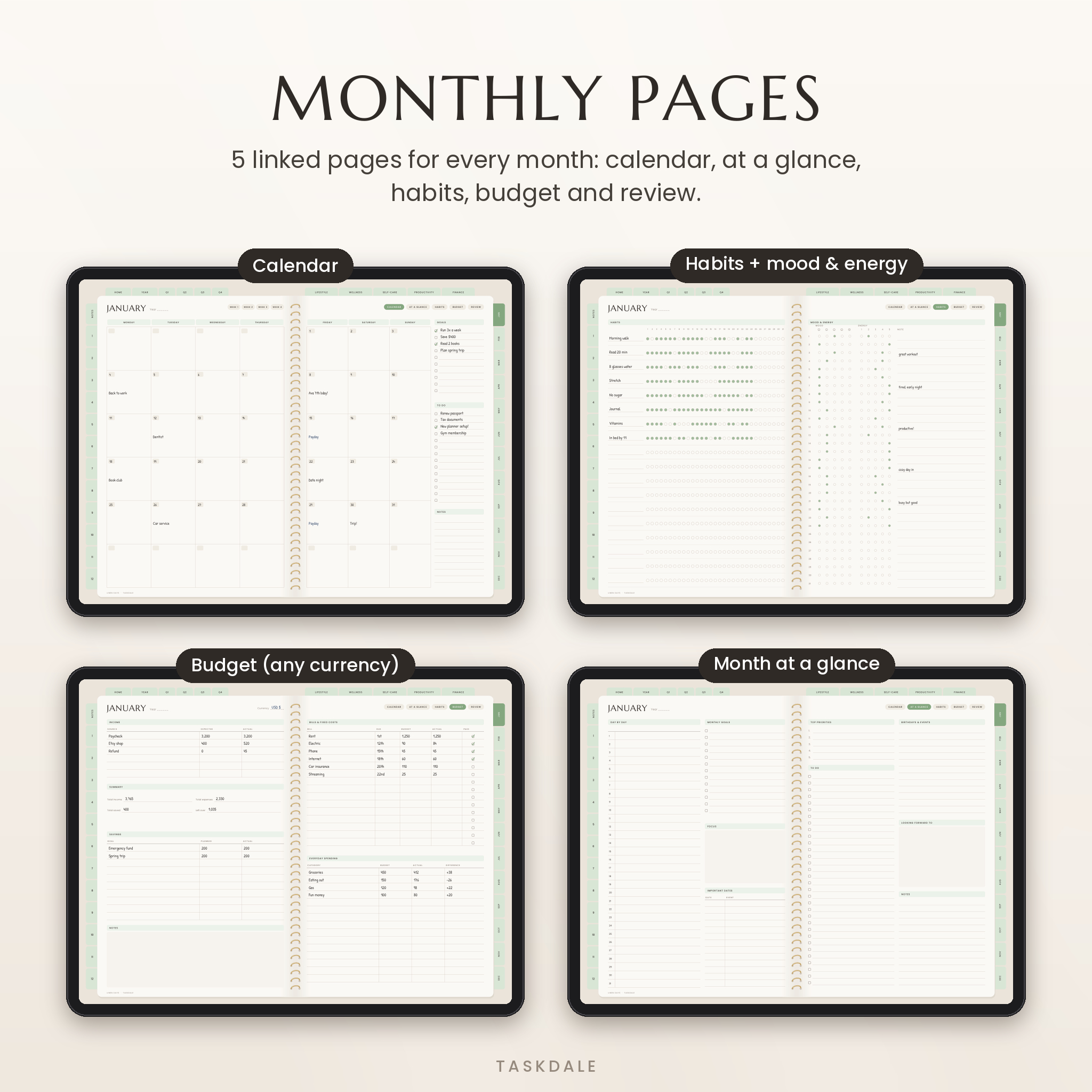
- 5 pages for every month: calendar, month at a glance, habit tracker with a mood and energy log, monthly budget and monthly review
Weekly and daily pages
- 53 weekly planners plus 53 hourly weekly schedules, so even a 53-week year fits
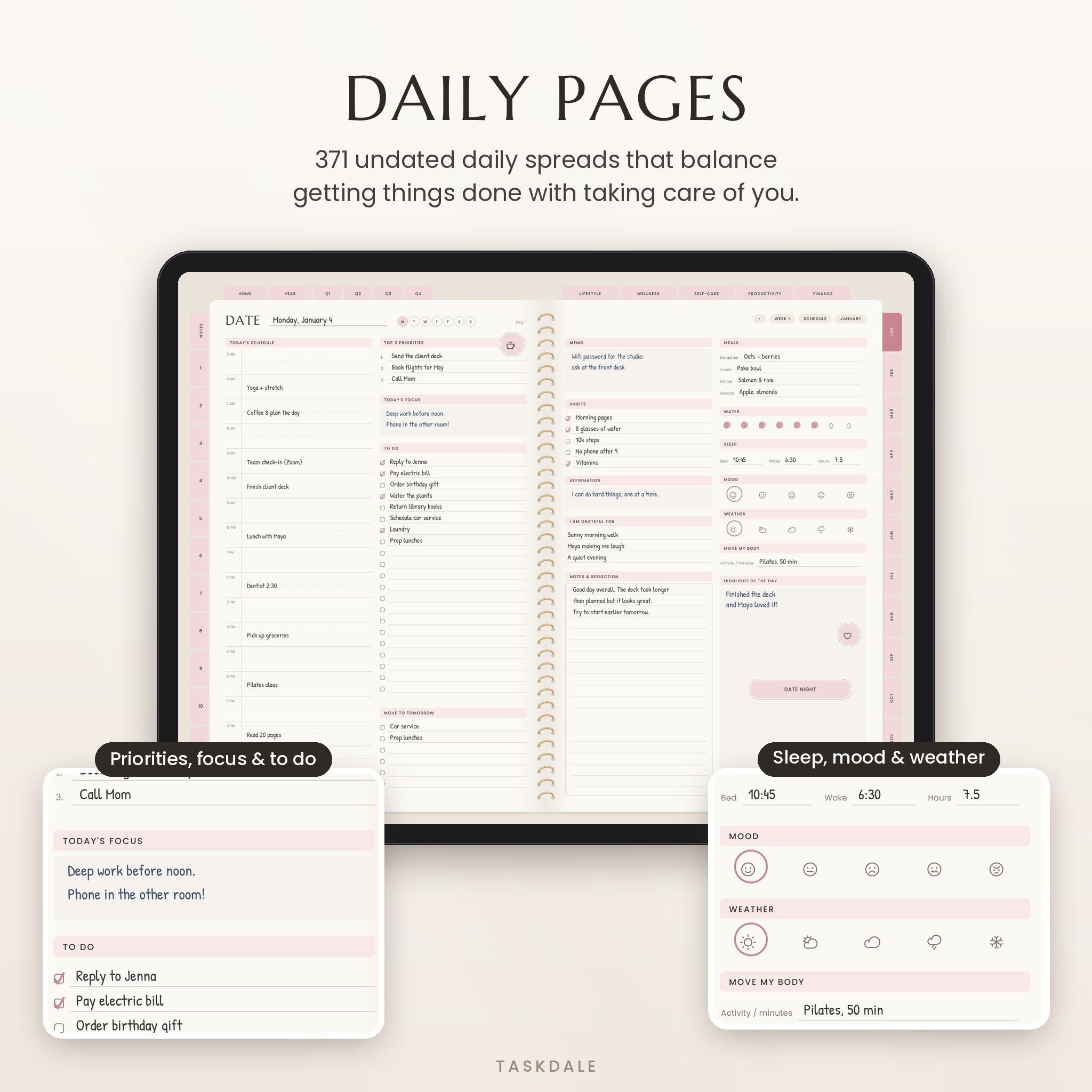
- 371 daily pages with an hourly schedule, top 3 priorities, to do list, habits, meals, water, sleep, mood, weather, gratitude and a highlight of the day
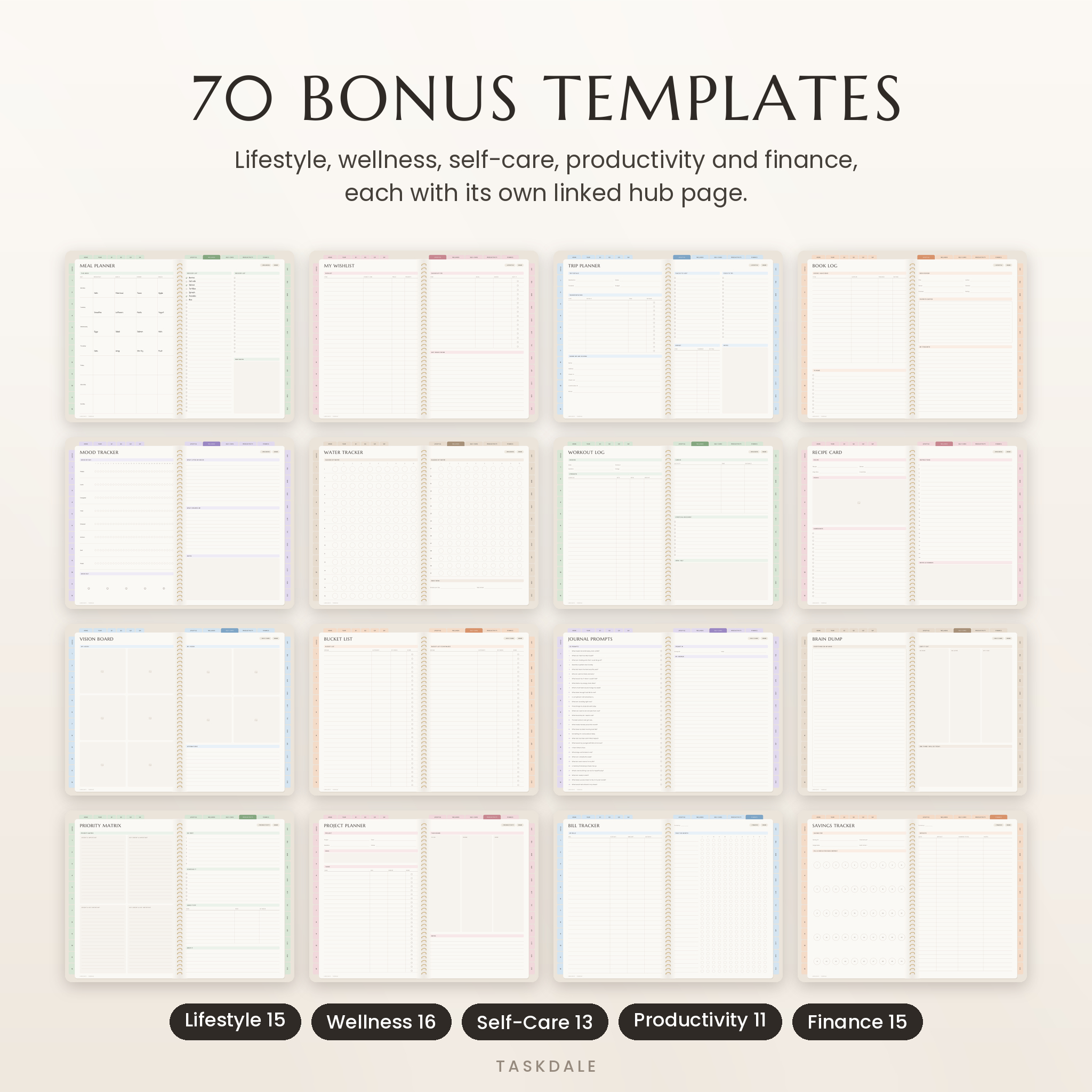
70 bonus templates in 5 categories
- Lifestyle (15): wishlist, order tracker, birthdays, contacts, book log, movie log, TV watchlist, trip planner, itinerary, packing list, login tracker, cleaning schedule, gift planner, event planner, home maintenance
- Wellness (16): meal planner, meal ideas, food diary, grocery list, recipe card, mood, routine, sleep, supplements, symptoms, pain, steps, cycle, water, workout log, fitness goals
- Self-care (13): gratitude pages, bucket list, quotes, letter to myself, vision board, dream life plan, dream journal, self-care menu, 30 journal prompts, brain dump, affirmations
- Productivity (11): to do list, time tracker, pomodoro, priority matrix, appointments, meeting notes, SMART goals, long-term goals, project planner, 30-day challenge, study planner
- Finance (15): finance overview, financial goals, expenses, savings, sinking funds, bills, subscriptions, debt payoff, upcoming expenses, emergency fund, investments, pay later tracker, income, no-spend challenge, net worth
Notes and custom sections
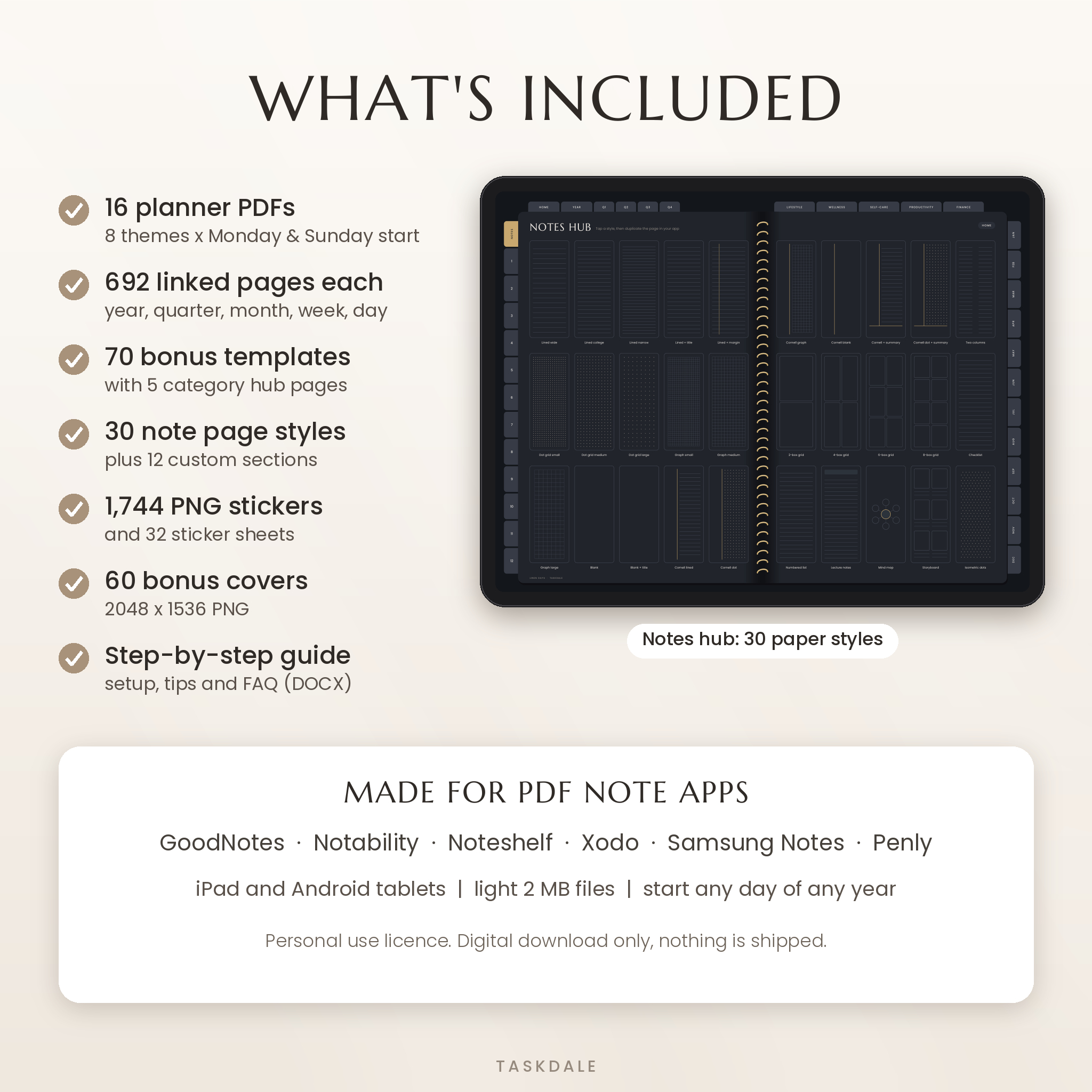
A Notes hub links to 30 paper styles, from lined and dot grid to Cornell, storyboard and mind map. Twelve more tabs on the left edge are custom sections you name yourself. Use them for school subjects, clients, a side hustle or your recipes.
What’s included
- 8 theme bundles (ZIP). Each one holds the Monday start and Sunday start planner PDFs plus that theme’s stickers
- 16 planner PDFs in total, 692 linked pages each
- 1,744 theme-matched PNG stickers with clear backgrounds, plus 32 sticker sheets
- 60 bonus covers (2048 x 1536 PNG)
- A step-by-step user guide (DOCX) with setup steps, tips and troubleshooting
How it works
- Download the theme bundle you like best (or all eight) after checkout.
- Unzip on your tablet (tap the file in the iPad Files app) or on your computer.
- Import your favorite theme into GoodNotes, Notability or another PDF note app.
- Write the year on the cover, tap Tap to open, and start planning.
File formats and requirements
- Planner: PDF, landscape two-page layout, about 2 MB per file so it opens fast
- Stickers and covers: PNG
- Guide: DOCX (opens in Word, Pages or Google Docs)
- You need a tablet and a PDF annotation app that supports links, such as GoodNotes, Notability, Noteshelf, Xodo, Samsung Notes or Penly. A stylus helps a lot.
- Made for iPad and Android tablets. It’s not set up for printing or for phones.
Customize it
Duplicate any page you need more of. Delete the ones you skip. Drop stickers anywhere with your app’s image tool, swap in a new cover, and use the planner key on the Home page to give each thing you track its own color or symbol. Money pages have a Currency line, so it works in dollars, pounds, euros, rand or anything else.
Ways people use it
- A Sunday reset: plan the week, fill the meal planner and build the grocery list in 15 minutes
- Paying off a credit card with the debt payoff and no-spend challenge pages
- Planning a family trip with the trip planner, itinerary and packing list
- Tracking sleep, water and mood to spot what helps on hard weeks
- Keeping class notes in custom sections next to your assignment tracker
Digital download
This is an instant digital download. Nothing will be shipped. Your files are ready on the order page and in your confirmation email as soon as payment goes through.
FAQ
Does this digital planner work with GoodNotes and Notability?
Yes. It’s a standard linked PDF, made for GoodNotes, Notability and other PDF note apps. In GoodNotes, use read-only mode or set the pencil to draw so your finger taps the links.
Can I use it on an Android tablet?
Yes. Try Samsung Notes, Xodo, Noteshelf, Penly or Kilonotes.
Is the planner dated?
No. It’s fully undated. Weeks run 1 to 53 and days 1 to 371, and you write in the dates.
Can I reuse it next year?
Yes. Import a fresh copy of the PDF whenever you start a new year.
Is there a dark mode?
Yes. Midnight and Espresso are dark themes, easy on the eyes at night.
Can I print it?
It’s designed for tablets. You can print pages, but text will be small and there’s no bleed.
How do I add the stickers?
Use your app’s image or photo tool to insert a PNG, then resize it with two fingers. The guide walks you through it.
Licence: personal use only. Please don’t resell, share or redistribute the files. © Taskdale.
Reviews
There are no reviews yet.