Business Analyst Resume Template for Word, Built for BA Results
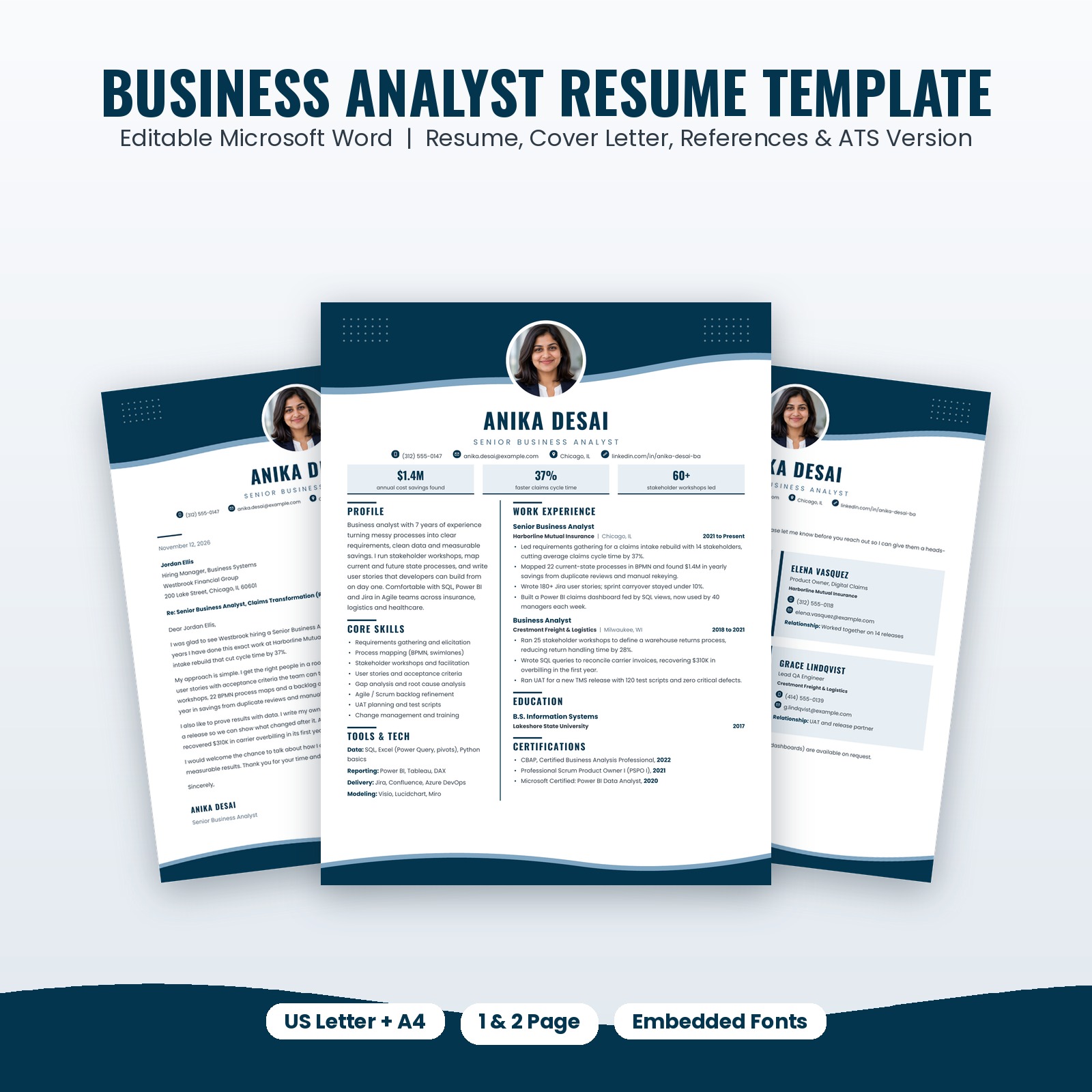
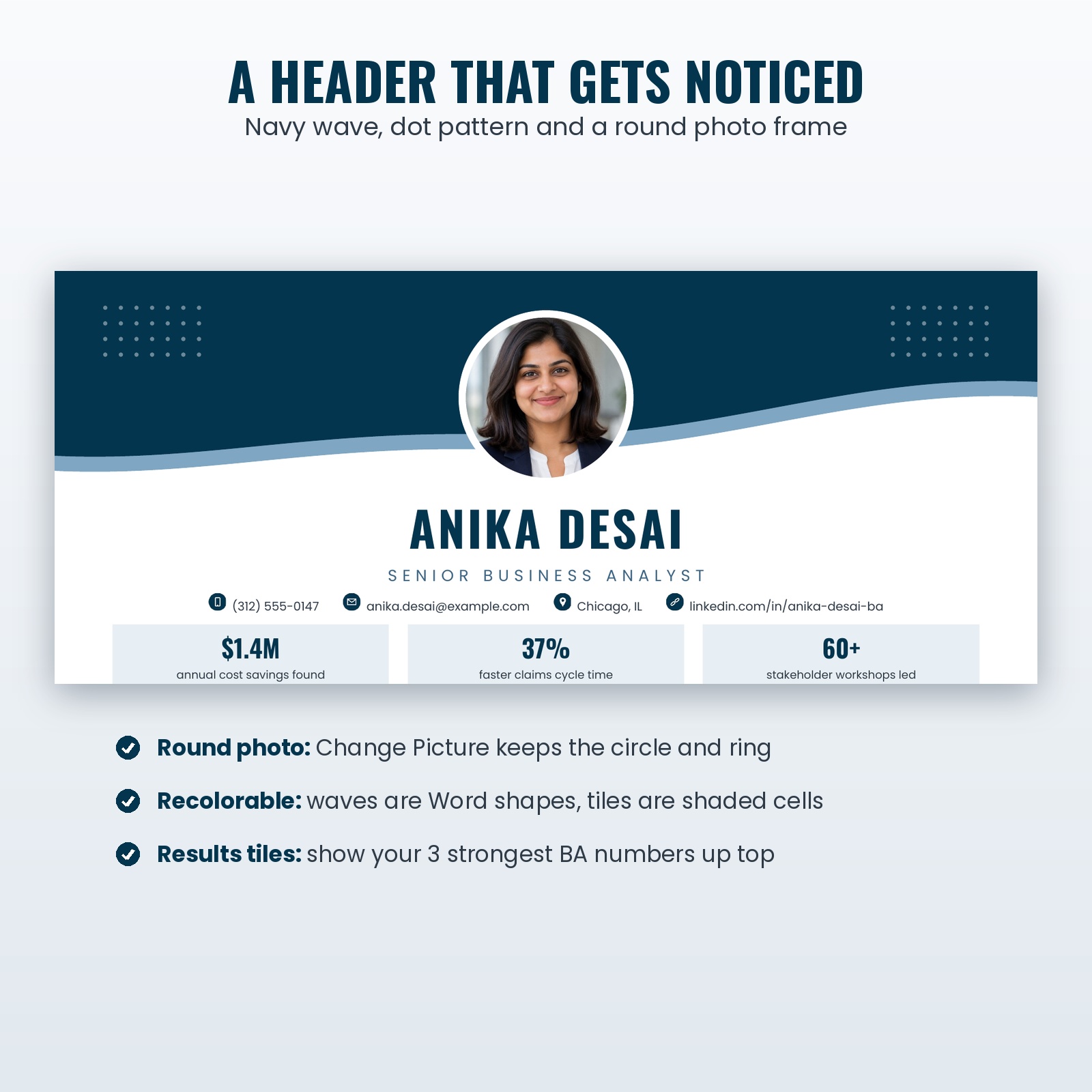
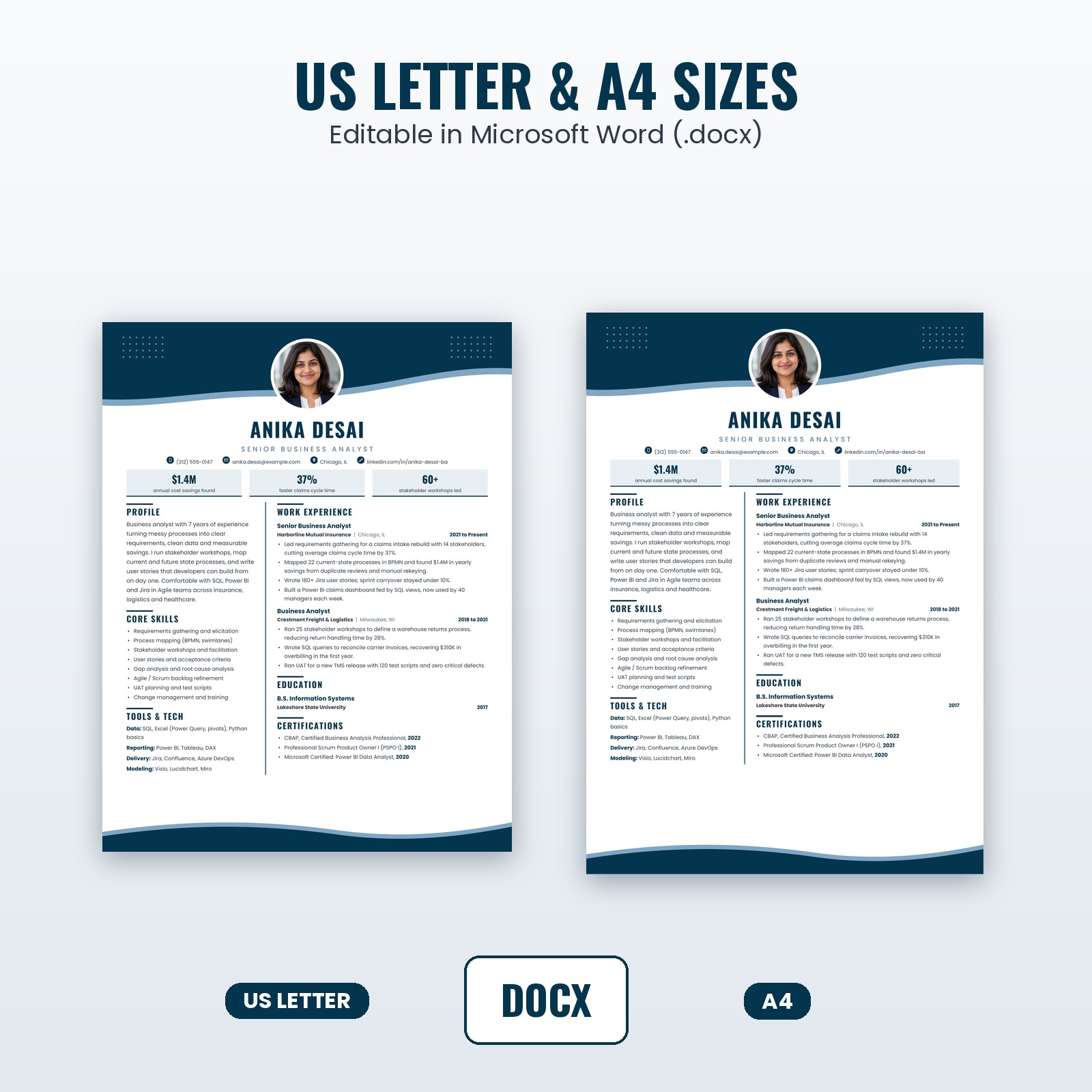
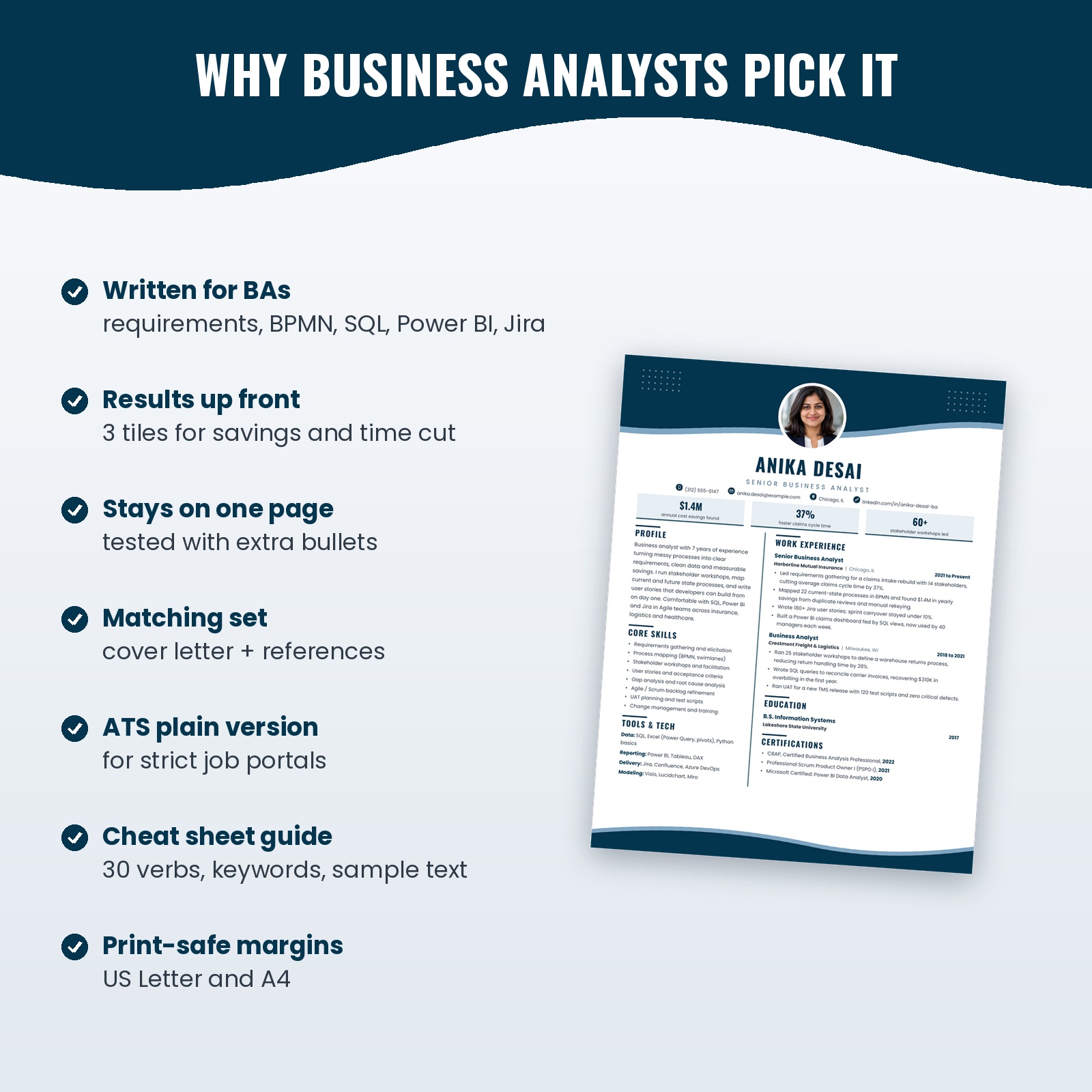
Tidecrest is a business analyst resume template in Word made for people who turn messy processes into clear requirements. The design keeps the look buyers like in a modern photo resume: a deep navy wave header with dot patterns, a round photo frame, a bold condensed name and a tidy two-column body. Then it adds what a business analyst actually needs, like three results tiles under your name for numbers such as $1.4M in savings or a 37% faster cycle time.
Every file opens in Microsoft Word and is ready to edit. You get the resume in two lengths, a matching cover letter, a references page and a plain ATS version, all in US Letter and A4.
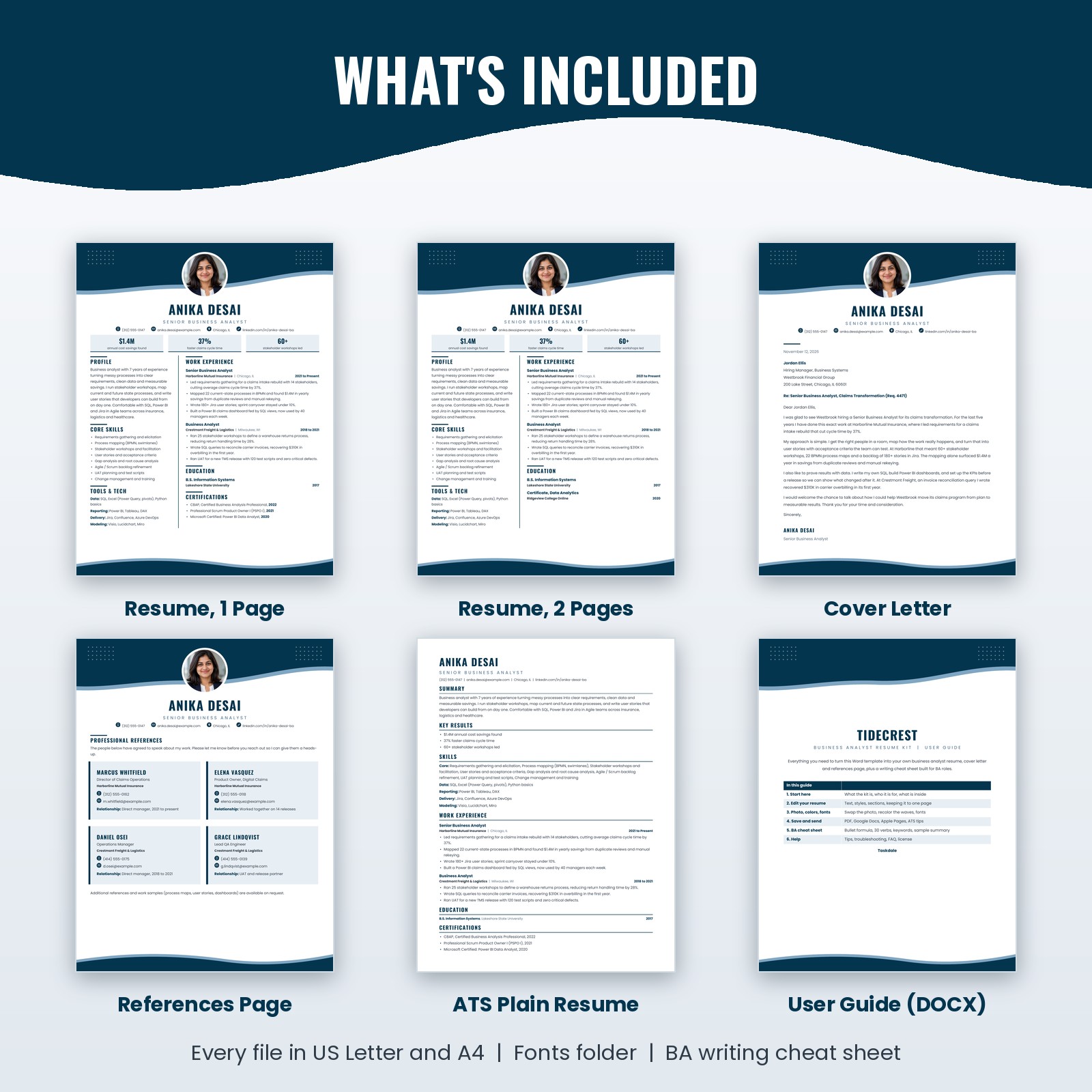
What’s Included in the Business Analyst Resume Kit
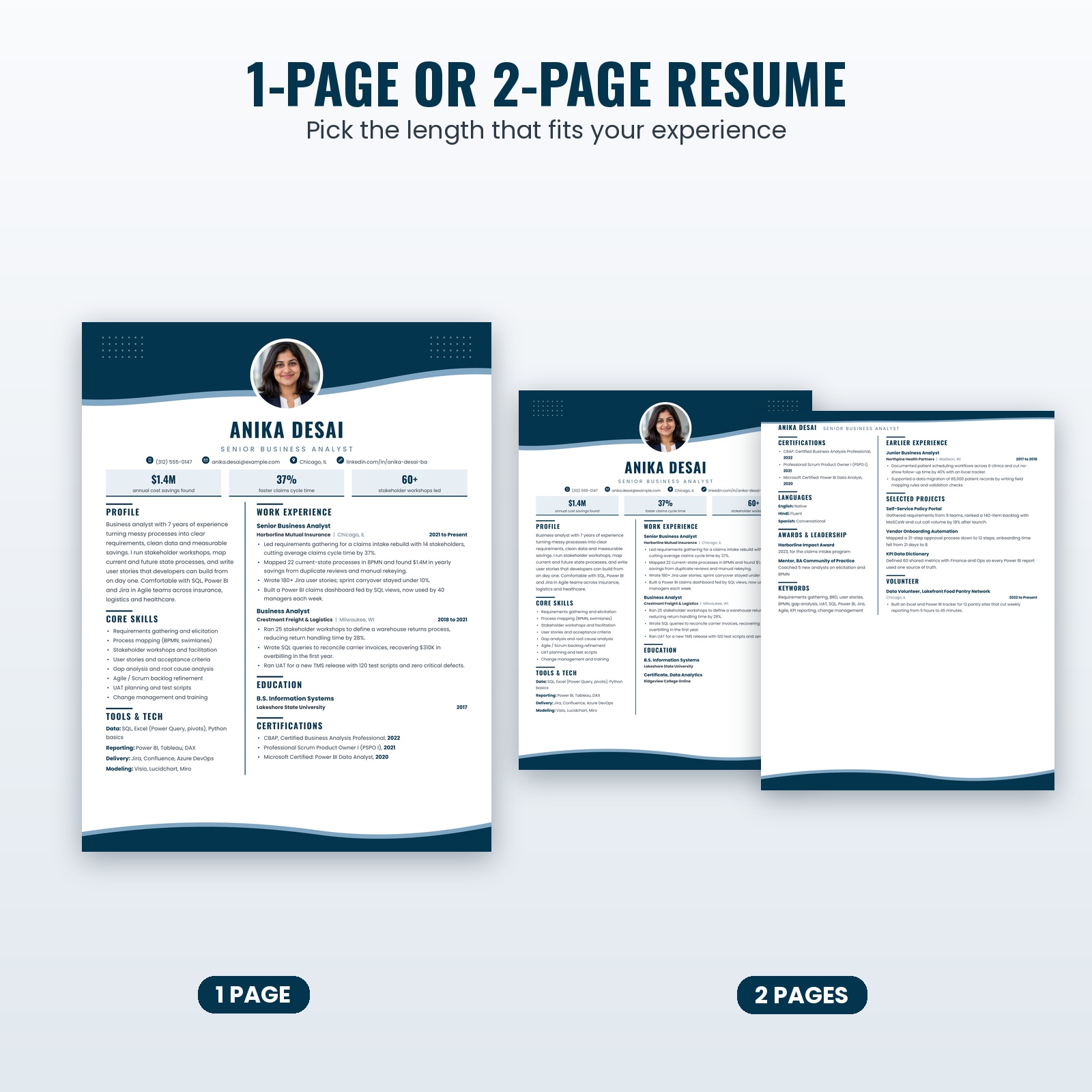
- Resume, 1 page with profile, core skills, tools, two roles, education and certifications
- Resume, 2 pages with room for earlier roles, selected projects, languages, awards and volunteer work
- Cover letter on a matching letterhead with your photo, name and contact line
- References page with four reference cards (title, company, phone, email, relationship)
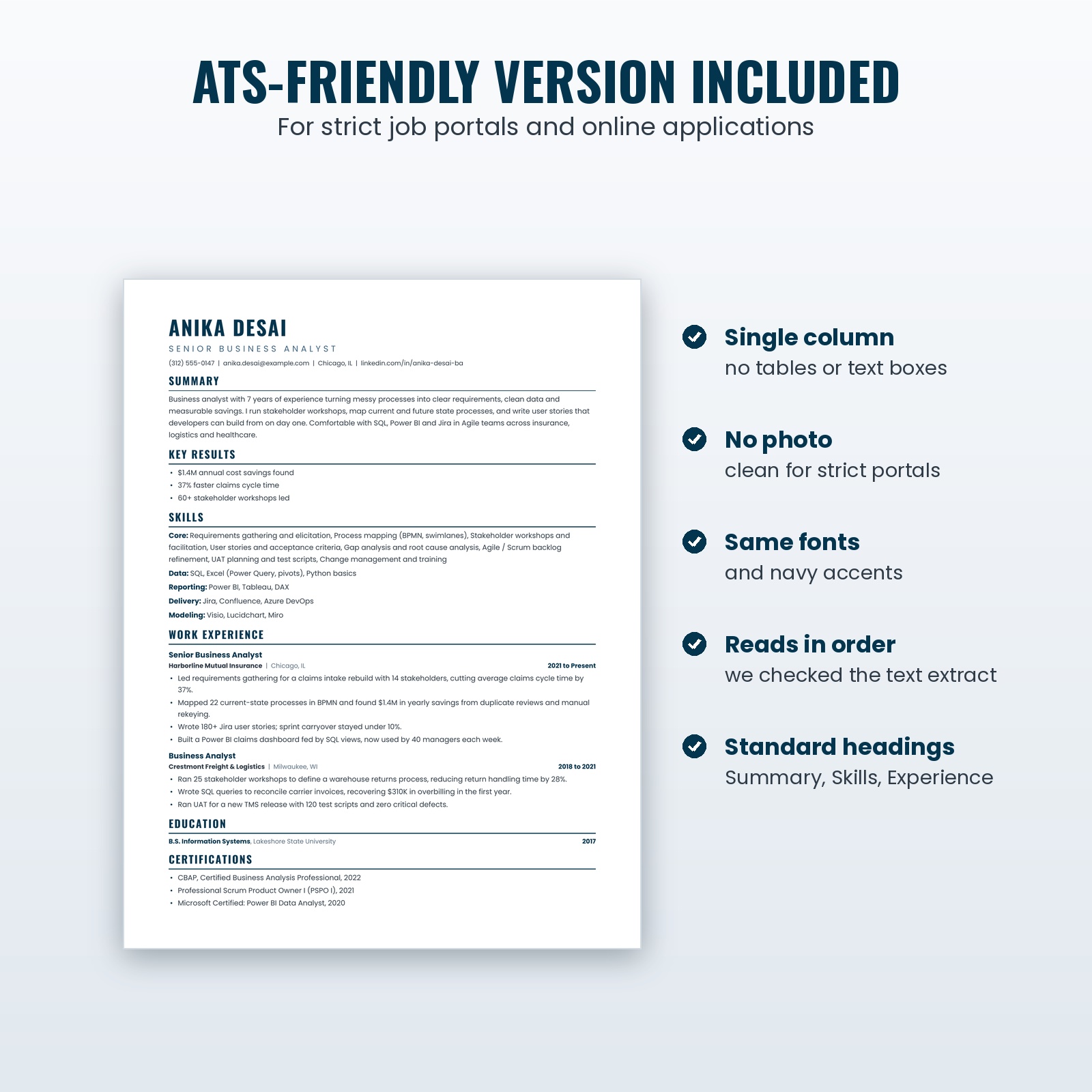
- ATS resume, plain version: single column, no photo, no tables, same fonts and navy accents
- All five files in US Letter and A4 (10 .docx files in total)
- Fonts folder with Oswald and Poppins as a backup install (SIL Open Font License)
- User guide (DOCX), 8 pages, with editing steps and a business analyst resume cheat sheet
Why This BA Resume Template Is Easier to Work With
Many Word resume templates look good until you start typing. Text boxes slide around, fonts swap out on another computer, and one extra line pushes everything onto page two. We built Tidecrest to avoid those problems.
No floating text boxes
The two columns are a table with hidden borders, the results strip is a row of shaded cells, and the waves are Word shapes in the page header. Your text stays in the normal flow, so it won’t jump when you edit and applicant tracking systems can read every word.
Fonts embedded in every file
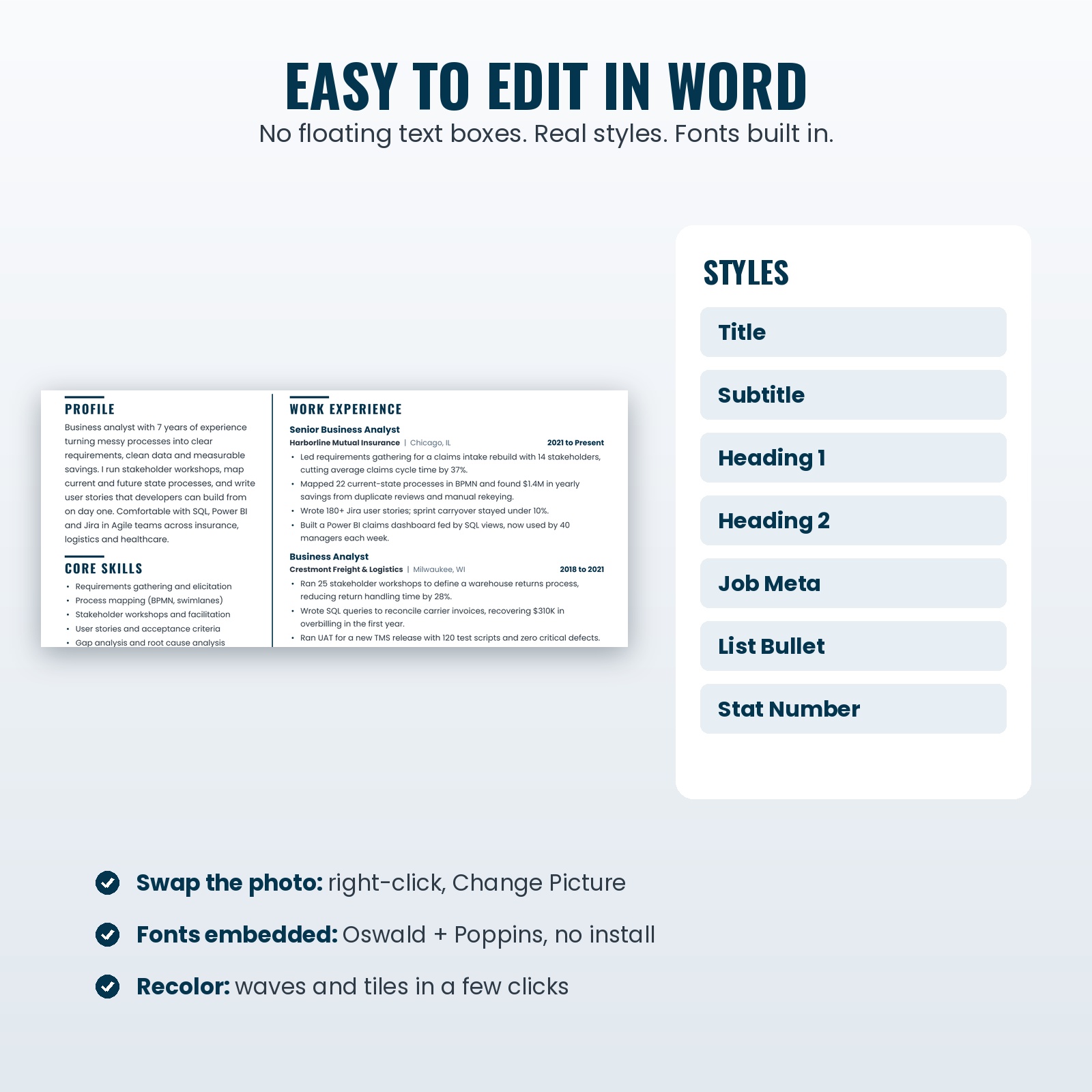
Oswald and Poppins are embedded in each .docx, so the name, headings and body look right the moment you open the file. No font install needed. The Fonts folder is there as a backup.
A round photo that stays round
Right-click the photo, choose Change Picture, and your headshot drops into the same circle with its white ring. No photo? Delete it and the layout still works.
One page that stays one page
We tested the 1-page business analyst resume with a long hyphenated name, a two-line job title and three extra bullets. It held one page in both US Letter and A4.
Real Word styles
Title, Subtitle, Heading 1, Heading 2, Job Meta and List Bullet styles control the whole design. Change a font or color once in the Styles pane and the document updates.
Sample Wording Written for Business Analysts
There is no lorem ipsum here. The sample resume shows a senior business analyst with realistic achievements you can adapt: requirements gathering with 14 stakeholders, 22 BPMN process maps, 180+ Jira user stories, a Power BI dashboard fed by SQL views and UAT with 120 test scripts. Skills cover elicitation, process mapping, stakeholder workshops, gap analysis, Agile and Scrum backlog refinement, and change management. Tools are grouped by use: SQL and Excel, Power BI and Tableau, Jira and Confluence, Visio and Lucidchart.
The guide adds a cheat sheet for BA resumes: a bullet formula (action + task + result with a number), 30 action verbs, the keywords recruiters search for, what to put in each section and a sample profile you can rewrite.
Who This Resume Template Is For
- Business analysts, senior BAs and lead BAs applying in insurance, banking, healthcare, logistics, retail or tech
- Systems analysts, process analysts, product analysts and data-minded BAs
- Career changers moving into a BA role from operations, QA, customer service or reporting
- Graduates with a CBAP, ECBA, Power BI or Scrum certificate who want a professional first resume
How It Works
- Download the zip and the user guide from your order page.
- Open the US-Letter or A4 folder and pick the 1-page or 2-page business analyst resume.
- Type over the sample text, swap the photo and update the three results tiles.
- Use the same details in the cover letter and references page so the set matches.
- Save as PDF from Word and apply. Use the ATS version for strict job portals.
File Formats and Software
- Microsoft Word .docx files, tested for Word 2016 or newer and Microsoft 365 on Windows and Mac
- They also open in Google Docs and Apple Pages, with minor layout differences. For the cleanest PDF, export from Word.
- Paper sizes: US Letter (8.5 x 11 in) and A4 (210 x 297 mm), with print-safe margins
- Instant digital download. Nothing is shipped.
Customize the Colors and Layout
The navy (#03354E) and steel blue waves are Word shapes, so you can recolor them with Shape Fill. The results tiles and reference cards are shaded table cells you can change in Table Design. Copy a section to add another job or project, or delete one you don’t need. The guide walks through each step.
Real Ways Buyers Use It
- Applying for a senior business analyst role and leading with savings and cycle-time numbers
- Sending a matching cover letter and references page to a recruiter in one go
- Uploading the ATS version to a large employer portal while emailing the designed PDF to the hiring manager
- Keeping a 2-page version for contract BA work with a longer project list
FAQ
Is this business analyst resume template ATS friendly?
Yes. All text sits in the normal document flow with no text boxes, and the kit includes a plain single-column ATS version with no photo or tables. We checked that its text extracts in the right order.
Do I need Microsoft Word?
Word gives the best result. The files open in Google Docs and Apple Pages too, with minor layout differences.
Can I remove the photo?
Yes. Click the photo and press Delete, or use the ATS version, which has no photo.
Which paper size should I choose?
US Letter for the US and Canada. A4 for the UK, Europe, Australia and most other countries. Both are included.
Will the fonts look right on my computer?
Yes. The fonts are embedded in each Word file, and a Fonts folder is included as a backup.
Is the sample photo a real person?
No. The sample headshot is AI-generated and shows a fictional person, as are the names, companies and schools. Replace them with your own details.
Can I use it for more than one job application?
Yes, as many times as you like for your own job search. The license is personal use only, so the files can’t be resold or shared.
License
Personal use only. Edit and use the files for your own applications. Resale, sharing or redistribution of the files, edited or not, is not allowed. Design by Taskdale.
Reviews
There are no reviews yet.