

Business Development Resume Template for Word, Built to Win Interviews
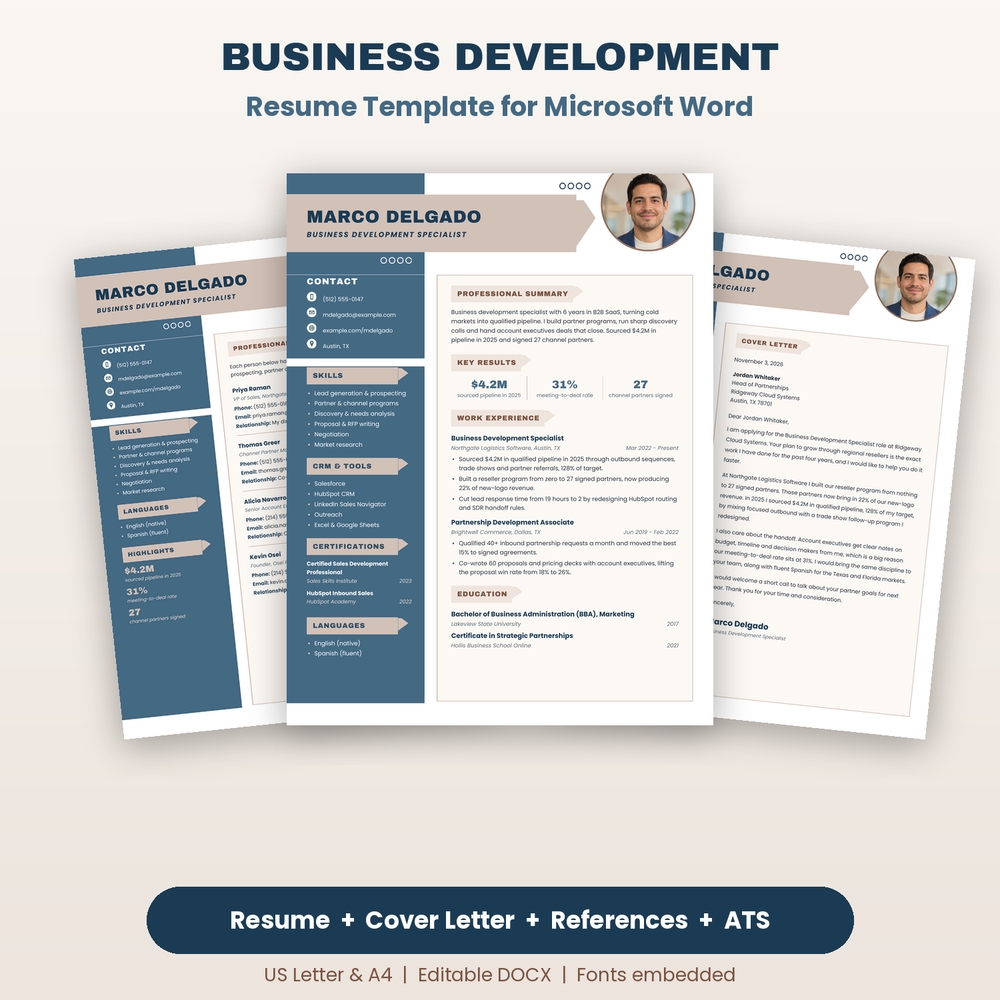
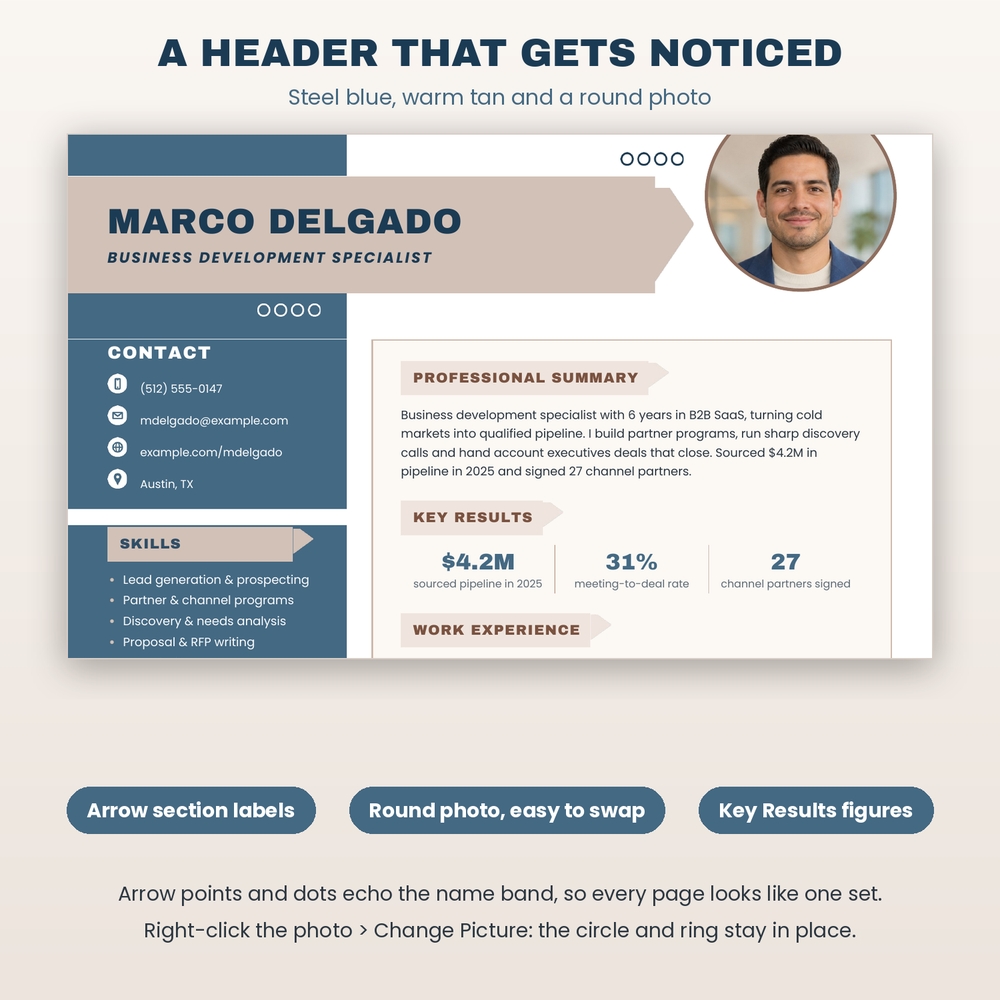
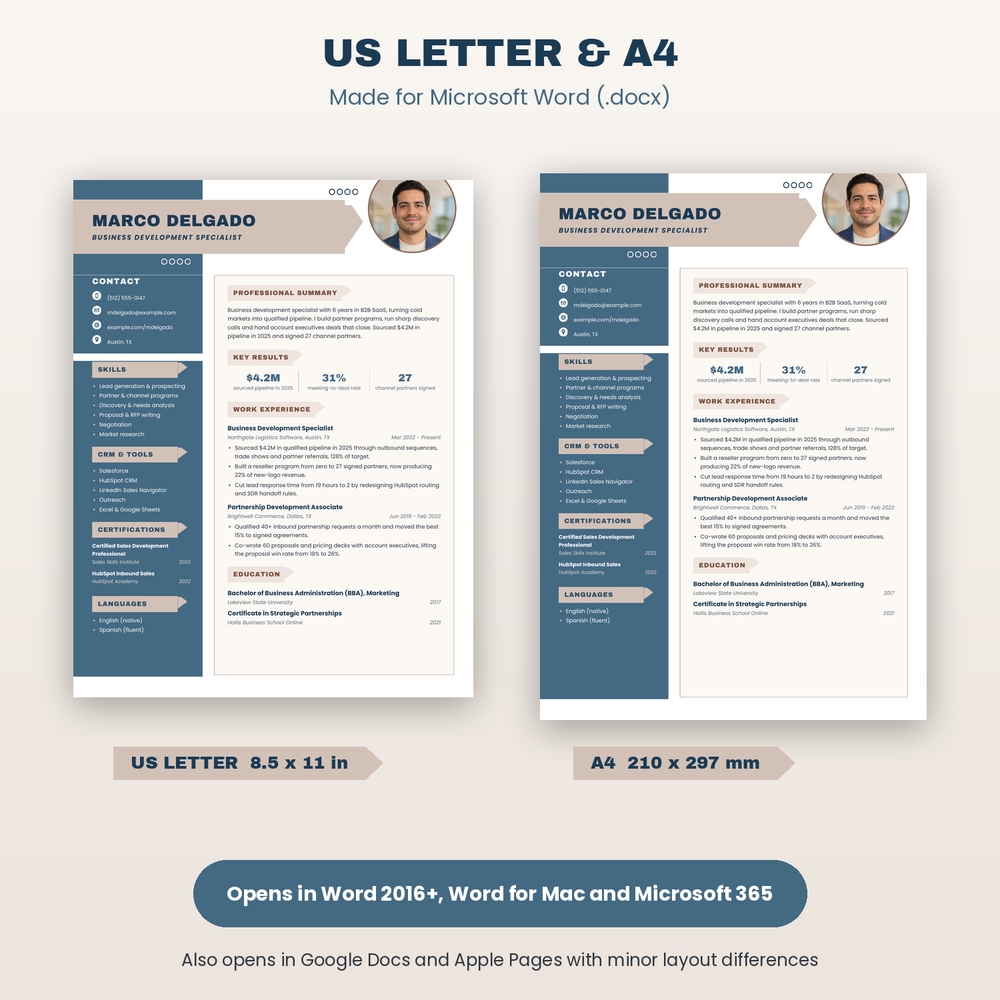
Steelbay is a business development specialist resume template for Word that looks sharp and stays easy to edit. You get a 1-page and a 2-page resume, a matching cover letter, a matching references page and a plain ATS version, all as editable Microsoft Word (.docx) files in US Letter and A4. The design pairs a steel blue sidebar with warm tan arrow labels, a cream main panel and a round photo, so your application looks polished before anyone reads a word.
Every file is filled with realistic sample content written for business development work: sourced pipeline, partner programs, win rates and meetings booked. You can see exactly what a strong BD resume says, then swap in your own numbers.
Who This Business Development Resume Is For
- Business development specialists and representatives (BDR)
- Sales development reps (SDR) moving into partnerships
- Partnership, channel and alliance managers
- Account executives and B2B sales professionals
- Anyone in software, logistics, manufacturing, agencies or financial services who needs a resume that shows growth results
It works for a first SDR job and for a senior partnerships role. The 2-page version gives experienced candidates room for earlier roles, projects and awards.
Why Buyers Choose Steelbay
Many Word resume templates break as soon as you type. Fonts go missing, text boxes slide around and the photo loses its shape. Steelbay was built to avoid those problems.
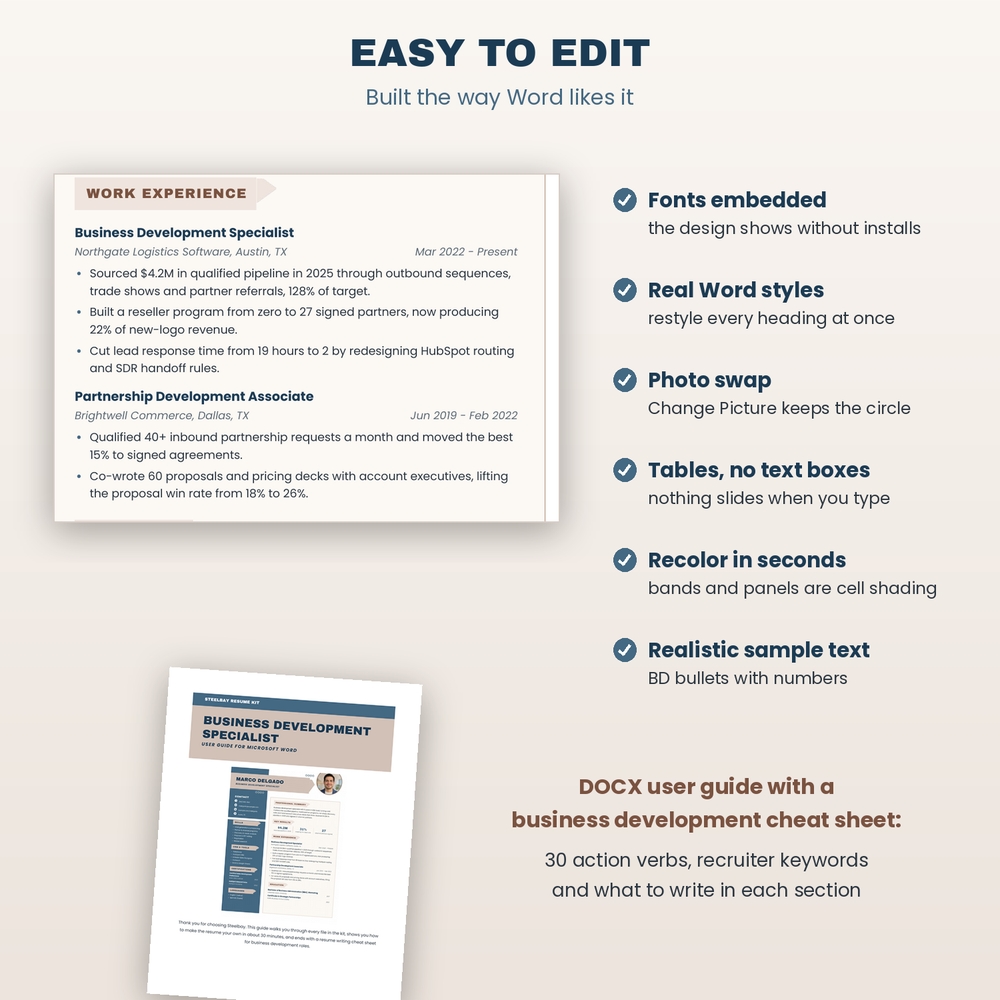
- Fonts embedded in every file. Archivo Black and Poppins are stored inside each .docx, so the design shows correctly without installing anything. A Fonts folder is included as a backup.
- Tables, not floating text boxes. The sidebar, name band and main panel are Word table cells. Text stays in the normal flow, so it does not jump around when you edit.
- Real Word styles. Your name, job title, section labels, job titles, company lines and bullets each use a named style. Change one style and the whole resume updates.
- Round photo that stays round. Right-click the photo, choose Change Picture, and your own photo drops into the same circle with the same thin ring.
- Key Results row. Three big figures near the top, such as pipeline sourced, meeting-to-deal rate and partners signed. Hiring managers for BD roles look for numbers first.
- Room to grow. We tested the 1-page resume with three extra bullets and a longer job title, and it still fits on one page.
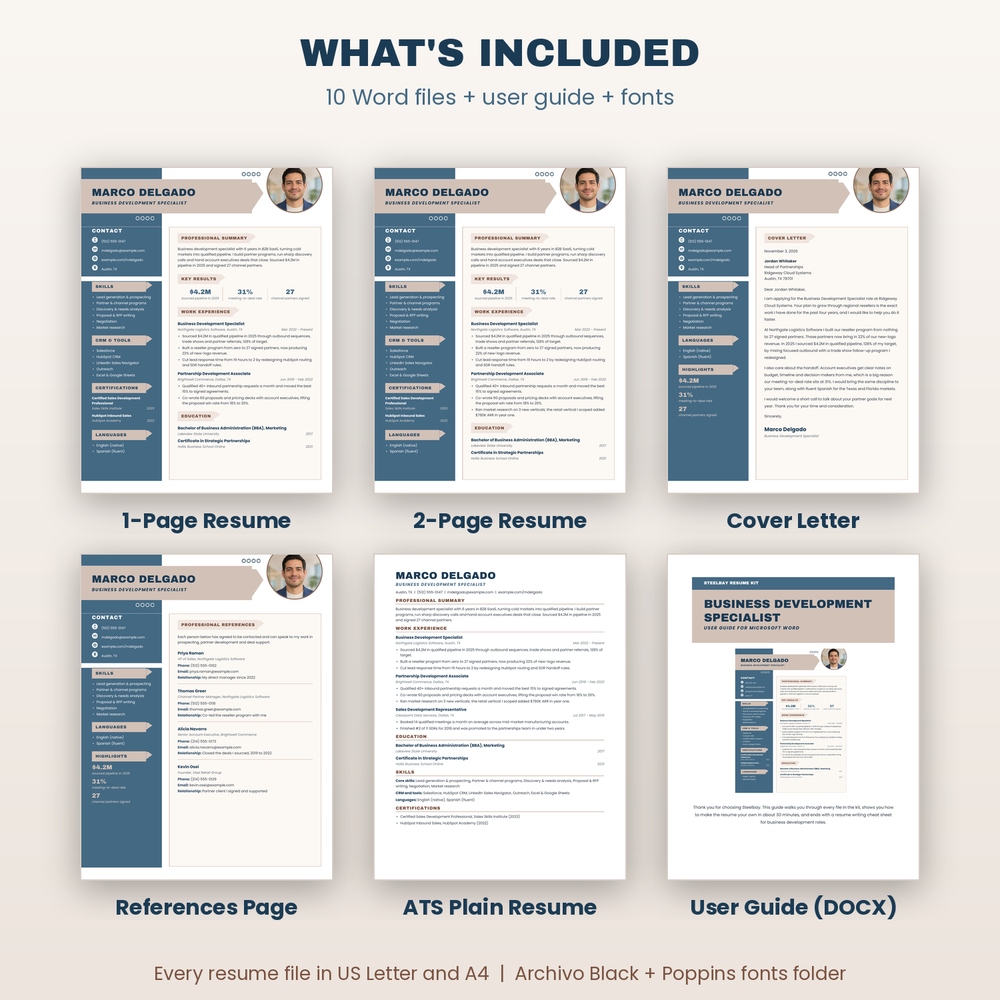
What Is Included in the Business Development Resume Kit
- Resume, 1 page (US Letter and A4)
- Resume, 2 pages, with earlier experience, selected projects, training and certifications, tools, awards, affiliations and interests (US Letter and A4)
- Matching cover letter with a complete sample letter for a business development role and a Highlights sidebar (US Letter and A4)
- Matching references page with room for four references (US Letter and A4)
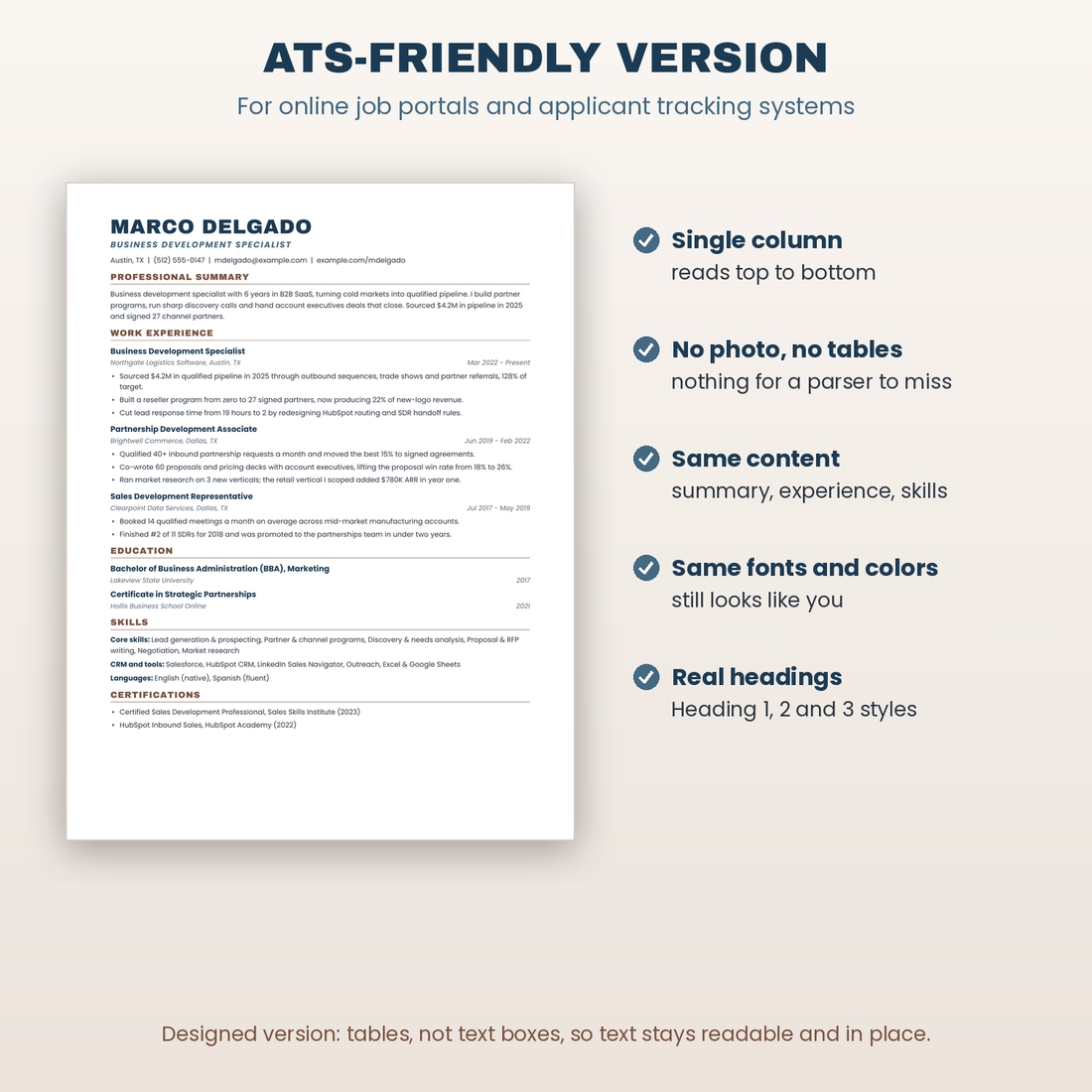
- ATS-friendly plain resume: single column, no photo, no tables (US Letter and A4)
- Fonts folder with Archivo Black and Poppins and their open font licenses
- READ-ME-FIRST quick start notes
- DOCX user guide, a separate download, with a business development resume cheat sheet
That is 10 Word files in one zip, plus the guide.
The Business Development Resume Cheat Sheet
The 7-page user guide covers editing, changing the photo, colors, fonts, adding sections, printing and saving as PDF. It ends with a cheat sheet made for BD job seekers: a simple bullet formula (action, task, result with a number), 30 action verbs such as Sourced, Negotiated and Signed, the keywords recruiters search for in business development roles, and what to write in each section. There is also a sample summary you can adapt.
How It Works
- Buy and download the zip and the user guide.
- Unzip the kit and open the file for your paper size in Microsoft Word.
- Type over the sample text, update the Key Results figures and change the photo, or delete it.
- Save as PDF and send it with the matching cover letter and references page.
- Use the ATS version for online job portals that parse your resume.
File Formats and Software Requirements
- Format: Microsoft Word .docx, delivered as a zip file
- Paper sizes: US Letter (8.5 x 11 in) and A4 (210 x 297 mm)
- Works with Word 2016 or newer, Word for Mac and Microsoft 365
- Opens in Google Docs and Apple Pages with minor layout differences. For the cleanest result, make your final PDF from Word.
- Not a Canva template
Customization
Every color block in the design is table cell shading, so you can recolor the sidebar, name band, panel and labels from Table Design > Shading. Text colors and fonts come from the styles. The arrow points, dots and contact icons are small images with see-through backgrounds. Add a job by copying an existing one, add a section by copying an arrow label, or remove anything you do not need.
Use Cases
- Applying for a business development specialist role at a SaaS company with a tailored resume and cover letter
- Moving from SDR to BDR or partnerships and showing pipeline and meeting numbers on one page
- Sending a PDF resume to a recruiter after a networking event
- Uploading the ATS version to an online application portal
- Handing a printed copy and references page to a hiring panel at an interview
Digital Download
This is an instant digital download. No physical item will be shipped. You get unlimited downloads of the files from your account. The sample person, companies, schools and contact details are fictional, and the sample photo is an AI-generated person.
License: personal use. Create resumes for yourself or one person you are helping. Please do not resell, share or redistribute the template files.
Frequently Asked Questions
Is this business development resume template for Word editable?
Yes. Every word, color and photo is editable in Microsoft Word. All sample text is there to replace.
Do I need to install the fonts?
No. The fonts are embedded in each file. The Fonts folder is a backup for locked-down computers.
Is the resume ATS friendly?
The kit includes a plain ATS version with a single column and no tables or photo, made for online portals. The designed version uses tables instead of text boxes, which keeps its text readable.
Can I remove the photo?
Yes. Click the photo and press Delete. Many US employers prefer a resume without a photo, and the ATS version never has one.
Can I use it in Google Docs or Pages?
You can open the Word files in Google Docs or Apple Pages, but the layout may shift slightly. Word gives the best result.
Does it include a cover letter?
Yes, a matching cover letter and a matching references page, both in US Letter and A4.
Can I use it for other sales jobs?
Yes. It fits account executive, sales, partnerships and customer success roles too. Just replace the sample wording.
Reviews
There are no reviews yet.