


A Digital Marketing Resume Template for Word That Shows Your Results
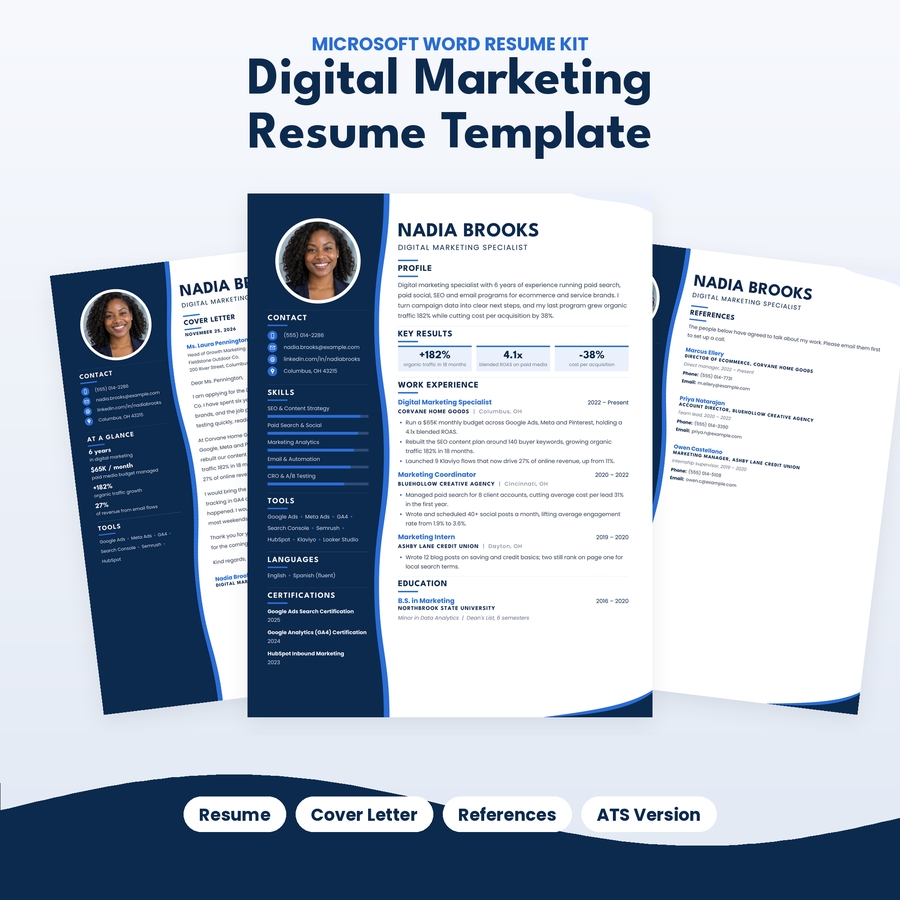
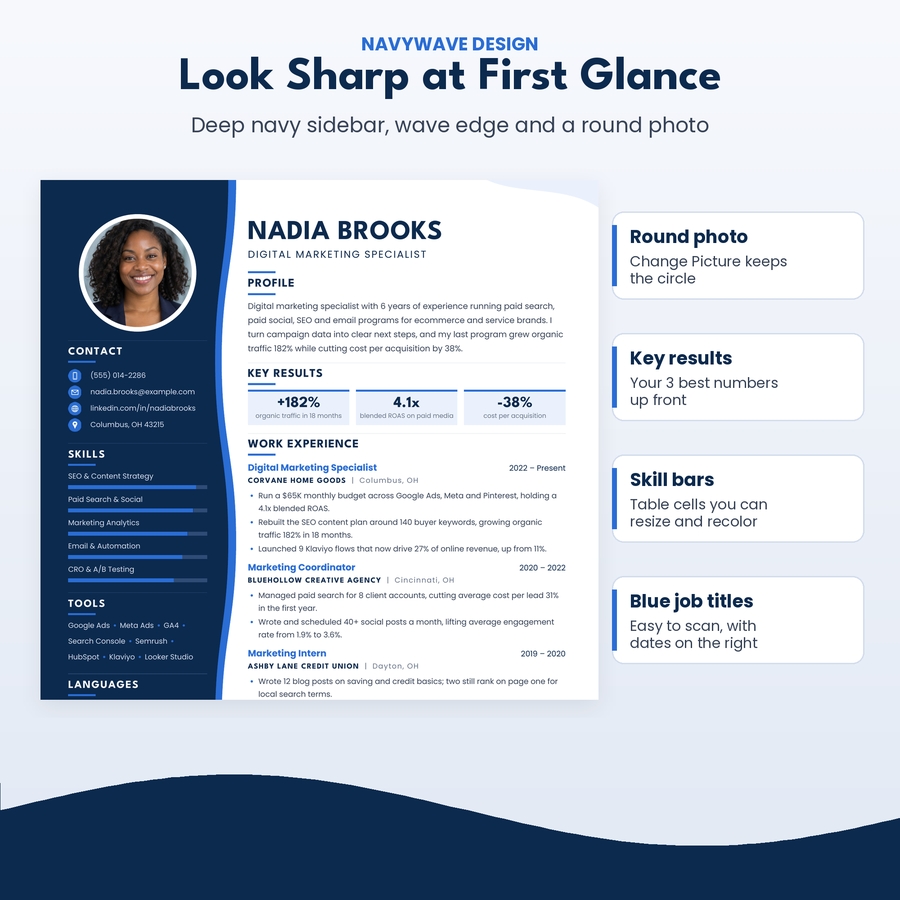
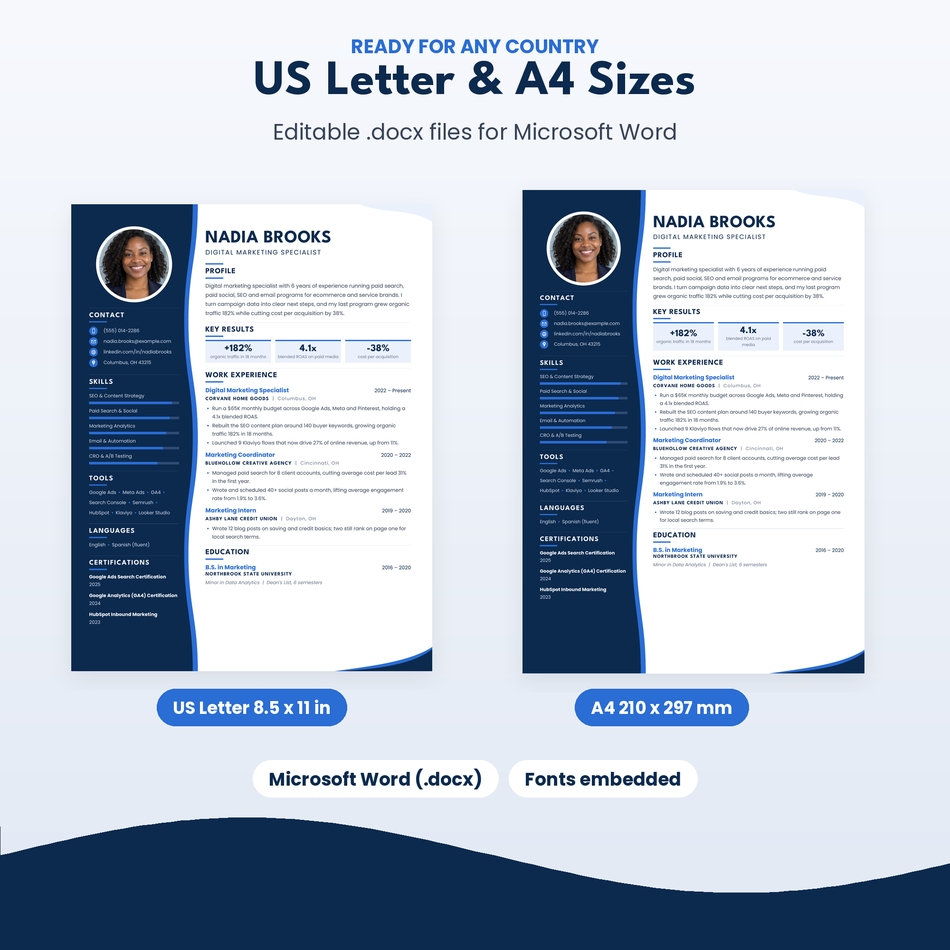
Navywave is a digital marketing resume template for Word, built for people who run campaigns and can prove what they moved. A deep navy sidebar with a wave edge holds your photo, contact details, skill bars and tools. The main column puts your profile, three headline numbers and your work history front and center, with bright blue job titles that are easy to scan in six seconds.
Every file is a real Microsoft Word document (.docx). You click, type over the sample text and save as PDF. No design app, no online account, and no floating text boxes that jump around when you add a line.
Who This Resume Kit Is For
- Digital marketing specialists, coordinators and associates
- SEO, PPC and paid social specialists
- Email, CRM and marketing automation marketers
- Content and ecommerce marketers
- Graduates and career changers moving into a marketing role
The sample content is for a digital marketing specialist with six years of experience, so you can see how strong marketing bullets read: a $65K monthly ad budget, 182% organic traffic growth and nine email flows that drive 27% of revenue. Swap in your own numbers and you are most of the way there.
What Is Included
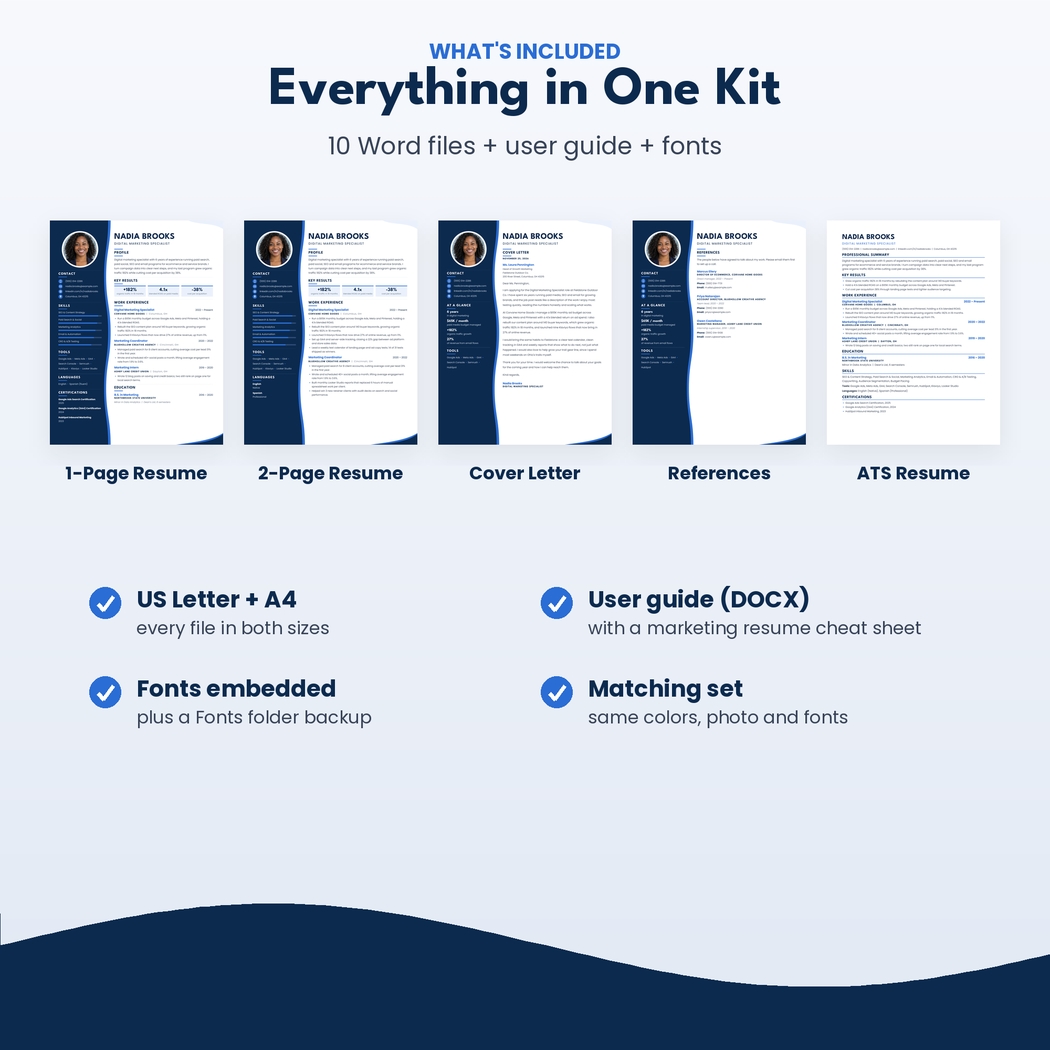
- 1-page resume with photo, key results tiles, skill bars, tools, languages and certifications
- 2-page resume with room for more roles, selected campaigns, awards, interests and volunteering
- Matching cover letter with an At a Glance column for your best numbers
- Matching references page for three referees
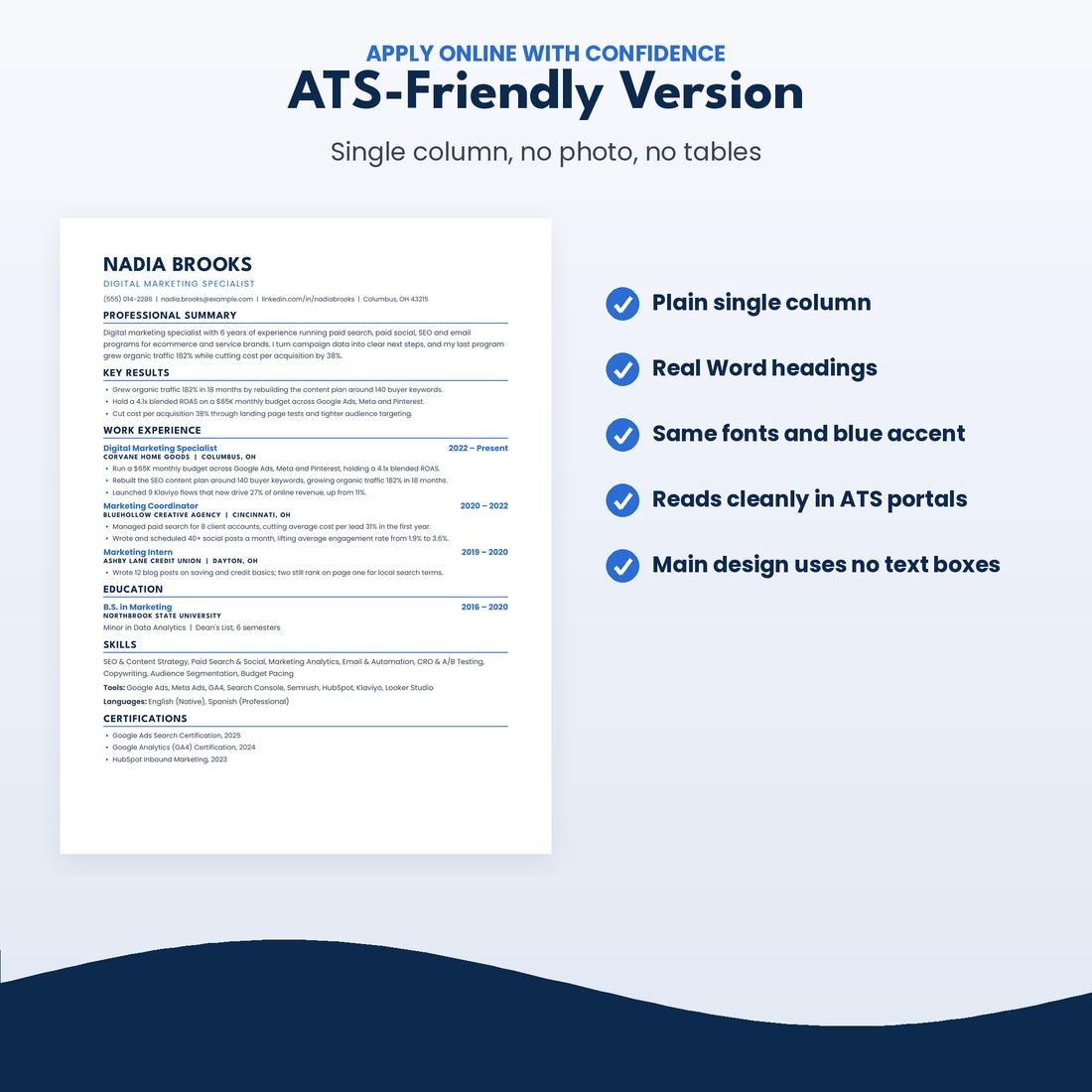
- ATS-friendly plain resume: single column, no photo, no tables, same fonts and blue accent
- US Letter and A4 versions of every file (10 Word files in total)
- Fonts folder with League Spartan and Poppins (free SIL Open Font License) as a backup install
- User guide (DOCX), 7 pages, with a digital marketing resume cheat sheet
Features That Make Editing Easy
Fonts that travel with the file
A common complaint about Word resume templates is that the fonts change on another computer and the layout breaks. Navywave embeds League Spartan and Poppins inside each .docx, so the design looks the same when a recruiter opens it, and when you open it on a new laptop.
Table-based layout, no text boxes
The two columns are a single borderless table, and the navy sidebar and waves are Word shapes in the page header. Your text stays in the normal flow, so it does not overlap when you add a bullet, and applicant tracking systems can read it.
Photo swap that keeps the circle
Right-click the photo, choose Change Picture, and pick your own. The round crop and white ring stay in place. Prefer no photo? Delete it and the sidebar keeps its shape. The sample headshot is an AI-generated image of a fictional person.
Real Word styles
Name, job title, section headings, job titles, company names and bullets each use a named style (Title, Heading 1, Heading 2, List Bullet and more). Change one style and every matching line updates across the page.
Colors you can change
The navy sidebar, wave edge, skill bars and result tiles are Word shapes and table cells, not flat pictures. Pick a new fill color in two clicks if you want to match a company palette.
Tested to stay on one page
We added three extra bullets and a long job title to the 1-page resume, and it still fit on one page in both US Letter and A4. A two-line name was tested too.
How the Digital Marketing Resume Template Works
- Download the zip and the user guide, then unzip the kit.
- Open the US Letter or A4 folder and open the resume in Microsoft Word.
- Type over the sample text, update the key results tiles and skill bars, and change the photo.
- Copy your header details into the cover letter and references page.
- Save as PDF and apply. Use the ATS version when a job portal asks for a Word upload.
The Marketing Resume Cheat Sheet
The user guide does more than explain buttons. It includes a bullet formula with before and after examples, 30 action verbs for marketing resumes, a table of the keywords recruiters search for in digital marketing roles (SEO, SEM, GA4, ROAS, CPA, A/B testing, Klaviyo, HubSpot and more) and notes on what to write in each section. It also covers changing colors, fonts and the photo, adding sections, saving as PDF, and troubleshooting.
File Formats and Software Requirements
- Format: Microsoft Word .docx (10 files), plus a DOCX user guide
- Sizes: US Letter (8.5 x 11 in) and A4 (210 x 297 mm)
- Software: Microsoft Word 2016 or newer, Word for Mac or Microsoft 365
- Google Docs and Apple Pages can open the files with minor layout differences. For the best result, finish in Word and export your PDF from there.
Use Cases
- Applying for a digital marketing specialist role at an ecommerce brand, with your ROAS and revenue numbers in the key results tiles
- Moving from a marketing coordinator job to a specialist title, using the 2-page version to show campaign case studies
- Uploading a clean ATS resume to a large company portal while emailing the designed PDF to a hiring manager
- Sending a matching resume, cover letter and references set after a first interview
Digital Download
This is a digital product. Nothing is shipped. After checkout you can download the kit zip and the user guide right away from your order page and your account, with no download limit.
License: personal use. Edit the files and use them for your own job applications as often as you like. Please do not resell, share or redistribute them.
FAQ
Is this digital marketing resume template for Word editable?
Yes. Every word, color and section can be edited in Microsoft Word.
Is it ATS friendly?
The main design uses normal text in table cells, not text boxes. The kit also includes a plain single-column ATS version for online portals.
Can I use it without a photo?
Yes. Delete the photo and the layout holds. The ATS version has no photo at all.
Do I need to install fonts?
No. The fonts are embedded in each file. A Fonts folder is included in case you want them installed for other documents.
Will it work in Google Docs or Pages?
Both open .docx files, but the layout may shift slightly. Word gives the exact design.
Can I use it for other marketing jobs?
Yes. It suits SEO, PPC, social media, email and content marketing roles. Just change the job title and wording.
Does it come in A4?
Yes. Every file comes in both US Letter and A4.
Reviews
There are no reviews yet.