

A tournament bracket generator that does the bracket work for you
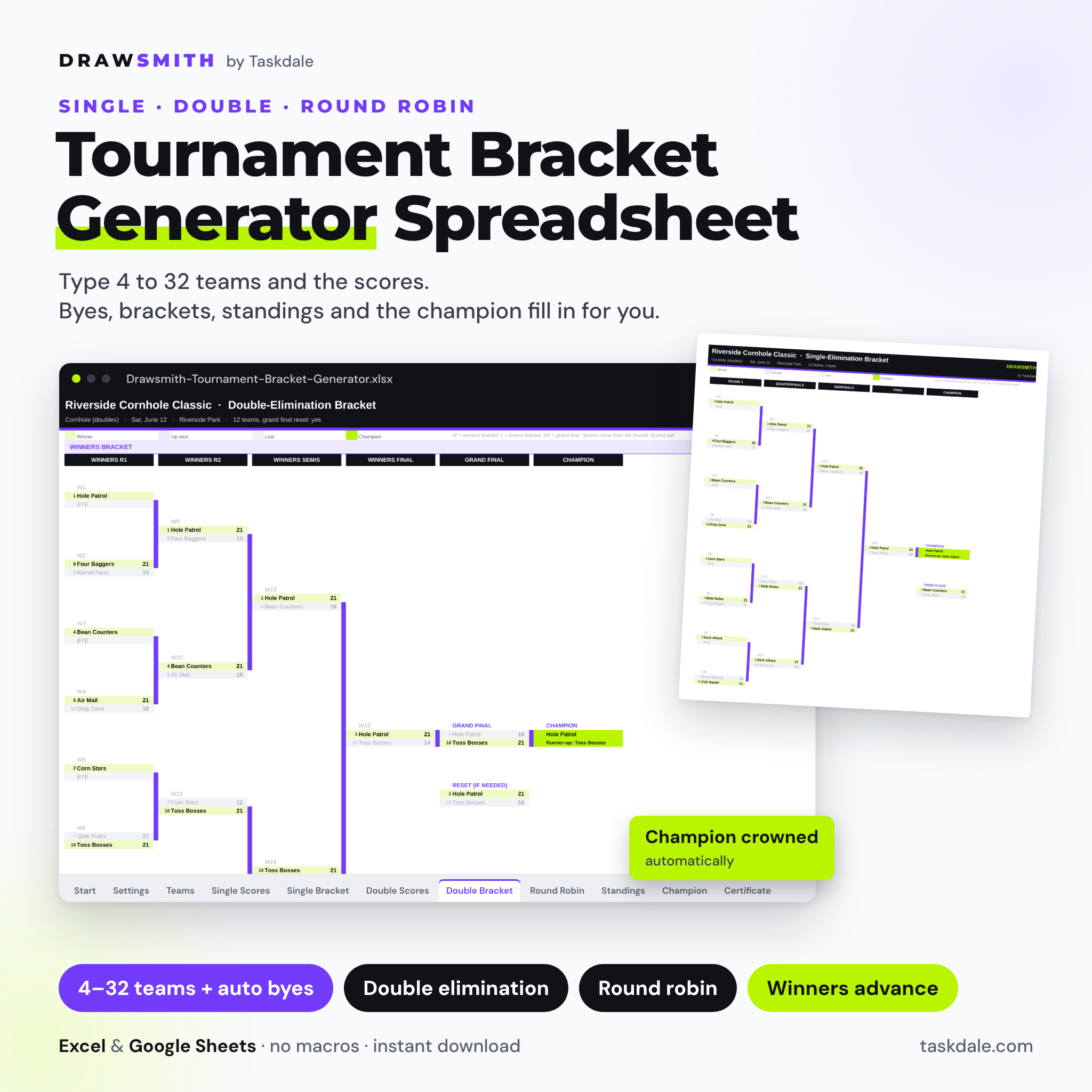
Drawsmith is a tournament bracket generator spreadsheet for anyone who runs a competition: a cornhole night, an esports cup, a chess club ladder, a pickleball round robin or the office table-tennis championship. You type the teams once. Drawsmith seeds them, places the byes, builds a single-elimination bracket, a double-elimination bracket and a round-robin schedule, and moves every winner forward the moment you type a score.
No drawing lines, no copying names from round to round and no arguing about who plays next. The bracket, the standings and the champion page update themselves.
Who it is for
- Rec league, club and church organizers running a one-day event or a playoff
- Esports, gaming and LAN-party hosts
- Cornhole, darts, pool, pickleball, table tennis and chess organizers
- Teachers, youth leaders and offices running a friendly competition
Main benefits
- Three formats in one file: single elimination, double elimination and round robin share one team list.
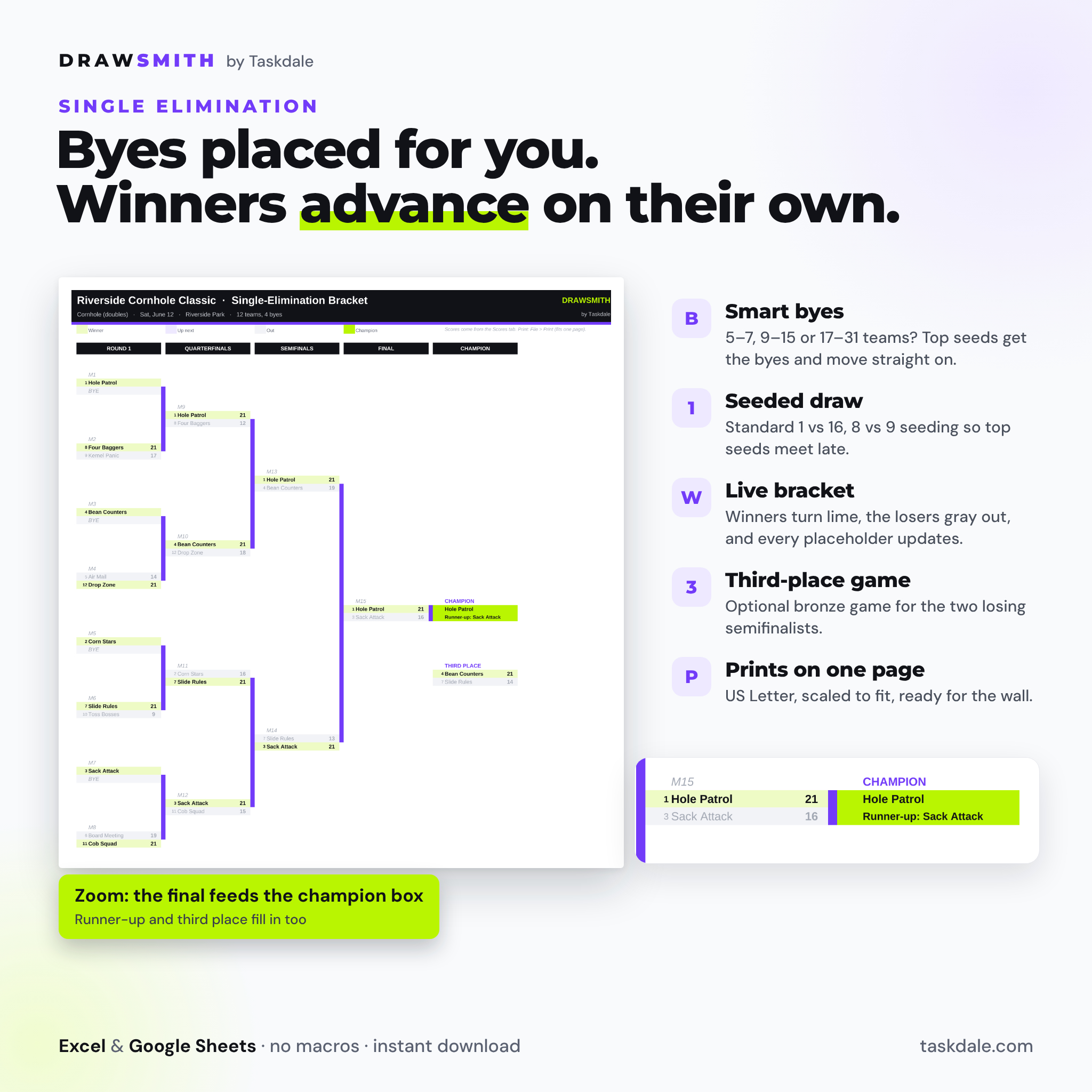
- Byes handled for you: any field from 4 to 32 works. With 12 teams you get a 16-slot bracket and the top four seeds get byes.
- Winners advance automatically: type the final score and the winner fills the next round. Ties and forfeits take one click in the Override column.
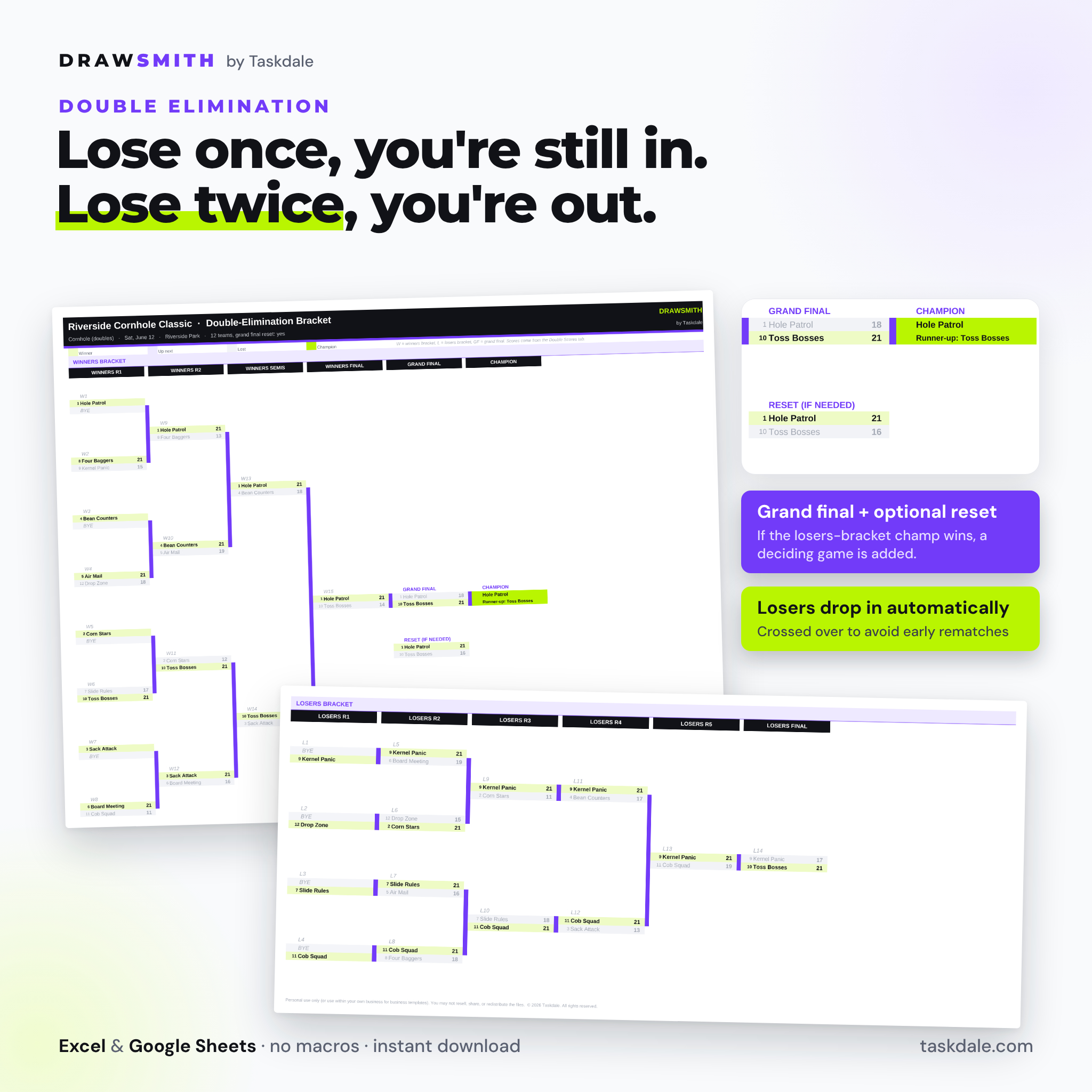
- Print-ready: the single-elimination bracket prints on one page; the double-elimination bracket prints on two.
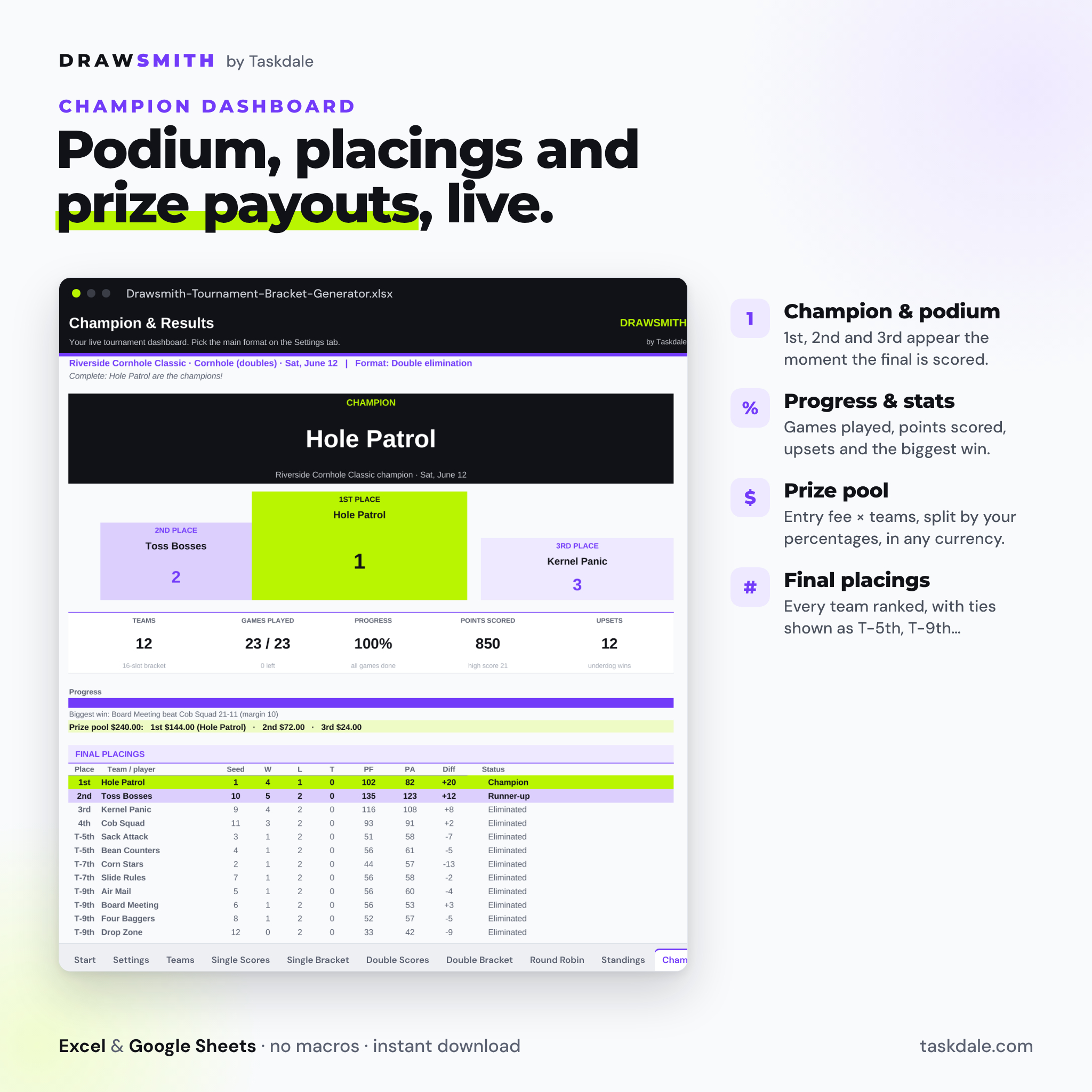
- A finish line: the Champion dashboard shows the podium, final placings, progress, upsets, the biggest win and prize payouts.
Features
Settings and seeding
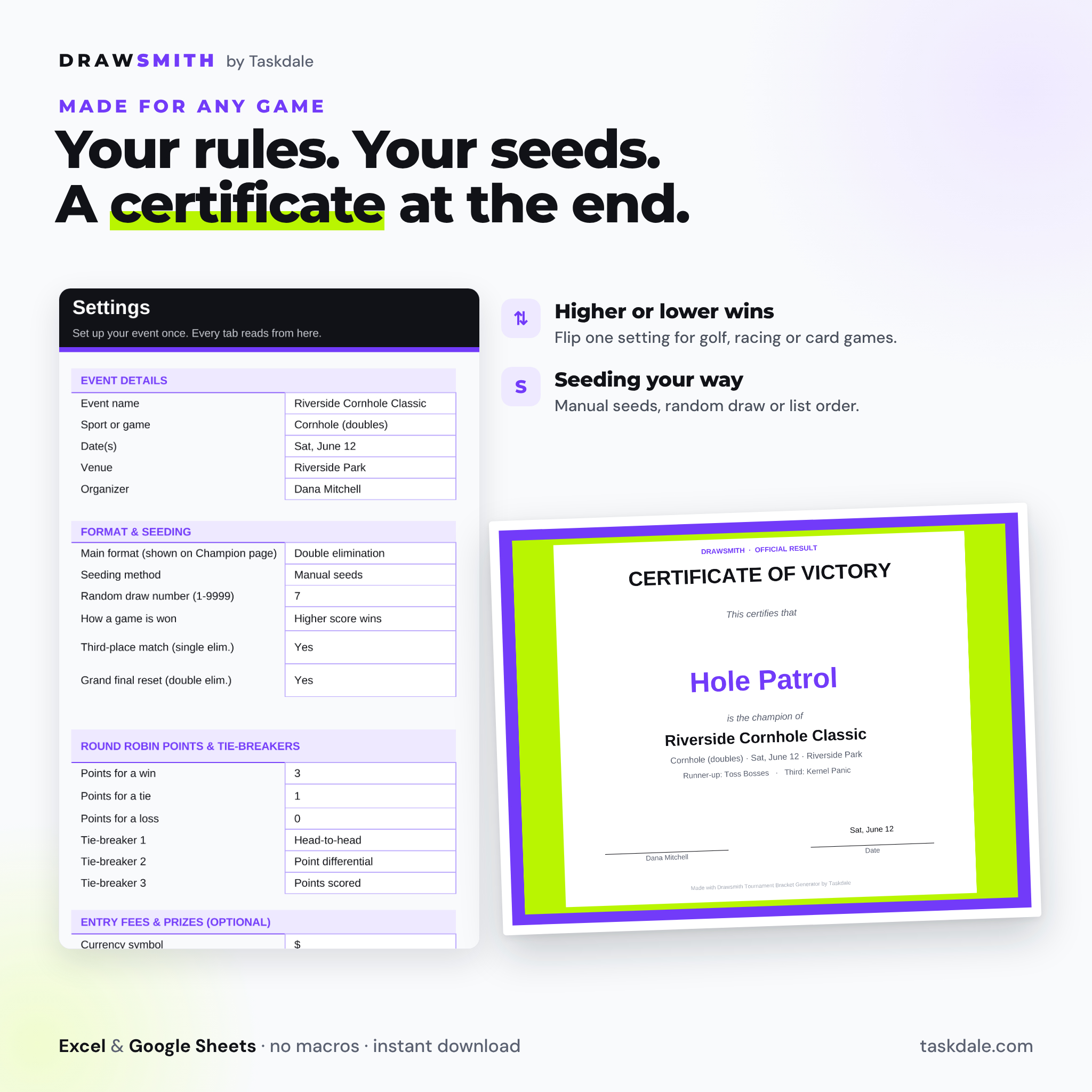
- Event name, sport or game, dates, venue and organizer shown on every page
- Seeding by manual seeds, a repeatable random draw (change one number to reshuffle) or list order
- Higher score wins or lower score wins (golf, racing, some card games)
- Optional third-place game and optional grand-final reset
- Checks panel that flags duplicate names, clashing seeds and prize shares that do not add up
Single-elimination bracket
- Standard seeding (1 v 16, 8 v 9) so the top seeds meet late
- Game numbers, seeds and scores on the bracket; winners in lime, losers grayed out
- Score entry list with court, time, status and an Override column for ties and forfeits
Double-elimination bracket
- Winners bracket, losers bracket and grand final, built for any field from 4 to 32
- Losers drop into the losers bracket automatically, crossed over in alternate rounds to reduce early rematches
- Grand-final reset: if the losers-bracket champion wins the first final, a deciding game appears
Round-robin schedule generator and standings
- Circle-method schedule: everyone plays everyone once, up to 31 rounds and 496 games
- Odd number of teams? One team rests each round, shown clearly
- Standings with GP, W, L, T, points for and against, differential, points and win %
- Your own points for a win, tie and loss, plus three tie-breakers: head-to-head, point differential, points scored, fewest points allowed, most wins or seed
Champion dashboard and certificate
- Champion banner, podium, stat tiles and a progress bar
- Prize pool from your entry fee, split 1st, 2nd and 3rd in your own currency symbol
- Final placings for every team, with shared places such as T-5th
- A printable certificate that fills in the champion, event and date
What is included
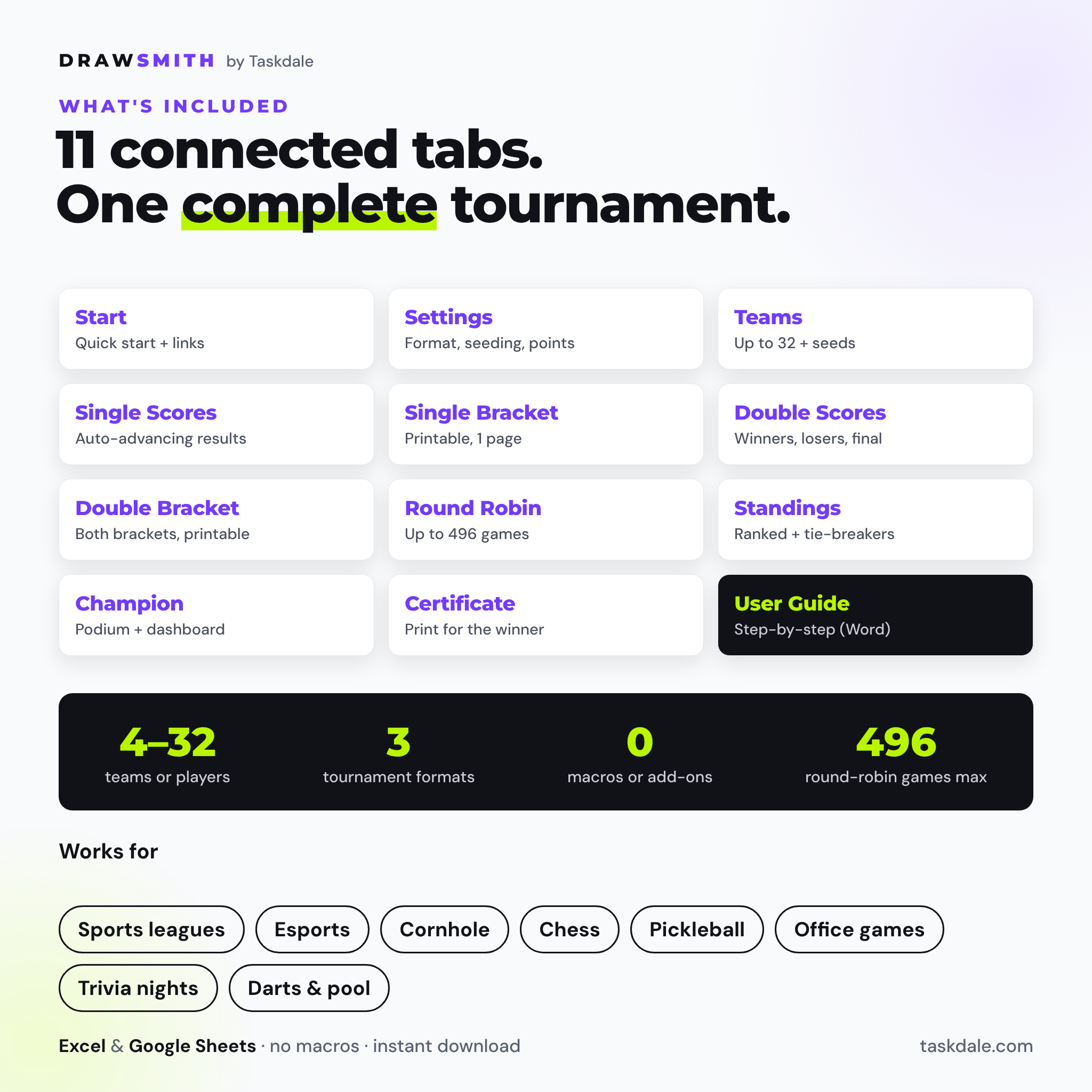
- Drawsmith-Tournament-Bracket-Generator.xlsx with 11 connected tabs: Start, Settings, Teams, Single Scores, Single Bracket, Double Scores, Double Bracket, Round Robin, Standings, Champion and Certificate
- Drawsmith-User-Guide.docx: a 15-page illustrated guide with setup steps, printing help, troubleshooting and FAQs
How it works
- Open Settings, name your event and pick the main format and seeding method.
- Type 4 to 32 teams or players on the Teams tab.
- Type final scores on the score tab for your format. Byes advance on their own.
- Open the Champion tab for the podium and placings, then print the certificate.
File format and software requirements
One .xlsx workbook plus a .docx guide. It works in Microsoft Excel 2016 or newer (including Microsoft 365) and in Google Sheets (upload to Google Drive and open with Google Sheets). It uses standard formulas only: no macros, scripts or add-ons. Brackets are set up for US Letter and switch to A4 in the print settings. A computer is recommended for setup and printing.
Customization
Change the event details, scoring rule, points and tie-breakers in Settings and every page follows. Fill colors and fonts can be changed like any spreadsheet. Formula cells are locked without a password, so they are protected from accidental typing but you can unlock them any time.
Digital download
This is an instant digital download. Nothing physical is shipped. After purchase you receive the workbook and the user guide.
Use cases
- A 12-team cornhole tournament with byes for the top four seeds and a third-place game
- A double-elimination esports cup where nobody goes home after one loss
- A round-robin pickleball or chess night with courts, times and live standings
- An office ping-pong or trivia tournament with a printed bracket on the break-room wall
- A round-robin group stage followed by a knockout playoff in a fresh copy of the file
Tournament bracket generator FAQ
Does it work in Google Sheets?
Yes. Upload the .xlsx to Google Drive and open it with Google Sheets. It uses only standard functions, dropdowns and color rules that Google Sheets supports, and no macros or scripts.
How many teams can I use?
4 to 32 teams or players. Field sizes that are not 4, 8, 16 or 32 get byes automatically.
Can it make a double-elimination bracket with byes?
Yes. Byes flow through the winners and losers brackets, and the grand final can include a reset game.
How does the round-robin generator work?
It uses the circle method, so every team plays every other team once and the rounds stay balanced.
What happens if a game is tied?
In brackets you pick the winner in the Override column. In round robin, ties are recorded and earn the tie points you set.
Can I randomize the seeding?
Yes. Choose Random draw. The order only changes when you change the draw number, so your bracket will not reshuffle on its own.
Is this a college basketball bracket pool?
No. This is a general-purpose tournament generator for your own events. For a college basketball tournament pool, see our bracket pool spreadsheet.
Drawsmith Tournament Bracket Generator by Taskdale. Personal use only (or use within your own business). You may not resell, share or redistribute the files.
Reviews
There are no reviews yet.