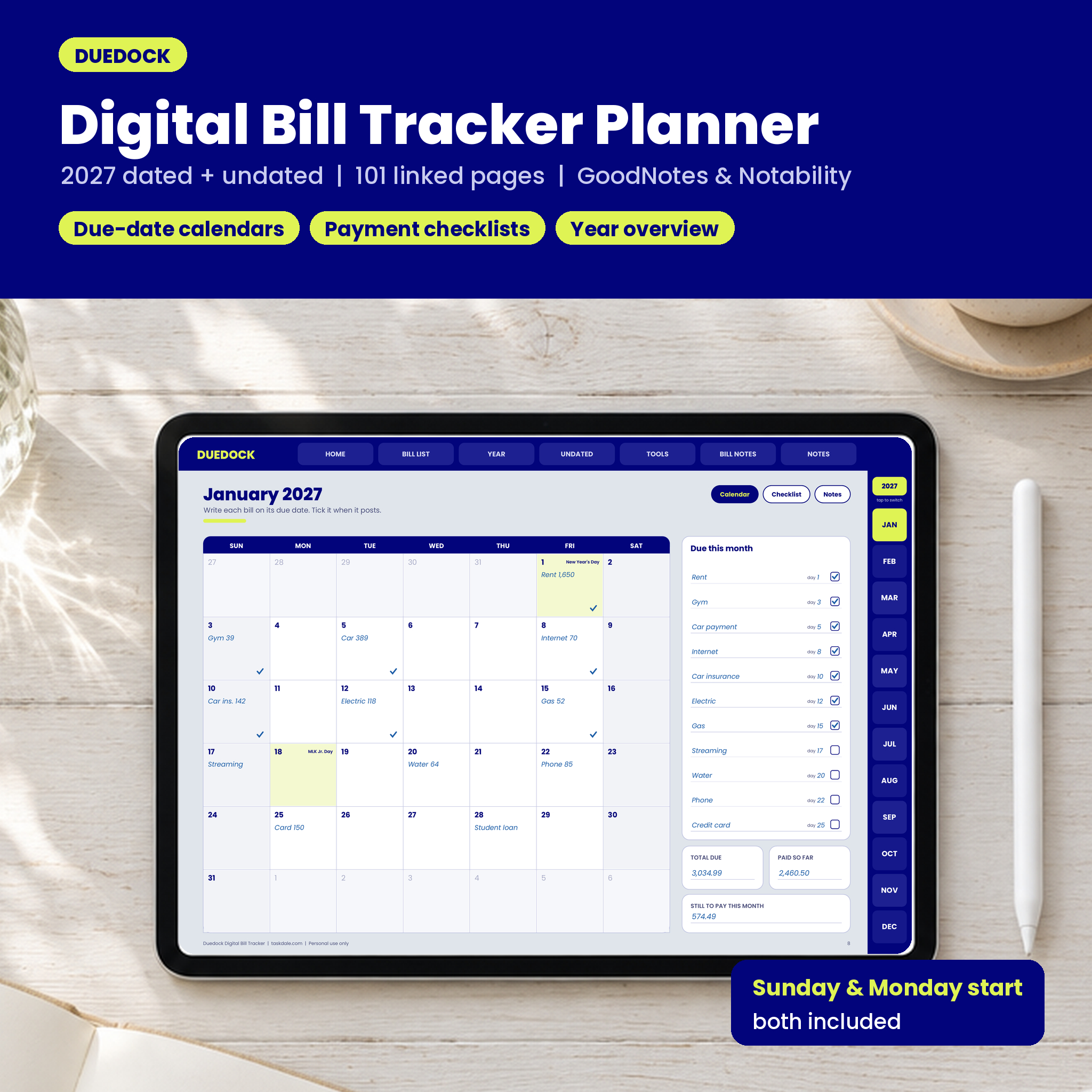


Duedock is a digital bill tracker planner for people who are tired of finding out a bill was due yesterday. It is a landscape, hyperlinked PDF you write in with a stylus in GoodNotes or Notability. Every bill gets written down once, mapped onto a real calendar, ticked off when it posts and tracked across the whole year. Tap a tab and you are there. No scrolling through a hundred pages to find March.
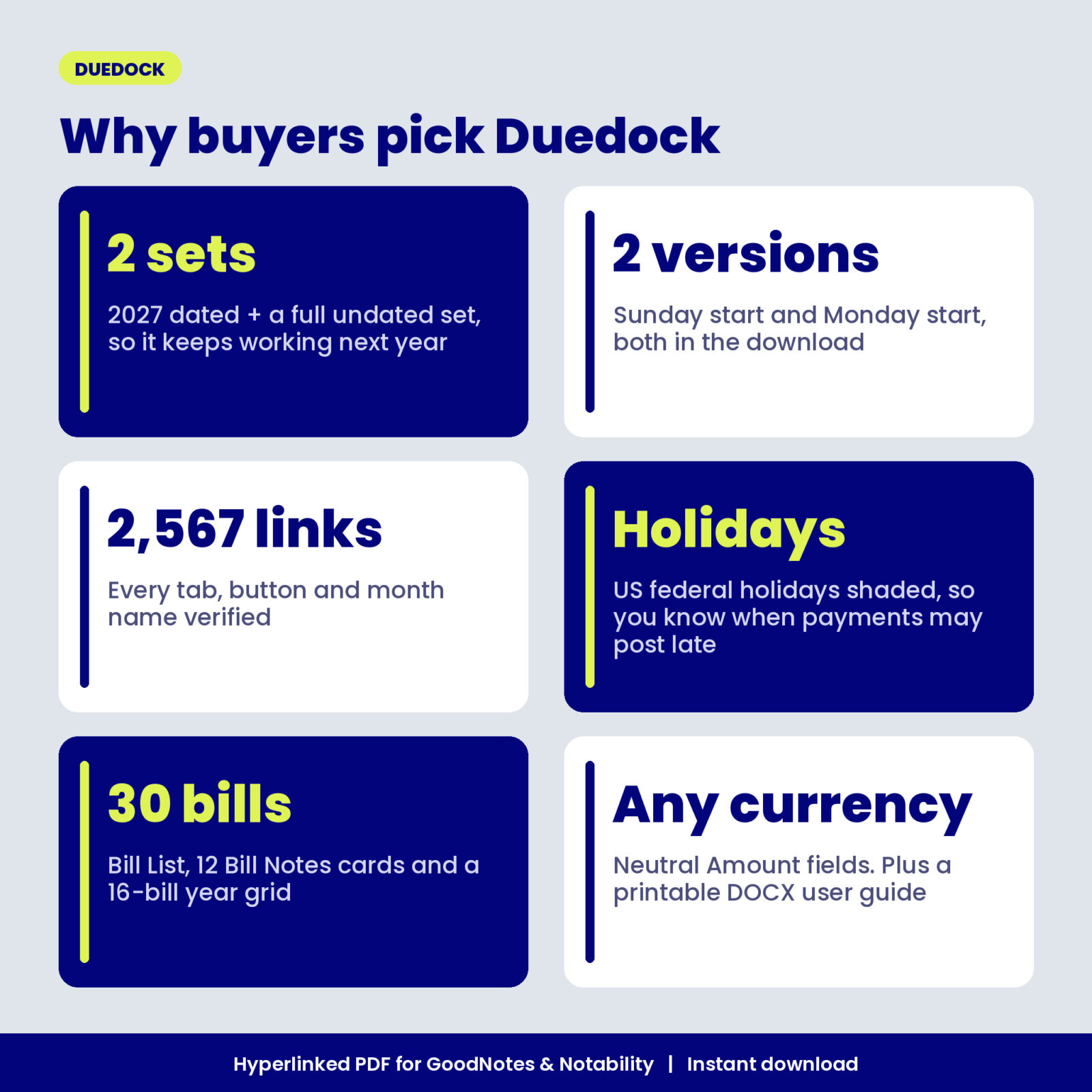
The planner comes with a 2027 dated set and a complete undated set, so it keeps working long after 2027 ends. Both a Sunday start and a Monday start file are in your download.
What this digital bill tracker does
Most bill trackers are a single checklist. That tells you what you paid, but not when the next bill lands or how close it sits to payday. Duedock splits the job into the pages you actually need:
- A Bill List for up to 30 bills with payee, due day, usual amount, frequency, autopay and the account each bill comes from.
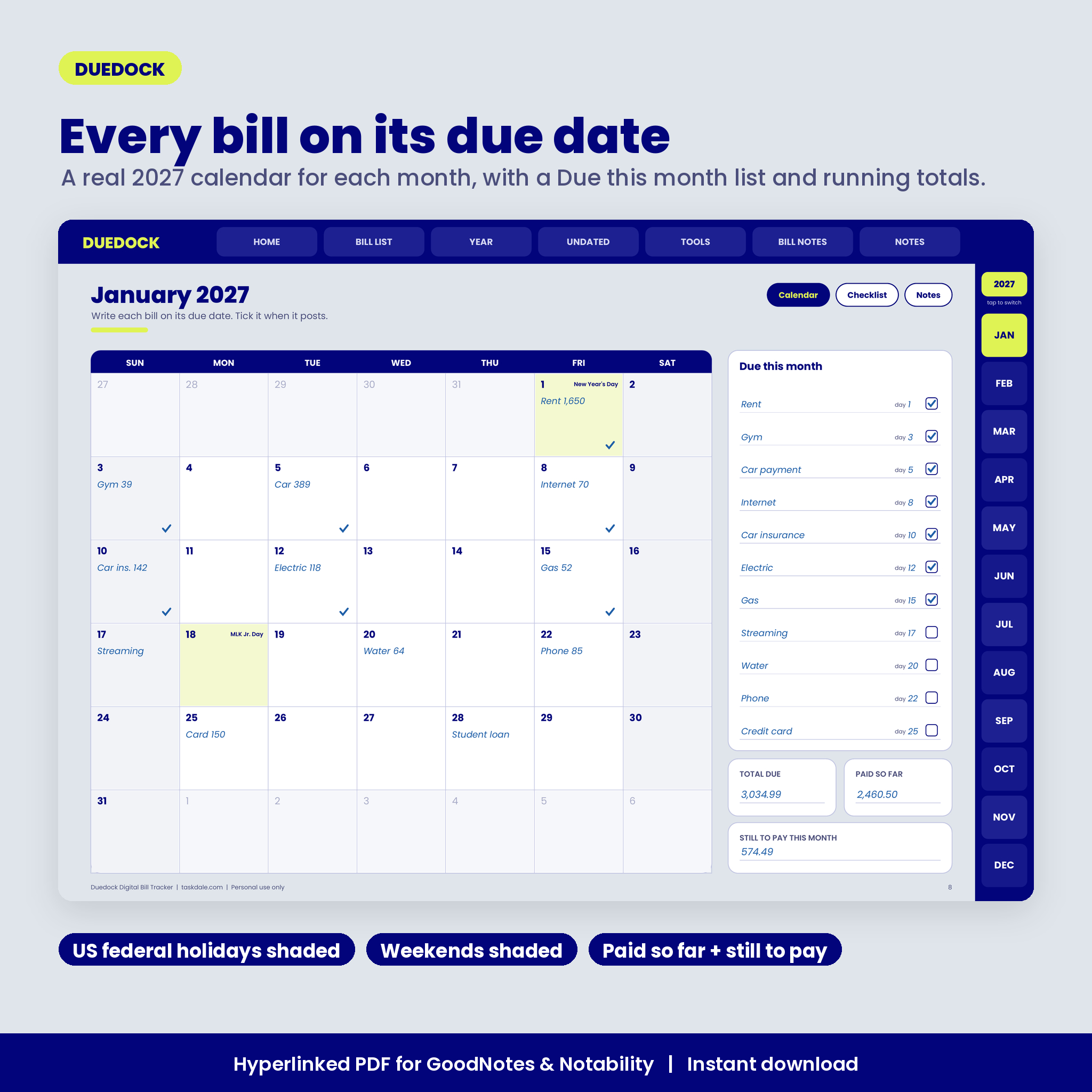
- A due-date calendar for every month with real 2027 dates, shaded weekends and US federal holidays marked by name, because a payment made on a holiday may not post until the next business day.
- A payment checklist for every month with 14 rows for amount due, date paid, amount paid, method and confirmation number, plus boxes for total due, total paid, still to pay and late fees.
- Monthly bill notes for changes, a calls and disputes log, a heads-up list for next month and your wins.
- A Year Overview grid where you tick 16 bills across 12 months, so a skipped payment stands out right away.
Who it is for
- Anyone juggling bills on different days, cards and accounts.
- Couples and families who want one shared record of what is paid and what is still due.
- People paid weekly or every two weeks who need to see which paycheck covers which bill.
- Digital planner fans who like handwriting but want tabs, links and no paper clutter.
Features
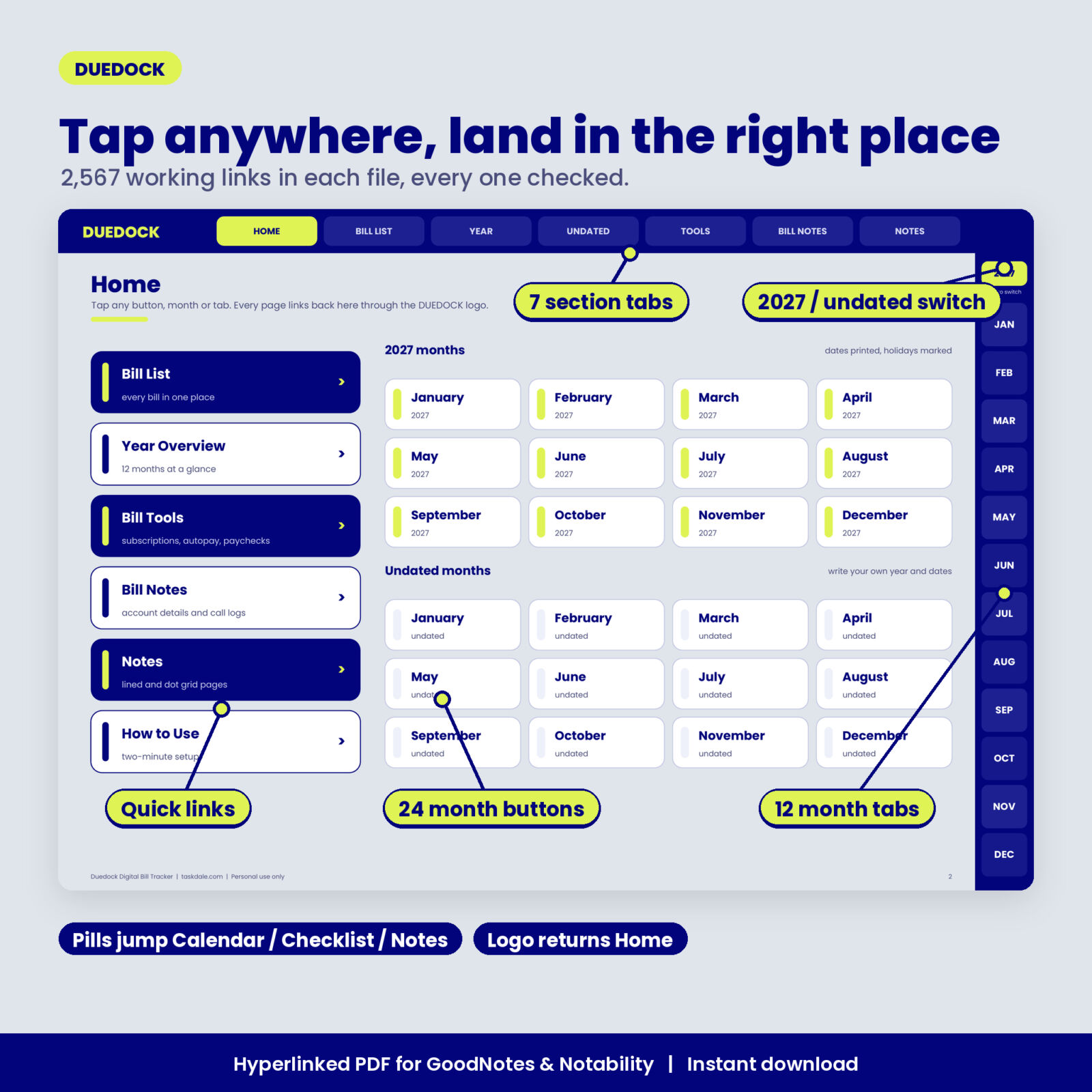
Linked navigation on every page
Seven top tabs (Home, Bill List, Year, Undated, Tools, Bill Notes and Notes) and twelve month tabs sit on every page. A yellow switch above the month tabs flips you between the 2027 set and the undated set, landing on the same month. Small pills next to each title jump between a month’s Calendar, Checklist and Notes. Each file has 2,567 internal links, and we checked every one of them against its target page before release.
Bill Notes cards
Twelve cards, two per page, for provider, phone, website, due day, usual amount, autopay account and the date a promo rate or contract ends. Each card has an amount history and space for call notes. Rows 1 to 12 on the Bill List link straight to their card.
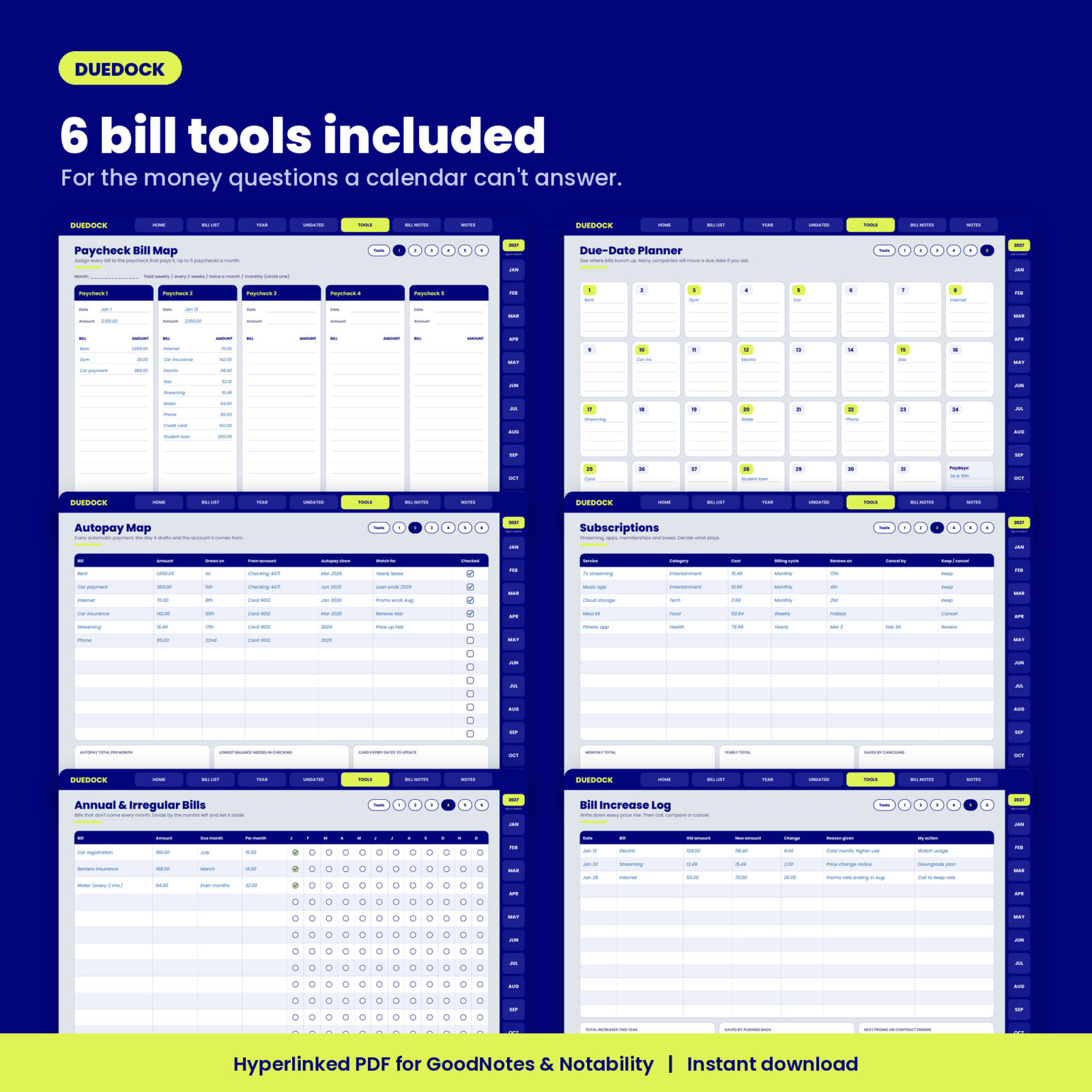
Six bill tools
- Paycheck Bill Map: up to five paychecks a month, the bills each one covers and what is left over.
- Due-Date Planner: days 1 to 31 at a glance so you can spot where bills bunch up and ask companies to move a due date.
- Autopay Map: every automatic payment, its draw day, source account and what to watch for.
- Subscriptions: cost, billing cycle, renewal date, cancel-by date and a keep or cancel decision.
- Annual & Irregular Bills: divide yearly bills into monthly set-asides and color a circle each month.
- Bill Increase Log: old amount, new amount, the reason and your next step.
Year totals and review
The 2027 totals page lists due, paid, late fees and money saved for each month next to twelve linked mini calendars. The undated set swaps the calendars for a year review: biggest bill, bills you cut or canceled, bills you negotiated down and goals for next year.
What is included
- Duedock Digital Bill Tracker, 2027 Sunday start (PDF, 101 linked pages)
- Duedock Digital Bill Tracker, 2027 Monday start (PDF, 101 linked pages)
- Duedock User Guide (DOCX) with setup steps for GoodNotes and Notability, a page by page walkthrough, tips and troubleshooting
Inside each PDF: cover, Home, How to Use, 2 Bill List pages, 36 dated month pages, 36 undated month pages, 4 Year Overview pages, a Tools hub with 6 tools, 6 Bill Notes pages, 6 notes pages (lined and dot grid) and an About and License page.
How it works
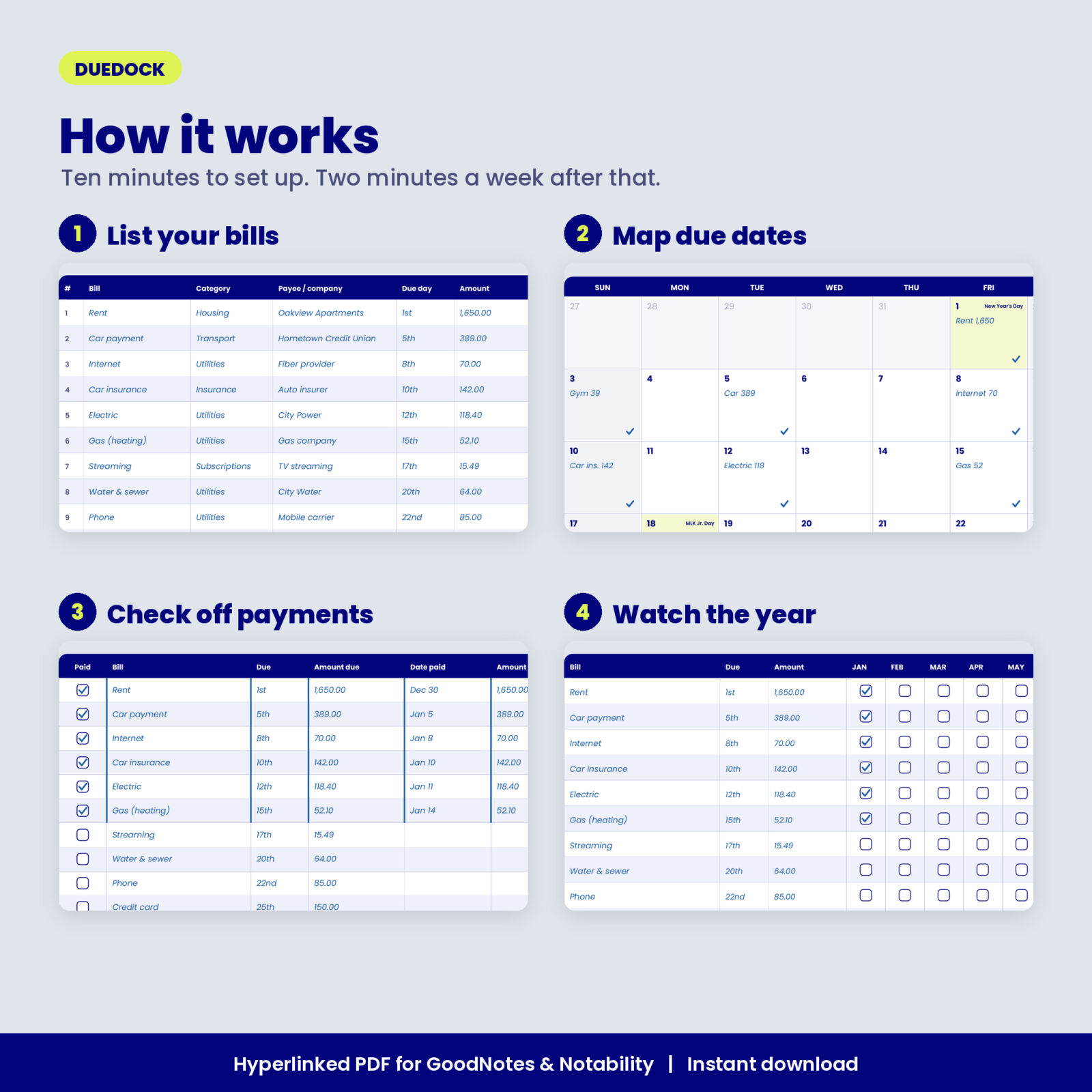
- Import the PDF into GoodNotes or Notability as one document.
- Fill in the Bill List. This takes about ten minutes.
- Write each bill on its due date in the month calendar.
- When a payment posts, log it on the Payment Checklist and tick it.
- Tick the bill on the Year Overview. Once a week, check what is still to pay.
File format and requirements
- Format: hyperlinked PDF, landscape, 1194 x 834 points, sized for tablets in landscape.
- Apps: GoodNotes and Notability. Other PDF note apps that support internal links will also work.
- File size: about 1.2 MB per planner, so it opens quickly.
- Fonts are embedded. Nothing else to install.
Customizing your planner
Money fields are labeled Amount, so you can use any currency. Duplicate any page in your app when you need more rows, add stickers, or color code with highlighters (one color for autopay, one for bills you pay by hand). You can also print a page from your app with Fit to page.
Digital download
This is a digital product. No physical item ships. Your files are ready to download right after checkout and stay in your Taskdale account. Personal use license: use it for yourself and your household, but please do not share or resell the files.
Real ways buyers use it
- A renter who pays rent on the 1st and gets paid on the 15th uses the Paycheck Bill Map to stop overdrafts in the first week of the month.
- A couple uses the Autopay Map to see which bills draw from which card before a card expires.
- A family reviews the Subscriptions page every quarter and cancels the services nobody used.
- A freelancer with uneven income uses the undated set and starts in whatever month the work picks up.
FAQ
Does this bill tracker work in GoodNotes and Notability?
Yes. Import the PDF as one document and tap the tabs. Every link was tested before release.
Is it dated or undated?
Both. You get a 2027 set with dates printed and a full undated set for any year.
Can I choose a Monday start?
Yes. Sunday start and Monday start files are both included.
Does it add up totals for me?
No. It is a handwritten planner. You write totals in the boxes provided.
Can I use it on an Android tablet?
Yes, in a PDF note app that supports internal links. Import it as one document.
Is it safe to write account details?
The Bill Notes cards ask for the last four digits only, and you should never write passwords. Keep your tablet locked with a passcode.
Can I print it?
It is designed for tablets, but you can print any page with your app’s print option and Fit to page.
Reviews
There are no reviews yet.