An entry level resume template for Word that gets you through the first screen
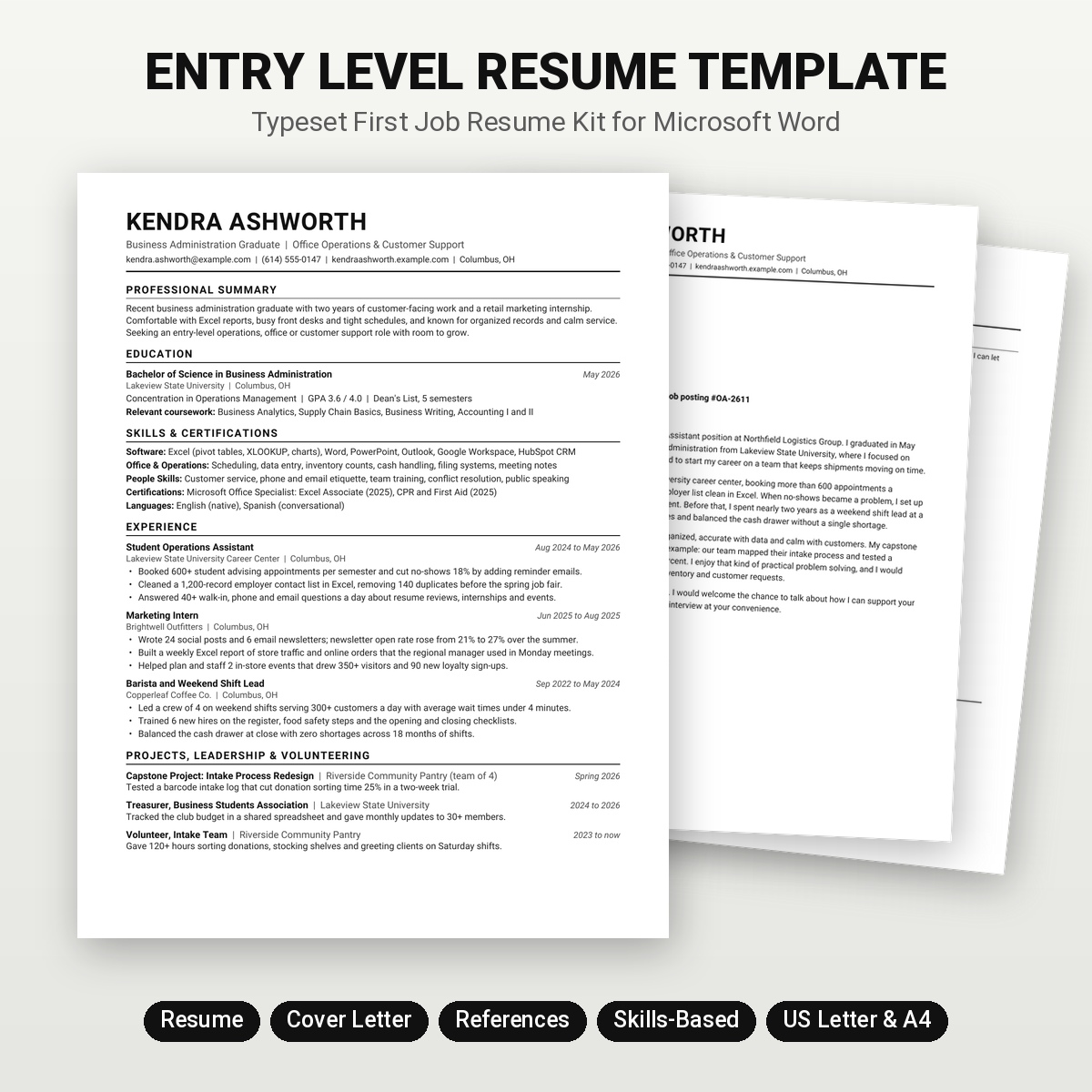
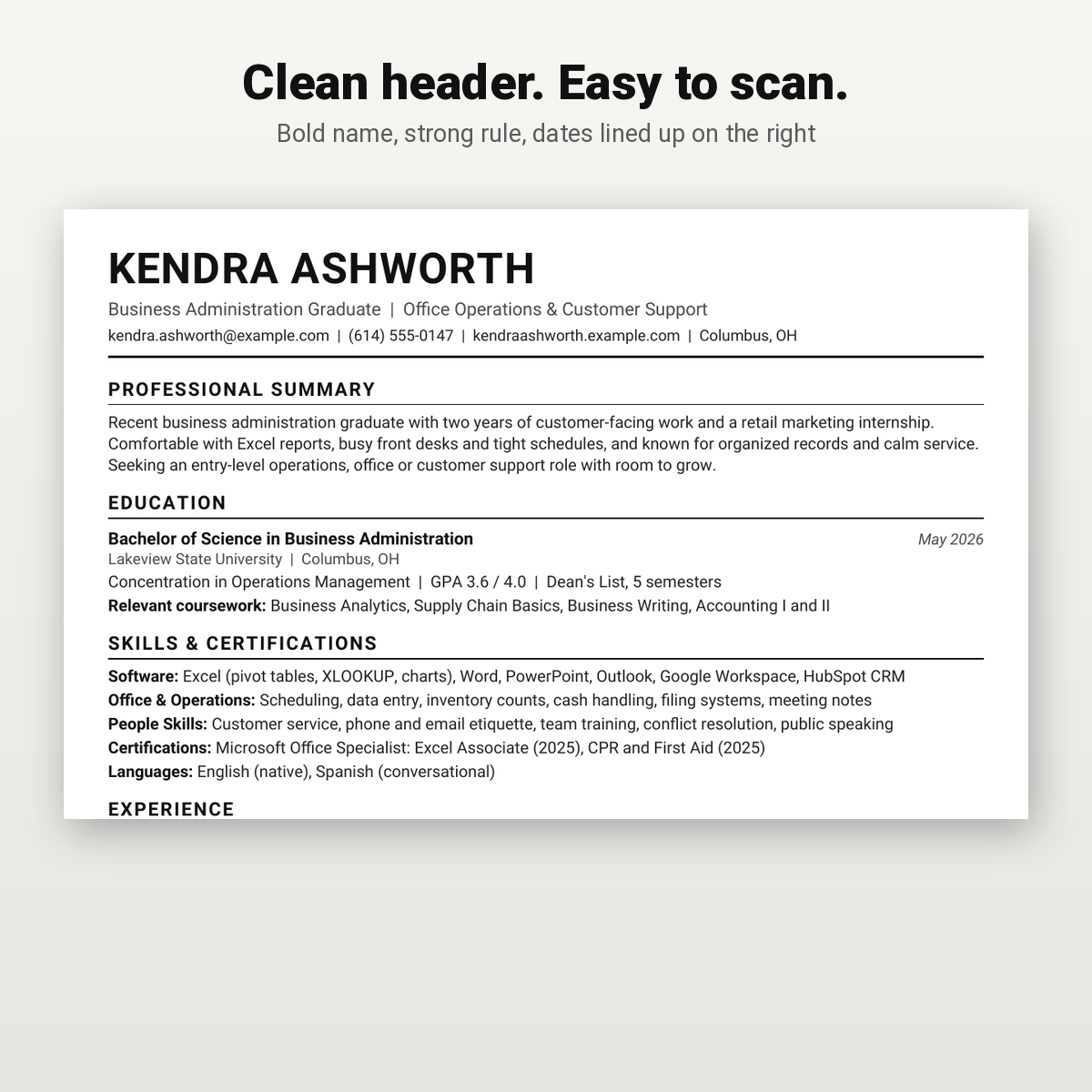
Writing your first real resume is hard when you don’t have much to put on it. Typeset is an entry level resume template for Word built for exactly that moment. It is a crisp black and white, one-column design: your name in bold capitals, a strong rule under your contact line, and section headings in bold capitals over a thin rule. Dates sit on the right edge, so a recruiter can follow your timeline in about six seconds.
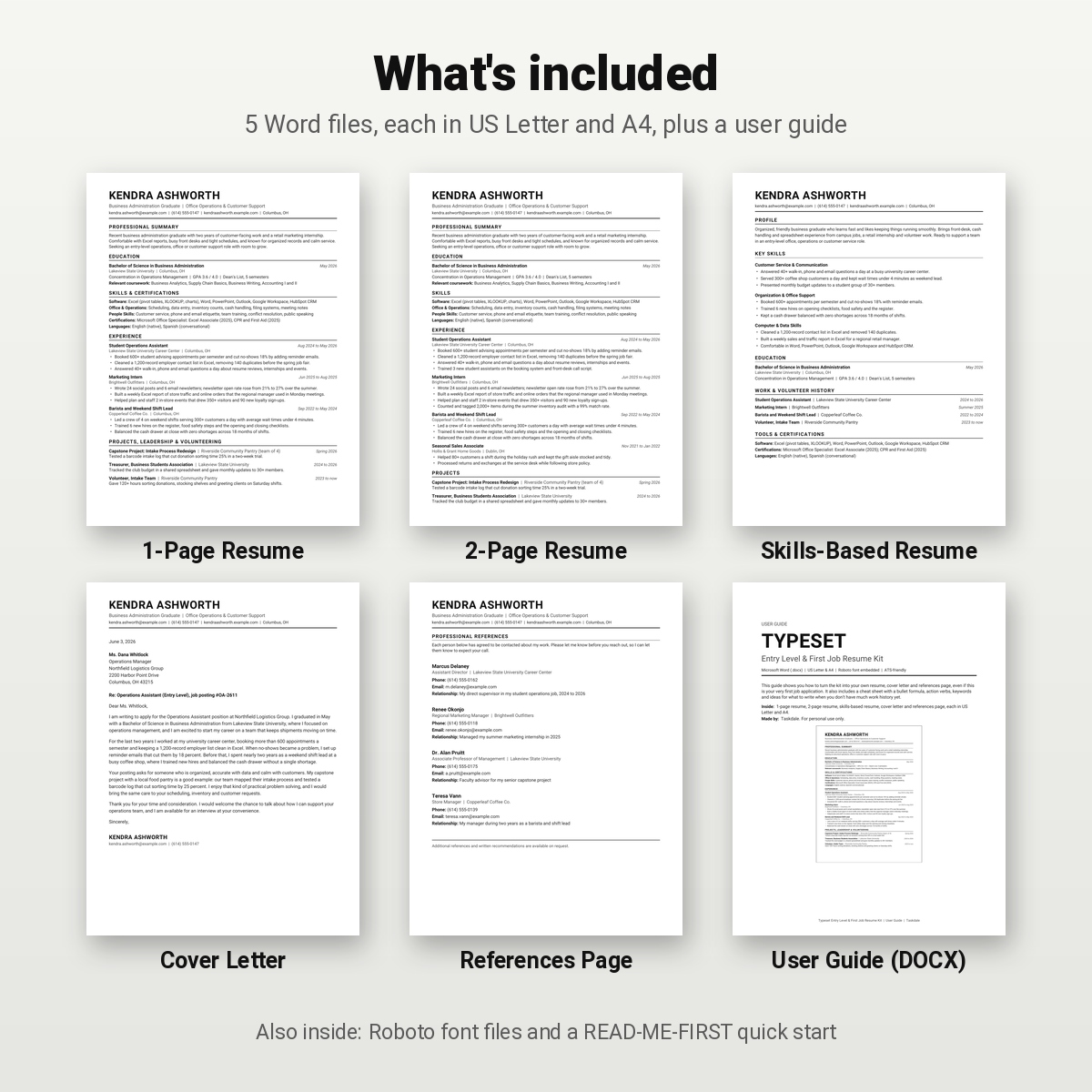
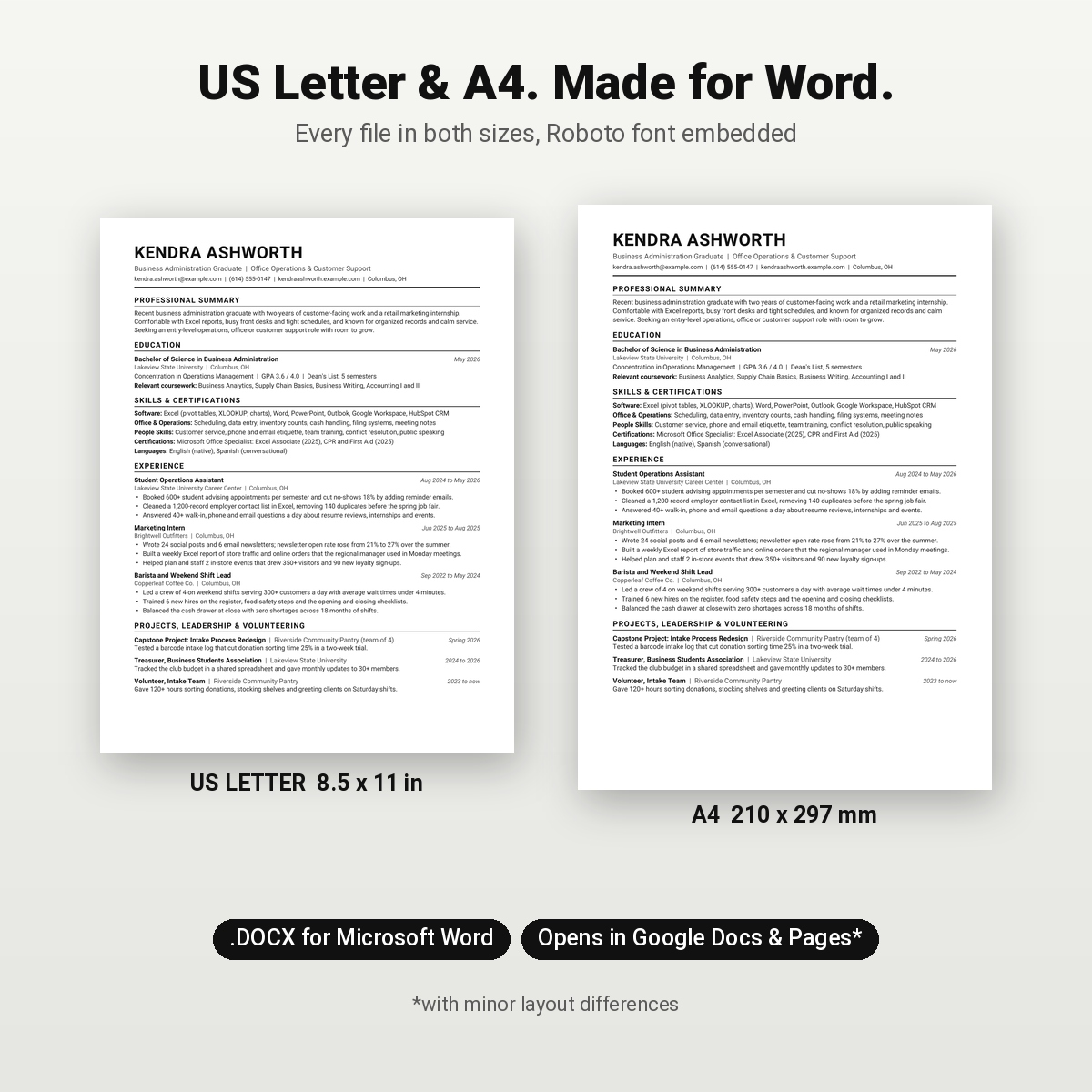
The kit includes a 1-page resume, a 2-page resume, a skills-based resume, a matching cover letter and a references page. Each file comes in US Letter and A4, so you get 10 Word documents plus a separate DOCX user guide.
Who this first job resume template is for
- College seniors and new graduates applying for their first full-time role
- High school and college students looking for part-time work, internships or summer jobs
- Anyone applying for entry-level office, operations, retail, customer service or healthcare support roles
- Career changers and people returning to work who want a simple, honest layout
What is included
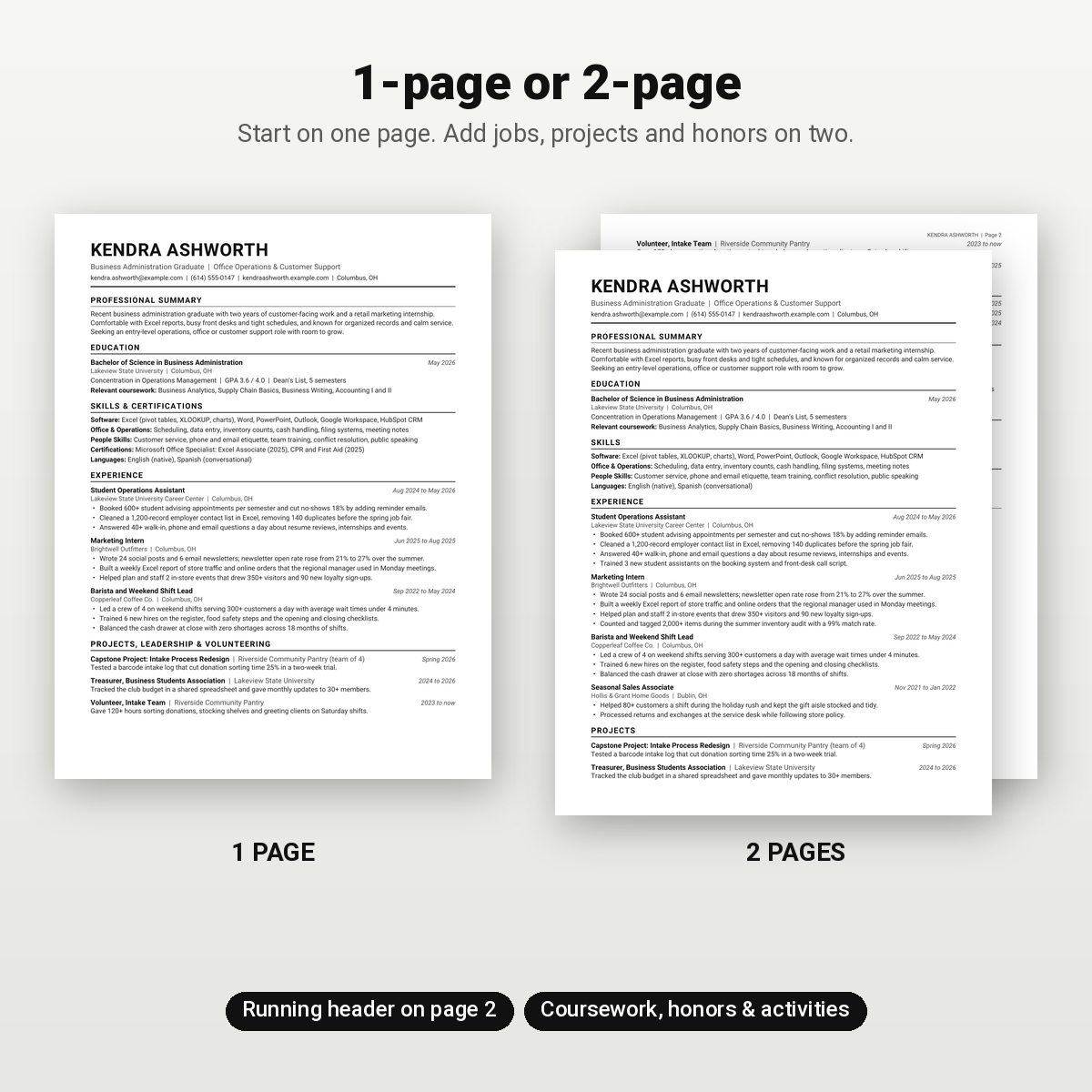
- 1-page resume: summary, education near the top, grouped skills, experience with dated bullets, and a projects, leadership and volunteering section that gives school and club work real space.
- 2-page resume: adds a fourth job, a class project, certifications, relevant coursework, honors, activities and interests. Page 2 carries a small header with your name and page number.
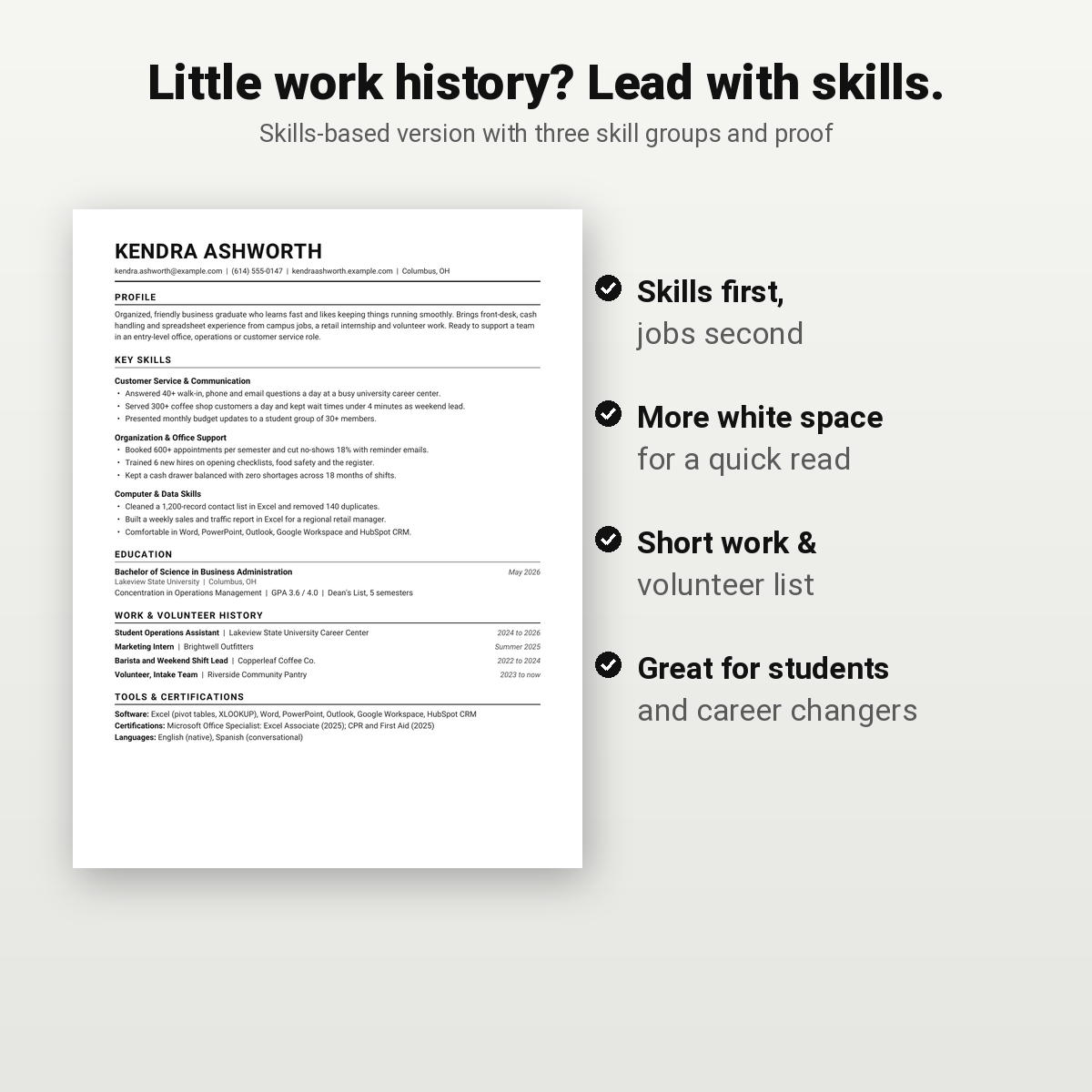
- Skills-based resume: a no experience resume template that leads with three skill groups, each backed by proof, then a short work and volunteer list. It has more white space and reads quickly.
- Cover letter: the same header, a recipient block and a full four-paragraph sample letter for an entry-level operations role.
- References page: room for four references with phone, email and how each person knows you.
- User guide (DOCX): step-by-step editing help and a first job resume cheat sheet.
- Fonts folder and READ-ME-FIRST.txt: Roboto font files with their license, and a quick start note.
Why it works better than a typical free Word resume
ATS friendly from top to bottom
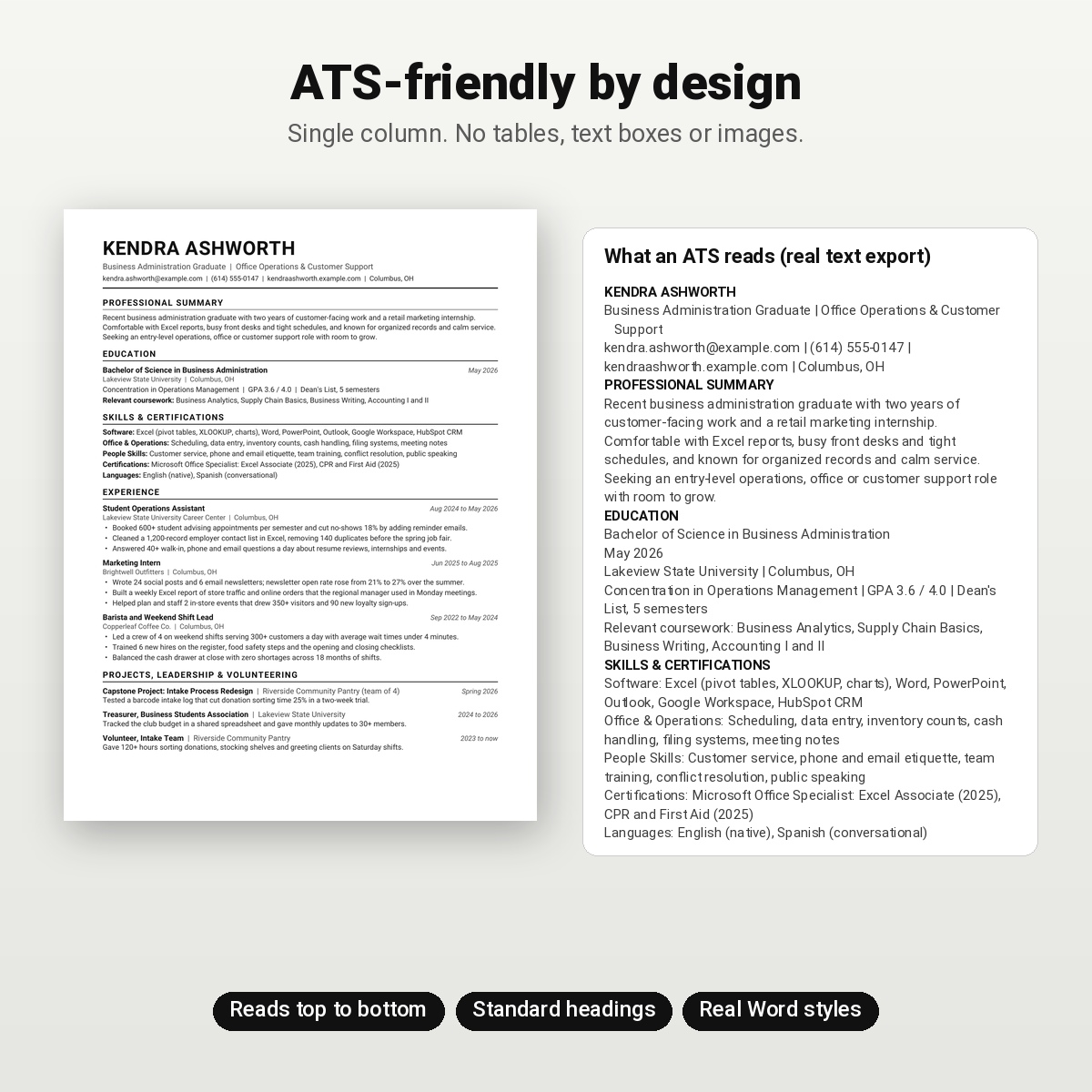
All three resumes are one column of normal text. There are no tables, text boxes, icons or images, and the headings are standard words like Education and Experience. We exported the text the way applicant tracking software reads it, and it comes out in the right order with nothing missing.
Fonts that don’t go missing
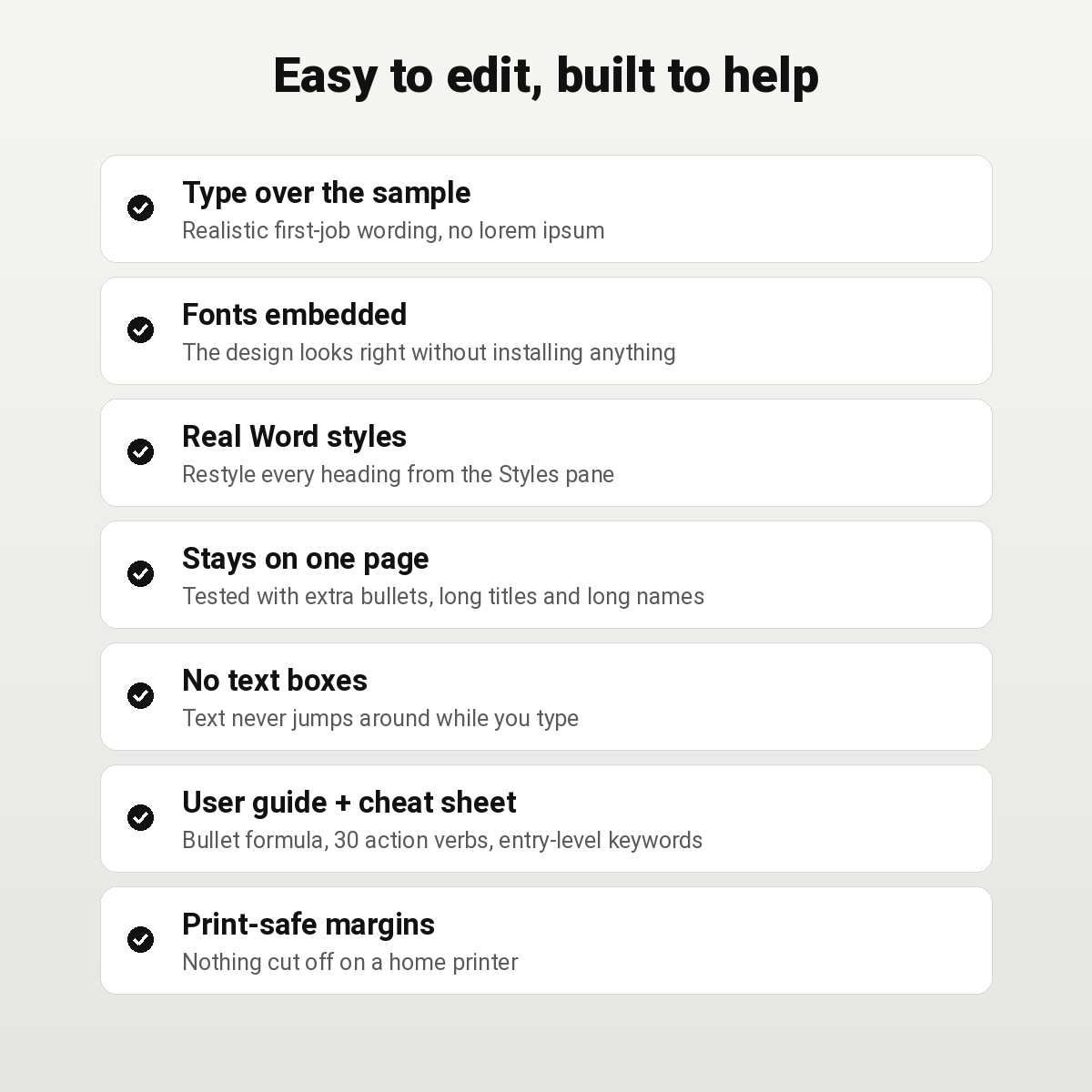
The Roboto font is embedded inside every file. Open the resume on a laptop at the library or a friend’s computer and it still looks the way it does in the listing photos.
A layout that stays put
We tested the 1-page files by adding three extra bullets, a job title long enough to wrap and a 31-character name. They stayed on one page in both paper sizes. Because there are no floating boxes, nothing slides around while you type.
Real sample wording, not lorem ipsum
The sample resume belongs to a fictional business graduate with a campus job, a retail internship and a coffee shop shift lead role. Every bullet follows the action plus result formula with a number, such as “cut no-shows 18% by adding reminder emails”, so you can see what good entry-level bullets look like before you write your own.
How it works
- Download and unzip the kit.
- Open the US-Letter or A4 folder and pick the 1-page, 2-page or skills-based resume.
- Type over the sample text. Headings, bullets and dates are real Word styles, so formatting stays consistent.
- Use the matching cover letter and references page for a complete application.
- Save as PDF from Word and send it, or upload the .docx if the job portal asks for it.
Customizing your resume
Every part of the page uses a named Word style: Title for your name, Heading 1 for section headings, Heading 2 for job titles, List Bullet for bullets and so on. Change one style and the whole page updates. Want a touch of color? Modify Heading 1 and pick a dark navy or green in under a minute. You can add or remove sections by copying a heading and the lines below it. The user guide walks through each step.
The user guide and cheat sheet
The 5-page DOCX guide covers editing, keeping your resume to one page, styles, saving as PDF, Google Docs and Pages, troubleshooting and FAQs. Its cheat sheet gives you a bullet formula with before and after examples, 30 action verbs, 28 keywords recruiters search for in entry-level roles, what to put in each section, and tips for writing a resume with no work experience.
File formats and software
- Microsoft Word .docx files (Word 2016 or newer, Word for Mac, or Microsoft 365)
- US Letter (8.5 x 11 in) and A4 (210 x 297 mm) versions of every file
- Opens in Google Docs and Apple Pages with minor layout differences. For the cleanest result, export your final PDF from Word.
- No photo slot. Most US, Canadian and UK employers prefer resumes without photos.
Digital download
This is a digital product. Nothing is shipped. After checkout you can download the resume kit zip and the user guide right away from your account, with unlimited downloads.
Use cases
- A college senior sending applications for graduate programs and first jobs in the spring
- A high school student applying for a part-time cashier or barista job
- A new nursing assistant, receptionist or warehouse associate applying through an online job portal
- A stay-at-home parent returning to work who wants to lead with skills
- A student preparing for a campus career fair with printed copies on letter paper
FAQ
Is this a good resume template for someone with no experience?
Yes. Use the skills-based version. It leads with skills and proof from school, volunteer work and part-time jobs, and keeps the work list short.
Will it pass applicant tracking systems?
The resumes are single column with no tables, text boxes or graphics, and use standard headings. That is the format ATS software reads most reliably.
Do I need to install fonts?
No. Roboto is embedded in every Word file. The font files are also included if you want to install them.
Can I use it in Google Docs?
Yes, with minor layout differences such as spacing. Editing in Microsoft Word gives the best result.
Should my first resume be one page?
For most entry-level jobs, yes. The 2-page version is there if you have several jobs plus projects, honors and activities.
Is there a cover letter template?
Yes, a matching cover letter with a full sample you can adapt, plus a references page.
Can I share or resell the files?
No. The license is for personal use: create your own resume and send it to employers as often as you like.
Reviews
There are no reviews yet.