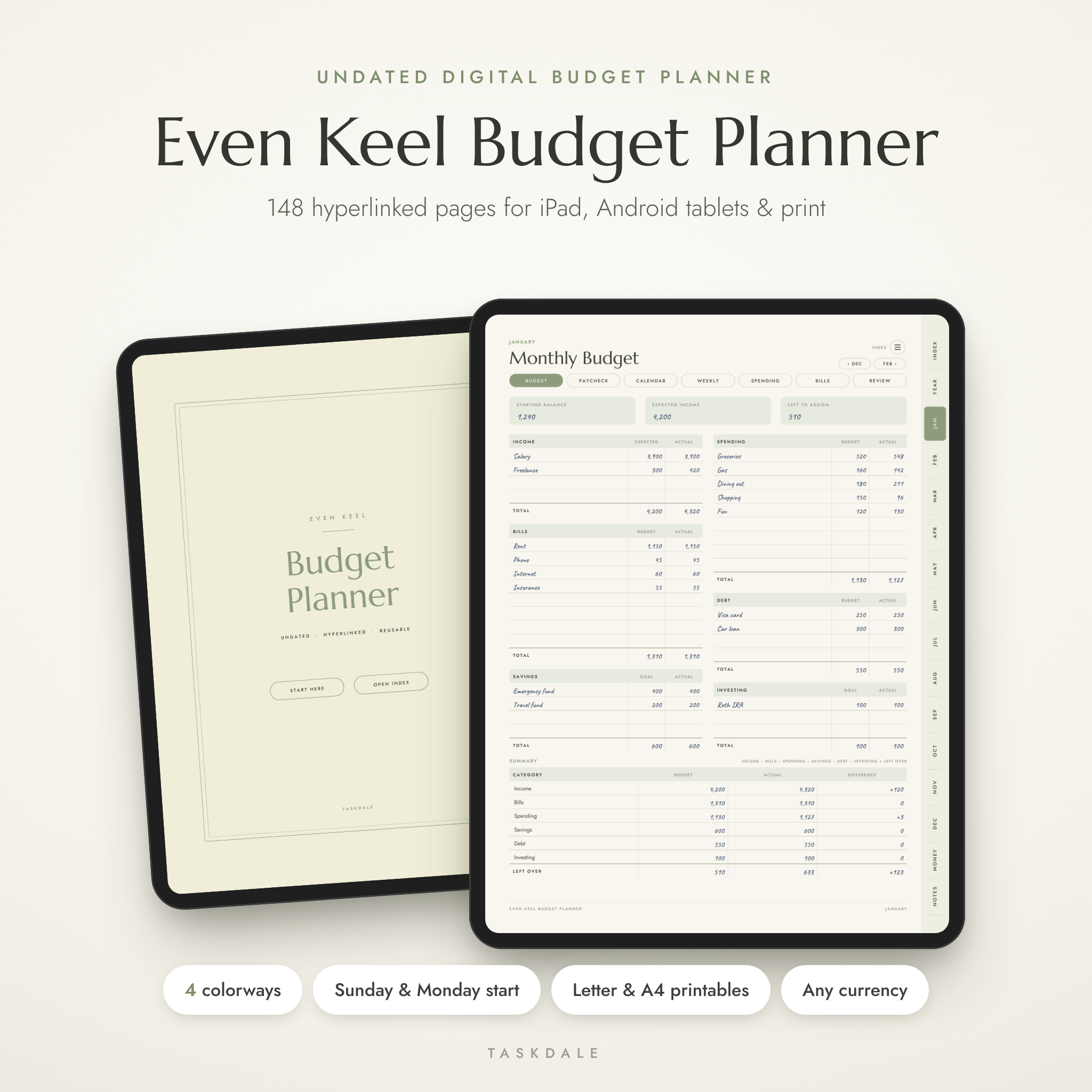
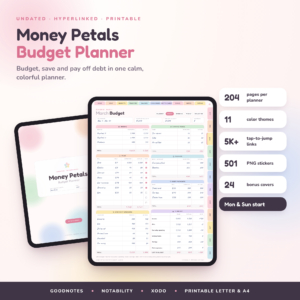
The Even Keel digital budget planner is an undated, fully hyperlinked money planner for iPad, Android tablets and print. You get 148 pages that link to each other, so January’s budget, your spending log and your debt payoff page are always one tap apart. No spreadsheets. No formulas. Just calm, clear pages you fill in by hand.
It works for the person who has never budgeted before and for the one who has tried three apps and quit all of them. Plan the month, log as you go, check in once a week, close the month. That’s the whole system.
Why this undated budget planner is different
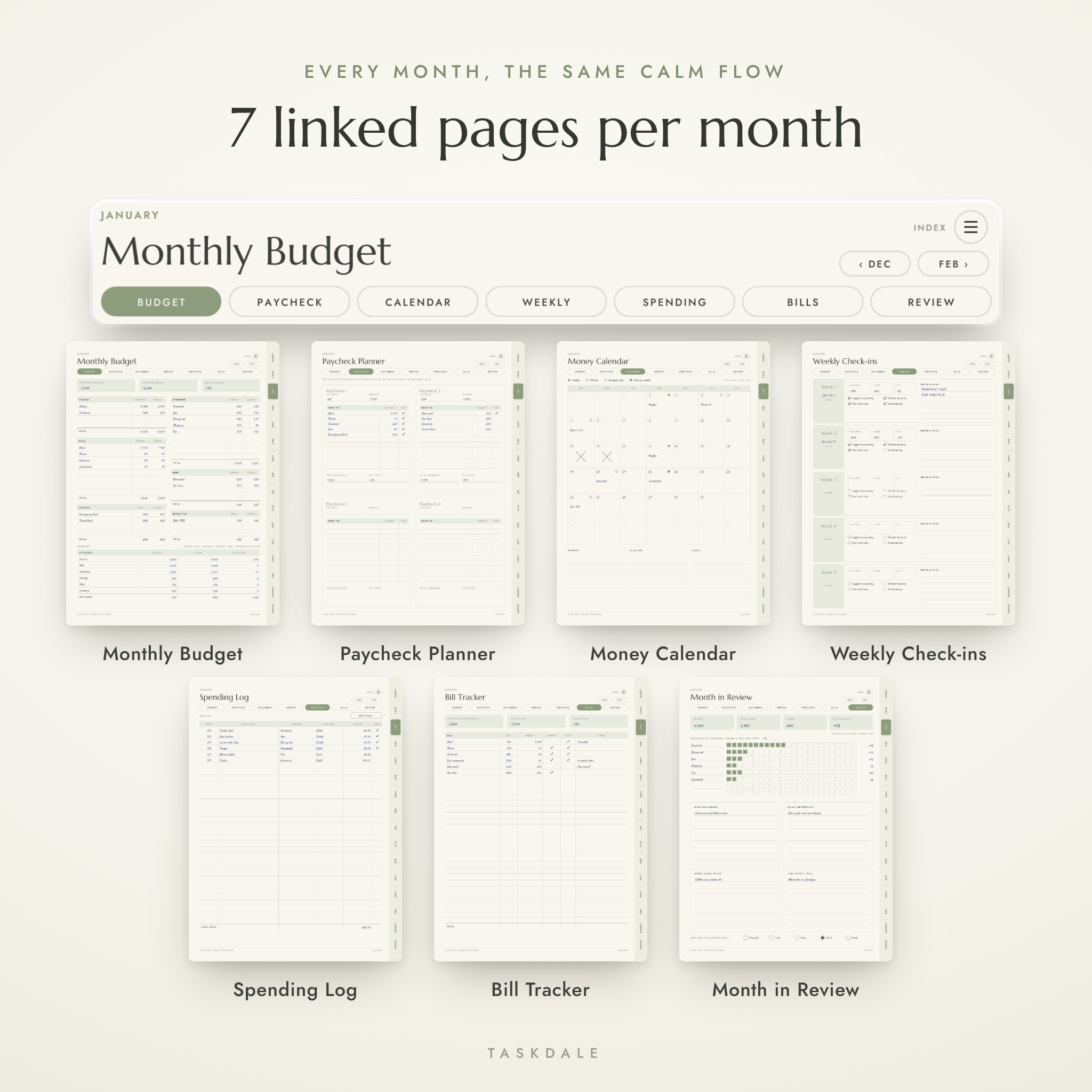
Most budget planners give you a monthly page and a spending log and call it done. This one gives every month its own set of seven linked pages, so the plan, the paydays, the bills and the review all live together.
- Paycheck Planner for every month. Paid weekly or every two weeks? Give each check a job before it lands.
- Weekly Check-ins. Five short cards a month. About two minutes each, and the habit that makes the rest stick.
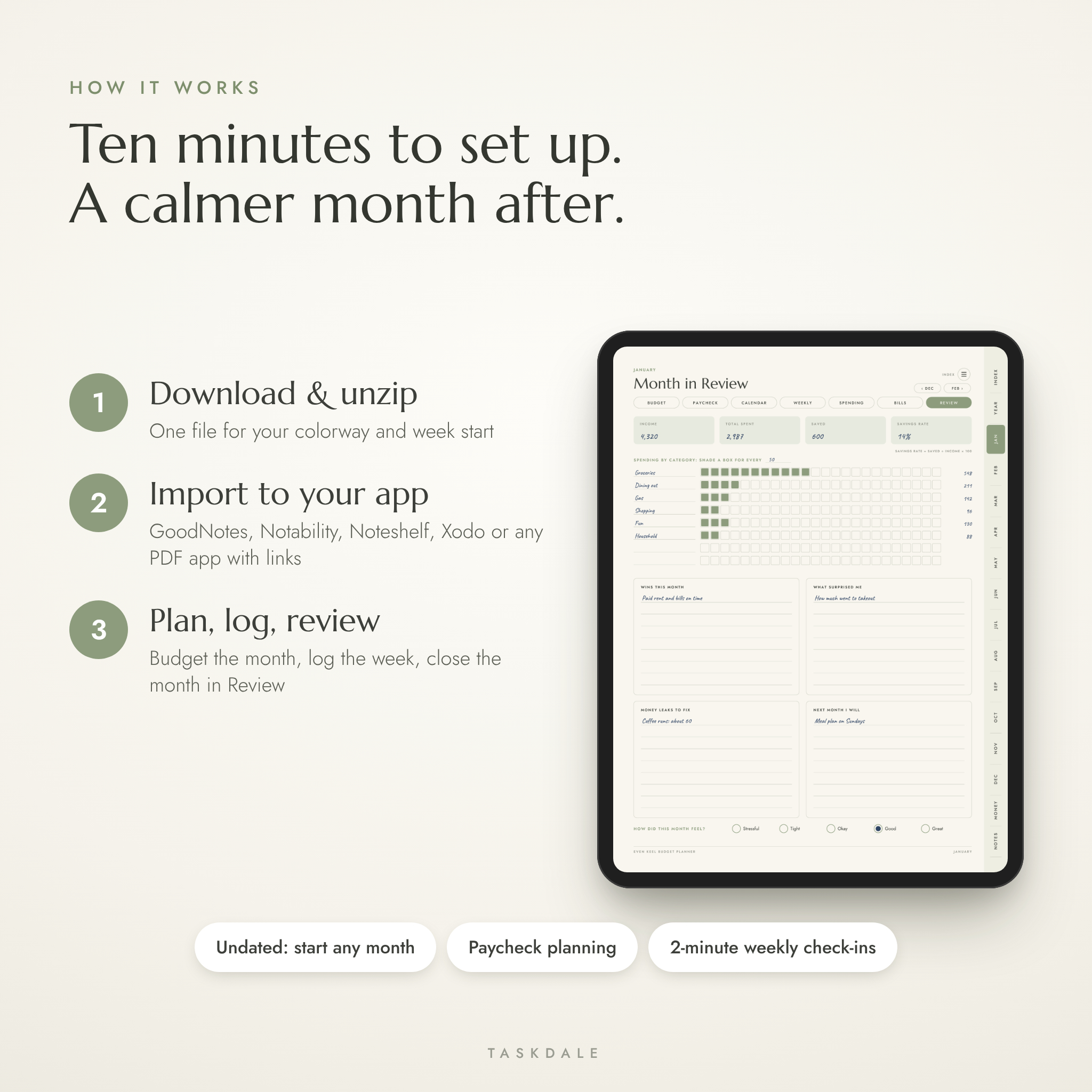
- Month in Review with a shade-in chart. Shade a box for every 50 (or any amount you pick) and see exactly where your money went.
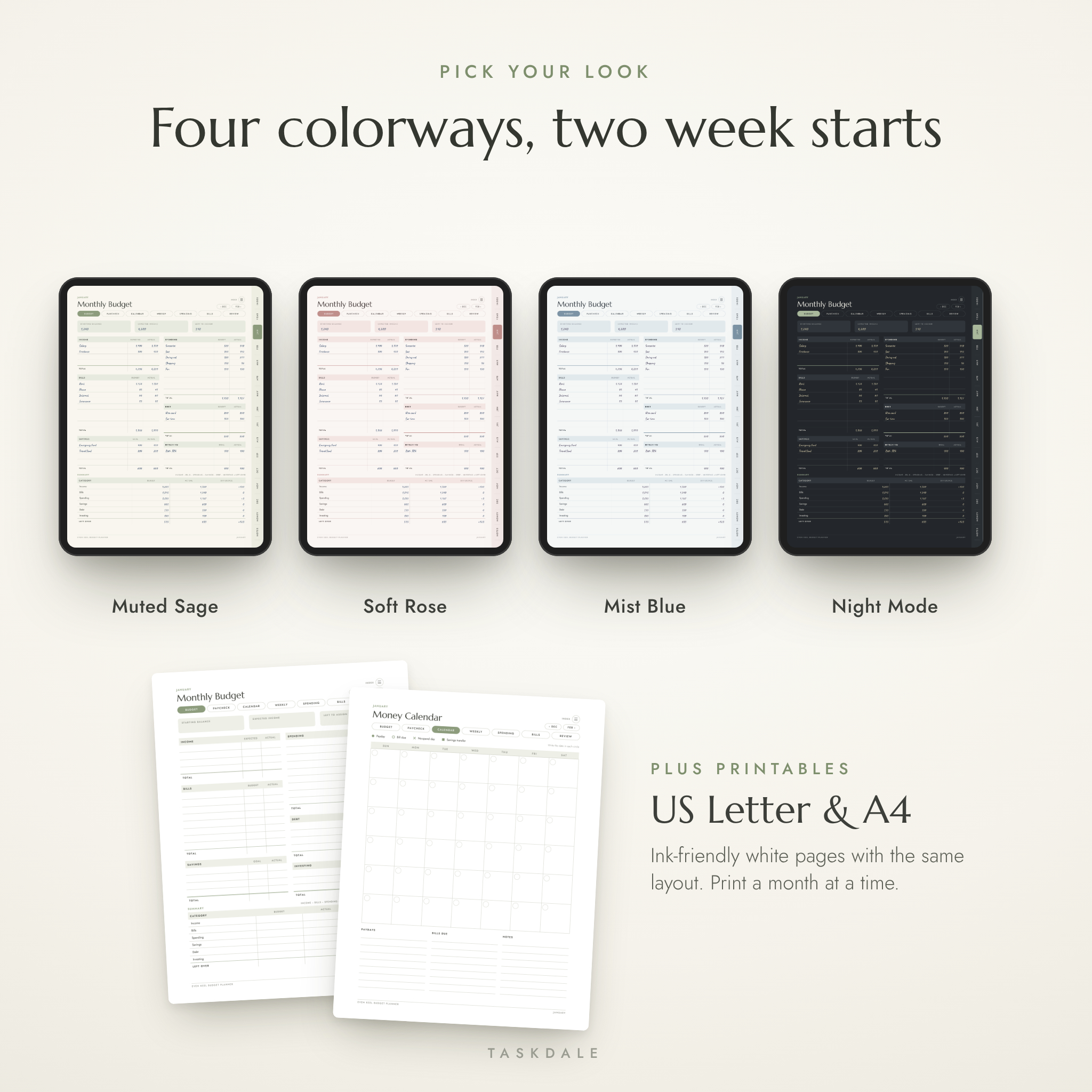
- Four colorways, two week starts. Muted Sage, Soft Rose, Mist Blue and a dark Night Mode, each with Sunday-start and Monday-start calendars.
- Printable Letter and A4 versions. Ink-friendly white pages with the same layout, so you can go paper whenever you want.
- A real user guide. An illustrated Word guide covering setup, every section, troubleshooting and FAQs.
What’s inside this digital budget planner
Year pages
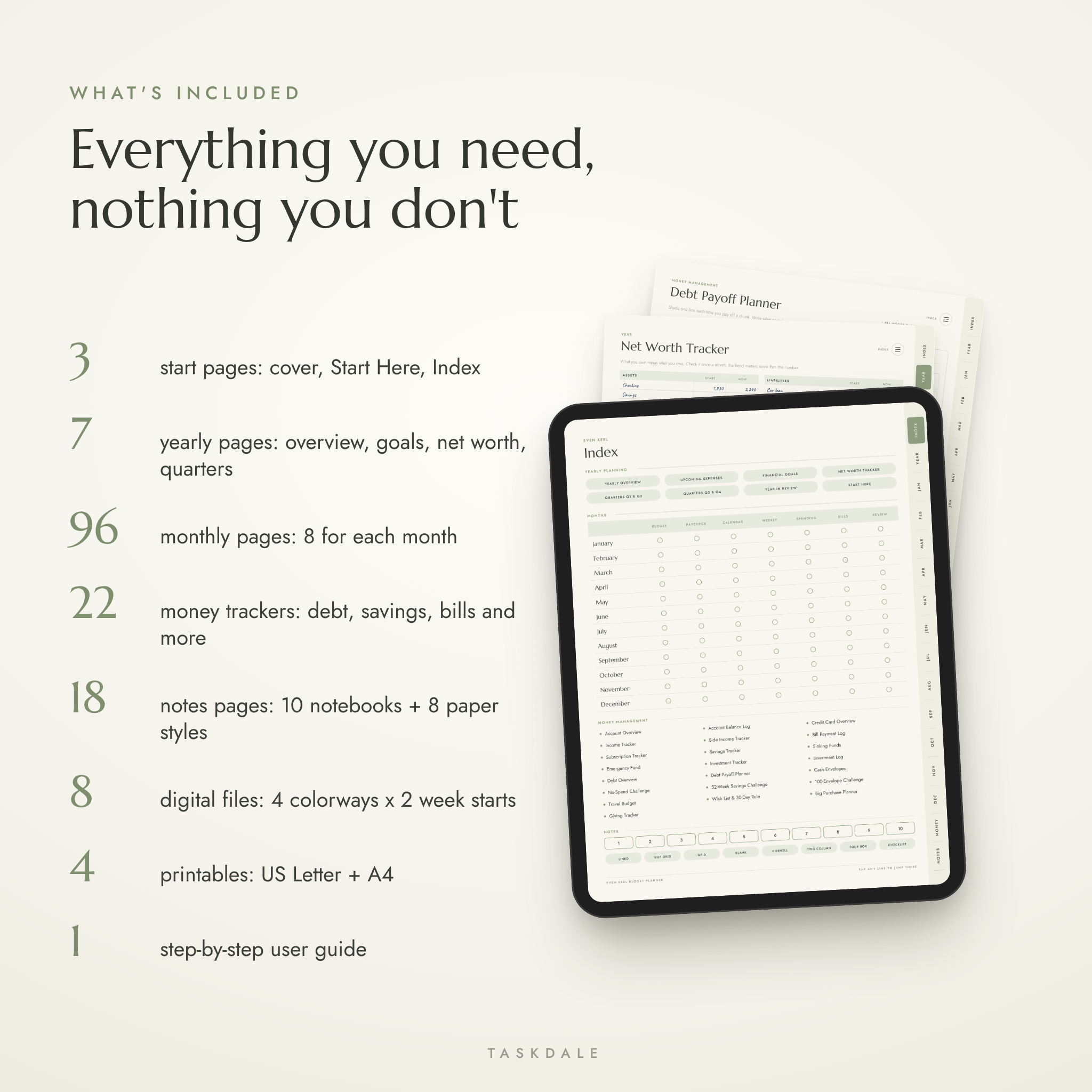
Yearly Overview (tap any month to open its budget), Upcoming Expenses, Financial Goals with progress bars, Net Worth Tracker with a shade-in trend chart, Quarterly Reviews for Q1 to Q4, and a Year in Review.
Monthly pages (x12)
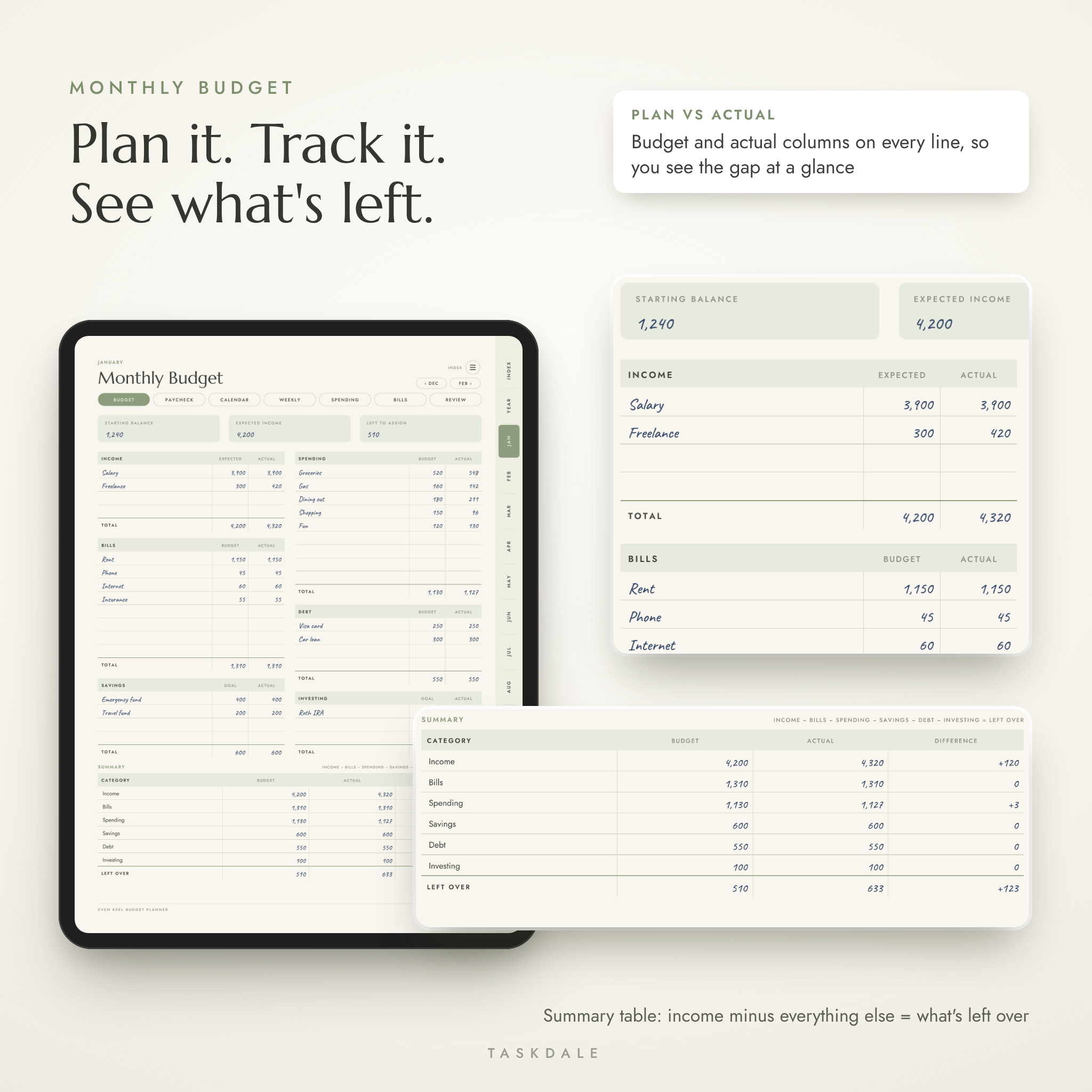
- Monthly Budget: income, bills, spending, savings, debt and investing, each with budget and actual columns, plus a summary that shows what’s left over
- Paycheck Planner: four paycheck cards with paid checkboxes
- Money Calendar: undated grid with symbols for paydays, bills, no-spend days and savings transfers
- Weekly Check-ins: planned, spent, left, and four quick habit boxes
- Spending Log: two pages, 66 lines a month
- Bill Tracker: due date, amount, autopay and paid
- Month in Review: savings rate, category chart and four reflection prompts
22 money management trackers
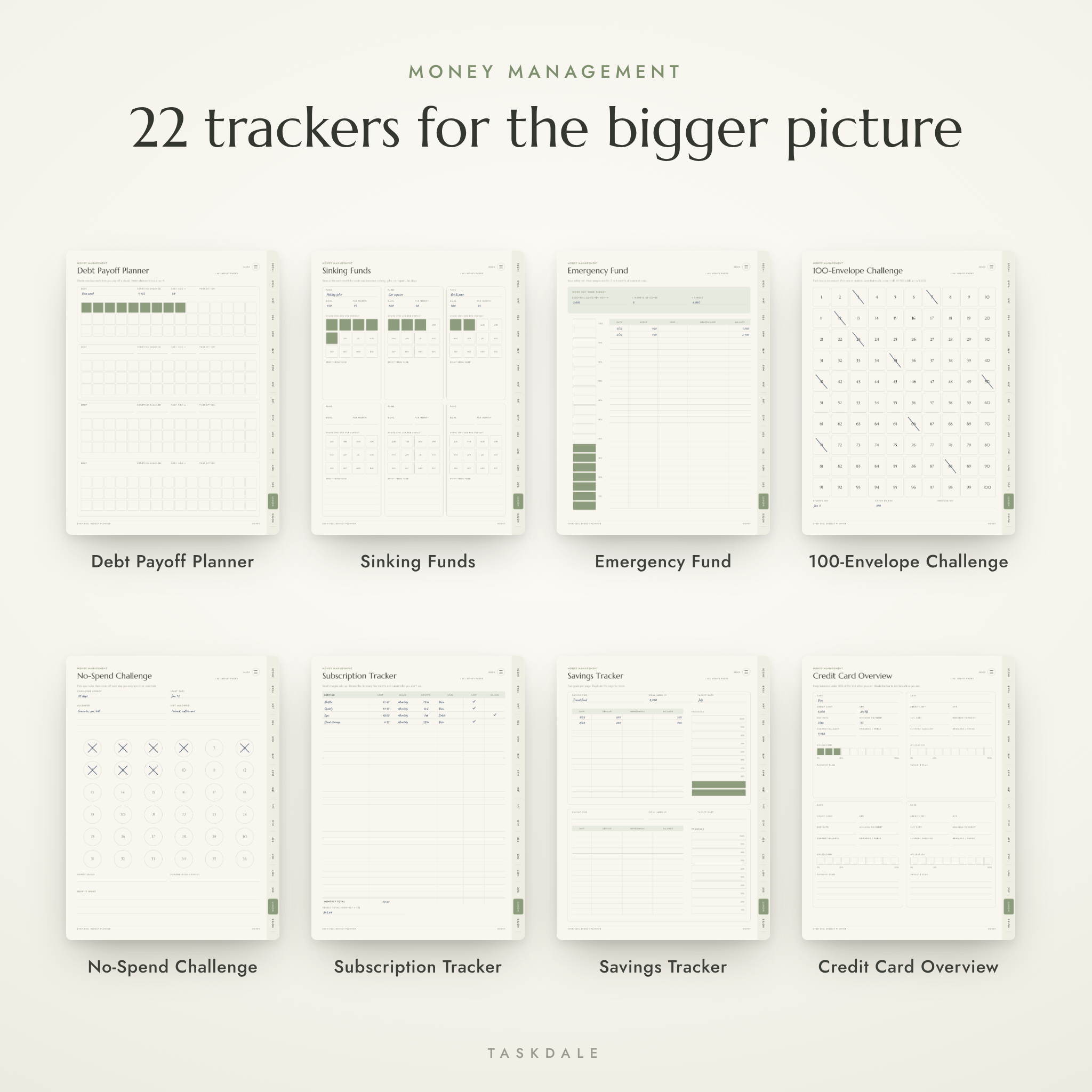
Account Overview, Account Balance Log, Credit Card Overview with a utilization bar, Income Tracker, Side Income Tracker, Bill Payment Log (a whole year of bills on one page), Subscription Tracker, Savings Tracker, Sinking Funds, Emergency Fund with a target calculator, Investment Tracker, Investment Log, Debt Overview with snowball or avalanche choice, Debt Payoff Planner, Cash Envelopes, No-Spend Challenge, 52-Week Savings Challenge, 100-Envelope Challenge, Travel Budget, Wish List and 30-Day Rule, Big Purchase Planner and Giving Tracker.
Notes
Ten custom notebooks you can name yourself, plus eight paper templates: lined, dot grid, grid, blank, Cornell, two column, four box and checklist.
How the hyperlinks work
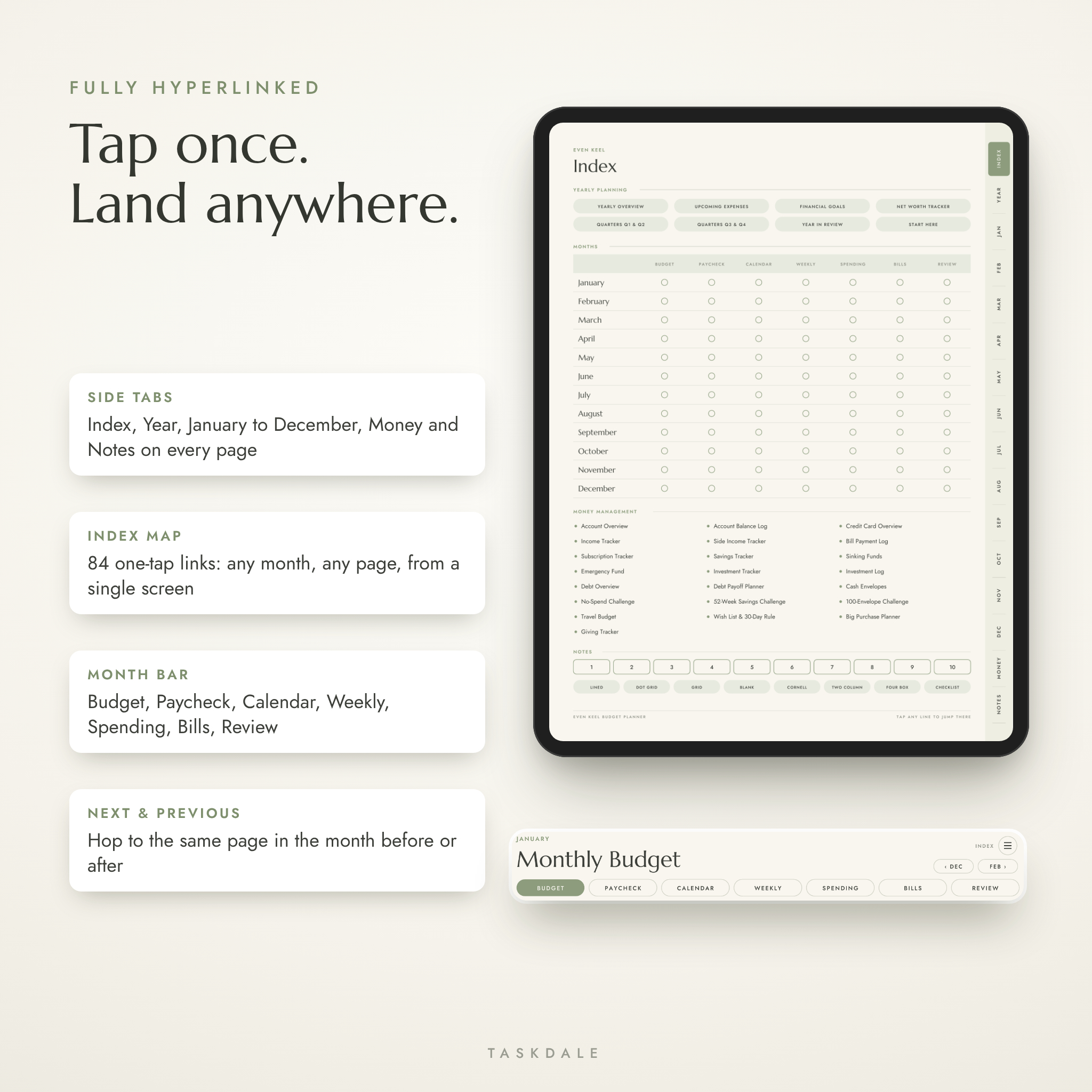
Every page has side tabs for the Index, Year, each month, Money and Notes. There’s an Index button in the top corner of every page. Month pages add a bar that jumps between that month’s seven pages, and two small buttons that take you to the same page in the month before or after. The Index itself is a grid of 84 one-tap links covering all seven pages of all twelve months. All 3,740 links in each digital file were checked to make sure they land on the right page.
Who it’s for
- First-time budgeters who want a simple path to follow
- Anyone paid weekly, biweekly or on uneven dates
- Couples who sit down once a month to talk money
- People paying off credit cards or loans who want to watch the balance shrink
- Paper lovers who want the feel of a budget binder on a tablet
Ways to use it
- Shift work and biweekly pay. Split two checks across rent, groceries and a car payment on the Paycheck Planner.
- Monthly money date for couples. Fill in the Monthly Budget together on the last Sunday of the month, then each log your own spending.
- Paying off a credit card. Give each box on the Debt Payoff Planner a value, say 50, and shade one every time you pay.
- Saving for a big event. Set up a Sinking Fund for a wedding, a move or the holidays and let Month in Review keep you honest about takeout.
File formats and what you’ll download
- 1 ZIP file (about 9.5 MB)
- 8 hyperlinked PDFs for tablets: 4 colorways x Sunday or Monday start (148 pages each, about 1.5 MB)
- 4 printable PDFs: US Letter and A4, Sunday or Monday start
- User guide (DOCX) and a quick-start README with licence terms
What you need
An iPad or Android tablet with a PDF annotation app that supports links, such as GoodNotes, Notability, Noteshelf or Xodo. A stylus makes it feel like paper but a finger works too. You can also open the PDFs in any PDF reader on a computer, or print them at home.
Make it yours
Nothing is dated and no currency symbol is printed on the money columns, so it works in dollars, pounds, euros, rand or anything else. Category names are handwritten, so you use your own. Duplicate any page in your app when you need more room.
Instant digital download
This is a digital product. Nothing is shipped. Your download link appears right after checkout. Colors can look slightly different from screen to screen and printer to printer.
FAQ
Does this budget planner work with GoodNotes?
Yes. It’s a standard hyperlinked PDF made for GoodNotes, Notability, Noteshelf, Xodo and other PDF annotation apps.
Will it work on an Android tablet?
Yes, with an app that keeps PDF links, such as Xodo or Noteshelf. Some Android note apps remove links when importing.
Is it dated?
No. It’s undated. Start in any month and reuse a fresh copy every year.
Can I print it?
Yes. Print-ready US Letter and A4 files are included.
Does it calculate totals for me?
No. It’s a handwritten planner. Each page shows the simple math it needs, like income minus spending equals what’s left.
Can I use my own currency?
Yes. Money columns are left blank so you can use any currency. Write yours on the Start Here page.
Why do my taps draw on the page instead of jumping?
Most note apps only follow links in read-only mode or with a finger tap. The guide walks you through it.
Licence
For personal use by the buyer and their household. Please don’t share, resell or redistribute the files.
Reviews
There are no reviews yet.