

Event Planner Resume Template for Word, Built to Get You Hired
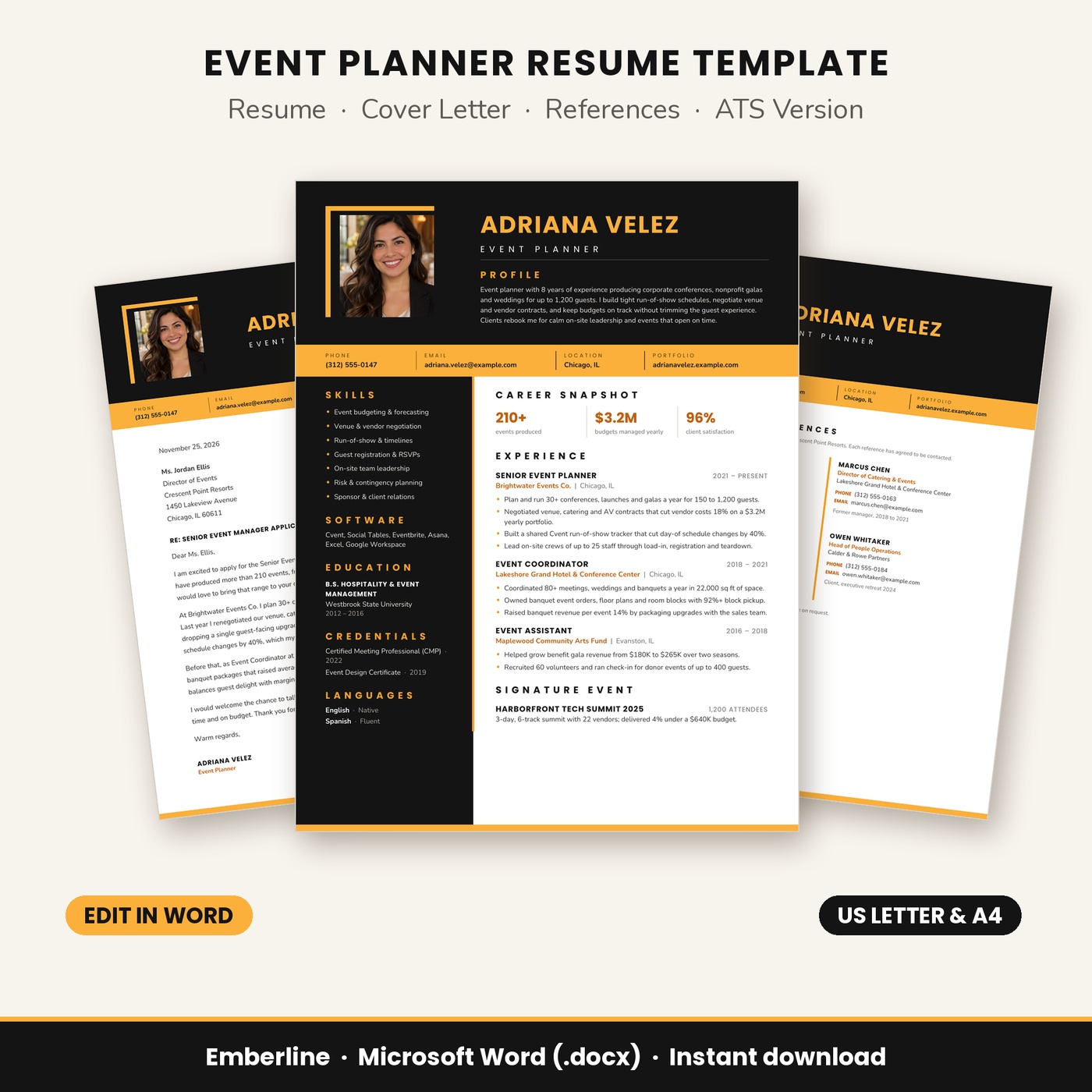
Emberline is an event planner resume template for Word with the confidence of a well-run launch night. Your square photo sits in a black panel with an orange-yellow corner frame, your name runs across the top in letter-spaced capitals, and a bright amber contact band carries your phone, email, city and portfolio. Below it, a dark sidebar lists your skills and software while a clean white column shows your Career Snapshot numbers and work history.
Everything is a real Microsoft Word file. Open it, click into the sample text and type. There are no floating text boxes to chase around the page, and the fonts are embedded, so the design looks the same on your computer as it does in the preview.
Who This Event Planner Resume Is For
- Event planners, coordinators and event managers at agencies, hotels and venues
- Corporate meeting and conference planners, and trade show coordinators
- Wedding planners and nonprofit gala or fundraising event staff
- Banquet, catering and hospitality staff moving into event planning
- Hospitality graduates who want a resume that looks polished on day one
What Is Included
You get 18 .docx files: the same nine files in US Letter and in A4.
Main edition (black panels, amber band)
- Resume, 1 page: photo, profile, contact band, Skills, Software, Education, Credentials, Languages, Career Snapshot, Experience and a Signature Event.
- Resume, 2 page: adds a page 2 header, Signature Events, Earlier Experience, Volunteer Leadership, Professional Development, Strengths, Awards, Affiliations and Interests.
- Cover letter with a full event planning sample letter.
- References page with four reference cards.
Print-friendly edition (white page)
The same four files on a white page with a light warm sidebar and the same orange accents. A mostly black page is heavy on printer ink, so this edition is made for printing at home or bringing copies to interviews and job fairs.
ATS plain resume
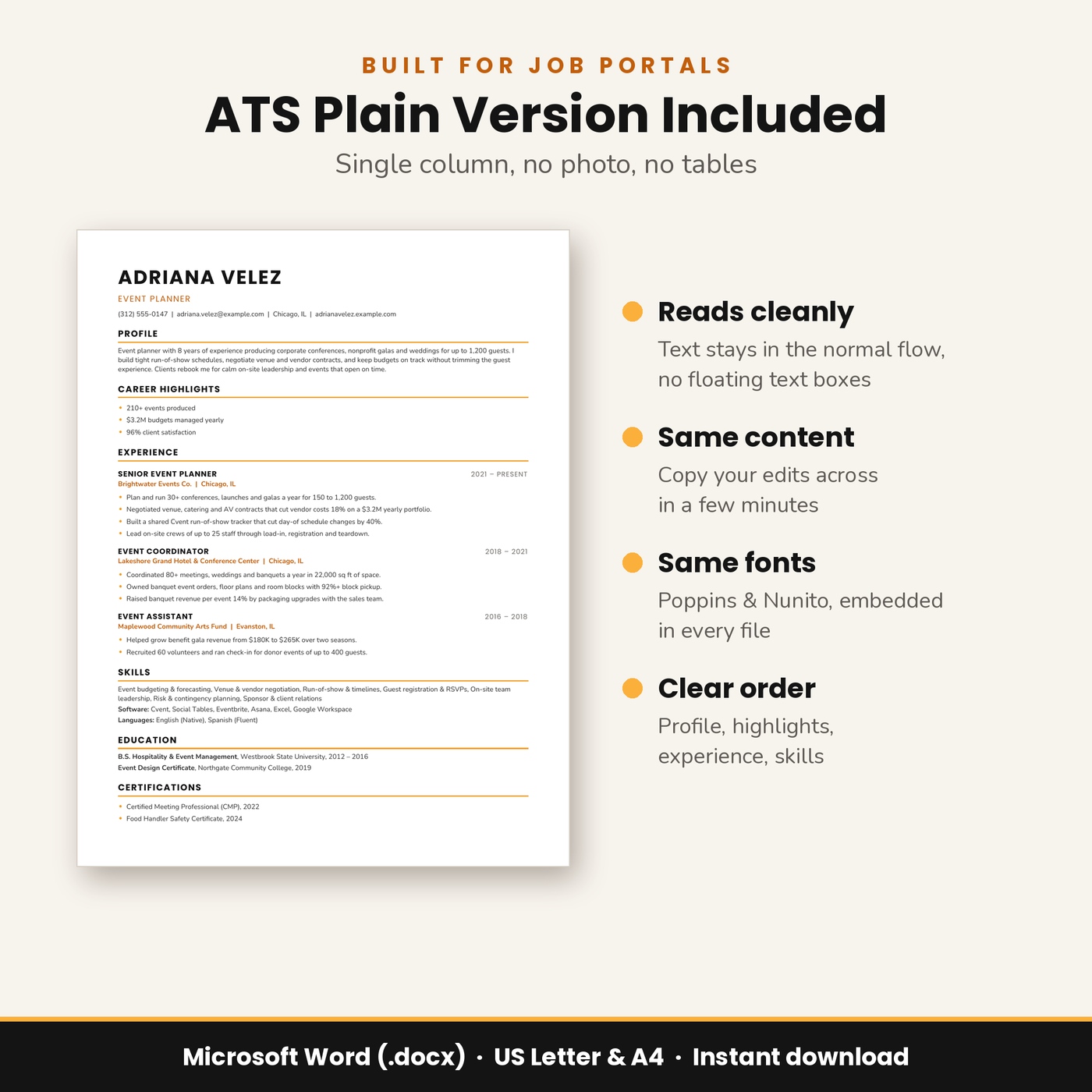
A single-column version with no photo and no tables, for online job portals that want a plain upload.
Also in the download
- Fonts folder with Poppins and Nunito (SIL Open Font License) as a backup install
- READ-ME-FIRST file with quick start steps
- User Guide (DOCX), a separate download, with a cheat sheet for event planner resumes
Features That Make This Resume Template Easier to Use
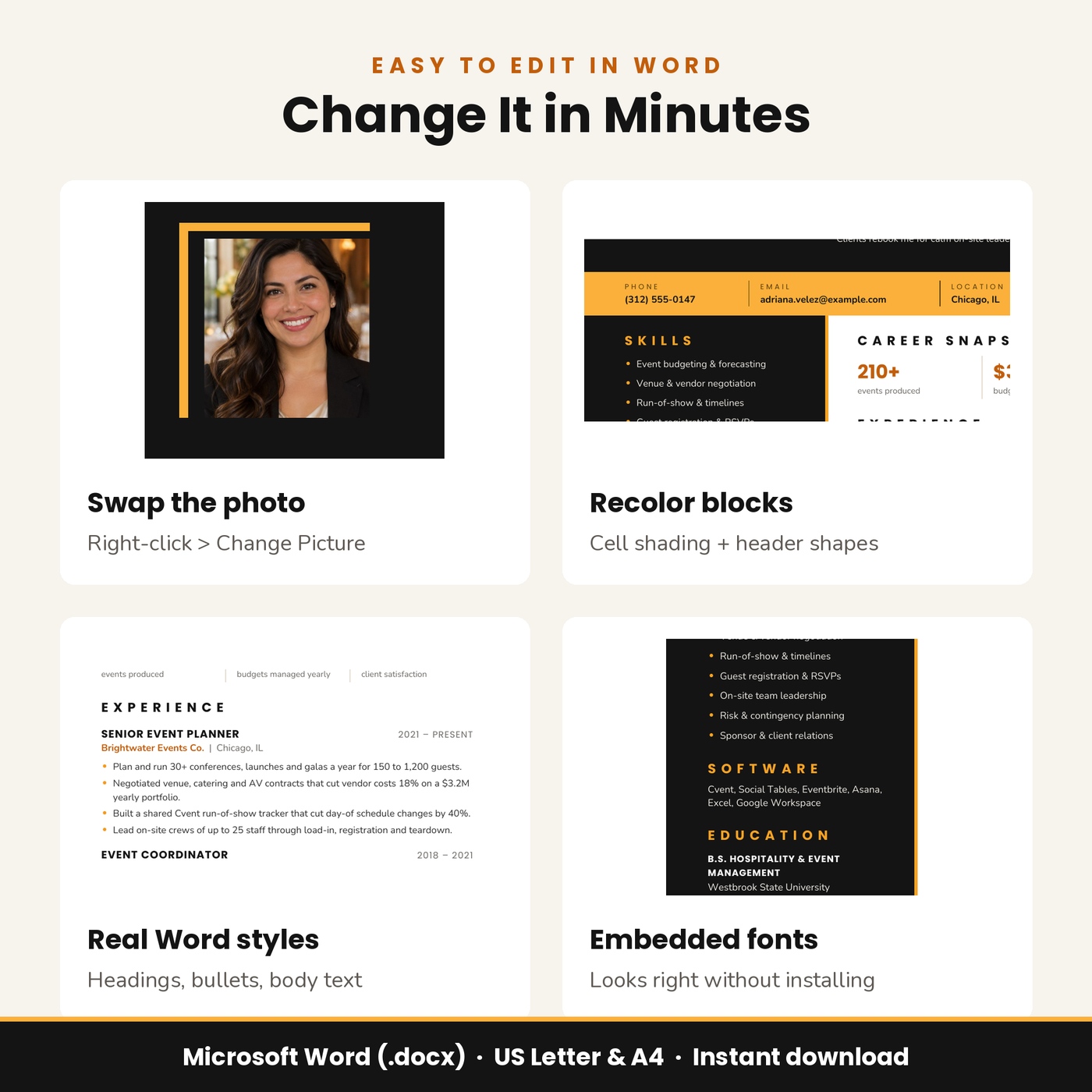
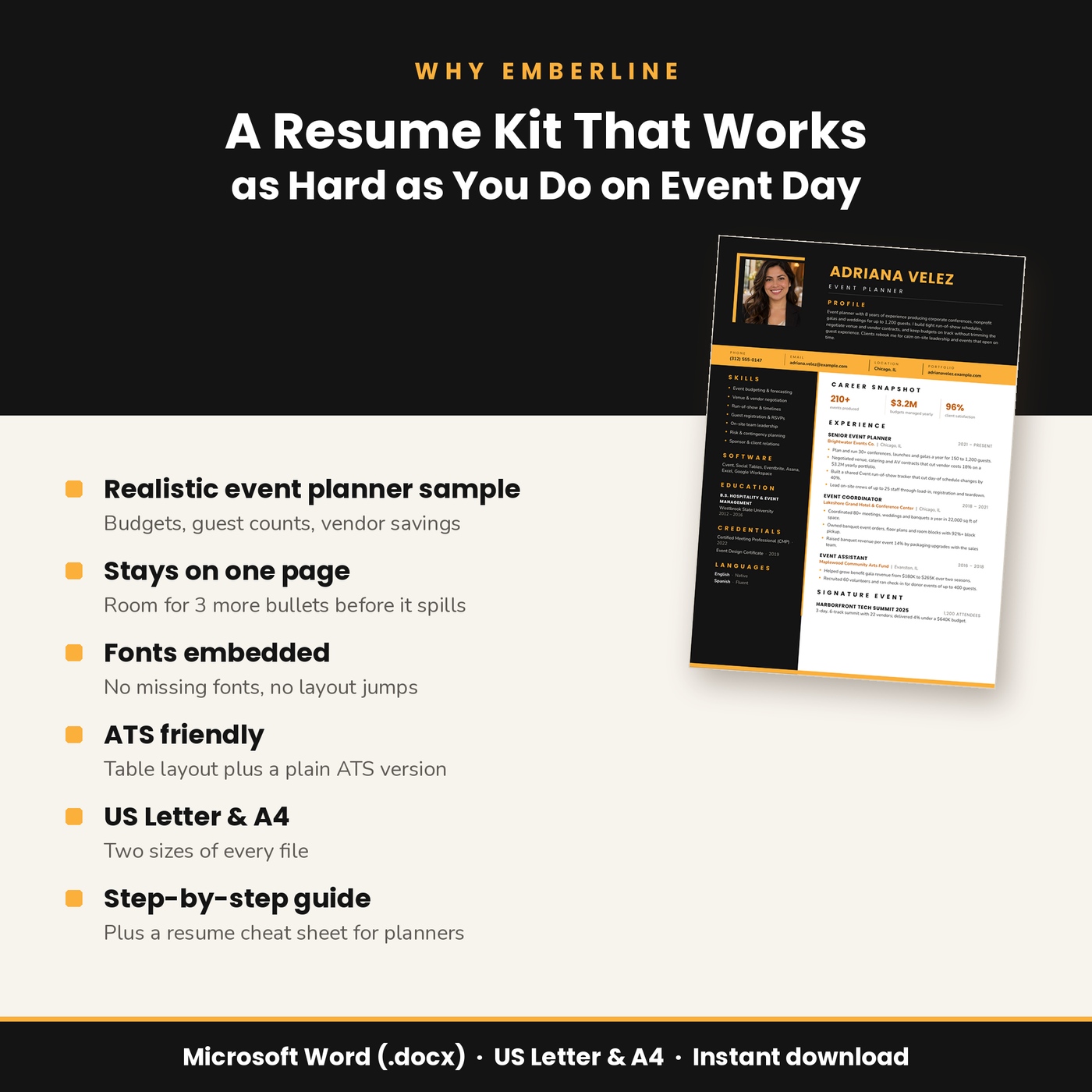
- Fonts embedded in every file. No missing fonts, no layout jumping when you open the file.
- Table-based layout. Text stays in the normal flow of the page, so applicant tracking systems can read it and edits do not break the design.
- Stays on one page. The 1-page resume was tested with three extra bullets and a long job title added, and it still fits on one page.
- Easy photo swap. Right-click the photo, choose Change Picture and pick yours. The size and frame stay put.
- Recolor the blocks. The panels and contact band are Word cell shading and solid shapes, so you can change the colors in Word.
- Real Word styles. Headings, bullets and body text all use named styles, so you can restyle the whole resume from the Styles pane.
- Career Snapshot. Three big numbers (events produced, budgets managed, client satisfaction) that a hiring manager sees in seconds.
- Safe print margins. All text sits at least 0.4 inches from the edge of the page.
Sample Text Written for Event Planners
No lorem ipsum. The sample shows a fictional senior event planner with real-world bullets: negotiating venue, catering and AV contracts that cut vendor costs 18%, running conferences for up to 1,200 guests, and managing room blocks and banquet event orders. Swap in your own numbers and you have a strong first draft in under an hour.
How It Works
- Download the zip and unzip it.
- Open the US Letter or A4 folder and pick your file.
- Type over the sample text and replace the photo.
- Save as PDF from Word and send it with your application.
File Format and Software
- Microsoft Word (.docx), Word 2016 or newer, Microsoft 365, Word for Mac
- Opens in Google Docs and Apple Pages with minor layout differences. For the cleanest PDF, export from Word.
- Sizes: US Letter (8.5 x 11 in) and A4 (210 x 297 mm)
- Digital download: no physical item is shipped. Your files are ready right after checkout, with unlimited downloads.
Customization
Change the photo, colors, fonts and section names, add or remove sections, and move between the 1-page and 2-page layouts. The user guide walks you through each change with menu-by-menu steps, plus tips on recoloring the sidebar panel that runs to the page edge.
Real Situations Where This Resume Kit Helps
- Applying for an event manager role at a hotel or resort, with the cover letter tailored to the property
- Moving from event coordinator to senior event planner and needing a 2-page resume for a longer track record
- Uploading to a corporate job portal that asks for a plain, ATS-friendly resume
- Printing crisp copies for a hospitality job fair without draining your ink cartridge
- Applying abroad with an A4 resume that matches local paper sizes
Event Planner Resume Template FAQ
Can I edit this event planner resume template in Word?
Yes. Every file is an editable Microsoft Word .docx. Click any text and type over it.
Is it ATS friendly?
The main resume uses a table layout with no text boxes, so most applicant tracking systems read it. For strict portals, use the included ATS plain version.
Do I need to install the fonts?
No. Poppins and Nunito are embedded in every file. The Fonts folder is there if you want to use them elsewhere.
Can I remove the photo?
Yes. Click the photo and press Delete, or use the ATS plain version, which has no photo.
Does it work in Google Docs or Canva?
It is made for Microsoft Word. It opens in Google Docs and Apple Pages with minor layout differences. It is not a Canva template.
Is the person in the photo real?
No. The sample headshot is AI-generated, and all names, companies and schools are fictional.
Can I use it for more than one application?
Yes, as many times as you like for your own job search. The license is personal use only, so the files may not be resold or shared.
Reviews
There are no reviews yet.