
Executive Assistant Resume Template for Word, Made for C-Suite Support Roles
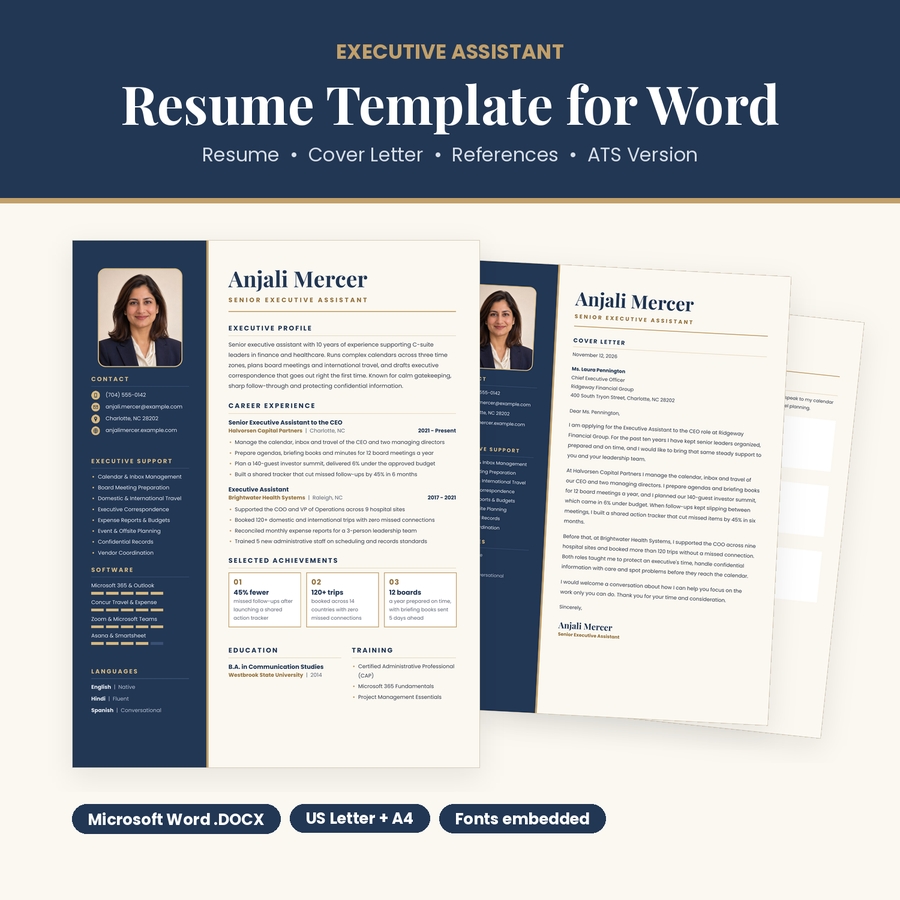
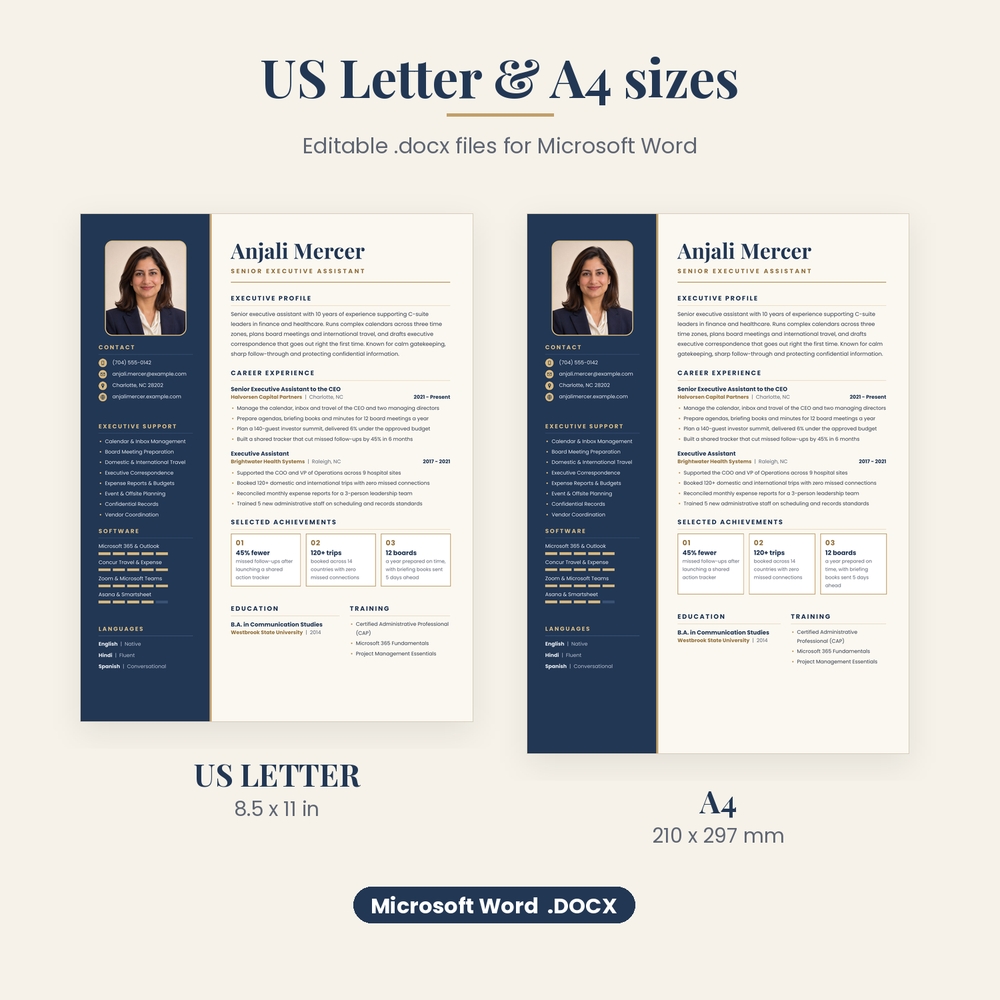
Ivoryline is an executive assistant resume template for Word with a navy sidebar, a warm ivory page and soft gold accents. Your photo sits in a rounded gold frame at the top of the sidebar, your name is set in a large serif, and three numbered achievement boxes put your best results where a hiring manager looks first.
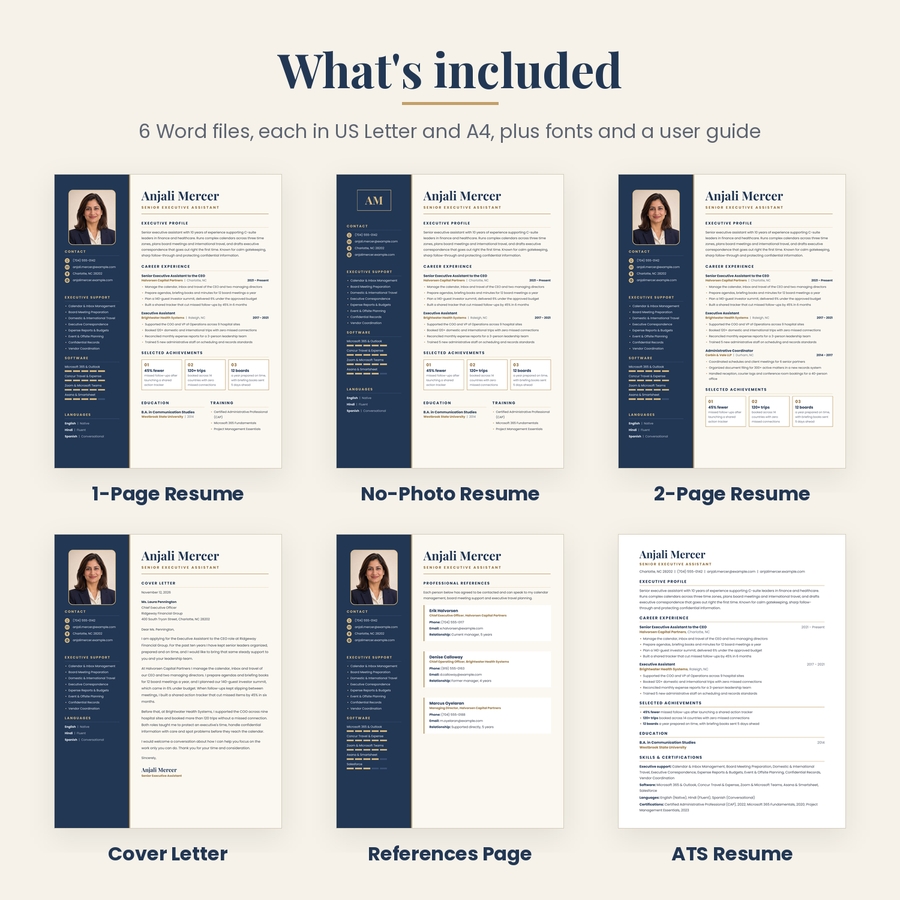
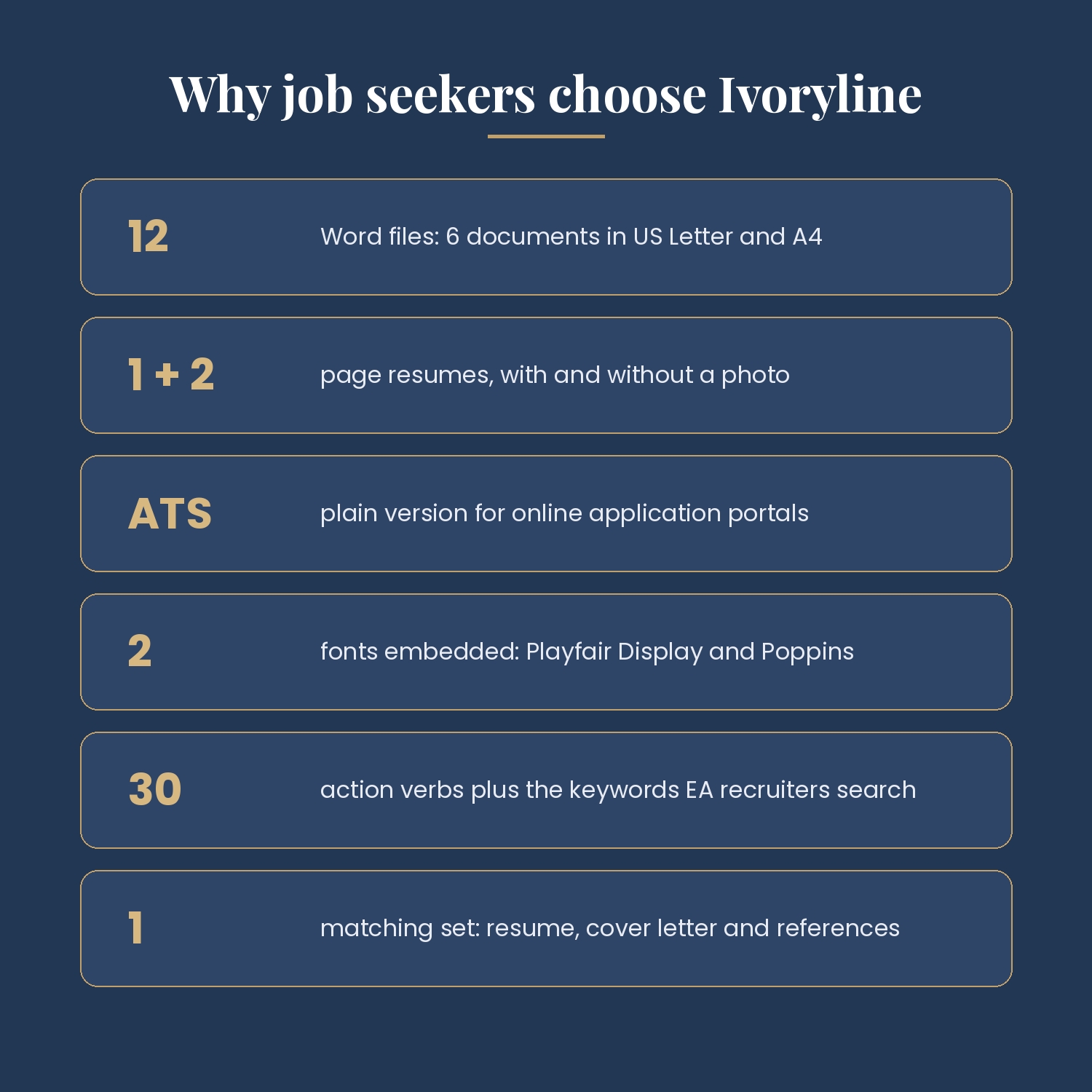
It is a complete application set, not a single page. You get a 1-page resume, a no-photo version, a 2-page resume, a matching cover letter, a references page and a plain ATS resume. Every file comes in US Letter and A4, so you can apply anywhere without fixing margins.
Why this executive assistant resume template stays tidy when you edit it
Many Word resume templates fall apart the moment you type into them. Text boxes slide around, fonts swap, and one extra bullet pushes half the page onto a second sheet. Ivoryline was built to avoid all three problems.
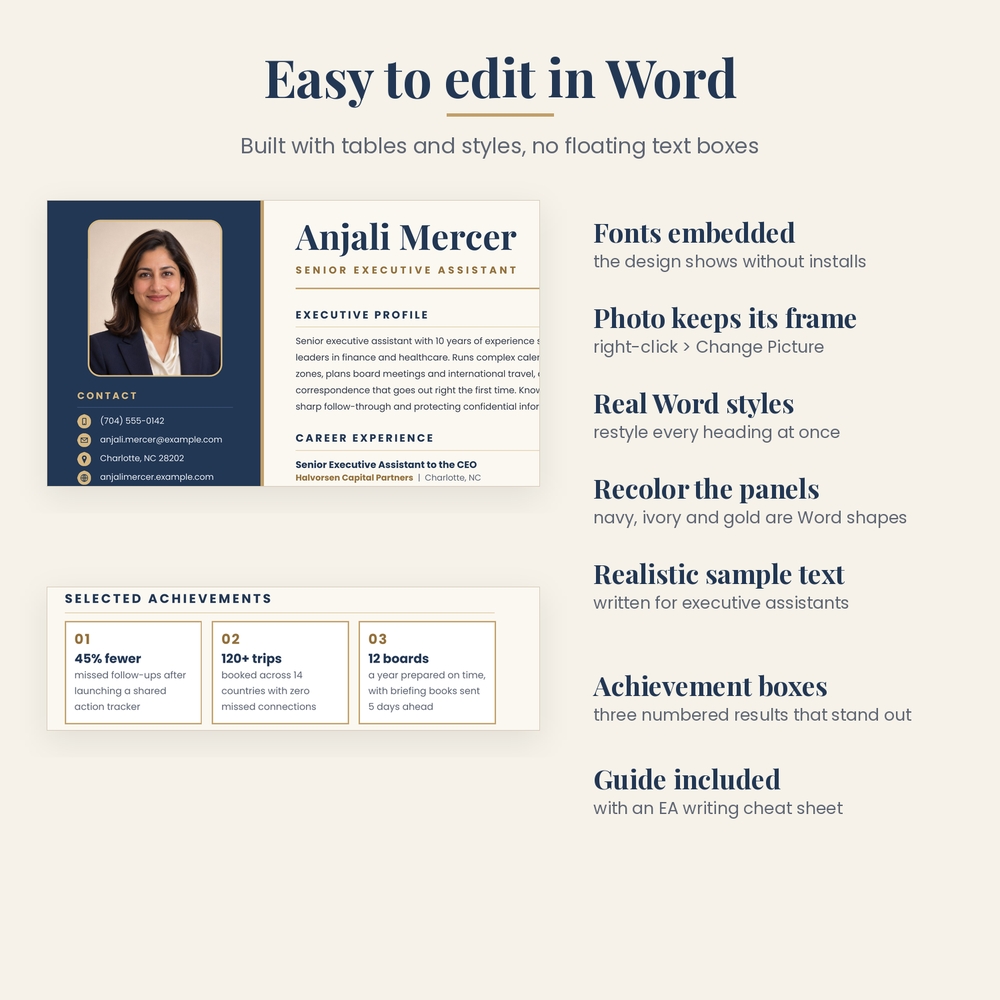
- No floating text boxes. The layout is a simple two-cell table, so text stays in place and application software can read every word.
- Fonts embedded. Playfair Display and Poppins are packed inside each .docx, so the design shows correctly in Word without installing anything. The font files are in the kit too, as a backup.
- Room to grow. We tested the 1-page resume with three extra bullets and a long job title, and it still fits on one page.
- Photo keeps its frame. Right-click the photo, choose Change Picture, and your own photo drops into the same rounded gold frame.
- Recolorable panels. The navy sidebar, ivory panel and gold divider are Word shapes. Pick any color with Shape Fill.
- Real Word styles. Headings, body text and bullets use named styles, so you can change a font or color everywhere in one step.
What’s included
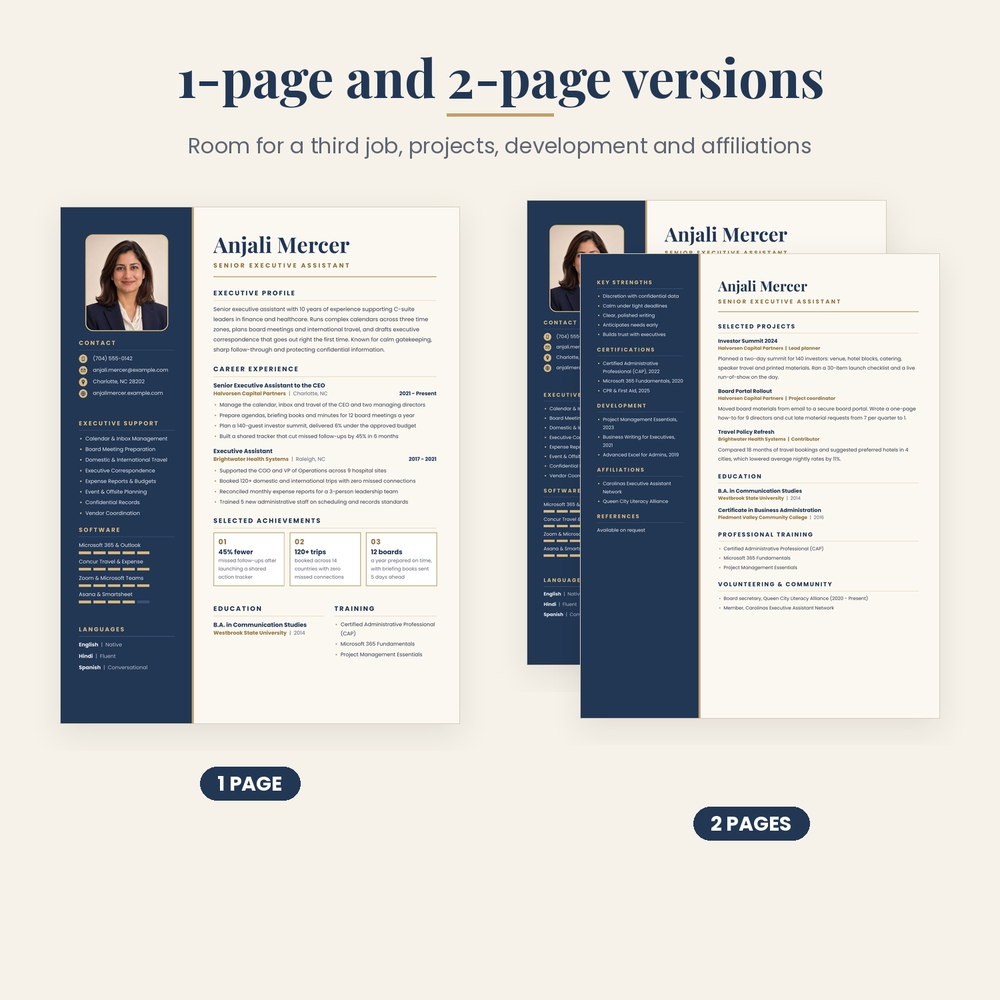
- Executive assistant resume, 1 page, with photo
- Executive assistant resume, 1 page, no photo (gold monogram with your initials)
- Executive assistant resume, 2 pages, with a third job, selected projects, education, training, affiliations and volunteering
- Matching cover letter with a full sample letter written for an EA role
- Matching references page with three reference cards
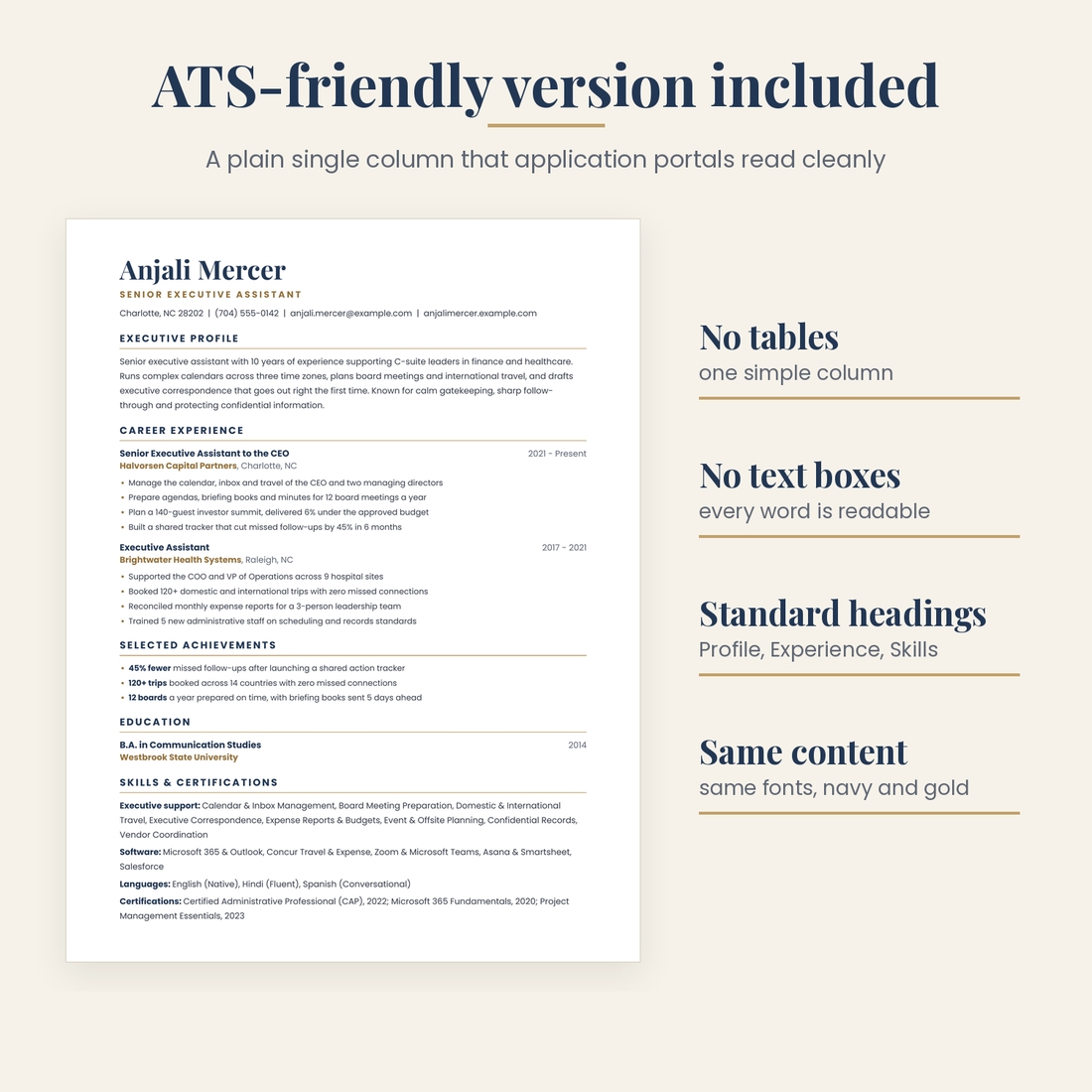
- ATS-friendly resume: plain single column, no tables, no photo, same content and fonts
- All six files in US Letter (8.5 x 11 in) and A4 (210 x 297 mm): 12 .docx files
- Fonts folder with Playfair Display and Poppins (SIL Open Font License)
- User Guide (DOCX) with setup steps, editing help and an executive assistant writing cheat sheet
Who it is for
This executive assistant resume template suits senior EAs, executive assistants to a CEO or founder, administrative assistants stepping up to C-suite support, office managers and chief-of-staff hopefuls. The sample person, Anjali Mercer, supports a CEO at a capital firm, so every line reads like a real EA resume: board meeting prep, travel across 14 countries, expense reports, gatekeeping and confidential records.
Real situations where it helps
- Applying for an executive assistant to the CEO role and you need a resume and cover letter that match.
- Uploading to an online portal that strips designed layouts. Use the ATS version.
- Applying in the UK, Europe or Australia. Open the A4 folder.
- Applying to US employers who prefer no photo. Use the no-photo resume with your initials.
- Ten or more years of experience that won’t fit on one page. Switch to the 2-page resume.
Features of the Ivoryline design
- Navy, ivory and gold color scheme that prints cleanly and looks calm and senior
- Executive Profile, Career Experience, Selected Achievements, Education and Training sections
- Three numbered achievement boxes for your strongest results, such as “45% fewer missed follow-ups”
- Sidebar with contact details and simple icons, executive support skills, software skill bars and languages
- Software bars built from small table cells, so you can change a level with one click of Shading
- Sample wording written for executive assistants, with numbers in every bullet, so you never stare at lorem ipsum
How it works
- Buy and download the kit zip and the user guide from your order page.
- Unzip the kit and open the US-Letter or A4 folder.
- Open the resume in Microsoft Word and type over the sample text.
- Right-click the photo to swap in your own, or use the no-photo version.
- Edit the matching cover letter and references page the same way.
- Save as PDF from Word and send it.
File formats and software requirements
- Format: Microsoft Word .docx (12 files), delivered in a .zip, plus a separate DOCX user guide
- Sizes: US Letter and A4
- Software: Microsoft Word 2016 or newer, Word for Mac or Microsoft 365
- The files also open in Google Docs and Apple Pages with minor layout differences. For the best result, export your final PDF from Word.
Customization
Change any text, the photo, the panel colors, the fonts and the section order. Add a job by copying one job block and pasting it below. Delete a section and the page closes the gap. The user guide walks through each of these with exact menu names.
Executive assistant writing cheat sheet
The guide includes a bullet formula (action + task + result with a number), 30 action verbs for executive assistants, about 30 keywords recruiters search for in EA job posts, and a table that tells you what to write in each section of the executive assistant resume template.
Digital download information
This is a digital product. No physical item will be shipped. You can download the files right after purchase, as many times as you need. Colors may look slightly different on screen and in print. License: personal use only. You may use the files for your own job applications, but you may not resell or share them. The sample person, companies and schools are fictional, and the headshot is AI-generated.
FAQ
Is this executive assistant resume template for Word or Canva?
Word. Every file is an editable Microsoft Word .docx. There is no Canva link.
Will it work in Google Docs?
It opens in Google Docs, but the layout may shift slightly and the background panels may not show. Edit in Word when you can, or use the ATS version in Google Docs.
Is the resume ATS friendly?
The designed resume uses real text in a table, with no text boxes. The kit also includes a plain single-column ATS resume for online application portals.
Do I need to install the fonts?
No. The fonts are embedded in each file. The font files are also in the kit in case an older Word version ignores embedded fonts.
Can I remove the photo?
Yes. Use the no-photo resume, which replaces the photo with a gold monogram of your initials.
Can I change the navy color?
Yes. Open the page header, click the navy panel and choose a new Shape Fill color.
Does it include a cover letter?
Yes. A matching cover letter and references page come in both US Letter and A4.
Reviews
There are no reviews yet.