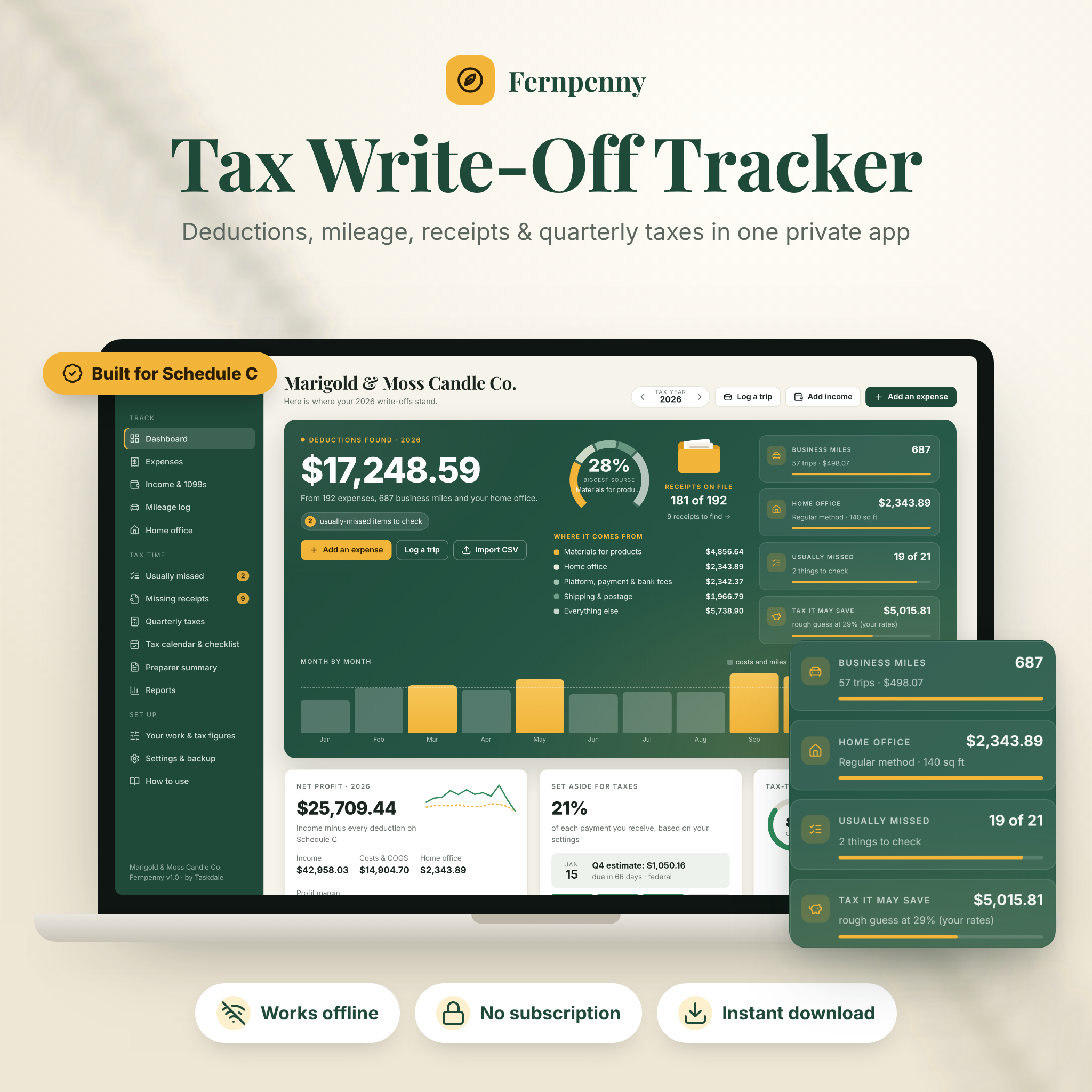
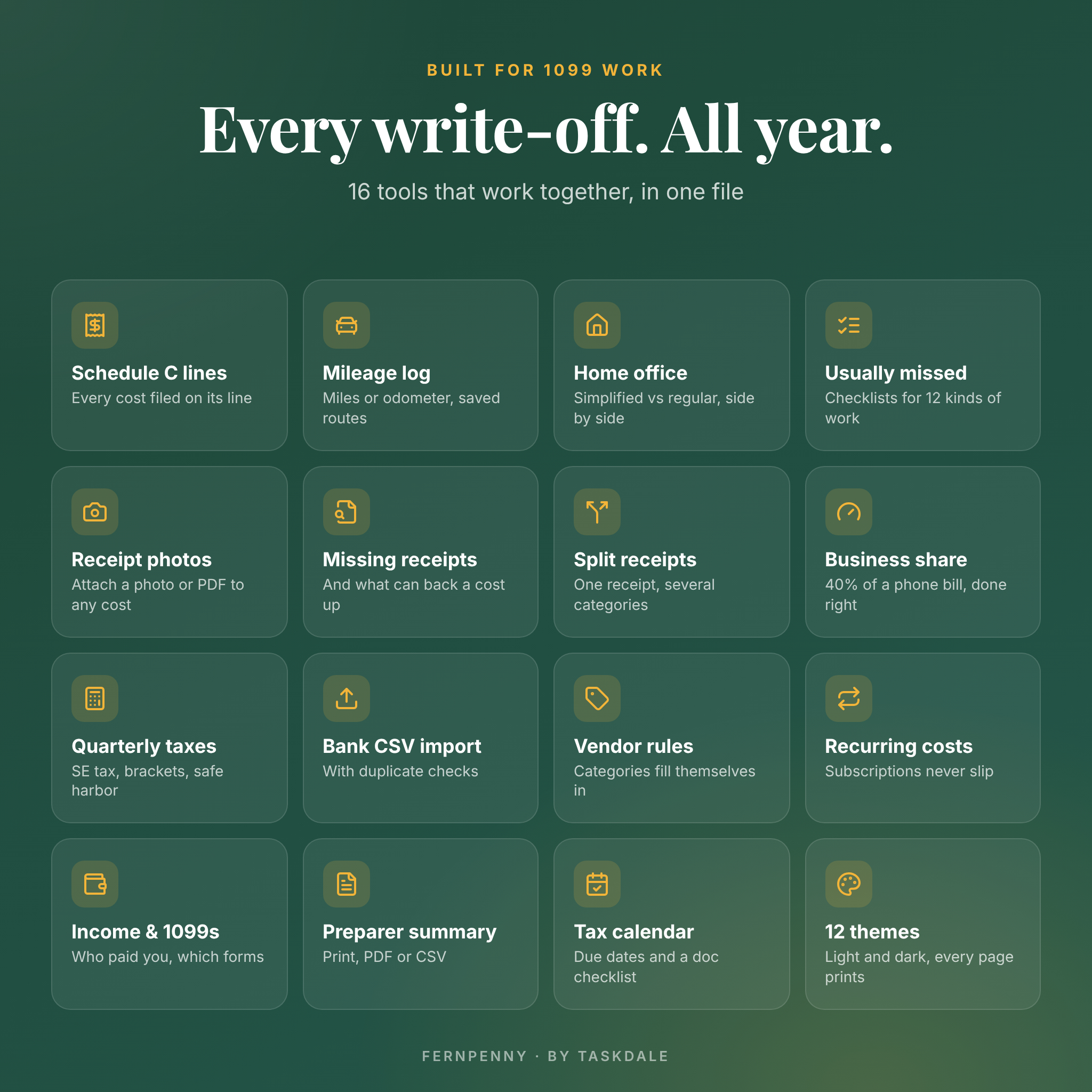


Fernpenny is a tax deduction tracker app for side hustlers, gig workers and freelancers who file a Schedule C. It files every cost on its Schedule C line, logs your business miles, compares both home office methods, tracks missing receipts, estimates your quarterly taxes and hands your tax preparer one clean summary. It is a single file that opens in your browser and works offline, with no account, no bank login and no subscription.
A tax deduction tracker that does the sorting for you
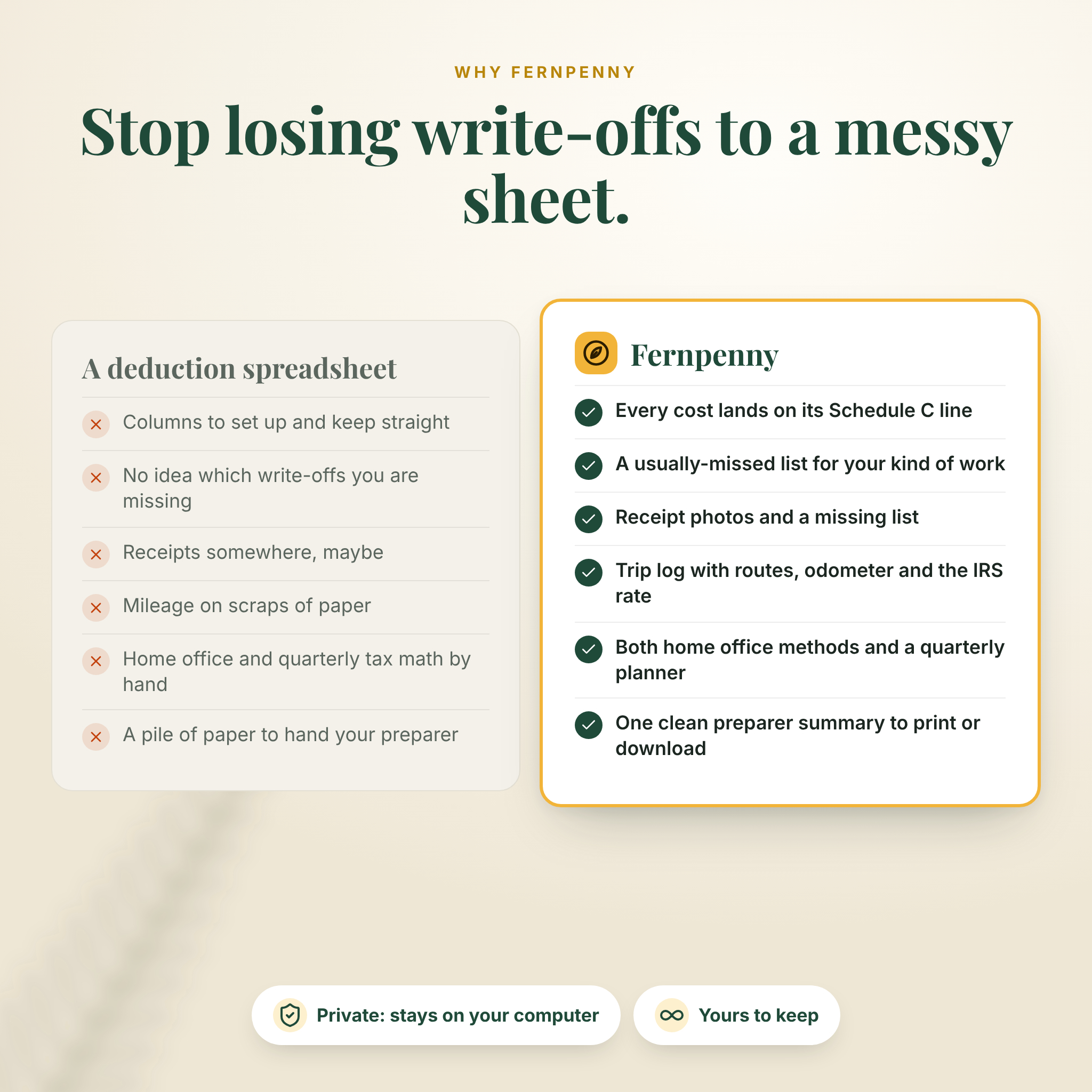
Pick your kind of work and Fernpenny shows the write-offs people like you usually miss. Log costs as they happen or import your bank CSV, and each lands on the right Schedule C line with your business share applied. Your records stay on your own computer.
Who it is for
- Etsy, Shopify and online sellers, and makers who sell at markets
- Rideshare and delivery drivers
- Freelance writers, designers, developers, consultants and coaches
- Content creators, photographers and videographers
- Real estate agents, contractors and trades, tutors, beauty and wellness pros, pet sitters and home service businesses
- Anyone replacing a receipt envelope or a messy self-employed tax spreadsheet
Features
Dashboard
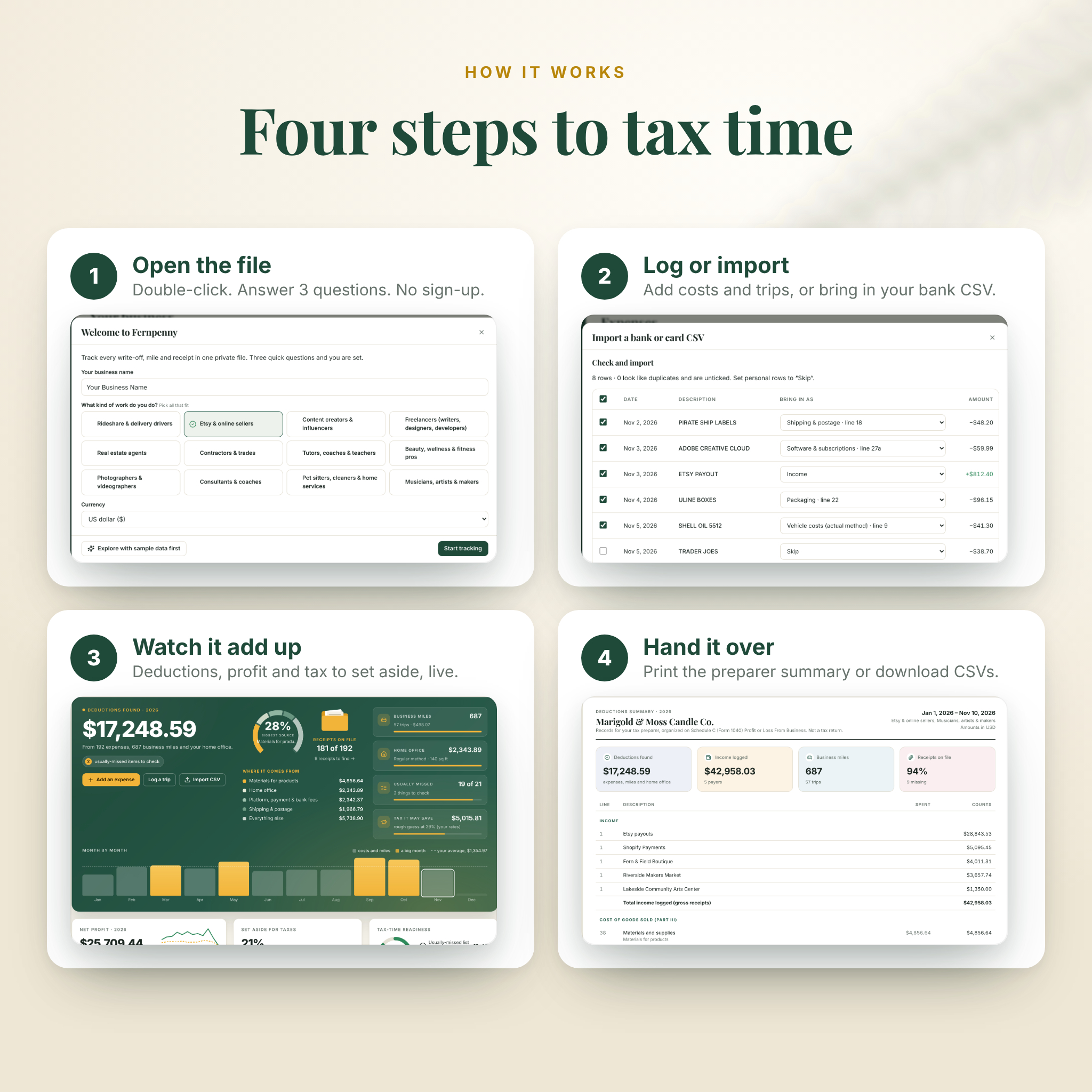
Deductions found, where they come from, receipts on file, miles, home office and month-by-month totals, plus net profit, tax to set aside with your next due date, and a tax-time readiness score.
Expenses and receipts
- 33 ready-made categories, each linked to its Schedule C line, cost of goods sold, or “not on Schedule C” items such as health insurance and retirement contributions
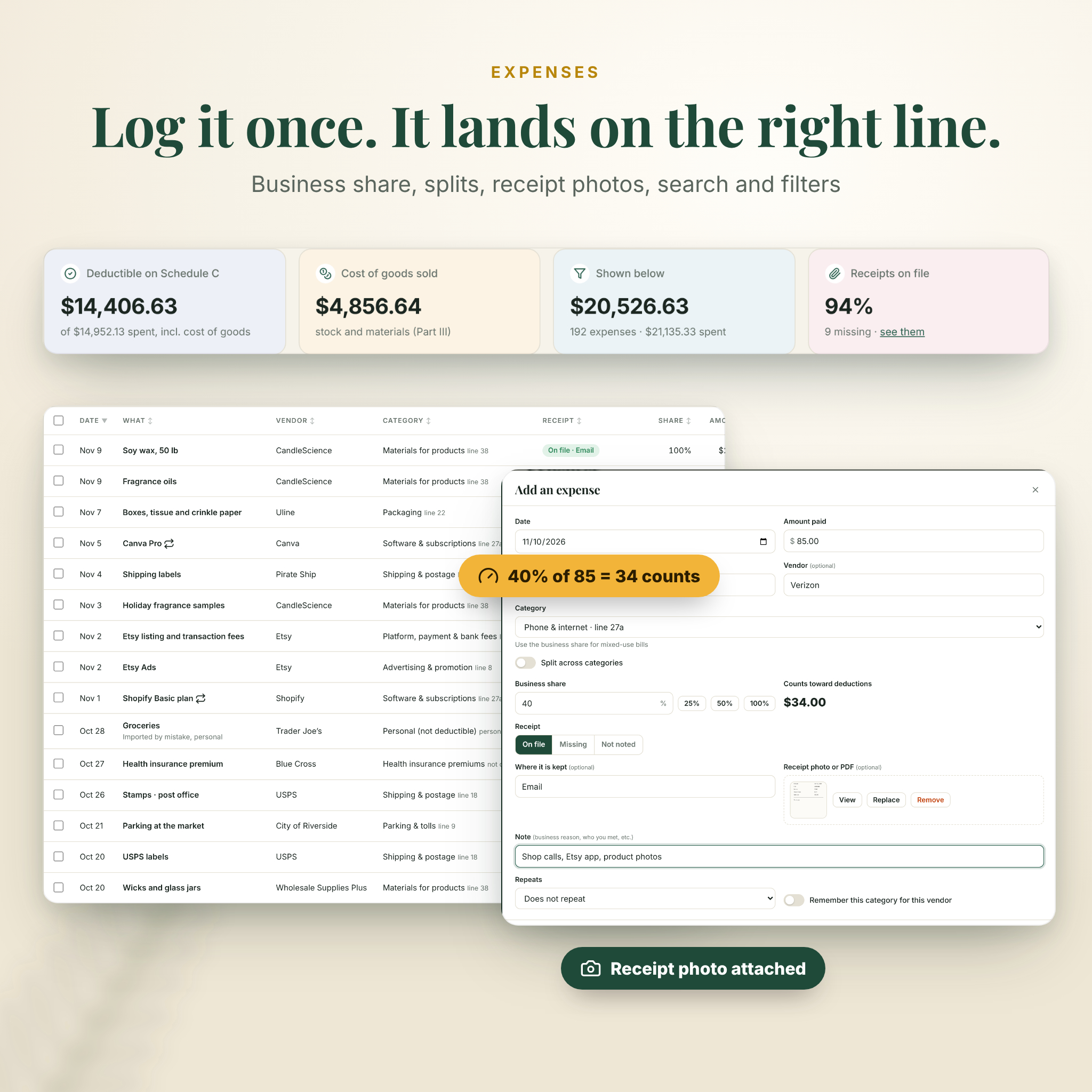
- Business share for mixed-use costs, so 40% of an 85 phone bill counts as 34
- Split one receipt across several categories
- Attach a receipt photo or PDF to any expense, or note where the receipt is kept
- Recurring costs for subscriptions, added only when you confirm
- Vendor rules that fill in the category for you
- Search, filters, sorting, bulk edits, table, compact and card views, and undo
Bank CSV import
Import a CSV statement from your bank or card. Fernpenny matches the columns, suggests categories, skips common personal purchases and unticks likely duplicates before anything is added.
Income and 1099s
Log who paid you and the form you expect (1099-NEC, 1099-K or 1099-MISC), then tick each 1099 when it arrives in January.
Mileage log
Enter miles or odometer readings, mark round trips, pick a vehicle and save routes you drive often for one-click logging. The IRS rate for each year is a setting you can update. A car method card compares standard mileage with your actual vehicle costs using your odometer readings for the year.
Home office
The simplified and regular methods side by side, with the formula and your own numbers, the higher one marked, and a warning when the deduction is limited by your profit.
Usually missed
Checklists of commonly forgotten write-offs for 12 kinds of work, plus a list for everyone who is self-employed. Items tick themselves when you log a matching cost.
Missing receipts
Every cost marked missing, plus larger costs with nothing noted, and a guide to what can back a cost up instead.
Quarterly tax planner
Estimates self-employment tax and federal income tax with the year’s brackets, the standard deduction, the 20% QBI deduction and the safe-harbor rule, then shows what to pay each quarter, what percent to set aside, each due date and a payments log.
Tax calendar and preparer summary
Key dates with a countdown, a document checklist and a 1099 tracker. The preparer summary lays out income by payer, cost of goods sold, every Schedule C line (spent and counts), mileage, home office, net profit, items not on Schedule C and estimated payments made, with space for notes. Print it, save it as a PDF, or download the summary and all entries as CSV files.
Reports and customizing
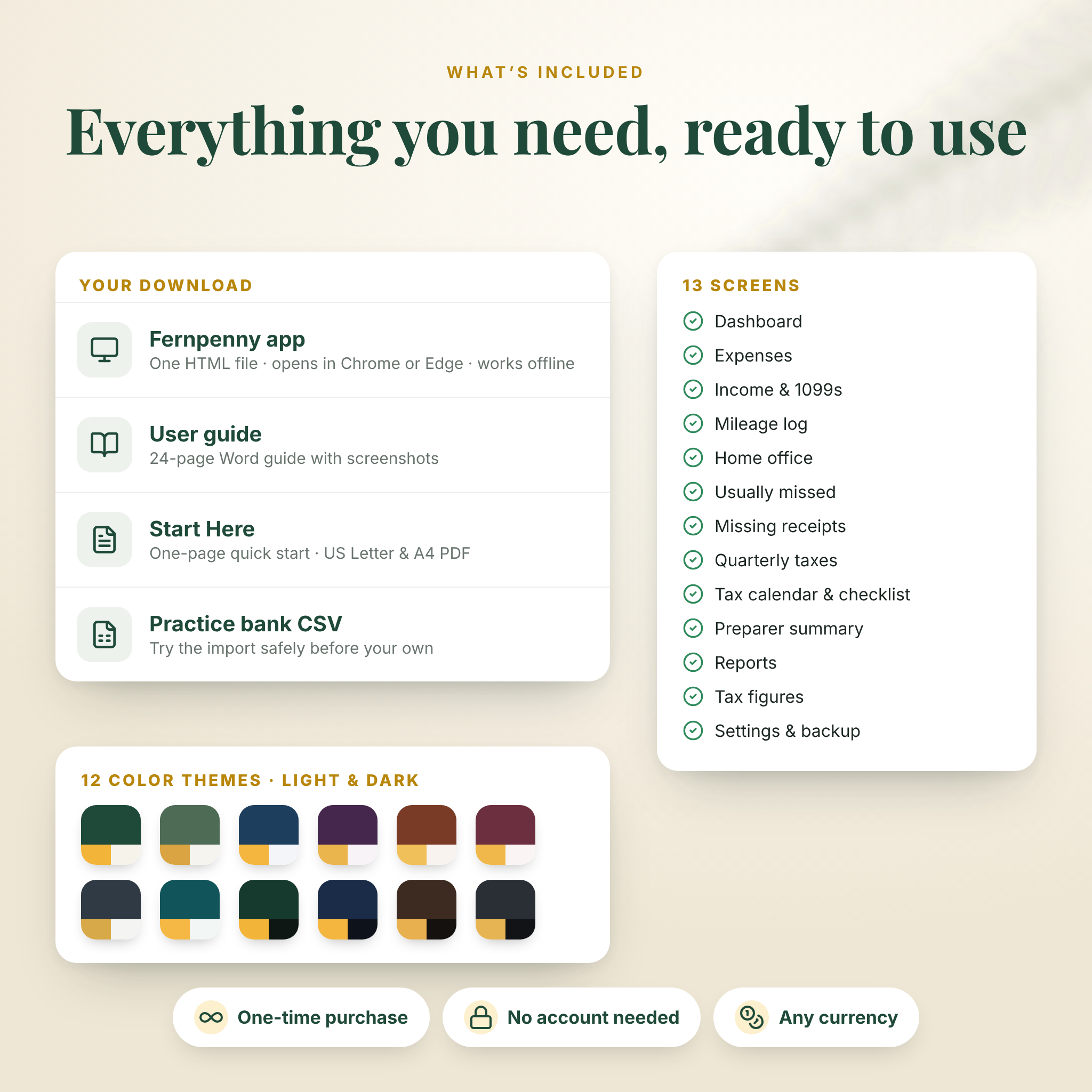
Monthly charts, deductions by category, top vendors and quarter totals. 12 color themes (8 light, 4 dark), custom categories, editable tax figures for each year, and one currency setting for every money value.
What is included
- Fernpenny-Tax-Write-Off-Tracker.html: the app (also inside the ZIP)
- Fernpenny-User-Guide.docx: a 24-page illustrated user guide
- START-HERE PDF: a one-page quick start in US Letter and A4
- Practice-Bank-Statement.csv: a sample statement to try the import
- Built-in sample data so you can explore every screen before adding your own
How it works
- Download and unzip, then save the HTML file somewhere you will find it again.
- Double-click it to open it in Google Chrome or Microsoft Edge.
- Answer three questions: your business name, your kinds of work and your currency.
- Log costs, trips and income as they happen, or import your bank CSV each month.
- At tax time, work through the checklist and print the preparer summary.
File formats and requirements
- One HTML file, about 0.5 MB, plus a DOCX guide, PDF quick start and CSV sample
- Works offline on Windows, Mac and Chromebook in Google Chrome or Microsoft Edge
- No software to install, no account and no subscription
- The layout adapts to tablets and phones, but it is designed for use on a computer
- Records are saved in your browser on your computer. Download a backup regularly; the app reminds you and restores from a backup file
Real situations it helps with
- An Etsy seller who loses track of listing fees, shipping labels and post office trips
- A delivery driver who needs a trip log with purposes and the current mileage rate
- A freelance designer deciding which home office method gives the bigger deduction
- A new 1099 earner who has no idea how much to set aside for quarterly taxes
Digital download
This is a digital product. You get instant access to the files after payment; nothing is shipped. Fernpenny keeps your own records. It is not tax advice, it does not decide what you can deduct and it does not file anything. Tax figures are settings you can update; check them each year and ask a tax professional about your situation.
License: for your own business on your own devices. You may print your own copies. You may not resell, share, redistribute or include the files in another product or service.
FAQ
Do I need internet or an account?
No. Fernpenny is one file that runs offline in your browser. There is no sign-up and no subscription.
Does it connect to my bank?
No. You import a CSV statement you download yourself, so no bank login is ever needed.
Is it a spreadsheet?
No. It is an offline web app, so there are no formulas to fix. You can still export everything to CSV for Excel or Google Sheets.
Does it work on a Mac?
Yes. Use Google Chrome or Microsoft Edge on Mac, Windows or a Chromebook.
Can I use it on my phone?
The screens adapt to small sizes, but it is designed for a computer, where your records are kept safely in the browser.
Will it work for next year?
Yes. Switch the tax year and keep going. Figures for 2025 and 2026 are built in, and each year’s figures can be edited.
Can I use my own currency?
Yes. One setting changes every money value. The tax calculations are for US self-employed tax.



Reviews
There are no reviews yet.