


Human Resources Specialist Resume Template for Word, Ready in an Afternoon
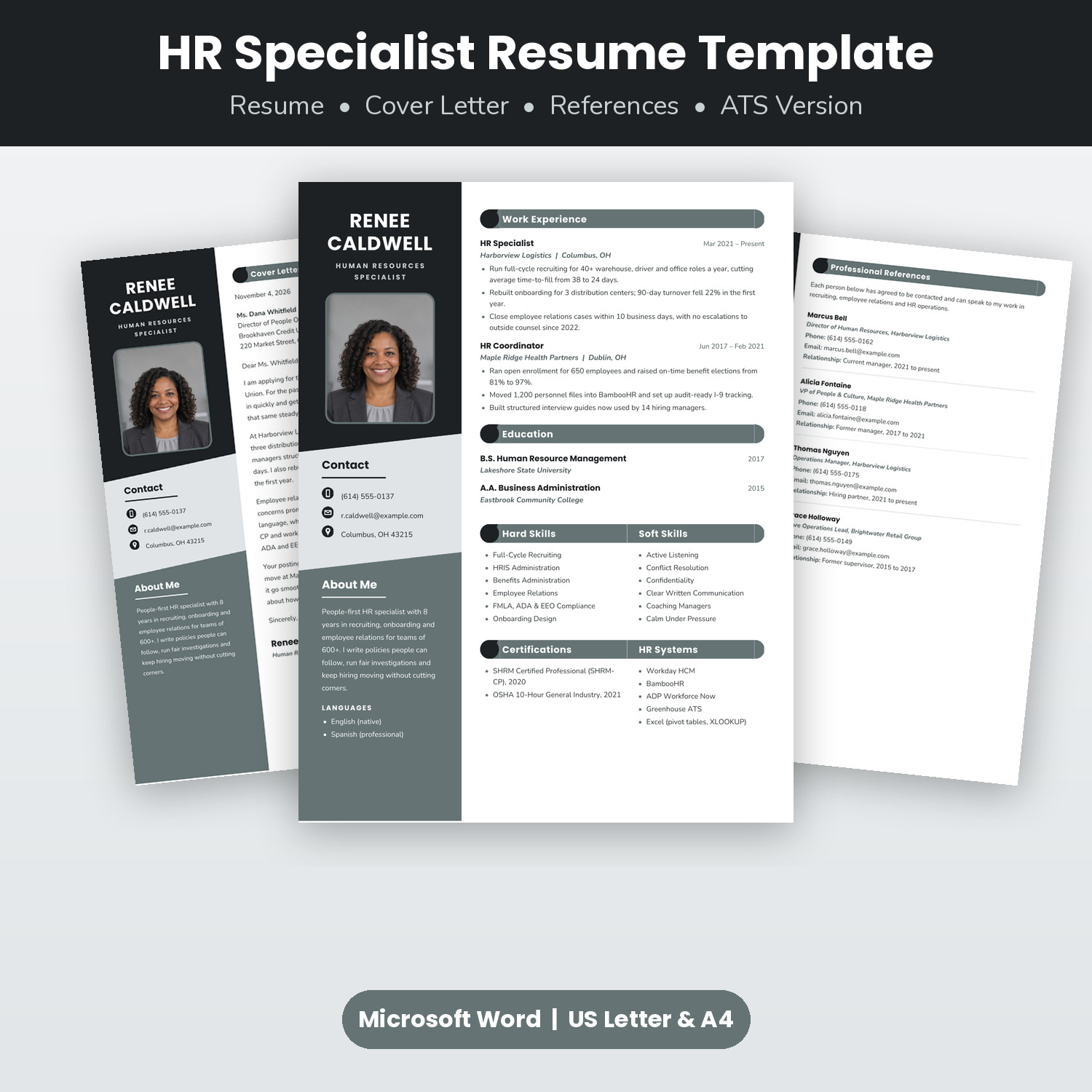
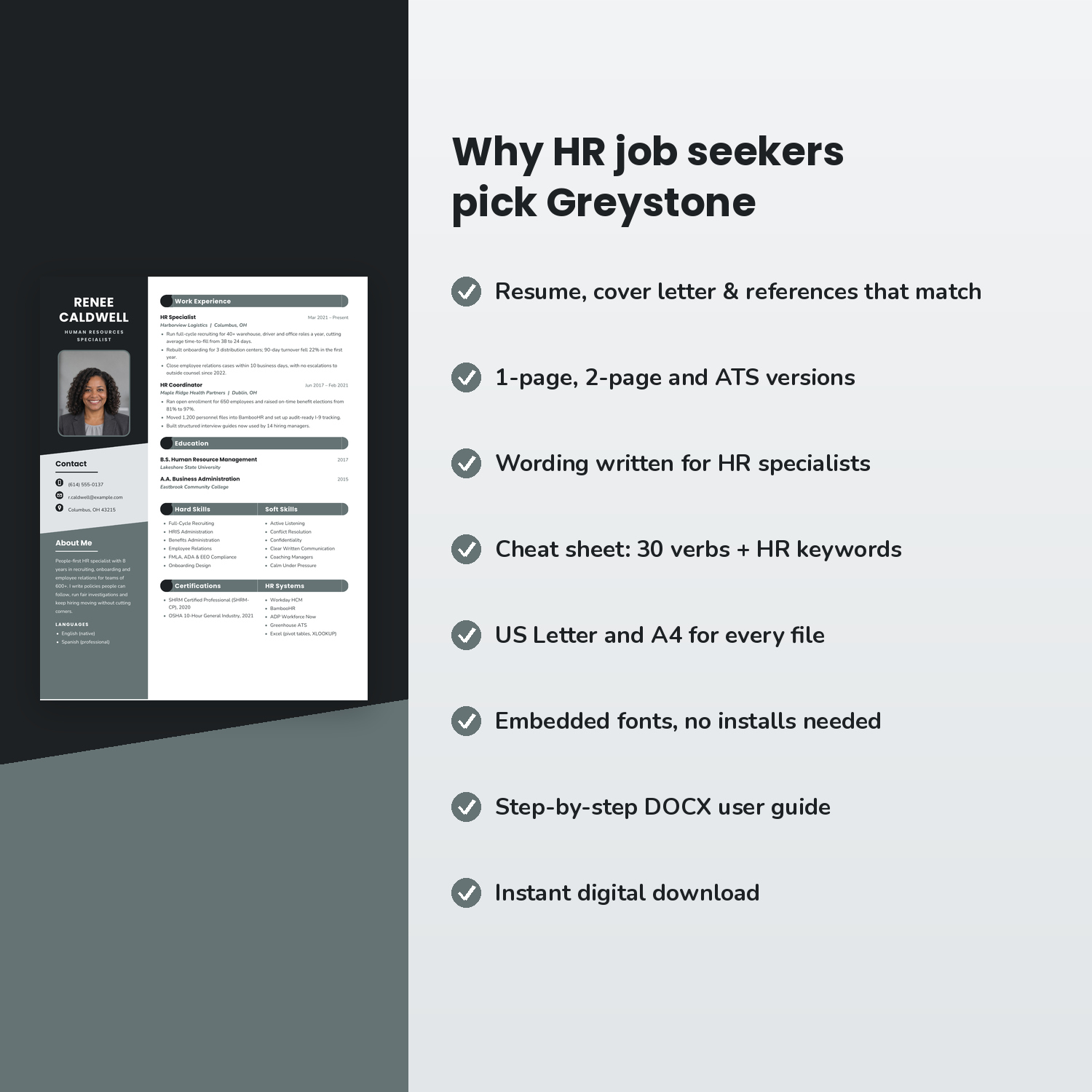
This human resources specialist resume template for Word gives you a polished charcoal and slate grey design plus every page you need to apply: a 1-page resume, a 2-page resume, a matching cover letter, a references page and a plain ATS version. All of it comes in US Letter and A4, as editable Microsoft Word (.docx) files.
The sample content is written for HR work, not filler text. You get believable bullets with real numbers, like cutting time-to-fill from 38 to 24 days, so you can see exactly how a strong HR resume reads and swap in your own results.
Who This HR Resume Template Is For
- HR specialists and HR generalists moving up or changing companies
- HR coordinators and HR assistants ready for their next step
- Recruiters and talent acquisition specialists
- Benefits, payroll and employee relations professionals
- Career changers moving into human resources from operations, admin or customer service
Why Buyers Pick Greystone
Plenty of Word resume templates look good in the preview and fall apart once you start typing. Greystone was built to avoid the usual problems.
Fonts that show up correctly
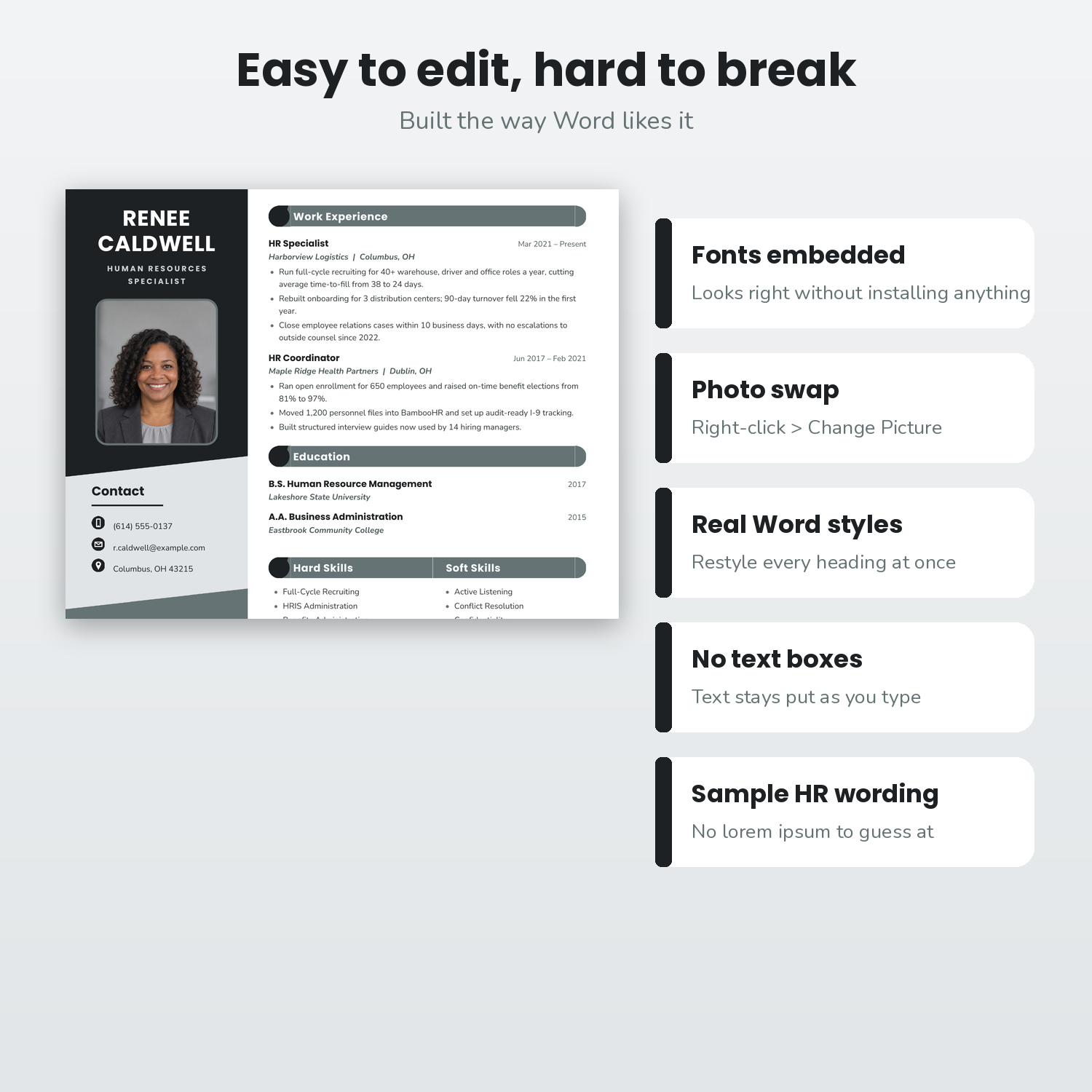
Poppins and Nunito are embedded inside every file, so Word shows the real design on your computer without installing anything. The font files and their open licenses are also in the download, just in case.
No floating text boxes
The layout is made from Word tables and real styles. Text stays in place while you edit, and the plain ATS version reads cleanly from top to bottom for applicant tracking systems.
A photo you can swap in two clicks
Right-click the photo, choose Change Picture, and the rounded 5:6 frame keeps its shape with your image inside. Prefer no photo? Delete it and the sidebar closes up neatly.
Room to grow
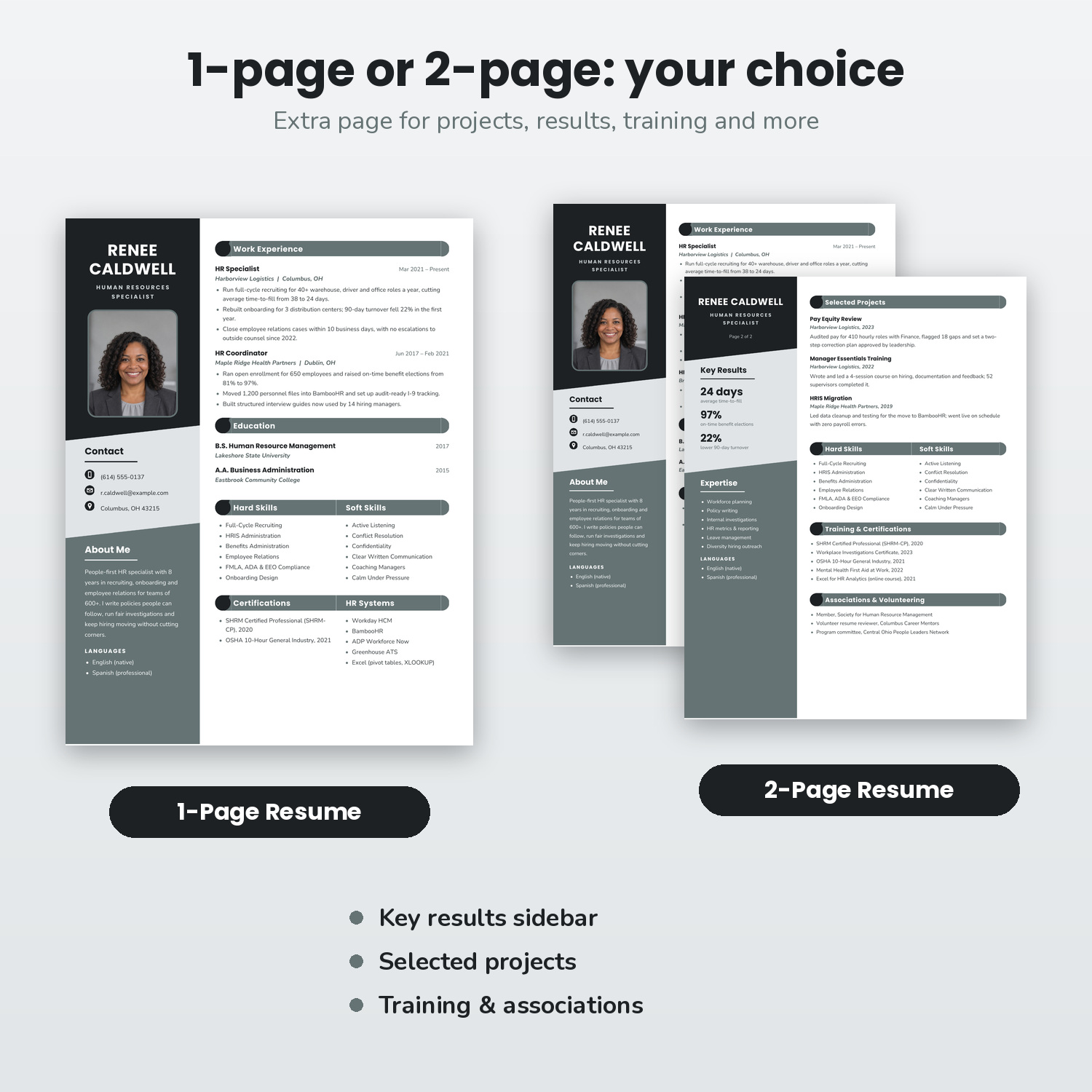
The 1-page resume leaves space for about three more bullets or a longer job title before anything moves. Need more? The 2-page version adds a Key Results sidebar, Selected Projects, Training and Associations.
What Is Included
- 1-page resume with dark photo sidebar, contact band, About Me, Work Experience, Education, Hard Skills and Soft Skills side by side, Certifications and HR Systems
- 2-page resume with a second page for projects, key results, training and associations
- Matching cover letter with a full sample letter for an HR specialist role
- Matching references page with space for four references
- ATS-friendly plain resume: single column, no photo, no tables, same content and fonts
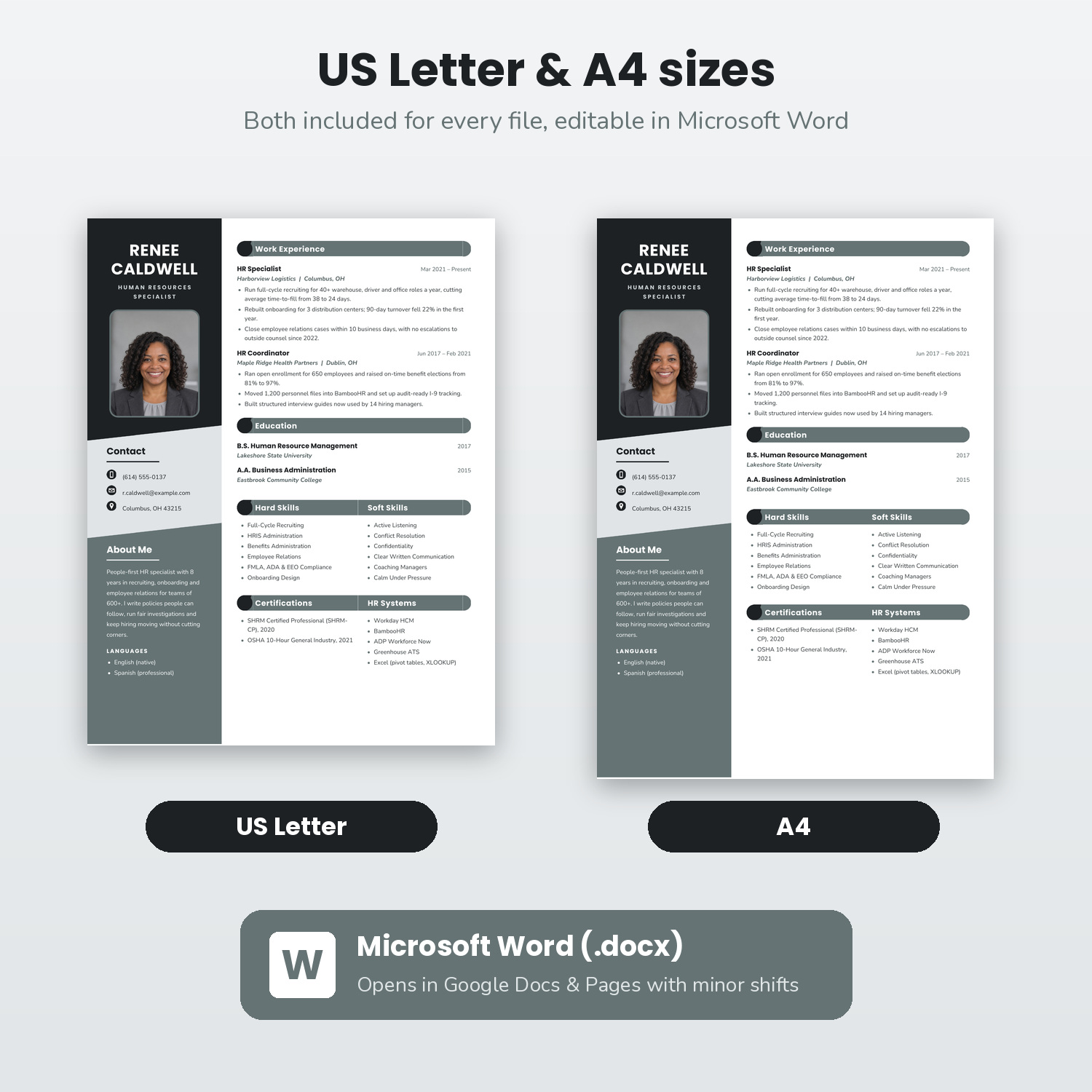
- US Letter and A4 versions of all five files (10 Word documents)
- Fonts folder with Poppins and Nunito and their SIL Open Font License files
- DOCX user guide with step-by-step editing help and an HR resume writing cheat sheet
The HR Resume Writing Cheat Sheet
The user guide includes a cheat sheet written for human resources roles. It covers a simple bullet formula (action + task + result with a number), 30 action verbs, the keywords recruiters search for in HR candidates (full-cycle recruiting, HRIS, FMLA, onboarding, employee relations and more), a sample summary and what to put in each section.
How It Works
- Buy and download the kit zip and the user guide right away.
- Unzip the kit and open the folder for your paper size.
- Open the 1-page or 2-page HR resume in Microsoft Word and type over the sample text.
- Swap in your photo or delete it.
- Edit the matching cover letter and references page.
- Save each one as a PDF and send it to employers. Use the ATS version for online job portals.
File Formats and Software
- Microsoft Word (.docx) files, made for Word 2016 or newer, Word for Mac and Microsoft 365
- The files open in Google Docs and Apple Pages with minor layout differences. For the cleanest result, export your final PDF from Word
- Paper sizes: US Letter (8.5 x 11 in) and A4 (210 x 297 mm)
- User guide: Word (.docx)
Customization
Every heading, job title and bullet uses a named Word style, so you can change a font size or color once and the whole document follows. The sidebar bands and heading bars use table shading, so you can pick a new shade from the Table Design tab. You can add a section by copying any grey heading bar, and remove one just as easily. The guide shows each step with menu paths for Windows and Mac.
Real Situations Where This Kit Helps
- Applying for an HR specialist opening at a hospital, school district or logistics company this week
- Moving from HR coordinator to HR generalist and needing to show bigger results
- Sending an emailed PDF to a hiring manager plus a plain version through an online portal
- Bringing printed copies of your resume and references to an in-person interview
- Applying abroad and needing A4 instead of US Letter
Digital Download
This is a digital product. Nothing is shipped. You get the resume kit zip and the DOCX user guide to download right after checkout, and you can download them again any time from your account. The person in the sample photo is AI-generated and is there only to show the layout.
FAQ
Is this a human resources specialist resume template for Word?
Yes. Every file is an editable Microsoft Word (.docx) document, written and designed for HR roles.
Is the HR resume template ATS friendly?
The kit includes a plain ATS version with a single column, no photo and no tables, made for online application systems. The designed version is best as an emailed PDF or printed copy.
Can I use it in Google Docs?
You can open the Word files in Google Docs, but the layout may shift slightly. For the best result, edit in Word and export a PDF.
Do I need to install fonts?
No. The fonts are embedded in each file. They are also included in a Fonts folder if you ever need them.
Can I remove the photo?
Yes. Click the photo and press Delete. Many US employers prefer resumes without photos, and the ATS version never has one.
Will it stay on one page when I add my details?
The 1-page layout has spare room for a few extra bullets or a longer title. If you have more to say, switch to the 2-page version.
Can I use this for other HR job titles?
Yes. It works for HR generalist, HR coordinator, recruiter, HR assistant and people operations roles. Just change the title under your name.
What is the license?
Personal use. Create resumes and letters for yourself. Please do not resell or share the template files.
Reviews
There are no reviews yet.