Lessonloft: the teacher planner and gradebook app that keeps your whole school year in one place
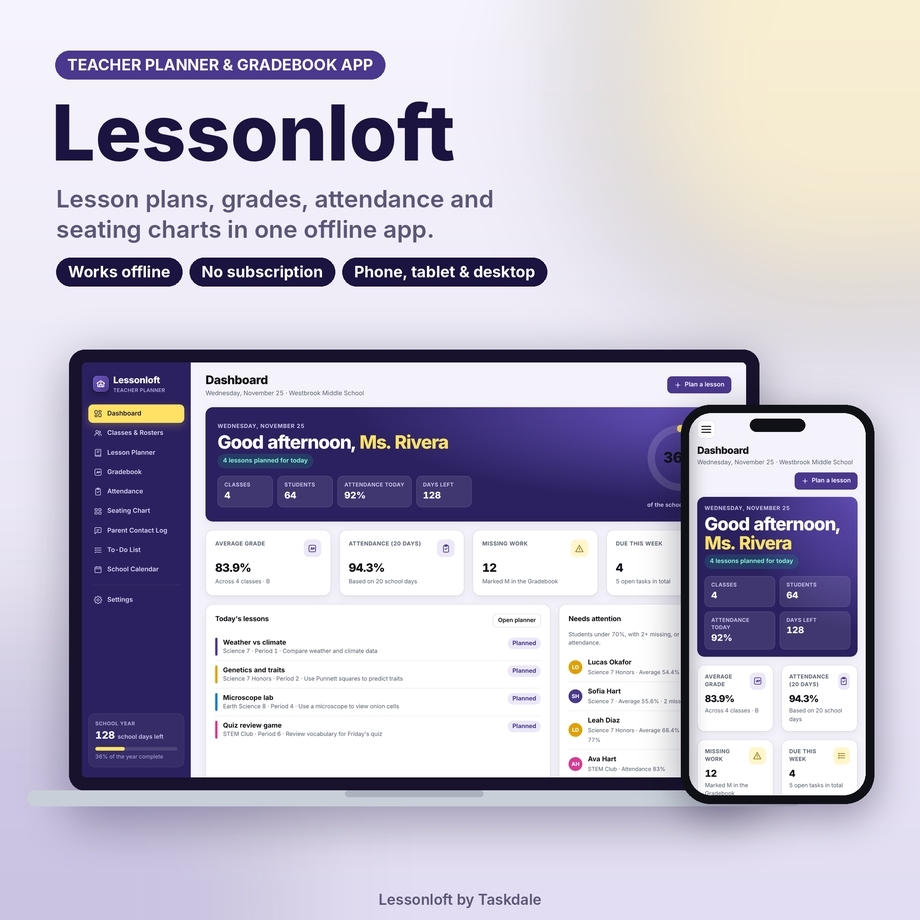
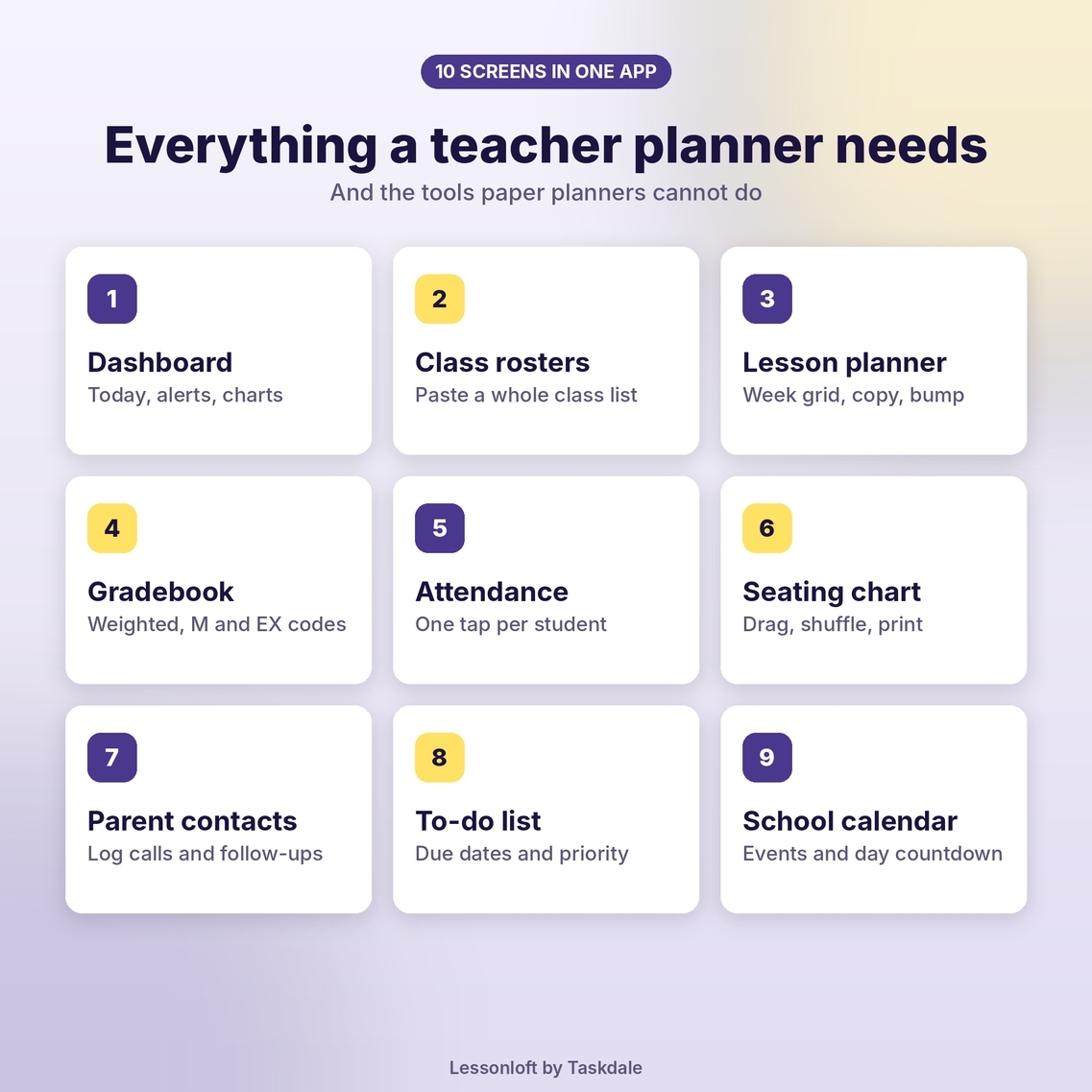
Lessonloft is a teacher planner and gradebook app that runs in your web browser from one downloaded file. Plan lessons for every class, enter scores into a weighted gradebook, take attendance with one tap per student, build seating charts, log parent contacts and keep your to-dos and school calendar beside them. No subscription, no school login and no account.
Student names and grades stay on your own device. The app works offline after download, so it keeps going when the school Wi-Fi does not.
Who this teacher planner app is for
- Middle and high school teachers juggling four, five or six class periods.
- Elementary teachers who want one homeroom or one gradebook per subject.
- New and student teachers who want a ready-made planning system on day one.
- Tutors, club advisors and homeschool co-op leaders who keep their own records.
- Any teacher tired of copying grades between a paper planner and a spreadsheet.
Features of the Lessonloft teacher planner
A dashboard that shows who needs help
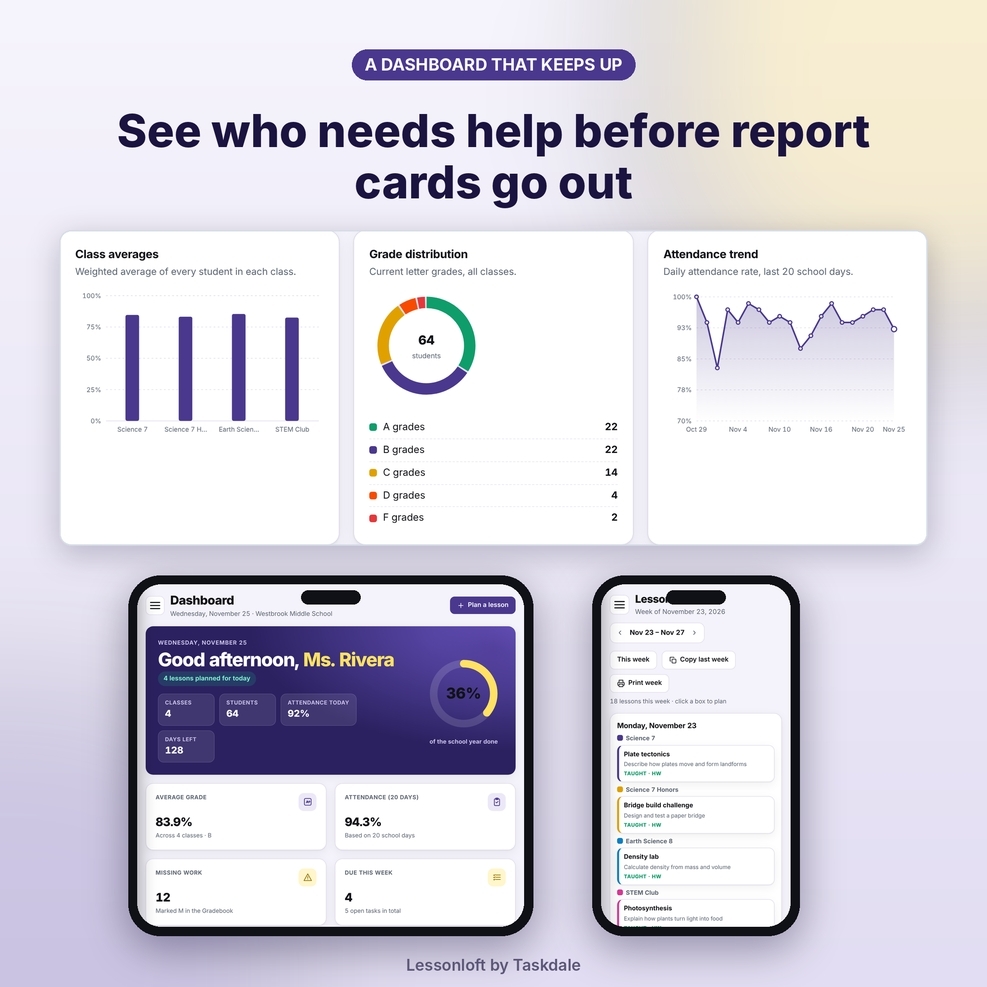
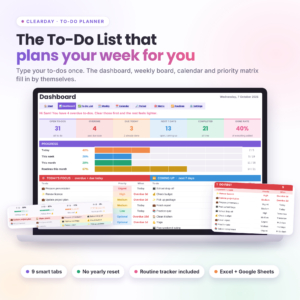
Open the app and you see today’s lessons, attendance today, school days left and four quick numbers: average grade, 20-day attendance, missing work and tasks due this week. A Needs attention list flags students under 70%, with two or more missing assignments, or below 90% attendance. Charts show class averages, the A to F grade distribution and your attendance trend.
Weekly lesson planner
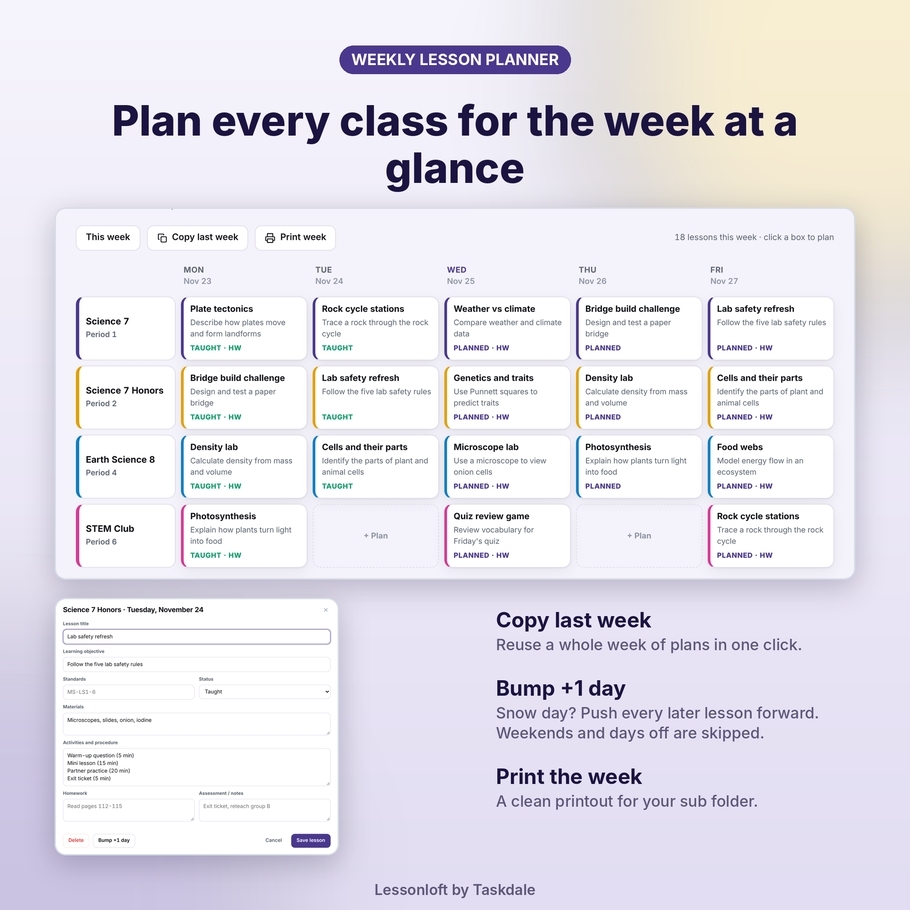
Your classes run down the side and the school days run across the top. Click a box to plan the lesson: title, objective, standards, materials, activities, homework and notes, with a Planned, Taught or Moved status. Copy last week fills empty boxes in one click. Bump +1 day pushes a lesson and every later one forward a school day, skipping weekends and days off. That is the fix for snow days that paper planners never had.
Weighted gradebook with automatic averages
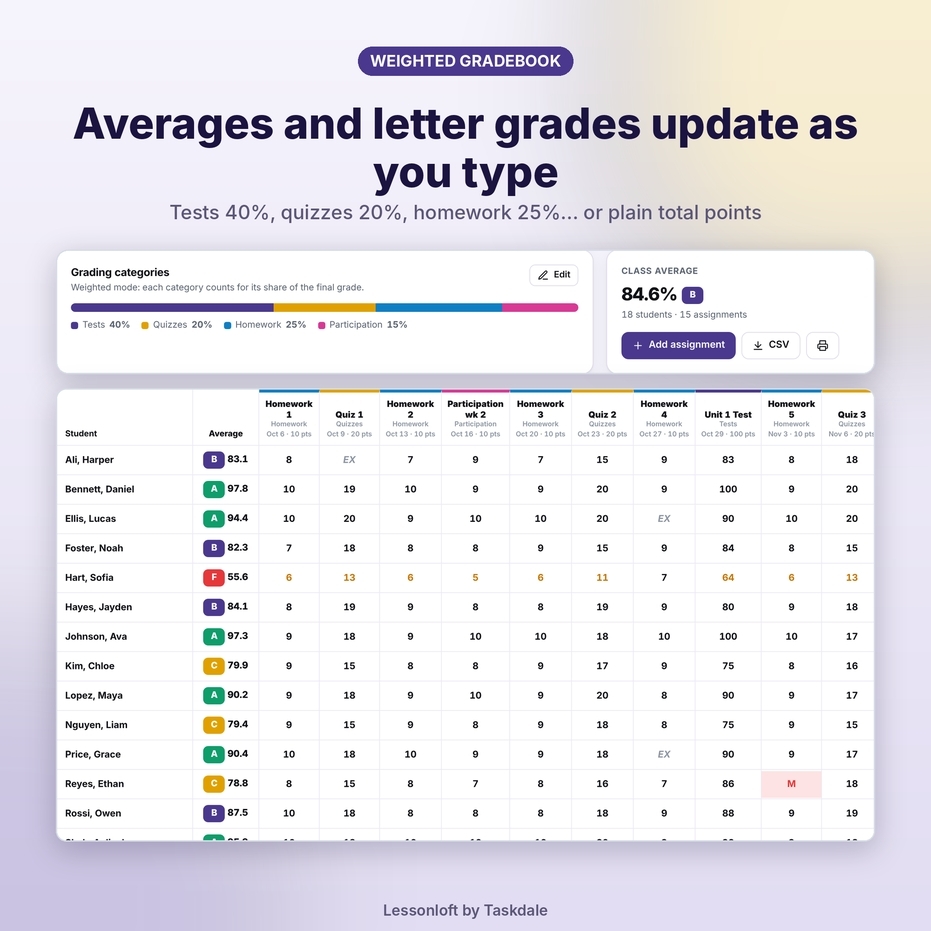
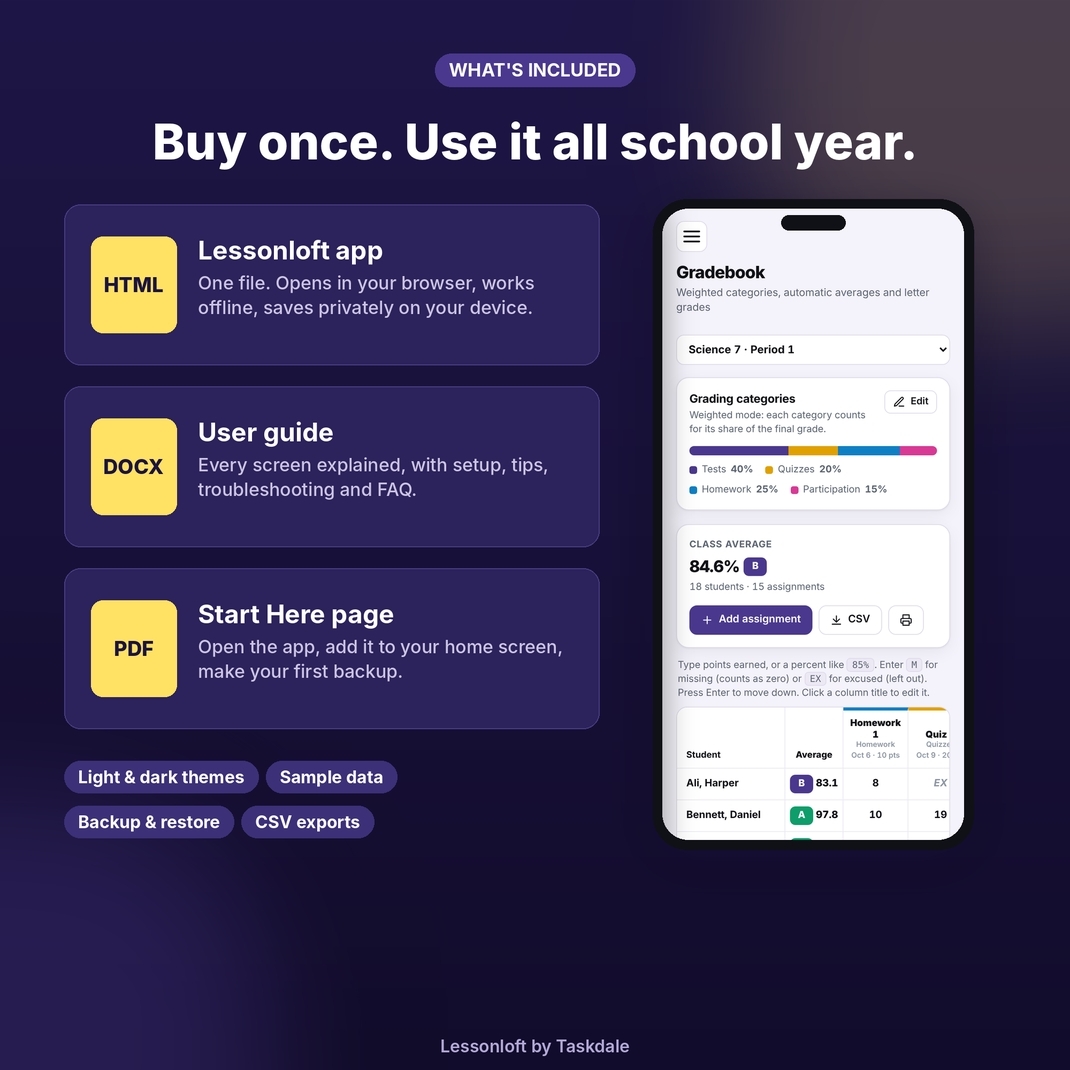
Each class starts with Tests 40%, Quizzes 20%, Homework 25% and Participation 15%, and you can rename categories, change weights or switch to total points. Type points, a percent like 85%, M for missing or EX for excused. Averages and letter grades update as you leave each cell, and the bottom row shows each assignment’s class average. Your grading scale is editable, including plus and minus grades.
One-tap attendance tracker
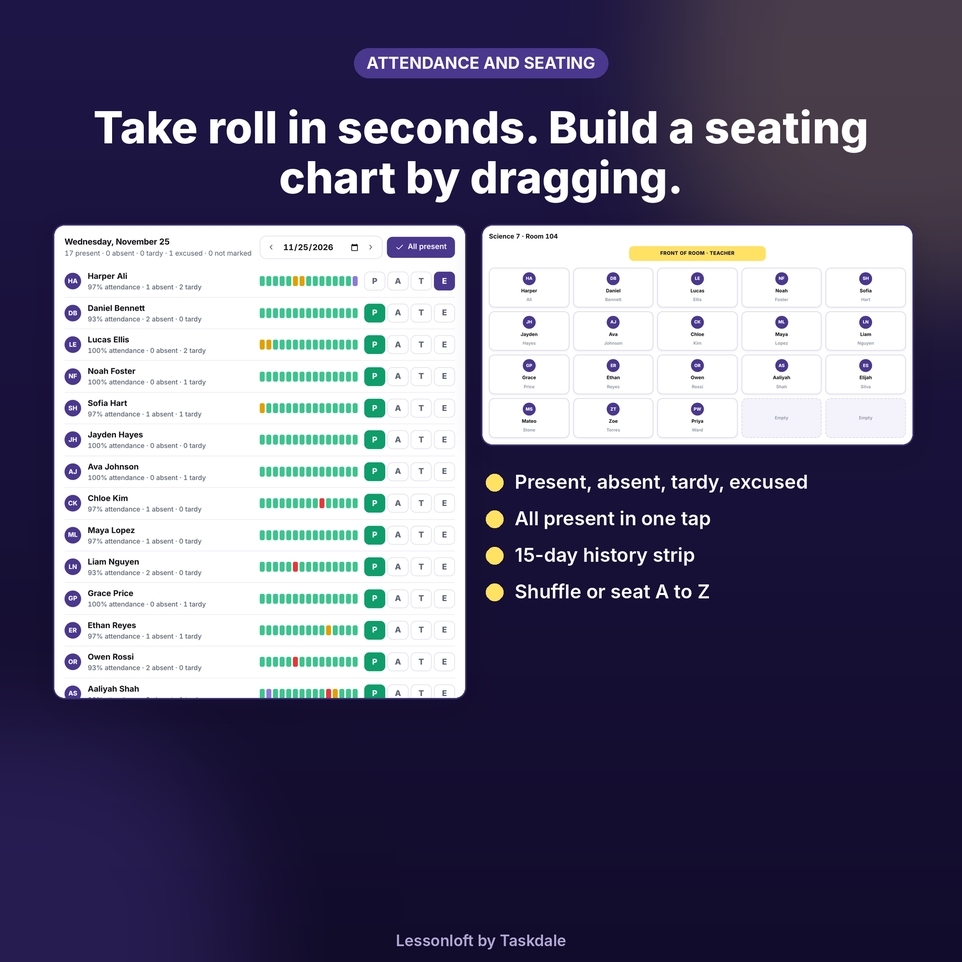
Mark present, absent, tardy or excused with a single tap, or press All present and change only the exceptions. A 15-day color strip beside each name shows patterns at a glance, and the year-to-date donut and below-90% list help you spot chronic absences early.
Drag and drop seating chart
Set up to 10 rows and 10 columns, then drag desks to swap students, shuffle the whole class or seat them A to Z by last name. Print it for the sub folder.
Class rosters and student profiles
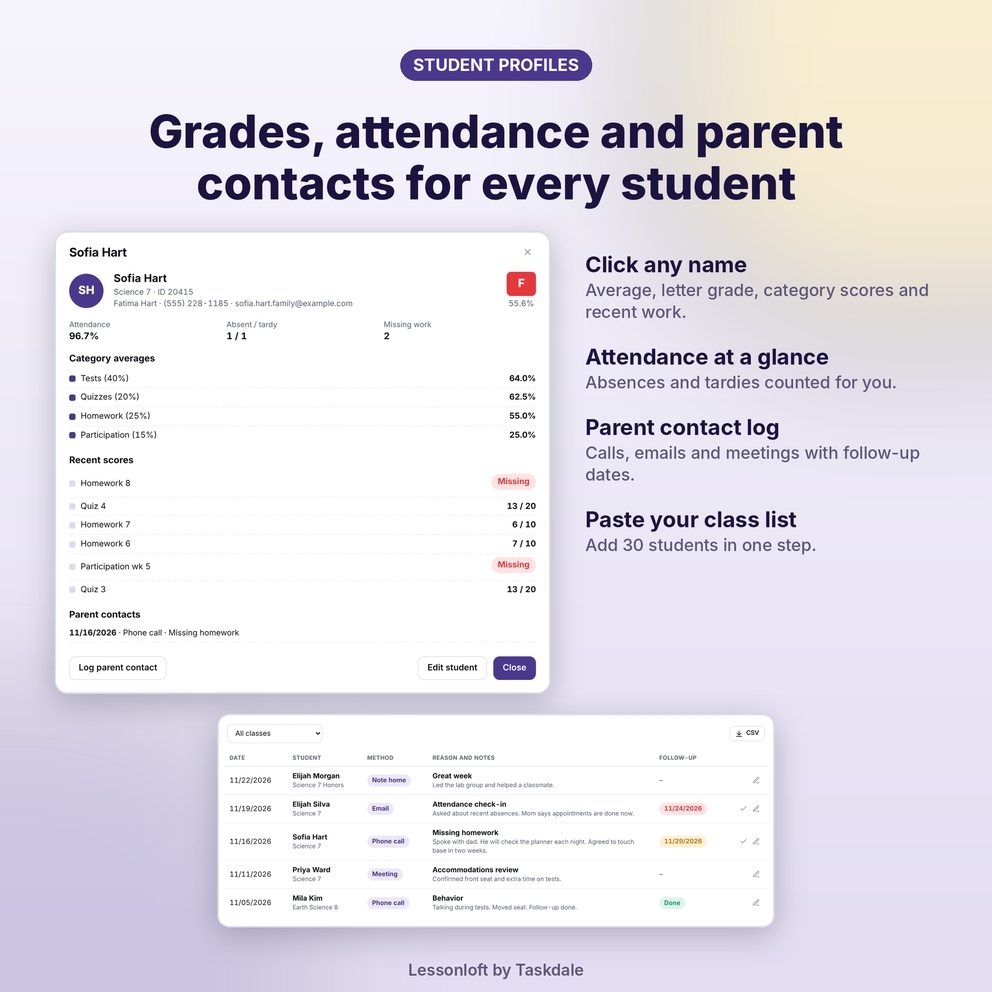
Paste a class list straight from a spreadsheet, one name per line. Click any student to see their average, category scores, recent work, attendance, notes and parent contacts on one card.
Parent contact log, to-do list and school calendar
Record calls, emails and meetings with follow-up dates that appear on your dashboard. Keep tasks with due dates and priorities. Add tests, meetings, PD days and breaks to the school calendar, and watch the countdown of school days left.
What is included
- Lessonloft-Teacher-Planner.html: the app, one offline file.
- Lessonloft User Guide (DOCX, 18 pages): every screen explained, with tips, troubleshooting and FAQ.
- Start Here PDF: a one-page quick start you can print.
- All three in one ZIP, plus the app and guide as separate downloads.
How the teacher planner app works
- Download and unzip, then open Lessonloft-Teacher-Planner.html in your browser.
- Add your name, first class and school year dates. Or click Explore with sample data to try a full sample year with 4 classes and 64 students.
- Paste your class lists, plan the week and start taking attendance.
- Enter scores as you grade. The dashboard fills in by itself.
- Export a backup each week from Settings.
File format and requirements
Lessonloft is a single HTML file with everything built in: no internet connection, installs or plugins. We tested it in Google Chrome and Microsoft Edge at desktop, tablet and phone sizes. It uses standard web features, so other current browsers should work too. On Android, open it in Chrome. On iPhone or iPad, open it in a browser or HTML viewer app, because the Files app preview cannot run web apps.
Data is saved in the browser that opened the file. Export backup and Import backup move it to another computer or browser.
Customize it to your classroom
Give each class its own color, period and room. Rename grading categories and weights, switch a class to total points, edit the letter grade scale, set the Needs attention level, pick a Monday to Friday or Monday to Saturday week, and choose a light or dark theme. Grades, attendance and the contact log export to CSV for your school system or a spreadsheet.
Digital download
This is a digital product. Nothing ships. You get the download link right after checkout and can download it again any time from your account. Personal use license: use it for your own classes on your own devices. No resale or sharing.
Real ways teachers use Lessonloft
- Sunday night: plan the whole week for five periods in one grid, then print it for the sub binder.
- A snow day on Tuesday: open Tuesday’s lesson, click Bump +1 day, and the rest of the unit slides forward.
- Progress reports: check the Needs attention list, call two families, and log each call with a follow-up date.
- First week of school: paste rosters, click Shuffle for a seating chart, and print it.
- Back-to-school night: open a student’s card to show grades and attendance without digging.
Teacher planner app FAQ
Is this a subscription?
No. You buy the teacher planner app once and keep it.
Is student data uploaded anywhere?
No. Everything stays in your browser on your device. There is no account or server.
Can I use weighted grades?
Yes. Set your own categories and weights, or switch to total points for any class.
Does it work on an iPad or phone?
Yes, the layout adapts to tablets and phones. On iPad or iPhone, open the file in a browser or HTML viewer app.
Can I print my lesson plans and seating chart?
Yes. The lesson week, gradebook and seating chart all have a Print button.
Can I try it before entering my own classes?
Yes. Click Explore with sample data on the welcome screen, then clear it in Settings when you are ready.
Does it replace my school’s grading system?
It is a personal planning gradebook. Export grades to CSV and follow your school’s rules for official records.
Reviews
There are no reviews yet.