A reseller profit calculator that tells you what to counter
A buyer offers $38 on a jacket you listed at $55. Is that a yes, a no, or a counter? OfferFloor Reseller Calculator is a reseller profit calculator for desktop Microsoft Excel 365 that answers in one step. It works out the profit you keep after item cost, seller-paid shipping, fixed fees and percentage fees, and it shows the lowest offer that still earns your target profit: your floor price.
It’s built for thrift flippers, vintage sellers and part-time resellers who get offers on auction sites, closet apps, web shops and local pickup sales, and who want one workbook for item costs, fee rules, offer decisions and realized profit.
The worked example from the workbook
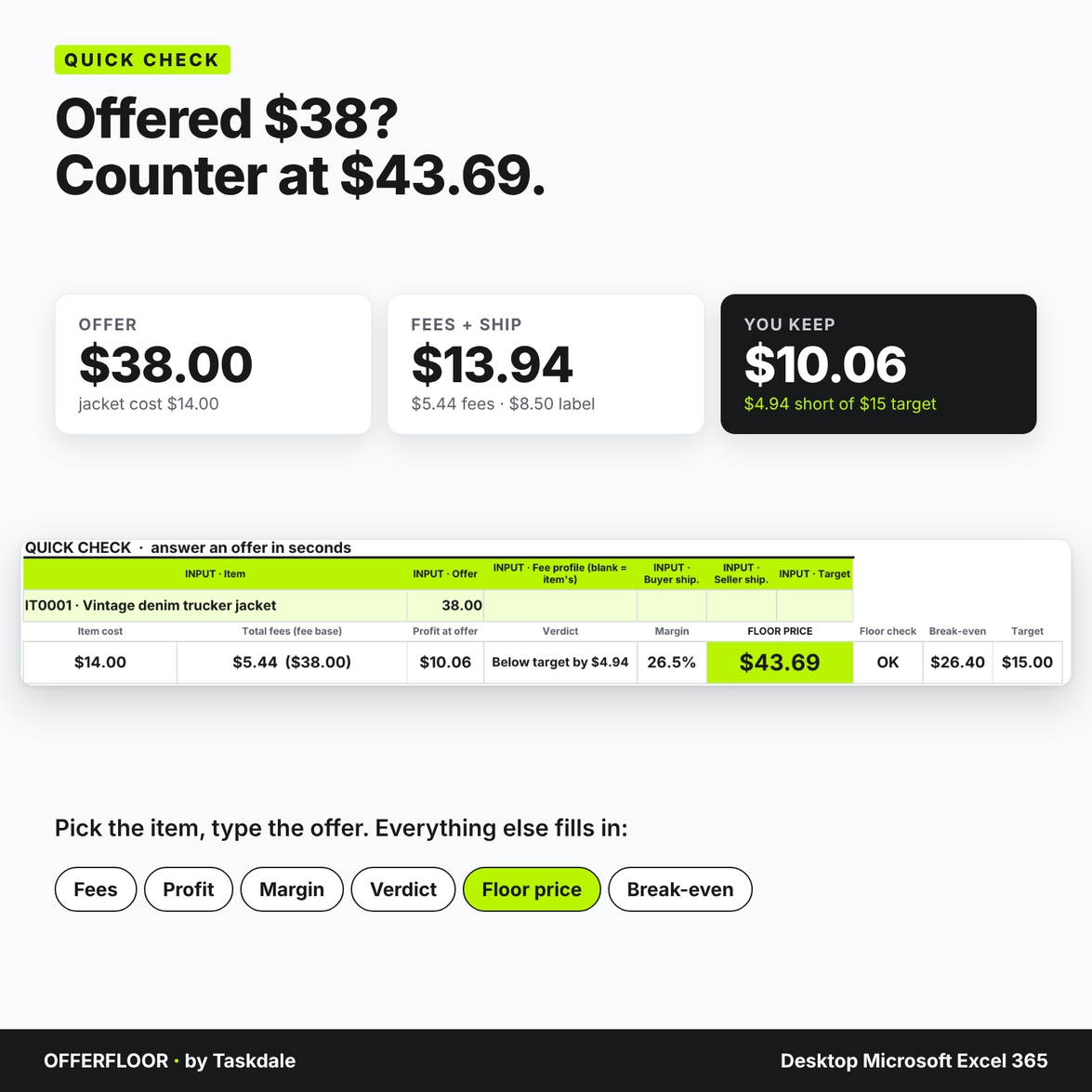
The jacket cost $14.00 all-in. You pay an $8.50 shipping label, and your target is $15.00 profit. The marketplace profile charges 13.25% plus $0.40 per order.
- Offer $38.00: fees are $5.44, so you keep $10.06. That’s $4.94 short of your target, and the verdict says so.
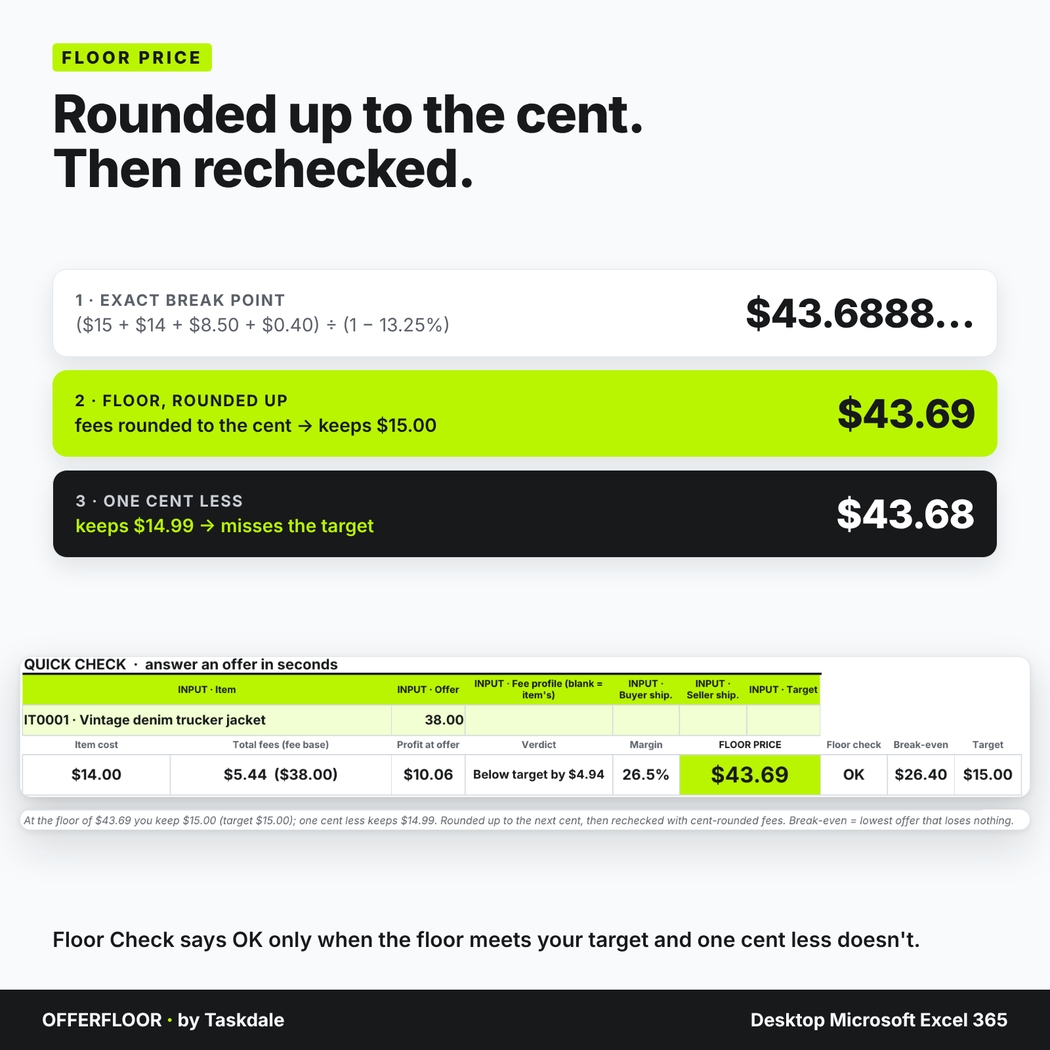
- Floor price $43.69: the exact break point is $43.6888, so the workbook rounds up to the next cent, then recalculates with cent-rounded fees. At $43.69 you keep $15.00; at $43.68 you’d keep $14.99. Floor Check shows OK only when both are true.
- Break-even $26.40: the lowest offer that loses nothing.
So you can counter at $43.69 with confidence, or accept a lower offer knowing exactly what it costs you.
What’s included
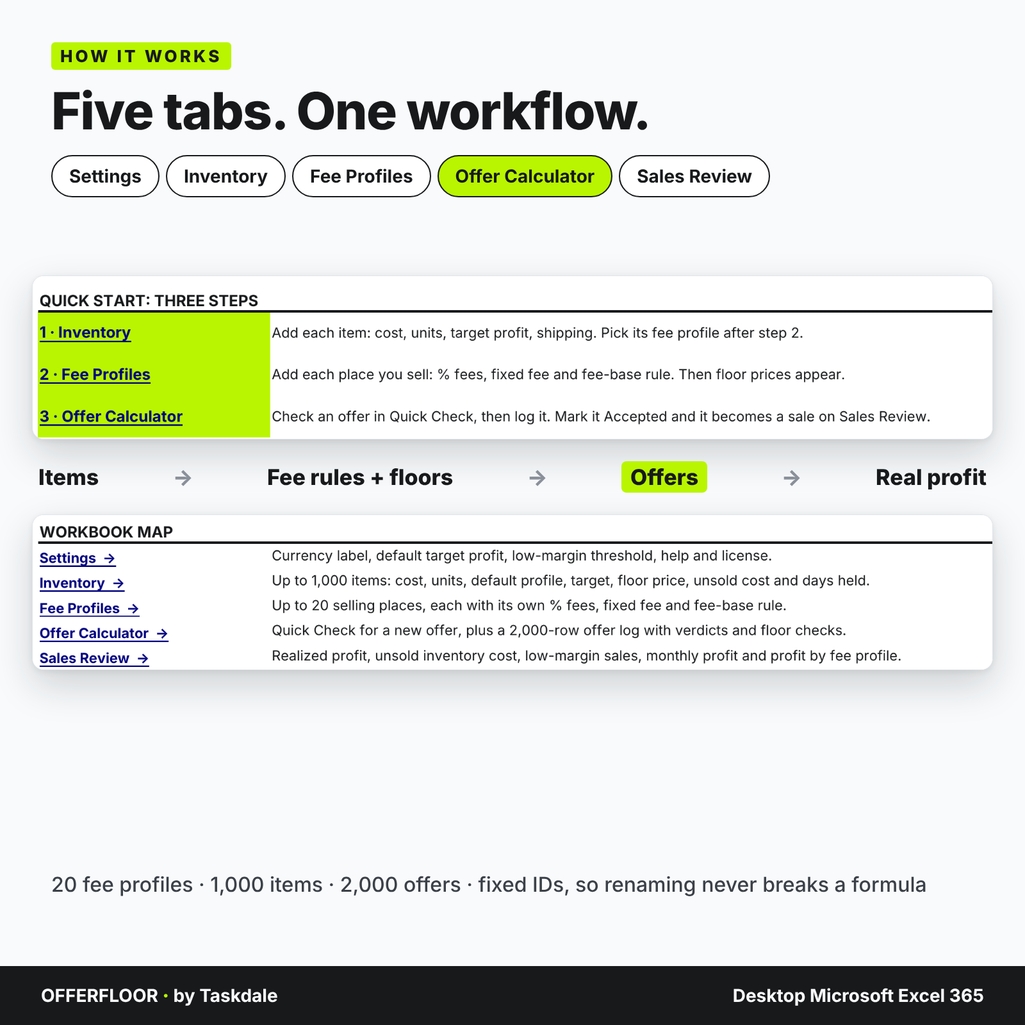
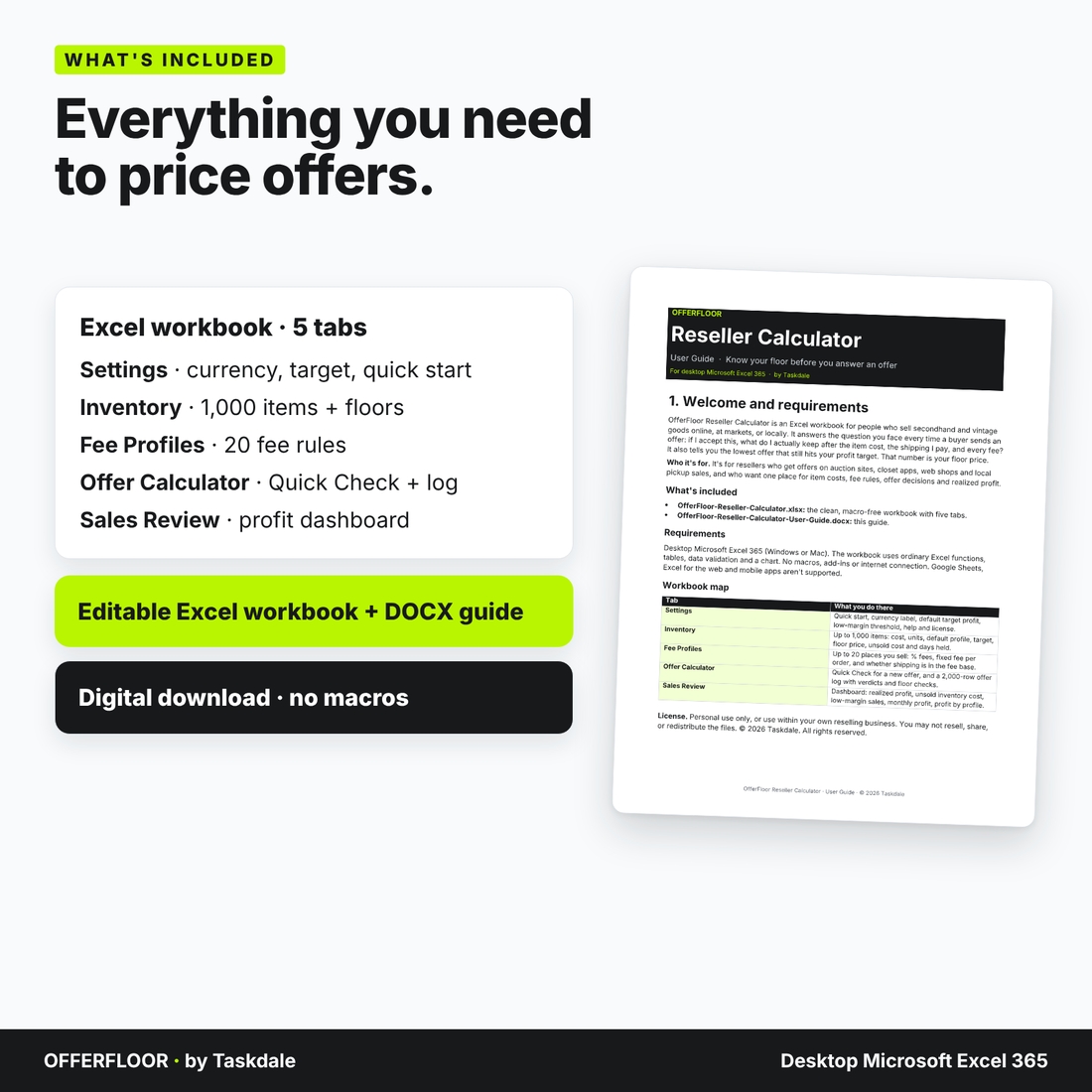
An editable, macro-free Excel workbook with five tabs:
- Settings: quick start, currency label, default target profit, low-margin threshold, workbook map and license.
- Inventory: up to 1,000 items or lots with cost per unit, units, default fee profile, target profit, listed price and shipping. Each row shows its floor price, profit at list price, units sold, units left, unsold cost, days held and status.
- Fee Profiles: up to 20 places you sell. Enter a selling fee %, a payment or ad fee %, a fixed fee per order, and whether the fee base includes the shipping the buyer pays you.
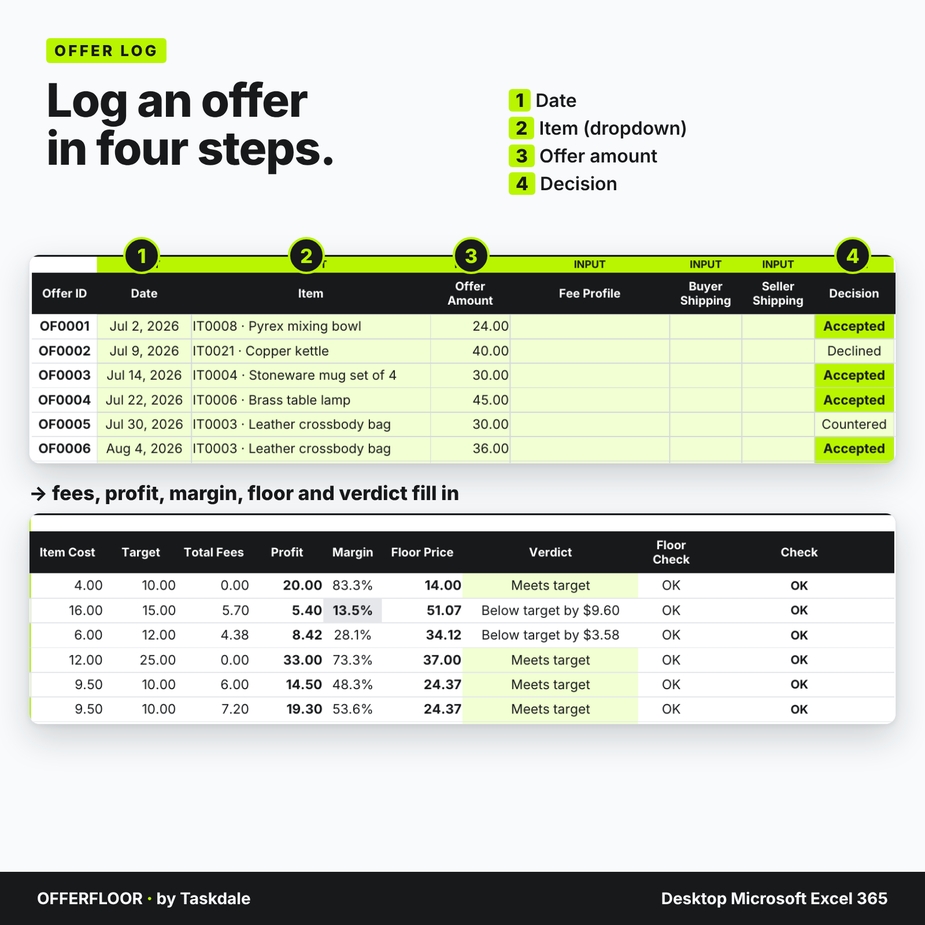
- Offer Calculator: a Quick Check panel for a new offer, plus a 2,000-row offer log with decisions (Pending, Countered, Declined, Accepted, Canceled), fees, profit, margin, floor price, verdict and a floor check on every row.
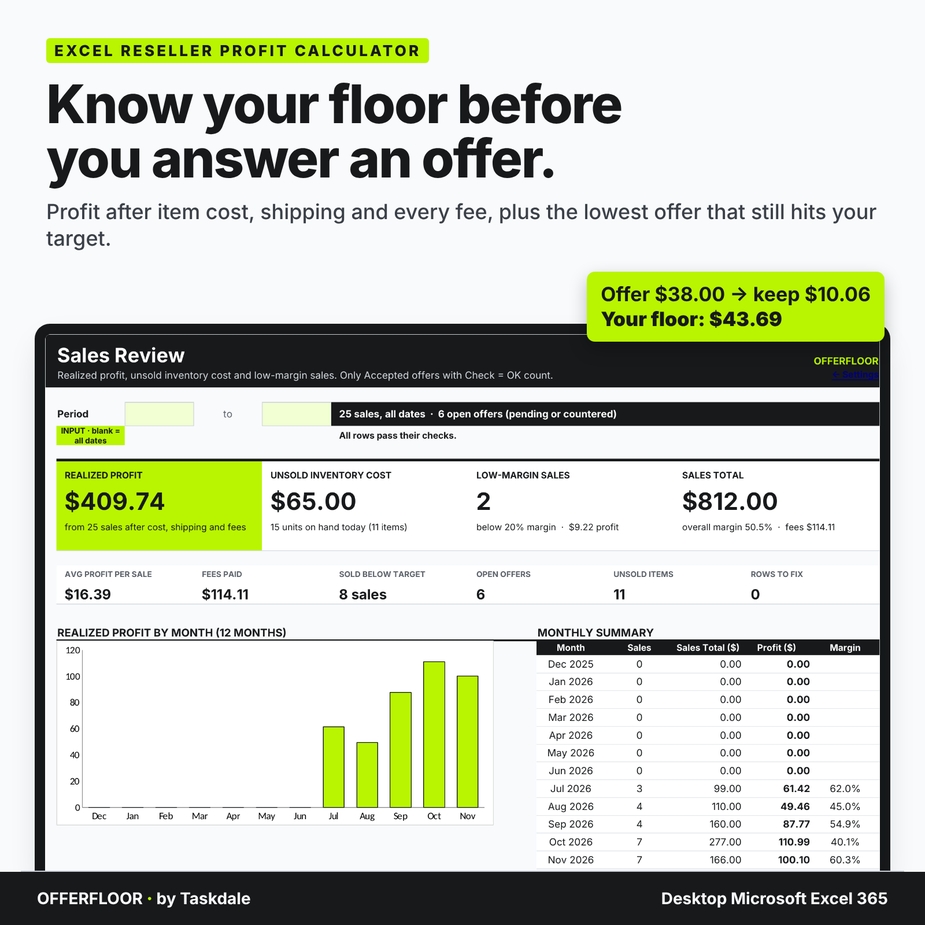
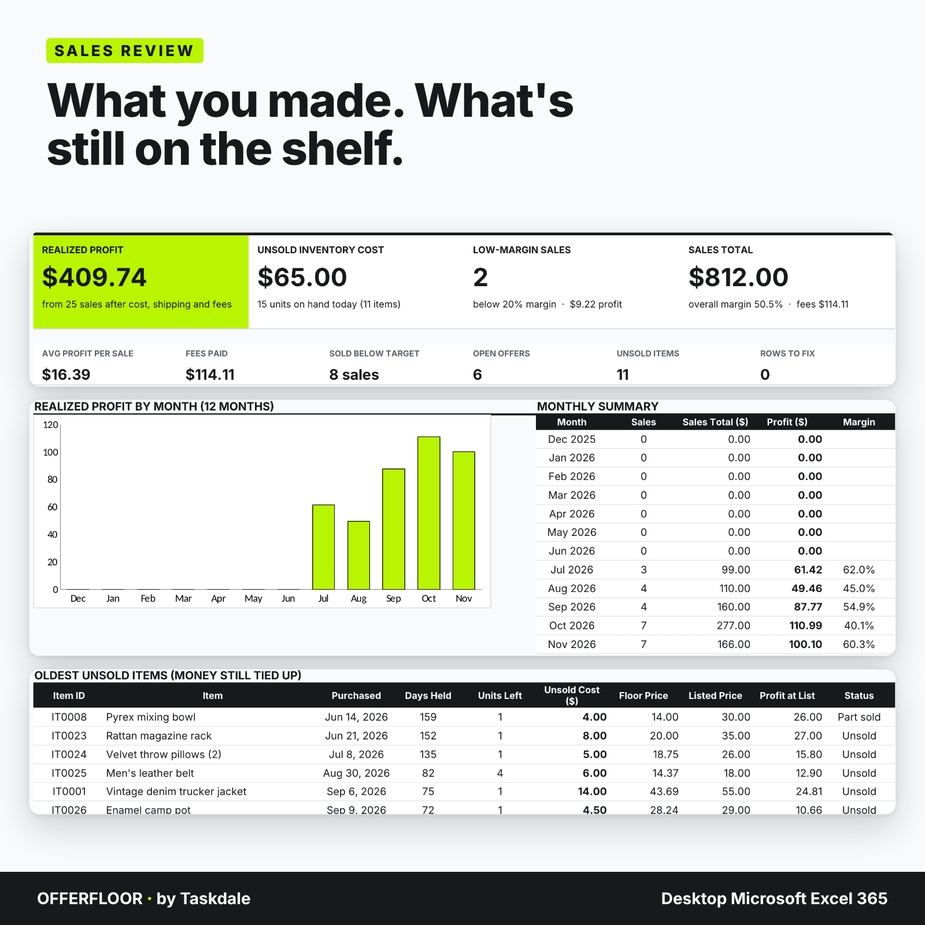
- Sales Review: realized profit, unsold inventory cost, low-margin sales and sales total, plus a 12-month profit chart, the lowest-margin sales, the oldest unsold items and profit by fee profile. Filter it by date range.
You also get a six-page DOCX user guide. The workbook you download is clean and ready for your own items; the filled workbook in the images is a demonstration with example fee rates.
How to use it
1. Add your inventory
Enter what each item cost you, how many units you have, its shipping and the profit you want. Once it has a default fee profile, its floor price appears.
2. Save your fee rules
Add a fee profile for each marketplace, copying its current rates from its own fee page. Choose Yes or No for whether its percentage fee is charged on shipping the buyer pays. Then pick each item’s default profile. A $40 offer with $9 of buyer-paid shipping at 13.25% costs $6.49 in fees with Yes and $5.30 with No.
3. Check, then log every offer
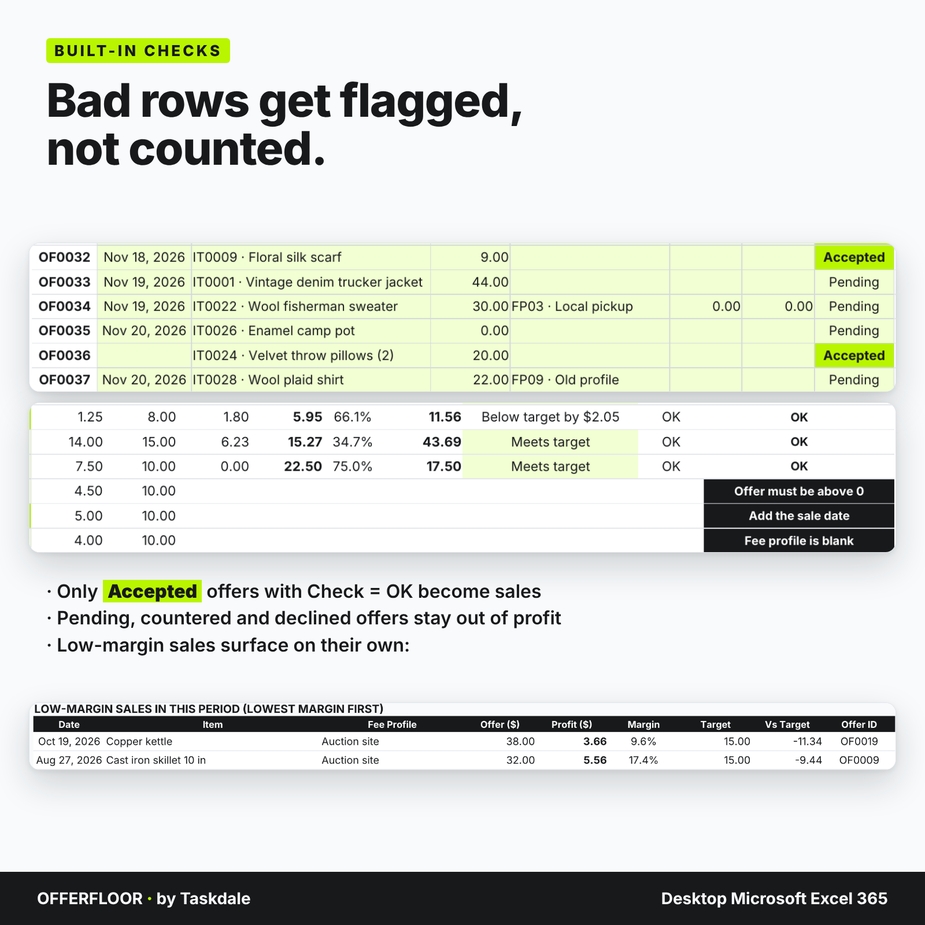
Use Quick Check to test an offer before you reply, then add it to the log. Mark it Accepted when it sells, and it becomes a sale on Sales Review. Pending, countered and declined offers stay out of your profit totals.
4. Review real profit
Sales Review shows what you actually made, how much money is still tied up in unsold stock, and which sales earned less than your low-margin threshold.
Built-in checks
Every table has a Check column. A missing cost, a negative offer, an accepted sale without a date, a blank fee profile or more sales than units is flagged in plain words and left out of the totals until you fix it. Formula cells are locked (no password), input cells stay open, and dropdowns keep entries consistent.
Format, customization and download details
- For desktop Microsoft Excel 365 (Windows or Mac). One .xlsx file with no macros, plus a .docx guide you can open in Microsoft Word.
- Change the currency label to $, €, £, CAD or another short label. It changes the display only and does not convert amounts.
- Rename items and fee profiles at any time; fixed IDs keep every formula linked.
- Capacity: 20 fee profiles, 1,000 inventory items and 2,000 offers.
- Digital download. No physical item will ship.
- License: personal use, or use within your own reselling business. You may not resell, share, or redistribute the files.
Frequently asked questions
Does it know each marketplace’s fees?
No. You enter the rates, because platforms change them. Fee rates shown in the images are examples only.
What does “fee base includes shipping” mean?
Some marketplaces charge their percentage on the item price plus the shipping the buyer pays. Others charge it on the item price only. Each fee profile has its own setting.
Why is the floor rounded up and rechecked?
Prices and fees are charged in cents. The workbook rounds the exact answer up to the next cent, then recalculates with cent-rounded fees so the floor always meets your target and one cent less doesn’t. Your marketplace may round each fee separately, so allow ±1 cent.
Can it handle lots of identical items?
Yes. Enter the number of units and the cost per unit. Each accepted offer sells one unit, and the workbook flags an item if more units are sold than you have.
Does it include sales tax or income tax?
No. Leave sales tax out of the offer amount. This is a pricing and record-keeping aid, not tax or accounting advice.
Can I use Google Sheets?
This listing is for desktop Microsoft Excel 365. Google Sheets, Excel for the web and mobile apps aren’t supported.
Does it handle tiered fees?
Each profile has one fee structure. For a fee that changes at a price point, enter two profiles and pick the one that matches the offer.
Known limitations
No live fee lookups, no unit conversions, no sales tax handling, one unit per accepted offer, and no accounting reports. The workbook groups profit by the sale date you enter.



Reviews
There are no reviews yet.