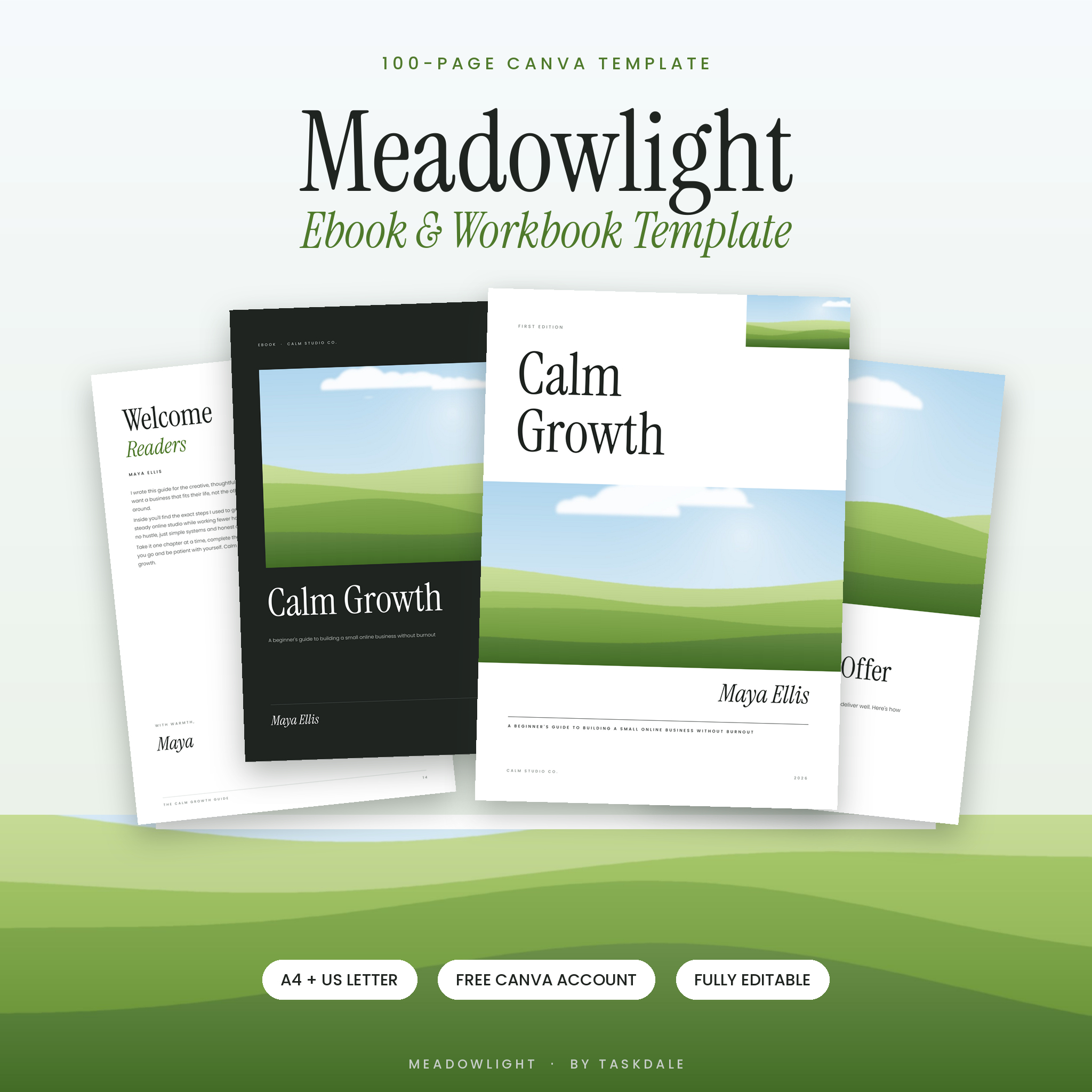
Meadowlight is a 100-page Canva ebook template and workbook kit that helps you create a beautiful ebook, course workbook, lead magnet or client guide in an afternoon. Every page is fully editable in Canva with a free account, and you get both A4 and US Letter versions. Soft sky blue and meadow green tones, elegant serif headings and clean layouts give your content a calm, premium look without any design skills.
A Canva Ebook Template That Does the Heavy Lifting
Most ebook templates give you a handful of pages filled with “lorem ipsum” and leave you guessing. Meadowlight is different. Every page includes helpful placeholder text that tells you exactly what to write, so you can move from idea to finished ebook faster. Choose the pages you need, delete the rest, and drop in your own words and photos.
Who It’s For
- Coaches, consultants and course creators who need a workbook or course companion
- Bloggers and small business owners building an email list with a free guide or lead magnet
- Authors self-publishing a short ebook or digital guide
- Teachers, trainers and service providers who want a branded client handbook
- Complete beginners: if you can click and type, you can use this template
What’s Included
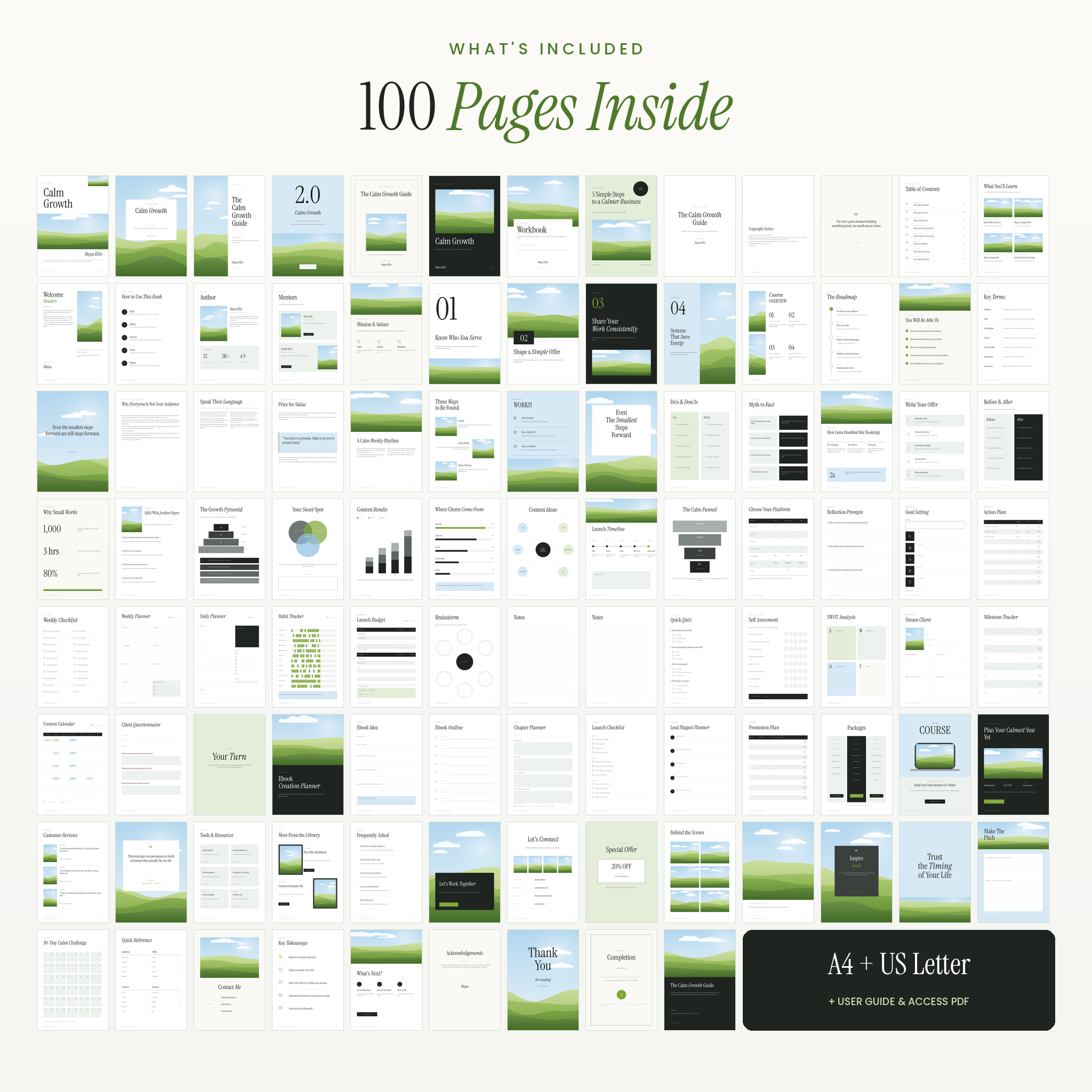
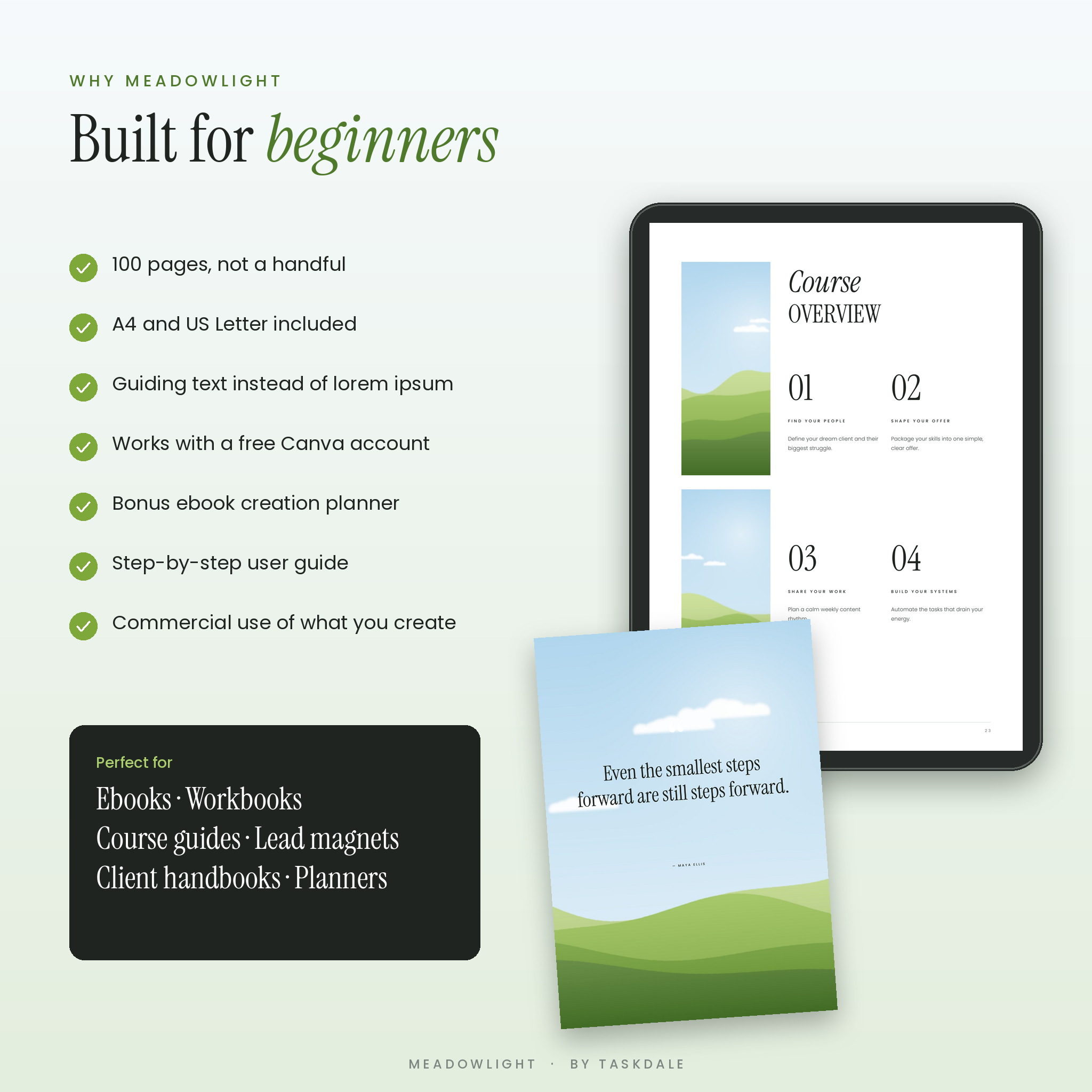
- 100-page Canva template in A4 (210 × 297 mm)
- 100-page Canva template in US Letter (8.5 × 11 in)
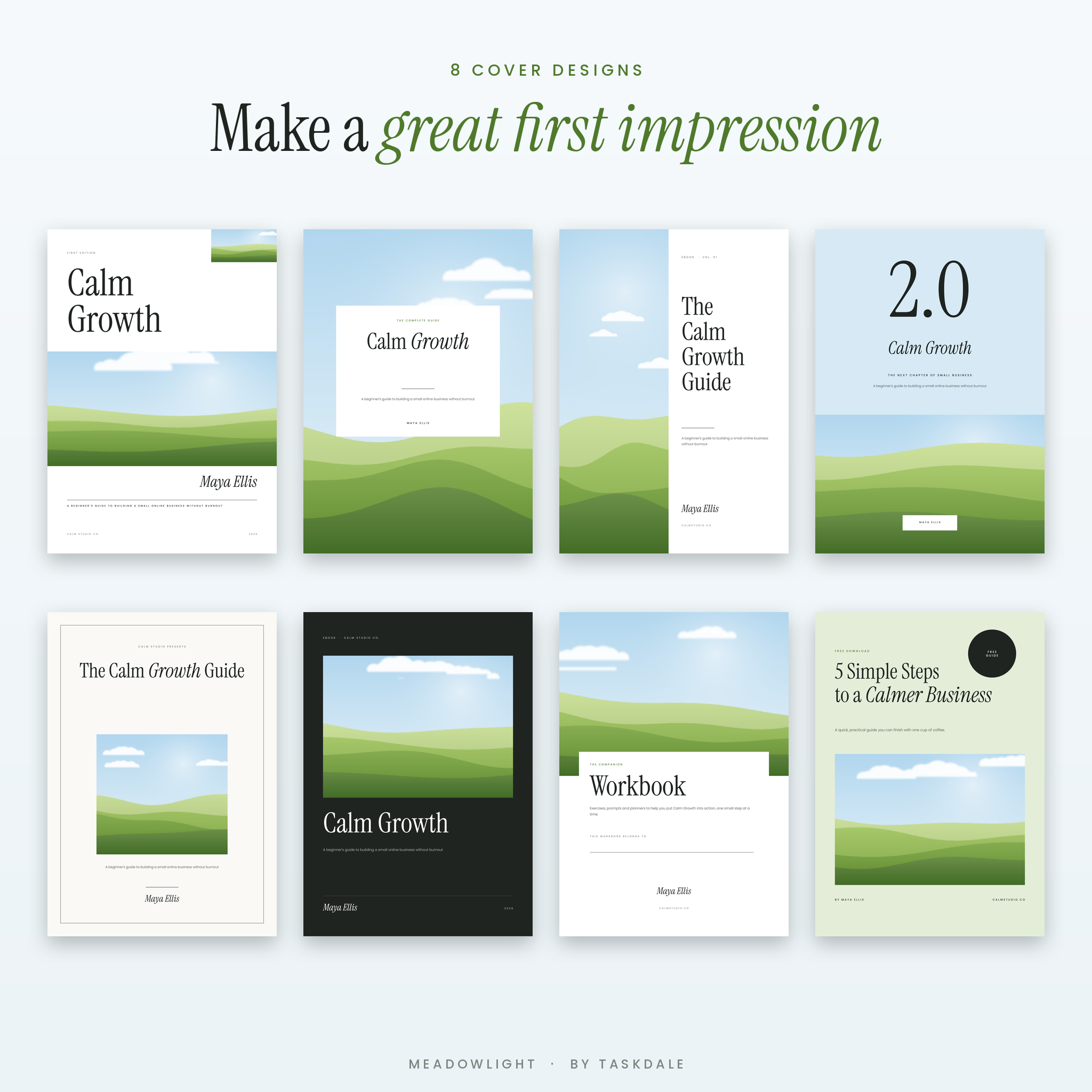
- 8 cover designs: classic, full image, split, edition, framed, dark, workbook and free guide
- 10 front matter pages: title page, copyright, dedication, two table of contents styles, welcome letter, how to use this book, about the author, meet the team, mission and values
- 9 chapter and course pages: four chapter openers, course overview, roadmap, learning objectives, key terms and a quote divider
- 14 content layouts: single and two-column articles, pull quote, feature image, numbered tips, do’s and don’ts, myth vs fact, case study, step-by-step, before and after, key numbers, interview Q&A and more
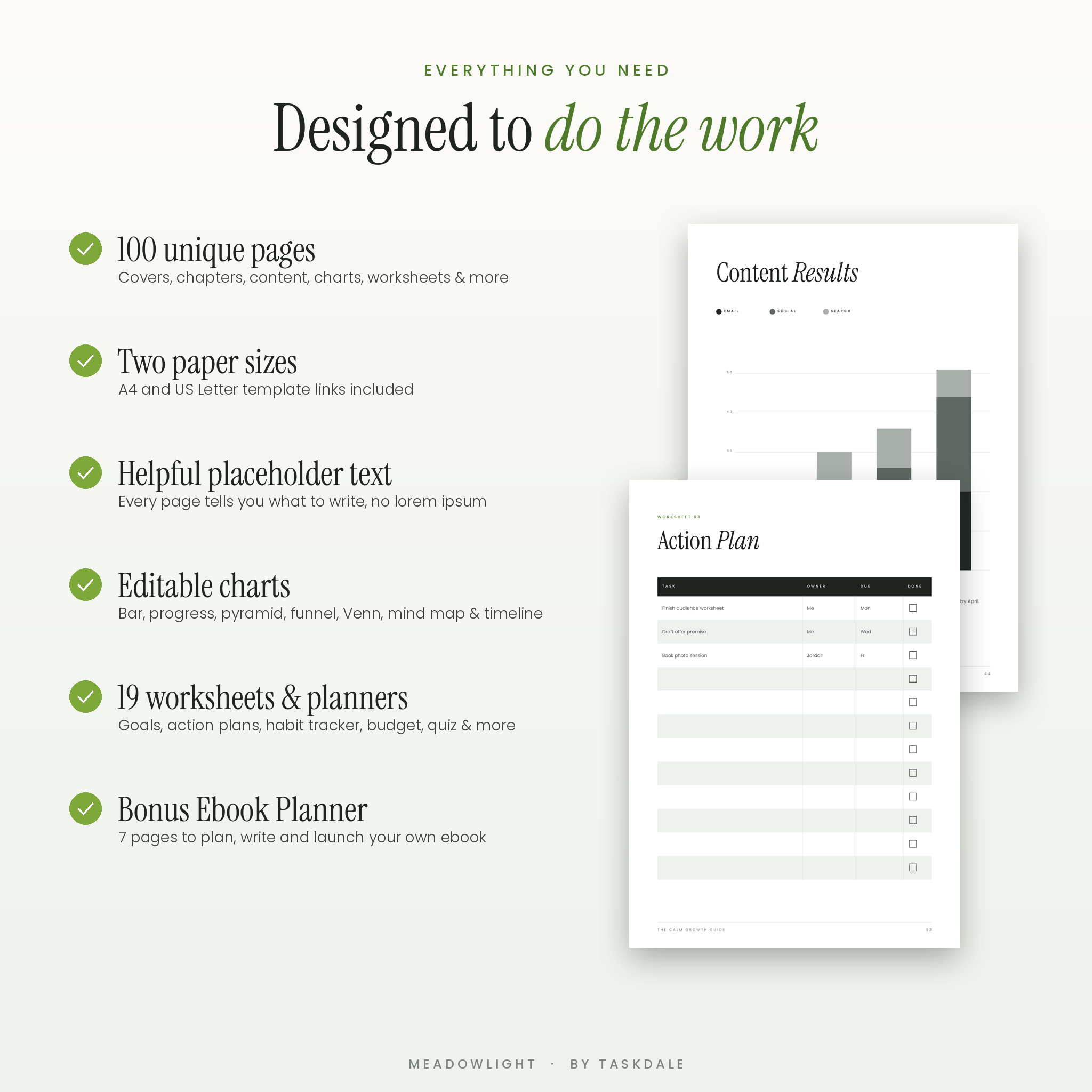
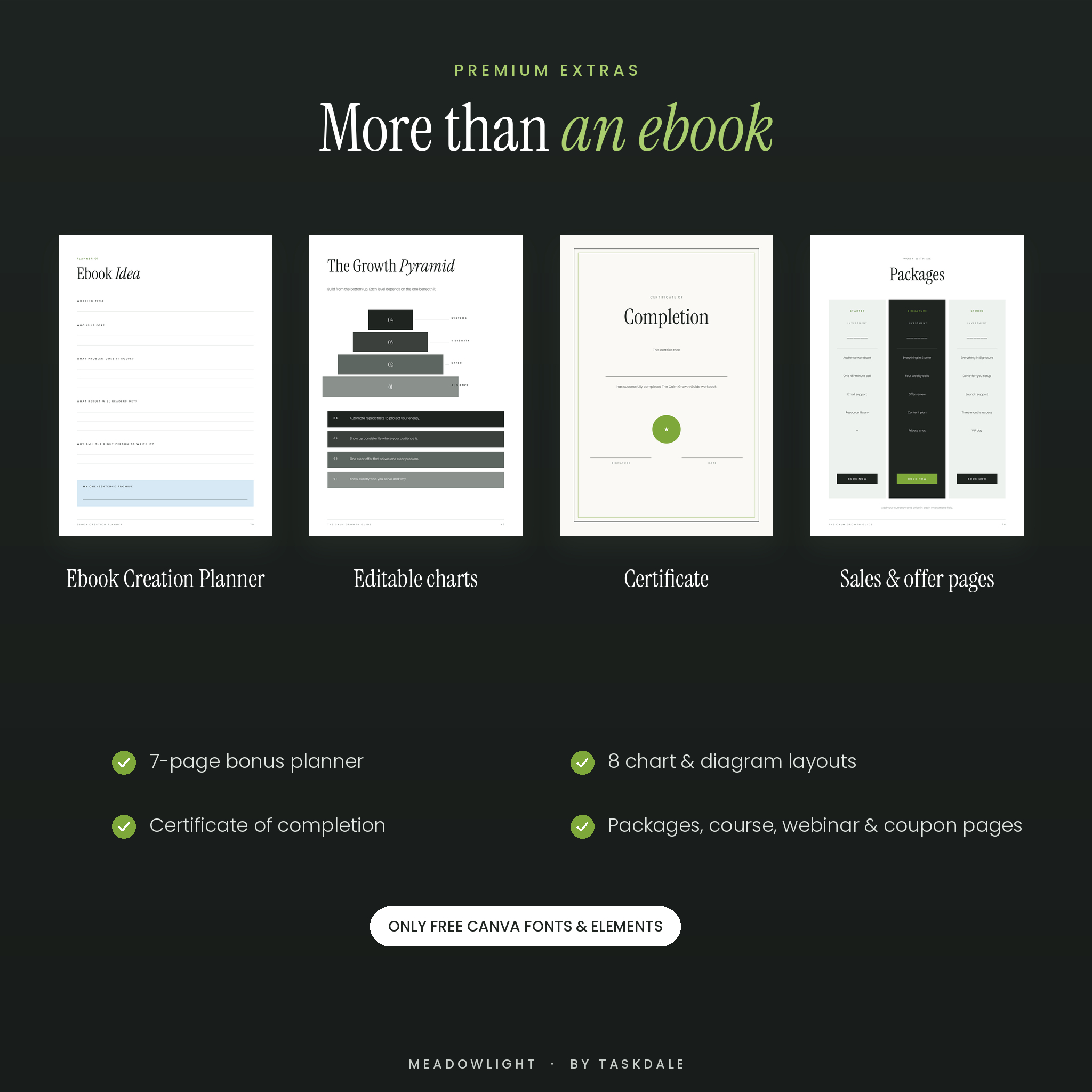
- 8 editable charts and diagrams: pyramid, Venn, stacked bar chart, progress bars, mind map, timeline, funnel and comparison table
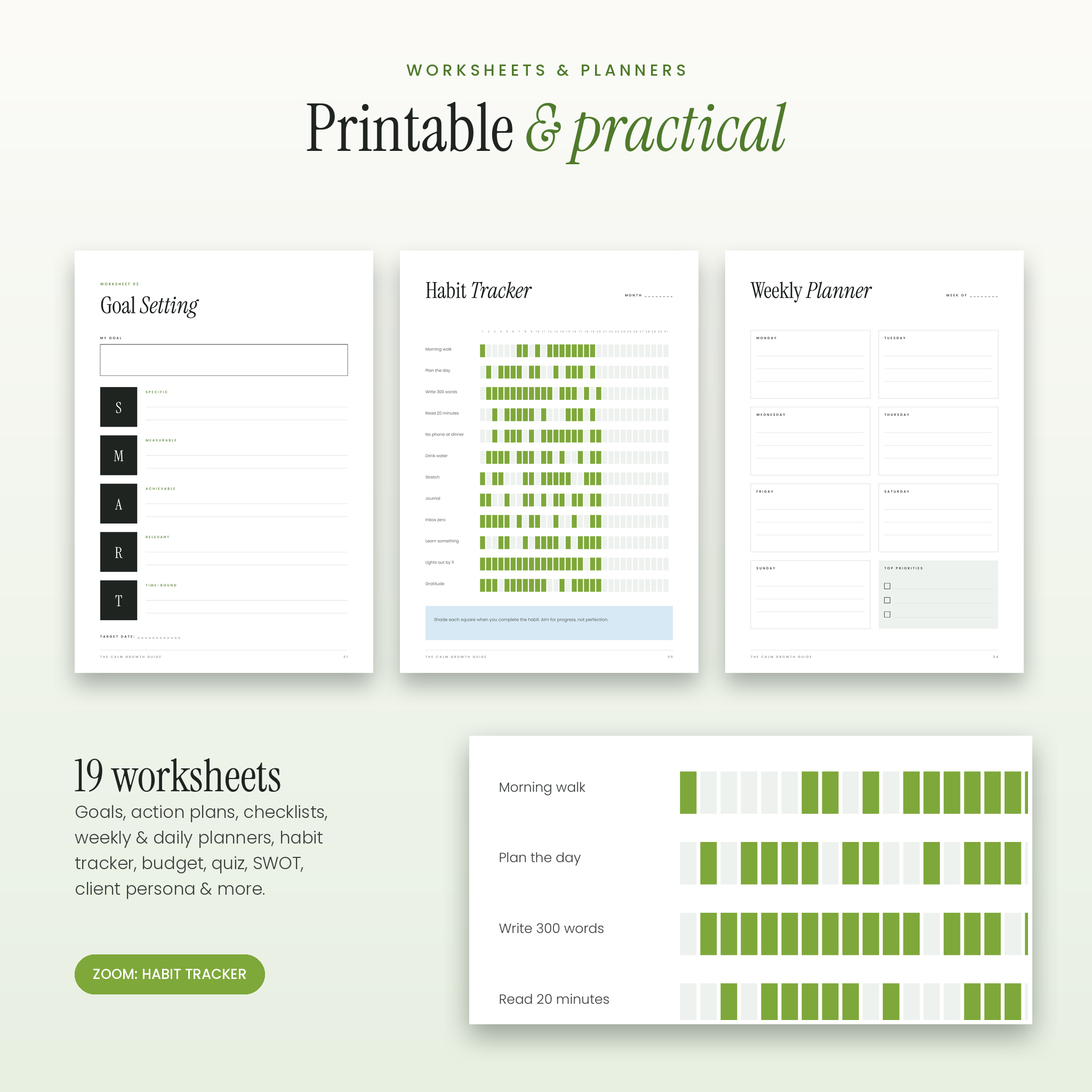
- 19 worksheets and planners: reflection prompts, SMART goals, action plan, checklist, weekly and daily planners, habit tracker, budget worksheet, brainstorm, lined and dot grid notes, quiz, self-assessment, SWOT, dream client persona, milestone tracker, content calendar and questionnaire
- Bonus Ebook Creation Planner (7 pages): ebook idea, outline, chapter planner, launch checklist, lead magnet planner and promotion plan
- Offer and closing pages: packages, course promo, webinar invite, testimonials, resources, FAQ, book a call, special offer coupon, key takeaways, what’s next, thank you, back cover and a certificate of completion
- User guide (DOCX) with step-by-step instructions, color codes, print settings and troubleshooting
- Access PDF with your clickable template links
Main Features and Benefits
- Guiding placeholder text: every page explains what to write, perfect for first-time ebook creators
- Two paper sizes: print-ready A4 and US Letter, so it works anywhere in the world
- Free Canva friendly: uses only free Canva fonts (Instrument Serif and Poppins) and original illustrations, so there are no Pro paywalls
- Easy brand matching: change any color across every page with Canva’s “Change all” option
- Replace images in seconds: drag your photo onto any illustration or click Replace
- Currency-neutral pricing pages: Investment and Amount fields work with $, £, €, or any currency
- Consistent, premium design: matching margins, typography and footers across all 100 pages
How It Works
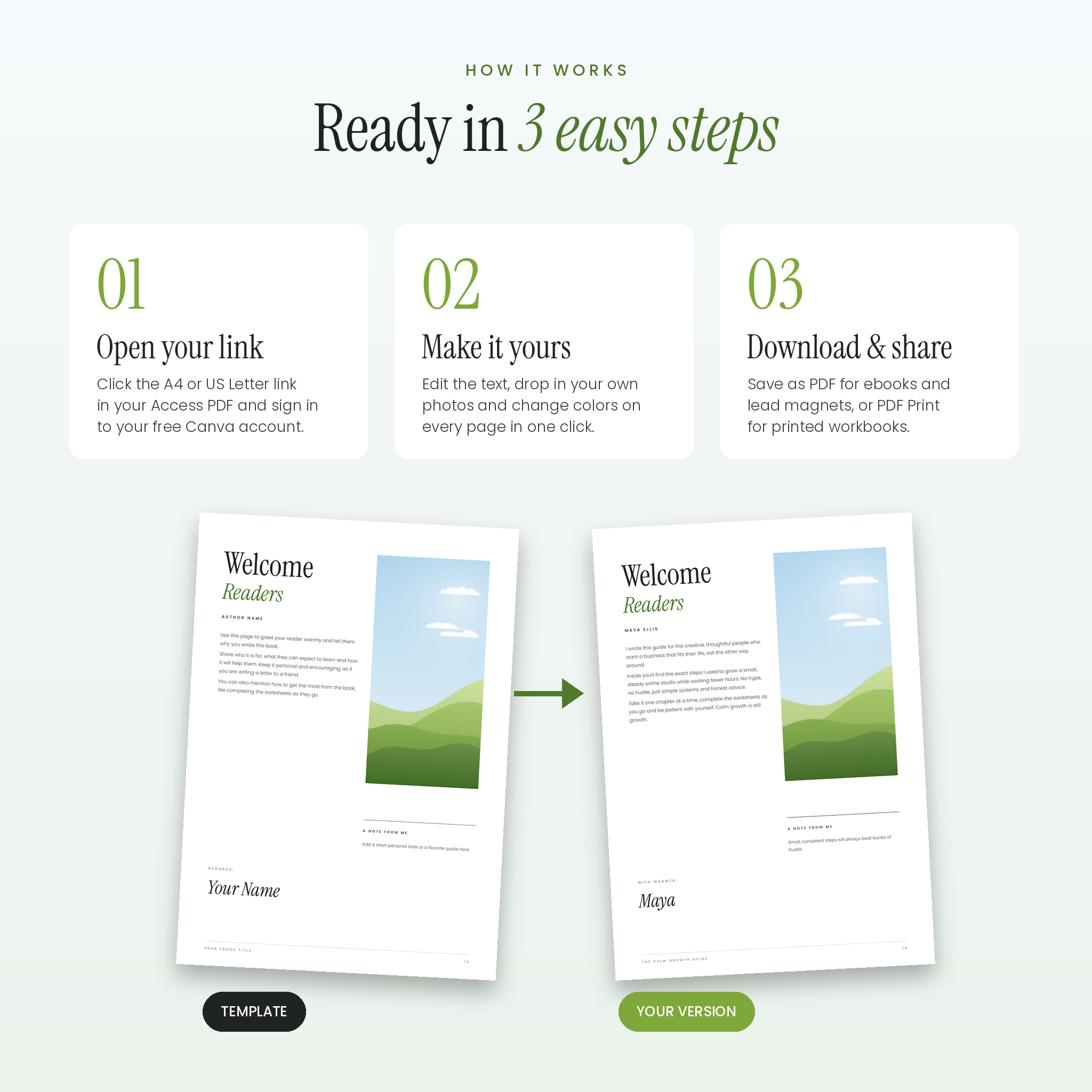
- After purchase, download the Access PDF and user guide.
- Click the A4 or US Letter link and sign in to your free Canva account.
- Click “Use template”. Canva creates your own private copy.
- Edit the text, add your photos, change the colors and remove pages you don’t need.
- Download as PDF Standard for a digital ebook or lead magnet, or PDF Print for a printable workbook.
File Formats and Software Requirements
- Canva template links (A4 and US Letter), opened in the Canva website or app
- Access PDF with template links
- User guide in DOCX format (opens in Microsoft Word, Google Docs, Pages or LibreOffice)
- A free Canva account is required. Canva Pro is not needed.
- Works on desktop and in the Canva mobile app, though a computer is easiest for larger edits.
Customization
Change every word, color, font and image. Add, duplicate, reorder or delete pages. Add clickable links to buttons and text for digital downloads. The user guide includes the full color palette with hex codes so you can match or replace it with your own branding.
Digital Download
This is a digital product. No physical item will be shipped. Your files are available to download instantly after checkout. The finished pages you create in Canva can be downloaded as PDF, PNG or JPG.
Ways to Use This Workbook and Ebook Template
- Turn your blog posts or expertise into a paid ebook
- Create a free lead magnet or opt-in guide to grow your email list
- Design a printable course workbook for an online program or group coaching
- Build a client welcome packet or onboarding handbook
- Make a printable planner using the weekly planner, habit tracker and notes pages
- Award students a certificate of completion at the end of your course
Frequently Asked Questions
Do I need Canva Pro to edit this ebook template?
No. Meadowlight uses free Canva fonts and original illustrations, so everything works with a free Canva account.
Can I sell the ebook I create with this template?
Yes. You can sell or give away the finished ebook, workbook or guide you create with your own content. You can’t resell or share the template itself.
Which size should I choose, A4 or US Letter?
Both are included. US Letter is standard in the US and Canada, and A4 is standard almost everywhere else.
Can I use my own photos?
Yes. Drag your photo from Canva’s Uploads panel onto any image or select an image and click Replace.
Can I make the links in my ebook clickable?
Yes. Add a link to any text or button in Canva and download as PDF Standard to keep it clickable.
Can I edit it on my phone or iPad?
Yes, the template opens in the Canva app on iPhone, iPad and Android tablets. A computer is easier for bigger edits.
Can I print the workbook pages?
Yes. Download as PDF Print and print at actual size on A4 or US Letter paper.
Licence: personal and client-work use. You may create and sell finished products with your own content. Reselling, sharing or redistributing the template or template links is not permitted. All illustrations and layouts are original designs by Taskdale.

Reviews
There are no reviews yet.