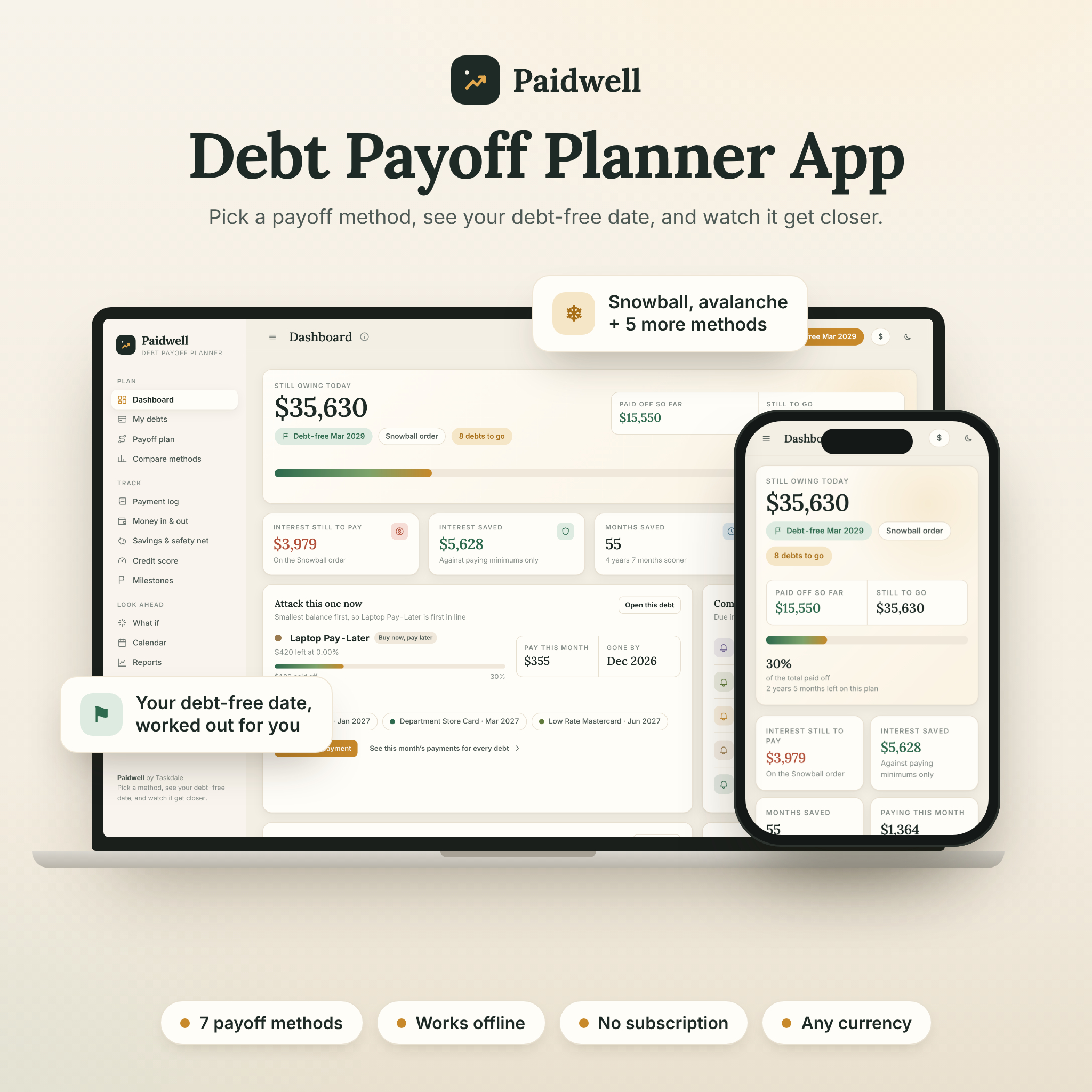



Paidwell is a debt payoff planner app that turns every balance you owe into a clear, month-by-month plan. Add your debts, choose snowball, avalanche or one of five other methods, and Paidwell shows your debt-free date, exactly what to pay on each debt this month and how much interest you will save. It opens in your web browser, works offline and has no subscription.
A debt payoff planner that does the math for you
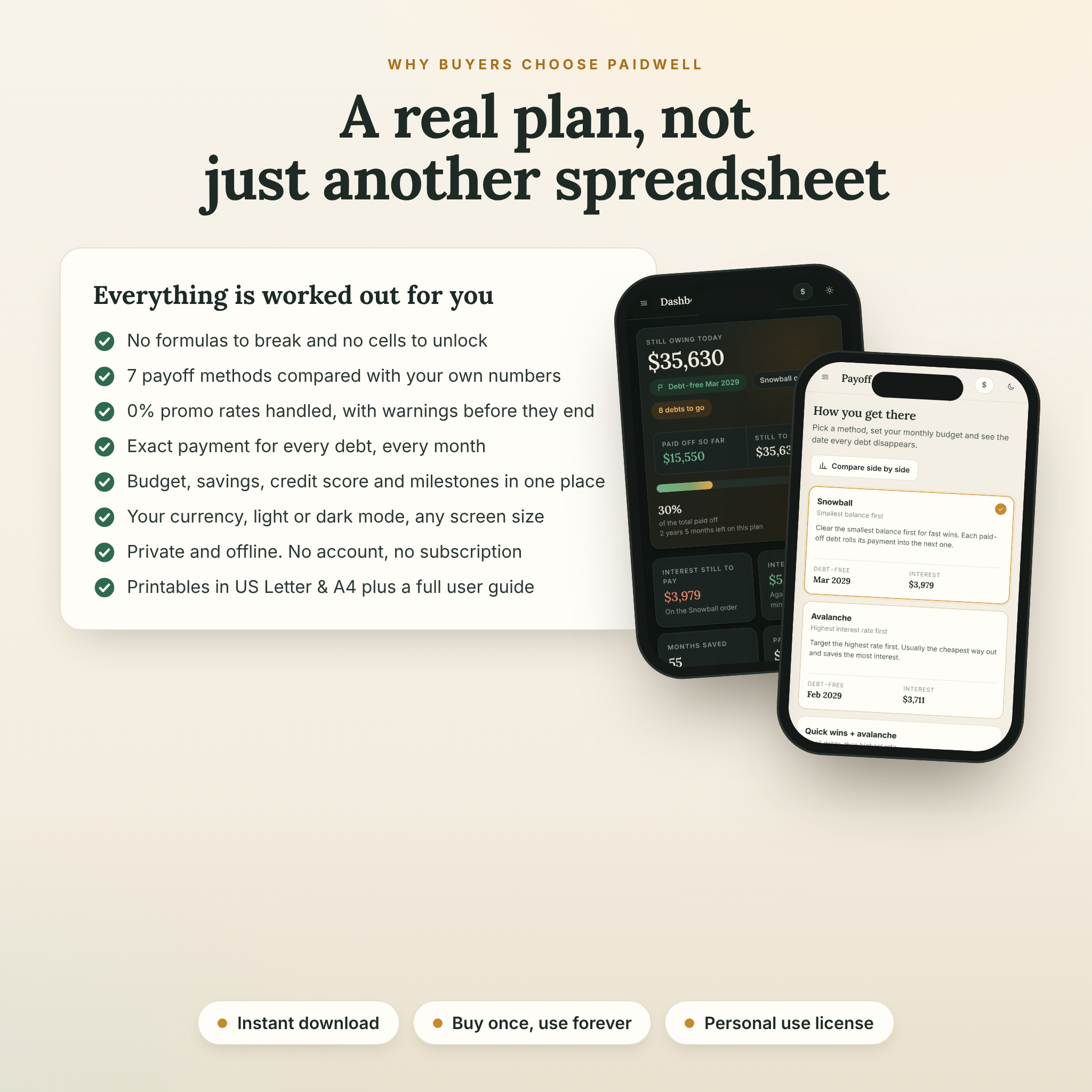
Spreadsheets break, and paper trackers can’t tell you when you’ll be finished. Paidwell works everything out the moment you type a number. There are no formulas to protect and no cells to unlock. Change your budget, switch methods or add a tax refund, and every date, chart and payment updates instantly.
Who it’s for
- Anyone paying off credit cards, store cards, car loans, student loans, personal loans, medical bills or buy now, pay later plans
- Beginners who want a simple, guided plan without building a spreadsheet
- Debt snowball and debt avalanche fans who want to compare both with their own numbers
- Couples and families who want one clear view of household debt
Main benefits
- See your debt-free date and watch it move closer every time you log a payment
- Know exactly what to pay on every debt, every month
- Save interest by comparing seven payoff strategies before you commit
- Stay motivated with milestones, a coloring tracker that fills itself in and a wall of wins
- Keep your data private: no account, no cloud, nothing uploaded
Features
Dashboard
Total still owing, debt-free date, amount paid off so far, progress bar, interest still to pay, interest saved, months saved and this month’s total payment. Plus the debt to attack now, bills due in the next 30 days, a balance-over-time chart, debt by type, a daily “interest clock”, card utilization, a monthly check-in and your personal “why”.
Seven payoff methods
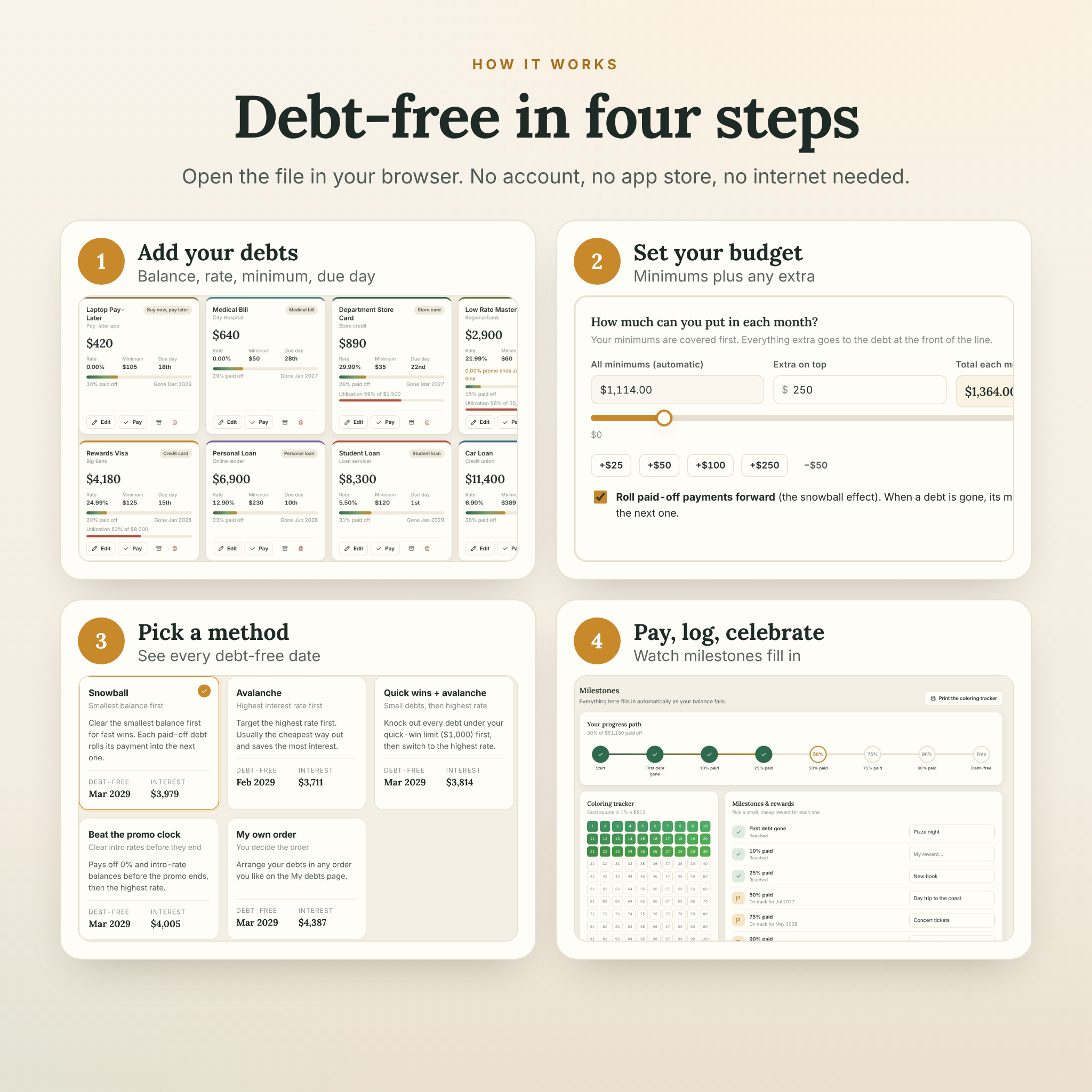
Snowball, avalanche, quick wins + avalanche, cash flow first, highest interest cost, beat the promo clock (for 0% balance transfers) and your own custom order. Each shows its debt-free date and total interest, and the compare page puts them side by side against paying minimums only.
Payoff plan and schedule
- Monthly budget with minimums added automatically, an extra-payment slider and roll-over of paid-off payments
- Future budget changes and planned lump sums such as a tax refund or bonus
- This month’s payments for every debt, with one-tap “log all as paid”
- Full month-by-month payoff schedule with search, expandable rows and CSV export
Tracking
- Payment log for regular payments, extra payments and snowflakes, with monthly totals and a chart
- Money in & out budget with income frequencies, bills, needs vs wants, leftover cash, debt-to-income ratio and the 50/30/20 guide
- Emergency fund and savings goals with monthly targets
- Credit score tracker with score bands, history chart and card utilization per card
- Milestones from your first debt paid off to debt-free, with rewards and projected dates
Look ahead
- What-if simulators: extra monthly payments, one-off lump sums, biweekly payments, balance transfers and consolidation loans, each with a clear worth-it verdict
- Calendar with due dates and planned amounts, plus a reminders file for Apple Calendar, Google Calendar and Outlook
- Reports: balances over time, interest vs principal by year, interest by debt, payoff timeline and a year-by-year table
What’s included
- Paidwell app (HTML file): 15 pages, light and dark mode, phone-friendly layout
- User guide (Word DOCX, 15 pages): every feature explained, tips, troubleshooting and FAQ
- Printable pack (PDF, 9 pages, US Letter and A4): debt inventory, monthly payment checklist, single debt tracker, coloring tracker, payoff thermometers, snowflake log, budget worksheet, milestones and credit score log
- Quick start guide (PDF, 2 pages)
How it works
- Download and unzip your files after purchase.
- Double-click the Paidwell file to open it in your web browser.
- Pick your currency, then add your debts (or explore the sample plan first).
- Choose a method, set your monthly budget and follow your plan.
- Log payments each month and watch your debt-free date get closer.
File formats and requirements
- App: one HTML file. Built and tested in Google Chrome and Microsoft Edge on a computer, with a layout that adapts to phone and tablet screens.
- Works on Windows, Mac and Chromebook. Android devices can open it with Chrome. On iPhone and iPad, some apps only preview HTML files, so a computer is recommended.
- No internet, account, app store or extra software needed. Microsoft Word, Google Docs or another DOCX reader opens the guide, and any PDF reader opens the printables.
Customization
Choose from 28 currencies or type your own symbol, and every amount follows that one setting. Pick your number format, whole amounts or cents, light or dark mode, debt colors, your plan start month and your own payoff order. Data saves automatically in your browser, and backup and restore lets you move your plan between devices.
Digital download
This is an instant digital download. No physical item will be shipped. Your files are ready as soon as payment is confirmed. Buy once and use it for as long as you like. Licensed for personal use only; please don’t share or resell the files.
Real-life ways to use it
- Plan a debt snowball for five credit cards and see which card goes first
- Check whether a 0% balance transfer is worth the fee before you apply
- Decide where a tax refund saves the most interest
- Sit down together each month as a couple, log payments and tick off the check-in
- Print the coloring tracker for the fridge and color in every 1% you pay off
FAQ
Is this a spreadsheet?
No. Paidwell is an app that runs in your browser, so there are no formulas to break. You can still export your plan to Excel or Google Sheets as CSV files.
Does the debt payoff planner work offline?
Yes. It needs no internet connection and no account. Your data stays on your device.
Can I use the snowball and avalanche method?
Yes, plus five more methods. You can compare them all with your own numbers and switch any time.
Does it handle 0% APR balance transfers?
Yes. Add the promo rate and end month, and Paidwell uses it until the promo ends and warns you if the balance won’t be cleared in time.
Can I use my own currency?
Yes. Dollars are the default, and you can choose from 28 currencies or enter your own symbol.
Can I use it on my phone?
The layout is phone-friendly and works on Android with Chrome. On iPhone and iPad, some apps only preview HTML files, so we recommend a computer for the best experience.
Is there a subscription?
No. It’s a one-time purchase.
Is this financial advice?
No. Paidwell is a planning tool and its results are estimates. For big decisions, speak with a licensed financial professional or a nonprofit credit counselor.
Reviews
There are no reviews yet.