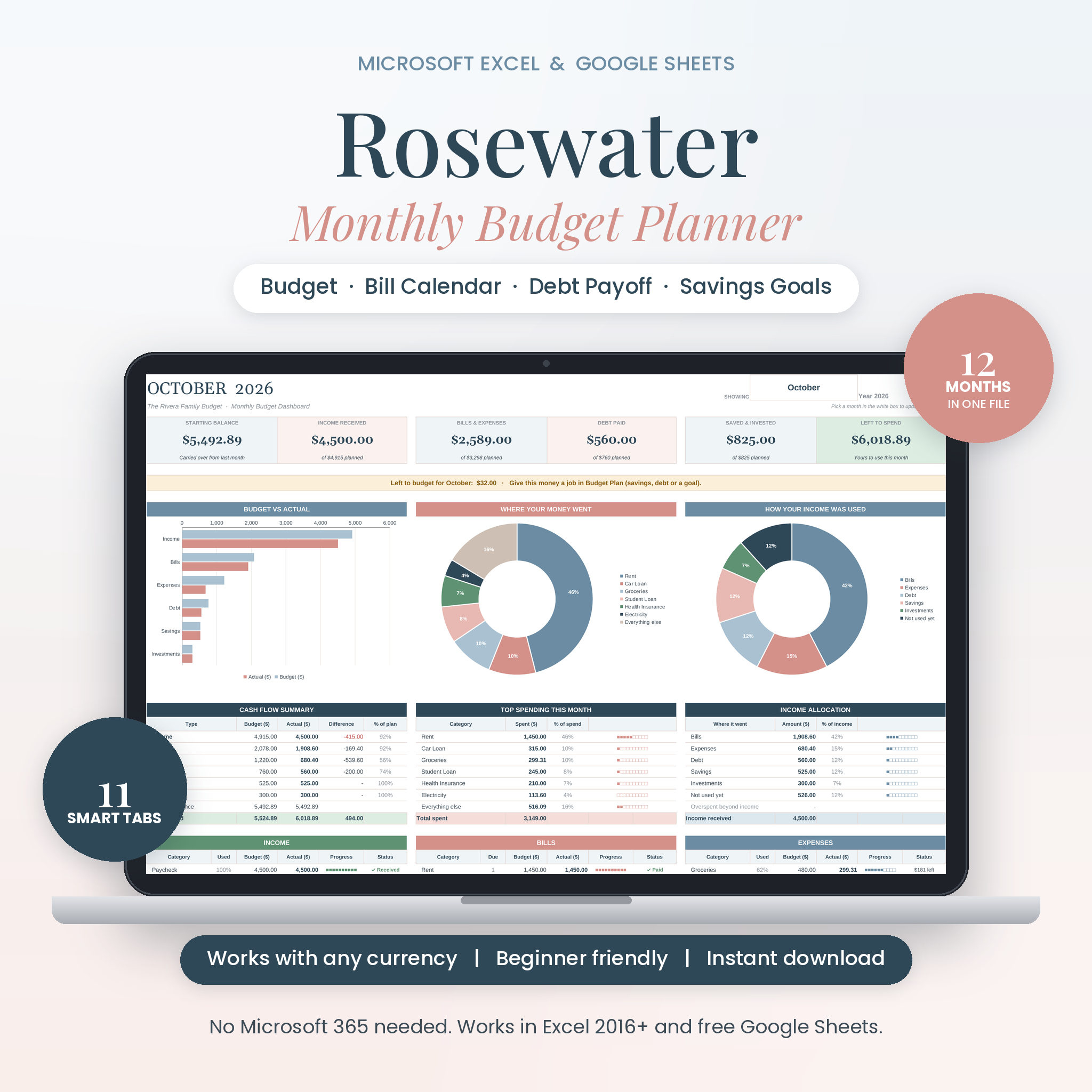
Most budgets fall apart for one simple reason: they take too long to keep up. The Rosewater monthly budget spreadsheet fixes that. You set it up once, log what you spend in a few seconds, and the rest happens on its own. Charts, totals, paid bills, savings progress. All of it.
It’s a full budget planner for Microsoft Excel and Google Sheets, with soft dusty blue and blush colors that are easy on the eyes. One file covers the whole year, so you never copy a tab again.
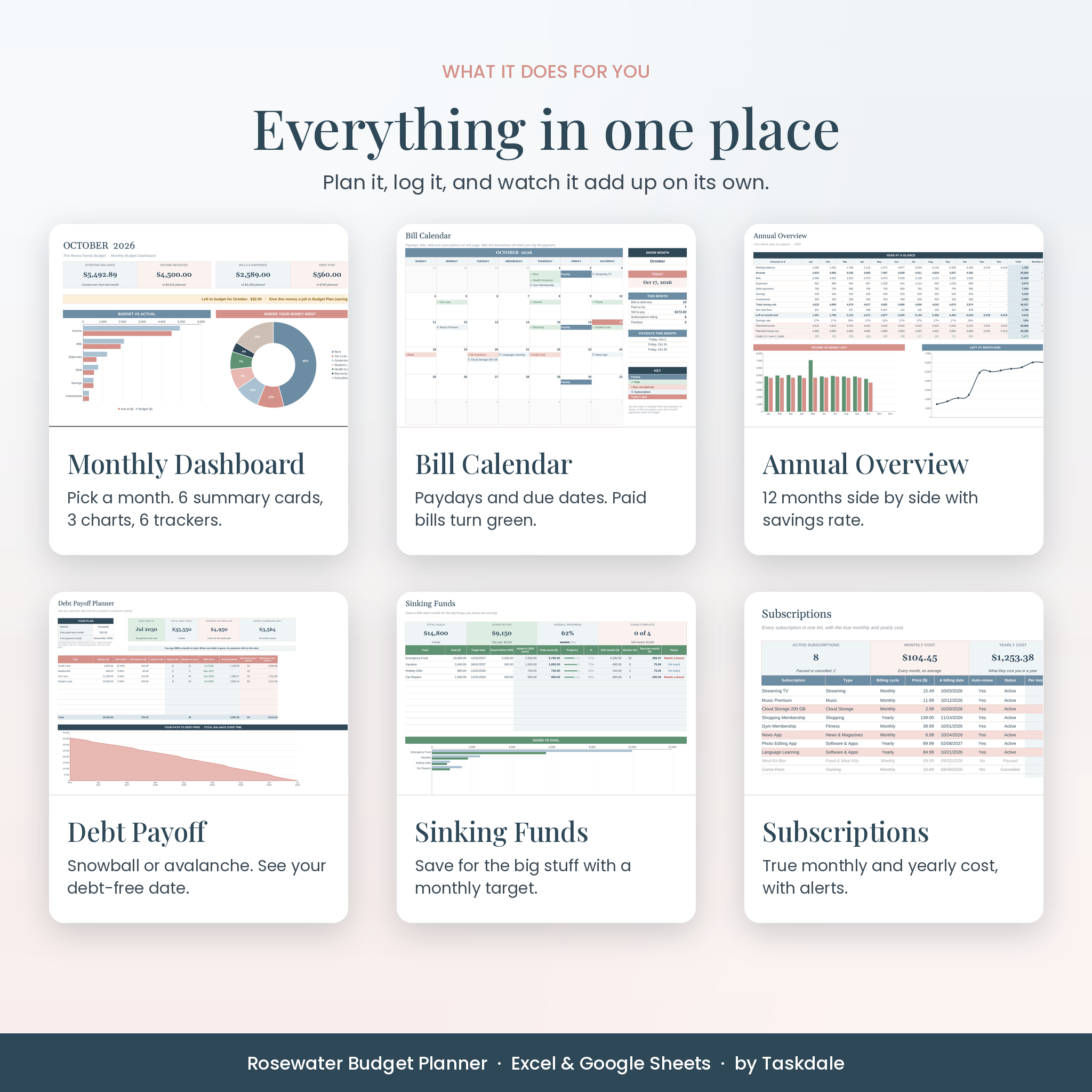
What this monthly budget spreadsheet does for you
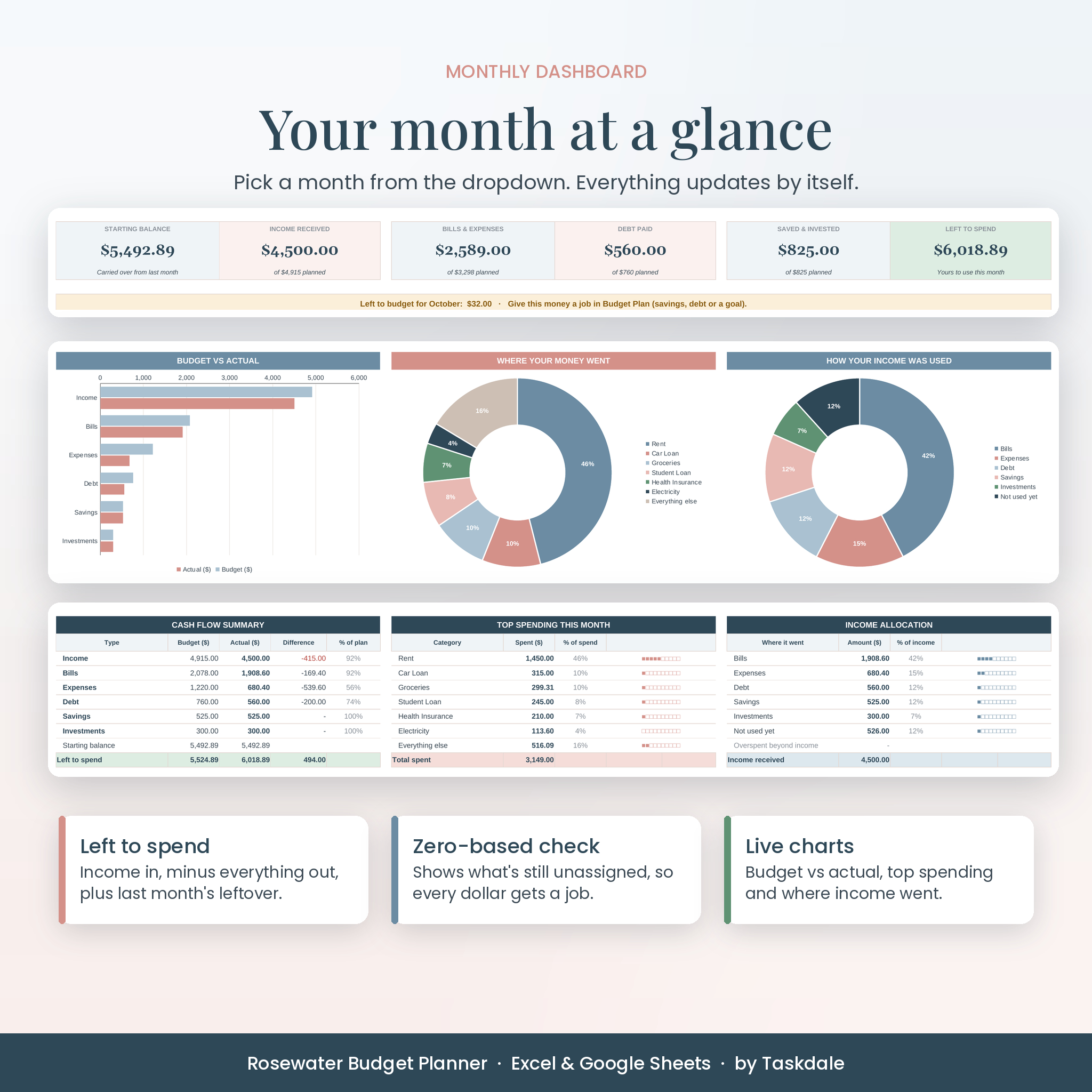
You plan how much goes to each category. You log what really happens. The planner compares the two and shows you, in plain numbers, where your money went and how much is left. Pick any month from a dropdown and the dashboard updates instantly.
- See your month at a glance. Six summary cards show starting balance, income, bills and expenses, debt paid, money saved and your left to spend.
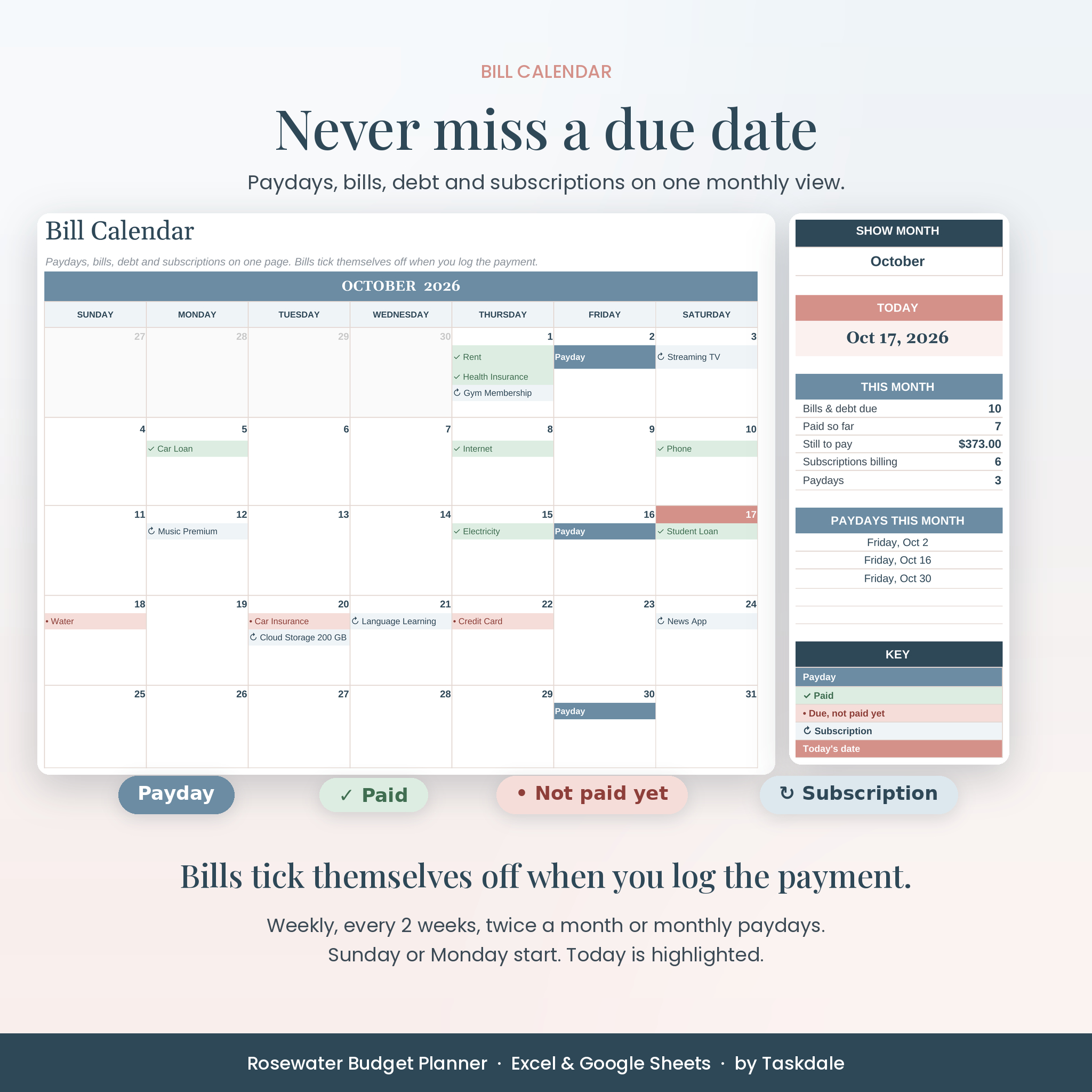
- Never miss a due date. A bill calendar shows paydays, bills, debt payments and subscriptions. When you log a payment, that bill turns green.
- Give every dollar a job. A zero-based budget check tells you how much income is still unassigned.
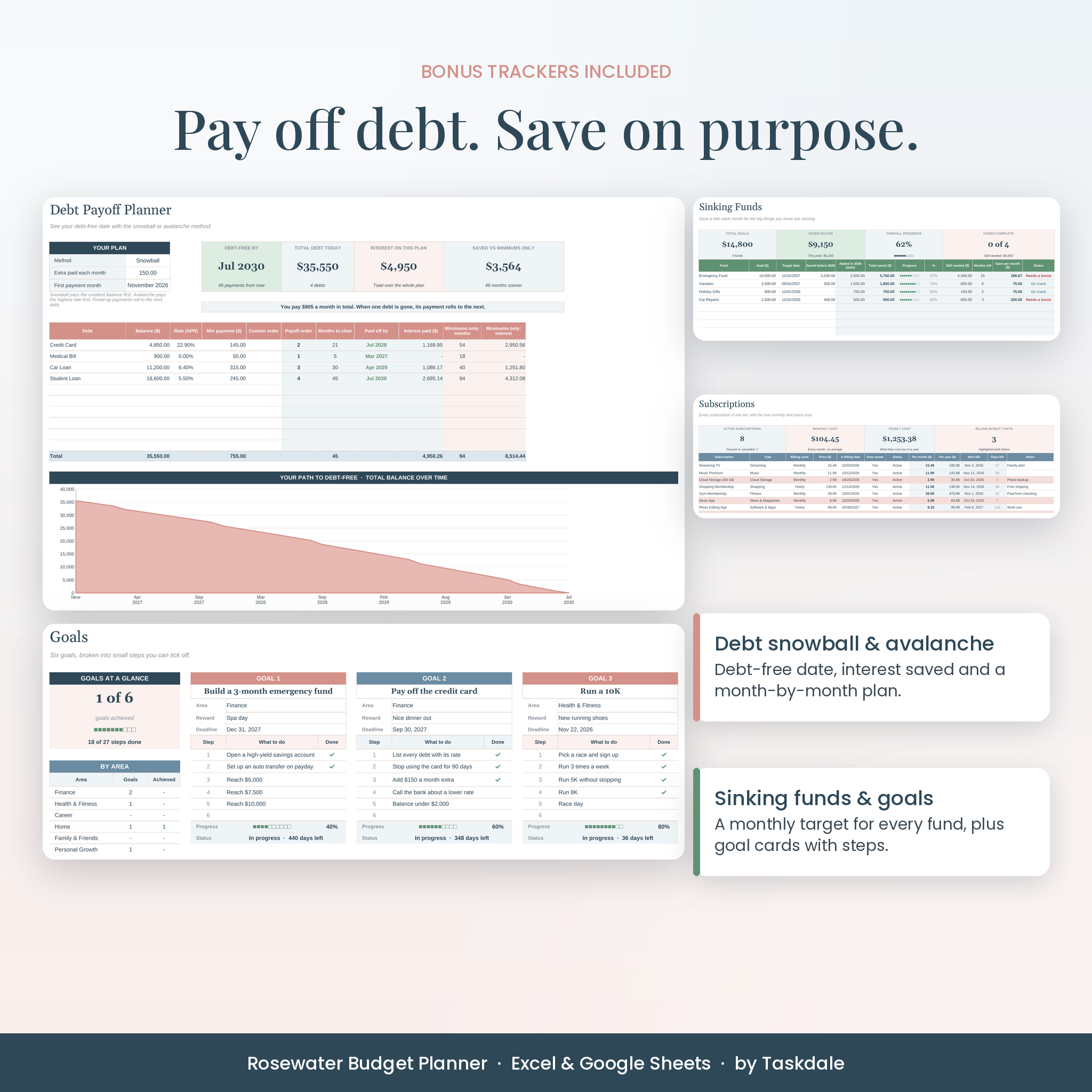
- Get out of debt faster. The debt payoff planner shows your debt-free date and how much interest you save compared with paying minimums only.
- Stop subscription creep. See the true monthly and yearly cost of every subscription, with a warning a week before each one renews.
Who it’s for
This budget planner spreadsheet suits first-time budgeters who want something simple, couples and families who want one shared view of money, and anyone paying down debt or saving for something big. If you can pick from a dropdown and type a number, you can use it.
Features
Monthly dashboard
Three charts (budget vs actual, top spending categories, and how your income was used), a cash flow summary, spending by account and six trackers for income, bills, expenses, debt, savings and investments. Each tracker has a progress bar and a status like Paid, $37 left or $18 over.
Budget plan with monthly overrides
Set a normal amount for each category, then change any single month. Gifts at $40 a month but $350 in December? Easy. Six sections hold up to 73 categories.
Transactions log
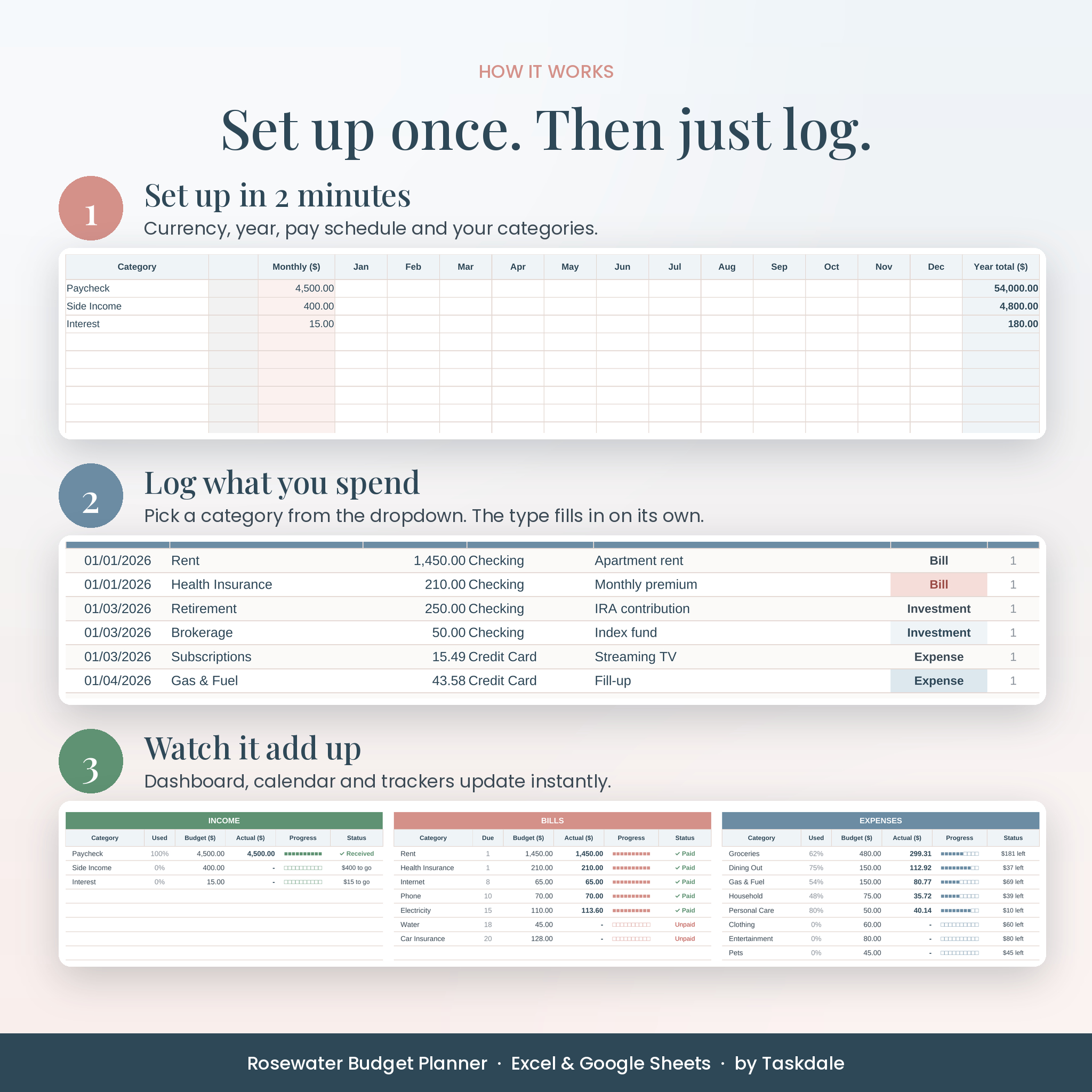
One log for the year with room for 2,000 entries. Pick a category from the dropdown, add the amount and account, and the type fills in for you. Refunds work as negative amounts.
Bill calendar
Weekly, every-two-weeks, twice-a-month or monthly paydays. Sunday or Monday start. Three-paycheck months are easy to spot.
Annual overview
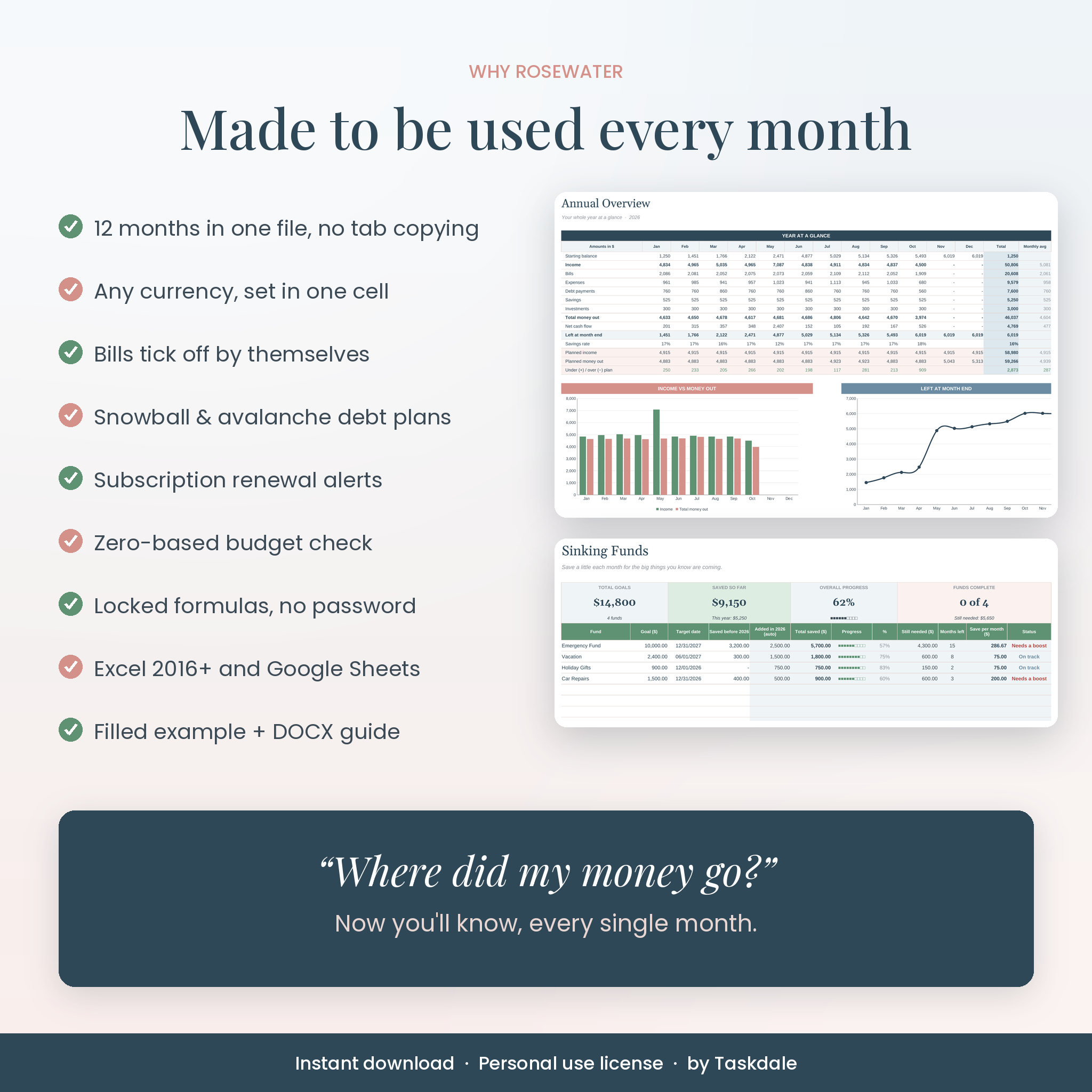
All 12 months side by side with income, spending, net cash flow, rollover balance and savings rate, plus a category report for every line of your budget.
Sinking funds, debt payoff, subscriptions and goals
Track up to 12 sinking funds with a monthly target, 10 debts with snowball, avalanche or custom order, 30 subscriptions and six goal cards with steps and rewards.
What’s included
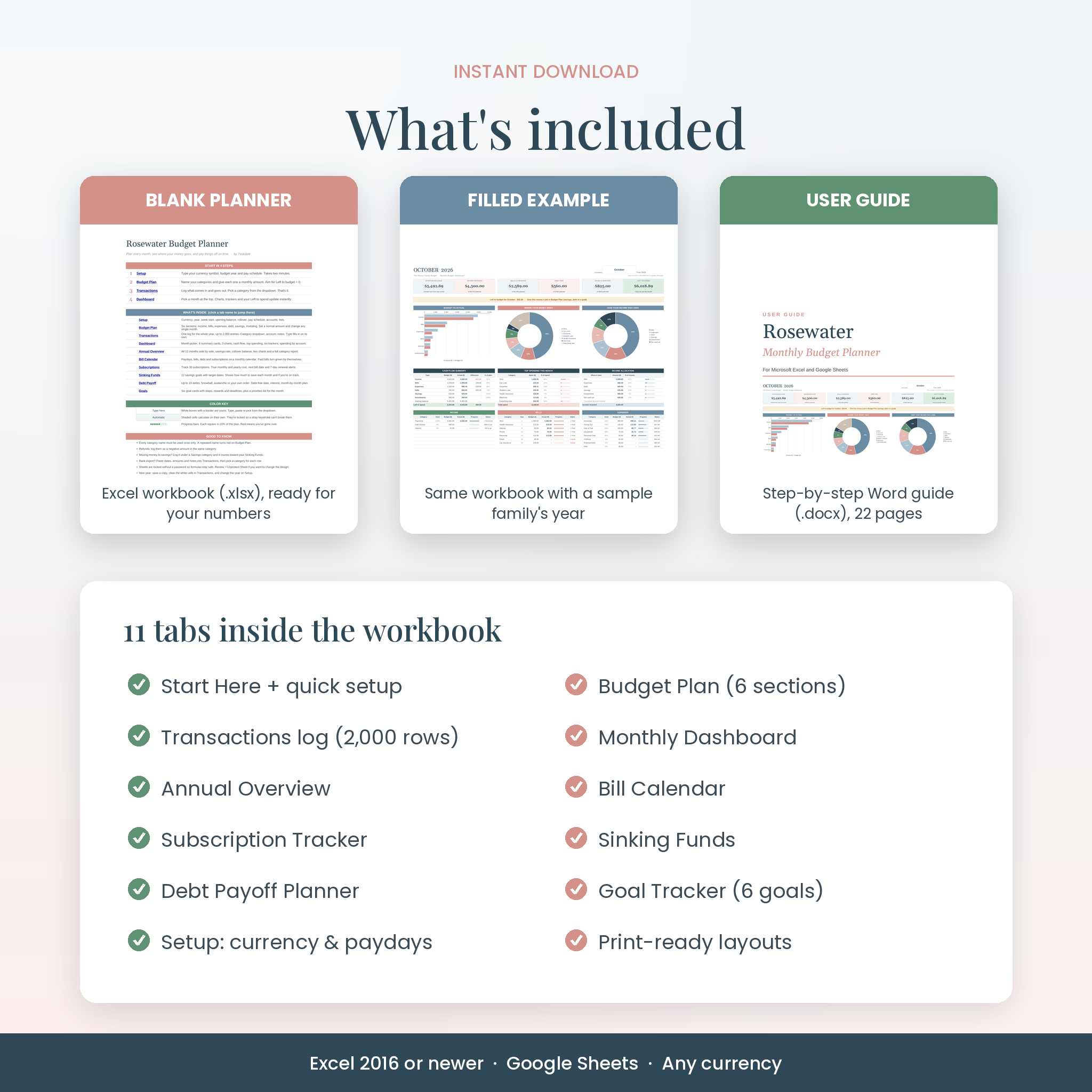
- Rosewater Budget Planner, blank (.xlsx) with 11 tabs: Start Here, Setup, Budget Plan, Transactions, Dashboard, Annual Overview, Bill Calendar, Subscriptions, Sinking Funds, Debt Payoff and Goals
- Filled example workbook (.xlsx) showing a sample family’s year
- 22-page user guide (.docx) with screenshots, troubleshooting and FAQs
How it works
- Set up. Type your currency symbol, budget year and pay schedule. Name your categories and set amounts.
- Log. Add income and spending as it happens, or paste rows from your bank export.
- Check in. Pick a month on the dashboard. Look at the calendar before bills are due.
File formats and software requirements
- Format: Microsoft Excel workbook (.xlsx). The guide is a Word document (.docx).
- Works in Excel 2016 or newer on Windows and Mac, and in Excel for the web. No Microsoft 365 subscription needed.
- Works in Google Sheets with a free Google account. Upload the file to Google Drive and open it.
- Best set up on a computer. Phones and tablets are fine for quick entries.
Customization
Rename categories, accounts, subscription types and goal areas, and every dropdown updates. Use any currency by typing its symbol in one cell. Formulas are locked without a password so they stay safe, and you can unlock a sheet any time to change colors or fonts. Every tab is set up to print neatly in landscape.
Real ways people use it
- A couple paid every two weeks plans around their three-paycheck months and puts the extra check toward the car loan.
- A single parent checks the bill calendar each Sunday so nothing slips past a due date.
- A recent grad lists four debts, picks the avalanche method and sees a debt-free date for the first time.
- A family saves $75 a month into a holiday gifts fund so December stops hurting.
Digital download
This is an instant digital download. Nothing is shipped. Your files are ready on the order page and in your email as soon as payment goes through. Colors can look slightly different from screen to screen.
License: personal use only. You may not resell, share or redistribute the files. This planner is a tool to organize your own numbers, not financial advice.
FAQ
Does this budget spreadsheet work in Google Sheets?
Yes. Upload the .xlsx to Google Drive and open it in Sheets. Dropdowns, charts, formulas and the bill calendar all work.
Do I need Microsoft 365?
No. Excel 2016 or newer is enough, and Excel for the web works too.
Can I use my own currency?
Yes. Type your symbol once on the Setup tab, such as $, €, £ or R, and every heading and total uses it.
Is it good for beginners?
Yes. You only type in white boxes. Everything else calculates on its own, and the guide walks you through setup step by step.
Can I start in the middle of the year?
Yes. Pick the current month and start logging. Earlier months just stay empty.
Does it connect to my bank?
No. Nothing links to your bank, so your login details stay private. You can paste rows from a bank CSV export if you like.
Can I reuse it next year?
Yes. Save a copy, clear the transactions, change the year on Setup and you’re ready.
Is there a debt snowball calculator?
Yes. The Debt Payoff tab handles snowball, avalanche or your own order for up to 10 debts, with a month-by-month plan.
Reviews
There are no reviews yet.