



Plumcrest is a 2027 digital goal planner for tablets. Most dated digital planners give you calendars and stop there. Plumcrest links your goals to the calendar: six goal plans and four quarterly pages sit one tap away from every month, every week and every day of 2027.
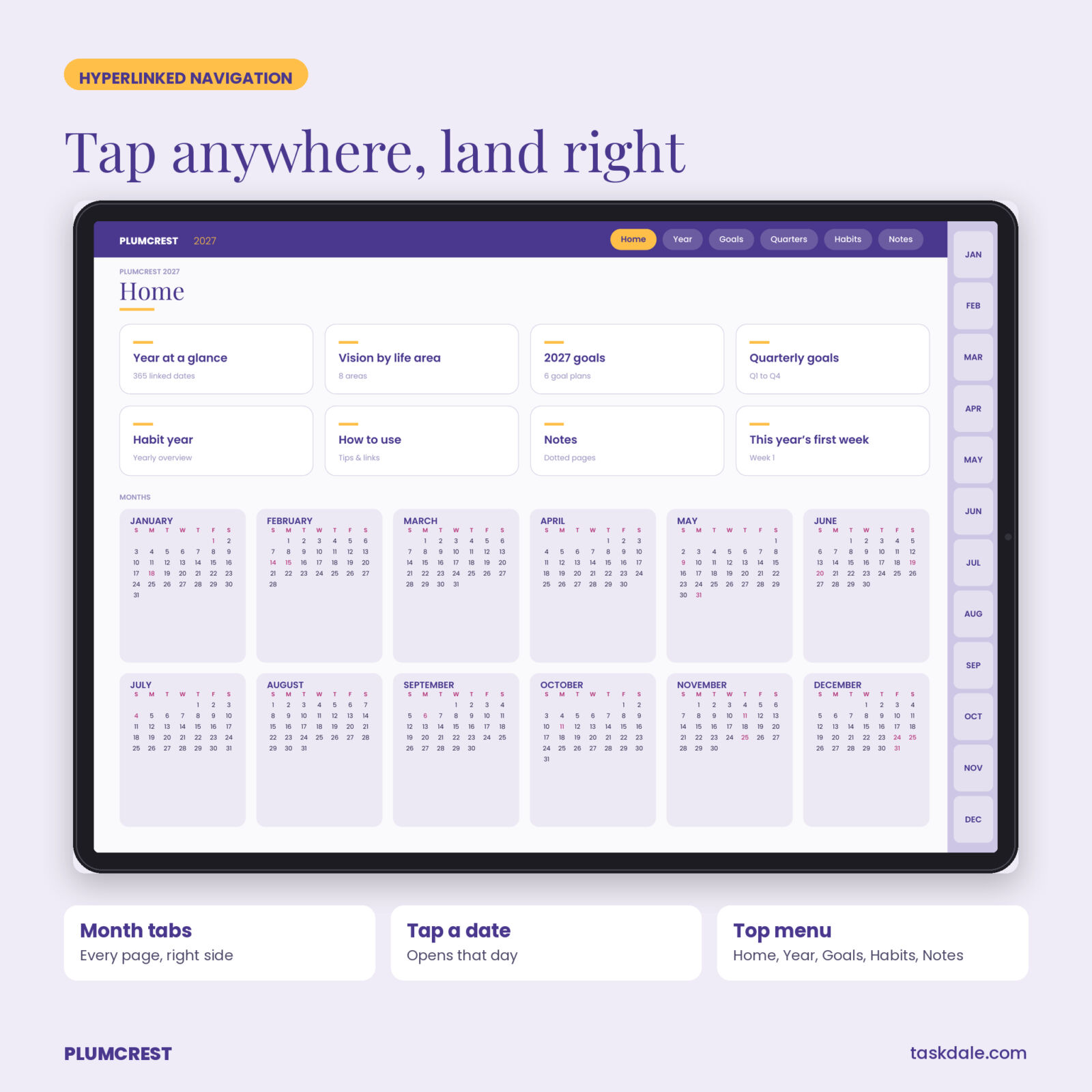
It is a single hyperlinked PDF in landscape format. Month tabs run down the right side of every page, a top menu jumps to Home, Year, Goals, Quarters, Habits and Notes, and every date on every calendar opens its own daily page.
What is inside the digital planner
Goals
- Vision by life area: eight areas with a “now” score.
- 2027 goals overview: six goal cards with life area, why, finish date, first step, reward and a progress bar.
- 6 goal plan pages: SMART breakdown, milestones by quarter, action steps, if-then plans, support and reward.
- 4 quarterly pages: top 3 goals, milestones, review notes and a 13-week outline where each week links to its page.
- Habit year overview: ten habits by twelve months to shade as the year goes.
Calendar
- Home and year at a glance with every date linked.
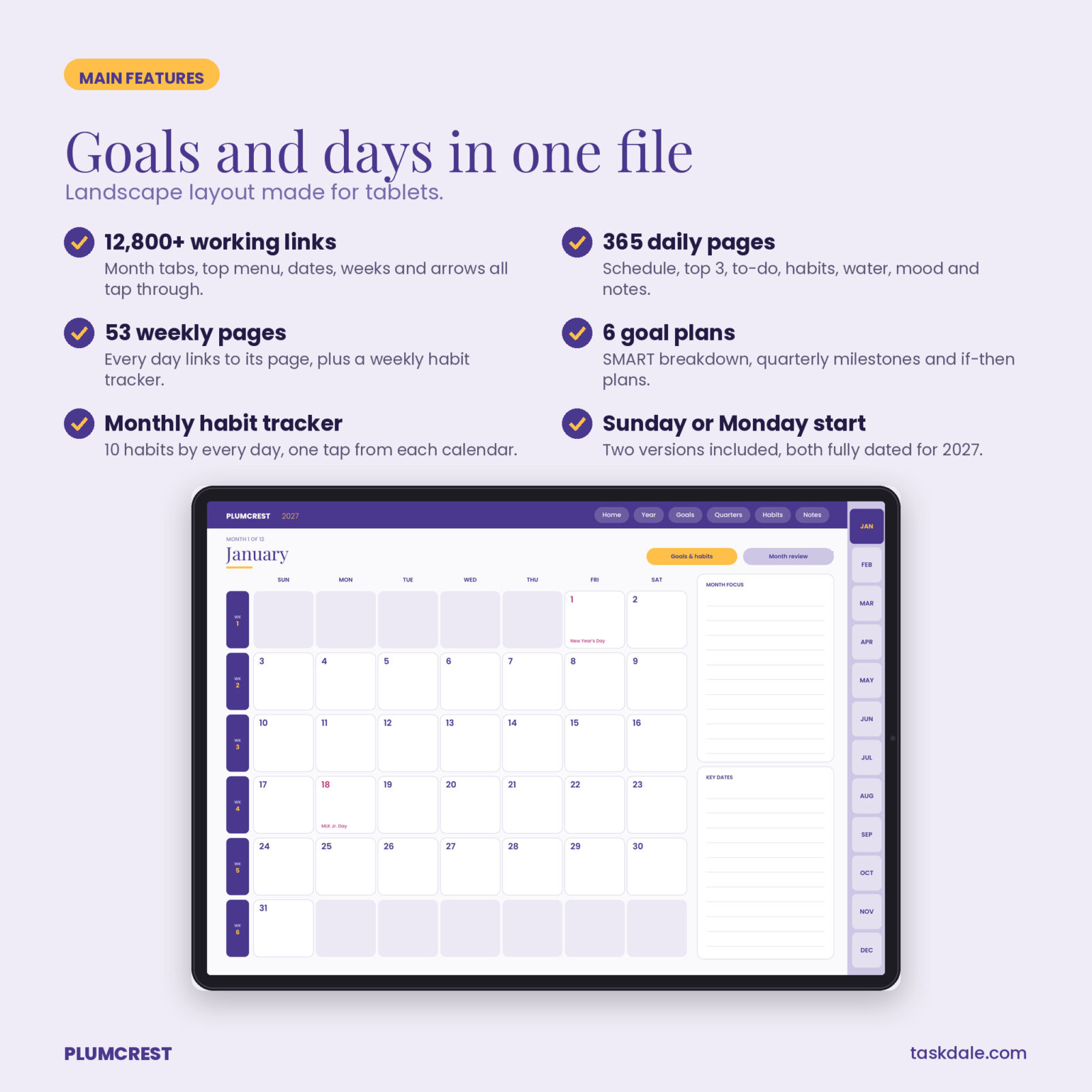
- 12 monthly calendars with US holidays, week numbers that link to weekly pages, a month focus and key dates.
- 12 goals and habits pages with 3 monthly goals and a 10-habit tracker for every day of the month.
- 12 month review pages with wins, challenges, lessons, goal progress and a month score.
- 53 weekly pages with 7 day boxes, week focus, a weekly habit tracker, goal actions and win of the week.
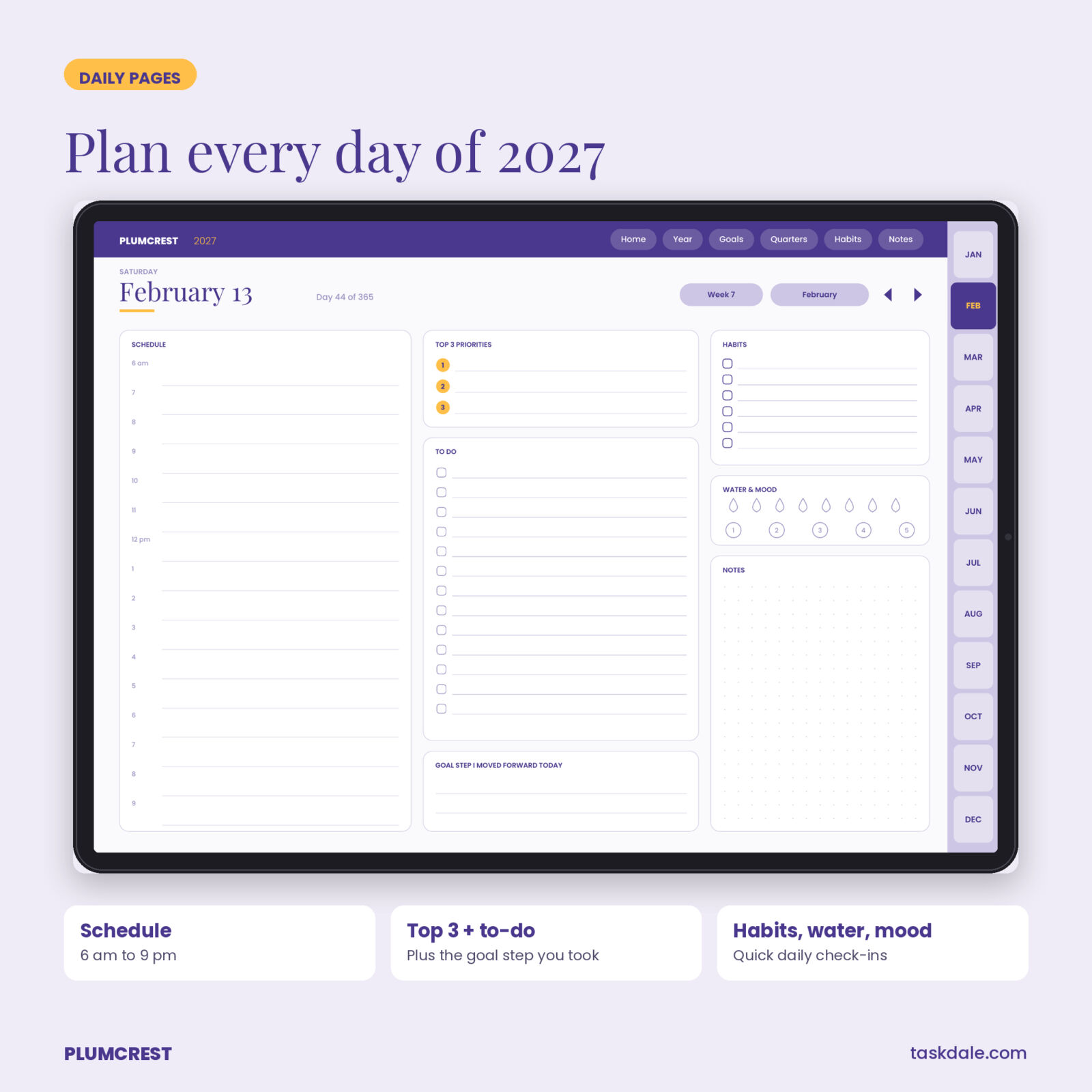
- 365 daily pages with a 6 am to 9 pm schedule, top 3 priorities, to-do list, the goal step you moved forward today, 6 habit checks, water and mood trackers, and dotted notes.
- 10 notes pages in dotted and lined styles.
Who it is for
iPad and Android tablet users who plan with a stylus and want goals and daily planning in one place. It works well for professionals, students, parents and anyone starting 2027 with a clear list of goals.
What is included
- Plumcrest-2027-Digital-Goal-Planner-Sunday-Start.pdf (481 pages)
- Plumcrest-2027-Digital-Goal-Planner-Monday-Start.pdf (481 pages)
- Plumcrest User Guide (DOCX) with import steps for GoodNotes and Notability, navigation tips and FAQ
How it works
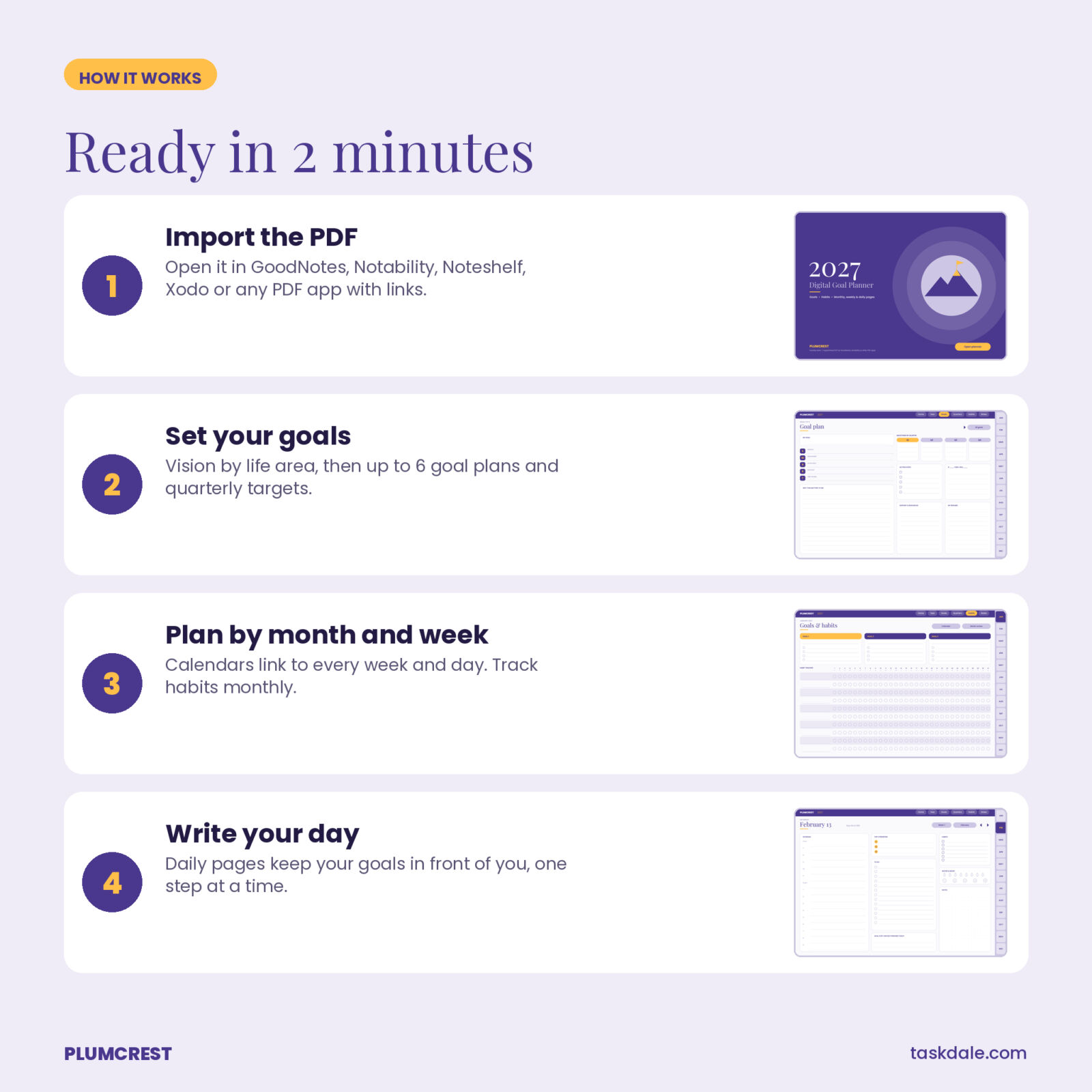
- Download the PDF to your tablet.
- Import it into GoodNotes (+ then Import) or Notability (Import), or open it in another PDF app that supports links.
- Tap “Open planner” on the cover to reach Home.
- Set your goals first, then plan by month, week and day.
Apps and devices
Built as a standard hyperlinked PDF. Every one of the 12,800+ internal links was checked before release. It works in GoodNotes, Notability, Noteshelf, Xodo, Samsung Notes and Adobe Acrobat on iPad, Android tablets and computers. In GoodNotes, links work in read-only mode or when no pen tool is selected. Pages are vector, so they stay sharp at any zoom, and the file is about 3.6 MB.
Customizing
Write, type, add stickers or photos anywhere. Duplicate notes pages from your app’s page menu. The links keep working under anything you add.
Use cases
- A 2027 fitness goal with daily water and workout checks.
- Freelancers planning client work by week with goals in view.
- Students who want a calendar plus personal goals in one notebook.
- A New Year reset that carries into daily planning.
Specs at a glance
- Format: hyperlinked PDF, landscape
- Pages: 481 per version
- Links: more than 12,800, all checked
- Dated: January 1 to December 31, 2027 with US holidays
- Versions: Sunday start and Monday start
- File size: about 3.6 MB each
Why Plumcrest is different
Many 2027 digital planners are calendars with a goals page tacked on. Plumcrest is built the other way round. Every daily page has a line for the goal step you moved forward today, every week has a goal actions box, every month has its own goals and habits page, and every quarter breaks into 13 linked weeks. The result is a planner where your goals are always one or two taps from wherever you are writing.
Digital download
This is a digital file. Nothing ships. Download right after checkout, import it into your note app in under two minutes and start with the goals pages, then plan tomorrow. License: personal use only. Do not resell, share or redistribute.
FAQ
Does it work in GoodNotes 6?
Yes. Import the PDF as a new notebook. Use read-only mode or turn the pen off to tap links.
Does it work on Android?
Yes, in PDF apps that support links such as Xodo, Noteshelf, Samsung Notes or Adobe Acrobat.
Is it dated?
Yes, fully dated for 2027 with US holidays, in Sunday-start and Monday-start versions.
Is it portrait or landscape?
Landscape, sized for tablets.
Can I print it?
Yes, single pages print in landscape, although it is designed for screens.
How big is the file?
About 3.6 MB per version, so it imports quickly.
Reviews
There are no reviews yet.