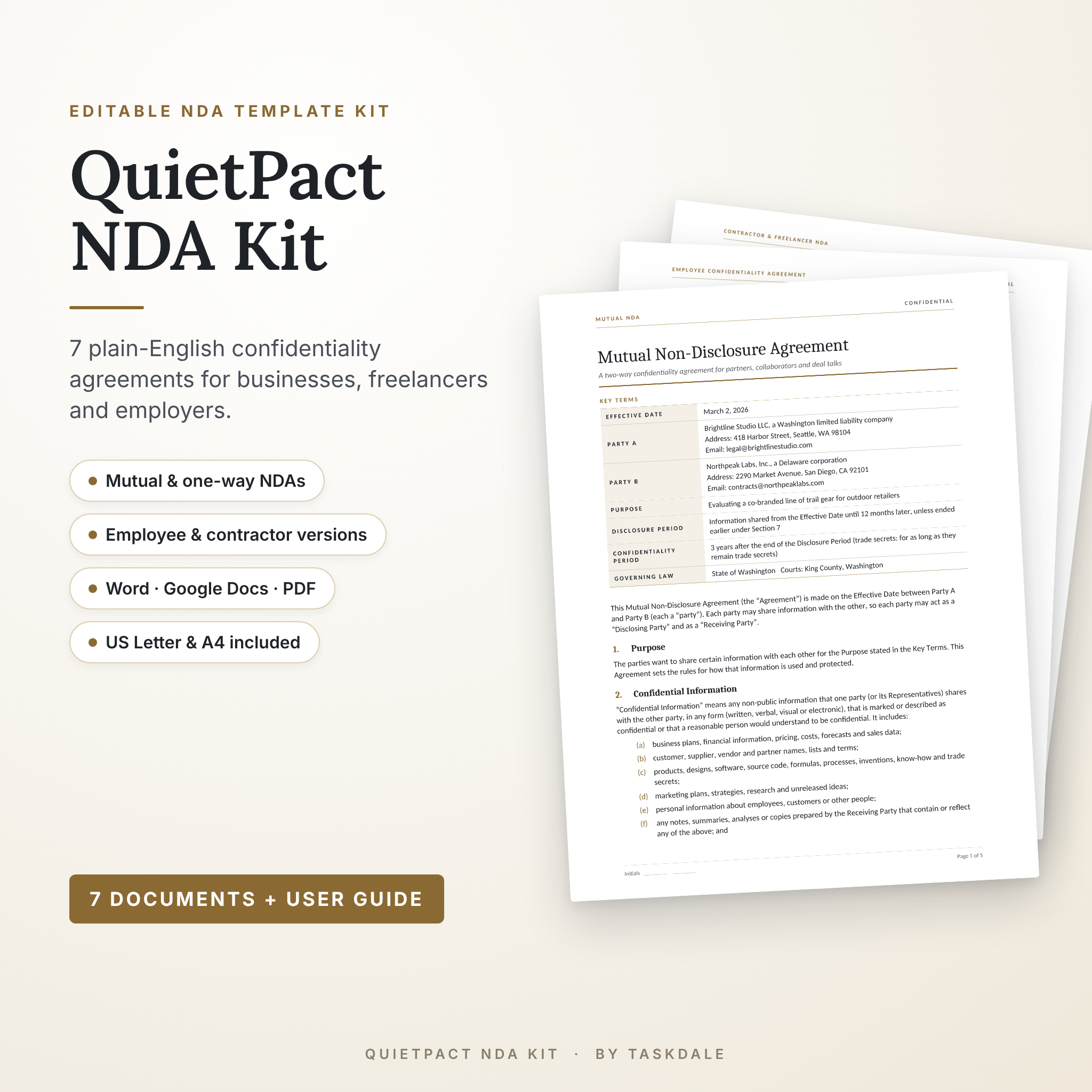

The QuietPact NDA Kit is an NDA template bundle with seven editable agreements, so you can protect your ideas, files and client data without paying a lawyer for every simple form. Instead of one generic two-page contract, you get a separate agreement for each real situation: two companies talking business, a pitch where only you share, a new hire, a freelancer, and a quick meeting. Every one is written in plain English and opens in Microsoft Word and Google Docs, with print-ready PDFs in US Letter and A4.
What this NDA template kit does
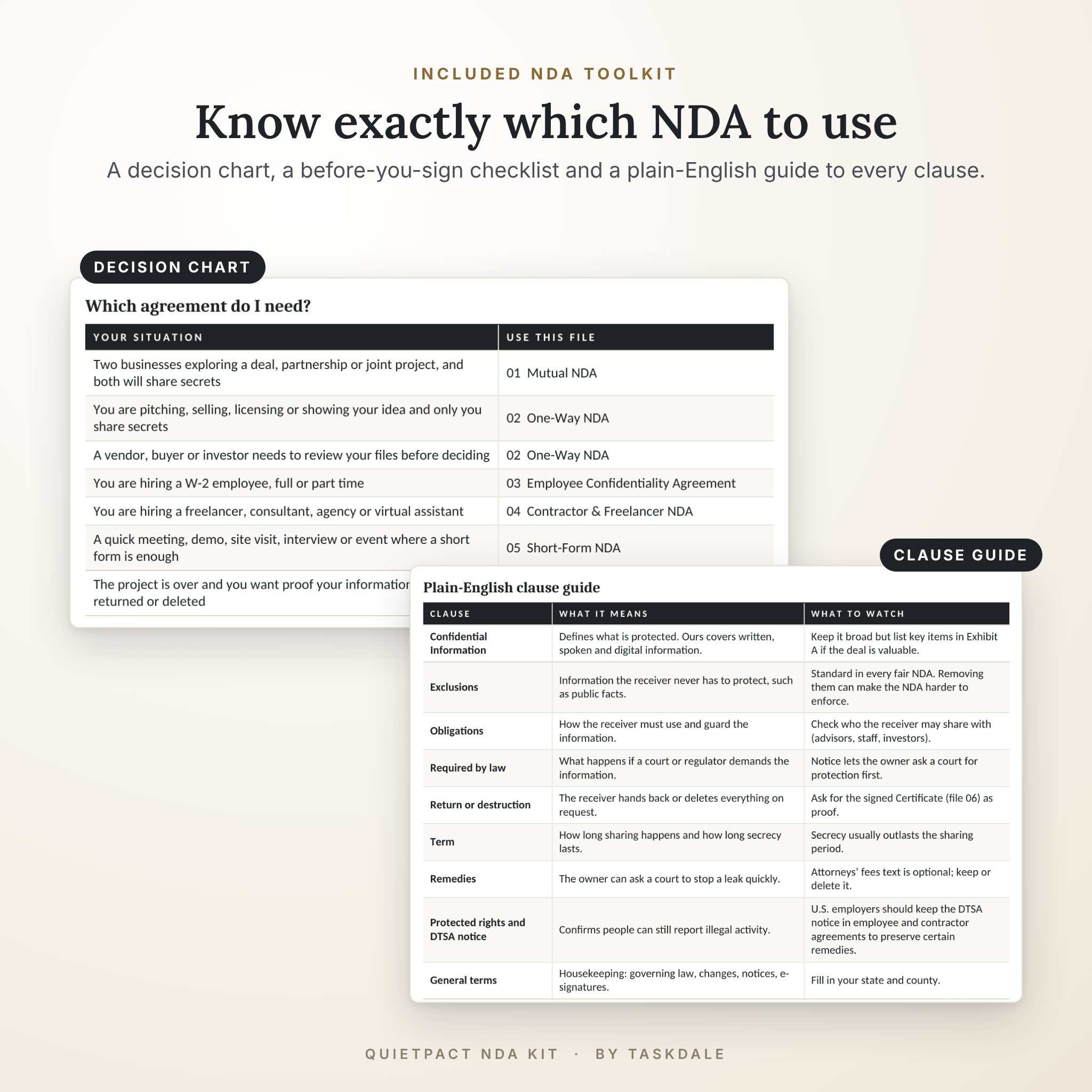
An NDA only helps if it fits the deal in front of you. A mutual NDA for a supplier chat is wrong for a W-2 employee. A five-page contract scares off someone you just want to show a prototype to. QuietPact solves that by giving you the right form for each job, plus a short chart that tells you which one to use.
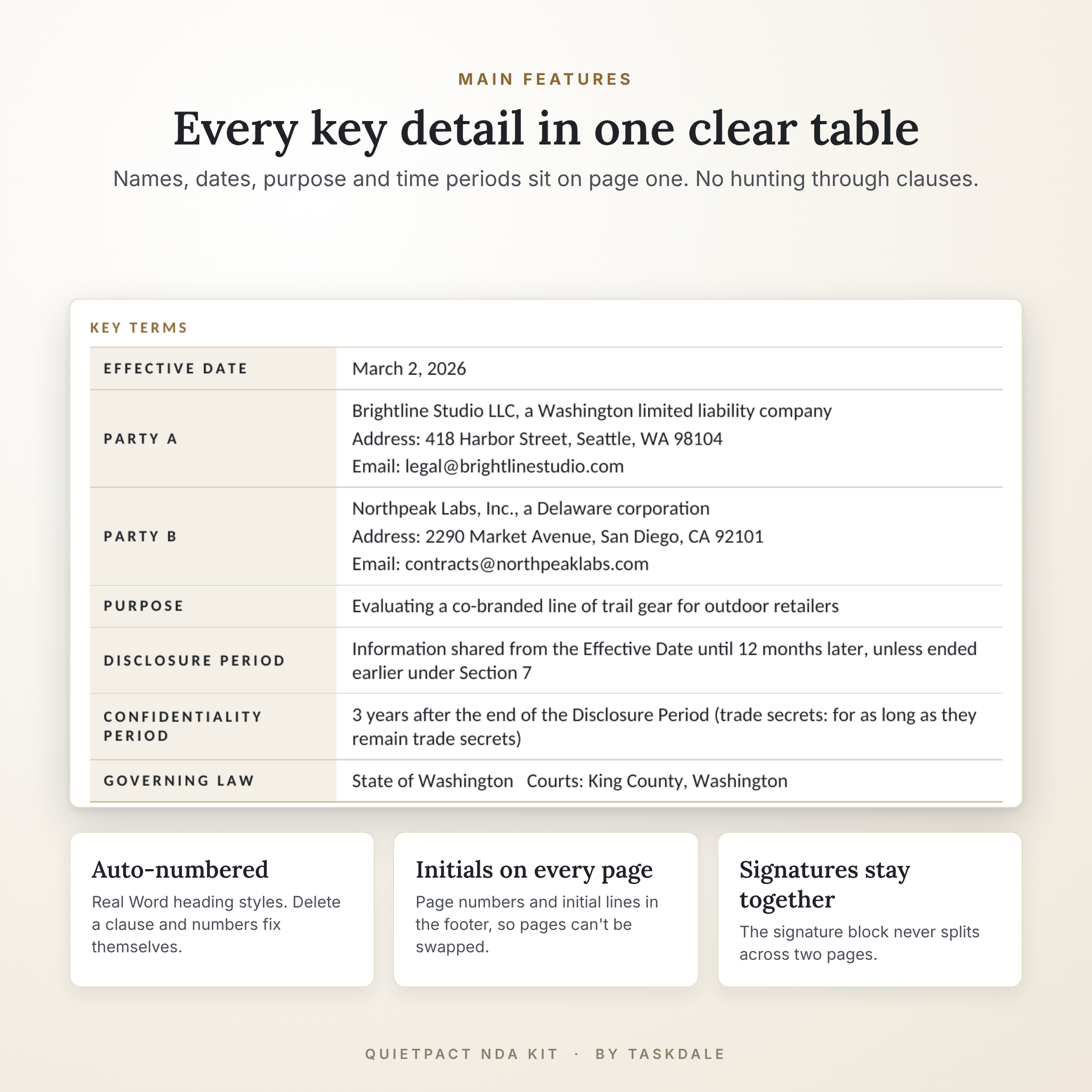
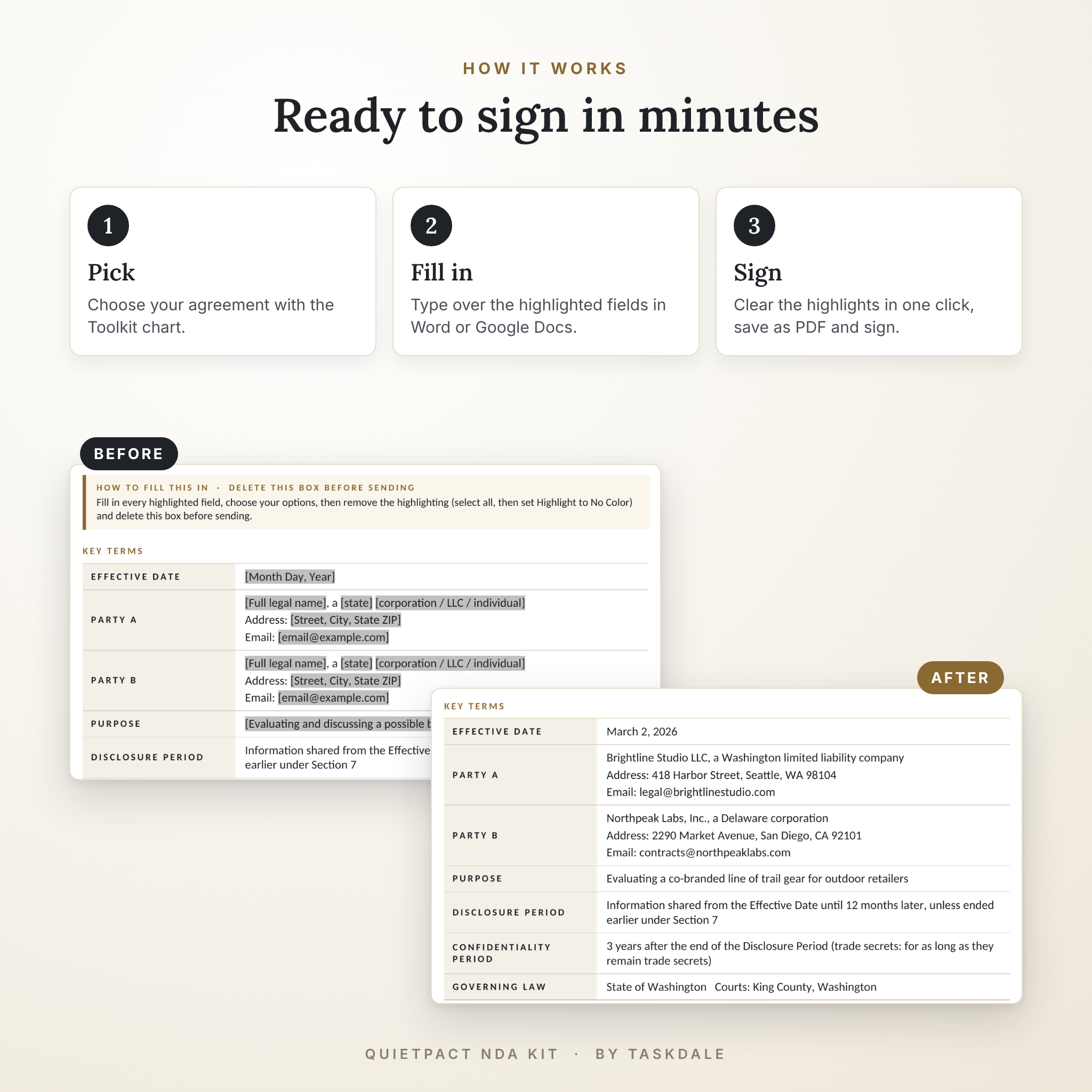
Each agreement starts with a Key Terms table on page one. Names, the effective date, the purpose, how long sharing lasts and how long secrecy lasts all sit in that one table. Fill it in, check the highlighted fields, and you are ready to sign.
Who it is for
- Small business owners sharing pricing, plans or customer lists with a partner or buyer
- Founders and inventors pitching to investors, manufacturers or licensees
- Employers onboarding staff who will see sensitive company information
- Agencies and clients hiring freelancers, developers, designers or virtual assistants
- Consultants and event hosts who need a one-page form before a meeting, demo or site visit
What is included
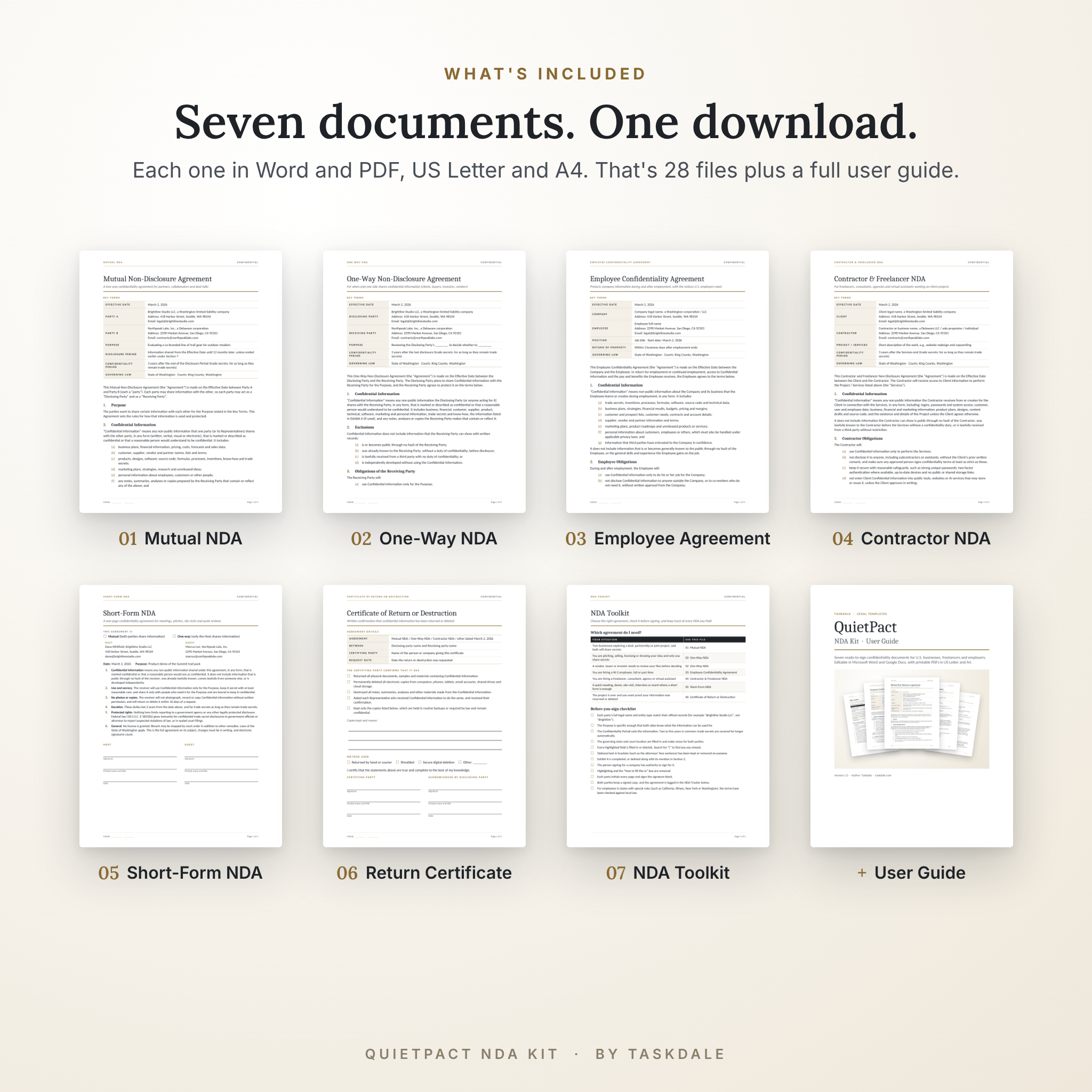
- 01 Mutual NDA (5 pages) for two-way sharing, with an Exhibit A schedule for listing specific files
- 02 One-Way NDA (4 to 5 pages) for when only you share, with a non-use clause that stops the receiver competing with your own information
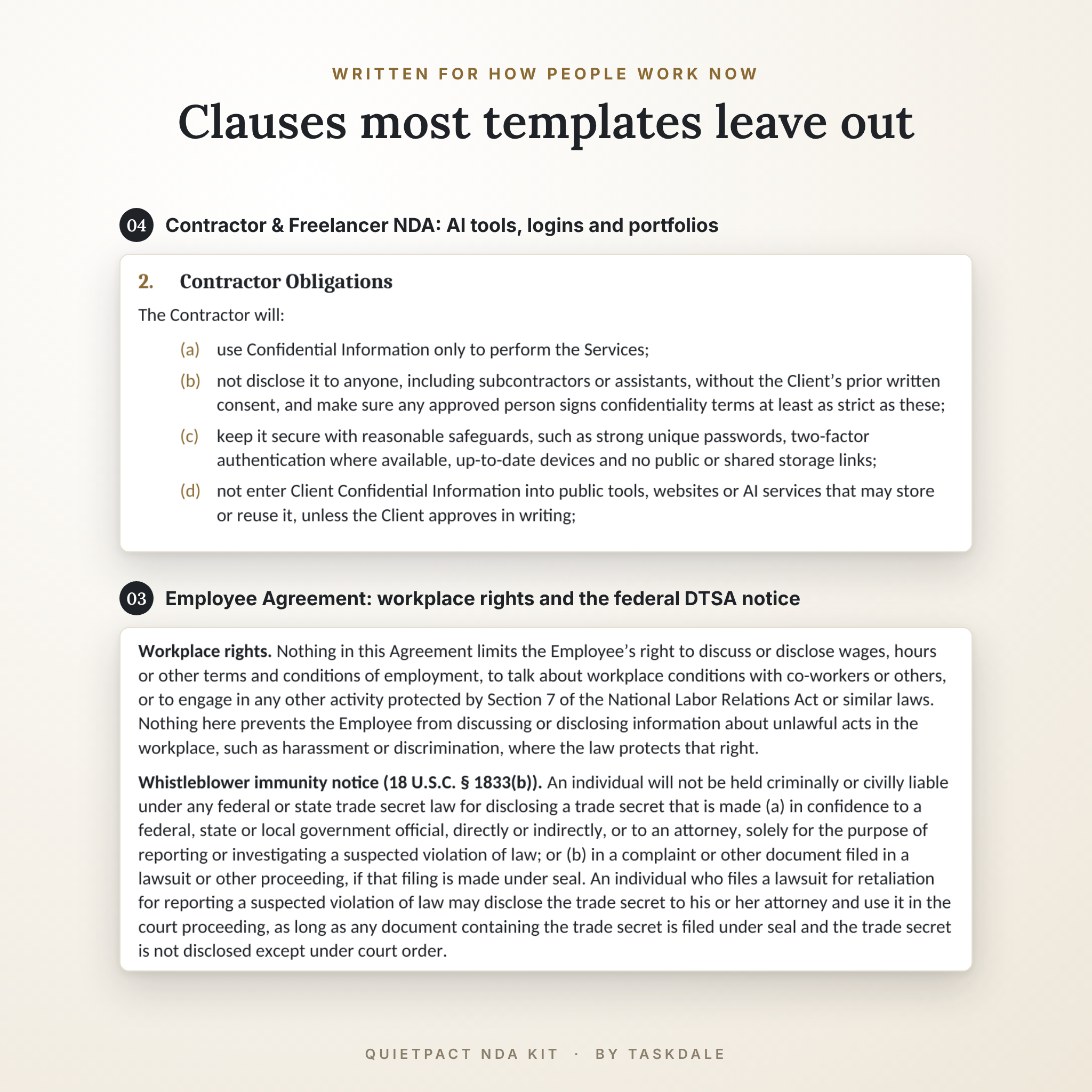
- 03 Employee Confidentiality Agreement (4 to 5 pages) with workplace-rights wording, the federal DTSA notice and an Exit Acknowledgment page
- 04 Contractor & Freelancer NDA (4 pages) covering logins, two-factor security, portfolios and client data in public AI tools
- 05 Short-Form NDA (1 page) with a tick box for mutual or one-way
- 06 Certificate of Return or Destruction (1 page) as written proof your information came back or was deleted
- 07 NDA Toolkit (3 pages): a which-NDA chart, a 12-point before-you-sign checklist, a plain-English clause guide, three email scripts and an NDA Tracker log
- User Guide (10 pages, Word and PDF) with step-by-step filling instructions, customizing tips, troubleshooting and FAQ
Every document comes in Word (US Letter and A4) and PDF (US Letter and A4). That is 28 template files plus the guide.
Main features
Built to be filled in fast
- Key Terms table on page one, so you never hunt through clauses for a date
- Highlighted [bracket] fields you can spot at a glance, then clear in one click
- A delete-me tip box at the top of each agreement explaining exactly what to do
Built to hold up on paper
- Auto-numbered clauses using real Word heading styles. Delete a clause and the numbers fix themselves
- Initials line and “Page X of Y” in every footer, so pages can’t be swapped later
- Signature blocks that stay together instead of splitting across two pages
- Counterparts and e-signature wording, so DocuSign, Dropbox Sign or a scanned signature all count
Clauses many cheap templates skip
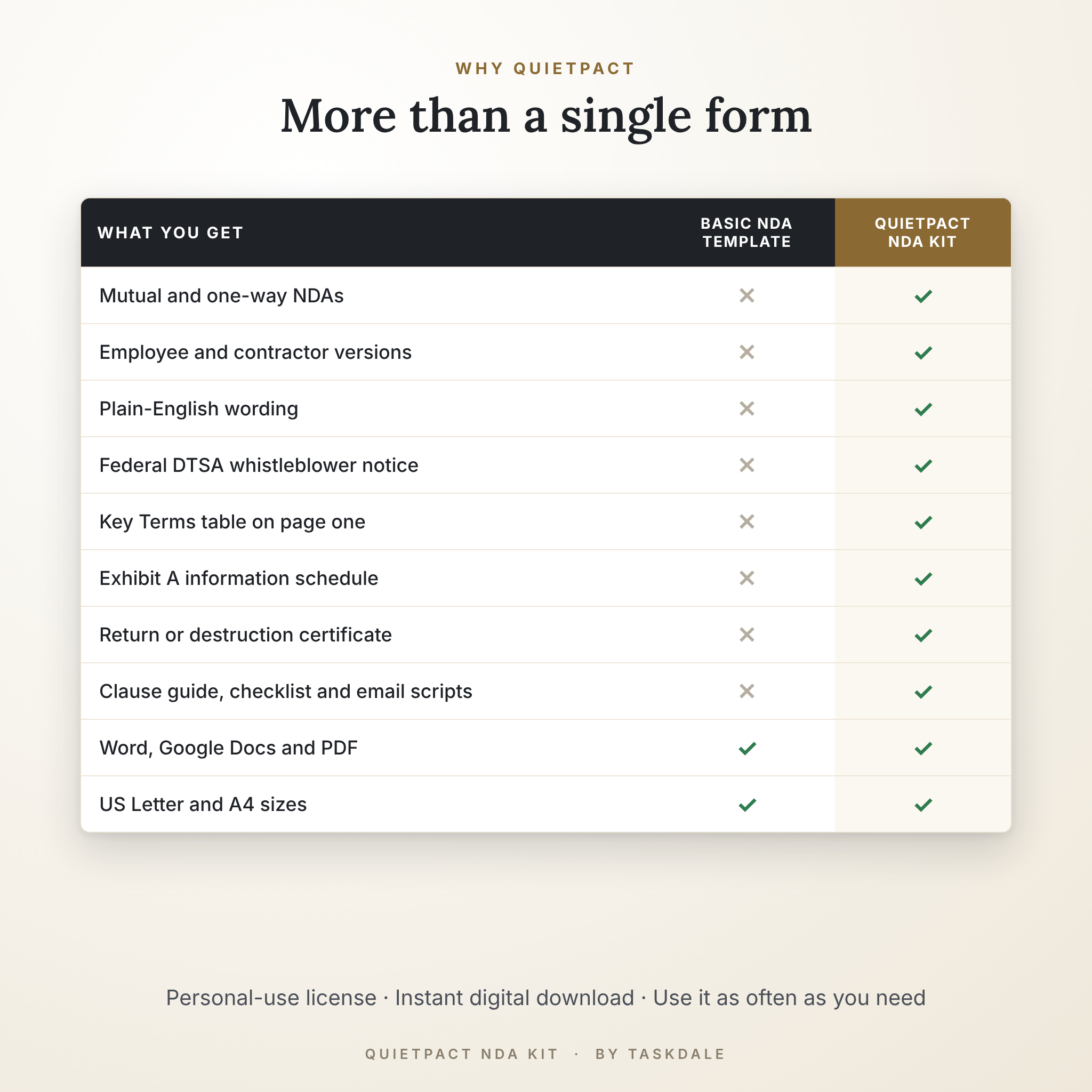
- Fair exclusions for public and independently developed information
- A required-by-law clause with notice to the owner
- Return or destruction of information, backed by a signed certificate
- The 18 U.S.C. § 1833(b) whistleblower notice that U.S. employers need in employee and contractor agreements
How it works
- Download and unzip the kit.
- Open the NDA Toolkit chart and pick your agreement.
- Open the Word file in Microsoft Word or upload it to Google Docs.
- Fill in the Key Terms table and any other highlighted field. Search for “[” to catch any you missed.
- Select all, set Highlight to No Color, delete the tip box and save as PDF.
- Send it for signature and log it in the NDA Tracker.
Prefer paper? Print the PDF at 100% scale and fill it in by hand.
File formats and software
- Word (.docx): Microsoft Word on Windows or Mac
- Google Docs: upload the .docx to Google Drive and choose Save as Google Docs (free Google account)
- PDF: any PDF reader, for printing and filling by hand
- Sizes: US Letter (8.5 x 11 in) and A4 (210 x 297 mm)
Customization
Add your logo to the header, swap the Cambria and Calibri fonts through Word’s built-in styles, or change the brass accent color to match your brand. Add a clause by applying the Heading 2 style and it numbers itself. The user guide walks through each change in plain steps.
Real situations where buyers use it
- A bakery owner sends the One-Way NDA before sharing her recipes with a co-packer.
- Two design studios sign the Mutual NDA before swapping client lists for a joint pitch.
- A startup puts the Employee Confidentiality Agreement into every offer pack.
- An agency has every new freelancer sign the Contractor NDA before getting tool logins.
- A product team keeps the Short-Form NDA at the front desk for demo-day visitors.
Digital download
This is a digital product. No physical item ships. After checkout you get instant access to a ZIP file and the user guide from your order confirmation and your account page.
Frequently asked questions
Is an NDA from a template legally binding?
Yes, when both parties sign and the terms are reasonable. Courts look at what the agreement says, not where it came from.
Do I need a mutual or one-way NDA?
If both sides will share anything sensitive, use the Mutual NDA. If only you will share, the One-Way NDA gives you stronger protection.
Can I edit this NDA template in Google Docs?
Yes. Upload the Word file to Google Drive and open it with Google Docs. Headings, numbering and tables carry over.
How long should an NDA last?
Two to five years covers most business information. Trade secrets stay protected for as long as they remain secret, and the templates already say so.
Can we sign it electronically?
Yes. Every agreement includes counterparts and electronic signature wording.
Does it work outside the United States?
The A4 files suit international paper, but the wording follows U.S. law. Have a local lawyer check it before using it in another country.
Can I use it more than once?
Yes. Fill it in and sign it as many times as you need for your own business.
License and important note
Personal license: use the templates for your own business or your own client work as often as you like. You may not resell, share or redistribute the templates in any form. Taskdale is not a law firm and these templates are not legal advice. For high-value deals or employees in states with special rules, have a licensed attorney review your final version.
Reviews
There are no reviews yet.