A home renovation budget tracker that keeps up with the real project
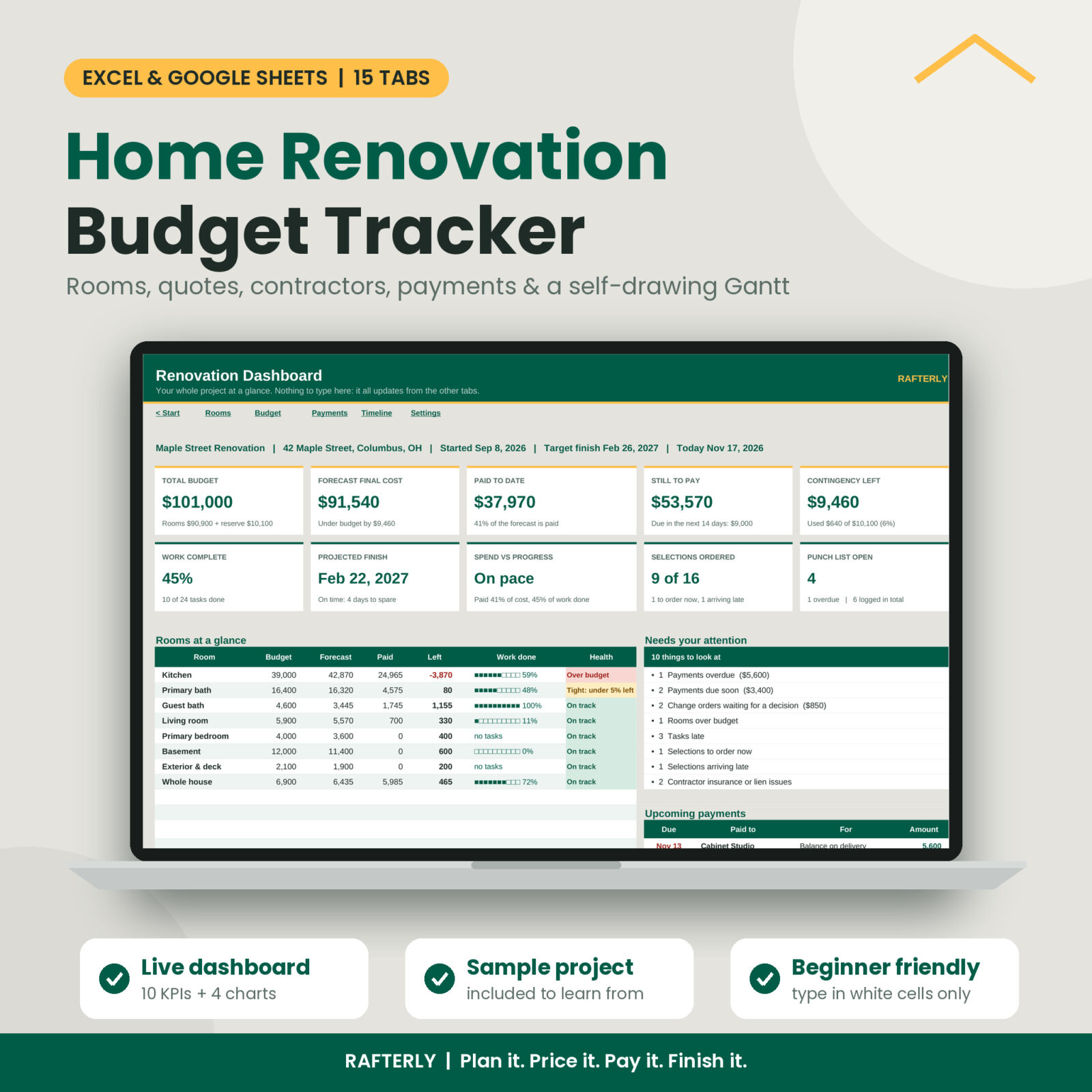
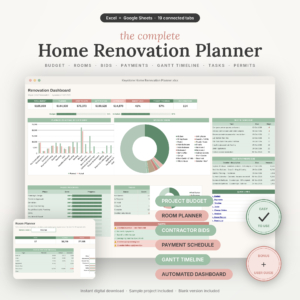
Renovations rarely go wrong in one big moment. They drift. A quote comes in a little higher, a wall hides some rot, a deposit goes out before the work starts, and three months later nobody is sure where the money went. Rafterly is a home renovation budget tracker for Excel and Google Sheets that shows you, every day, what you planned, what you committed, what you paid and what still needs you.
You type into the white cells. Rafterly does the math, flags problems and draws the charts.
What it does
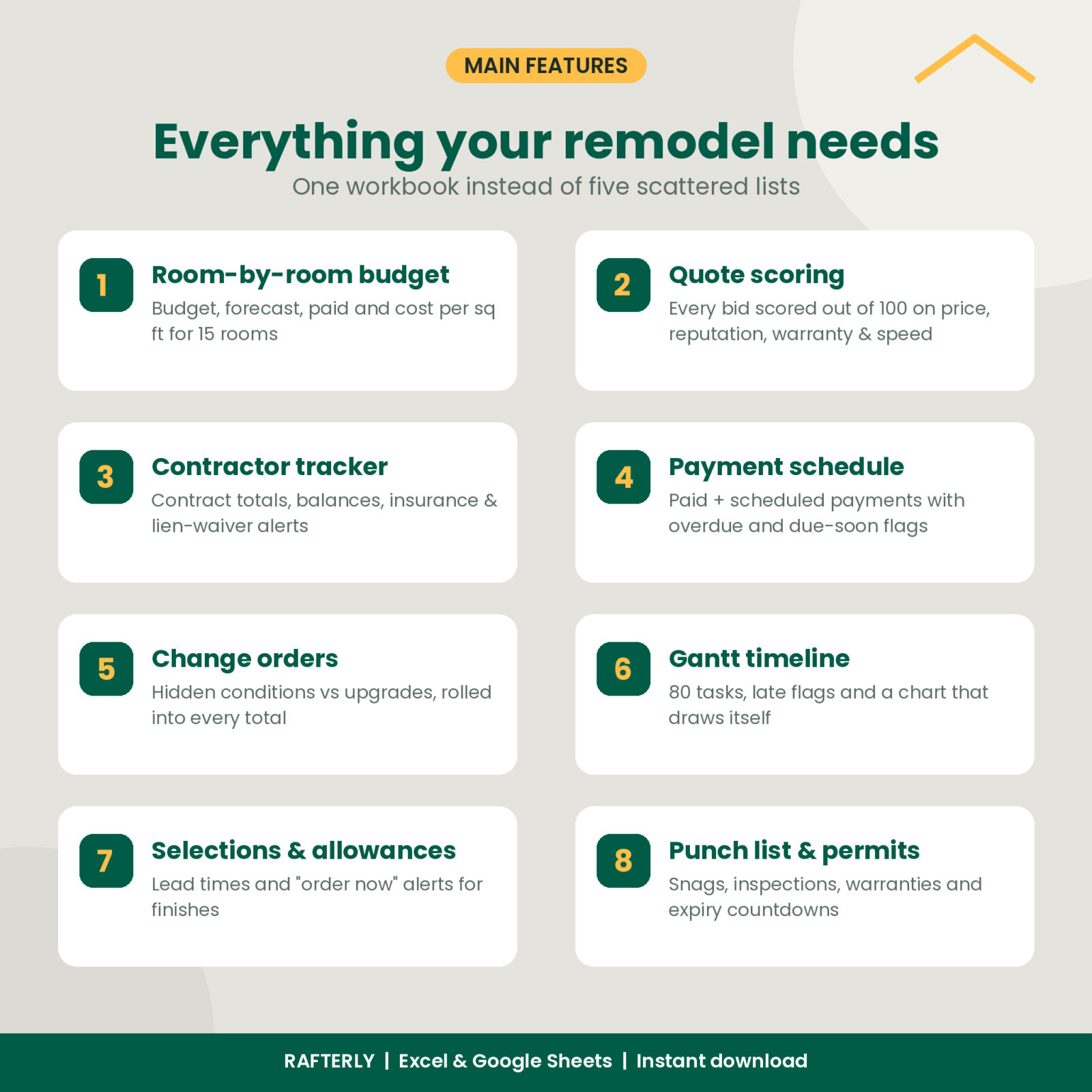
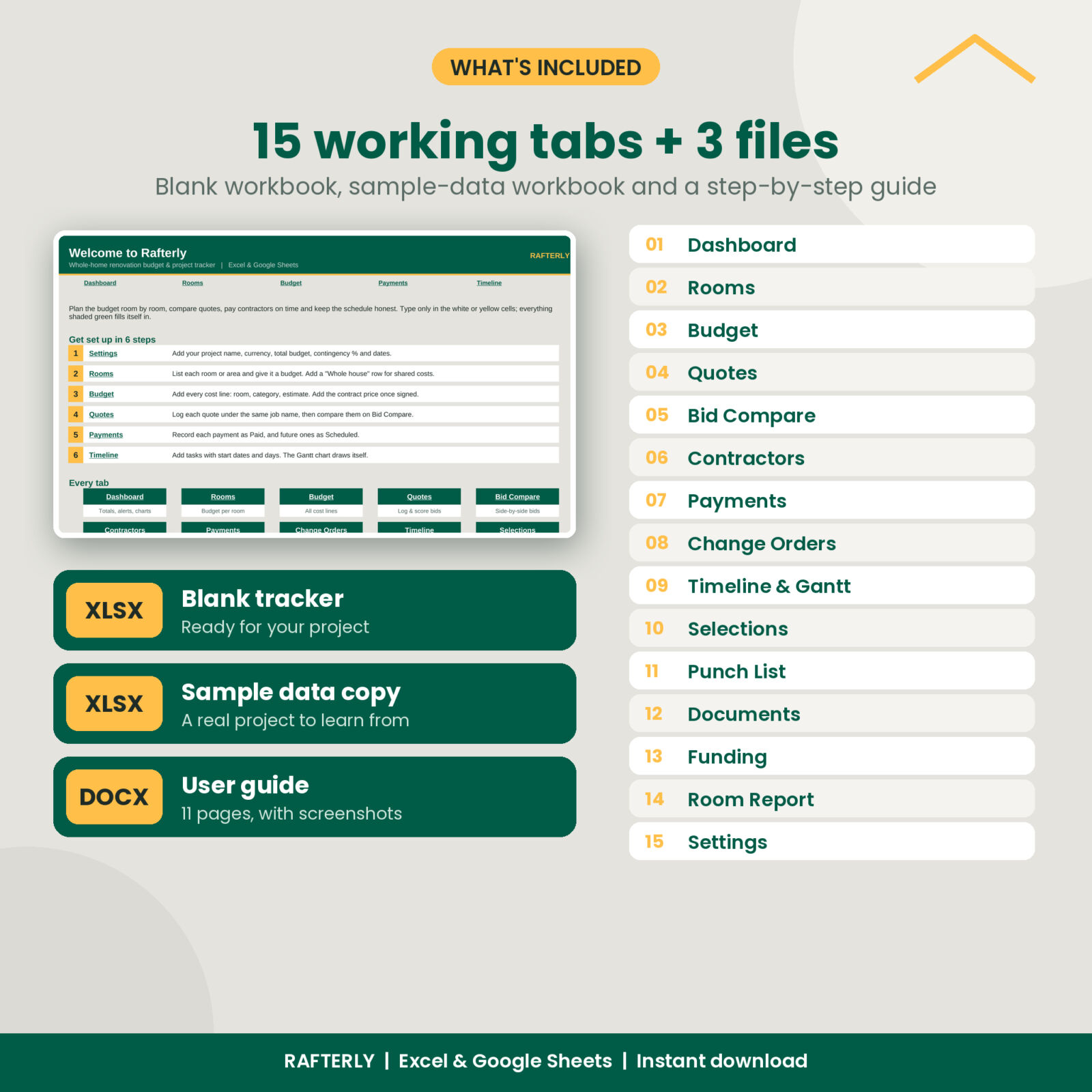
Rafterly connects 15 tabs so one entry updates everything. Add a contract price on the Budget tab and the room forecast, the contractor balance and the Dashboard all move with it. Approve a change order and it flows into the room and the contractor total. Mark a payment as paid and your funding sources update.
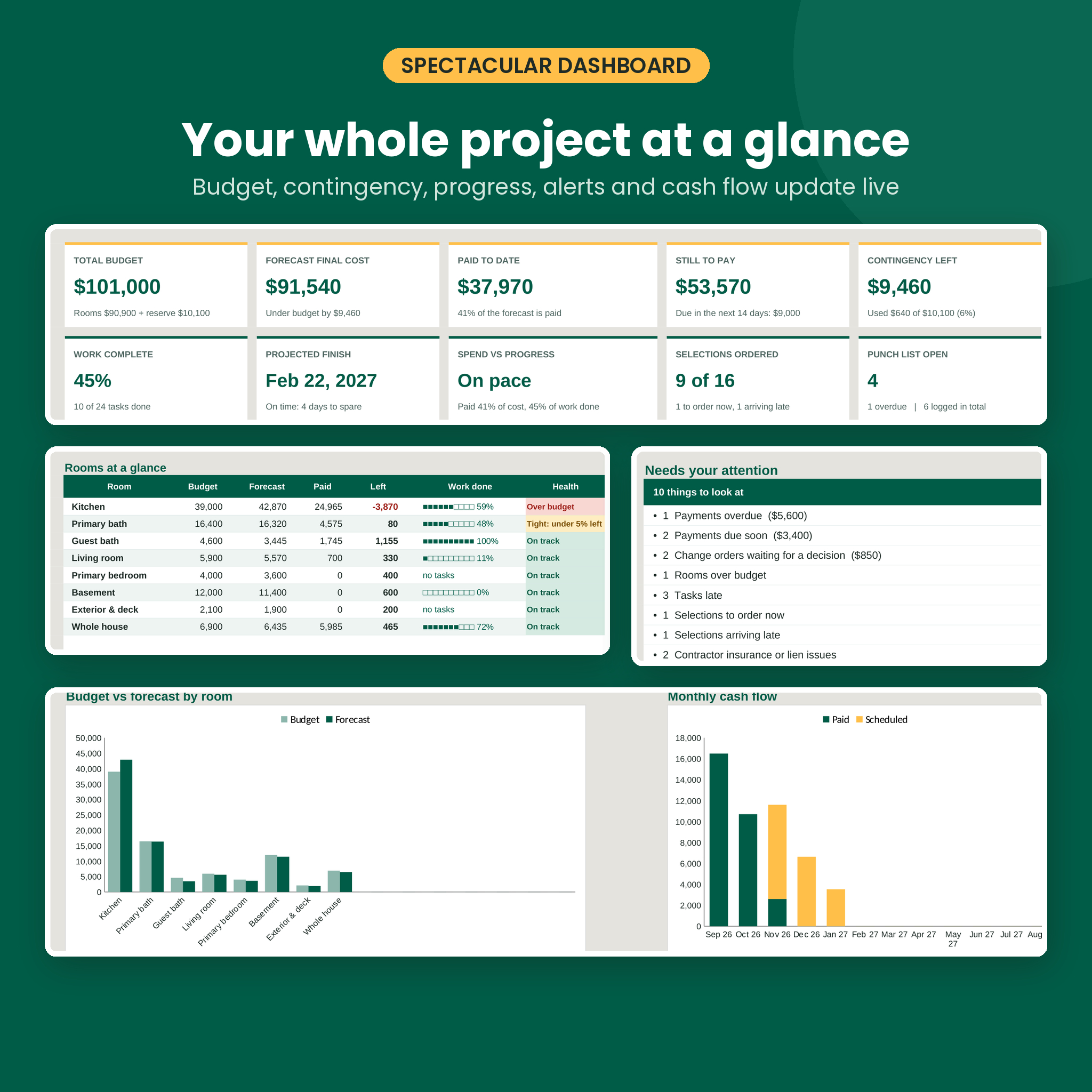
- Dashboard: total budget, forecast final cost, paid to date, still to pay, contingency left, work complete, projected finish, spend vs progress, selections ordered and open punch items. Plus a “Needs your attention” list, the next six payments and four charts.
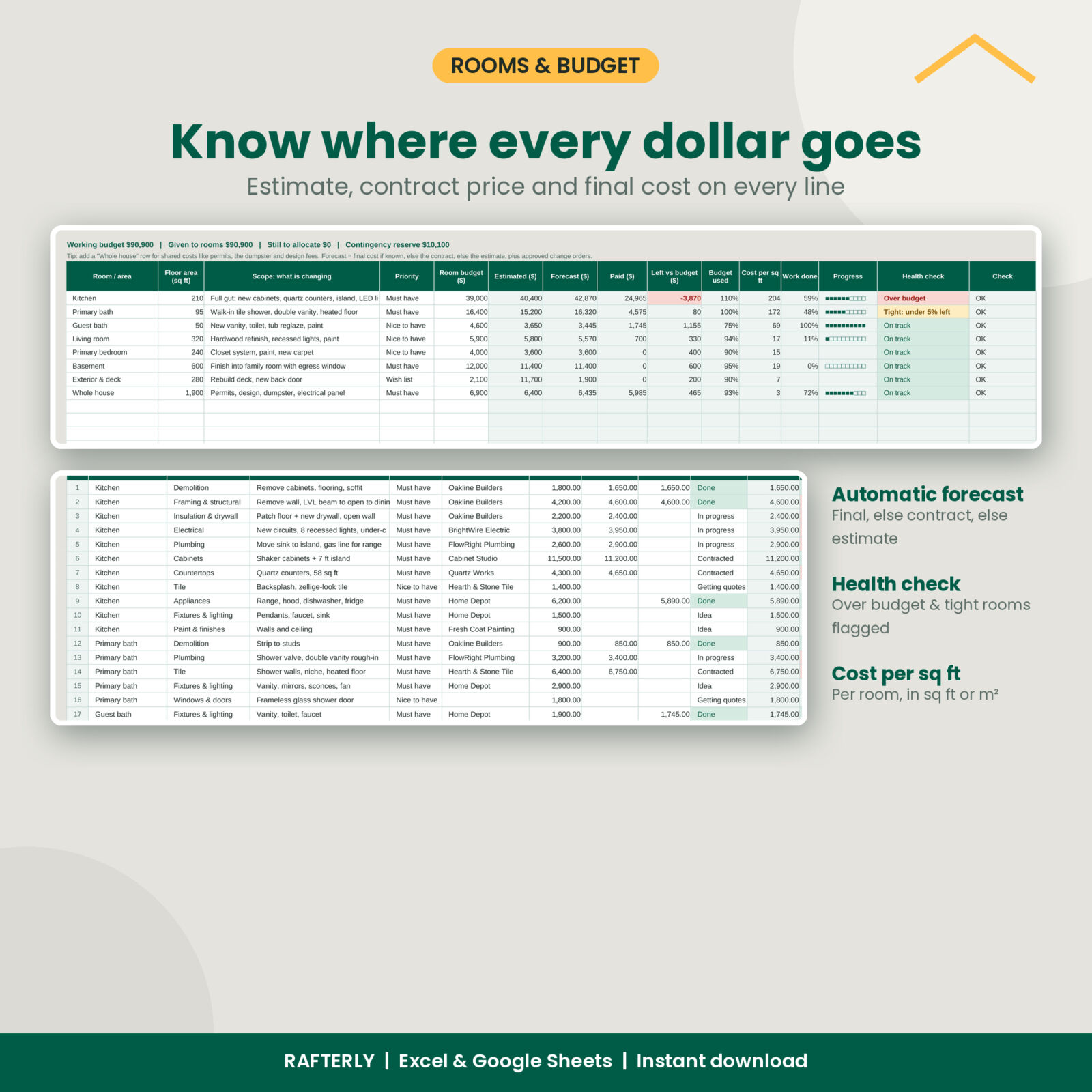
- Rooms: up to 15 rooms or areas with budget, estimate, forecast, paid, left, cost per sq ft (or m²), progress bar and a health check.
- Budget: 200 cost lines with estimate, contract price, final cost and status. The forecast always uses the most reliable number you have.
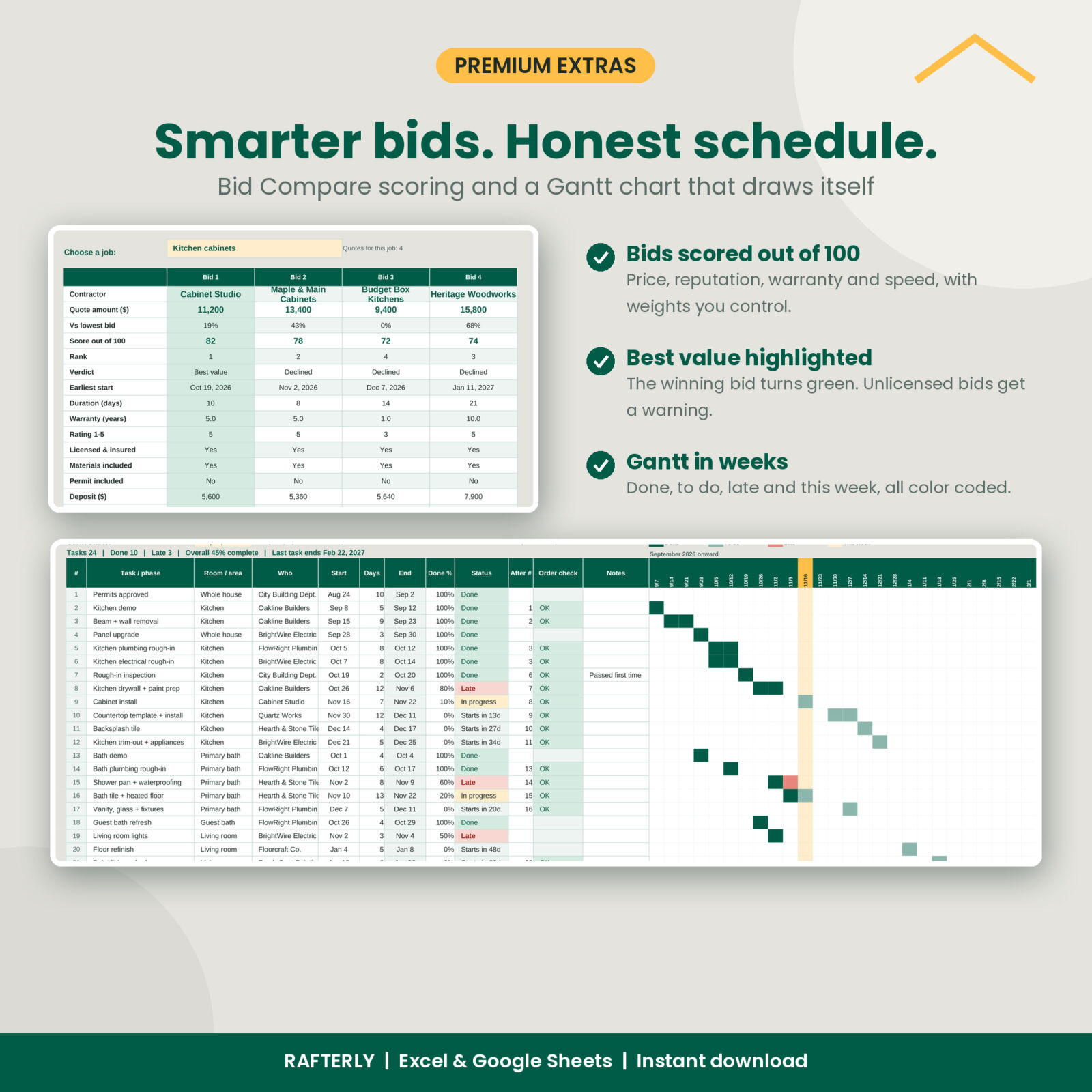
- Quotes and Bid Compare: log up to 60 bids. Each one gets a score out of 100 on price, reputation, warranty and speed, and the best value bid is highlighted side by side.
- Contractors: contact details, license number, insurance expiry, contract total, paid, balance and lien waiver status, with alerts.
- Payments: 300 rows for paid and scheduled payments, with overdue and due-soon flags and a monthly cash-flow chart.
- Change Orders: cost changes and credits by reason, so you can see how much came from hidden conditions and how much from your own upgrades.
- Timeline: 80 tasks with dependencies and a 32-week Gantt chart that colors done, to do, late and this week.
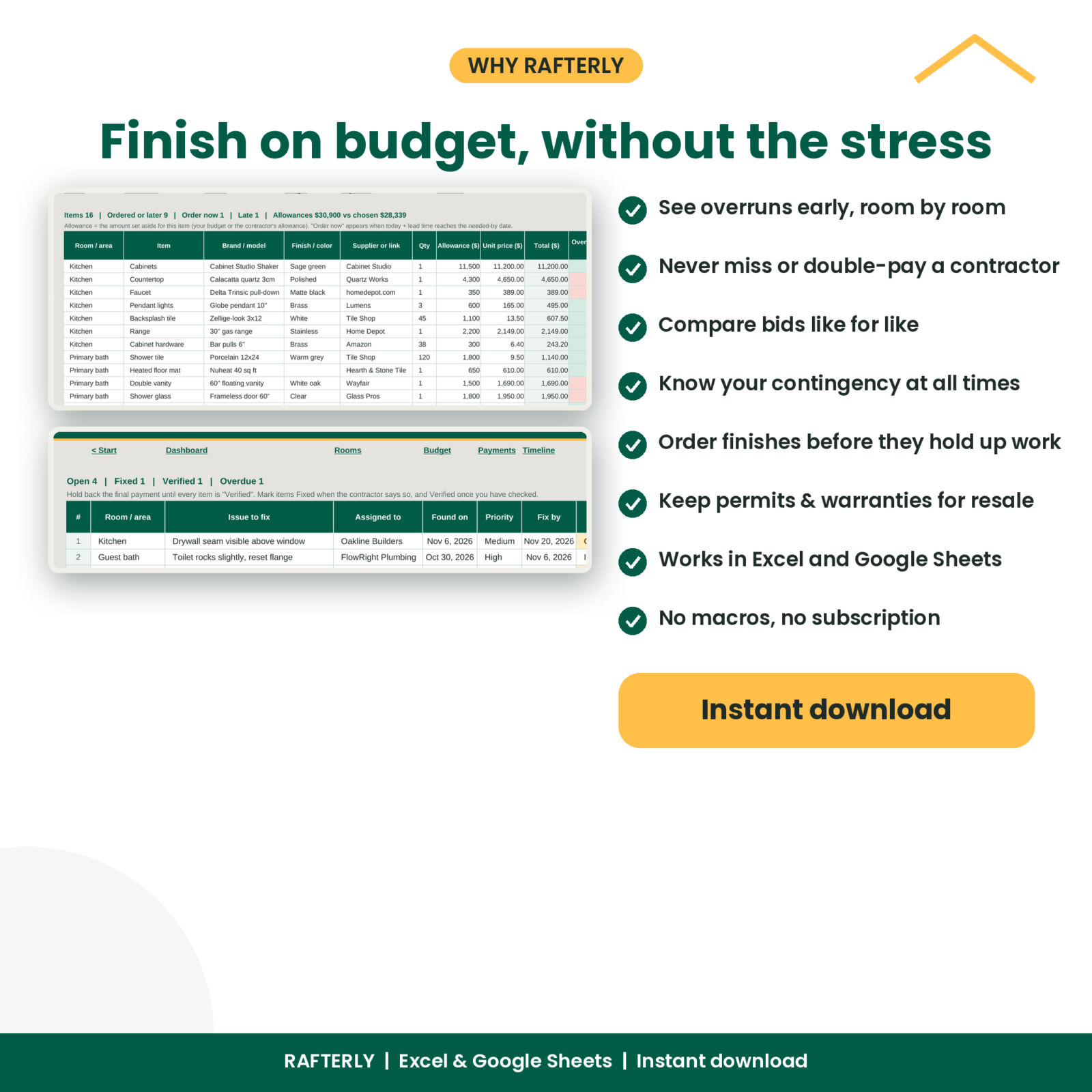
- Selections: fixtures and finishes with allowances, lead times and “order now” alerts.
- Punch List, Documents and Funding: snags with due dates, permits and warranties with countdowns, and savings, HELOC or loan balances with a funding gap check.
- Room Report: a printable one-page summary for any room to share with your contractor.
Who it is for
Homeowners planning a kitchen or bathroom remodel, a basement finish or a whole-house renovation. It works whether you hire a general contractor, manage several trades yourself or do a lot of the work DIY. Landlords and house hackers use the same tabs to keep a unit refresh on budget.
Real situations it handles
- You have three cabinet quotes from different shops and want to compare them like for like, not just on price.
- Your electrician asks for 60% up front and you want to check that payments stay in step with finished work.
- The plumber finds a code issue and you need to log the change order, sign it and see the effect on the room budget.
- Your tile has a four-week lead time and the bathroom crew starts in three.
- Final walkthrough day: you need a punch list per room before releasing the last payment.
Main benefits
- See overruns early. Every room shows “Over budget”, “Tight” or “Spend ahead of work” the moment the numbers say so.
- Protect your contingency. Set a reserve (10% to 20% is common) and watch how much is left as the forecast moves.
- Pay the right amount at the right time. Scheduled payments, due-soon alerts and contractor balances stop double payments and late fees.
- Pick contractors with confidence. Quote scoring and license checks make the choice clear.
- Keep the paperwork. Permits, inspections, warranties and lien waivers in one list, handy at resale.
What’s included
- Rafterly Home Renovation Budget Tracker (blank .xlsx workbook)
- Rafterly Home Renovation Budget Tracker, Sample Data copy (.xlsx) with a realistic whole-house project, so you can see every feature working
- Rafterly User Guide (.docx, 11 pages with screenshots, tips, troubleshooting and FAQ)
How it works
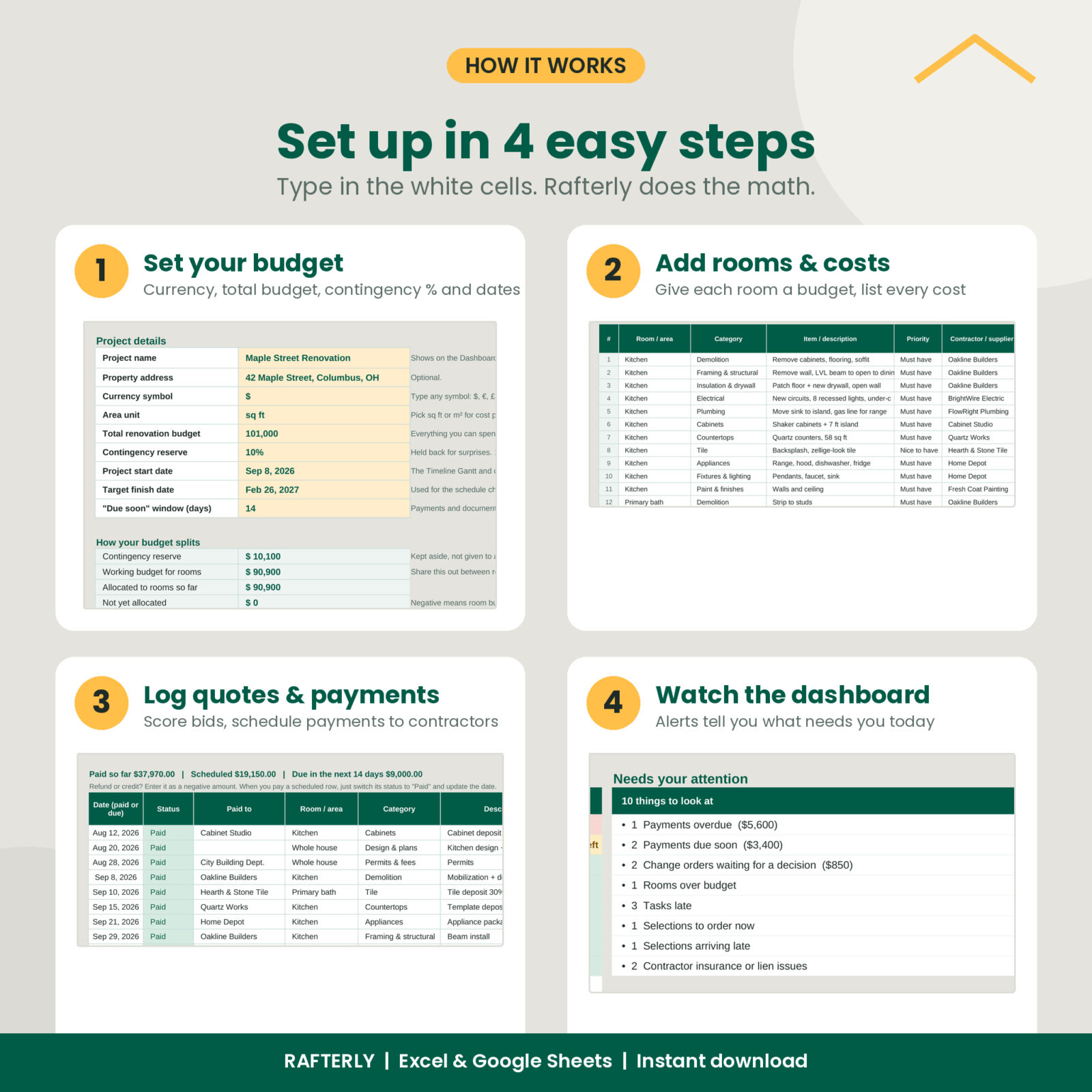
- Enter your project name, currency, total budget, contingency % and dates on Settings.
- List your rooms and give each one a budget.
- Add cost lines, quotes and contractors as they come in.
- Record payments and tasks. The Dashboard, charts and alerts update on their own.
File formats and software requirements
Excel workbook (.xlsx) for Microsoft Excel 2019, 2021 or Microsoft 365 on Windows or Mac. For Google Sheets, upload the file to Google Drive and open it with Google Sheets. The workbook uses only standard functions, with no macros, add-ins or scripts. The guide is a Word document (.docx).
Customization
Use any currency symbol, switch between sq ft and m², rename or add up to 25 cost categories, and change how quotes are scored. Formula cells are protected without a password, so they stay safe but you can unprotect a sheet to restyle it.
Digital download
This is a digital product. No physical item will be shipped. Your files are available to download right after checkout. Licensed for personal use: please do not share or resell the files.
FAQ
Does this renovation budget spreadsheet work in Google Sheets?
Yes. Upload the .xlsx file to Google Drive and open it with Google Sheets. It uses standard functions only.
Can I use it for a kitchen or bathroom remodel only?
Yes. Add one room or several. Unused rows stay blank and do not affect totals.
How does the contingency work?
You choose a reserve percentage of your total budget. It is used only when the forecast goes past the working budget for your rooms, so you can see exactly how much cushion is left.
How are quotes scored?
Quotes for the same job are compared with each other on price, your 1 to 5 rating, warranty length and duration. You set the weights.
Is there a Gantt chart?
Yes. Add tasks with a start date and number of days, and the 32-week Gantt chart colors itself. Change the start date to scroll through a longer project.
Can I use my own currency?
Yes. Type any symbol in Settings and every money label and dashboard card follows it.
Do I need spreadsheet experience?
No. Type in the white cells, pick from dropdowns and let the green cells calculate. The sample project and the guide show you how each tab works.
Reviews
There are no reviews yet.