



Registered Nurse Resume Template for Word, Built for How Nurses Get Hired
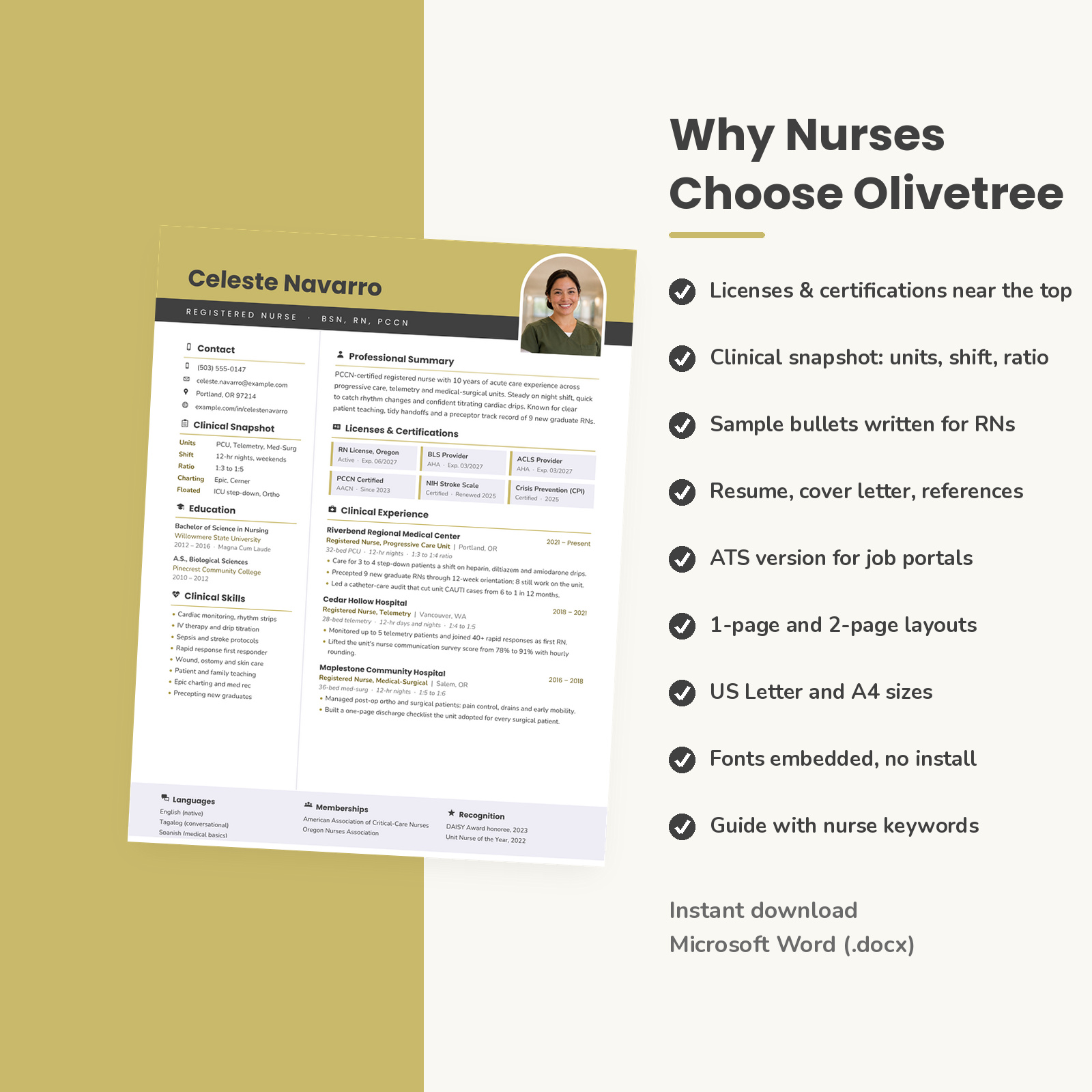
The Olivetree registered nurse resume template is an editable Microsoft Word kit for RNs who want a resume that looks professional and still reads well in an applicant tracking system. Nurse recruiters scan for three things first: your license, your certifications and the units you have worked. This nurse resume template word kit puts all three in the top half of page one, inside a warm olive and charcoal design with a soft lavender footer.
You get a 1-page resume, a 2-page resume, a matching cover letter, a references page and an ATS-friendly plain version. Every file comes in US Letter and A4, so it works for hospital applications in the US, Canada, the UK, Australia and beyond.
What Makes This Nurse Resume Template Different
- Licenses & Certifications tiles near the top. Six tidy tiles for your RN license, BLS, ACLS, PCCN, NIHSS or any other credential, each with the issuer and expiry date.
- Clinical Snapshot. Five short lines for units, shift, patient ratio, charting system and float experience. A charge nurse reading your resume knows where you fit in five seconds.
- Unit details on every job. Each role shows unit size, shift and ratio (for example 32-bed PCU, 12-hr nights, 1:3 to 1:4) above your bullets.
- Real nursing sample content. No lorem ipsum. The sample shows a PCCN-certified progressive care nurse with bullets like “Precepted 9 new graduate RNs” and “cut unit CAUTI cases from 6 to 1 in 12 months”, so you can see the level of detail that gets interviews.
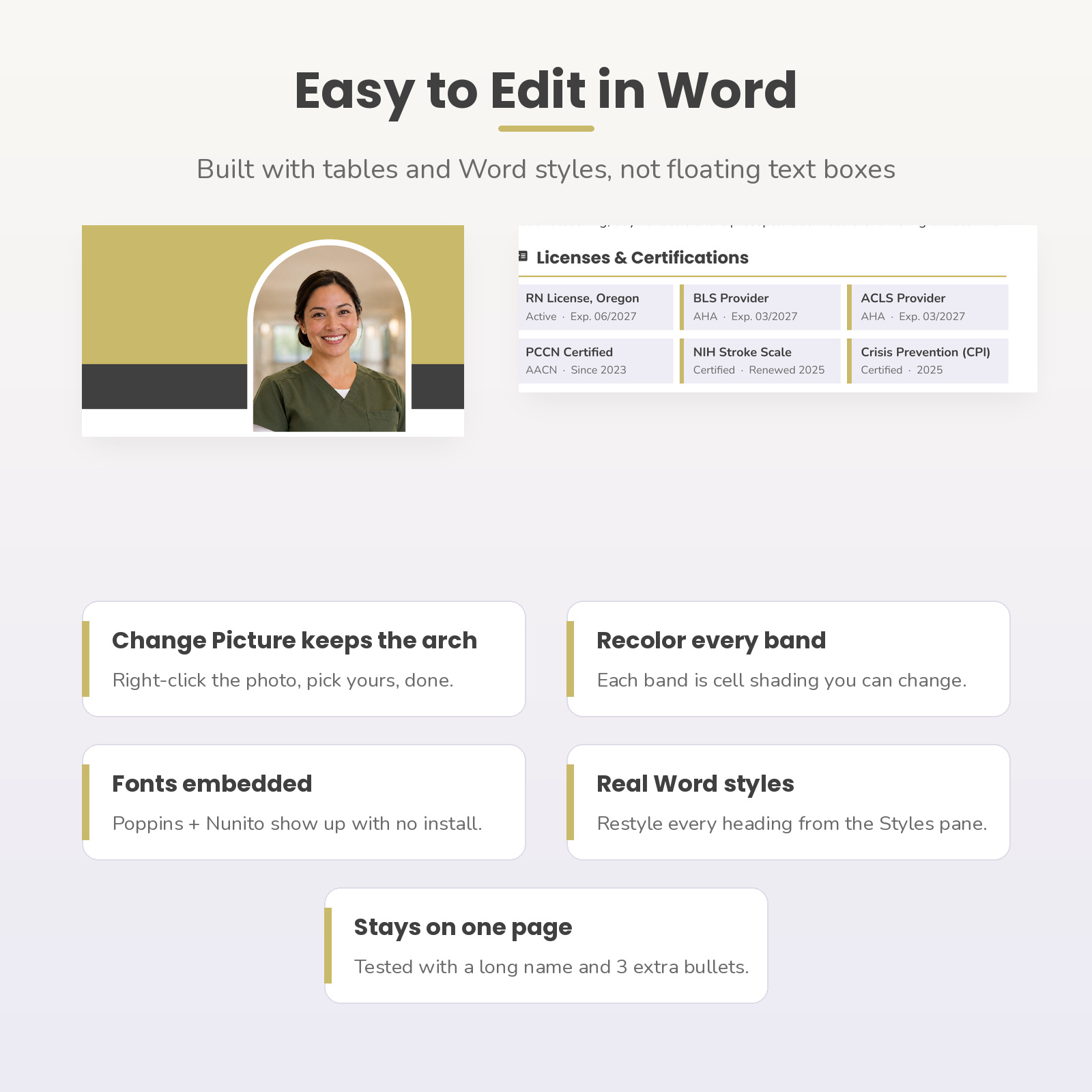
- Arch photo header. Right-click the photo, choose Change Picture, and your photo drops into the same arch frame with its white border. Prefer no photo? Delete it and the header still looks finished.
What Is Included
- Registered nurse resume, 1 page (.docx)
- Registered nurse resume, 2 pages (.docx): page 2 adds clinical equipment, continuing education, clinical leadership, committees, awards and volunteer work
- Matching nurse cover letter (.docx) with sample wording for a step-down RN position
- Matching references page (.docx) with four reference cards
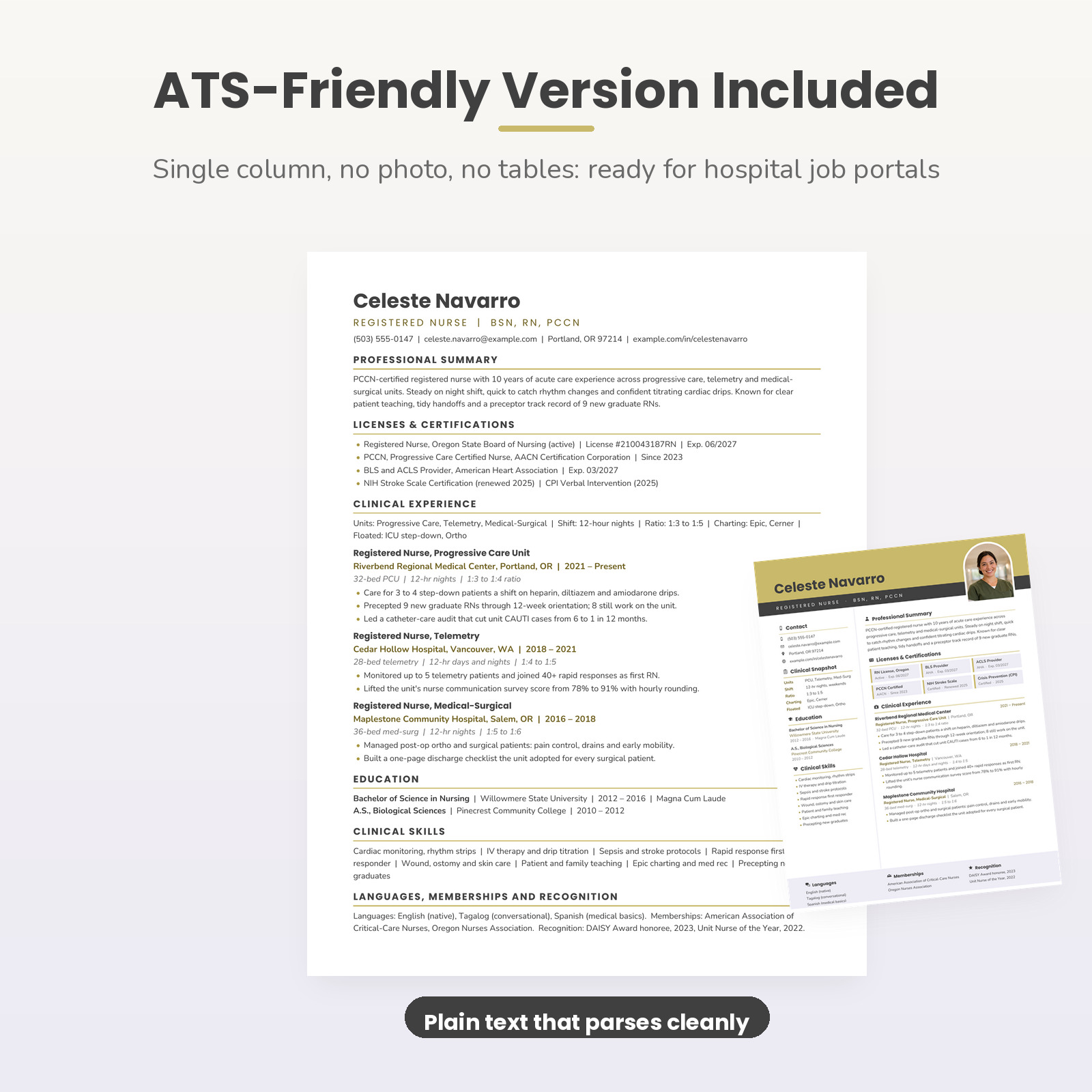
- ATS-friendly plain resume (.docx): single column, no photo, no tables
- All five files in US Letter (8.5 x 11 in) and A4 (210 x 297 mm), 10 Word files in total
- Fonts folder with Poppins and Nunito (SIL Open Font License) as a backup install
- User guide (.docx, 7 pages) with step-by-step editing help and a nurse resume cheat sheet
The Nurse Resume Cheat Sheet in the Guide
Writing is the hard part, so the guide includes a resume writing cheat sheet made for nurses: a bullet formula (action verb + what you did + a result with a number), 30 action verbs such as titrated, precepted and escalated, and 28 keywords nurse recruiters search for, including telemetry, sepsis protocol, discharge planning, Epic and ACLS. A section-by-section table tells you what to put in your summary, credentials and clinical experience, with a short note for new graduate nurses.
How It Works
- Download the zip and unzip it.
- Open the resume in Microsoft Word for your paper size.
- Click any sample text and type over it. Headings, bullets and dates are real Word styles, so formatting stays neat.
- Swap the photo with Change Picture, or delete it.
- Save as PDF and apply. Upload the ATS version to hospital careers portals.
Designed to Stay Put When You Edit
Many Word resume templates fall apart as soon as you add a line, because they rely on floating text boxes. This RN resume template uses table cells and cell shading instead. Text stays in the normal flow, which keeps the layout steady and lets ATS software read every word. We tested the one-page file with a 28-character name, a two-line job title and three extra bullets, and it stayed on one page in both US Letter and A4.
The olive header, charcoal title strip, lavender footer and credential tiles are all cell shading, so you can recolor them in a few clicks from Table Design. Fonts are embedded in every file, so the design shows correctly without installing anything.
Who This Registered Nurse Resume Template Is For
- Bedside RNs in med-surg, telemetry, progressive care, ICU, ED, L&D, oncology or pediatrics
- New graduate nurses applying for residency programs (swap experience for clinical rotations, as the guide shows)
- Travel nurses who need a clean resume for agency submissions
- Experienced nurses moving into charge, educator or leadership roles (use the 2-page version)
- LPNs and nurse practitioners who want a medical resume template they can adapt
Use Cases
Apply for a night shift step-down job with the matching cover letter. Upload the ATS version to a large health system portal. Bring printed copies of the designed version to a hospital hiring event. Send the references page after a good interview with a nurse manager.
File Formats and Software
- Format: Microsoft Word (.docx), delivered as one zip file plus the guide
- Software: Microsoft Word for Windows or Mac (Microsoft 365, 2019 or later recommended), or the free Word for the web
- Google Docs and Apple Pages can open the files with minor layout differences. For the cleanest result, export your final PDF from Word.
- Paper sizes: US Letter and A4
Digital Download
This is an instant digital download. No physical item ships. After checkout you can download the kit zip and the user guide right away, as many times as you need. The sample person, hospitals, schools and contact details are fictional, and the sample photo is AI-generated. License: personal use only, no resale or sharing.
Nurse Resume Template FAQ
Is this nurse resume template editable in Word?
Yes. Every part is editable in Microsoft Word: text, colors, photo, fonts and sections.
Where should licenses and certifications go on a nurse resume?
Near the top, right after your summary. This template has a dedicated Licenses & Certifications section there.
Does it work with applicant tracking systems?
The designed resume uses no text boxes, and the kit also includes a plain single-column ATS version for online portals.
Can I use it without a photo?
Yes. Delete the photo and the header still looks complete. Many US hospitals prefer resumes without photos.
Is it good for a new grad nurse resume?
Yes. The guide shows how to turn Clinical Experience into Clinical Rotations and where to add your NCLEX date.
Does it include a nursing cover letter?
Yes, a matching cover letter with realistic sample wording, plus a references page.
Will it open in Google Docs?
It opens in Google Docs with minor layout differences. We recommend Microsoft Word or Word for the web for final edits.
Reviews
There are no reviews yet.