

A restaurant SOP manual that is already written
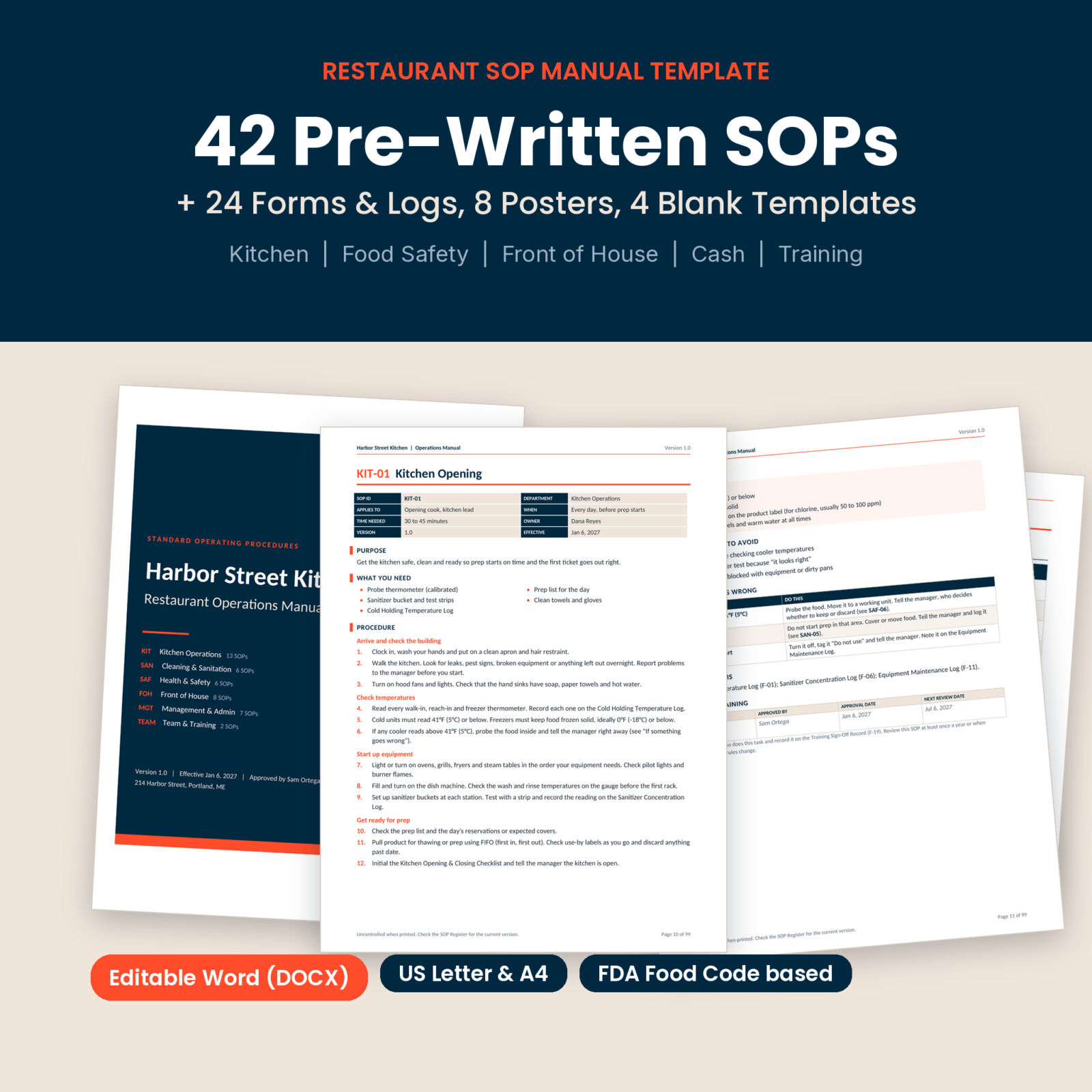
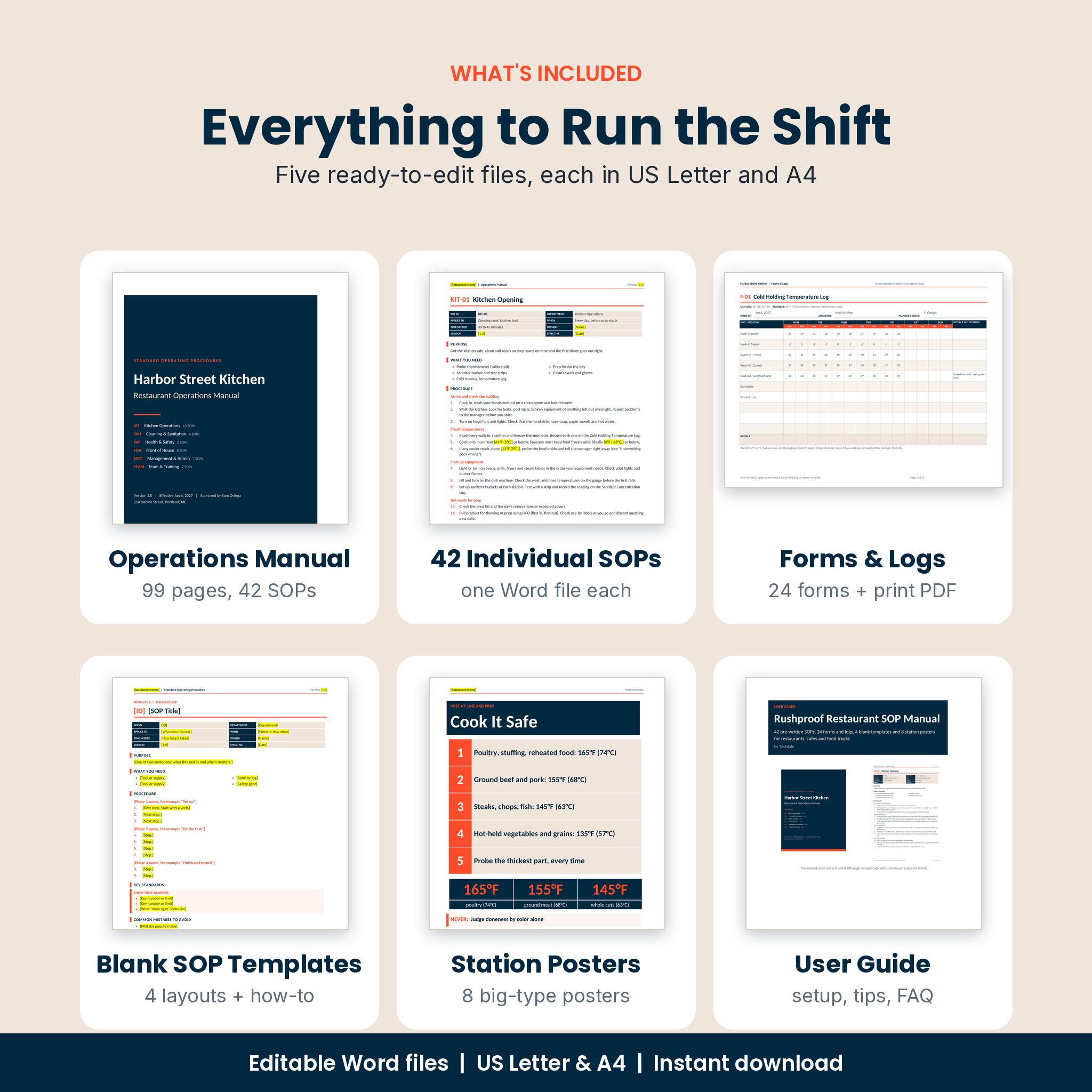
Rushproof is a restaurant SOP template pack for owners and managers who need written procedures but do not have weeks to write them. Open the Word file and you get a finished operations manual: 42 standard operating procedures, a clickable contents page, an SOP Register, revision history and a staff acknowledgment page. Add your restaurant name once, check the highlighted numbers, print, and start training.
Most SOP templates give you one blank page and a lot of homework. This one gives you the words. Kitchen Opening. Cooling & Reheating Food. Allergen Orders. Cash Drawer Close-Out. Steps of Service. Each one is written in plain language a new hire can follow on their first shift.
What is inside every SOP
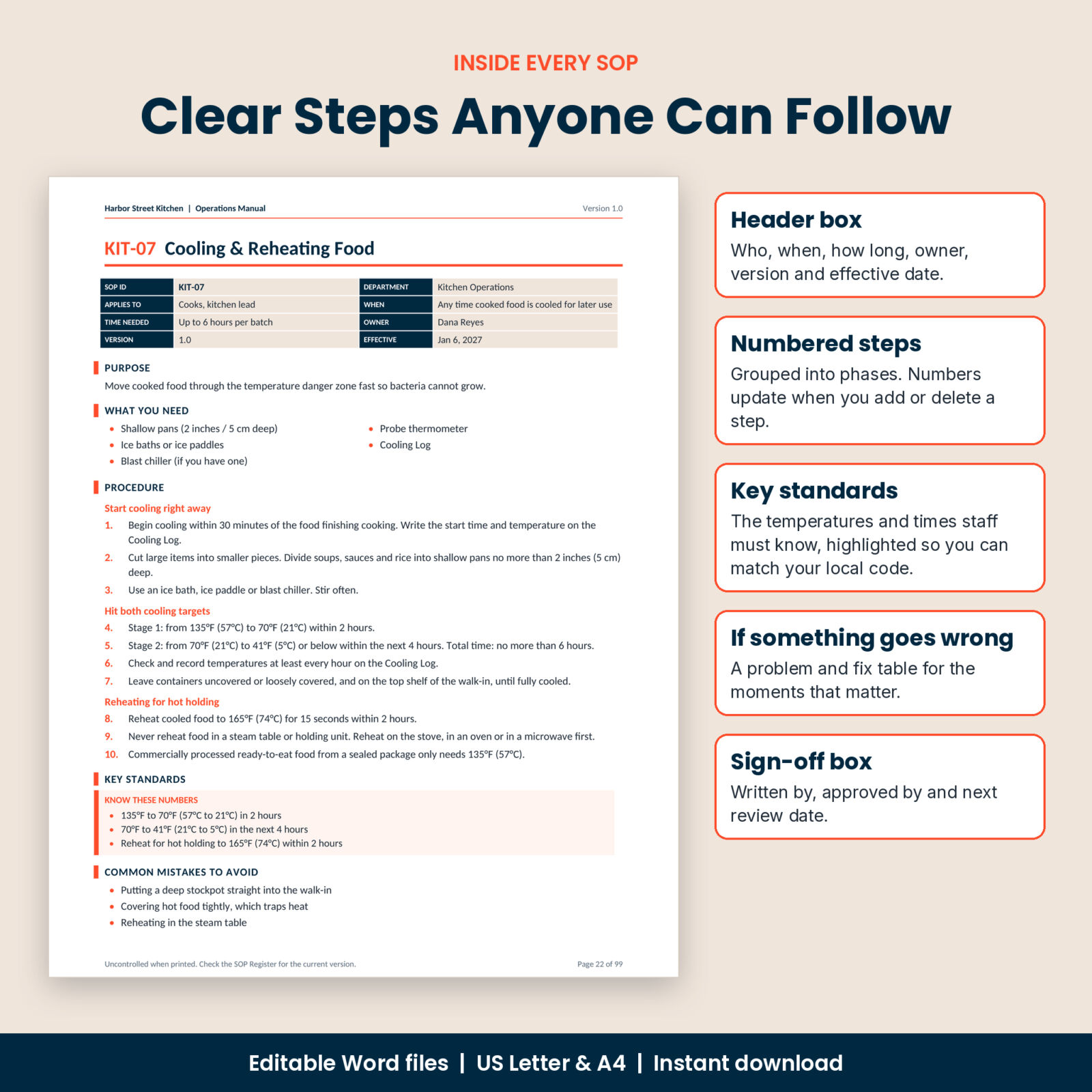
Every procedure uses the same two-page layout, so staff learn where to look:
- Header box with who does the task, when, how long it takes, the owner, version and effective date
- Purpose in one or two sentences, because people follow rules better when they know why
- What you need: tools, supplies and forms to have ready
- Numbered steps grouped into phases. Add or delete a step and the numbers update
- Key standards: the temperatures, times and limits staff must know
- Common mistakes to avoid, taken from real kitchen problems
- If something goes wrong: a problem and fix table
- Records & forms: which log to fill in, with form codes that match the Forms & Logs file
- Approval & training boxes for sign-off and the next review date
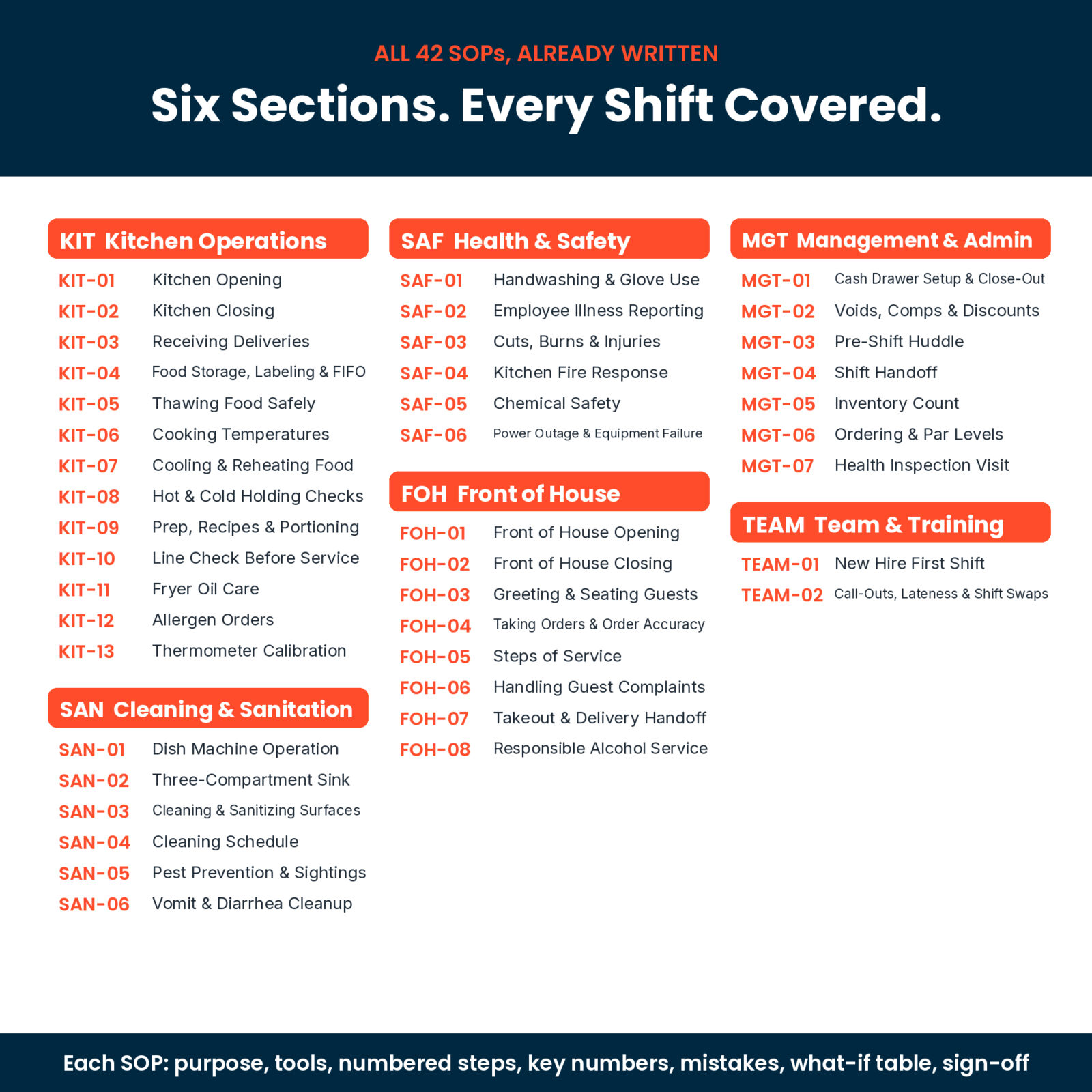
The 42 SOPs
Kitchen Operations (13)
Kitchen Opening, Kitchen Closing, Receiving Deliveries, Food Storage, Labeling & FIFO, Thawing Food Safely, Cooking Temperatures, Cooling & Reheating Food, Hot & Cold Holding Checks, Prep, Recipes & Portioning, Line Check Before Service, Fryer Oil Care, Allergen Orders, Thermometer Calibration.
Cleaning & Sanitation (6)
Dish Machine Operation, Three-Compartment Sink, Cleaning & Sanitizing Surfaces, Cleaning Schedule, Pest Prevention & Sightings, Vomit & Diarrhea Cleanup.
Health & Safety (6)
Handwashing & Glove Use, Employee Illness Reporting, Cuts, Burns & Injuries, Kitchen Fire Response, Chemical Safety, Power Outage & Equipment Failure.
Front of House (8)
Front of House Opening and Closing, Greeting & Seating Guests, Taking Orders & Order Accuracy, Steps of Service, Handling Guest Complaints, Takeout & Delivery Handoff, Responsible Alcohol Service.
Management & Admin (7) and Team & Training (2)
Cash Drawer Setup & Close-Out, Voids, Comps & Discounts, Pre-Shift Huddle, Shift Handoff, Inventory Count, Ordering & Par Levels, Health Inspection Visit, New Hire First Shift, and Call-Outs, Lateness & Shift Swaps.
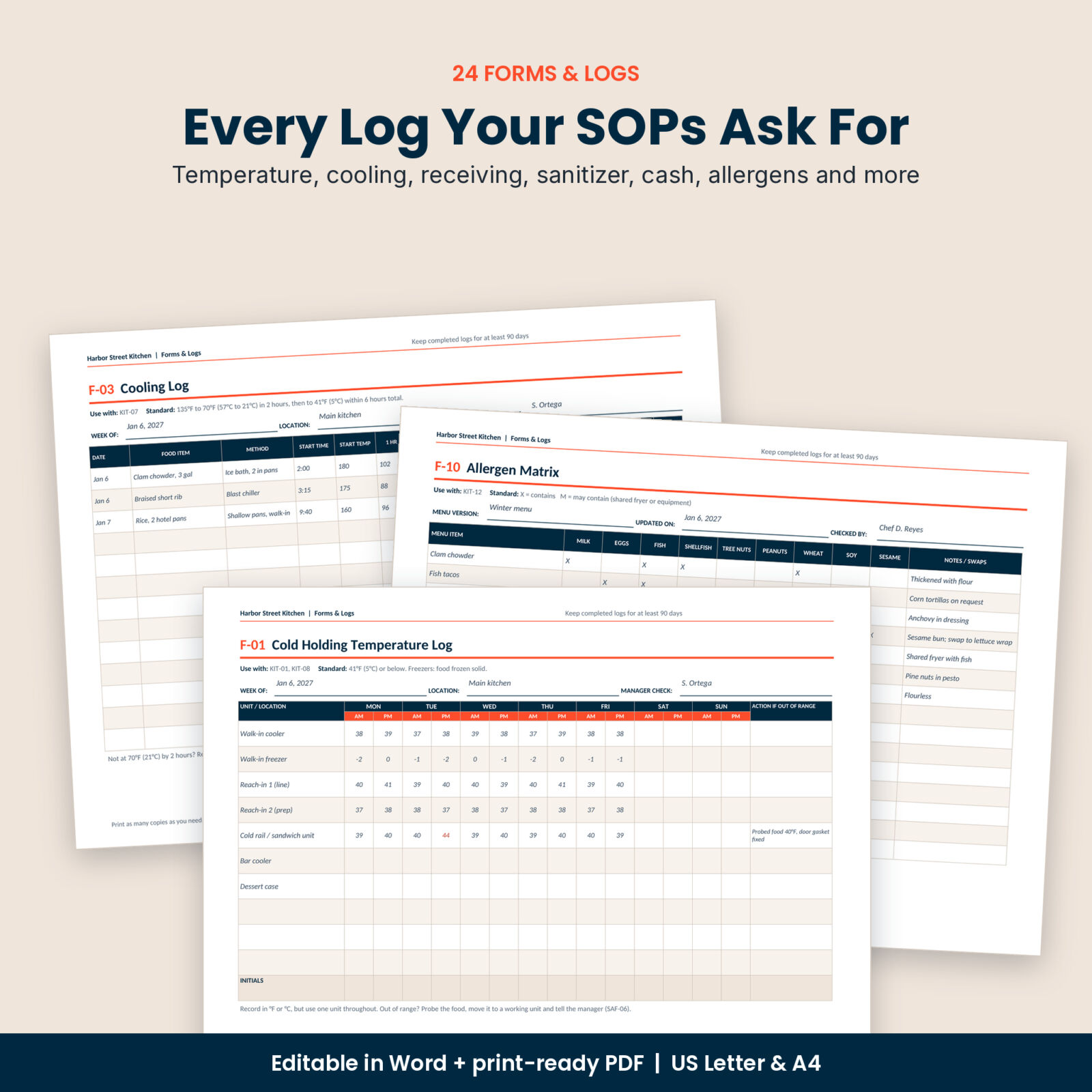
24 forms and logs that match the SOPs
When an SOP says “record it”, there is a form for it. Cold Holding and Hot Holding Temperature Logs, Cooling Log, Receiving Log, Thermometer Calibration Log, Sanitizer Concentration Log, Cleaning Schedule, Fryer Oil Log, Waste Log, Allergen Matrix, Equipment Maintenance Log, Pest Sighting Log, Void & Comp Log, Cash Count Sheet, Shift Handoff Note, Employee Illness Report, Incident & Injury Report, Guest Complaint Record, Training Sign-Off Record, SOP Acknowledgment Form, Line Check Sheet, Kitchen and FOH Opening & Closing Checklists, and an Inventory Count & Order Sheet.
You get them as an editable Word file, where checklists and the Cleaning Schedule have boxes you can click to tick, and as a print-ready PDF you can use straight away. Money columns are labeled “Amount” or “Est. value” with no currency symbol, so they work wherever you are.
Extras that make it easier to roll out
- 8 station posters in big type: Wash Your Hands, Cook It Safe, Cool It Fast, Hold It Right, Wash Rinse Sanitize, Allergy Order, Grease Fire and Calibrate It
- 4 blank SOP layouts (Standard, Checklist, Who-Does-What and Station Quick Card) with a “write an SOP in 30 minutes” guide, for the tasks that are unique to your place
- 42 individual SOP files, so you can email one procedure or post it at a station
- Restaurant Information & Key Contacts page for shut-off locations, repair companies and emergency numbers
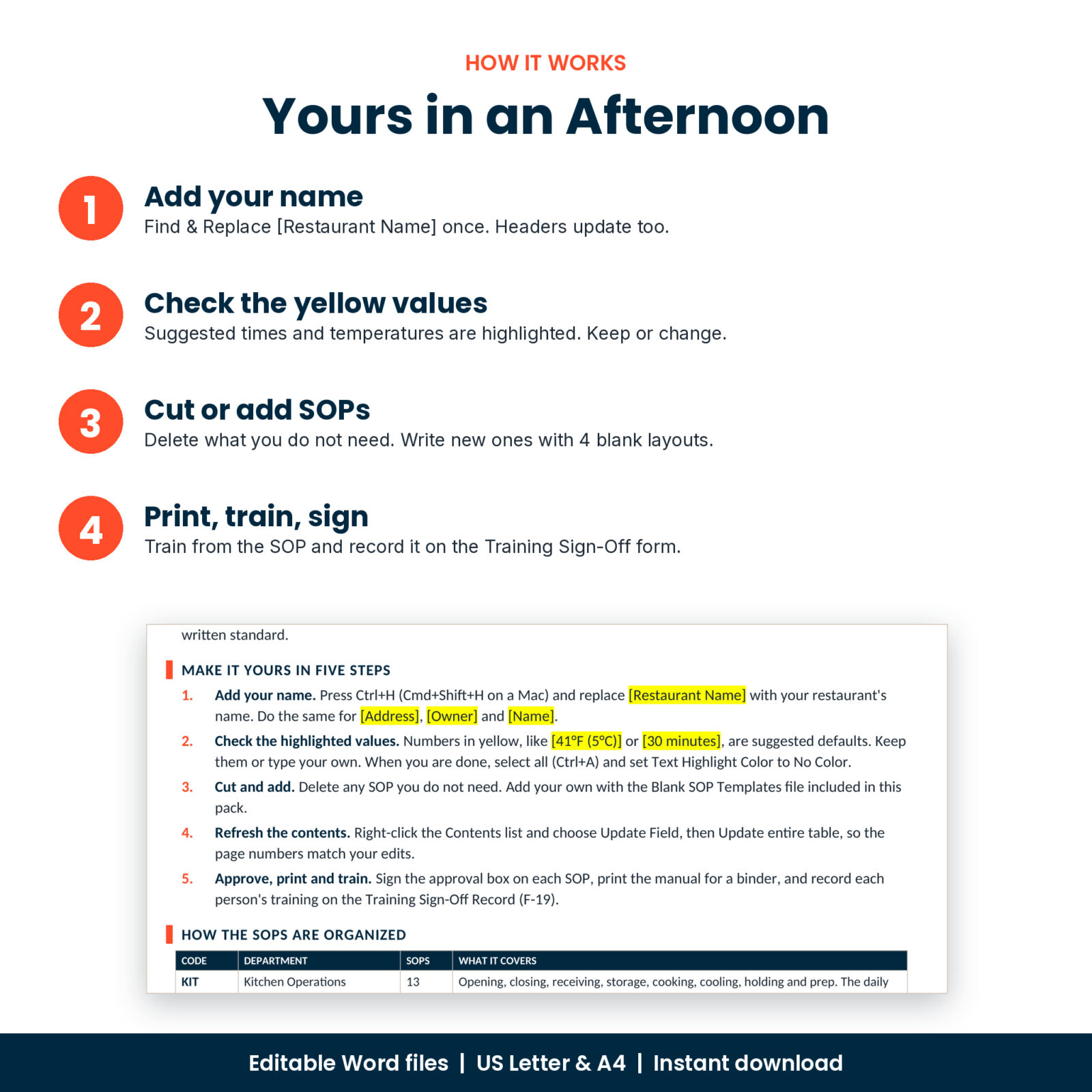
How it works
- Download and unzip. Choose the US Letter or A4 folder.
- Open the manual in Word and use Find & Replace to swap [Restaurant Name] for your name. The page headers update too.
- Check the yellow highlighted values, such as cooling times or the number of minutes before opening. Keep them or type your own.
- Delete any SOP you do not need, update the contents with one right-click, then print and train.
Temperatures and times are based on the FDA Food Code, which most US states use as the base for their rules. Local rules can differ, which is why every key number is highlighted for you to check.
Who it is for
- Independent restaurant owners and general managers
- Cafes, food trucks, bars with food, caterers and delivery-only kitchens
- New openings that need training materials before the first hire
- Kitchen managers getting ready for a health inspection
File formats and requirements
- Editable Word documents (.docx): manual, individual SOPs, forms, blank templates and posters, each in US Letter (8.5 x 11 in) and A4
- Print-ready PDF of the forms and logs in both sizes
- User guide (.docx) with setup steps, customizing tips, troubleshooting and FAQ
- Built for Microsoft Word and tested in LibreOffice Writer. Uses Calibri, which comes with Word
- Instant digital download. No physical product is shipped
Customizing
Headings use Word’s built-in heading styles, so you can change the font or color of every SOP at once. Add your logo to the header, rename form columns, add your own cooler names or menu items, or build new SOPs from the blank layouts. Placeholders are highlighted so nothing gets missed.
FAQ
Are the SOPs already written?
Yes. All 42 are complete, with steps, standards, mistakes and what-to-do tables. You only adjust details to fit your restaurant.
Can I edit everything?
Yes. Every SOP, form and poster is a normal Word document you can change.
Will it work for a cafe or food truck?
Yes. Delete what does not apply and use the blank layouts for anything specific to your setup.
Does it meet my local health code?
The numbers follow the FDA Food Code, but your health department has the final say. Every key value is highlighted so you can check it quickly.
Can I open it in Google Docs?
You can upload the files to Google Drive and open them with Google Docs, but clickable checkboxes and the contents page work best in Word.
Is it US Letter or A4?
Both. Every file comes in each size.
Can I share it with my staff?
Yes. Print it or share the finished manual with your own team. The license covers one business, including all its locations. Reselling or sharing the template files is not allowed.
Reviews
There are no reviews yet.