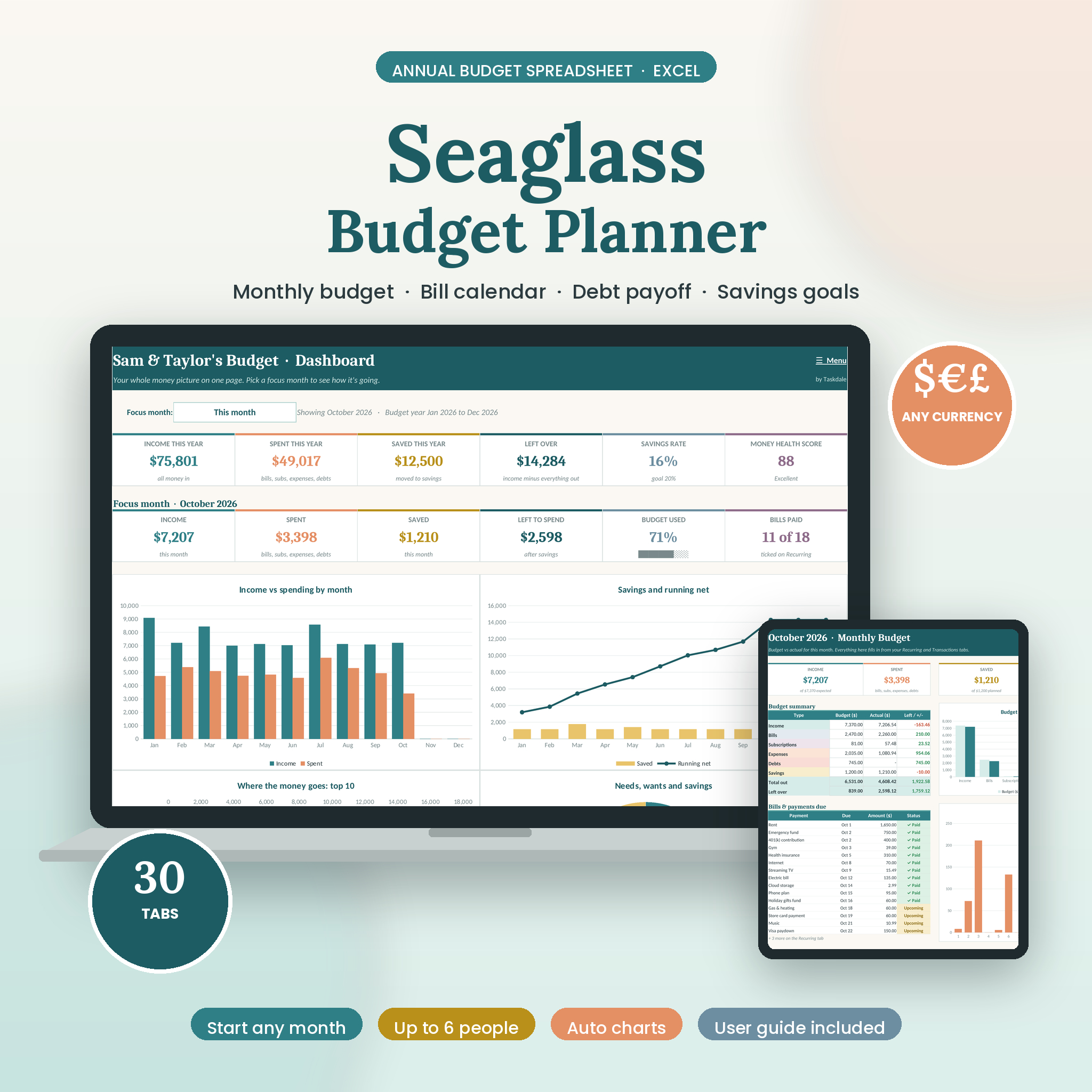
The Seaglass Budget Planner is an annual budget spreadsheet for Excel that shows where your money goes, month by month, without a budgeting app or a subscription. You set it up once in about 15 minutes. After that you log spending a couple of times a week, and the planner does the math, fills in all twelve months and draws the charts.
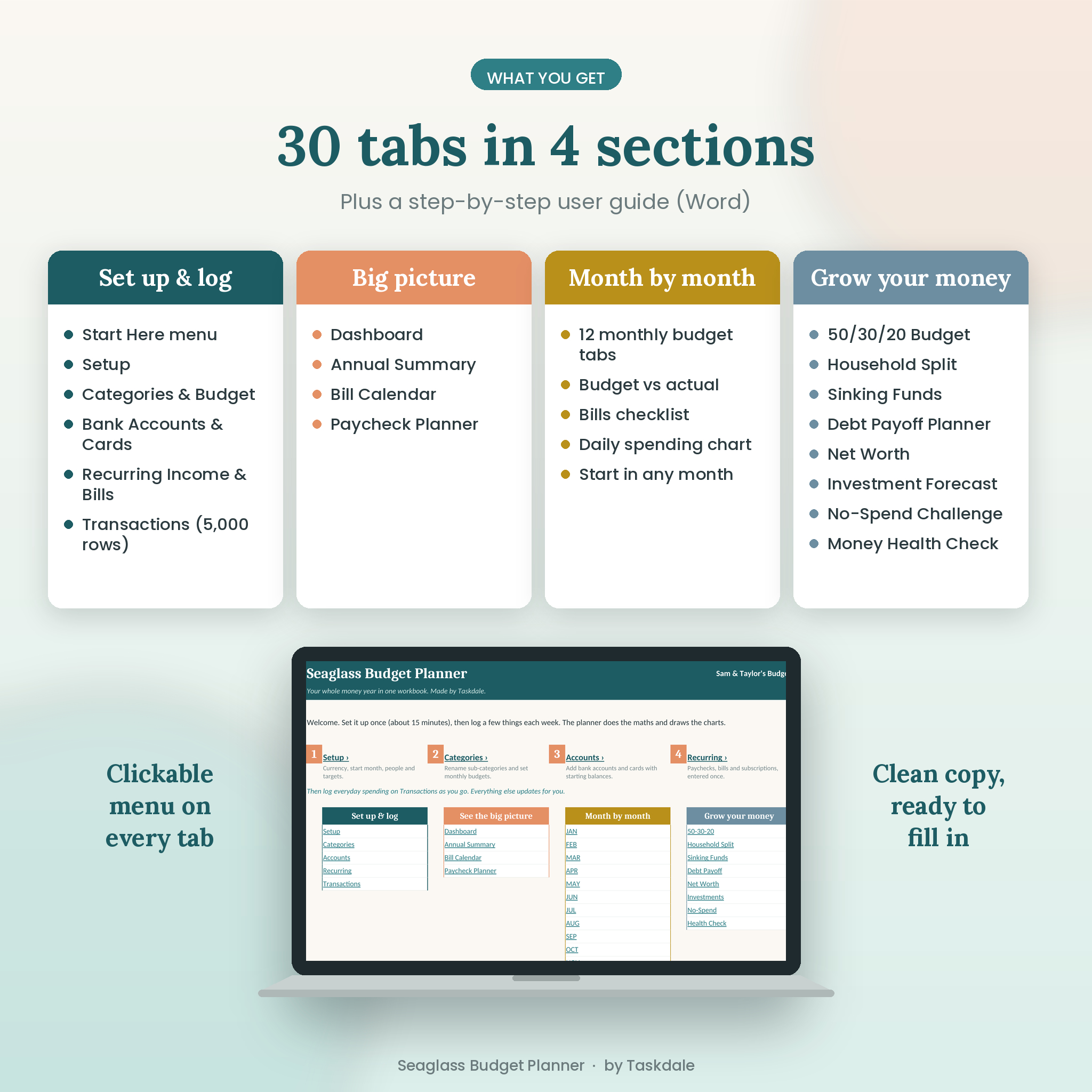
It has 30 tabs in four sections, a calm teal and apricot design, and a Start Here menu that links to every tab. Your file arrives blank and ready to fill in.
What this budget spreadsheet does
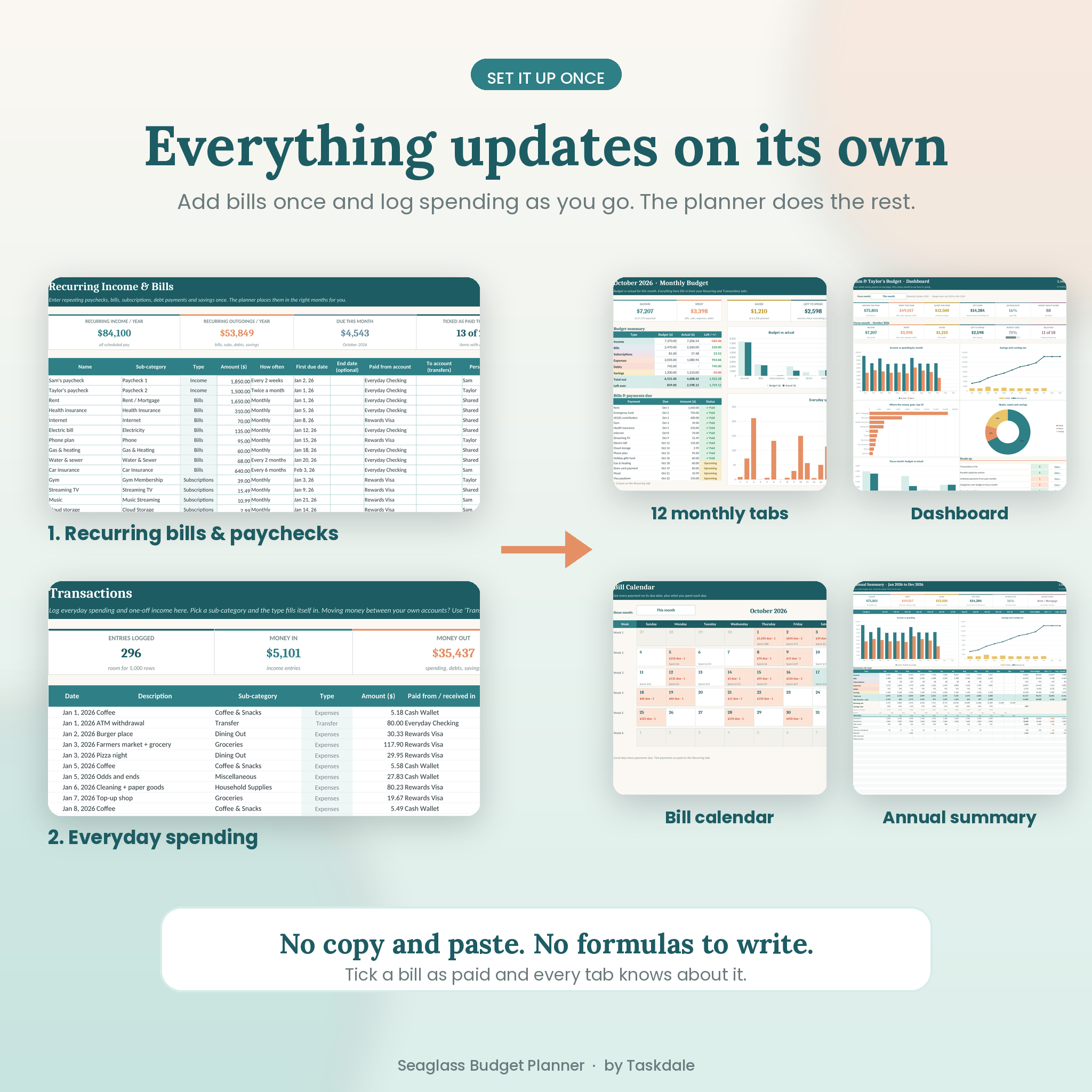
You tell it three things: your categories and budgets, your recurring paychecks and bills, and your everyday spending. Everything else is calculated for you. Tick a bill as paid and the monthly tab, the dashboard, the bill calendar and your account balances all update.
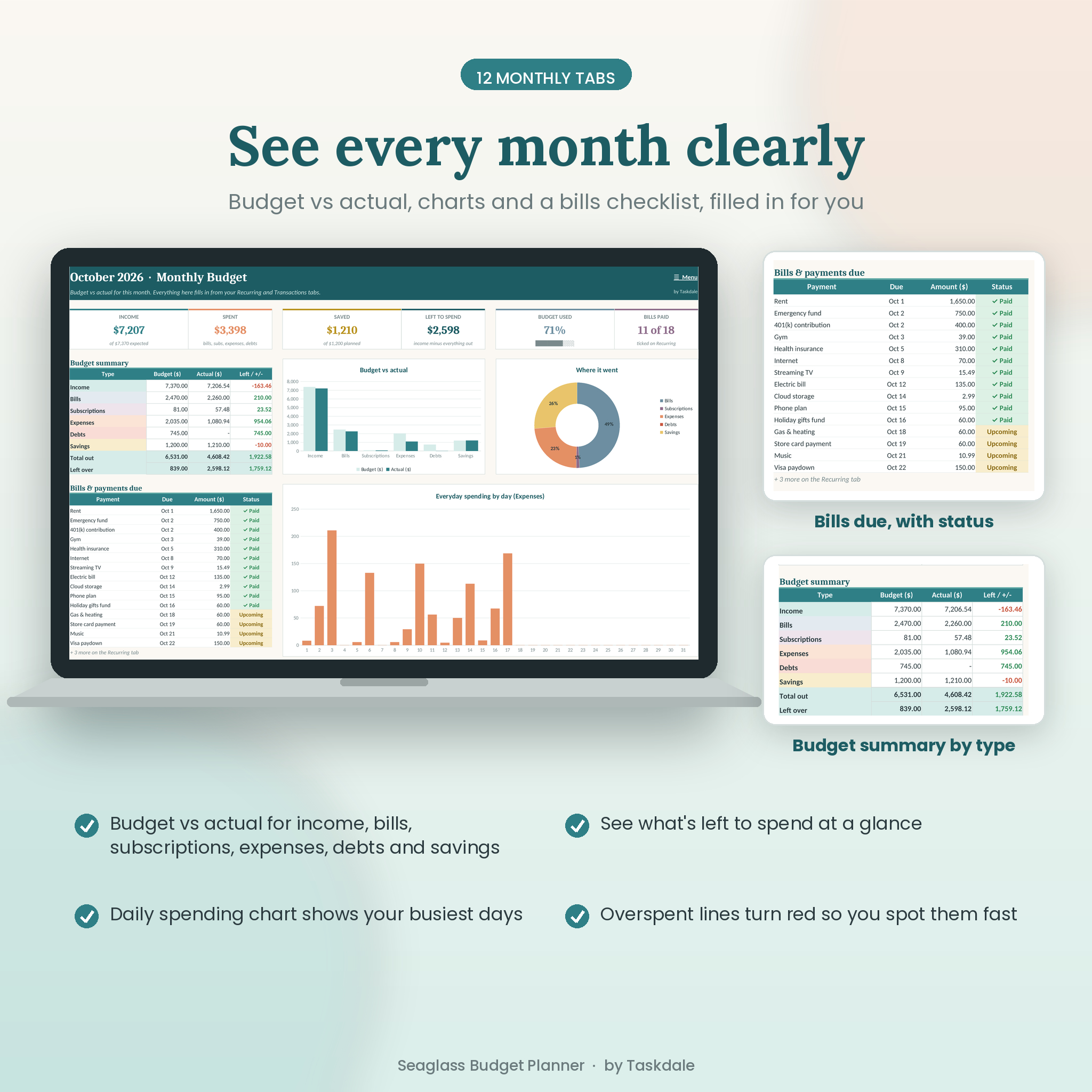
- Monthly budget tabs (12): budget vs actual for income, bills, subscriptions, expenses, debts and savings, with a bills checklist and a daily spending chart.
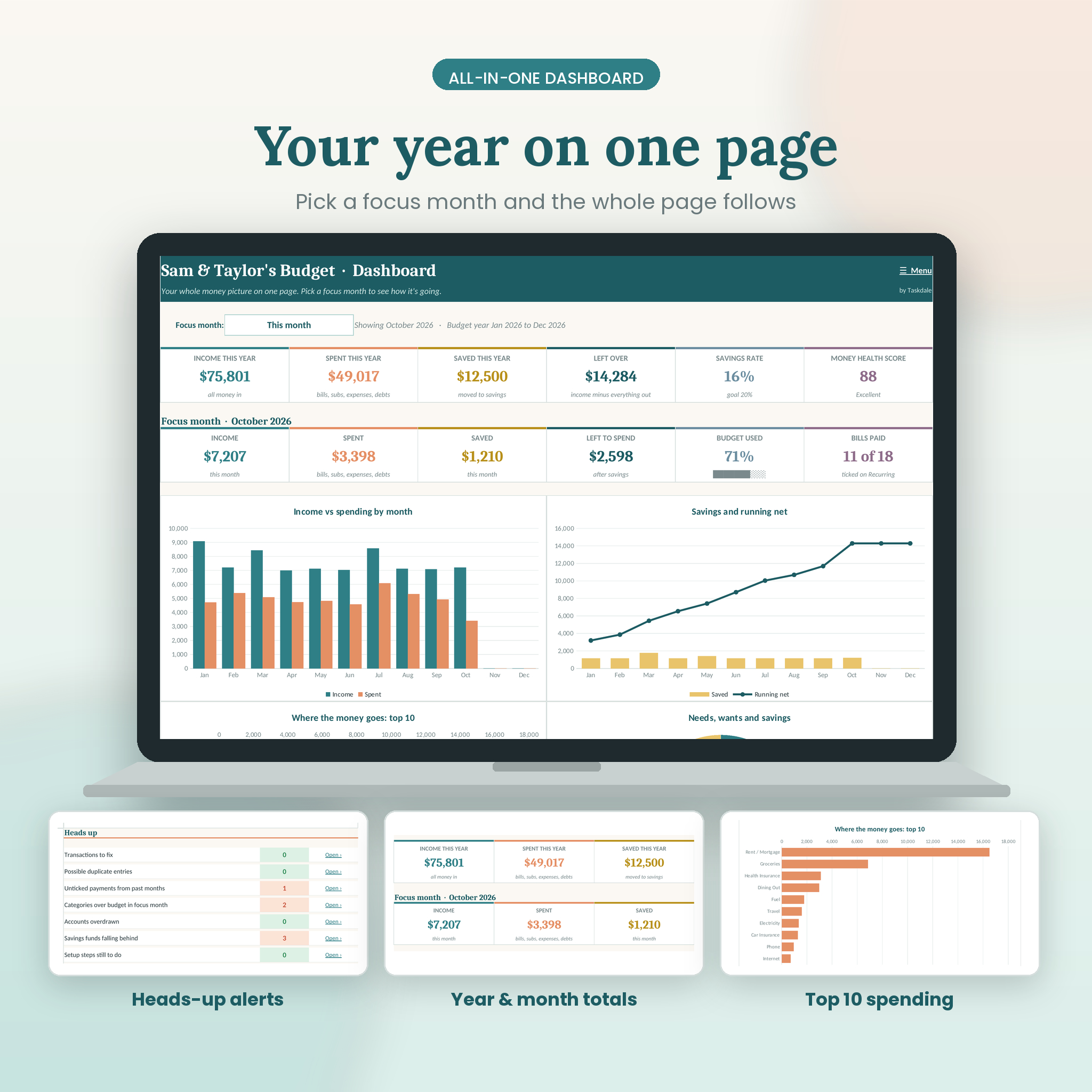
- Dashboard: your whole year on one page, plus a focus month you can switch, a top 10 spending chart and a short list of things that need attention.
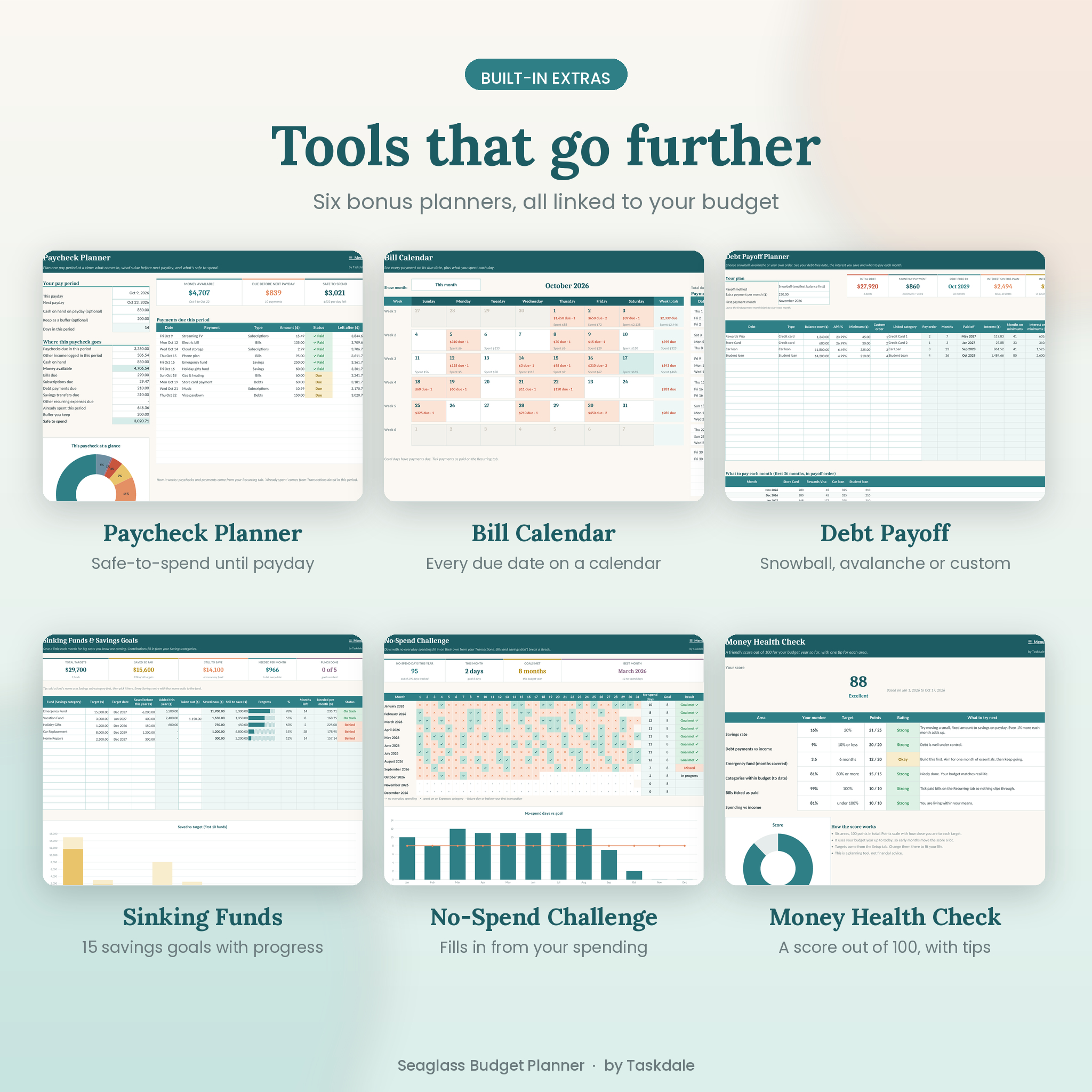
- Bill calendar: every due date on a real calendar, with paid, due and overdue status.
- Paycheck planner: pick this payday and the next one and see what’s due in between and what’s safe to spend per day.
Who it’s for
It suits anyone who wants a clear monthly budget planner in Excel. Couples and families can tag spending to up to six people and see a fair split of shared costs. If you’re paying off credit cards or loans, the debt payoff planner gives you a real debt-free date. Savers can track up to 15 goals, from an emergency fund to holiday gifts.
Features
Set up and log
- Setup tab with one currency setting that every money value reads from
- Start your 12-month budget in any month, with Sunday or Monday weeks
- Categories and budget tab: 6 types, 30 sub-categories each, with optional month-by-month changes
- Bank accounts and cards (up to 20) with balances that update on their own
- Recurring income and bills (up to 60): weekly, every 2 weeks, twice a month, monthly, quarterly, yearly and more
- Transactions log with 5,000 rows, filters and a check column that flags typos, dates outside your budget year and possible duplicates
See the big picture
- Dashboard with year and month tiles, six charts and heads-up alerts
- Annual summary of every category for all 12 months, with averages and a running net
- Bill calendar and paycheck planner
Grow your money
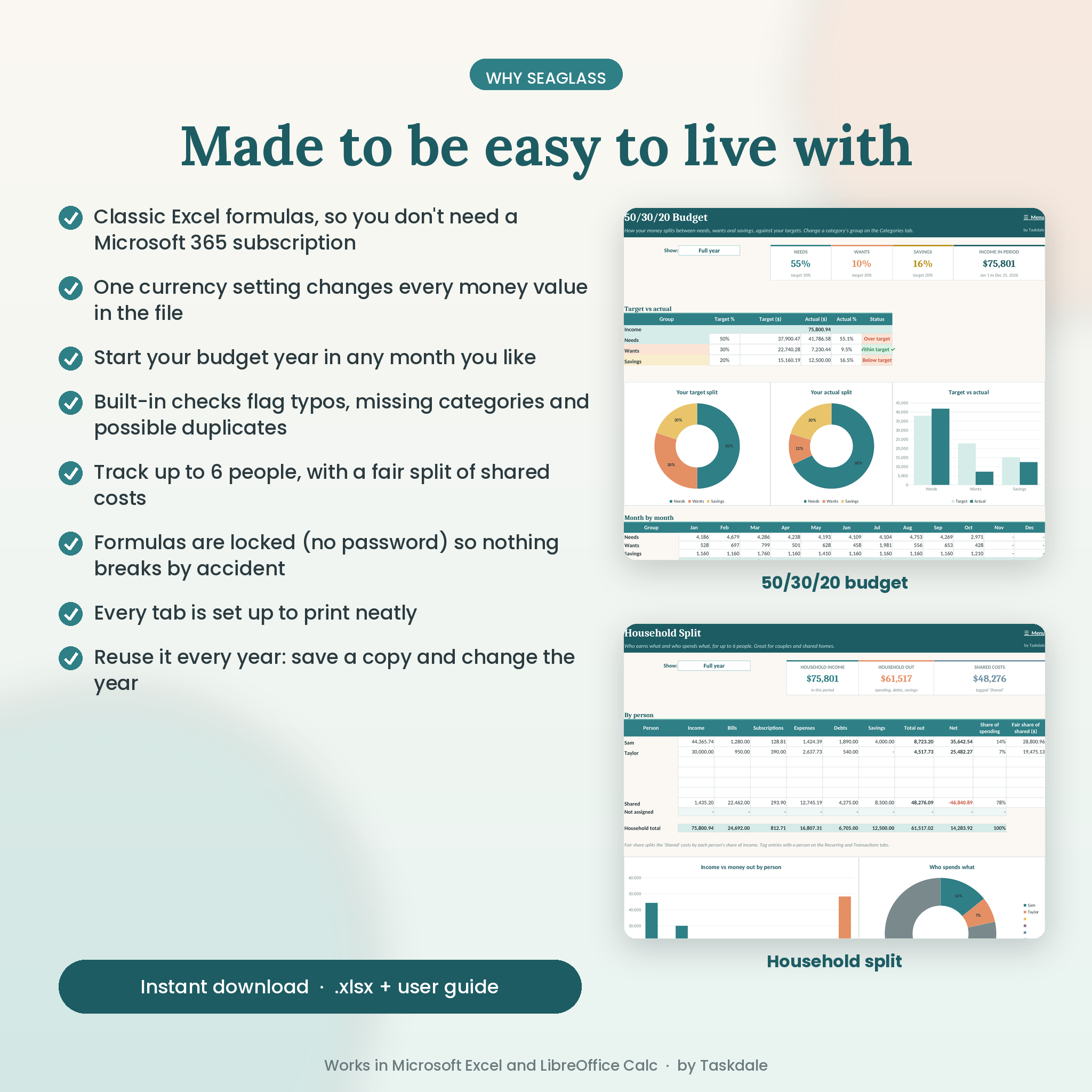
- 50/30/20 budget with your own target split
- Household split for up to 6 people
- Sinking funds and savings goals (15) with progress bars and the amount needed per month
- Debt payoff planner (20 debts): snowball, avalanche or custom order, interest saved and a 36-month payment plan
- Net worth tracker, investment growth forecast and a no-spend challenge that fills in from your spending
- Money health check: a score out of 100 with one practical tip for each area
What’s included
- Seaglass-Budget-Planner.xlsx (the planner, 30 tabs)
- Seaglass Budget Planner User Guide (Word, with screenshots, tips, troubleshooting and FAQ)
How it works
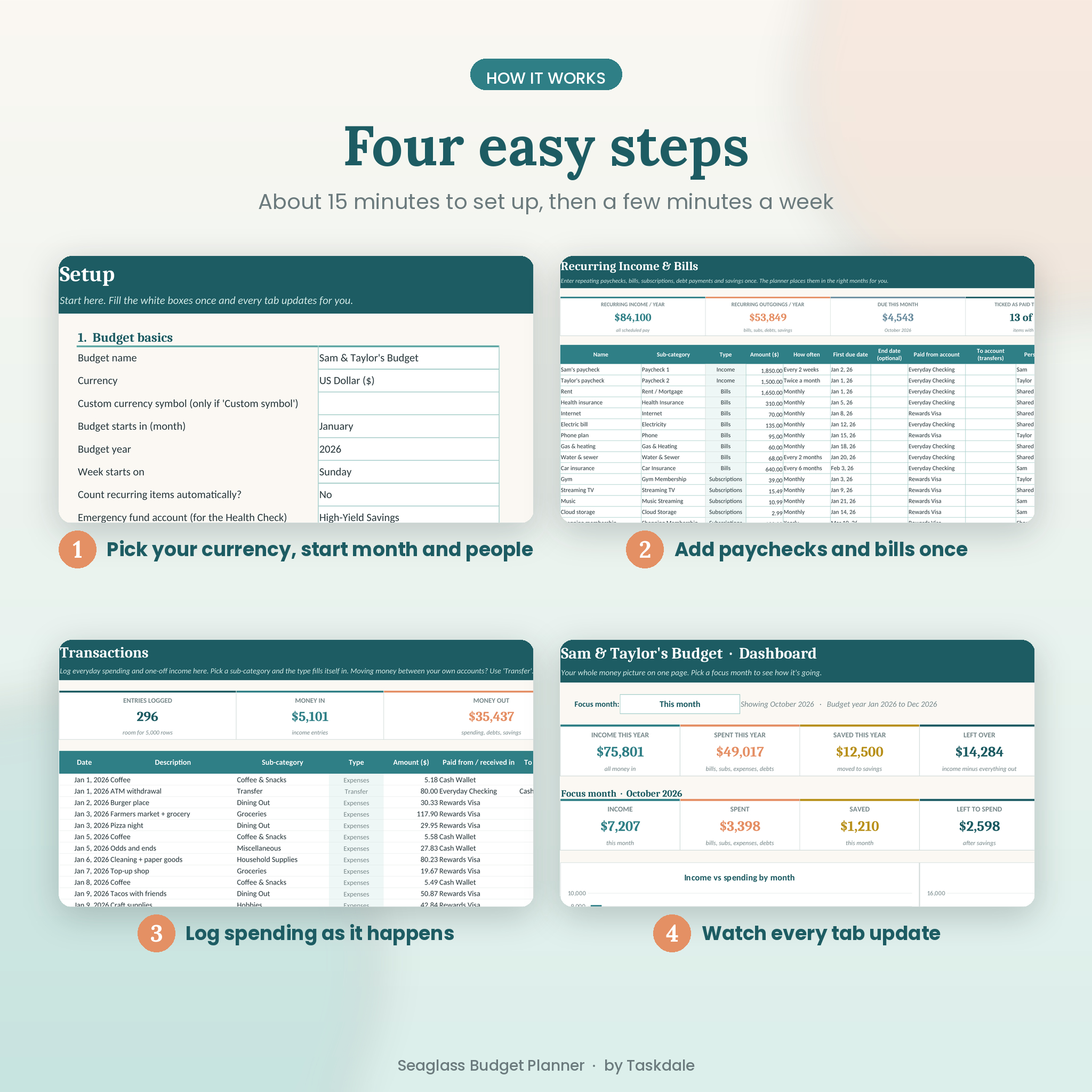
- Pick your currency, start month and people on the Setup tab.
- Rename your categories and set monthly budgets.
- Add your accounts, then your paychecks and bills on the Recurring tab.
- Log everyday spending on Transactions. Every other tab updates for you.
File format and software
You get an .xlsx file for Microsoft Excel on a computer. It’s built with classic Excel formulas, so you don’t need a Microsoft 365 subscription. It also works in the free LibreOffice Calc. We recommend a laptop or desktop rather than a phone. Google Sheets and Apple Numbers aren’t supported.
Customize it
Rename any category, change budgets for single months, switch currency or start month at any time, and resize columns. Formulas are locked without a password so nothing breaks by accident. If you want to change the design, you can unprotect any tab in seconds. Every tab is set up to print on letter paper.
Digital download
This is an instant digital download. No physical item is shipped. Your files are ready right after checkout. The photos show sample numbers so you can see the planner when it’s full; your copy arrives clean. Personal use only, please don’t share or resell it.
Real ways people use it
- A couple paid on different schedules plans rent and bills together and sees who covers what.
- Someone paid every two weeks uses the paycheck planner to know what’s safe to spend before the next payday.
- A family pays down two credit cards with the snowball method and watches the debt-free date move closer.
- A saver builds an emergency fund and a holiday fund at the same time with sinking funds.
- A freelancer starts the budget in July to match their tax year.
FAQ
Does this budget spreadsheet work in Excel without Microsoft 365?
Yes. It uses classic Excel formulas, so a regular desktop version of Excel works.
Can I use my own currency?
Yes. Pick it from the list on the Setup tab, or type your own symbol. Every money value follows.
Can I start the budget in any month?
Yes. Choose any start month and the 12 monthly tabs line up with it.
Is it good for couples?
Yes. Add up to six people, tag spending to each person and see a fair split of shared costs.
Does it include a debt snowball calculator?
Yes. Choose snowball, avalanche or your own order for up to 20 debts and see your debt-free date and the interest you save.
Can I reuse it next year?
Yes. Save a copy, clear your transactions and ticks, then change the year.
Does it work in Google Sheets?
It’s made for Excel and LibreOffice. Google Sheets isn’t supported.
Reviews
There are no reviews yet.